Crawled – Currently Not Indexed: What It Means & How to Fix It (2026)
Most affected URLs may not deserve indexing; learn how to triage them and fix the pages that matter.

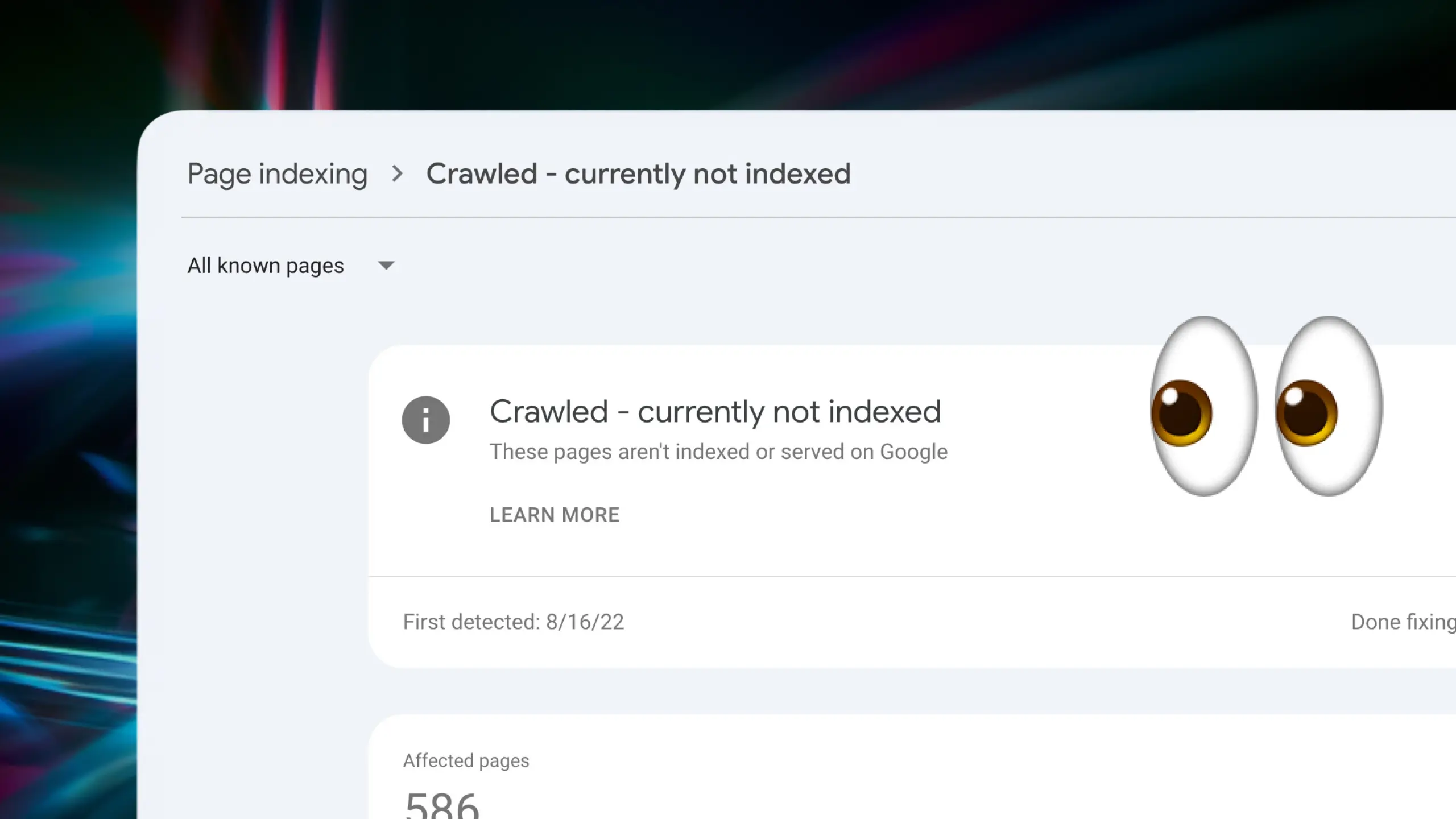
Crawled – currently not indexed means Google has visited your page but chose not to add it to its index, so the page will not show up in search results for any query. It is a status, not a penalty, and it is one of the most common lines you will see in the Google Search Console Page indexing report.
The part that sets off alarm bells is the number. Open the report and you might see a handful of these, or you might see thousands. Watching the count climb into the tens of thousands feels like something is badly broken. Often it is completely normal. Sometimes it is a real signal worth acting on. The whole game is telling those two apart, and then fixing only the pages that deserve it.
This guide covers what the status actually means, a fast way to decide whether a given page is even worth indexing, the nine causes behind it with a fix for each, and a playbook for when it is not ten pages but ten thousand. The examples here include a real report with six of these and another with more than twelve thousand, so the steps below are the ones that actually move the number.
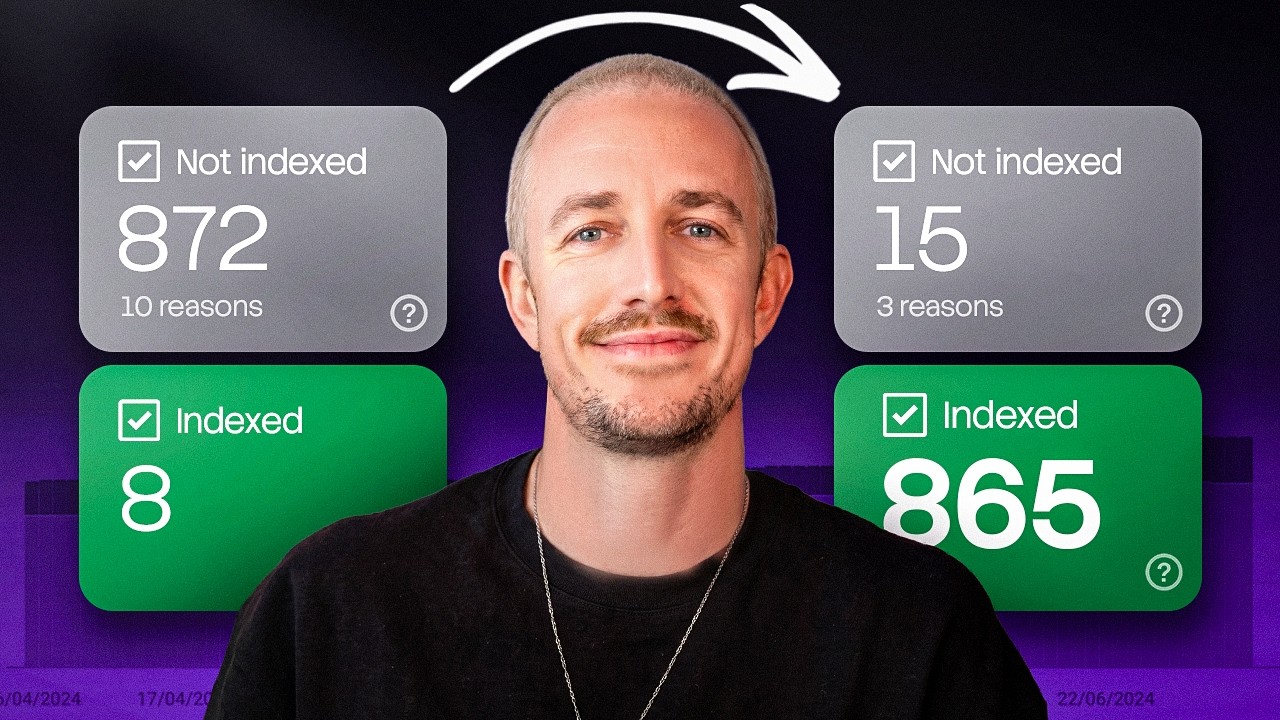
Prefer to watch first? This ten-minute walkthrough runs a full diagnostic for pages that are not getting indexed, from fixing your sitemap to the one Search Console move that pushes your most important posts to the front of the queue.
What “crawled – currently not indexed” actually means
To make sense of the status, it helps to separate three things Google does, in order:
- Crawl. Googlebot fetches the page and reads its content.
- Index. Google decides the page is worth storing in its index so it can be returned in search.
- Rank. For a given query, Google orders the indexed pages it thinks answer it best.
Crawled – currently not indexed means you cleared step one but not step two. Google saw the page and decided, for now, that it does not belong in the index. Google describes it plainly in its own help docs: “The page was crawled by Google but not indexed. It may or may not be indexed in the future; no need to resubmit this URL for crawling.”
Two things matter in that sentence. First, this is a judgment about value, not a manual action against your site. Second, the “currently” is real. Pages move out of this state and into the index all the time once the underlying reason changes.
Where to find it in Search Console
In the left navigation, open Indexing > Pages. That opens the Page indexing report (Google renamed it from “Index Coverage,” so older tutorials will call it that). Scroll to the Why pages aren’t indexed table and click the row labeled Crawled – currently not indexed to open its details page and the list of affected URLs.
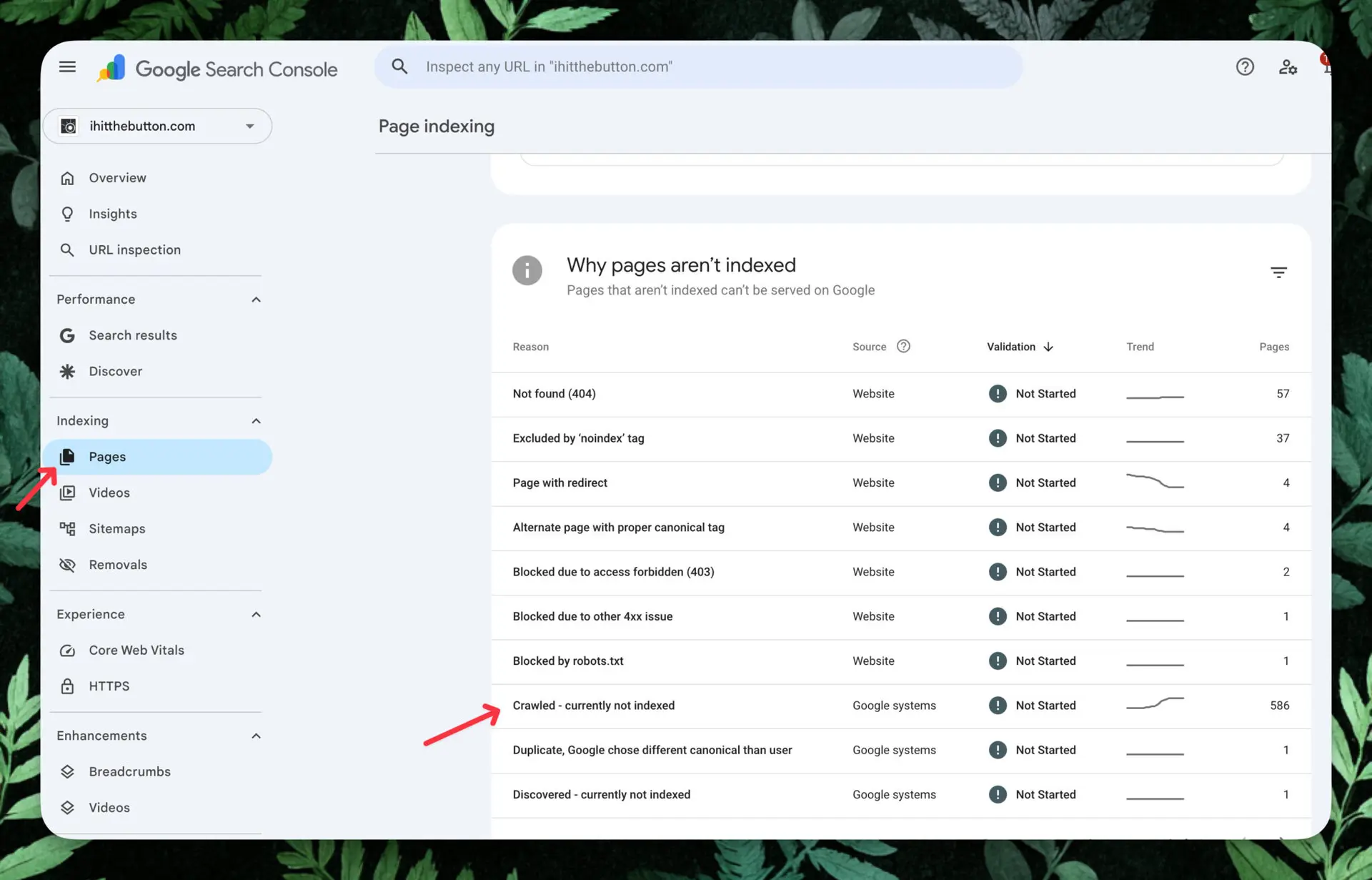
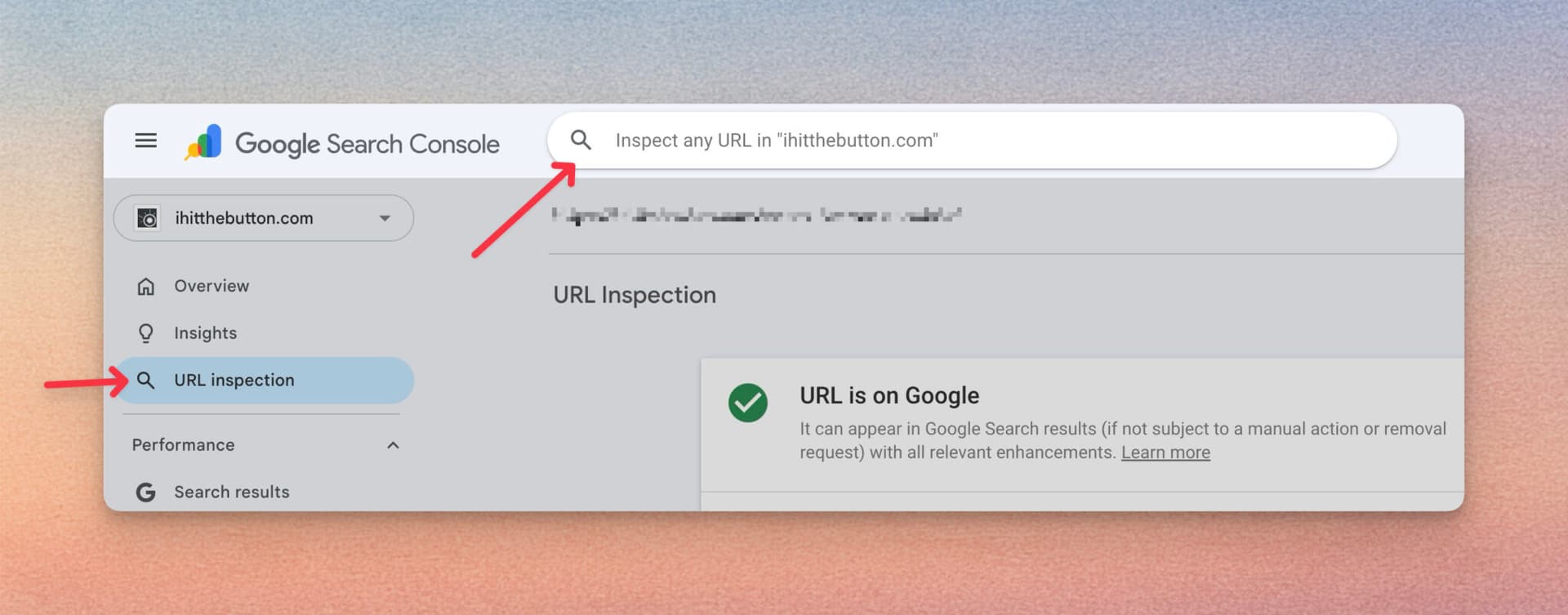
One quirk to know upfront: you cannot search or filter by URL inside this report, and the example list is capped at 1,000 rows. For a single page, use the URL Inspection bar at the top of any Search Console screen instead. For the full list on a big site, you will need more than the export, which we cover in the scale section below.
Is this actually a problem? A 30-second decision framework
Most guides skip straight to fixes. That is backwards. Before you touch a single page, decide whether it should be in the index at all, because a huge share of these URLs are supposed to be excluded. Run each one past three questions.
- Could this page realistically earn search traffic or a conversion? If not, leave it. Pagination, tag and filter pages, internal search results, RSS feeds, thank-you pages, and faceted URLs are meant to stay out of the index.
- Is it genuinely unique, or a near-copy of a page you already rank? If it overlaps heavily with something stronger, consolidating beats forcing it into the index.
- Does a real reader have a reason to land here? If yes and it still is not indexed, it has earned a spot in the diagnosis below.
Also rule out false positives. A page can show as not indexed in the report yet actually be in the index, because the report data lags. Confirm the real state two ways: run a site:yourdomain.com/the-url search, or paste the URL into URL Inspection and read the live result. If it says the URL is on Google, the report is just behind.
Get this triage right and the scary number usually shrinks fast. On most sites, the majority of crawled-not-indexed URLs are pages that were never meant to rank.
The 9 real causes (and how to fix each)
Once you have a page that genuinely should be indexed, the question is why Google passed on it. These are the nine causes I see most, roughly in order of how often they are the real problem. For each one: what it is, how to confirm it, and how to fix it.
1. Thin or low-value content
This is the number one cause. The page is technically fine, but there is not enough substance for Google to bother storing it. Confirm it by reading the page as a stranger: does it answer the query more completely than what already ranks, or is it a few hundred words restating the obvious? The fix is not “add words.” It is to add something only you can: original detail, a real example, a step a competitor skipped, a screenshot, a number. Make the page the most useful result for its query, then ask for a recrawl.
2. Too similar to something that already ranks
Google already has plenty of pages covering this exact angle and does not see why yours adds anything. Confirm it by searching your target query and reading the top results. If your page is a slightly different wording of the same thing, that is the problem. The fix is to find the gap: a narrower audience, a more specific use case, fresher data, or a format the current results lack. If there is no real gap, the honest move is to merge this page into a stronger one rather than fight for a duplicate slot.
3. Near-duplicates and missing canonicals
Multiple URLs serve near-identical content (think ?utm variants, print versions, or paginated archives), so Google indexes one and parks the rest. Confirm it with URL Inspection, which tells you the Google-selected canonical versus your declared one. The fix is to point duplicate variations at a single canonical URL, consolidate thin variations, and make sure your canonical tags are consistent and self-referential on the pages you do want indexed.
4. Weak internal linking and orphan pages
If almost nothing on your site links to a page, Google reads that as a vote of no confidence and often leaves it out. Confirm it by checking how many internal links point to the URL (a site crawler or your CMS will show this); orphan pages with zero internal links are prime suspects. The fix is to link to the page from relevant, already-indexed posts using descriptive anchor text, and to add it to your navigation or a hub page if it deserves the placement. Strong internal links are one of the most reliable levers for getting a page indexed, and they are exactly the kind of repetitive upkeep worth handling on a schedule rather than by hand.
5. Whole-site quality: Google isn’t convinced yet
This is the cause people miss, and it is the most important one on smaller sites. Google judges quality at the site level, not just the page level. If it is not yet convinced the site as a whole is worth trusting, it will hold back on indexing a chunk of your pages, even decent ones. John Mueller of Google explained it directly in a Search Central office-hours session:
If you have five pages that are not indexed at the moment, it’s not that those five pages are the ones we would consider low quality. It’s more that overall, we consider this website maybe to be a little bit lower quality. And therefore we won’t go off and index everything on this site.
John Mueller, Google, in a 2021 Search Central office-hours session (transcribed by Search Engine Journal)
Confirm it by looking at the pattern: if a meaningful share of a small or newer site is unindexed and the individual pages look fine, the problem is probably the whole. The fix is slower but real. Raise the average quality of the site by improving or pruning your weakest pages, strengthening your best ones, and earning a few credible links. As the site’s reputation improves, indexing of the rest tends to follow.
6. Mass-produced or low-value content (the 2026 angle)
Since its 2024 updates, Google has leaned hard on a policy it calls scaled content abuse, which it defines as generating “many pages for the primary purpose of manipulating search rankings and not helping users.” The key line is that this applies “no matter how it’s created.” It is not an anti-AI rule. Plenty of pages drafted with AI get indexed and rank. What gets filtered is large volumes of unoriginal, low-value content, whether a human or a model produced it.
Confirm it by being honest about how a batch of pages was made: were they spun out quickly from a template or a prompt with little editing, original input, or reason to exist? If yes, that is likely why they are sitting unindexed. The fix is to treat AI as a first draft, not the finished product. Add real expertise, examples, and a point of view, consolidate the filler, and you can read our take on where AI is reshaping content economics for the bigger picture.
7. JavaScript rendering issues
If your main content only appears after JavaScript runs, Google may crawl the page, fail to render the important parts, and see something close to empty. Confirm it with URL Inspection: open the live test, view the rendered HTML and screenshot, and check whether your real content is actually there. The fix is to make sure critical content and links are present in the server-rendered HTML, through server-side rendering, static generation, or pre-rendering, so Google does not depend on executing your scripts to find the substance.
8. Conflicting technical signals
Sometimes the page is sending Google a mixed message. Common culprits: an accidental noindex tag left on from staging, a robots.txt rule blocking a resource, a redirect chain, or a soft 404 where a real page returns a “not found” feel. Confirm each with URL Inspection and a quick look at your robots file and response codes. The fix is to remove the conflicting signal: drop the stray noindex, unblock the resource, return clean status codes, and validate structured data so nothing trips up parsing.
9. E-commerce and programmatic page patterns
Large catalogs and programmatic sites generate this status at scale. Out-of-stock products, expired listings, faceted filter URLs, and thin location or tag pages all pile up here. Confirm it by grouping the unindexed URLs by template (covered next). The fix depends on the page: noindex the ones that should never rank, consolidate thin variants, add genuinely useful content to product and category pages worth keeping, and make sure 301s point to a live, relevant destination rather than a generic homepage.
When it’s not 10 pages but 10,000: the scale playbook
Everything above assumes you are looking at a short list. Plenty of people open this report and find thousands, or tens of thousands, of crawled-not-indexed URLs. Below is what a real one looks like next to a tiny one, so the difference in approach is obvious.
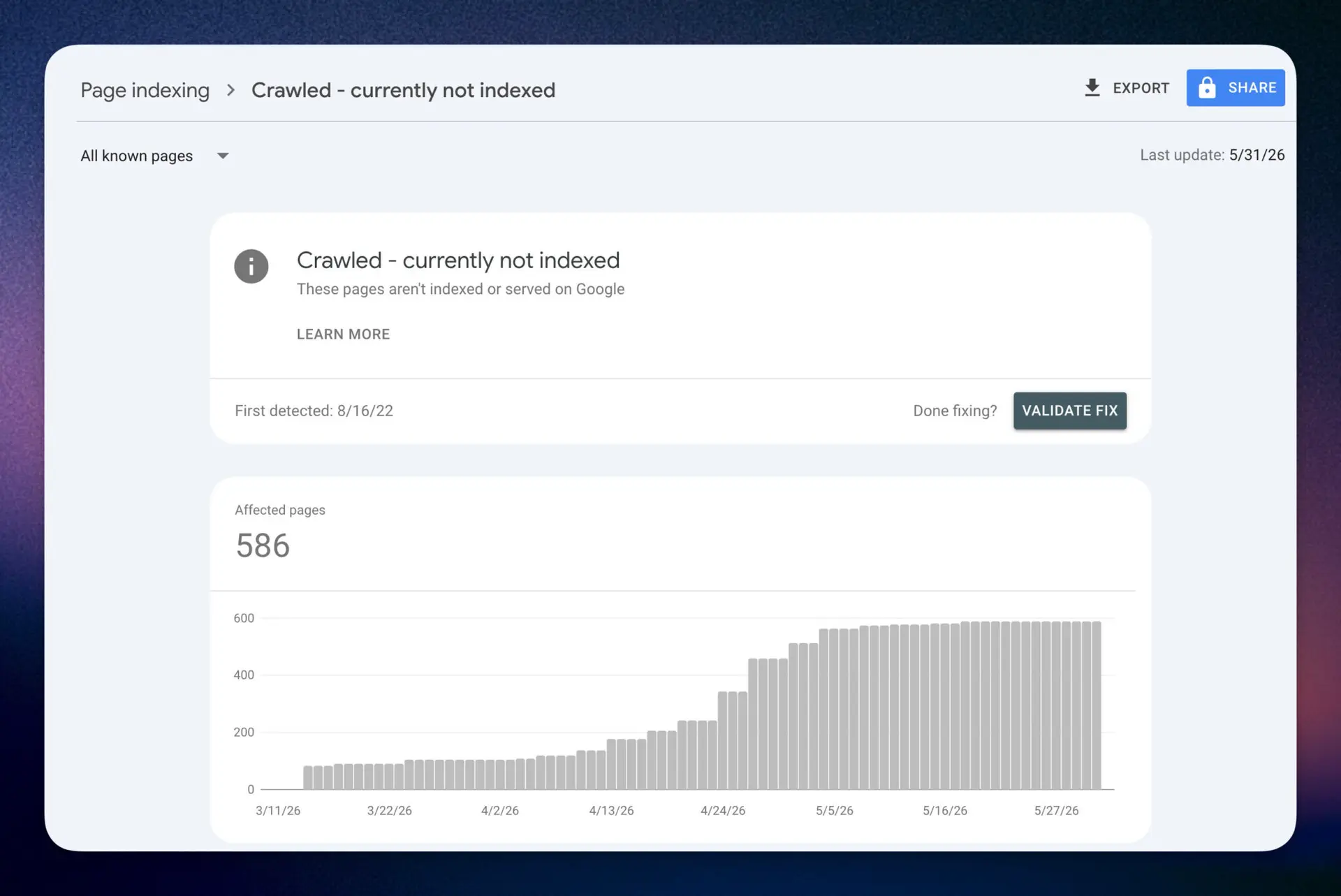
At this scale you do not fix pages one at a time. You diagnose the pattern, then act on whole groups. Three steps.
- Export what you can, then get the rest. The report’s export is capped at a 1,000-URL sample, so on a large site it is a starting point, not the full list. Pair it with a full-site crawl (a tool like Screaming Frog) or the Search Console API to assemble the complete set of affected URLs in a spreadsheet.
- Find the pattern. Group the URLs by page type (product, tag, author, category, paginated, filtered), by word count, and by internal-link count. A pattern almost always jumps out: the unindexed pages cluster around one template, one thin content type, or pages with no internal links pointing in.
- Decide by group, not by page. For each cluster, pick one action: prune the ones with no value, consolidate near-duplicates into stronger pages, deliberately noindex the ones that should never rank, or improve the group that genuinely should be indexed.
The improve step is where most people stall, because rewriting hundreds of thin pages by hand never happens. This is where pulling your Search Console data into one place helps. RightBlogger’s Site Agent reads your GSC data to find weak, low-CTR, and slipping pages and rewrites them on a schedule, which turns the “improve this whole group” step from a someday project into a background task. If you would rather build the diagnosis-then-fix flow yourself, our guide to SEO automation covers which parts to automate and which to keep manual.
How to fix it step by step
For a single page that you have actually improved, follow this sequence in Search Console.
- Improve the page first. Requesting indexing on an unchanged thin page just gets you the same answer. Make the real fix from the causes above, then move on.
- Request indexing. Paste the URL into the inspection bar at the top of Search Console, then click Request Indexing on the result page. If the page passes a quick live check, it joins the indexing queue. You cannot request indexing for a URL the live test considers non-indexable, and there is a daily limit per property, so use it on pages that matter.
- For a whole group, use Validate Fix. On the Crawled – currently not indexed details page, once you have fixed the underlying issue across the affected URLs, click Validate Fix. Google recrawls only the known affected URLs, not your whole site, and emails you progress. Do not click it again until the run passes or fails.
- For moved pages, nudge the recrawl. If these URLs now 301 to better destinations, a temporary sitemap of just the old URLs (with their last-modified dates) can prompt Google to revisit and process the redirects faster. Remove it once they are processed. Our XML sitemap guide walks through the setup, and you can also submit individual URLs the same way.
How long does it take?
Honestly, it varies, and Google is clear that indexing is never guaranteed at any timeframe. Requesting indexing only adds a URL to a queue; it does not jump the line. These are realistic ranges once you have made a genuine improvement.
| Timeframe | What to expect |
|---|---|
| Within 1 week | Best case, not the norm. A recrawl can happen in days, and a well-linked page on a healthy site can return quickly. Treat this as the optimistic end. |
| 2 to 4 weeks | The realistic typical window for a genuinely improved page to be re-evaluated and indexed. |
| 1 to 3 months | Common on newer, low-authority, or very large sites. Some pages stay out indefinitely if their value signals never change. |
Crawled vs Discovered vs the other “not indexed” statuses
It is easy to mix this status up with its neighbors in the report. The most important distinction: crawled means Google visited the page and passed on it, usually a value judgment, while discovered means Google knows the URL exists but has not crawled it yet, usually to avoid overloading your server. The common statuses compare like this:
| Status | What it means | What to do |
|---|---|---|
| Crawled – currently not indexed | Google crawled the page but chose not to index it, usually a quality, value, or duplication call. | Decide if the page matters, then improve it or leave it. |
| Discovered – currently not indexed | Google knows the URL but has not crawled it yet, often to avoid overloading the site. | Improve internal links, site speed, and crawl efficiency. |
| Duplicate, Google chose different canonical than user | Google indexed a different URL it considers the better canonical. | Consolidate duplicates and set clear, consistent canonicals. |
| URL marked ‘noindex’ (old name: Excluded by ‘noindex’ tag) | Google found a noindex directive and obeyed it. | If you want it indexed, remove the noindex. If not, you are done. |
| Soft 404 | The page returns a “not found” style message but a 200 OK code. | Return a real 404, or add genuine content if the page should exist. |
FAQ
Is “crawled – currently not indexed” bad for SEO?
Not by itself. It is a status, not a penalty, and many of these URLs are pages that were never meant to rank. It becomes a problem only when pages you genuinely want in search are sitting unindexed. Triage first, then fix the ones that matter.
How long can a page stay crawled but not indexed?
Indefinitely. A page can stay in this state for weeks, months, or permanently if its value signals never change. The “currently” means Google may reconsider, but only if something about the page, its internal links, or the site’s overall quality improves.
Should I request indexing or just wait?
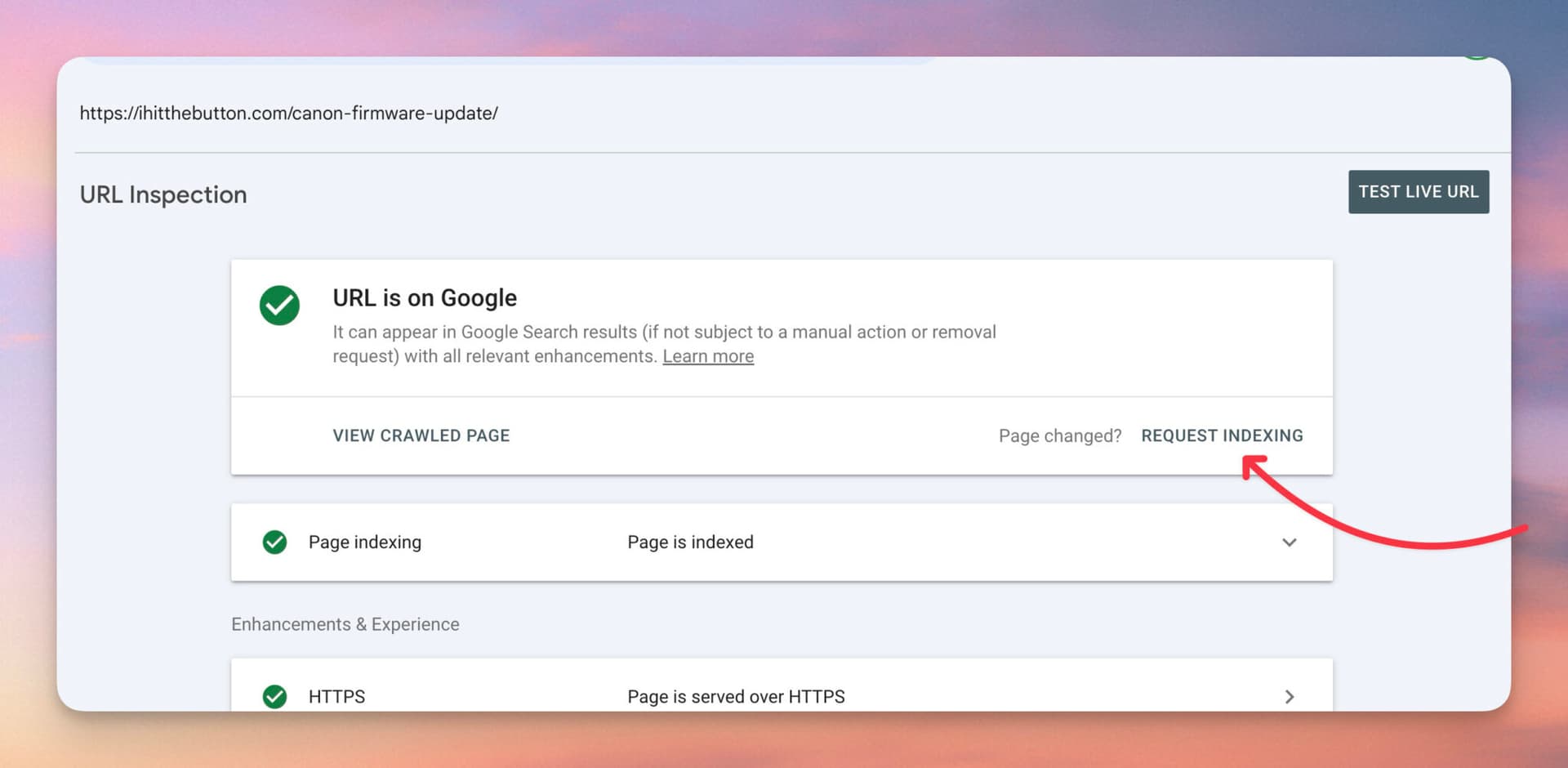
Improve the page first, then request indexing. Requesting it on an unchanged page gets the same result and burns your daily quota. Once you have made a real fix, requesting indexing is a reasonable nudge, but it only adds the URL to a queue rather than guaranteeing or speeding up indexing.
Can robots.txt or a noindex tag cause this?
A noindex tag shows up under its own status (URL marked ‘noindex’), not crawled – currently not indexed, but a stray noindex or a robots.txt rule blocking key resources can still create the broader indexing problems behind it. If a page you want indexed is stuck, check URL Inspection and your robots file for conflicting signals.
When should I just leave it alone?
Leave it whenever the page is not meant to rank: pagination, tag and filter pages, internal search results, RSS feeds, thank-you pages, and faceted URLs. Forcing these into the index wastes effort and can dilute your site’s quality signals. Spend your time on pages with real search potential.
Why did a page that was indexed get deindexed?
Google re-evaluates pages over time. A page that once made the cut can drop out if it decayed, a stronger competitor appeared, the query’s intent shifted, or the site’s overall quality slipped. Refresh the content, reinforce its internal links, and confirm no technical signal changed. Catching this early is exactly what a regular content decay audit is for.
Fix the pages that matter, leave the rest
Crawled – currently not indexed looks alarming at scale, but it is mostly Google doing exactly what it should: keeping low-value and duplicate pages out of its index. The skill is not fixing every URL. It is triaging quickly, ignoring the pages that were never meant to rank, and making the ones that matter genuinely better, then asking for a recrawl.
Do that consistently and the number takes care of itself. If you would rather not hunt down thin and slipping pages by hand, RightBlogger’s Site Agent uses your Search Console data to find them and improve them on a schedule, so the pages worth indexing keep earning their place.

Article by
RightBlogger Co-Founder, Andy Feliciotti focuses on website development and shares his travel and photography adventures on YouTube and his blog.




Automated SEO Blog Posts for Your Site
Research, write, publish, and share from one account.
7-day free trial. Cancel anytime.





Leave a comment
You must be logged in to comment.
Loading comments...