Build a Topical Authority Map for Your Niche with RightBlogger
Choose a focused pillar, organize 5–10 clusters, and connect posts with internal links to cover your niche without creating overlap.

A topical authority map (or topical map) gives your blog a clear shape, so every post supports the next one like bricks in a wall.
Your topical map is a key part of your SEO strategy: it’s a way to outline all the SEO content you need to create to fully cover a specific theme or subject area. You can create one up-front before publishing any content at all … or you can use it to organize your existing content and spot gaps.
Key Takeaways: The Quick Version
Here’s the quick basics about using topical authority maps as part of your content strategy:
- A topical authority map turns scattered ideas into a clear content system… and lets you build topical authority with readers and search engines.
- Start with a tight pillar topic and firm boundaries, or your map gets messy fast.
- Use RightBlogger insights to generate clusters, spot gaps, and plan faster.
- Internal links are the glue: your map won’t hold together without them.
- Review and refresh monthly, because your niche shifts over time.
What a Topical Authority Map Looks Like (And Why It Works)
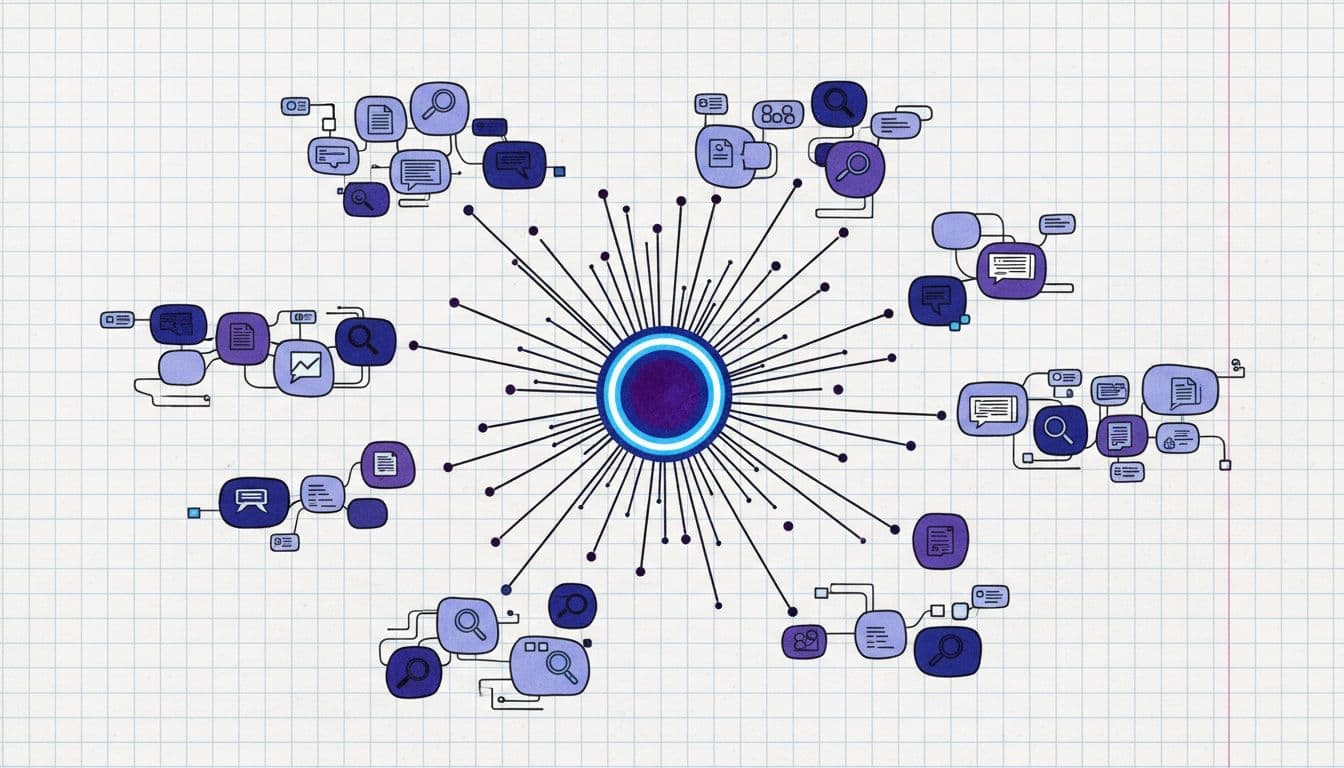
A topical authority map is a simple idea: you pick one big core topic (your pillar), then you map the supporting topics (your clusters) that prove you know the subject inside and out.
I keep coming back to a bookstore comparison. Random posts are random books. A topical map is when you build a whole section of that bookstore. Suddenly, readers trust you more, and search engines can make sense of what you cover.
Here’s what “mapped” content usually includes:
- Pillar page: the main guide (broad, high value, evergreen).
- Cluster posts: specific answers and how-tos that support the pillar.
- Connector posts: comparison posts, “best of” lists, and troubleshooting articles that link clusters together.
Smaller blogs can often outrank big ones using this SEO strategy to inform their content plan.
Pick Your Pillar Topic and Set Hard Boundaries
Most topical maps fail because the pillar topic is too broad or ill-defined (think “fitness” or “self-improvement”). You need something that’s clearly defined and monetizable.
When considering a pillar topic, ask yourself:
- Can I write 20 to 50 useful posts under it without repeating myself?
- Do people spend money in this space (tools, products, services)?
- Can I explain who it’s for in one sentence?
Get clear about what your topic won’t include, either. If your main pillar topic is “cold brew coffee” then a post on “best espresso machines” isn’t going to fit in there.
Use RightBlogger Insights to Turn Ideas Into Real Topic Clusters

Most creators get stuck coming up with clusters. They know the pillar (the main topic), but the clusters feel endless, and they can spend hours on keyword research without much to show for it.
There’s a much easier way!
First, use RightBlogger’s Keyword Cluster tool to quickly come up with structured sets of subtopics.
Here’s the start of a keyword cluster list for the pillar topic “cold brew coffee”:
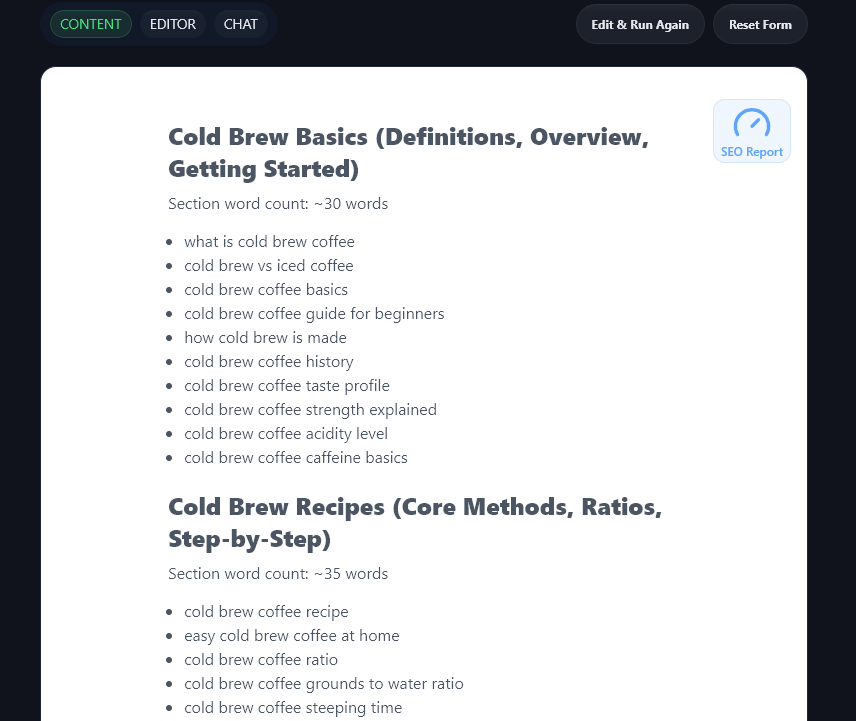
Once you have the list, ask yourself:
- Are any of these the same intent with different wording? In the list above, “cold brew coffee basics” and “cold brew coffee guide for beginners” are the same intent and could form one piece of content.
- Which topics are beginner, intermediate, advanced? For instance, “cold brew vs iced coffee” is a beginner-level topic, for someone who’s not even sure what cold brew is.
- Which topics belong together as a cluster, not a standalone category? The keyword cluster tool will have arranged the topics for you under subheadings, but you may want to rearrange some of these or bring two sections together.
Want more help understanding keyword clusters? Check out our tutorial: Keyword Clustering 101.
You can also use our Keyword Research tool to check search volume (and difficulty ratings) for your different cluster keywords, so you’ve got a good idea of how much organic traffic a given word is likely to create.
Turn the Map Into a Publishing Plan (Without Burning Out)
A topical authority map helps you decide what to publish next on your blog. It lets you easily prioritize different content ideas, so you know what will bring you the biggest SEO benefits, fastest.
Here’s a good step-by-step approach to take:
- Write the pillar page early, even if it’s “version 1.” You can improve it later.
- Publish cluster posts in batches (3 to 6 in the same cluster), so your internal links are up and working straight away.
- Rotate clusters once your initial posts are in place, writing 2-3 more posts per cluster until they’re all complete.
To then get from keyword to finished article as quickly as possible, use these AI-powered content creation tools inside RightBlogger:
AI Article Writer: Create a high-quality first draft (with the option to edit the outline so you can control exactly what the AI is including).
AI SEO Editor: Optimize your article, after adding human input, to make sure it has the best possible chance of ranking high in search engines.
Internal Linking Is the Glue That Makes the Map Real
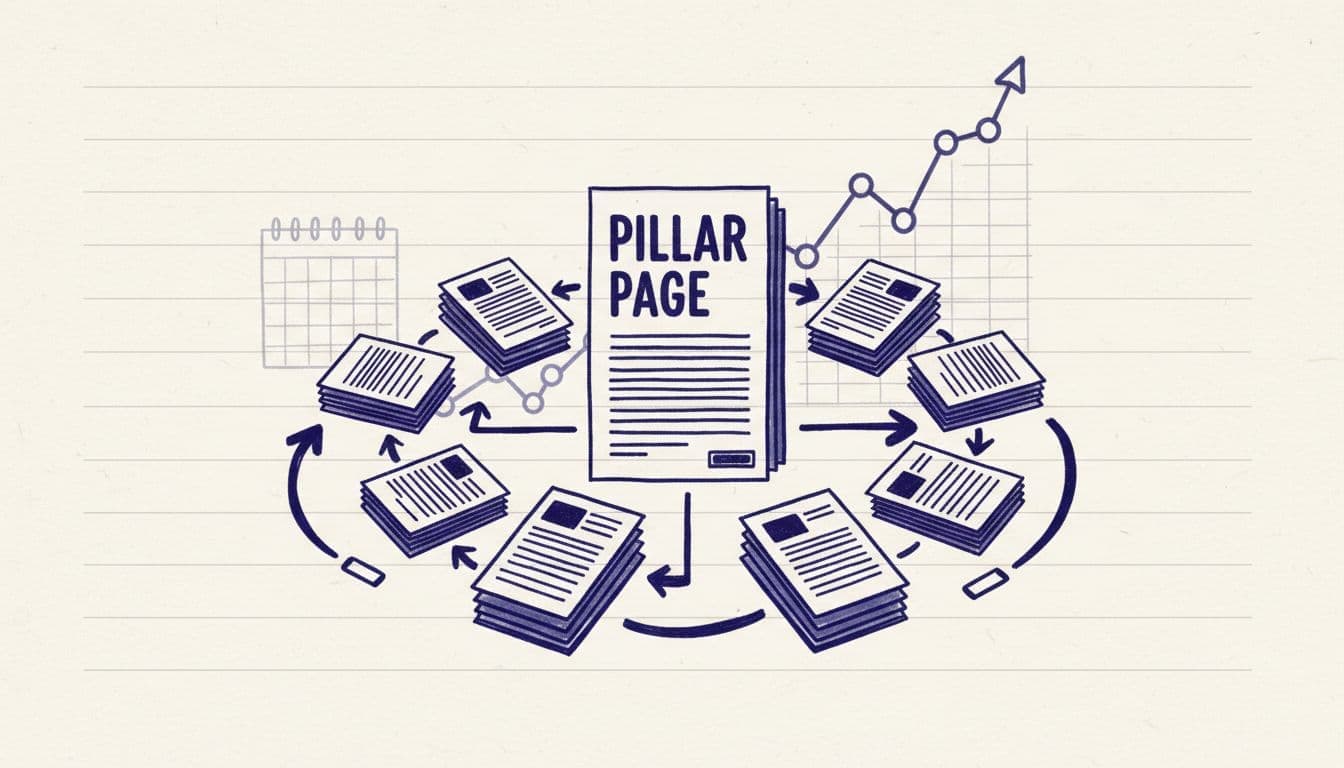
If topical mapping is the blueprint, internal linking is the wiring. Without it, your map doesn’t function.
My rule is basic: every cluster post links back to the pillar, and the pillar links out to every cluster post. Then I add a few “side links” between cluster posts where it makes sense to do so.
So if my pillar is “Cold Brew Coffee,” and I write “Best Coffee Beans for Cold Brew,” I’ll also link that post to “How to Grind Coffee for Cold Brew” because the reader probably wants to use those beans they’re buying!
As your map grows past 15-20 posts, manually spotting every one of these “Best X” to “How to Y” linking opportunities gets harder. Our blog agent handles this on a recurring schedule: it scans your published posts, finds related pairs it thinks should be linked, and either queues them for your approval or applies them fully automatically (depending on the mode you set). Every change has a one-click undo within 30 days if any feel off.
When you’re adding links, here are a couple of common mistakes to avoid:
- Linking everything to everything (that creates a lot of noise but not much benefit for readers)
- Forgetting to link older posts to new ones (that’s wasted authority and means readers may not find some of your best content)
You need a rhythm of regularly going back and updating older posts in your topical authority map, so you can link them to more recently published ones. Which brings me on to …
Keep Your Topical Authority Map Alive With Monthly Maintenance
Think of your topical map like a garden. If you don’t do some pruning, it’s going to become a mess, and your efforts at building authority will be wasted.
Once a month, or at least once every three months, do a quick review:
- Content gaps: what’s missing for each cluster? Has a new topic emerged that you hadn’t covered before? What questions are readers asking?
- Overlap: do you have two posts competing for the same search intent? Could you bring them together into one?
- Updates: which posts need a quick refresh? Where can you link from older posts to newer ones?
Even if you just spend an hour on this once every month or two, it can make a huge difference to the quality of your topical authority map (and your SEO performance) over time.
FAQs About Building a Topical Authority Map
Got questions about creating your topical map? Here’s everything you need to know.
How many clusters should my topical authority map have?
I aim for 5 to 10 clusters around one pillar. Fewer clusters can feel a bit thin, but more can get messy and unsustainable. If you have a pillar that seems to need 15+ topics, then it’s likely too broad a topic for a single pillar.
Do I need to publish the pillar page first?
It’s a good idea to, if it’s not perfect. The pillar gives you a central page to link to as you publish cluster posts to go more in-depth, so that you can get those authority benefits straight away.
Can I build a topical authority map if my blog already has content?
Absolutely! A good way to do this is by grouping existing posts into clusters, choosing (or writing) a pillar page, then adding or updating your internal links so everything connects.
What if my niche changes over time?
That’s normal. If you can, tweak the map monthly: keep what’s working, and retire clusters that no longer fit the audience you’re serving.
Conclusion
If your blog has been feeling scattered, a topical authority map gives you a clear, consistent way to grow. It turns content from individual, isolated posts into connected content that builds trust.
Start with one pillar, build a few tight clusters, and link them wherever relevant. Then keep improving the map as you learn what your readers want. Don’t forget to use the Keyword Cluster tool to help you come up with ideas for all your cluster content.

RightBlogger Co-Founder Ryan Robinson teaches 500,000 monthly readers how to grow an online business and plan smarter content.


Automated SEO Blog Posts for Your Site
Research, write, publish, and share from one account.
7-day free trial. Cancel anytime.





Leave a comment