
Ryan Robinson
Co-Founder, Marketing
Ryan has spent 10+ years scaling one of blogging's best-known brands, with deep expertise in content that ranks, earns links, and converts.
Visit ryrob.comAudit any page in one click, see keyword difficulty and volume inside Google search results, and rewrite the copy without leaving the tab.
 Add to Chrome
No subscription required
Open the panel on any page and get the on-page SEO data you would otherwise dig out of the source code, plus keyword metrics right inside Google search results.
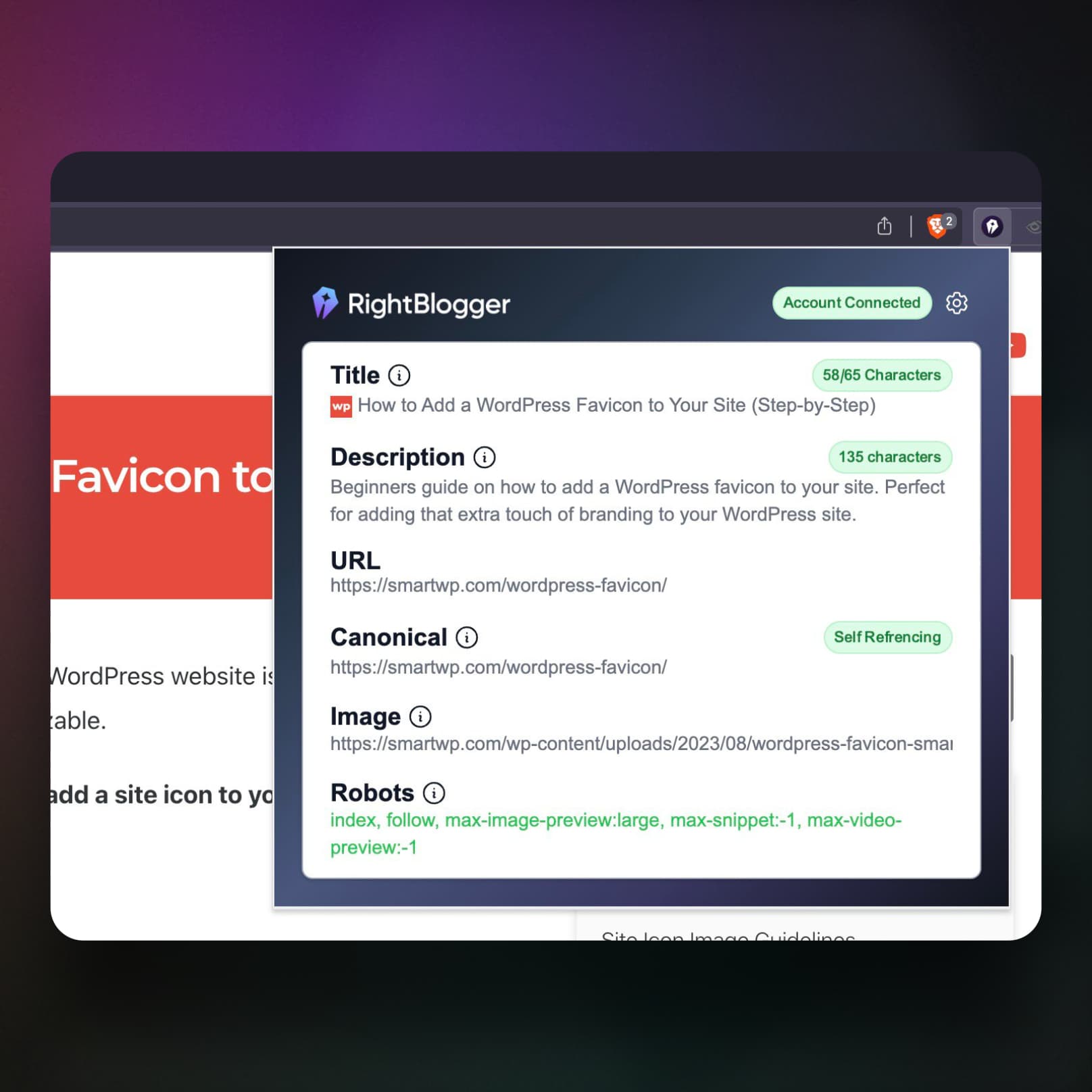
Title, meta description, canonical URL, robots status, and Open Graph tags, with live character counts that flag a title outside 40 to 65 characters or a description outside 70 to 160.
Keyword difficulty, search volume, and CPC on Google search results, plus a count of the People Also Ask, Top Stories, ad, and AI Overview blocks on that SERP.
Every H1 to H6 in a visual hierarchy so you can spot skipped levels and duplicate H1s, then copy them all in one click.
All links on the page labeled internal or external, with rel attributes (nofollow, sponsored, ugc) and filtering by type.
Every image on the page with its alt text status and dimensions, so missing alt tags are obvious instead of buried in the markup.
Inspect JSON-LD structured data with collapsible nested properties. No copy-pasting into a separate testing tool.
Send the links, images, or headings list straight to your clipboard as CSV and paste it into a spreadsheet.
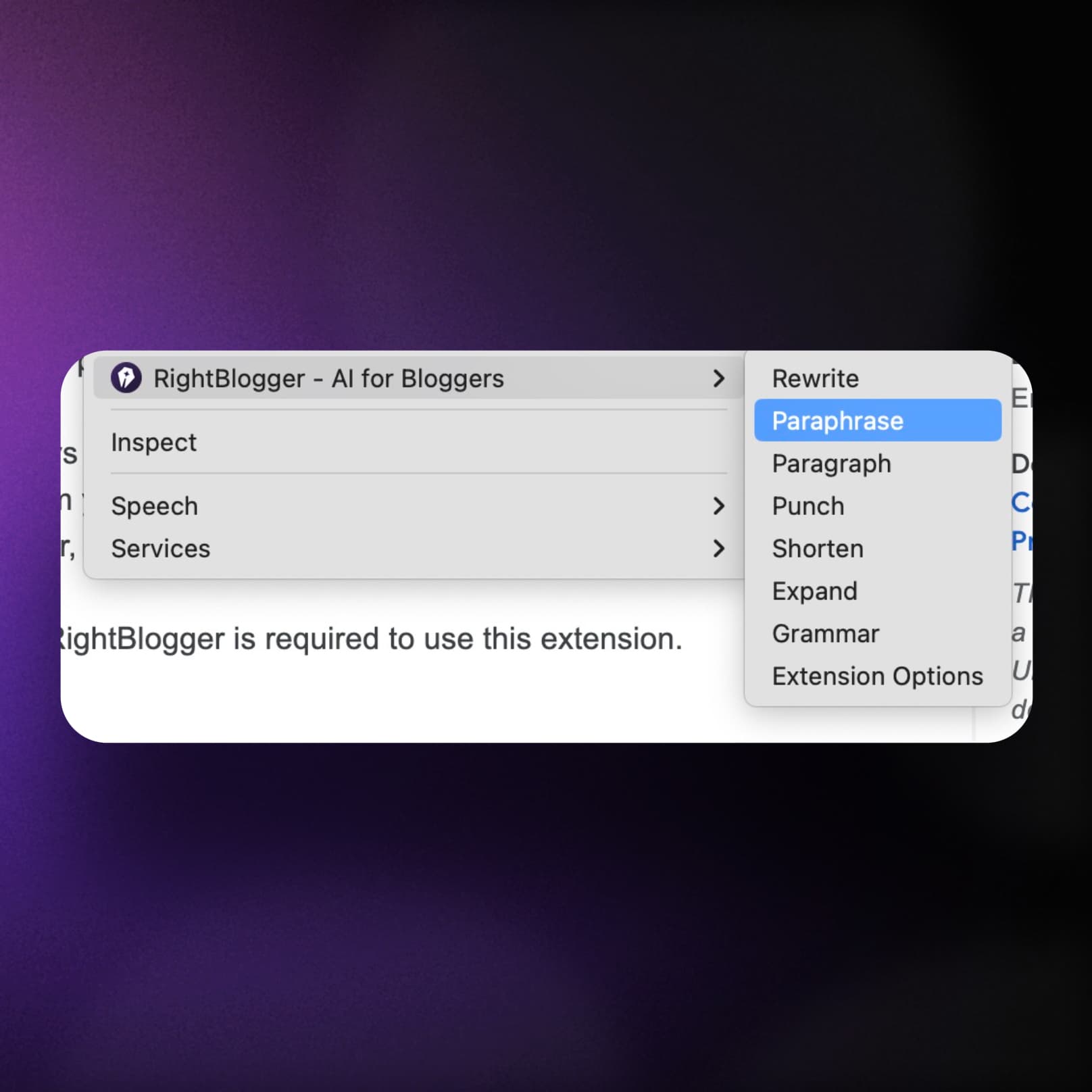
Ten right-click actions on any selected text: fix grammar, improve writing, rewrite, paraphrase, shorten, expand, translate, and more.
Condense a competitor article or a YouTube video into key points in one click, for faster research.
Click the extension on any URL and the full on-page picture is there: missing or oversized titles and descriptions, canonical tags, robots directives, heading structure, and image alt text. Works on your own site, a client site, or a competitor you are trying to outrank.
Open the panel and the whole on-page picture is there. No view-source, no separate testing tools.
Fix metadata, tags, and indexing problems on the spot.
The SEO checks are free. No subscription, no trial.
Highlight text anywhere on the web, right-click, and pick an action: fix spelling and grammar, improve writing, rewrite, paraphrase, shorten, expand, or translate. Most SEO extensions stop at reporting the problem. This one lets you fix the copy in the same window.
Improve text directly inside WordPress, email, or social platforms.
Summarize a page or a YouTube video, or reshape a paragraph, without opening another tab.
Keep your content optimized and on-brand across the web.
"Six months ago I would never have believed I could produce this much writing this quickly."
Add to ChromeFree SEO checks. No subscription required.
Can't find an answer? Contact us.
It gives you a full on-page SEO audit of whatever page you are already on. In one click you see the title, meta description, canonical URL, robots status, Open Graph tags, the H1-H6 heading hierarchy, every link with its rel attributes, every image with its alt text status, and any JSON-LD schema on the page. It also shows keyword difficulty, search volume, and CPC inside Google search results, and includes AI tools to rewrite, shorten, expand, or fix grammar without leaving the page.
Yes. Installing the extension and running the on-page SEO checks is free, with no subscription and no trial. A free RightBlogger account is only needed for the AI writing features, and you can upgrade later if you want higher usage.
Yes. When you run a search on Google, a panel shows keyword difficulty, monthly search volume, and CPC for that query, along with how many People Also Ask, Top Stories, ad, and AI Overview blocks are on the page. That last part tells you how much of the result page is actually available to organic listings before you commit to writing anything. This is the main thing that separates it from most free SEO extensions, which only report on-page elements and leave you to open a separate keyword tool.
Most free SEO extensions, like Detailed SEO Extension or SEO Meta in 1 Click, are read-only inspectors: they surface on-page elements and stop there. RightBlogger covers the same on-page ground (metadata, headings, links, images, schema, CSV copying) and adds two things those tools do not have: keyword metrics inside the SERPs, and AI writing that lets you fix the copy in place. Detailed goes deeper on a few technical checks, including hreflang and user-agent switching, and it has a Firefox build. If you only ever want to inspect markup, any of them will do. If you also write and publish the content, the extra layer saves the tab-switching.
It works in Chromium-based browsers, so Chrome, Edge, Brave, and Opera can all install it from the Chrome Web Store. There is no Firefox or Safari build yet.
Any website. The SEO checks run on any URL you can load, including competitor pages and client sites. The AI writing tools work in any text field, including WordPress editors, email tools, docs, and social platforms.
Yes. The links, images, and headings lists each have a CSV button that copies the whole table to your clipboard in CSV format, so you can paste it straight into Google Sheets or Excel. There is also a plain Copy button if you just want the raw list. Nothing downloads as a file, it goes to the clipboard.
A simple approach: search your target keyword, use the in-SERP metrics to confirm the term is worth chasing, open the top results and check their headings and schema to see how they structured the page, then draft your own. Before publishing, run the extension on your draft to catch missing metadata, broken heading structure, and images without alt text, and use the rewrite tools to tighten weak sections. When you need to go deeper than a single page, the rest of the RightBlogger tools pick up from there.
Built by Working Bloggers
The RightBlogger Chrome Extension is built by Ryan and Andy, two long-time bloggers and SEO practitioners who wanted writing and SEO help directly where real work happens.
Co-Founder, Marketing
Ryan has spent 10+ years scaling one of blogging's best-known brands, with deep expertise in content that ranks, earns links, and converts.
Visit ryrob.com
Co-Founder, Product
Andy brings 10+ years of SEO and product experience building practical tools that help creators publish better content faster.
Visit ihitthebutton.comResearch, write, publish, and share from one account.
7-day free trial. Cancel anytime.




