IndexNow for Bloggers: Submit New Posts to Bing and Yandex
Set it up once to notify Bing and partner engines about new posts and meaningful updates, but not Google.


Ever publish a post you know is strong, then wait days for it to show up in search? That’s where IndexNow can help. IndexNow tells Microsoft Bing the moment a URL changes, along with Yandex, Naver, Seznam.cz, Yep, Amazon’s Amazonbot, and the Internet Archive.
Key Takeaways (Read This First)
- IndexNow notifies search engines fast when you publish, update, or delete a URL. It is a crawl notification, not an indexing guarantee (IndexNow FAQ).
- You set it up once, then your Content Management System can handle URL submission for new posts automatically.
- It helps most with Microsoft Bing, Yandex, Naver, Seznam.cz, Yep, Amazon’s Amazonbot, and the Internet Archive, not Google (you’ll still use Search Console there). Submit to any one of them and the protocol passes your URLs to the rest. The IndexNow FAQ lists every live endpoint.
- Worth checking before you ping: which AI crawlers your robots.txt actually allows. A ping does nothing for a bot you’re blocking.
- Only submit URLs for real changes, like a new post or major update, not tiny edits.
- Most bloggers can set it up in under 15 minutes if they can upload one file. ⏱️
What IndexNow Does (and Doesn’t) Do for Bloggers in 2026
IndexNow is a simple “ping” system. Instead of waiting for search engine crawlers to find your new post on their own, your site sends a quick message that says: “Hey, this URL is new (or updated). Come take a look.” This supports faster search engine indexing.
The big win is speed. For bloggers, this matters most when:
- You publish time-sensitive content (news, launches, seasonal posts) that benefits from faster discovery on Bing and other IndexNow engines.
- You make content updates to a post that already ranks and you want Bing to re-check it sooner.
- You delete a page and want it dropped faster.
It’s also nice because it can reduce wasted crawling. Rather than bots guessing what changed, you point them straight to it. This leads to improved SEO performance through faster indexing.
What it doesn’t do: it doesn’t guarantee rankings, and it doesn’t replace solid on-page SEO. Also, Google still doesn’t support the IndexNow protocol for general web pages. For Google, follow our guide to submitting your URL to Google using Search Console.
As the Bing Webmaster Tools blog explains:
IndexNow offers a powerful solution for webmasters to ensure their added, updated, and deleted content is promptly indexed by search engines. Practically any website with content can benefit from IndexNow, as it helps maintain up-to-date information in search results, enhancing visibility, traffic, and user engagement. Whether it’s new product listings, video uploads, travel deals, or job postings, notifying IndexNow at the right times can significantly improve indexing efficiency and search result accuracy.
Set Up IndexNow in Under 15 Minutes (Easy Checklist)
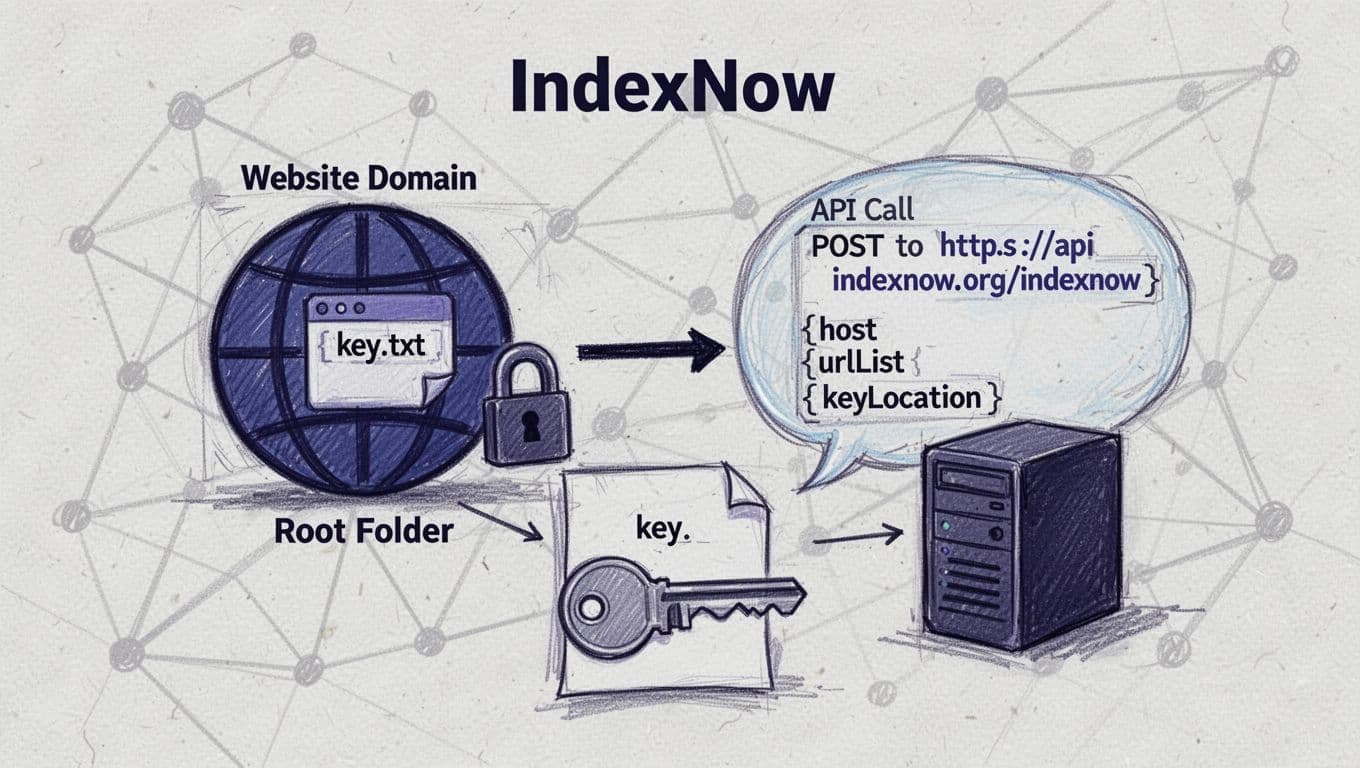
The IndexNow setup is basically a one-time proof of domain ownership, using a key file in your site’s root directory.
- Generate your IndexNow API key
You can generate an API key in Bing Webmaster Tools, through the WordPress plugin for IndexNow, or via IndexNow resources. Treat it like a password. - Create a .txt file for your API key
The file name must match the API key. It’s a simple text file. - Upload it to your site’s root directory
That means it should load at/{your-key}.txton your domain. Root is preferred, but if you can’t write there, host the file in any public folder on the same host and pass its address in thekeyLocationfield when you submit. This establishes your domain ownership. - Submit URLs
You can send individual URLs, but ideally, “set it and forget it” using your API key to send API requests. On WordPress, the IndexNow plugin lets you do this. On paid plans, the free RightBlogger WordPress plugin also pings IndexNow automatically whenever RightBlogger publishes a post, so there’s nothing extra to remember.
Tip: if you use Cloudflare, a managed host, or a security plugin, double-check you’re not blocking access to the API key file.
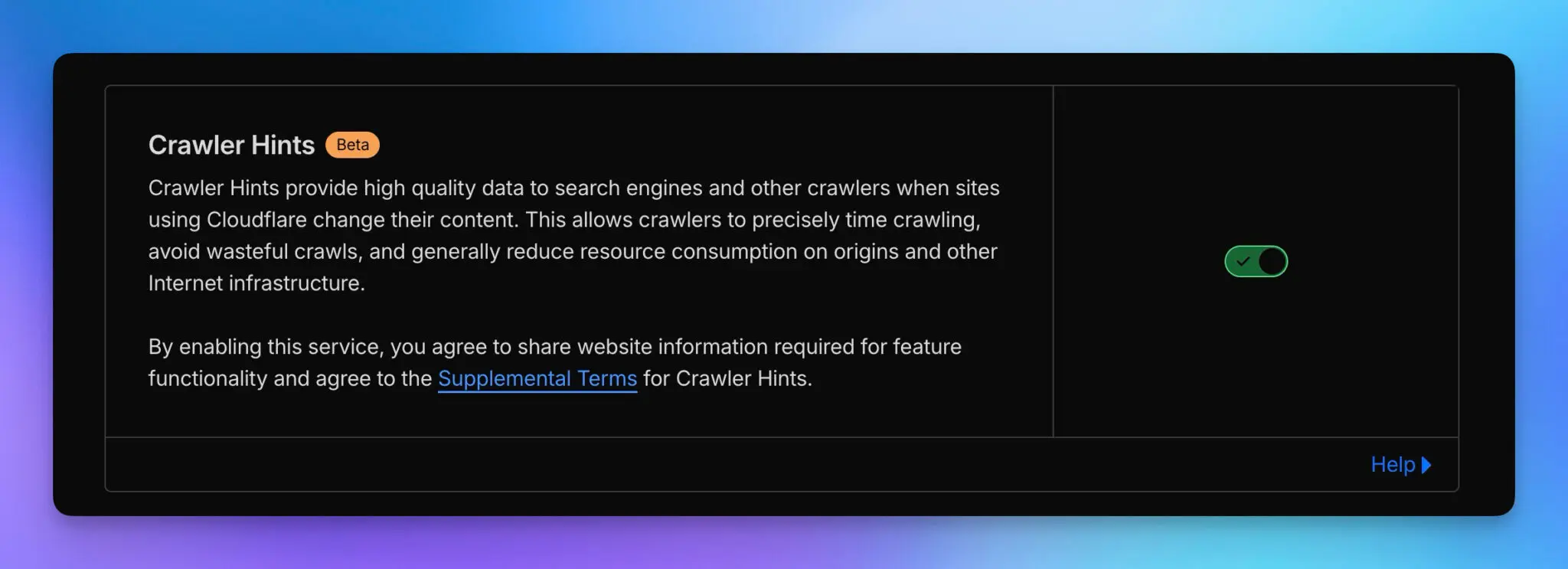
Additionally, if you are using Cloudflare, you can enable “Crawler Hints,” which will automatically trigger IndexNow hits. This setting is under the caching configuration.
How to Submit New Posts to Bing and Partner Engines (Manual vs Automatic)
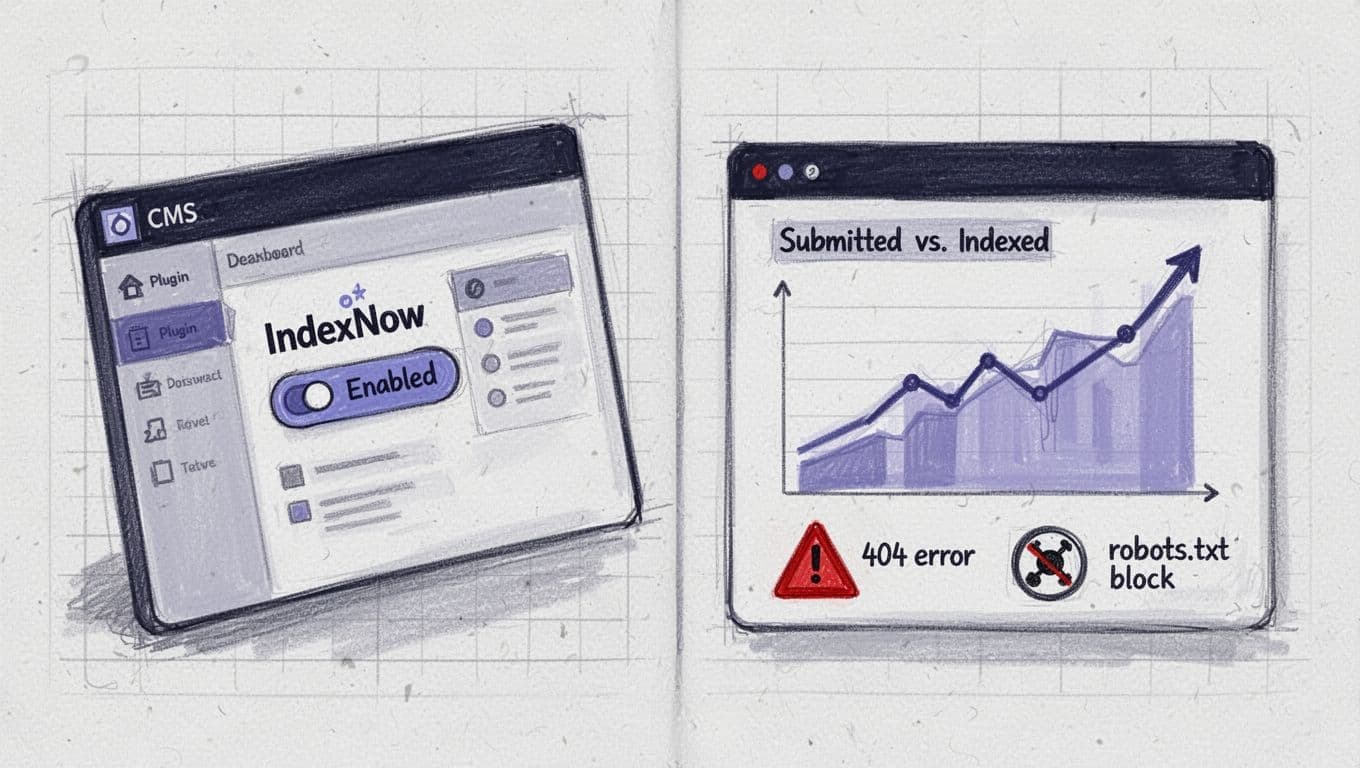
It’s helpful to think about IndexNow submissions in two modes: manual for one-off pushes, and automatic for everyday blogging.
Manual submission is great when you publish one important piece of new content and want it picked up fast for search engine indexing. Some tools let you submit a single URL, or bulk-submit up to 10,000 URLs in one POST. It takes about a minute once your API key is set. Read the response code: 200 means the submission was received, 202 on your first request means the engine still has to verify your key, 400 means a malformed URL or key, 422 means the URL doesn’t match your verified domain, and 429 means you’re going too fast.
Automatic submission is what you’ll use the vast majority of the time. The best setup is when your Content Management System handles URL submission with a JSON payload the moment you hit “Publish,” and again when you make meaningful content updates. If you publish to WordPress with RightBlogger on a paid plan, the RightBlogger plugin does this out of the box: every post it publishes is sent to IndexNow automatically.
Don’t ping IndexNow for tiny content changes like typo fixes. Instead, ping it when you make changes like:
- Rewriting the title and intro.
- Adding a new section that improves the post.
- Adjusting the post slug/URL (though try to avoid doing this where possible).
- Updating the publish date and refreshing the content.
Tip: IndexNow works best alongside an XML sitemap. An XML sitemap helps search engine crawlers discover your overall site structure, while IndexNow flags the exact URLs that changed. If you want a refresher, here’s our XML sitemap guide for bloggers.
Quick Troubleshooting: The Stuff That Breaks IndexNow for Bloggers
When IndexNow submissions fail, it’s usually one of these simple issues:
The API key file isn’t public. If the API key file doesn’t load in a browser, engines can’t verify you.
You submitted the wrong URL version. Always submit the final canonical URL (correct https, correct trailing slash choice, URL-encode parameters, no tracking junk).
The page returns an error. Check HTTP response codes: if there are issues (like 404, odd redirects, or timeouts), search engine indexing won’t happen.
Robots or noindex blocks it. Watch out that you’re not submitting URLs that are blocked in robots.txt or marked noindex, keeping out search engine crawlers.
You published to staging by accident. If you have staging and production, confirm the key is on the live domain and submissions match it.
Not sure if it worked? Check Bing Webmaster Tools for crawl and indexing signals, then move on. This helps bots focus on real content within their crawl quota; it’s a fast notification system, not a magic wand.
IndexNow FAQs for Bloggers
How Fast Does IndexNow Work?
IndexNow supports real-time URL notification. Engines may crawl within a few hours, or take a day or two; indexing is not guaranteed. Speed depends on your site health and each engine’s crawl schedule (IndexNow FAQ).
Does IndexNow Help with Google Indexing?
Not directly. Google doesn’t run an IndexNow endpoint, so keep using Search Console there. IndexNow covers Bing, Yandex, Naver, Seznam.cz, Yep, Amazon’s Amazonbot, and the Internet Archive. Submit to one and the protocol shares your URLs with the rest.
Should I Submit Every Post?
If you publish weekly or more, yes, I would. For IndexNow bloggers posting rarely, it’s still worth setting up so you can push important content updates.
Can I Submit Updated Posts, Not Just New Ones?
Yes, and that’s one of the best uses. But only submit when you make a meaningful change, not minor edits.
Do I Still Need a Sitemap?
Yes. Your XML sitemap is also important for discoverability.
Final Thoughts on IndexNow
IndexNow, a push notification system, is one of those rare tools that’s both simple and genuinely useful.
Once it’s set up, you can stop guessing when Bing will notice your new post, because you’re the one sending the signal.
If you publish often, set it up today, then make it part of your posting routine (or use a plugin or tool to handle this automatically); your future self will thank you. IndexNow won’t write the post for you, you need the Article Writer for that!, but it can help the right people find it sooner.

RightBlogger Co-Founder Ryan Robinson teaches 500,000 monthly readers how to grow an online business and writes about blogging and SEO.




Automated SEO Blog Posts for Your Site
Research, write, publish, and share from one account.
7-day free trial. Cancel anytime.





Leave a comment
You must be logged in to comment.
Loading comments...