Surfer SEO vs Ahrefs: Which SEO Tool Should You Use in 2026?
Surfer starts at $49 monthly for on-page optimization, while Ahrefs starts at $108 for keyword research, backlinks, and audits.


If you’ve ever tried to grow a blog (or a niche site) for organic traffic, you’ve probably asked the same question I did: Surfer SEO vs Ahrefs, which one actually moves the needle for your SEO?
In 2026, SEO really encompasses two jobs. One job is planning and competitor research (keyword research, competitors, links, audits). The other job is on-page execution (writing pages that match search intent and don’t miss obvious on-page signals). Surfer and Ahrefs sit on opposite sides of that line.
In this post, I’m breaking down what each tool is best at, where they overlap, and how they’re best used to help you boost your content in search engines.
Key Takeaways: Surfer SEO vs Ahrefs (Quick Answer)
If I’m choosing one tool for content optimization and on-page SEO while I write, Surfer usually wins. It’s built around content optimization, helping me shape a post that matches what’s already ranking and improve the content score, with a content editor workflow that’s friendly for writers during content creation.
If I’m choosing one tool for keyword research, backlinks, competitor research, and technical audits, Ahrefs usually wins. It’s more like an SEO command center than a writing assistant.
The “best of both worlds” workflow is simple: use Ahrefs to pick topics and prove demand, then use Surfer to write, optimize, and refresh pages after publishing.
What Each Tool Is Best At and Who Should Use It
When SEO feels hard, it’s not because I can’t write. It’s because I’m not sure what to write, how strong the competition is, and what’s holding my site back. That’s where these tools differ.
Surfer is the tool I reach for when I already know the topic and I want my page to compete. It helps me turn “good writing” into “ranking writing” by showing patterns from top pages using SERP data and keeping me on track while I draft.
Ahrefs is the tool I open when I’m deciding what to publish next, why competitors outrank me, or where my authority is weak. It’s the difference between guessing and planning with evidence.
Surfer SEO: Best for Writing, On-Page SEO, and Content Scores
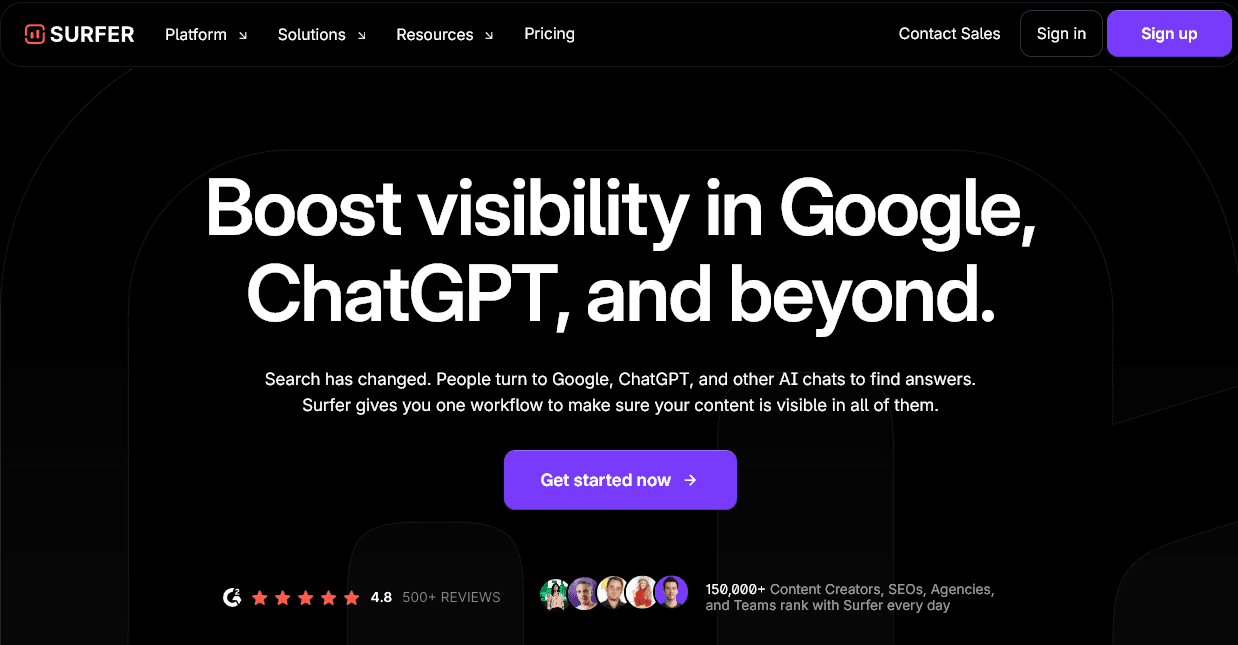
Surfer’s sweet spot is the moment I’m staring at a draft thinking, “Is this enough to rank?”
The Content Editor style workflow pushes me to cover the right subtopics, incorporate semantic keywords and NLP terms, use headings that match search intent, and avoid publishing a thin post that won’t compete. It’s not magic, but it’s a strong guardrail.
Some of the things I use it for are:
- Optimizing an existing post that’s stuck on page two by filling missing sections and tightening headings.
- Building a practical outline by looking at what all the top-ranking pages have in common.
- Writing a first draft faster with its AI content helper … though I usually use the Article Writer in RightBlogger for this, as I’ve got my brand tone set up in MyTone.
One thing I’ve noticed across AI writing tools lately: generic drafts are the default. Surfer has been adding more “stay on brand” controls, which help reduce that samey, template feel … but to fine-tune your content’s tone and style in seconds, try RightBlogger’s built-in MyTones.
Surfer costs from $49/month (Discovery plan).
Ahrefs: Best for Keyword Research, Backlinks, Competitor Analysis, and Site Audits

Ahrefs is where I go to find opportunities and diagnose problems.
If I want to build a content calendar that isn’t just vibes, I need solid keyword research and a quick way to see what’s already working for competitors. Ahrefs shines there. It’s also where I’ll look when I’m serious about link building and backlink analysis, and the rank tracking features let me spot content that’s slipping down Google search engine results pages.
In plain terms, Ahrefs helps me answer questions like:
- What keywords should I target next, based on realistic competition?
- Which competitor pages bring in most of their traffic, and why?
- Who links to them, and where can I earn similar links?
It’s powerful, but it’s not a writing tool. It’s more like the research and diagnostics layer, including backlink analysis, underneath my content operation.
Ahrefs costs from $108/month, billed annually.
Feature Comparison That Actually Matters for Ranking
I don’t pick SEO software based on how long the feature list is. I pick it based on what problem I’m trying to solve today.
Content Optimization and AI Writing: Why Surfer Usually Wins
When I’m drafting a post in Surfer’s content editor, its main advantage is real-time feedback through on-page guidance and a smooth user interface. It helps me match the general shape of what’s ranking, like topic coverage, headings, and content depth, without turning my article into a keyword salad. Plus, it lets me export content straight to Google Docs and other tools.
This matters most when I’m:
- Publishing a new post in a competitive niche
- Updating an older post that lost traffic
- Trying to standardize quality across multiple writers in the content editor
Surfer can’t replace a full SEO suite, though. It won’t give me deep backlink intelligence or a full site crawl. Think of it like a writing-focused layer that makes a page more complete, not a tool that runs my entire SEO strategy.
Keyword Research Depth and Topic Planning: Why Ahrefs Usually Wins
Ahrefs makes in-depth topic discovery easier because it’s built for branching outward from a seed idea using tools like Site Explorer.
Here’s a simple example of how I plan with it: I start with “running shoes,” then I branch into long-tail terms with solid search volume and manageable keyword difficulty like “running shoes for flat feet,” “best running shoes for beginners,” and “how often to replace running shoes.” From there, I can group them into topic clusters, build topical maps, and pick targets that fit my site’s authority.
That kind of planning is hard to do inside a content editor alone. If you want to do something similar but at a (much!) lower cost than Ahrefs, try out the RightBlogger Keyword Cluster tool.
Backlinks and Authority Building: Clear Advantage for Ahrefs
Backlink research might sound intimidating, but essentially, it’s this: look at where your competitors are getting links, so you can build similar ones.
Ahrefs offers tools for:
- Finding link gaps (sites that link to competitors but not me)
- Spotting broken link opportunities
- Sanity-checking link quality with metrics like domain rating so I don’t chase junk
Surfer doesn’t do these things … though you can use RightBlogger’s backlink checker instead.
Site Audits and Technical SEO: Ahrefs Helps You Find Silent Problems
You might not notice technical issues until your rankings suddenly drop.
A site audit tool matters when I’ve migrated my site, changed themes, scaled to hundreds of posts, or noticed a traffic dip that doesn’t make sense. Crawls can surface things like broken pages, redirect chains, internal linking problems, missing tags, or pages blocked from being indexed.
Surfer’s focus is page-level on-page SEO. Ahrefs is where I look when I need site-wide answers.
Pricing of Surfer vs Ahrefs
Surfer and Ahrefs aren’t cheap!
Surfer costs from $49/month for its Discovery plan. Ahrefs’ cheapest plan works out to a lot more: $108/month, and you’ll pay upfront annually to get that rate.
Depending on what extras you need (e.g. more projects, more tracked keywords, more articles), both Surfer and Ahrefs could end up being even more expensive.
Which One Should I Choose (Or Should I Use Both)?
If you’re a solo blogger who mainly needs help with content optimization and publishing better posts faster, I’d recommend Surfer for you. It’ll give you structure, coverage cues, and a workflow for content optimization that stops you shipping half-finished content.
If possible, pair it with a free or low-price keyword tool until you outgrow that stage (I keep a list of options in this guide to free keyword research tools for bloggers). You can also use the backlink checker in RightBlogger to spy on competitors’ backlinks.
If your growth plan is SEO-led and you need reliable research, competitor intel, and backlinks, pick Ahrefs first. That’s the foundation for picking winnable topics and building authority over time. Make sure you’re using the Article Writer to draft high-quality keyword-rich articles, and the AI SEO Editor to optimize your content too.
What Creators Actually Have In Their Stack
One more data point before you commit: most creators are using neither.
We asked 81 bloggers, SEOs, agencies, and founders what’s actively in their content stack right now.
The State of Blogging
Which tools are actively in your content stack right now?
Respondents could select more than one, so shares total over 100%.
View the data
| Share | Respondents | |
|---|---|---|
| ChatGPT | 81.3% | 65 |
| Claude | 51.3% | 41 |
| Gemini | 50% | 40 |
| RightBlogger | 45% | 36 |
| Grammarly | 31.3% | 25 |
| Perplexity | 27.5% | 22 |
| Semrush | 13.8% | 11 |
| Ahrefs | 8.8% | 7 |
| Koala | 2.5% | 2 |
| Clearscope | 2.5% | 2 |
| Surfer SEO | 2.5% | 2 |
| Frase | 1.3% | 1 |
| Jasper | 0% | 0 |
| None of the above | 0% | 0 |
Source: State of Blogging survey, April–May 2026. 80 of 81 respondents answered this question.
Ahrefs turns up for 9% of them and Surfer SEO for 3%. ChatGPT turns up for 81%.
That doesn’t make the purpose-built tools a bad buy. If you need backlink data, you need Ahrefs, and no chatbot is going to hand you a link index. But it does mean you’re weighing two tools most of your peers have skipped, usually in favour of a general-purpose model plus whatever their CMS already gives them.
If you’re early and watching your budget, treat that as permission to wait until you hit a job neither one can do.
My Simple Decision Rules for Bloggers, Teams, and Agencies
For a solo publishing machine, Surfer is the fastest path to better on-page execution and content creation. For an SEO-first operator, Ahrefs gives you the visibility you need to make smart bets. For teams shipping content every week, the combo is hard to beat because it prevents two common failures: choosing weak topics and publishing weak pages.
Looking for Cheap Alternatives to Surfer SEO and Ahrefs?
Here in RightBlogger, we already have a bunch of SEO tools for you … and depending on what stage you’re at and what you’re aiming to accomplish, these might do the job of Surfer SEO and Ahrefs.
Try using these RightBlogger tools:
- Keyword Research Tool to find keywords with clear intent, medium volume, and low difficulty
- Article Writer to fine-tune your outline and draft your post
- AI SEO Editor to run SEO reports and optimize posts (just like you can in Surfer’s content editor)
- Answer Engine Optimizer to optimize content for AI search
- Backlink Checker to see where competitors are getting backlinks from (or for insights into your own backlink profile)
FAQs About Surfer SEO vs Ahrefs
Can Surfer SEO Replace Ahrefs?
Surfer can cover a big chunk of on-page optimization work, especially writing and content optimization. It usually can’t replace Ahrefs’ full functionality like deep keyword research, competitor analysis, and full site audits. If you need those, you’ll still want Ahrefs (or another full suite, like Semrush).
Is Ahrefs Good for Writing SEO Content?
Ahrefs is great for planning topics and validating competition. It doesn’t give the same real-time content editor guidance that Surfer does while you’re writing. If writing speed and on-page SEO are priorities to drive organic traffic, you’ll need to pair Ahrefs with content optimizer tools, like the Article Writer and AI SEO Editor.
Final Verdict
In the Ahrefs vs Surfer SEO debate, there’s no clear winner, as it depends on your specific use case for each tool and your overall content strategy.
Surfer helps execute content using its content score to match ranking signals from what’s already ranking, and Ahrefs helps plan and build authority with research, links, and audits. They’re different tools for different jobs focused on content optimization.
Both are expensive, running you up a bill of over $1,000 per year … so they’re not usually the best options for new bloggers or small businesses on a tight budget. Instead, they suit content teams working in larger organizations.
If you’re looking for Surfer and Ahrefs alternatives, take a look at all the AI-powered SEO tools inside RightBlogger. Plans start at $49/mo with unlimited words, SEO reports, keyword research tools, custom MyTones, and much more. That could be enough to rank multiple pieces of content on page one of Google’s SERPs, at a fraction of the cost of Surfer or Ahrefs.

RightBlogger Co-Founder Ryan Robinson teaches 500,000 monthly readers how to grow online businesses and shares practical SEO tips for bloggers.




Automated SEO Blog Posts for Your Site
Research, write, publish, and share from one account.
7-day free trial. Cancel anytime.





Leave a comment
You must be logged in to comment.
Loading comments...