The 15-Minute Human Edit for AI Blog Posts (Checklist to Fix Voice, Clarity & Trust)
Spend 15 minutes adding a real example, cutting repetition, and checking claims, metadata, and image alt text.

You hit “generate,” read the draft, and think: “Nice, but it doesn’t sound like me.” AI can give you a solid first draft, and a voice setting like RightBlogger’s MyTone gets the tone close. What it can’t add is your own experience.
That’s what a human edit of AI blog posts is for: about 15 minutes, not a full rewrite, that turns an AI draft into something that reads like you wrote it.
Here’s the checklist I use to fix voice, clarity, and trust without having to rewrite every AI-generated post from scratch. If you’re using blog automation tools, the same checklist tells you what to fix in your automation settings, so each draft needs less editing.
Key Takeaways (The Quick Version)
- A short, time-boxed edit beats a long, unfocused rewrite.
- Voice edits make the post sound like you wrote it.
- Clarity edits cut fluff and help readers skim and act.
- Trust edits add proof, limits, and specifics that protect your reputation.
- Google’s October 2026 guidance says to fact-check and review all AI-generated content, including titles, meta descriptions, and alt text.
- The goal is a post that is ready to ship.
Why AI Drafts Lose Readers (Even When the Facts Are Fine)
Most AI drafts don’t fail because they’re “wrong.” They fail because they feel anonymous and generic.
When I read an AI-first blog post that hasn’t been human-edited, I can usually spot the patterns fast: big claims with no proof, paragraphs that repeat the same point three ways, and a tone that sounds like a polite customer service email. Nothing is bad, but nothing feels earned, and readers notice.
Readers want more than information. They want your quick story, your warning, your “here’s what I’d do if I were you.” AI can mimic that, but it often overdoes it or plays it too safe.
If you’ve been scaling content with AI, it’s also easy to fall into predictable AI blogging mistakes like thin intros, generic tips, and missing links. The generic AI voice gets worse when you tune your prompts for keywords and never tune the writing style.
What Google Says About Editing AI Content (October 2026 Update)
Google updated its guidance on AI-generated content on October 1, 2026. The key line: “It is critical to manually factcheck and review all AI-generated content for accuracy and trustworthiness before publishing.”
Three parts of that update change how you edit:
- It covers more than the article. Google says the review also applies to title tags, meta descriptions, structured data, and image alt text, because those can show up in search results. AI tools often write all four, and they rarely get a second look.
- It explains why errors happen. Google notes that generative models don’t look up facts. They predict a likely sequence of words, so a draft can state something false with total confidence.
- Fake authors are now called out. Google’s helpful content guidance says made-up author names, AI-generated headshots, and false credentials are a form of deception and a signal of a low-quality page.
None of this means Google penalizes AI-assisted writing. Google’s concern is pages that add no value, and generating many of them can violate its scaled content abuse policy. A human edit is how you make sure your post adds something.
My 15-Minute Human Edit Checklist (Time-Boxed and Practical)
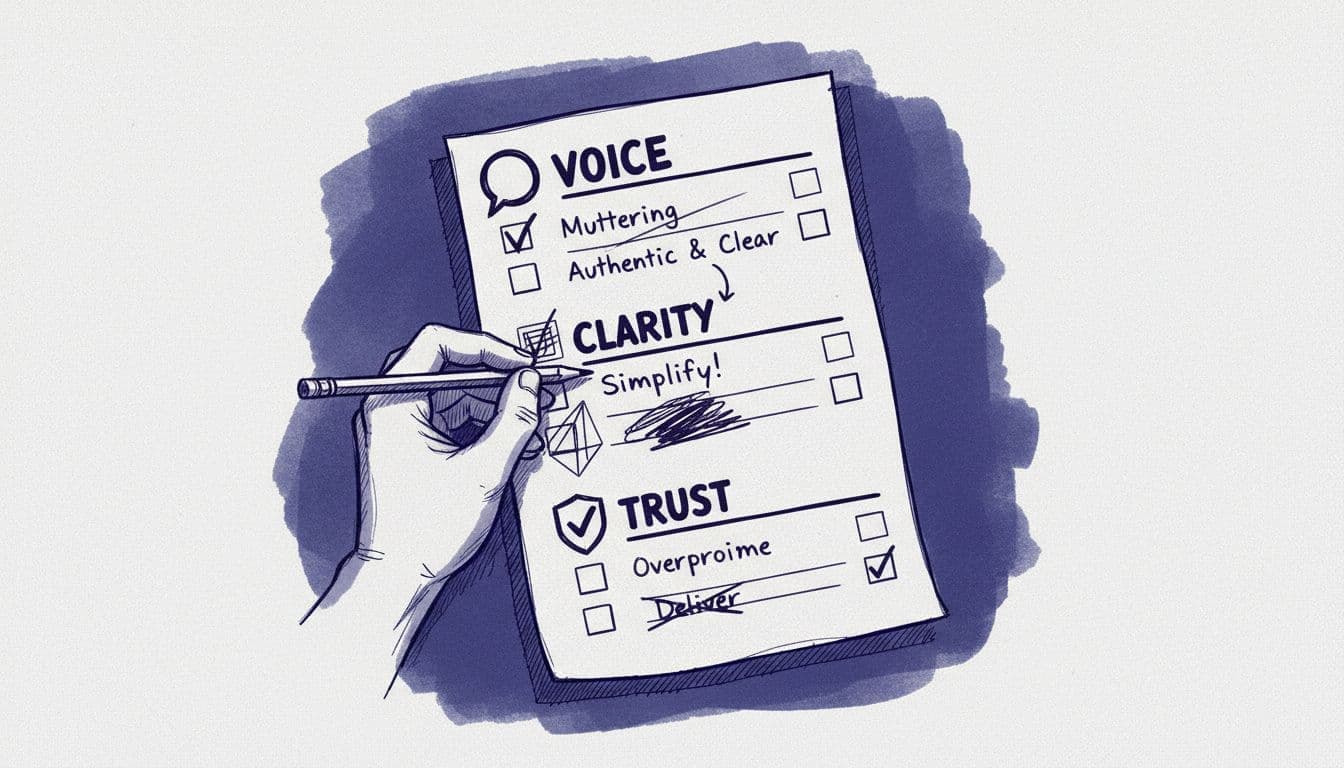
Set a 15-minute timer and work through these passes in order. Each one fixes what matters and skips what doesn’t.
- Minutes 0 to 2: the intro. Re-read only the intro. Cut any throat-clearing and get straight to the point. Add one specific reason the reader should care today. If the intro doesn’t hook the reader, the rest of the post won’t get read.
- Minutes 2 to 6: voice. If you’re using a customized MyTone, the voice should be pretty close, but look out for any not-quite-right phrases and replace them with words you actually use. Then add one opinion and one real example from your own experience.
- Minutes 6 to 10: clarity. Shorten long sentences, lengthen or merge choppy ones, split up any chunky paragraphs, and remove any repeated points. Cut any section that doesn’t earn its place.
- Minutes 10 to 13: trust. Check every factual claim, add a source when relevant, and remove anything you can’t back up with a citation or personal experience.
- Minutes 13 to 15: final polish. Read just the headings, then the first sentence of each paragraph. If the flow makes sense when skimming, check the SEO title, meta description, and image alt text the AI wrote. Google shows those in search results too.
What the First Two Minutes Look Like
Here’s a typical AI intro for a sourdough post:
AI draft: “Sourdough bread is a delicious and rewarding project that has captured the hearts of home bakers everywhere. In this comprehensive guide, we’ll explore everything you need to know to bake the perfect loaf.”
And the same intro after a baker spends two minutes on it:
After the edit: “Flat, dense sourdough is often a starter problem, not a shaping problem. So before you mix anything, check one thing: your starter should roughly double in size after a feeding.”
The edit cut the filler (“captured the hearts,” “comprehensive guide”), named the problem the reader actually has, and gave them something to do in the second sentence.
When I want extra help without losing my voice, I’ll ask AI for targeted edits (not a full rewrite). You can use our ChatGPT editing prompts with RightBlogger’s built-in Chat feature to edit content produced by the Article Writer.
What Each Pass Looks For: Voice, Clarity, and Trust
Voice: Make It Sound Like You Wrote It
Word choice is only half of voice. Every post also needs at least one “human moment”:
- A quick personal line (“I learned this the hard way when…”)
- A firm opinion (“I don’t recommend X unless you already have Y.”)
- A concrete detail (tool names, time it took, what went wrong)
Then hunt for phrases you’d never say out loud. For more, follow these tips to make ChatGPT content sound human.
Clarity: Cut the Fog, Keep the Point
A clear post never makes a reader go back and reread a sentence.
During the clarity pass, look for:
- Two sentences that say the same thing: delete one
- Paragraphs longer than four lines: split them up
- Vague nouns or fluffy phrases: use specifics
Trust: Add Proof and Remove Overreach
Trust edits are where a human editor earns their keep.
I check for four common AI problems:
- Mystery stats. If the draft claims a number and I can’t confirm it fast, I remove it or cite a reputable source.
- Overconfident claims. I soften absolute language when reality is messy, but I stay direct.
- Missing limits. If advice depends on budget, niche, or skill level, I say so.
- Invented details. Quotes, prices, product features, and “studies” are where AI makes things up most. If I can’t find it, it goes.
FAQs About Human Editing AI Blog Posts
1. How long should a human edit take?
For most AI drafts, 10 to 20 minutes is the sweet spot. My “15-minute” rule keeps me focused. If I’m still fixing basics after 20 minutes, the prompt I’m using needs to change, or I need to spend more time on the outline next time.
2. What’s the biggest thing to change first?
The introduction. If the opening feels generic, readers won’t trust the rest of your post. I rewrite the first few lines before I touch anything else. If you only have two minutes, spend them on the intro.
3. Do I need to fact-check every post?
Yes, if AI wrote any of it. Google’s October 2026 guidance says to fact-check and review all AI-generated content before publishing. Start with anything that could hurt trust if it’s wrong: stats, dates, legal or health advice, product claims, and “best” recommendations. For general advice, make sure you’d actually stand by it.
4. Will human-editing AI blog posts help with SEO?
It helps in two ways. Google doesn’t penalize content for being AI-assisted, but it does look for content that is helpful and accurate, and mass-produced pages with no added value can violate its scaled content abuse policy. An edit is also what makes readers trust you, stay longer, and come back.
5. What if the AI draft is totally off?
Then start over. Salvage the outline, keep any useful examples, and get the AI to rewrite it, using a better prompt or giving more instructions. This will be much faster than trying to patch a weak draft.
6. Should I put my name on an AI-assisted post?
Yes, if you reviewed it and stand behind it. What you should never do is invent an author. Google’s helpful content guidance calls made-up names, AI-generated headshots, and fake credentials a form of deception.
Try It on Your Next Draft
A human edit of AI blog posts is the step that makes the post yours.
Fifteen minutes is enough to add your voice, sharpen the message, and build the kind of trust that keeps people coming back.
Use the checklist on your next draft: set a timer, and see how much better it reads when you sound like you.

RightBlogger Co-Founder Ryan Robinson teaches readers how to build online businesses and make AI-written blog posts sound more human.
![How to Automate Blog Posts in 2026 [Step-by-Step Guide]](/_next/image?url=https%3A%2F%2Fcms.rightblogger.com%2Fwp-content%2Fuploads%2F2025%2F12%2Fautomate-blog.jpg&w=1200&q=75)


Automated SEO Blog Posts for Your Site
Research, write, publish, and share from one account.
7-day free trial. Cancel anytime.





Leave a comment