18 Best AI Prompts for Email Marketing (ChatGPT Prompts & More)
Get ready-to-use templates for subject lines, persuasive CTAs, A/B tests, follow-ups, and complete email sequences.


Having the right AI prompts for email marketing is essential if you’ll be using AI tools to help in your marketing efforts. The prompts you choose will literally make the difference between delivering high-converting copy that inspires action… and sending a dud of an email that goes straight to the trash.
Whether you’re using ChatGPT, our very own RightBlogger Chat, or another tool entirely, you need to be leveraging the best AI prompts in order to craft truly effective email copy. This’ll help you grow your customer base (and deliver real value to your audience along the way).
Don’t worry if you’re not a confident writer, or if you feel your selling skills aren’t as strong as you’d like them to be. AI (artificial intelligence) can do a lot of the initial drafting for you… but it’s over to you for knowing what to ask & how to make it’s creations sound more like you.
In this list, we’ll go through all of our best email marketing ChatGPT prompt templates, with real examples of what AI can do with each of them.
Tip: If you want to dig further into the art and science of crafting effective prompts, take a look at our detailed guide to prompt engineering.
18 Best AI Prompts for Email Marketing (ChatGPT Prompts and Templates)
Let’s dig into our top email marketing AI prompts. If you’re the jump-to-wht-you-need type, I’ve broken them out into different categories right here:
- General Email Marketing Prompts
- Subject Lines Prompts
- CTA (Call to Action) Prompts
- A/B Testing Prompts
- Email Marketing Campaign Prompts
Now, let’s dive into our list.
General Email Marketing AI Prompts
1. Brainstorm Ideas for Email Marketing
If you’re stuck for ideas, use this prompt to get ChatGPT (or the AI of your choice) to come up with plenty of options. Here it is in action:
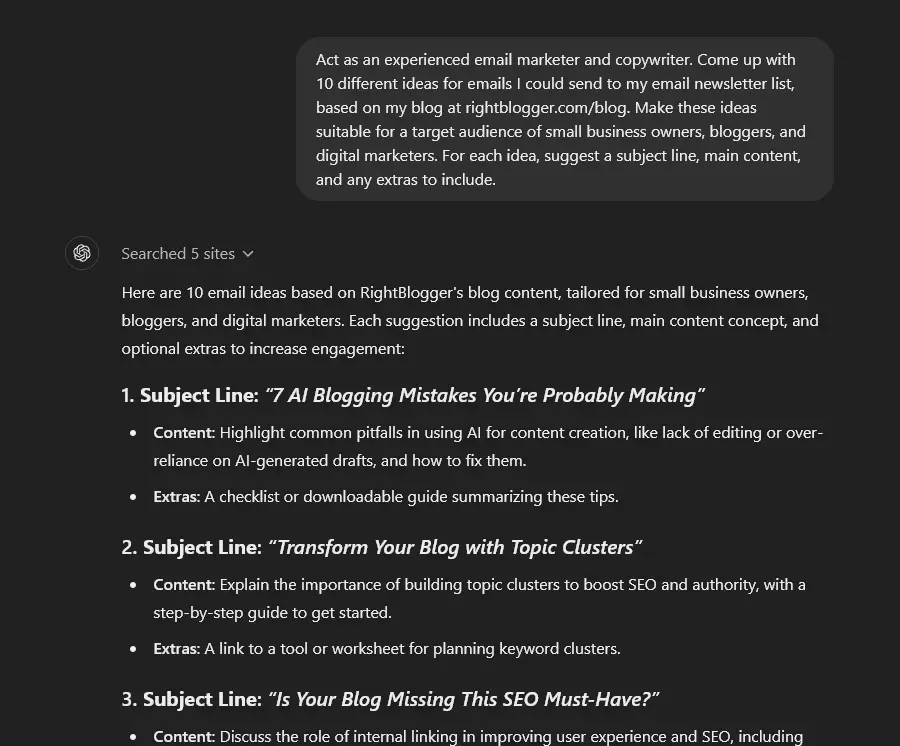
Tip: If you’ve already got a successful email newsletter list, you could also give the AI examples of ideas you’ve used in the past. That can help it to come up with ideas that’ll work for you.
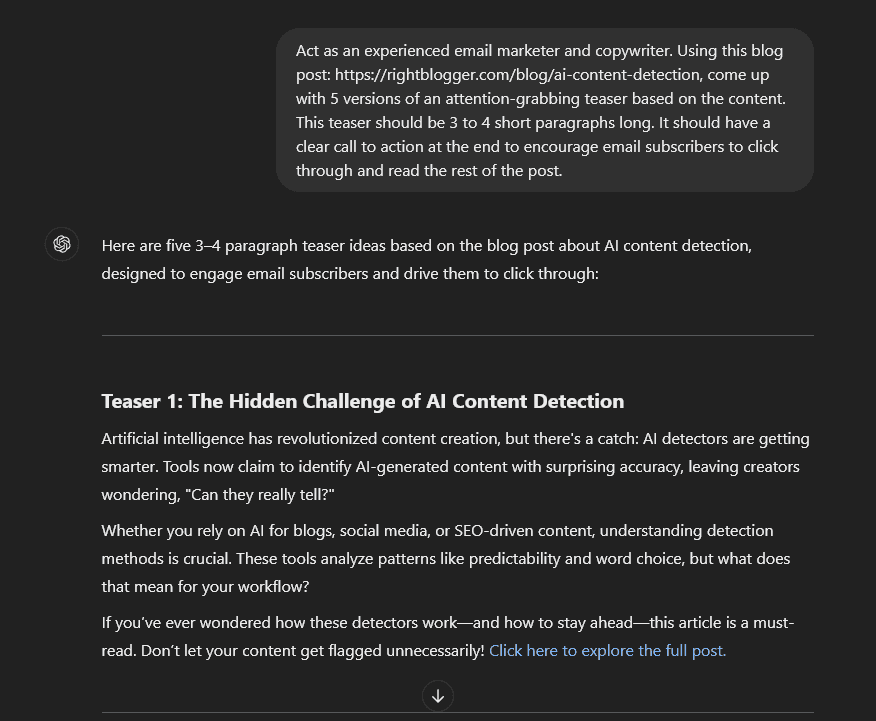
2. Turn a Blog Post into a Short Email
One great way to get more traffic to your blog is to send a “teaser” of your posts out to your email list. ChatGPT can easily craft this for you. Here’s a quick example:
3. Use Social Proof in Your Emails
One great way to persuade on-the-fence prospects to buy is to use social proof: testimonials or success stories from your existing happy customers. Here’s how that might look:
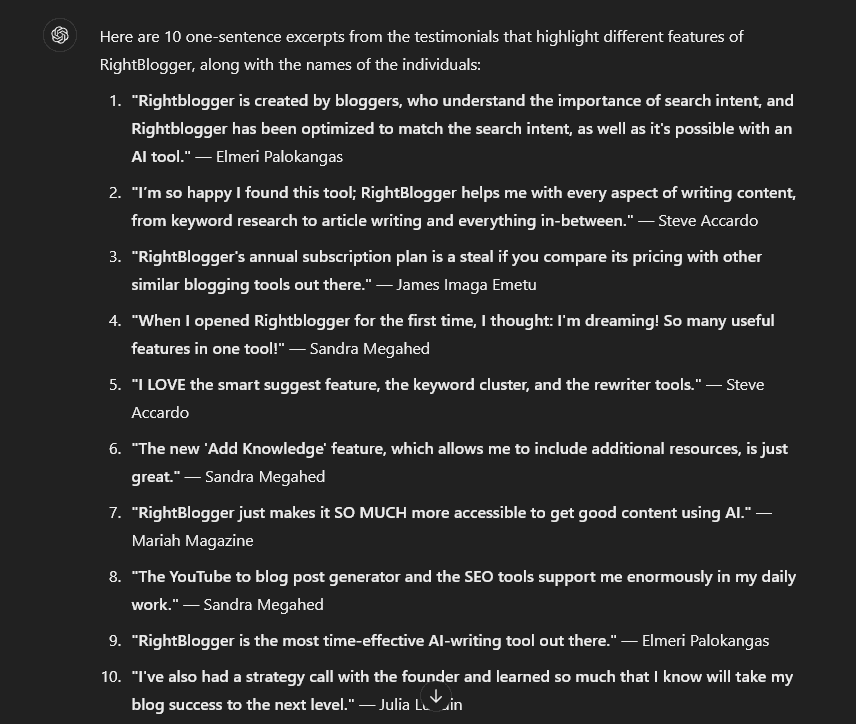
Tip: You could upload a spreadsheet or document of testimonials, or you could copy and paste them below your prompt.
4. Write a Follow-Up Email
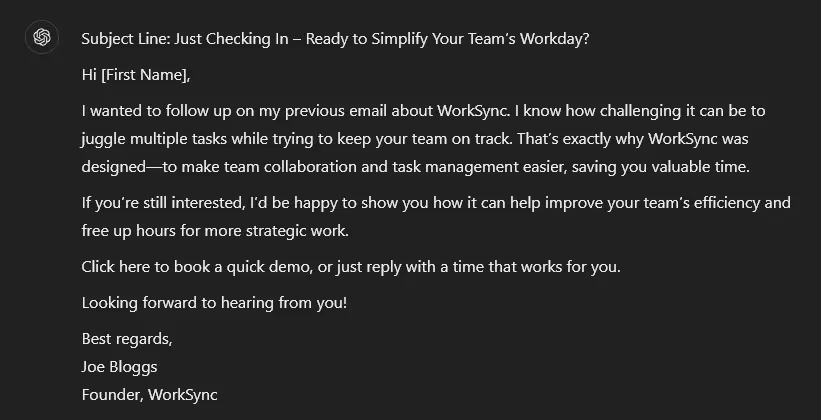
If you’ve sent a cold email (or a LinkedIn message) that went unanswered, use this prompt to get ChatGPT to craft a follow up message for you. Here’s the type of message it can produce:
Email Subject Line AI Prompts
Crafting subject lines can be tricky. Even experienced copywriters may get stuck here, struggling to know how to best grab attention. These prompts are designed to help.
Tip: Did you know that RightBlogger has a built-in email subject line tool? This tool lets you quickly craft subject lines without any prompting: you can even select a tone/writing style or use your own custom MyTone, which is included on every RightBlogger plan.
5. Subject Lines for Promotional Emails
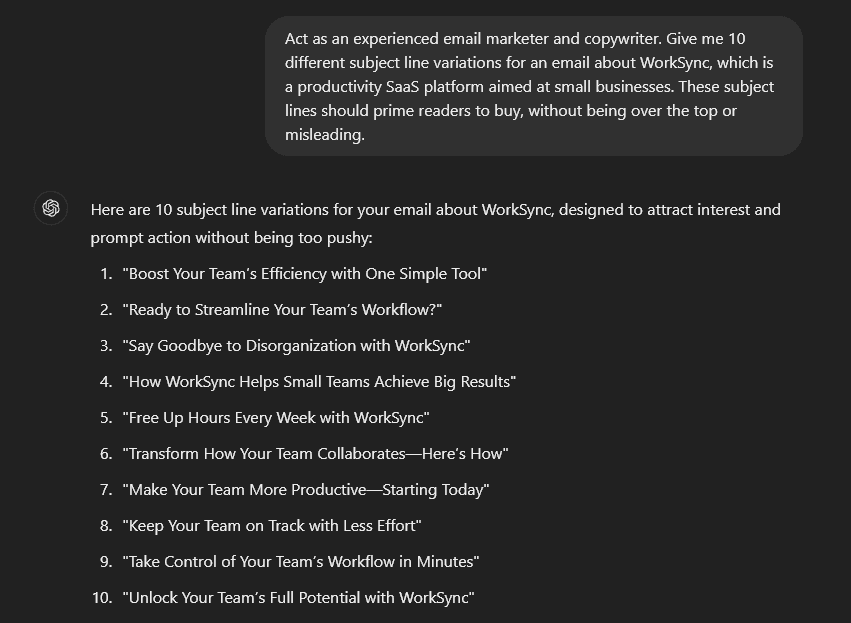
Sending out an email about a product? If this is a product you’ve been selling for a while, you might be struggling for fresh subject line ideas. This propmt lets you quickly craft subject lines like these:
6. Subject Lines for Newsletter Emails
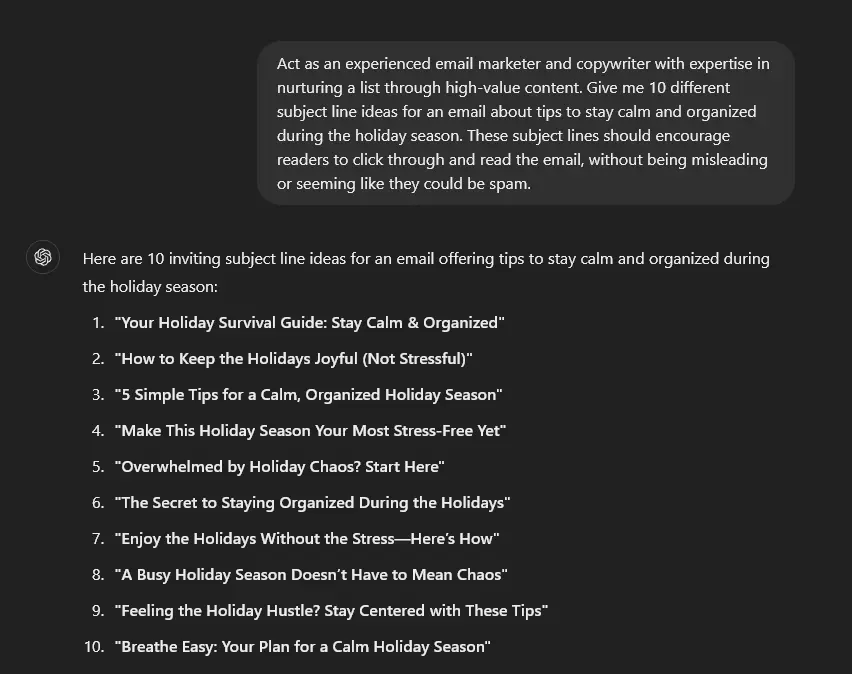
If you’re writing a less sales-focused email, perhaps on a newsletter topic to nurture your list, this prompt will give you suitable subject lines. Here’s what you can expect:
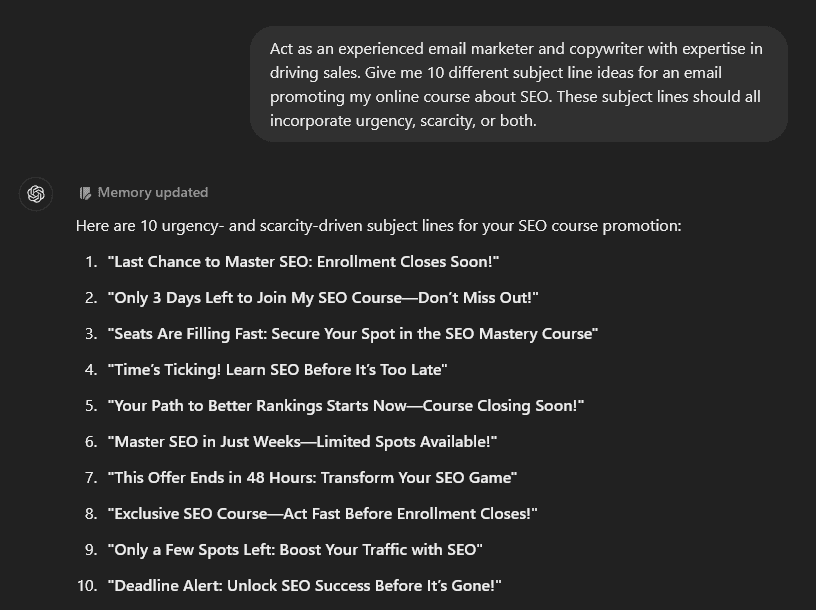
7. Subject Lines Incorporating Urgency and/or Scarcity
As an email marketer, you’ll know how powerful urgency and scarcity can be in getting people to act. This prompt gets the AI to incorporate urgency, scarcity, or both into your subject lines to promote limited-time offers:
8. Improve the Subject Line for an Existing Email
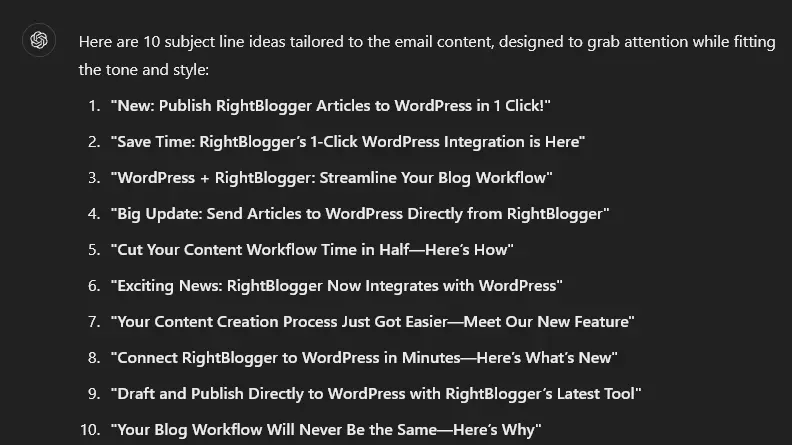
In some situations, you’ll already have the email that you want to use, you’re just struggling to figure out the best subject line. ChatGPT can help you brainstorm ideas. Here’s some it came up with for Andy’s email about our WordPress integration:
9. Subject Lines for Cold Emails
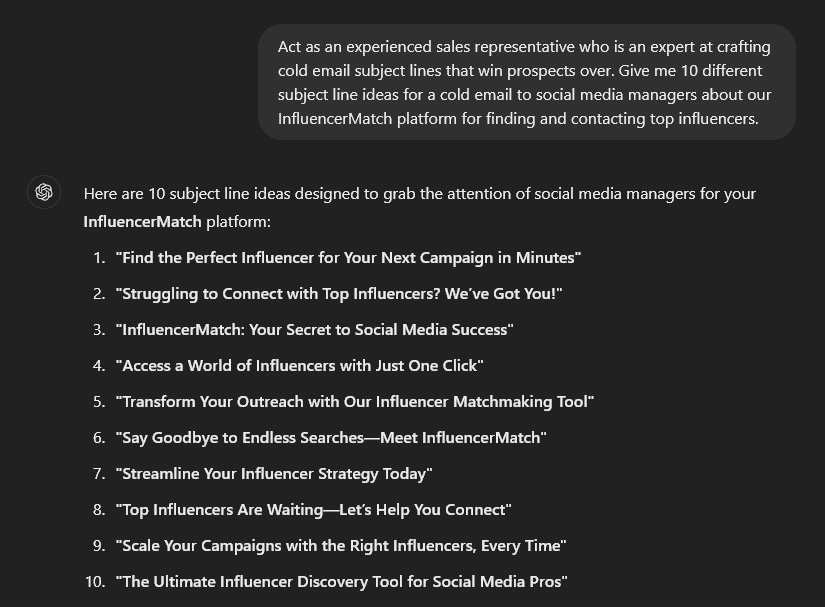
If you’re approaching a prospect for the first time, then getting your subject line right is vital. It gives them their first impression of you. This prompt comes up with engaging, professional subject lines like these:
10. Subject Lines Tailored to Your Tone and Style
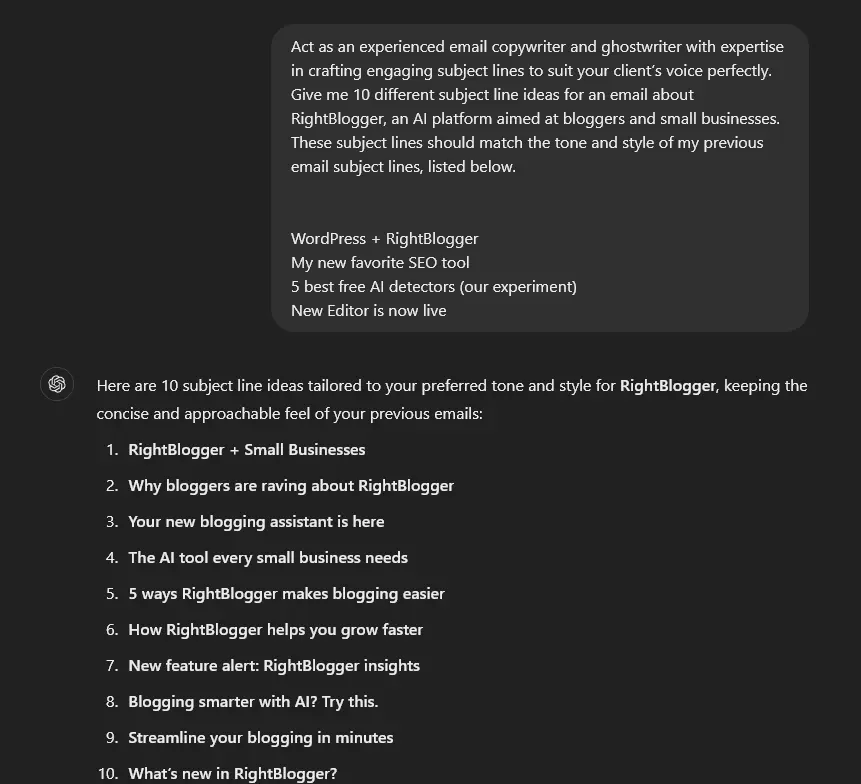
Already sent out lots of emails to your list? Use an AI prompt that asks for subject lines that fit with your previous ones. You’ll get an on-brand list like this:
Email CTA (Call to Action) AI Prompts
Each email you write should end with a call to action (CTA) where you prompt the reader to do something. That might be something like:
- Schedule a call
- Buy a product
- Fill out a form
These are some of my most effective calls to action, but you can use anything else that moves your prospect closer to becoming a customer (or that nudges an existing customer to buy again).
These prompts are all designed to help you generate powerful CTAs that push your reader to take action.
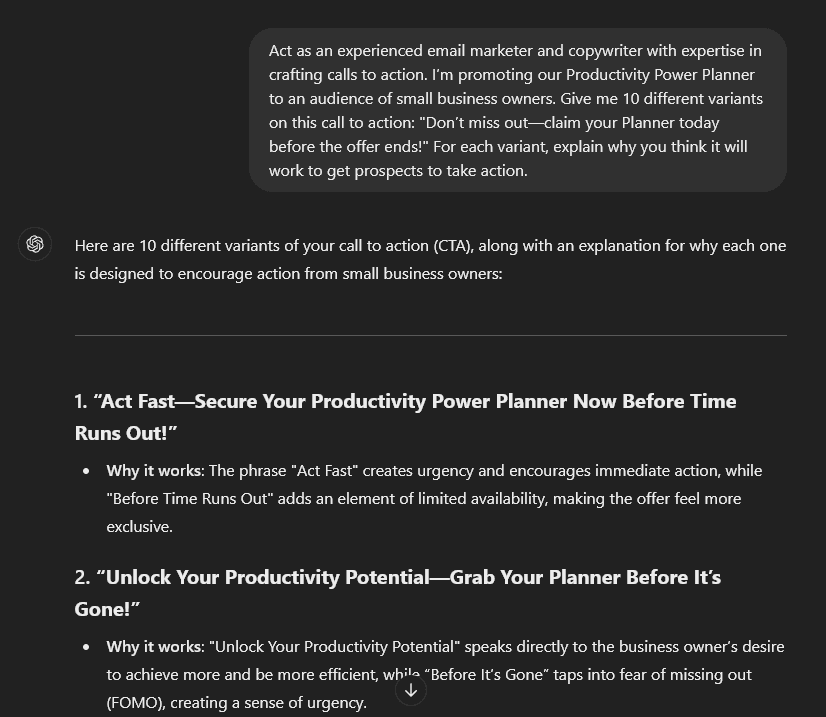
11. Improve an Existing Call to Action
Have you already got a CTA that you’re using? If you suspect it could be stronger, use this prompt to get ChatGPT to create some variants for you. Here’s what you can expect:
12. Crafting a Call to Action for a Specific Purpose
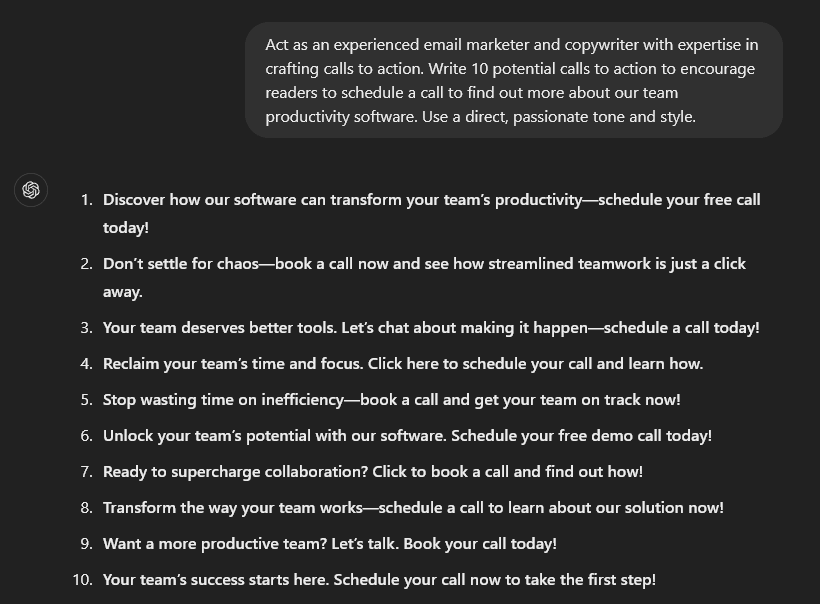
When you already know what you want your email to accomplish, let ChatGPT come up with CTAs that are tailored to your purpose. You can tell the AI what you want people to do, like sign up for a webinar or schedule a call.
Email A/B Testing AI Prompts
While the prompts above will get your chosen AI platform to craft copy that fits with industry best practices, it’s hard to know exactly which subject lines, email copy, and calls to action will perform best with your unique audience. That’s where A/B testing comes in.
If you’re not already familiar with A/B testing, it’s the process of testing one version (A) against a variant (B), then seeing which does best in terms of key metrics like your open rate, click-through rate, and conversions.
Tip: Try to only vary one thing at a time. E.g. test 2 different subject lines but keep the email body text and call to action the same.
13. A/B Testing Subject Lines to Increase Open Rate
Getting your email opened is the first battle won. Some subject lines will perform dramatically better than others. ChatGPT can give you options for testing, and explain why they’ll work well:
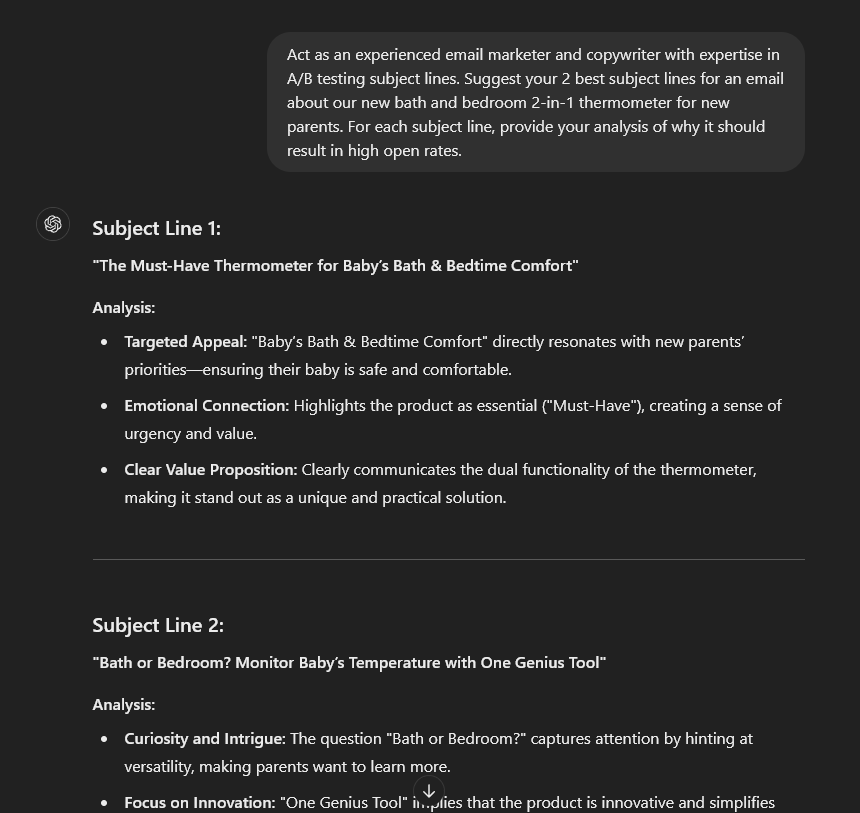
Tip: If you prefer, you could use one of the prompts above to get ChatGPT to generate 10 or more ideas. You could then narrow this down (manually or with AI) to select the best 2 for A/B testing.
14. A/B Testing Email Copy to Increase Click-Through Rate
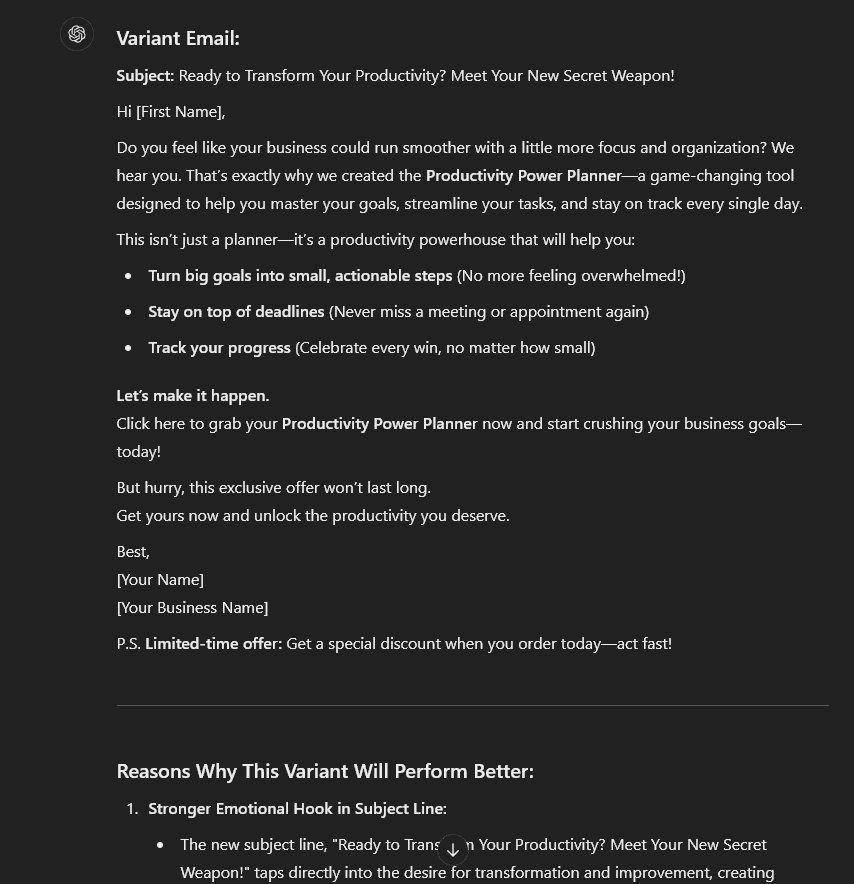
You want more people to click through, and that means making your email copy as engaging and convincing as possible. ChatGPT can help by crafting a stronger version and explaining why it should do better in an A/B test:
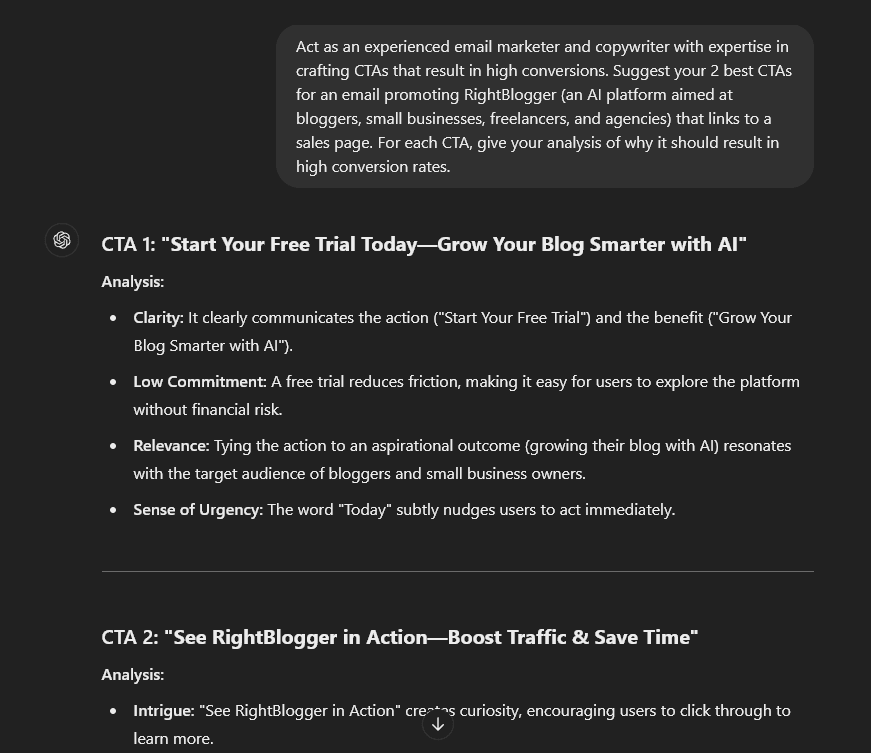
15. A/B Testing CTAs to Increase Conversions
While you might think your sales page is what affects conversions, your call to action could also potentially have an effect. It’s worth A/B testing this to find out.
Email Marketing Campaign Planning AI Prompts
Often, you won’t just be crafting a single email, you’ll be creating a whole email campaign, incorporating several different messages to achieve a goal. This might be around the launch of a new product, or during a sale or other special promotion.
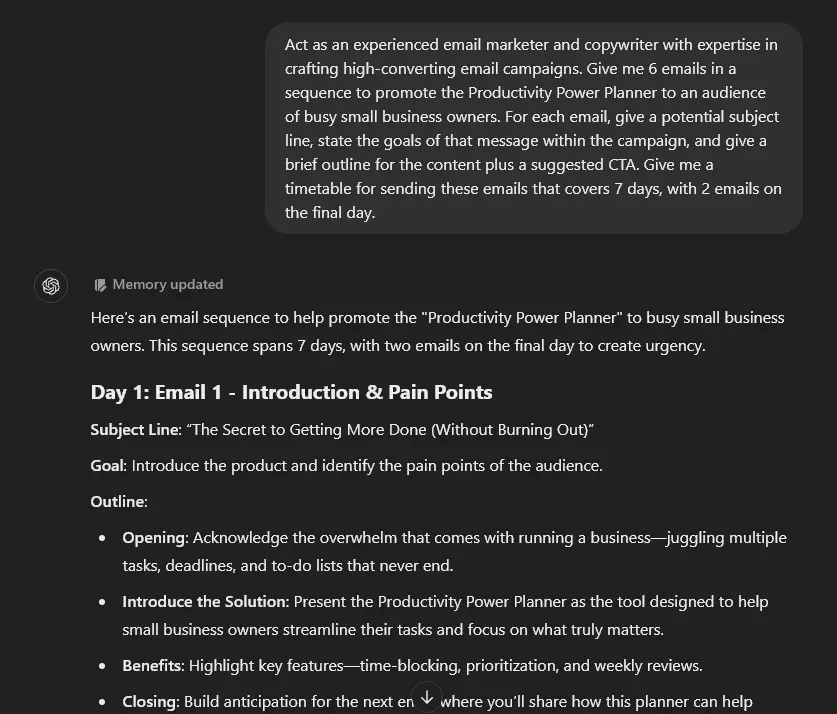
16. Plan Your Email Campaign (Marketing Strategy)
Just planning out all the emails for a campaign can feel overwhelming, especially if you don’t have much experience with marketing strategy. Let ChatGPT help with this prompt. Here’s a sample of what it will produce:
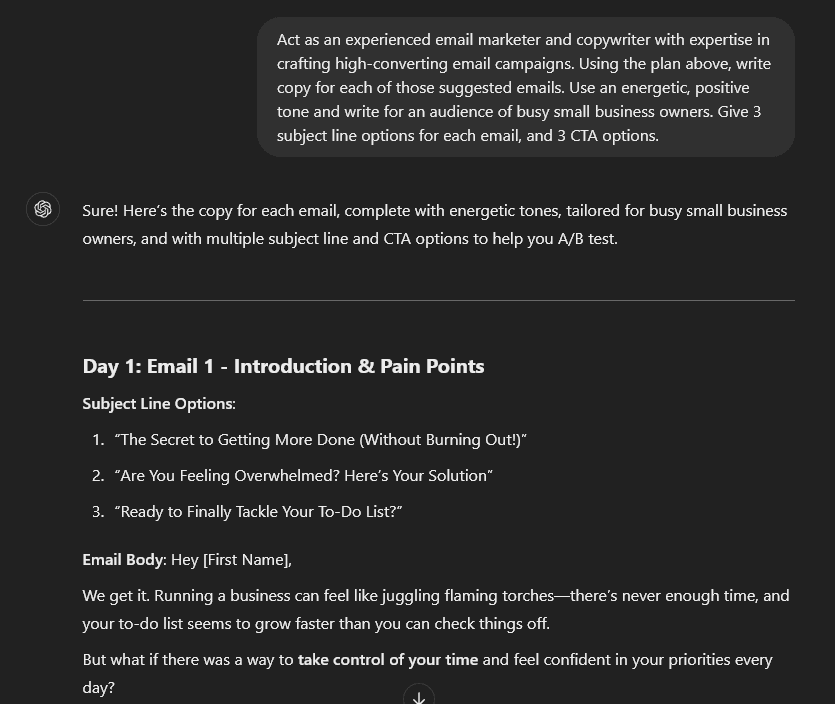
17. Draft Emails in Your Marketing Campaign
Once you’re happy with ChatGPT’s plan (remember, you can always re-prompt it and ask for changes), you can go ahead and have it draft all your emails at once, like this:
Tip: If you want more fine-tuned control over the emails in your campaign, you can instead use some of the prompts we covered earlier in this article to draft each message separately.
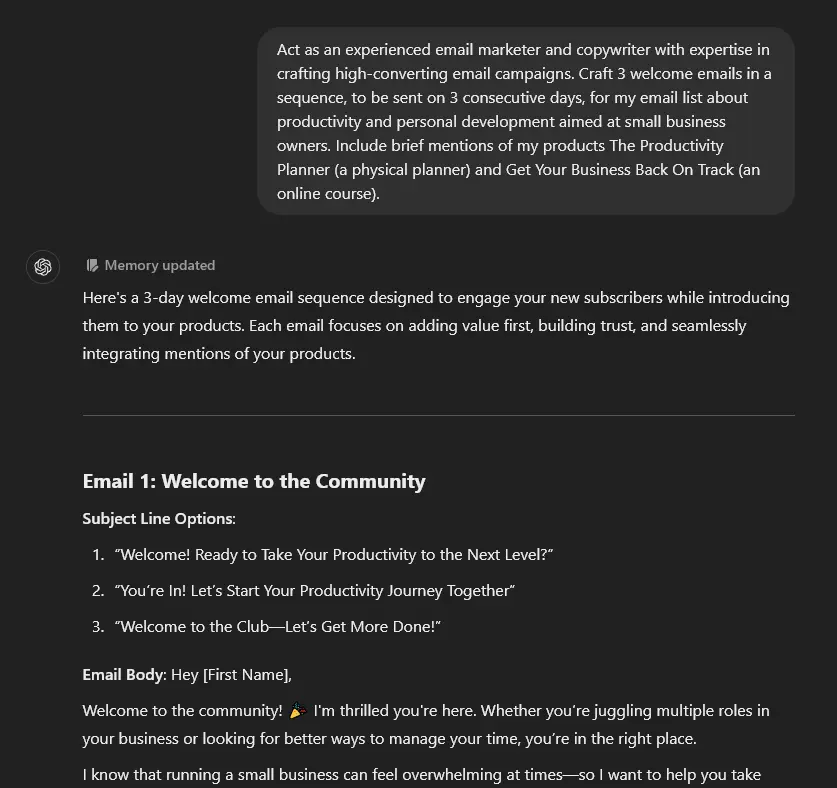
18. Create Welcome Emails for New Subscribers
In 2024, GetResponse found that welcome emails had an average open rate of 83.63%. That makes your welcome email (plus other subsequent emails in your welcome sequence) incredibly valuable. Here’s what ChatGPT can come up with for you:
Getting the Most from Your ChatGPT Email Prompts
You can use all our prompts above as-is, but if you want to go further with your digital marketing efforts, consider:
- Making use of segmentation to send different special offers or relevant content to different sections of your list, a vital part of your email marketing strategy. E.g. you could send one offer to people interested in e-commerce and a different offer to those interested in SaaS.
- Using automation along with your email text, e.g. to automatically send a follow-up email to cold contacts who don’t reply.
- Creating an email template and giving this to ChatGPT so it can always create emails that fit your standard company format.
- Let ChatGPT know about your target audience. That could include demographics (e.g. “women in their 30s”) but could also include psychographic information (e.g. “they enjoy being outdoors in nature”).
Should You Use ChatGPT for Email Marketing or Another Generative AI Tool?
ChatGPT isn’t your only AI option for email content creation. There are plenty of other AI tools that incorporate a similar chat feature, and we’ve designed these prompts to be used with any AI.
A great ChatGPT alternative is our very own RightBlogger. You can use all of these prompt examples within the Chat (included with every paid plan) to craft your email copy.
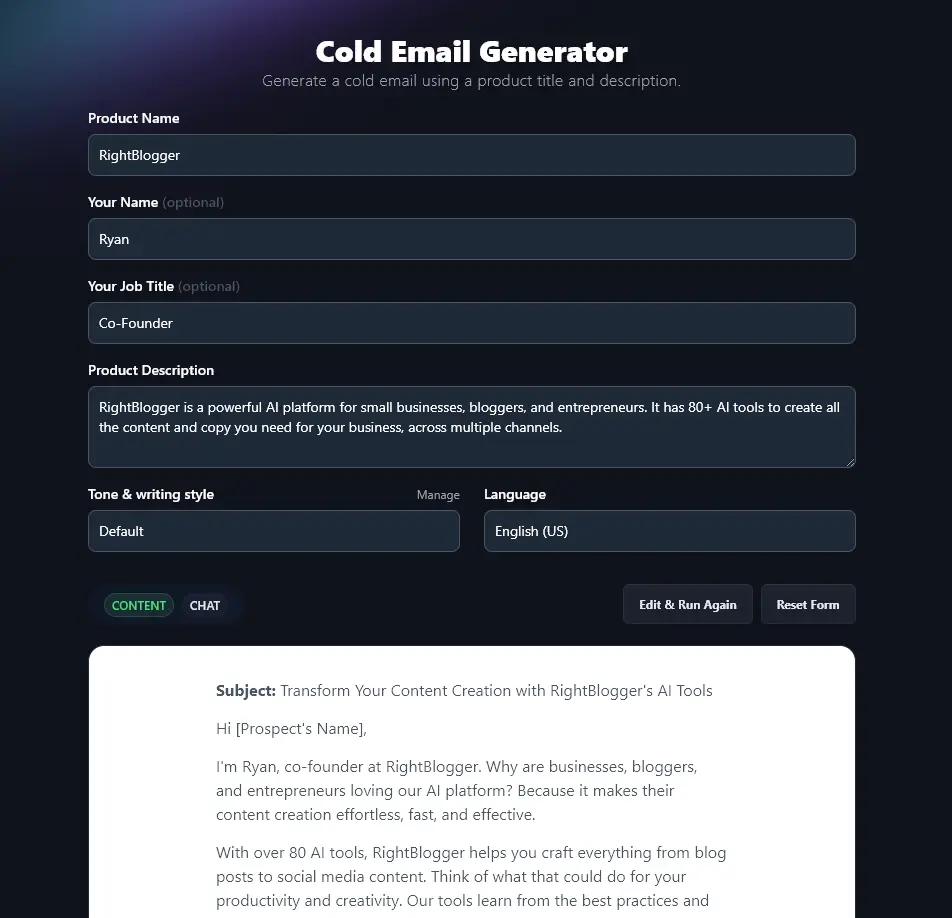
Plus, you’ll get access to all of our most effective ready-to-use tools like the Email Subject Line Generator, Cold Email Writer, and Call-to-Action tools, to name a few.
With these tools, you can use MyTone to make sure your copy is always spot on for your brand tone and style.
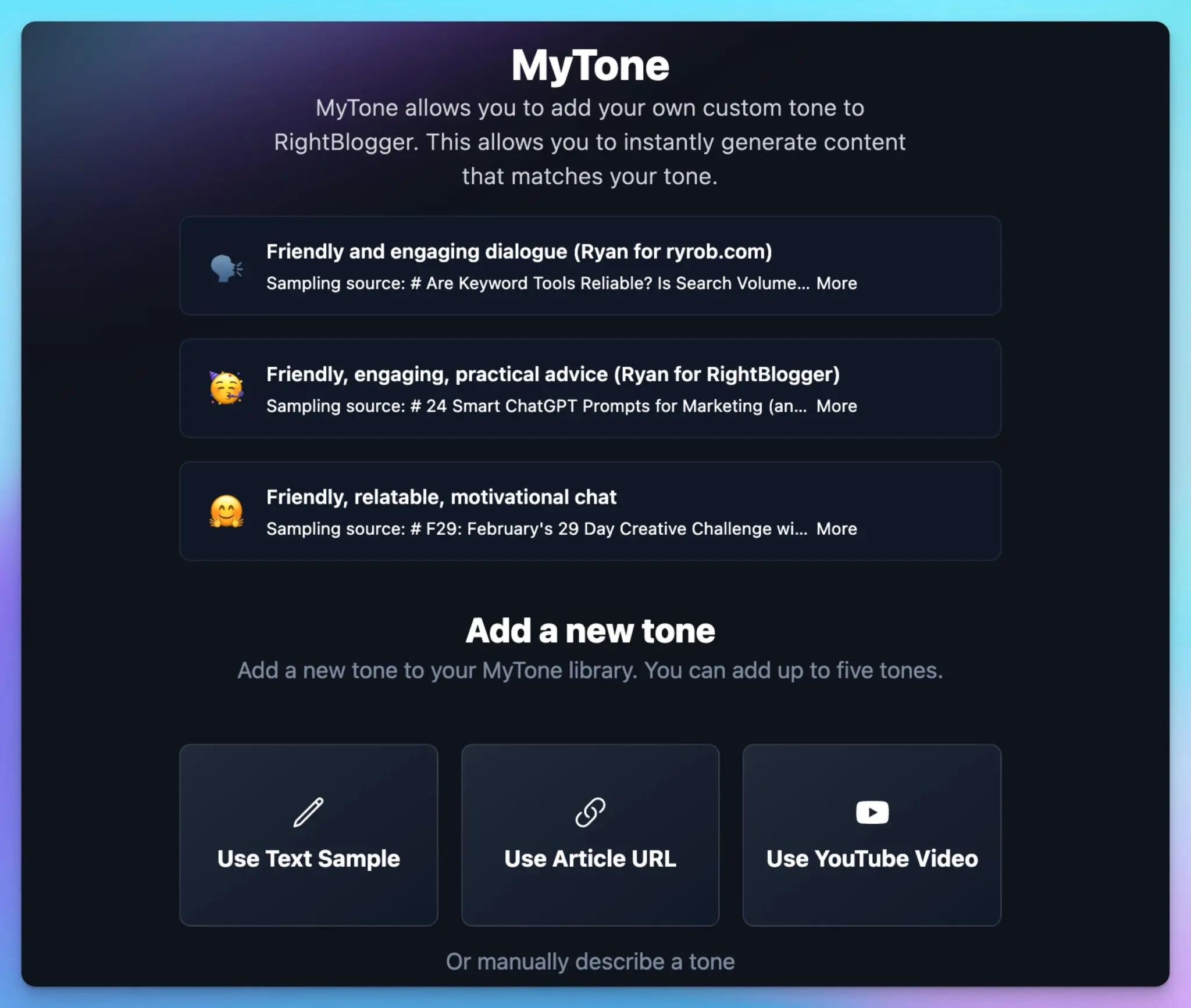
Our Knowledge Library lets you train the AI on the details of your product/service, so these can be incorporated into your email copy too. And our AI image generator lets you instantly create eye-catching visuals for your emails.
You don’t need to create your own prompts or master ours with RightBlogger, we’ve done all the fiddly behind-the-scenes prompting for you! Along with all our tools to help your email marketing efforts, we have 80+ other tools too, covering a range of use cases. These include blogging and content marketing, SEO (search engine optimization), social media, sales, and productivity.
You can try all our tools with a RightBlogger plan starting at $49/mo. Every plan includes unlimited AI words, and there is a 30-day money-back guarantee.
Blog Automation That Keeps Your Posts Ranking

RightBlogger finds keywords, writes SEO articles, and publishes them to your blog. Then its Site Agent uses your Search Console data to keep older posts in shape, adding internal links, sharpening weak meta descriptions, and fixing stale years and broken links. Join 51,000+ bloggers using it to grow traffic from Google and ChatGPT.

Article by
RightBlogger Co-Founder Ryan Robinson teaches 500,000 monthly readers to grow online businesses and shares AI tips for better marketing.


Automated SEO Blog Posts That Work
Try RightBlogger for free, we know you'll love it.
7-day free trial. Cancel anytime.





Leave a comment
You must be logged in to comment.
Loading comments...