Flat URL vs Nested URL: Best Blog SEO Structure (2026)
Flat paths suit standalone posts; use one meaningful folder for stable topic clusters, since URL length alone does not boost rankings.

A blog URL might look tiny on the page, but it plays a significant role in how your site architecture develops over time. When you compare flat URL vs nested URL for blog SEO, you are really deciding how easy it will be for readers, crawlers, and your future self to navigate your content.
That choice becomes even more critical as your site grows and begins stacking up posts, categories, and topic clusters. Making the right decision directly impacts your search engine optimization efforts as your library of content scales. A clean path makes a page feel intuitive and accessible, while a messy structure can make even the most valuable post feel buried.
Key Takeaways for Flat URL vs Nested URL
- A flat URL structure is typically the best choice for individual blog posts that stand on their own without needing categorization.
- A hierarchical URL structure helps organize your site effectively when it is built around clear topic hubs and related subtopics.
- Shorter URL paths do not automatically rank better, but cleaner paths are significantly easier to manage over time.
- The best URL structure is the one you can keep consistent as your blog grows and your content library expands.
- A well-optimized slug matters more than folder drama, so keep the final segment of your URL clean and readable.
- Selecting the right URL format ultimately improves the user experience for your readers, making it easier for them to navigate and understand your site content.
What Flat and Nested URLs Mean
A flat URL keeps the path shallow as part of your broader site architecture. A post might live at something like /best-email-subject-lines/ or /screen-record-mac/. The important part is that the page sits close to the root domain.
A nested URL adds subfolders to the path, which is often referred to as a hierarchical URL structure. The same post might become /blog/email/best-email-subject-lines/ or /guides/mac/screen-record-mac/. That extra structure can help when you want to show how a page fits into a bigger topic.
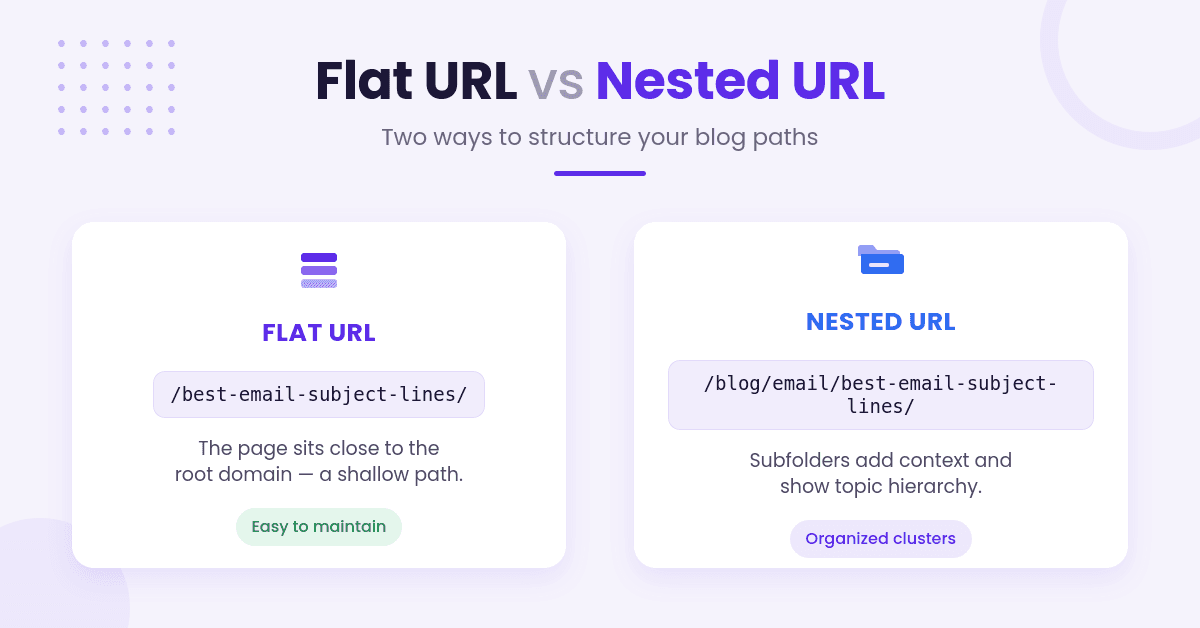
The difference sounds cosmetic, but it changes how people think about the site. Flat URLs feel like a simple shelf with each book in plain sight. Nested URLs feel like labeled drawers inside a cabinet.
Neither one is magic. Search engines do not hand out extra credit just because a URL looks tidy. Still, the path gives you a clean way to group content for your own reporting. The topical relationships themselves come from internal links and on-page content, not from folders. Google only credits directories with helping it learn how often a section changes, and its SEO Starter Guide says that applies once you have more than a few thousand URLs.
If you are still mapping out your content, how to structure a blog post outline is a smart place to start. A solid outline makes it easier to tell whether a post deserves its own page or belongs inside a larger hub.
When Flat URLs Win
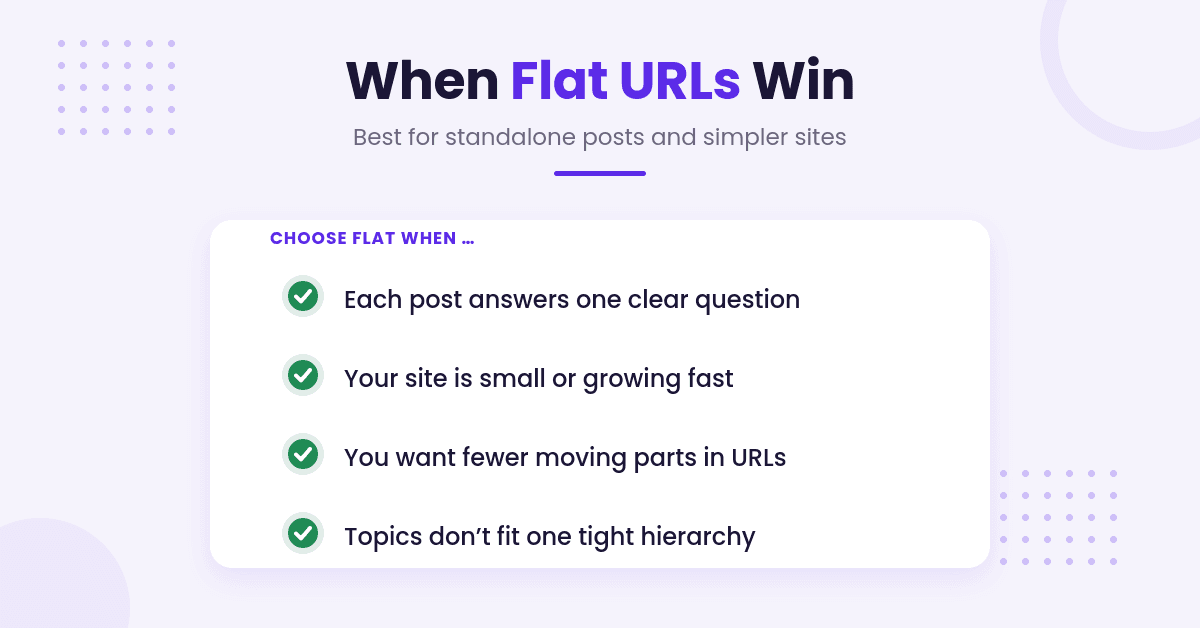
A flat URL structure is a strong fit when each post answers one clear question. Just be clear about what a flat URL does and does not do.
Removing folders from the path does not, by itself, make a page easier to find. Google’s John Mueller has been blunt about it: “From our point of view we don’t count slashes in the URLs.” What Google does pay attention to is click depth, meaning the number of links someone has to follow from your homepage to reach the post.
Those two things are independent. A post at /best-email-subject-lines/ can still sit six clicks deep if nothing links to it, and a post at /blog/email/best-email-subject-lines/ can be one click from the homepage. If you want faster discovery, link to the post from pages that already get crawled often: your homepage, your blog index, and related posts. Keeping the path short is a readability choice, not a crawling one. For the slug itself, Ryan Robinson’s guide to SEO-friendly permalinks walks through the rules.
Flat URLs also make your blog easier to scan. A reader can guess what a page is about with less noise in the path.
That matters when you are sharing links in email, social posts, or internal documents. It also makes your content feel less boxed in by categories that may change later.
Here is the other big win: flat structures are easier to maintain. If you ever rename a category, reorganize your site, or merge topics, you are less likely to break a pile of URLs. That saves you from redirect headaches and link cleanup later.
Flat URLs are especially useful when:
- the post is meant to stand alone
- the site is still small or growing fast
- you want fewer moving parts in your URL system
- you publish a wide mix of topics that do not fit one tight hierarchy
The key is keeping the slug itself clean. A flat URL with a sloppy slug is still a poor experience for users and search engines. If you want help shaping that part, our SEO-friendly permalink generator can turn a title into a simple, readable slug without extra junk.
When Nested URLs Make More Sense
Nested URLs are not the enemy. They just need a clear reason to exist.
If your blog runs on topic clusters, a nested structure can help readers see the relationship between pages. A hierarchical URL can also show up as a breadcrumb trail in search results, since Google says it learns breadcrumbs automatically from the words in the URL.
The breadcrumbs on your actual page are a separate system, built by your theme or SEO plugin from a post’s category or parent, not from the URL path. You can run breadcrumbs on a completely flat site. If you want breadcrumbs Google can read, add BreadcrumbList structured data, and note Google’s own advice: provide breadcrumbs that represent a typical user path to a page rather than mirroring the URL structure.
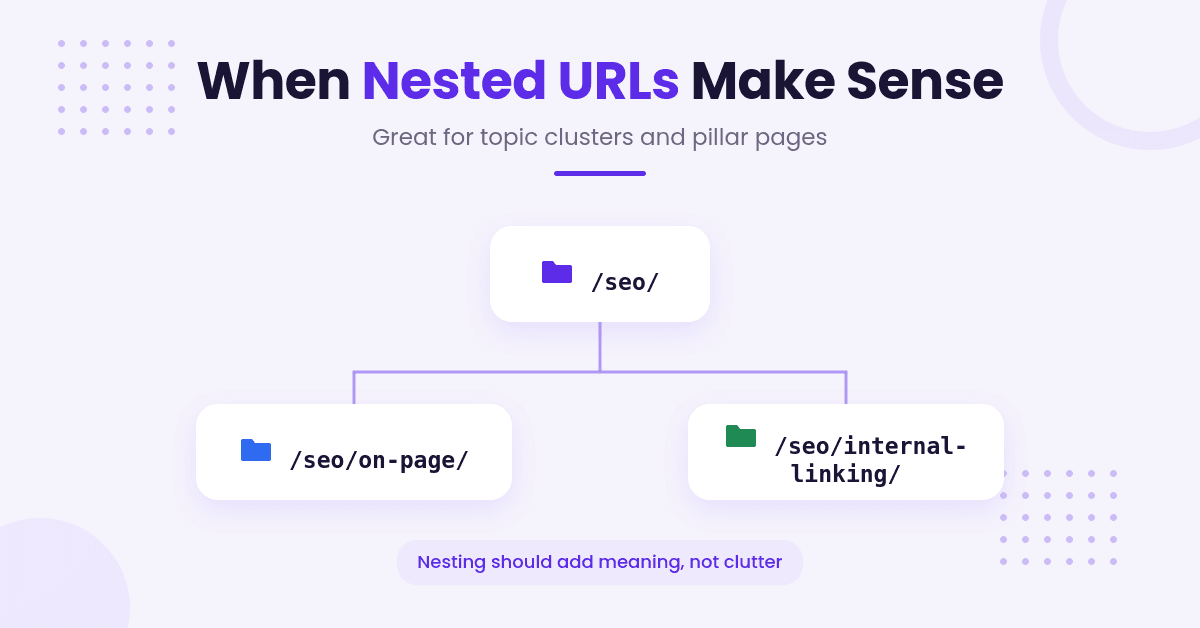
A broad guide might sit under /seo/, while smaller posts live under /seo/on-page/ or /seo/internal-linking/. This type of tree URL structure is excellent for linking pillar pages to their supporting content, making a large site much easier to understand at a glance.
Nested URLs also shine when your categories are stable. If your blog relies on a consistent folder structure, these paths support your content strategy rather than fighting it. This is particularly useful for sites with deep how-to content, documentation-style articles, or large editorial libraries that benefit from an organized mapping of content clusters.
The trap is overdoing it. Too many subdirectories can make a post feel buried.
A path like /blog/marketing/seo/content/on-page/internal-links/ looks organized, but it starts to feel heavy fast. Readers do not need a maze; they need a clear path.
Nested URLs make the most sense when the folder adds meaning instead of clutter. If the structure does not help the reader understand the page context, it is probably just baggage.
What Google and Readers Notice First
Search engines and readers both prioritize clarity when evaluating a URL. The real question is what the path tells them before they click, as a clear structure significantly improves the user experience.
By keeping your URLs short, readable, and consistent, you make it easier for people to trust the result before they click. Google shows part of the URL as a breadcrumb in search results, so a readable path is doing its work at the moment someone decides whether to click. A URL that is stuffed with extra folders, duplicate words, or random numbers creates confusion, whether you are trying to attract traffic from a featured snippet, a social post, or an email.
A clean URL helps a page make sense fast. It does not rescue a weak article.
That last part matters. While a thoughtful URL structure complements your internal linking strategy and overall search engine optimization efforts, it does not carry the page on its own.
Search engines still prioritize content quality, headings, and whether the article answers the user query cleanly. If the post is bloated or vague, a neat URL will not save it.
The same goes for search snippets. Pages that answer a single question clearly often perform better than pages that wander around the topic. A flat URL often pairs nicely with that style because the path stays out of the way, allowing your content to do the work.
How to Pick a Structure That Can Grow
The safest choice is the one that fits your publishing style and stays useful as your site architecture expands. Start with your content model rather than your ego.
If you mostly publish standalone posts, a flat structure keeps things simple. If you build large clusters around major themes, some nesting can help. The point is not to pick the shortest URL on the page, but to build a system you can live with for years.
Here is a simple way to make the call:
- Use flat URLs if your posts cover separate ideas and rarely depend on one another for indexing.
- Use nested URLs if your navigation allows readers to move naturally from a broad guide to smaller support posts.
- Use one folder level only when it adds real meaning for your users.
- Keep your naming pattern consistent across the whole site to help search engines understand your hierarchy.
This is also where planning matters. A strong outline tells you whether a topic deserves a home inside a category or its own page at the root. If you are sorting that out, creating effective article outlines can help you map content before you publish it.
Worth separating two different senses of the word structure. Folder depth is about where a page lives; on-page layout is about how a single page is arranged. If you want help with the second kind, Kadence Row Layout for Beginners covers building page sections in WordPress. It will not affect your URLs either way.
If you are rebuilding an old blog, do not change the URL structure just because it looks neat in a spreadsheet. A complex URL migration carries significant risks.
Every change has a cost, as you must carefully manage redirects, internal linking, and existing backlinks to avoid losing authority with search engines. A cleaner system is great, but a broken one is expensive.
Common URL Mistakes That Hurt Both
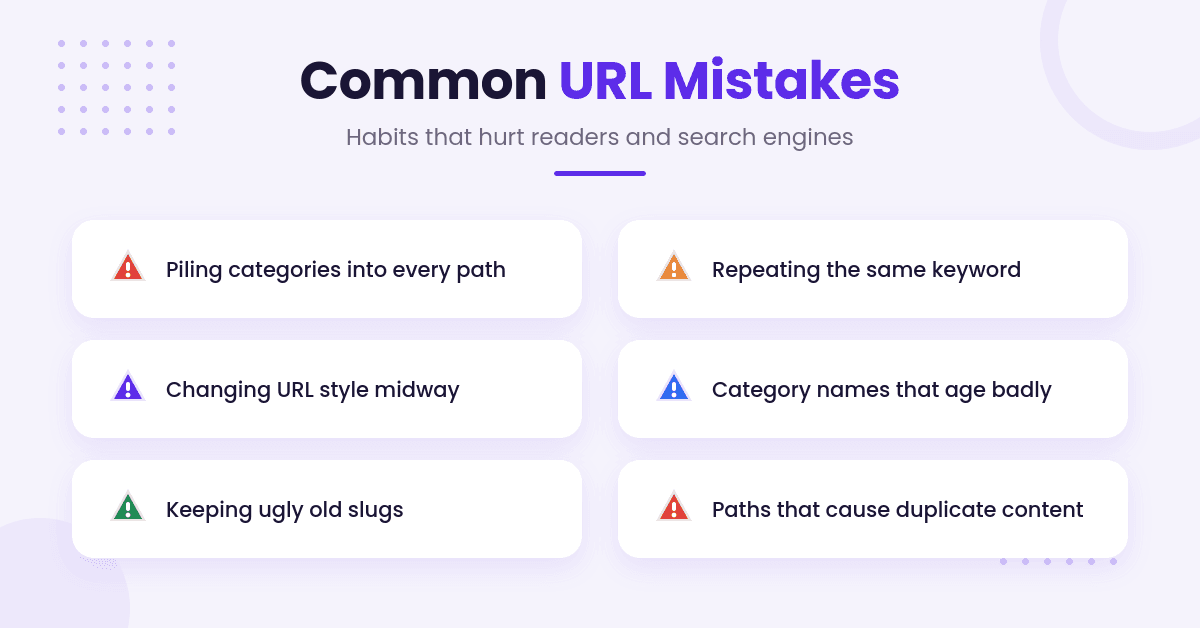
The biggest mistake is making URLs too clever. Clever looks nice in a meeting and turns into technical work later. Whether you are managing blog posts or product URLs for an ecommerce site, avoid these habits:
- Piling categories into every path.
- Repeating the same keyword over and over. It is not a penalty, it just makes the URL harder to read and does nothing for ranking.
- Changing URL style halfway through the site.
- Using category names that will age badly.
- Letting old posts keep ugly slugs because they still work.
- Creating messy paths that lead to duplicate content issues. Google’s URL structure guidance is short and worth a read: readable words over ID numbers, hyphens instead of underscores, and consistent casing.
Another common mistake is mixing systems. One post lives at the root, another sits three folders deep, and a third has a category you stopped using last year. That kind of patchwork makes site maintenance harder and weakens the logic of your blog.
It also makes internal linking messy. If your own site does not know how to organize its content, readers can feel that confusion too. Search engines are not fooled by chaos with good intentions; they look for a clear, predictable structure.
Keep this rule in mind: if a folder does not help navigation, it is noise. If a slug is too long to say out loud, it is probably too long to keep.
Frequently Asked Questions
Here are a few additional questions you might have about flat and nested URL structures.
Does a flat URL structure help my pages rank higher in Google?
No, and Google is unusually direct about it. The SEO Starter Guide lists keywords in the domain or URL path under things you should not focus on, noting they have “hardly any effect beyond appearing in breadcrumbs.” John Mueller added in November 2024 that SEOs often over-focus on URL structure, and that if the context of a page is not clear from the text on the page, the URL will not fix it. A flat path is easier to read and share. That is the win.
Can I switch from a nested URL to a flat URL later?
You can, and Google documents exactly how. Every old URL needs a server-side permanent redirect (301 or 308) to its new one. Three things people get wrong: keep the redirects live for at least a year so Google can reassign the links pointing at your old URLs; expect a few weeks for most pages to move, not days; and stop worrying about lost authority, because Google states plainly that permanent redirects do not cause a loss in PageRank. None of that makes it a good idea to restructure URLs that already work. It just makes it survivable when you have a real reason.
How many subfolders are too many for a nested URL?
There is no number Google publishes, and no folder count that triggers a problem. One or two levels is a sensible default because it keeps URLs readable and shareable, not because a third folder costs you rankings.
Skip the three-click rule while you are at it. Nielsen Norman Group’s verdict is blunt: “The 3-click rule is arbitrary.” It traces to a 2001 book rather than research, and a 2003 study of 44 users across 620 tasks found no drop in task success or satisfaction after the third click. People kept clicking, as long as each link showed they were getting closer.
Final Thoughts on Flat URL vs Nested URL
For most blogs, the choice between a flat URL structure and a hierarchical URL structure is not a battle between right and wrong. It is a decision regarding your site architecture and how you want your content to scale.
Flat URLs are easier to maintain for simplicity, while hierarchical URLs provide logical layers that organize your information. Both approaches impact how easily your site can grow, so you must carefully weigh how they influence your overall site architecture over time.
If your blog is built around standalone posts, keep the path short and direct. If your site is built around strong topic hubs, use nesting with restraint and only when it serves a clear purpose.
Ultimately, the best URL structure is the one that stays readable, scales without drama, and keeps your site easy to manage. By choosing a path that prioritizes both search engines and the user experience, you ensure your content remains discoverable and accessible for years to come. Clean paths always beat clever ones.

RightBlogger Co-Founder, Andy Feliciotti shares practical website development and SEO tips, with a passion for photography and travel.


Automated SEO Blog Posts for Your Site
Research, write, publish, and share from one account.
7-day free trial. Cancel anytime.





Leave a comment