Best AI Fact-Checking Tools for Bloggers in 2026
Match each claim to the right check: quick claim searches, original studies for high-stakes facts, and reverse image checks for visuals.

Publishing content quickly is easy. Ensuring factual accuracy, however, is the real test.
By 2026, bloggers are juggling AI drafts, tight deadlines, and readers who can spot mistakes quickly. The best AI fact-checking tools help you catch weak claims, trace original sources, and spot fake visuals before they damage your reputation.
This matters even more if you write about health, finance, software, or breaking news. These advanced platforms help you combat the spread of misinformation and disinformation while protecting your credibility.
The right tech stack will not replace your personal judgment. However, it can help you avoid preventable errors, verify important claims, and publish with more confidence.
Key Takeaways for AI Fact-Checking Tools in 2026
If you only remember a few things, make it these:
- No single tool covers everything. You need to cross-check facts across different platforms, using one tool for claims, another for deep research, and a separate one for media verification.
- Source quality matters more than speed. A fast answer is useless without authoritative sources to back it up, especially when a verified trail is essential for credibility.
- Images need their own review. A clean-looking photo can still be reused, edited, or entirely fake.
- Humans still make the final call. AI can flag trouble, but it cannot own the truth.
The best setup is small and focused. You want a system that catches bad claims early, not a giant app that makes you work harder.
What A Good Fact-Checking Tool Needs To Do
A high-quality fact-checking tool does more than highlight a suspicious sentence. It should help you trace a claim back to credible evidence, such as peer-reviewed studies, court filings, official databases, or reputable news sources, allowing you to effectively verify AI-generated information.
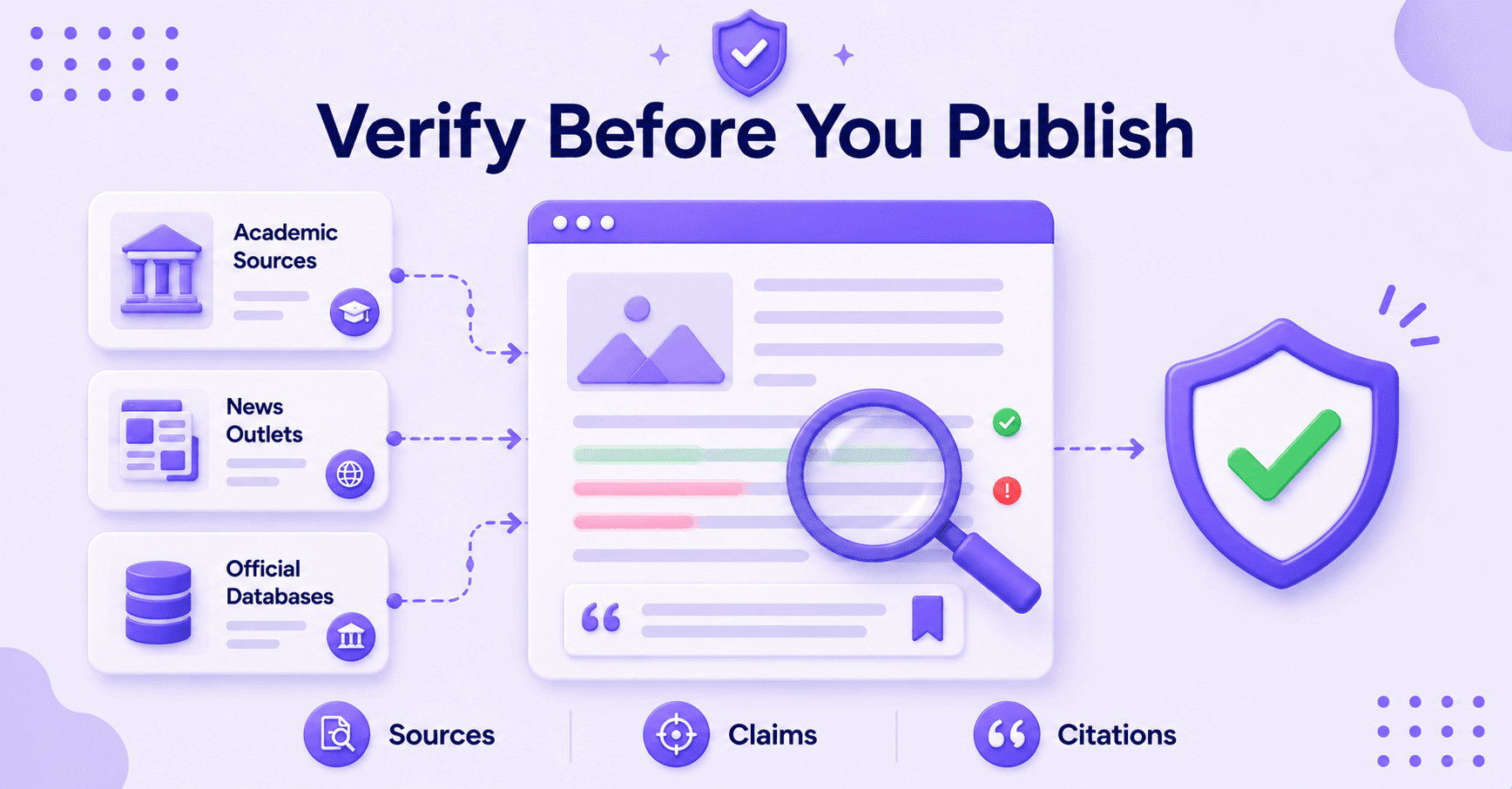
If a tool cannot show its work or provide clear citations, it is simply not enough for professional publishing. Treat it like a lead, not a verdict.
Speed is equally important. Bloggers do not have the time to hunt through every paragraph like a detective in a crime drama.
Because Large Language Models frequently produce errors, bloggers need these tools to quickly flag potential AI hallucinations before they reach the reader. The best software identifies weak spots immediately, allowing you to dig deeper only when it really counts.
A good fact-checking tool should help you:
- Trace claims back to credible sources.
- Identify weak, outdated, or unsupported statements.
- Flag possible AI hallucinations quickly.
- Provide clear citations or source links.
- Support lateral reading across multiple trusted sources.
If you want the drafting process to move faster, RightBlogger’s AI tools for bloggers keep your research, writing, and editing in one place. A clean, integrated workflow makes it much easier to maintain consistent fact-checking standards.
If you are currently evaluating your content stack, reviews of AI writing tools for content writers and lists of tested AI writing tools provide useful context. They demonstrate how much drafting assistants have evolved, which helps you distinguish between writing support and actual verification.
Ultimately, the best fact-checking setup is designed to be efficient. It should highlight weak points, point directly to reliable sources, and facilitate lateral reading, which is the practice of navigating away from your primary text to verify information across multiple tabs.
By simplifying this process, the right tool stays out of your way while keeping your content accurate.
The Best AI Fact-Checking Tools
There is not one perfect answer here. A blogger who writes about marketing needs something different from someone who writes about health or science.
The smart move is to pick tools by job, not by hype.
Quick Claim Checks For Fast Edits
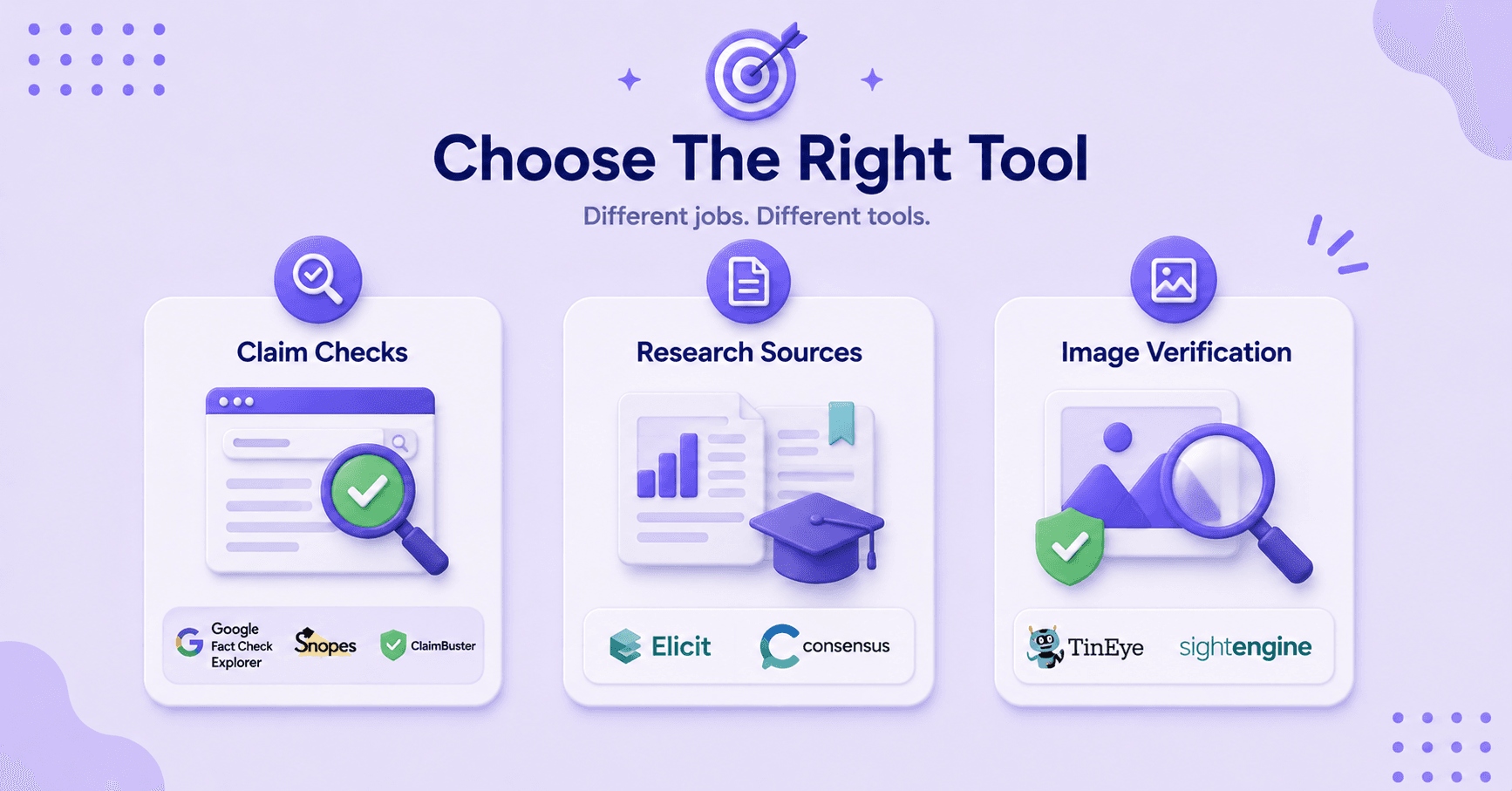
If a draft has one shaky line, start with tools that tell you whether the claim has already been checked elsewhere. Google Fact Check Explorer is the fastest first stop for that.
It searches fact-checks from credentialed organizations, so you can see if a claim has already been reviewed using Google Fact Check Tools. That helps when you are cleaning up AI-generated copy.
Large language models can sound certain while saying something flimsy. A tool like this gives you a reality check before you publish.
Snopes is still useful for rumors, viral posts, and recycled nonsense that keeps popping up on social media. It works well when the claim has already spread and you need to combat social media misinformation or prevent the spread of fake news with a clear yes or no.
Do not use it as your only source, though. Read the source material when you can.
ClaimBuster is a handy automated fact checker when you have a long draft and want to find the parts worth checking first. It does not replace research.
It helps you find the sentences that deserve attention. Think of these tools as your first filter, not your final answer.
For quick claim checks, these tools work best when you need to:
- See whether a claim has already been fact-checked.
- Catch obvious misinformation before publishing.
- Review viral rumors or recycled social media claims.
- Find the weakest claims inside a long draft.
They will not settle every question, but they will keep you from wasting time on obvious dead ends.
Research-Backed Claims Need Better Sources
Some claims need more than a quick fact-check. If you are citing studies, health data, or stats that shape a reader’s decision, you need original research.
That is where Elicit and Consensus earn their place.
Elicit is built for academic research. It helps you search academic papers and pull useful details from them.
That makes it a strong fit for bloggers who quote studies, compare findings, or write explainers. It is especially useful when you need to know whether a paper actually says what your draft says it says.
Consensus is great for science and health claims. It answers questions using peer-reviewed research and shows bibliographic citations to original papers.
That saves time when you are sorting through a lot of studies, but it still needs a human read-through. Tool output is a starting point, not the finish line.
This is where a lot of bloggers slip. They quote a summary, then quote the summary of the summary.
By the time the post goes live, the original point has drifted. A simple rule helps: if the claim can change a buying decision, a health decision, or a trust decision, go back to the source.
Before publishing research-backed claims, check:
- The original study or source.
- The publication date.
- The sample size.
- The study limitations.
- Whether the conclusion actually matches the headline.
This is also where your writing stack matters. When you can generate SEO-optimized blog posts with Generative AI or ChatGPT, you spend less time wrestling with the first draft and more time checking the facts that matter.
Images And Screens Need Their Own Check
A photo can look normal and still be wrong. It can be cropped, reused, edited, or pulled from a totally different event. That’s why image verification deserves its own step.
TinEye is the classic reverse search tool, and it’s still useful in 2026. It helps you see where an image has appeared before, which is a fast way to spot reuse or questionable origin. If an image shows up in odd places, treat it with caution.
FotoForensics is useful when you suspect editing. It allows for forensic analysis to show signs that parts of an image were changed or compressed differently. That won’t always prove manipulation on its own, but it can give you a strong reason to keep digging.
Sensity AI focuses on fake images and deepfakes, and it sets a forensic-grade standard for detection. It is built for newsrooms and enterprises rather than solo bloggers, with enterprise-only pricing, so treat it as the heavy-duty option for stories that hinge on whether media is real. For a lighter, free first pass, AI or Not lets you upload an image and flag whether it looks AI-generated or deepfaked. Either way, the gap between real and synthetic media shrinks every month, so this step matters more if your blog covers politics, public figures, or viral moments.
The core rule: do not assume a clean-looking screenshot is trustworthy. Screenshots can be staged. Photos can be recycled. AI images can be made to look older than they are.
If you publish visual-heavy posts, this is where the extra minute pays off. The wrong image can sink an otherwise solid article.
How To Build A Fast Fact-Checking Workflow
The best workflow is simple enough that you will actually use it. Start while you are drafting, not after the post is finished.
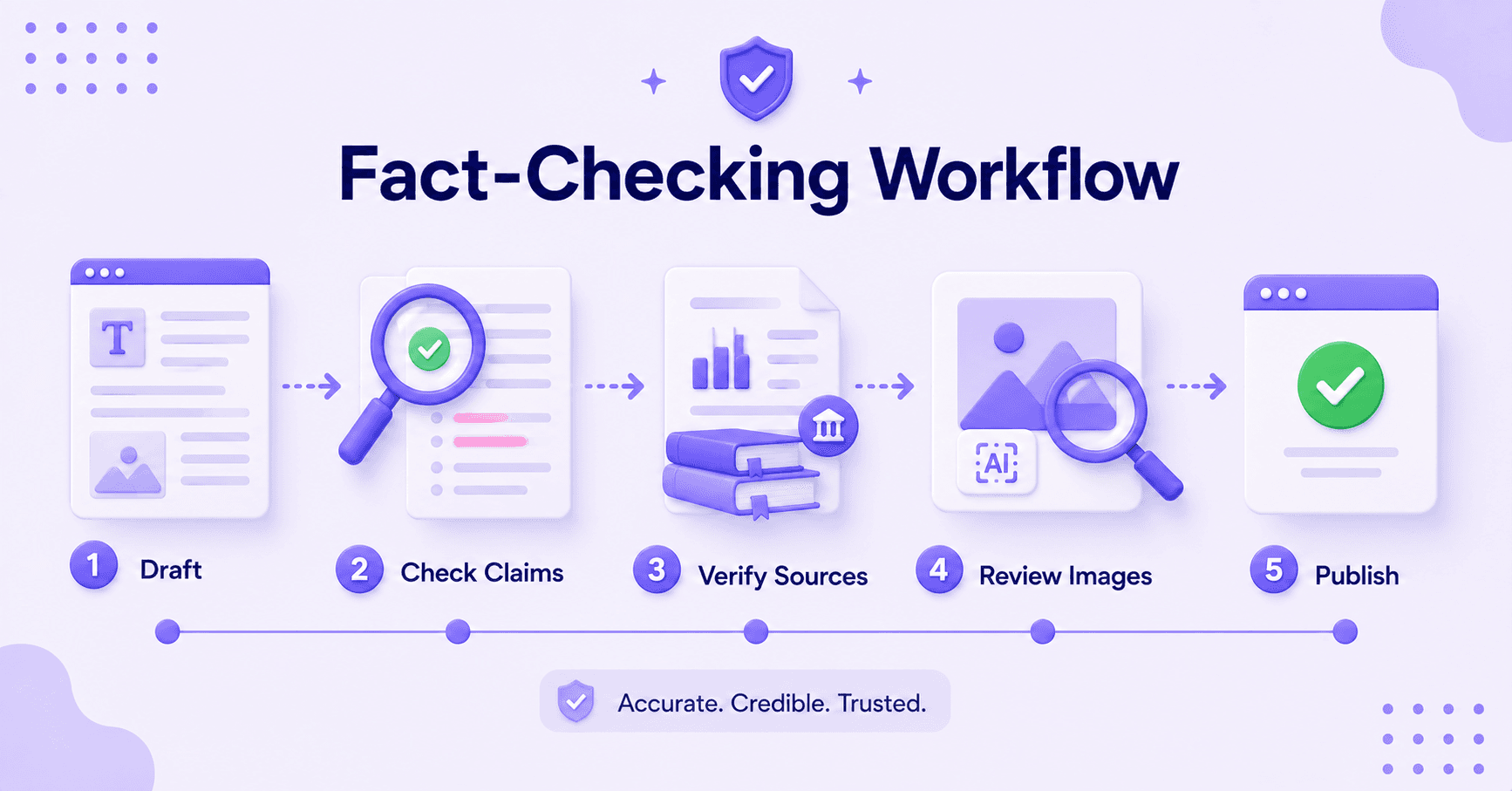
If you wait until the end, every correction feels bigger than it is. A good process can feel like a kitchen line: prep early, check each plate before it goes out, and do not let one bad ingredient ruin the meal.
Here is a tight workflow that works for most bloggers:
- Flag claims as you write. Mark numbers, dates, quotes, study references, and any line that sounds too certain.
- Check the highest-risk claims first. Start with statistics, medical statements, money claims, and anything readers might repeat. Always verify these using real-time sources to ensure you are citing the most current data available.
- Verify media on its own. Run reverse image checks and look for signs of reuse or editing before you trust a visual.
- Save source notes in the draft. Leave yourself a clean trail of breadcrumbs. Include links to the Wayback Machine to verify how information has changed over time or to confirm that a source page has not been altered since you first cited it. This makes editing faster and future updates much easier.
- Break complex claims into parts. Split a broad, multi-layered statement into smaller, specific assertions. It is much easier to verify one clear claim than a tangled argument.
This method helps you pinpoint exactly where an inaccuracy might be hiding.
If you want a publishing flow with review time built in, see how to publish blog content consistently with AI. And if your drafts need a stronger starting point, RightBlogger’s blogging tools keep everything in one place.
The goal is not perfection. The goal is fewer surprises after publish.
Mistakes Bloggers Still Make With AI Verification
Most bad fact-checking habits are small. They look harmless until they stack up, causing your content to lose credibility.
Here are the mistakes bloggers still make most often:
- Relying on one source. One source is rarely enough when a claim includes a number, a date, or a cause-and-effect statement.
- Trusting polished summaries too quickly. A polished summary can still be wrong, especially when AI rewrites a study in simpler language.
- Giving images only a quick glance. Images need more than a glance. A screenshot or photo can look believable and still be misleading.
- Mistaking confidence for proof. Confidence is not proof. AI often sounds certain when it should sound cautious.
- Using old facts without checking them again. Old facts can age badly. A claim that was true last year may be off now.
- Ignoring LLM bias. LLM bias can skew results. AI models often inherit the underlying prejudices of their training data, which can lead to one-sided or inaccurate portrayals of sensitive topics.
The easiest mistake is trusting the first clean answer you get. That is how weak claims slip into strong writing.
Another common problem is checking only the main point of a post. The headline gets attention, but the body carries the details.
If one stat is off, readers may not trust the rest. The fix is plain: slow down on the parts that matter most.
You do not need to verify every adjective, but you do need to verify anything that could change what a reader believes or does. Consider installing a reliable browser extension to detect hoaxes or misinformation in real time while you are browsing and researching, as this adds an essential layer of security to your writing process.
FAQs About AI Fact-Checking Tools
Here are additional questions you might ask.
What Is the Best Free AI Fact-Checking Tool for Bloggers?
Google Fact Check Explorer is a strong free starting point for quick claim checks. It helps you see whether a claim has already been reviewed by established fact-checkers.
For images, TinEye also gives you a useful free first pass.
Can AI Fact-Checking Tools Replace a Human Editor?
No, AI fact-checking tools cannot replace a human editor. They can flag problems fast, but they cannot judge context the way a person can.
A human editor still needs to check tone, intent, source quality, and whether the claim fits the article’s point.
Which Tool Is Best for Blog Posts With Stats and Studies?
Elicit and Consensus are the best fits for research-heavy posts with stats and studies. These platforms are essential when you need to verify claims using original papers and peer-reviewed sources.
That is the part that matters most when a claim affects money, health, or overall reader trust.
How Should Bloggers Verify AI-Generated Images?
Bloggers should verify AI-generated images by running a reverse image search first, then checking for signs of reuse or digital editing. If the image could affect the reader’s trust, use another layer like FotoForensics or Sensity AI.
A visual can look clean and still be misleading.
Final Thoughts on AI Fact-Checking Tools
The best AI fact-checking tools do not replace human judgment. Instead, they make the verification process faster, cleaner, and more efficient.
For bloggers in 2026, the winning move is to build a small stack of software that fits your existing workflow. Use one resource to catch suspect claims, another to verify your research, and a third to inspect images or screenshots.
That focused approach saves time while protecting your brand reputation. In an era where readers are increasingly wary of misinformation, maintaining high standards of accuracy is one of the best ways to earn lasting trust.

RightBlogger Co-Founder Ryan Robinson helps bloggers build online businesses and reach readers with useful, trustworthy content.
Automated SEO Blog Posts for Your Site
Research, write, publish, and share from one account.
7-day free trial. Cancel anytime.





Leave a comment
You must be logged in to comment.
Loading comments...