6 Free RightBlogger Tools to Improve Content with AI
Rewrite, polish, paraphrase, sharpen, shorten, or expand drafts while preserving key points and tailoring tone, length, and perspective.


Inside RightBlogger’s autoblogging toolkit, we have a ton of free AI-powered tools that’ll help you update, rewrite, and improve your content faster than ever before.
Whether you’ve drafted an article yourself or used generative AI tools like RightBlogger’s Article Writer or ChatGPT to produce it, these free-to-try tools will help you refine, improve, and edit your content with SEO & LLM optimization in mind, positioning it for long-term success.
Our brand new AutoOptimize feature that automatically optimizes your content to drive more SEO & LLM traffic is leading the way. Check it out right here:

For each tool to improve content that we explore in this guide, I’ll share tips on what it’s best for & how to get the most out of it.
Blog Automation That Keeps Your Posts Ranking

RightBlogger finds keywords, writes SEO articles, and publishes them to your blog. Then its Site Agent uses your Search Console data to keep older posts in shape, adding internal links, sharpening weak meta descriptions, and fixing stale years and broken links. Join 51,000+ bloggers using it to grow traffic from Google and ChatGPT.
Before You Begin: Sign Up for a Free RightBlogger Account
To use these tools, you’ll need a free RightBlogger account. It takes just a few seconds to sign up.
You can login with your existing Google account, or you can enter your email address and pick a password:

After signing up, you’ll need to confirm your email address. Once you’ve done that, you can log straight in and start using all of RightBlogger’s tools.
You’ll see some of our top tools listed, along with links down the left hand side of your screen for all our (85 and counting!) AI tools. You can use this menu to browse the tools, or you can use the search box at the top of the page if you know what you’re looking for.
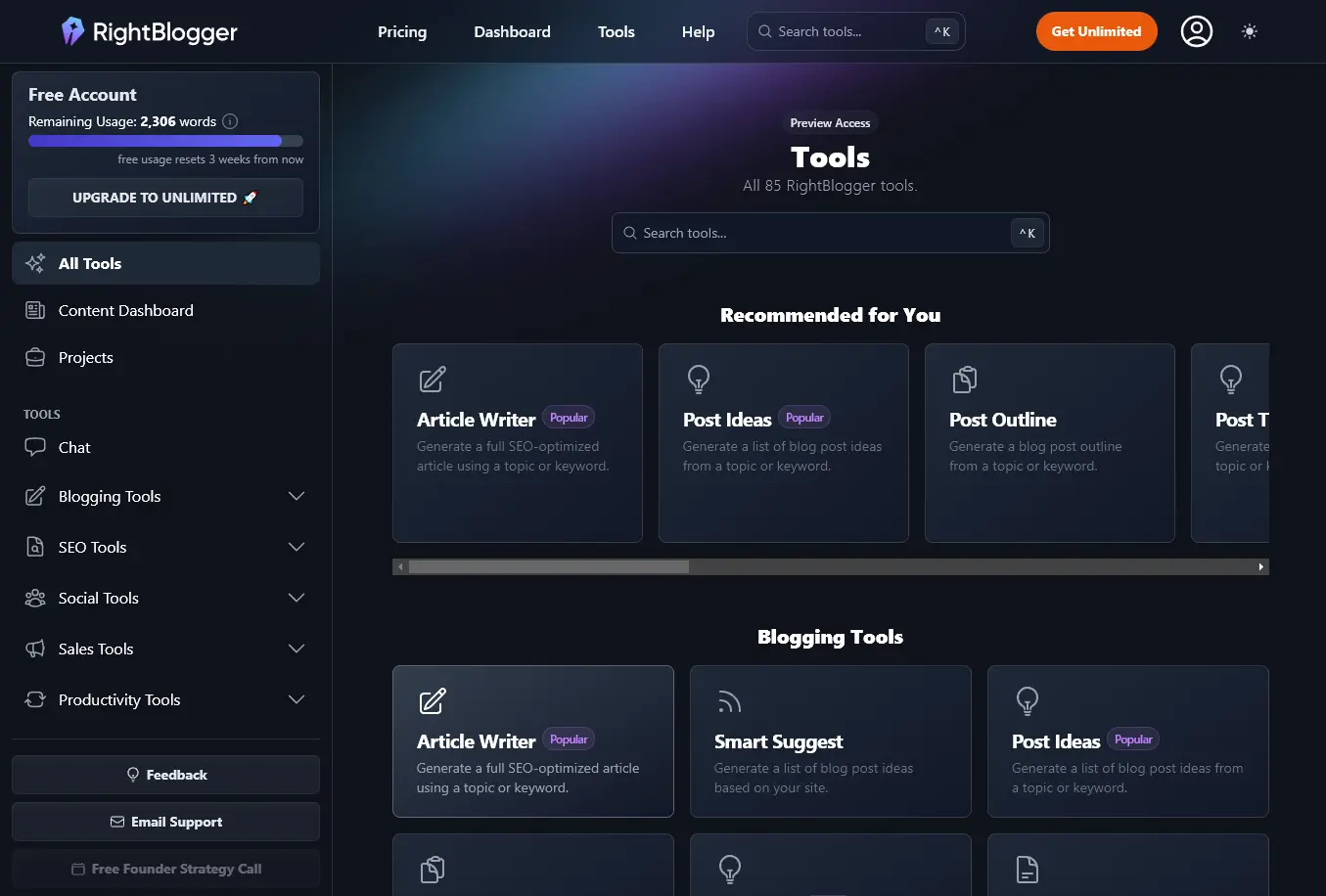
Let’s take a look at our AI-powered tools that are specifically designed to help you rework and edit a passage of text.
6 RightBlogger Tools to Improve Your Content (Best AI Tools for High-Quality Content)
All of these tools are designed to be easy to use, helping you streamline your content creation process at the editing stage. They’re perfect for content creators, marketing teams, and anyone looking to make the most of their human written or AI-generated first draft content.
1. Rewriter Tool
The Rewriter Tool is one of our most powerful autoblogging tools inside RightBlogger now that you can connect an SEO Report and automatically rewrite your existing content with SEO and LLM optimization in mind.
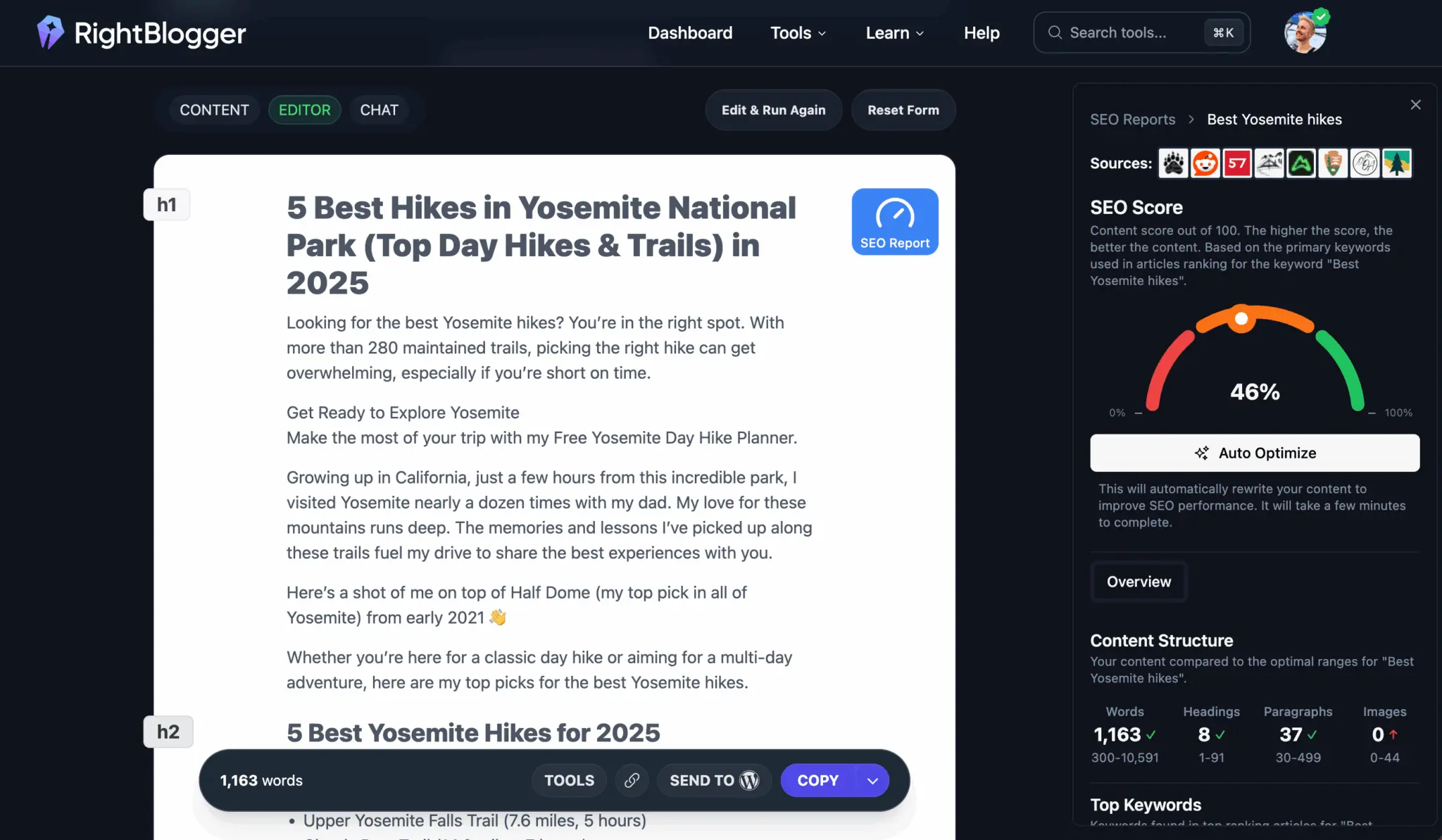
Practically speaking, the Rewriter completely restates the same primary information from your original text or URL you input, improving it along the way. For even more on this, check out Andy’s great guide on Paraphrasing vs Rewriting: Which One Should You Use?
Best for:
- Updating an existing article on your website that could benefit from a full content refresh and SEO + LLM optimization
- Changing a piece of writing completely while keeping all the same information.
- Incorporating keywords into a passage of text (list these in “Keywords to include”) to boost SEO.
Tip: Rewriting a blog post, email, or other piece of text for a different audience? You can include details of your target audience under “Point of View & Target Audience & More.”
2. Improve Writing Tool
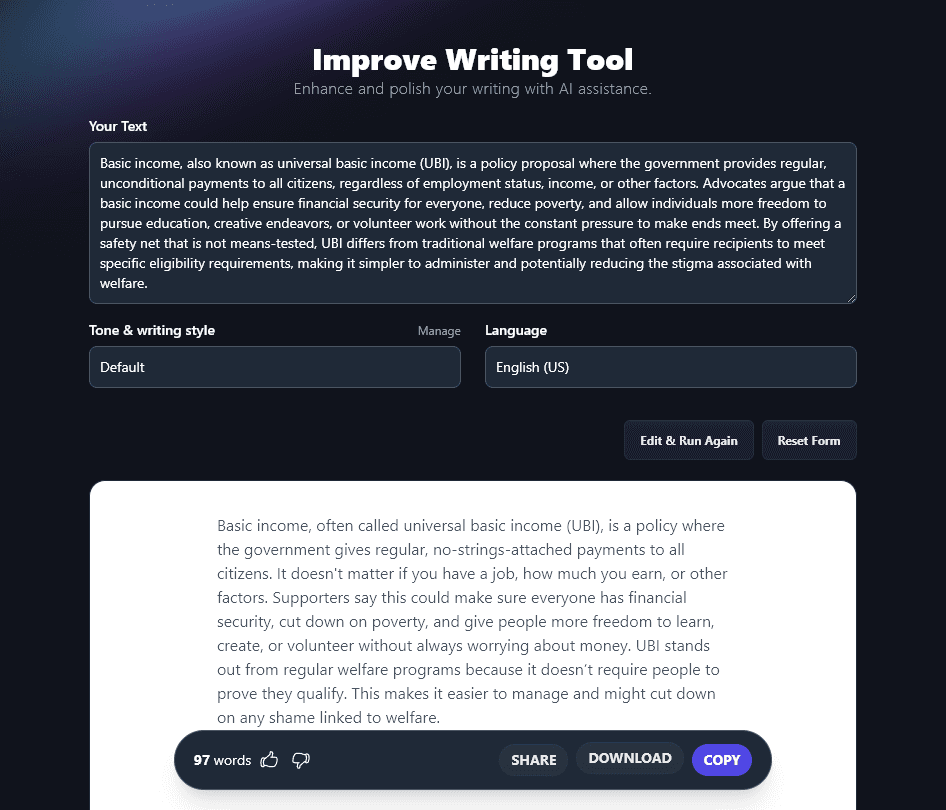
The Improve Writing tool is designed to help polish almost any piece of text. It’ll tighten up your writing, simplifying overly complicated sentences, and changing formal words to more conversational alternatives.
Here it is in action:
Best for:
- Turning quite formal AI written text into a more suitable tone and style for a blog post.
- Trimming down wordy or unnecessarily complicated pieces of writing.
Avoid: Using this for unusually voiced writing (e.g. some fiction or creative nonfiction), you don’t want to lose that human touch.
Tip: Want to bring your draft piece in line with your brand voice? Train the AI on your style & tone using our MyTone feature, which is included on every RightBlogger plan.
3. Paraphrase Tool
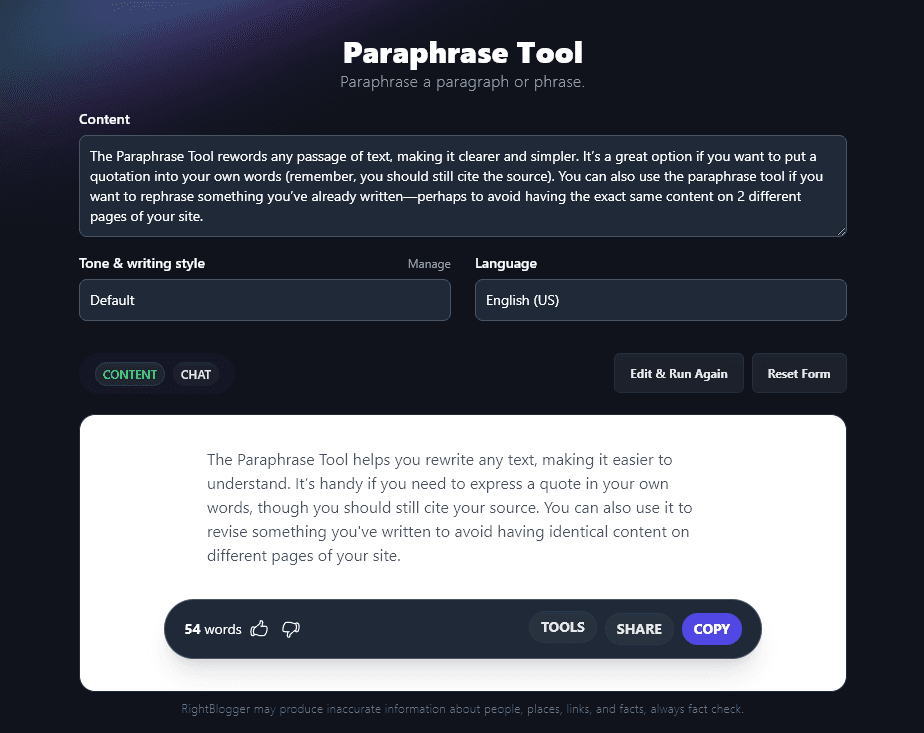
The Paraphrase Tool rewords any passage of text, making it clearer and simpler. It’s a great option if you want to put a quotation into your own words (remember, you should still cite the source). You can also use the paraphrase tool if you want to rephrase something you’ve already written, perhaps to avoid having the exact same content on 2 different pages of your site.
Let’s see what it can do:
Best for:
- Reworking a piece of text to clarify and slightly shorten it.
- Changing the tone and writing style of your text (use the options in the dropdown).
Tip: You can switch the point of view of the text (e.g. going from an “you” to “they” or “we” perspective) by using the “Point of View & Additional Instructions” dropdown.
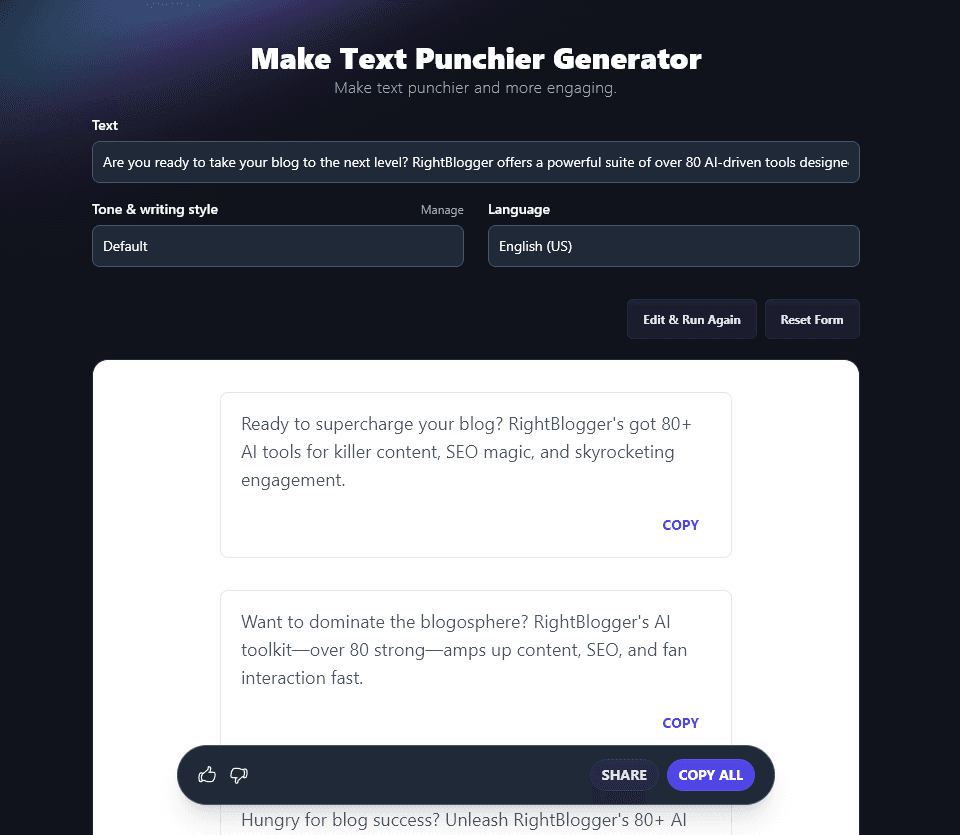
4. Make Text Punchier Tool
The Make Text Punchier Tool does what you’d probably expect from the name! It’s a great tool to use if you want to write bold, direct ad copy or attention-grabbing social media posts that get your audience to take action.
Here it is creating some powerful copy for RightBlogger:
Best for:
- Reworking short pieces of text (around 2–4 sentences).
- Creating multiple versions, e.g. for A/B testing your social media content.
Tip: The tool gives you 5 different variations of your message. Want more? Just run it again!
5. Shorten Tool
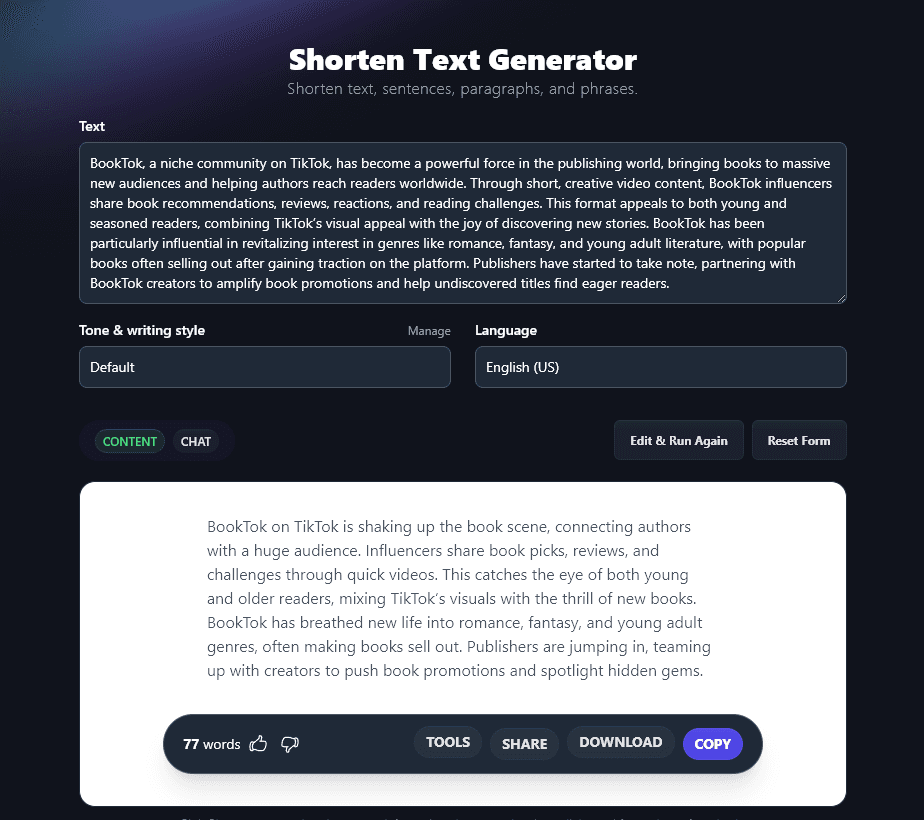
Do you want to trim down a piece of text? Perhaps your blog post introduction feels a little flabby, or maybe you’re reworking an article to fit a publication with a tight word count requirement. The Shorten tool will cut your text down while preserving all the key points.
Here, the Shorten tool has cut a 112 word passage down to 77 words:
Best for:
- Cutting down draft paragraphs or articles to around 40%–70% of their original length.
- Creating a clearer, shorter version so you can repurpose content across different channels.
Tip: Want an even shorter version of your text? Take the AI-generated content that the tool gives you, then run it through the tool again!
6. Expand Tool
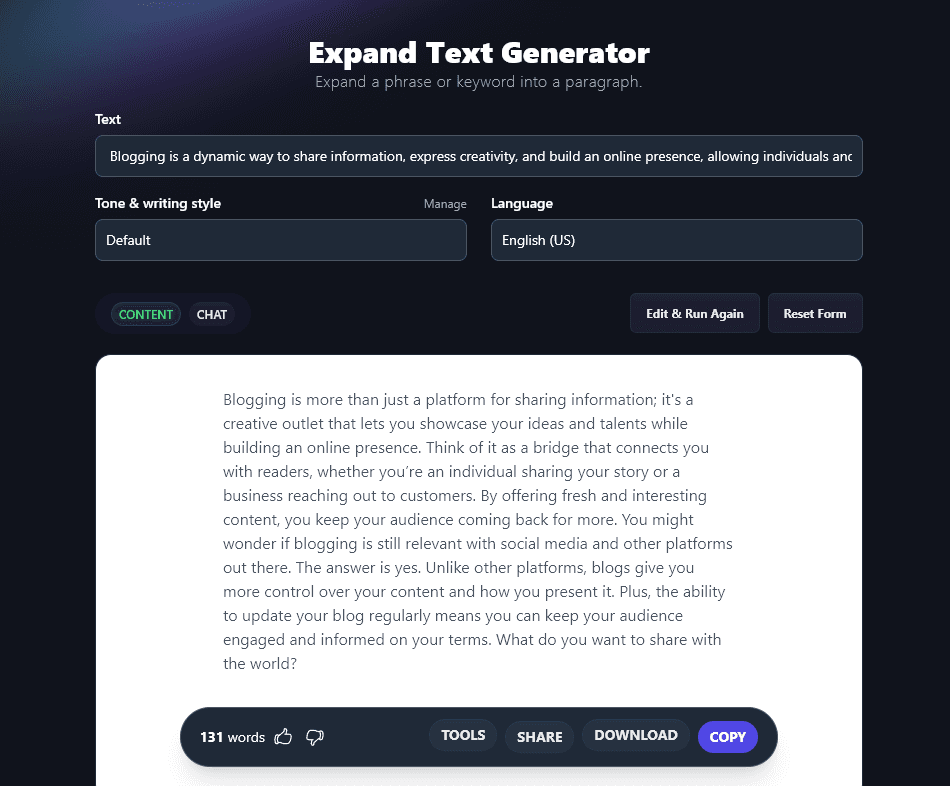
What if you want to go the other way, and lengthen rather than shorten a piece of text? That’s where the Expand tool comes in. It’s designed for use with keywords (search queries) and phrases, but it can also handle longer passages of initial text.
Here, it’s turned a 28 word sentence about blogging into a 131 word paragraph:
Best for:
- Taking a short idea (e.g. a post on X/Twitter) and turning it into a fleshed out paragraph.
- Extending the thoughts and ideas in your original text with relevant content.
Tip: Want your expanded text formatted differently? You can specify this under the additional instructions before running the tool. If you’re an Unlimited user, you can also use the Chat feature to ask the AI for edits.
Bonus: RightBlogger Chat (Paid Plans)
You can use all the above tools for free, but I wanted to mention a premium RightBlogger feature that’s included with every paid plan.
Chat is incorporated into many of our tools, so you can easily ask for changes to your piece of content. Once you’ve run the tool, just click the Chat toggle above to talk directly to the AI. It’ll have your content pre-loaded into its memory, so you can simply ask for changes.
Here, we’re asking the AI to reformat the text generated by the Expand tool, without changing any of it.
As well as using Chat within RightBlogger’s individual tools, you can access the AI at any time through the Chat feature at the top of the left hand sidebar, this works in a similar way to ChatGPT. If you want to rework or edit content in a way that RightBlogger doesn’t (yet!) have a tool for, you can do that through the Chat.
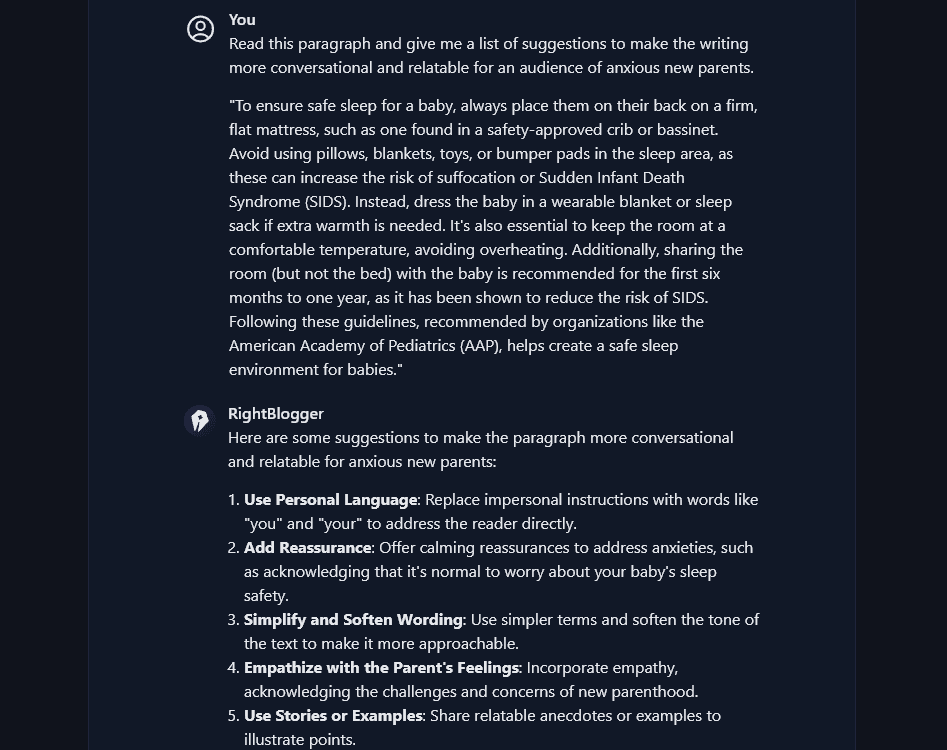
Of course, the Chat feature isn’t just for editing your writing or changing it into different formats. You could use it to help with your overall content strategy, perhaps by:
- Brainstorming new content ideas for your blog.
- Asking for optimization ideas to help boost an existing blog post in the search engine rankings.
- Requesting tips to improve your content production workflow.
Improve Your Content Marketing With RightBlogger
All the free RightBlogger tools we’ve covered are fantastic ones for improving your content. Whether you want to reword your draft, shorten or expand a piece, or completely change the tone and point of view, you can do it all in seconds with RightBlogger.
Sign up for your free account today to start using all our AI writing tools.
Blog Automation That Keeps Your Posts Ranking
RightBlogger finds keywords, writes SEO articles, and publishes them to your blog. Then its Site Agent uses your Search Console data to keep older posts in shape, adding internal links, sharpening weak meta descriptions, and fixing stale years and broken links. Join 51,000+ bloggers using it to grow traffic from Google and ChatGPT.

Article by
RightBlogger Co-Founder Ryan Robinson teaches 500,000 monthly readers to grow online businesses and shares AI tools to improve content.




Automated SEO Blog Posts That Work
Try RightBlogger for free, we know you'll love it.
7-day free trial. Cancel anytime.





Leave a comment
You must be logged in to comment.
Loading comments...