15 Blogging Mistakes That Are Killing Your Traffic
Fix missed keyword research, weak internal links, stale posts, and other habits that keep readers and search engines away.

Andy and I have made just about every blogging mistake you can imagine over our combined 20+ years of running blogs. We’ve learned what works, what doesn’t, and which mistakes silently kill your traffic without you even realizing it.
It’s easy to overlook the small stuff when you’re wearing many hats in your business, but these subtle forced errors are a bigger deal than most people realize, and they’re easily corrected. Getting them right can significantly improve your blog’s performance over time.

In the video above and this guide, we’re breaking down 15 common blogging mistakes that could be holding your blog back, plus how to fix each one. Blogging is already hard enough. The last thing you need is mistakes you don’t even know you’re making.
1. Not Doing Keyword Research Before You Write
This is the single biggest mistake we see new bloggers make. (If you’re just getting started with your blog, this one matters most.) They write about whatever interests them, hit publish, and then wonder why nobody finds it.
Without keyword research, you’re guessing what people search for. Most of the time you’ll guess wrong: you’ll either target terms nobody searches for, or end up competing against sites you can’t beat yet.
The fix is simple. Before you write anything, spend 10 minutes checking search volume and competition. Free keyword research tools can show you exactly what your audience is searching for. Focus on long-tail keywords with lower competition. That’s where new blogs win.
2. Trying to Cover Too Many Topics
When you blog about everything, you become an authority on nothing. Google rewards focused depth. A blog with 50 posts in a single focused niche will almost always outrank a blog with 50 posts spread across 10 unrelated topics.
Pick a niche and go deep. If you’re in a crowded niche, narrow down further. “Fitness” is too broad. “Strength training for women over 40” gives you a real shot at ranking and building a loyal readership.
3. Writing for Yourself Instead of Your Audience
It’s easy to fall into the trap of writing about what interests you rather than what your audience actually needs. Every post should answer a specific question or solve a specific problem your reader came looking for.
Before writing, ask yourself one question: “What does my reader want to walk away with after reading this?” If you can’t answer that clearly, rethink the post. Look at your best-performing blog posts for patterns in what your audience actually values. Those patterns are gold.
4. Writing Long, Meandering Introductions
Your blog post’s introduction should be a hook that draws readers in and clearly signals what they’ll gain from the post. It needs to match the intent of your readers right away, meeting them where they’re at the moment they arrive.
A long, wandering intro causes readers to bounce before they reach the actual content. To keep introductions tight:
- Put a brief summary near the top so readers immediately know what they’ll learn.
- Bold or color-highlight the single most important sentence in your intro so it catches the eye of skimmers.
- If you’re on WordPress, mix in an embed, image, or formatted list inside the intro. That can also help you land Google featured snippets.
5. Vague, Misleading Headlines and Headings
Vague headlines and headings cause readers to leave before they get any value from your blog posts. Your titles and headings need to be clear and precise, accurately reflecting the content you’re sharing.
To improve your headlines and subheadings:
- Match search intent. Your headline should clearly state the problem you’re solving or the value you’re offering, in the same words your reader would use.
- Write descriptive subheadings. “How to Fix Broken Internal Links” beats “Link Issues.” Specific subheads guide readers through the article and improve skimmability. For a structured approach, see our guide on writing blog post outlines.
6. Long, Unreadable Paragraphs
One of the most common blogging mistakes I see is the repeated use of long, daunting paragraphs. Readability and skimmability matter more than ever in 2026.
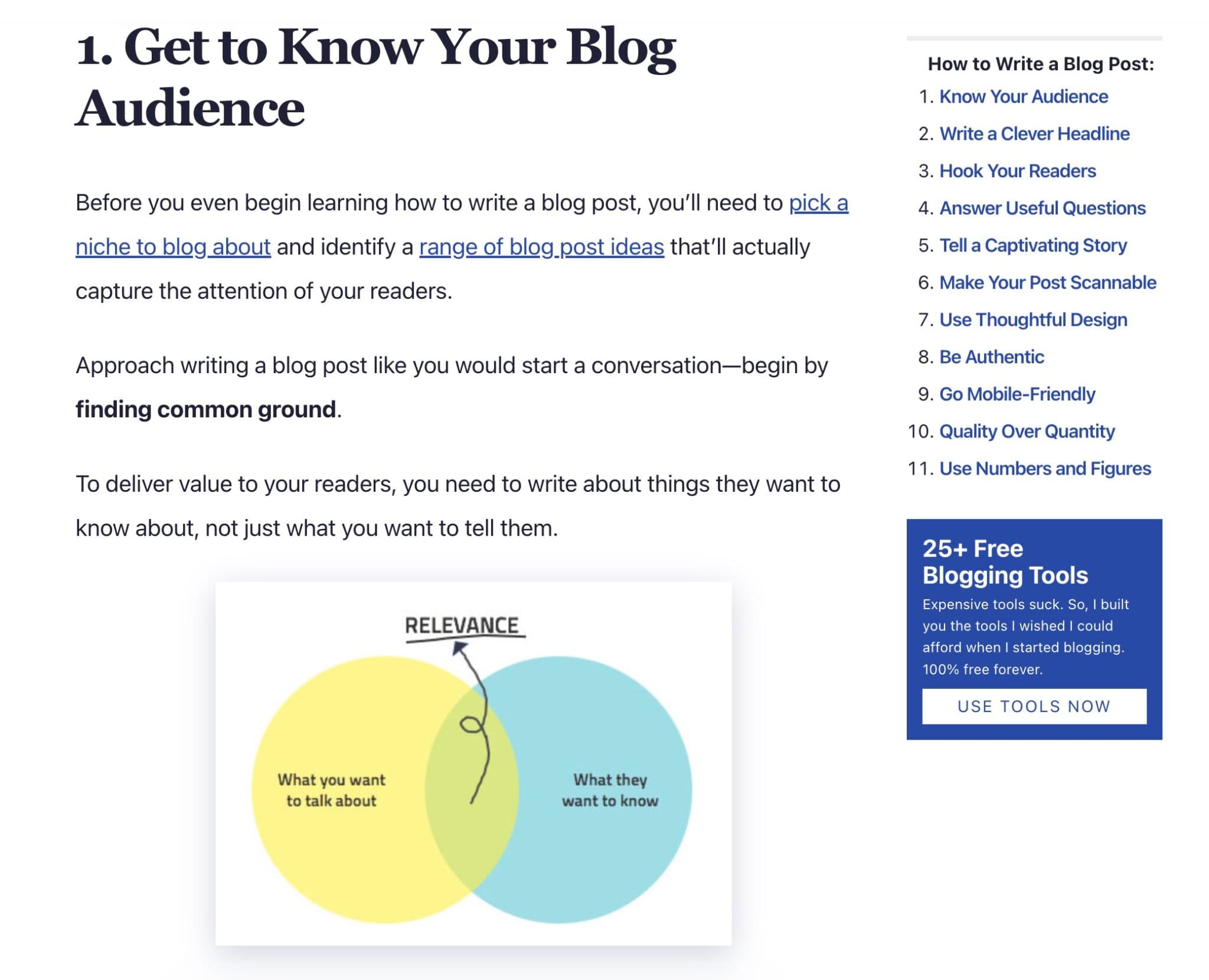
Think about how you consume content. Most readers are short on time, skimming for key points or the answer to their question. Large blocks of text feel overwhelming, and they often cause readers to bounce early.
Keep paragraphs to 3-4 lines max on desktop. Shorter is even better, especially toward the top of your posts. A few small habits help:
- Use bullet points to break dense information into manageable chunks that feel more approachable.
- Incorporate images and screenshots. Visuals add value and break up text walls.
- Use simple formatting like bold and italics to highlight important information without writing longer sentences.
By keeping paragraphs short and sweet, you’re not only catering to the skimming habits of real people. You’re also improving the overall user experience on your blog.
7. Overusing Generic Stock Images
It’s tempting to fill your blog posts with generic stock photos from sites like Unsplash and Pexels. But these images rarely resonate as well as original graphics or photos of you and your team.

Photos from your real life add a personal touch and credibility to your story. Readers feel more of a connection to the person behind the content, which goes a long way toward building real relationships with your audience.
How to integrate more authentic visuals:
- Capture real moments. If you’re a food blogger writing about a recipe, include photos you took during the cooking process.
- Relate every visual to your niche. Hiking blog? Share trail photos. Finance blog? Get a friend to shoot a photo of you working at your desk. Authentic images connect deeper than any stock photo.
- Add video where you can. Pairing video with written content helps you connect with your audience and opens a new discovery channel through YouTube or short-form video platforms.
8. No Clear Call-to-Action in Your Posts
Every blog post should guide the reader toward a next step. Without a call-to-action, readers finish your post, nod their heads, and leave (probably forever).
Your CTA doesn’t always have to be “buy my product.” It could be:
- Read a related post. Link to another article that goes deeper on a subtopic they’re clearly interested in.
- Join your email list. Offer a free resource in exchange for their email address.
- Leave a comment. Ask a specific question to spark engagement (open-ended works best).
- Try a tool. If you’ve mentioned a tool in the post, invite them to test it.
The key is giving readers somewhere to go. A strong blog post ending with a clear CTA can turn a casual reader into a subscriber or customer.
9. Ignoring Internal Linking
Internal links are one of the most underused SEO tools available. They help Google understand your site’s structure and keep readers exploring more of your content instead of bouncing back to the search results.
Most bloggers write a post, publish it, and never link to it from anywhere else again. That’s like building a room in your house with no door.
Here’s how to fix it:
- Link every new post to 3-5 older ones. Pick the most directly related content you already have.
- Update old posts with new links. When you publish something new, go back and add links from relevant older posts. Our internal linking projects feature can help automate this on demand, or Site Agent runs on a recurring schedule and can propose internal links for your approval or apply them fully automatically (every change has a one-click undo within 30 days).
- Use descriptive anchor text. “Click here” tells Google nothing. “Free keyword research tools” tells both Google and readers exactly what they’ll find.
10. Never Updating Old Blog Posts
Updating old blog posts is a strategy most bloggers overlook, but it’s actually one of the most effective ways to generate long-term traffic.
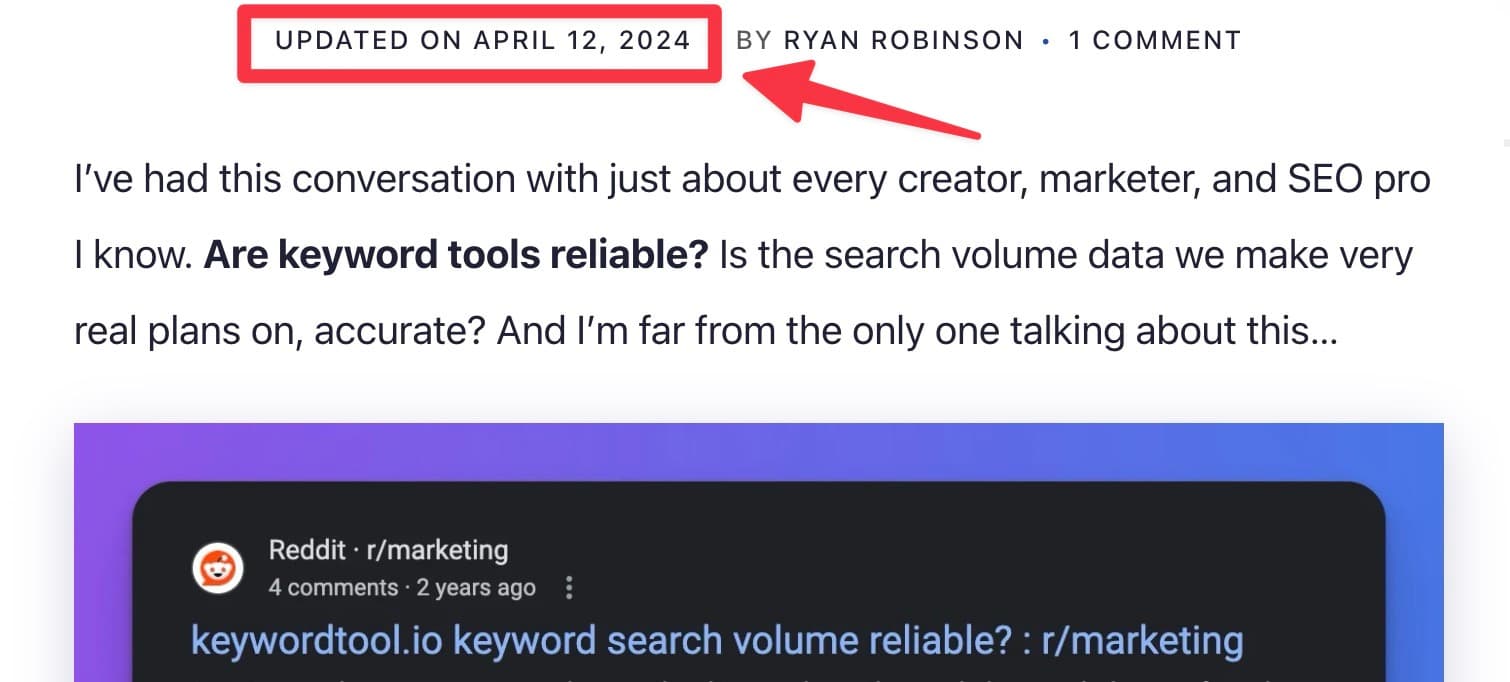
Revisiting and refreshing the content you wrote 6-12 months ago can significantly boost your SEO rankings, in addition to the obvious benefit of keeping your information relevant and current for readers.
Important tips for updating old content:
- Add recent information and current examples. Keeping content current maintains reader trust and signals freshness to Google.
- Increase the depth as your knowledge grows. The extra context you’ve picked up over time will dramatically improve the quality of your older posts.
- Update publication dates when you’ve made meaningful changes. The new date communicates freshness to both readers and Google. Most good WordPress themes support this out of the box.
11. Not Building an Email List
Social media algorithms change. Google rankings fluctuate. But your email list is yours. It’s the one audience channel no platform can take away from you.
If you’re blogging without collecting emails, you’re basically rebuilding your audience from scratch every time you publish. An email list lets you drive traffic on demand whenever you hit publish on a new post.
Start simple. Add a signup form to your sidebar and at the end of every post. Offer something valuable in exchange, like a checklist or a short free guide related to your niche. For more strategies, see our guide on how to grow your audience.
12. Inconsistent Posting Schedule
Publishing three posts in one week and then disappearing for two months sends the wrong signal to both your readers and search engines. Consistency matters more than frequency.
One quality post per week beats five mediocre posts followed by silence. Pick a schedule you can actually maintain and stick with it. If you’re struggling with motivation, our tips on how to stay motivated as a blogger can help you push through the slumps.
13. Not Promoting Your Content After Publishing
“If you build it, they will come” doesn’t apply to blogging. Publishing a post is only half the job. The other half is getting it in front of people.
After every post:
- Share it on the social platforms where your audience actually hangs out, and adapt the format for each one.
- Email your list. Your subscribers already opted in for your content, so send it to them.
- Engage in relevant communities. Share in Reddit threads, Facebook groups, or niche forums where the topic is being discussed (without being spammy about it).
- Repurpose key points into other formats like short videos, tweets, or infographics to reach new audiences.
We built an entire content promotion checklist to help you systematize this process so nothing falls through the cracks.
14. Ignoring Site Speed and Mobile Experience
A slow-loading blog loses readers before they even see your content. Google also uses page speed as a ranking factor, so a sluggish site hurts you twice: visitors leave, and you rank lower for the visitors who didn’t leave.
The most common culprits are oversized images and bloated plugin stacks running on cheap shared hosting. Start by optimizing your images to load faster. That single fix often makes the biggest difference. Then test your site on mobile. Phones now account for more web traffic than desktops, and if your blog looks broken on a small screen, you’re losing the majority of your potential audience.
15. Not Using AI Tools to Work Smarter
In 2026, blogging without AI tools is like farming without a tractor. You can do it, but you’ll get outpaced by everyone who doesn’t.
AI won’t write your blog for you (and it shouldn’t), but it can dramatically speed up the parts that eat your time:
- Generate blog post outlines. Go from a keyword to a structured outline in seconds instead of staring at a blank page.
- Write first drafts faster. Use AI to produce a rough draft, then layer in your voice, examples, and expertise on top.
- Optimize for SEO. AI tools can suggest titles, meta descriptions, and keyword placements you’d otherwise miss.
- Repurpose content. Turn one blog post into social posts, email newsletters, and video scripts in a fraction of the time.
We built RightBlogger specifically for this. It’s a suite of 90+ AI tools designed for bloggers, from writing blog posts with AI to SEO optimization and content repurposing. You can also explore other options in our roundup of the best AI content creation tools.
Avoiding These Blogging Mistakes Will Help You Get More Traffic
The journey to building a successful blog is filled with a loooooot of learning and growth. Not all of it will feel easy, but it’s important to your evolution if you want your blog to eventually drive meaningful results.

Recognizing and fixing these blogging mistakes can dramatically improve your blog’s growth and reach over time. Whether you’re doing keyword research before you write or finally starting that email list, each improvement compounds over time.
So I want to challenge you to review one of your recent blog posts today and apply two or three fixes from this list. Seemingly small changes can lead to a significant impact.
Blog Automation That Keeps Your Posts Ranking

RightBlogger finds keywords, writes SEO articles, and publishes them to your blog. Then its Site Agent uses your Search Console data to keep older posts in shape, adding internal links, sharpening weak meta descriptions, and fixing stale years and broken links. Join 51,000+ bloggers using it to grow traffic from Google and ChatGPT.

RightBlogger Co-Founder, Ryan Robinson teaches 500,000 monthly readers how to grow an online business and shares lessons from years of blogging.

Automated SEO Blog Posts for Your Site
Research, write, publish, and share from one account.
7-day free trial. Cancel anytime.





Leave a comment
You must be logged in to comment.
Loading comments...