How to Diagnose Google Traffic Drops After Core Updates
Compare Search Console clicks, impressions, rankings, and affected pages while ruling out seasonality, tracking errors, and technical problems.

A core update can turn a steady stream of Google visitors into a sharp decline in organic traffic within days. That does not automatically mean your site has a penalty, broken pages, or low-quality content.
The first job is to separate an algorithmic update from seasonality, tracking problems, technical errors, and normal ranking movement. Once you know what changed, you can fix the right pages instead of rewriting your entire site in a panic.
Key Takeaways for Diagnosing Google Traffic Drops
- Confirm the exact timing of the core update before making any changes to your content.
- Use Google Search Console to compare clicks, impressions, rankings, queries, and specific pages to isolate the cause.
- Segment your organic traffic data by search type, device, country, brand terms, and URL groups to identify patterns.
- Rule out indexing, technical, analytics, security, and seasonal problems before assuming a ranking penalty.
- Improve pages by focusing on search intent and user value, then measure performance improvements including click-through rate over several weeks.
What to Do After an Unconfirmed Ranking Update
Not every big ranking swing comes with an announcement. On October 24, 2026, and again on October 26 and 27, rank tracking tools showed heavy volatility and site owners reported traffic changes, but Google had not confirmed an update. The last confirmed core update on the Search Status Dashboard is the May 2026 core update, and the September 2026 spam update finished rolling out in early October.
An unconfirmed update calls for the same checks as a core update, with more patience:
- Give it a few days. Search Console reports recent days late, and unconfirmed swings sometimes reverse within a week.
- Check whether the drop is sitewide. If most pages fell by a similar amount on the same day, the cause is likely Google, not a page you edited.
- Look at what happened before the swing. A page that was already losing clicks before October 24 had a problem before the update. Start there.
- Keep the Search Status Dashboard open. If Google confirms an update later, use its official start and end dates for your comparisons.
The rest of this guide walks through each of these checks in Search Console. If you would rather ask than click through reports, skip to the prompts.
Confirm That the Core Update Caused the Drop
Timing matters, but timing alone does not prove cause and effect. Your traffic may have fallen during an algorithmic update because of a holiday, a product change, a tracking issue, a competitor’s campaign, or expected seasonality.
Start by checking Google’s Search Status Dashboard. Look for the update’s official start and end dates, then compare those dates with your own traffic data. Keep in mind that data can lag, so do not treat the most recent days as final.
A core update rollout may take days or weeks to complete. You should monitor SERP volatility as your site might lose clicks near the beginning, stabilize during the rollout, and move again after the update finishes. Wait until the rollout ends before making a major content decision.
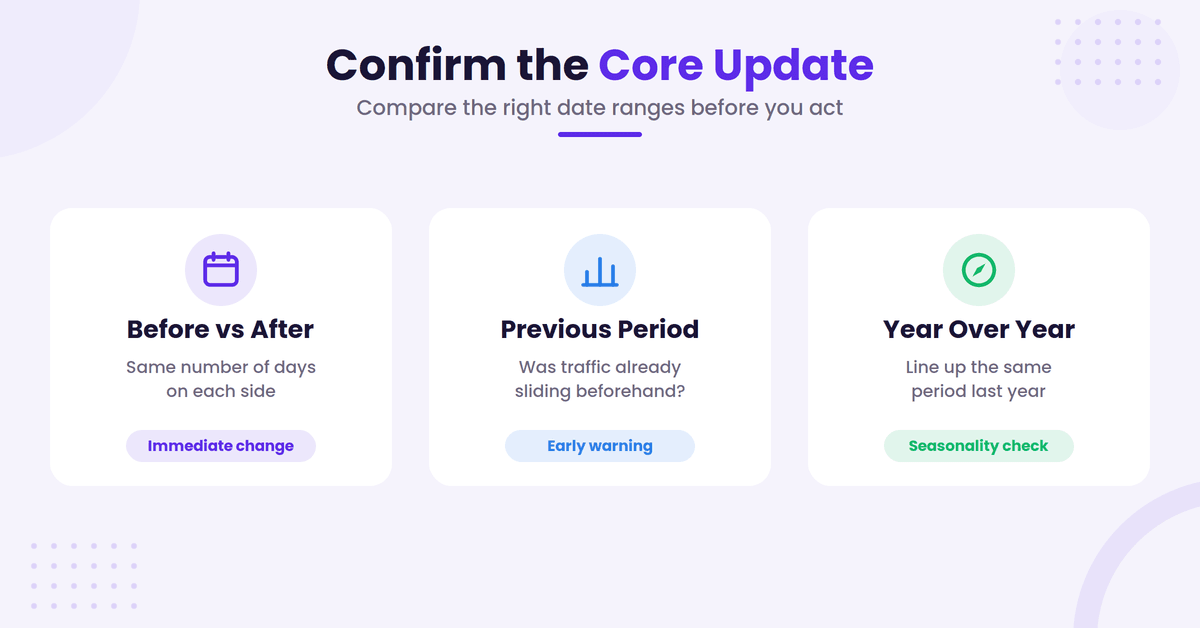
Open Google Search Console and select Performance to analyze your trends. Set the comparison dates to:
- The same number of days before and after the update
- The previous period
- The same period from the previous year
Each comparison answers a different question. The pre-update comparison shows the immediate change. The previous-period comparison shows whether traffic was already declining. The year-over-year comparison helps reveal seasonality patterns.
Google traffic drops that appear only in one week may not be meaningful. A decline that continues across several weeks and affects many unrelated pages deserves closer attention.
Also, check whether the decline affected Google Search only. Compare organic traffic with direct, email, social, paid, and referral traffic in Google Analytics. If every channel fell at the same time, the problem may be broader than your search performance.
Do not call the change a penalty yet. A core update usually changes how Google evaluates and ranks content across many queries. A manual action is a separate issue. The security and manual actions section of Search Console will show a notice if Google has taken one against your site for issues like site reputation abuse.
There’s one more comparison worth making, and it isn’t in Search Console: everyone else.
We surveyed 81 creators in 2026 about how their organic traffic had moved over the previous twelve months.
The State of Blogging
How has your organic search traffic changed in the last 12 months?
Not plotted, no direction to place on the scale: “Just started” (22.5%). Percentages above are of all 80 respondents.
View the data
| Share | Respondents | |
|---|---|---|
| Significantly down (more than 25%) | 23.8% | 19 |
| Slightly down | 18.8% | 15 |
| About the same | 11.3% | 9 |
| Slightly up | 15% | 12 |
| Significantly up (more than 25%) | 8.8% | 7 |
| Just started: no baseline yet | 22.5% | 18 |
Source: State of Blogging survey, April–May 2026. 80 of 81 respondents answered this question.
43% were down and 24% were up. So if you’re staring at a 15% decline, you’re moving the same direction as most of the field, which is a very different problem from a site that got singled out.
That doesn’t make the drop acceptable. It changes what you should do about it. A sitewide decline that tracks the industry usually points at shifting demand and SERP layout, not at something you broke.
It also helps to know how much of this is AI Overviews rather than the core update itself.
The State of Blogging
Bigger sites report bigger AI Overviews losses
How much monthly organic traffic does your site currently get?
Not shown, too few respondents to report: “250,000 – 1M” (2), “1M+” (1), “Not sure / no analytics” (7). Any group under 8 is left out.
View the data
| 0%: no measurable loss | 1 – 10% | 11 – 25% | 26 – 50% | More than 50% | Not sure / can't measure | Respondents | |
|---|---|---|---|---|---|---|---|
| Under 1,000 | 16.7% | 3.3% | 3.3% | 3.3% | 10% | 63.3% | 30 |
| 1,000 – 10,000 | 21.1% | 10.5% | 10.5% | 5.3% | 5.3% | 47.4% | 19 |
| 10,000 – 50,000 | 11.1% | 11.1% | 44.4% | 22.2% | 0% | 11.1% | 9 |
| 50,000 – 250,000 | 0% | 0% | 40% | 10% | 30% | 20% | 10 |
Source: State of Blogging survey, April–May 2026. 68 of 81 respondents answered this question.
The larger the site, the more loss people report. And 63% of sites under 1,000 monthly visits said they can’t measure it at all. If that’s you, the honest answer may be that you don’t yet have enough data to attribute the drop in either direction.
Use Search Console to Locate the Real Change
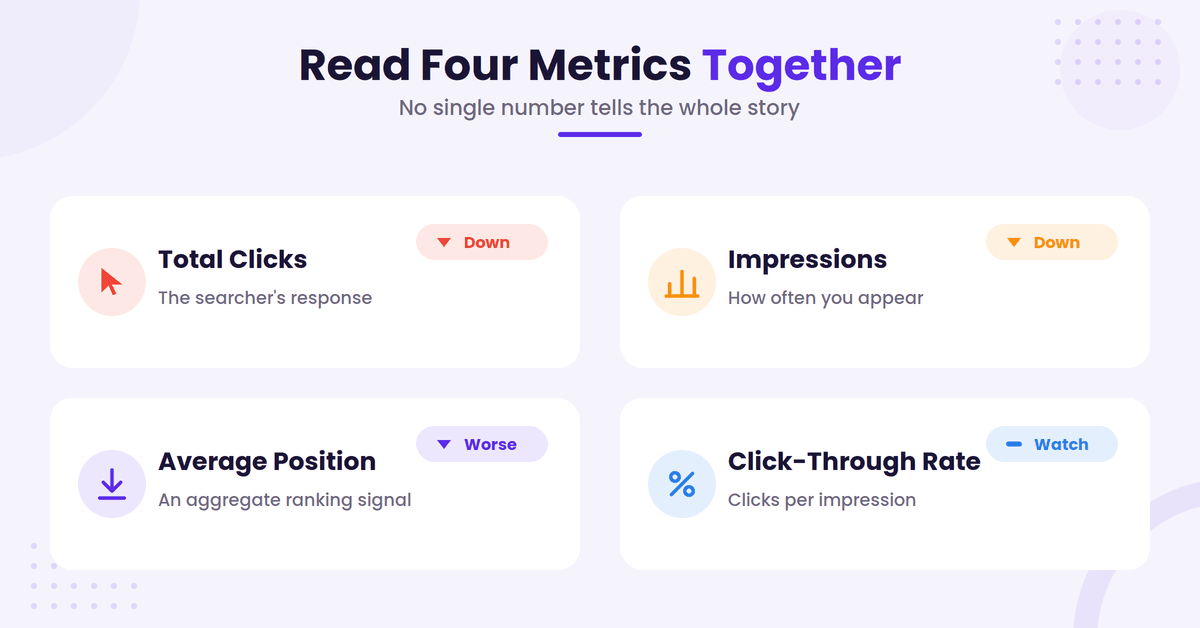
The performance report in Google Search Console provides the evidence needed to move beyond simply saying traffic is down. To get a complete picture, look at total clicks, search impressions, average position, and click-through rate together.
These metrics tell different stories.
If search impressions fell, your pages may be appearing less often. That points toward lower rankings, reduced search demand, or fewer eligible queries.
If impressions stayed steady but clicks fell, your rankings may not have changed much. The issue could be a lower click-through rate, a changed search result page, stronger titles from competitors, a lost featured result, or an increase in zero-click searches where users find their answers directly on the results page.
If average position worsened while impressions and clicks dropped, your pages likely lost visibility for important queries. Remember that average position is an aggregate number; it can hide major gains and losses across different terms.
Create a clean comparison before you inspect individual pages. In the performance report, compare the period before the update with the period after it. Export the query and page data if your site has enough URLs to make the report difficult to review inside the interface.
Start with these views:
- Queries to see which searches lost clicks or impressions
- Pages to identify URLs with the largest declines
- Countries to spot market-specific changes
- Devices to compare mobile and desktop performance
- Search appearance to check features such as video, image, rich results, and Google Discover
Now separate branded and non-branded searches. A fall in brand clicks can point to lower brand demand, a campaign change, or a tracking problem. A fall in non-branded clicks is more closely tied to rankings and content visibility.
The page report also needs context. One large category page can create the appearance of a site-wide collapse. Group your URLs by topic, content type, author, template, and publication date.
For example, compare product pages with blog posts, buying guides with definitions, and old articles with recent articles. A pattern across one group is more useful than a list of individual URLs.
A traffic chart tells you that something happened. Query and page data tell you where to look.
Compare Queries, Pages, and Search Intent
The next step is to find out whether the update changed your visibility for specific topics or exposed weaknesses across the site.
Sort your Search Console query report by clicks lost. Then, look at impressions and the average position for the same queries. A page that lost 80 percent of its clicks for one term may still perform well for related searches, while another page may have lost visibility across its entire topic.
Review the top losing pages manually. Search the main query in Google and compare your page with the results now ranking above it. Don’t copy those pages. Instead, study what they provide that your page may not.
Check whether the current results favor:
- A direct answer
- A step-by-step tutorial
- A product comparison
- First-hand experience
- Local information
- Recent news or changing data
- A category or collection page
Search intent can shift without the wording of the query changing. Someone searching for the best project management software may want current pricing and team features. Someone searching for how to migrate WordPress may want a safe process with screenshots, technical checks, and rollback advice.
Your page can be accurate and well-written yet still miss the format people now expect. Furthermore, the rise of AI Overviews and zero-click searches means that traditional organic clicks might decline even if your content remains high quality. Google may provide the answer directly on the search results page.
Look for content gaps, but don’t reduce the review to word count. A longer article isn’t automatically more useful. Ask whether the page answers the main question quickly, supports its claims, covers important limitations, and gives readers enough detail to make a decision.
Check the opening section first. If readers must scroll through a long story before reaching the answer, the page may not match the query’s needs. Clear headings, short paragraphs, examples, and useful supporting details make the page easier to use.
Review the search results for signs of a broader intent change. Are forums appearing where publisher articles used to rank? Are official sources replacing general explainers? Are video results taking more space? These changes affect clicks even when your ranking position appears stable.
Don’t rely on a single keyword. Search Console groups many similar queries under different wording. Evaluate your topical authority, the page’s purpose, and the types of results Google prefers for those specific clusters of queries.
Rule Out Technical and Tracking Problems First
A core update may be the event that draws your attention, but it may not be the root cause of your traffic loss. Often, technical issues can emerge simultaneously, masking the true source of a ranking change.
Check whether Google can still crawl and index your important pages. Use Search Console’s URL Inspection tool on pages that lost traffic. Review the indexed status, canonical URL, crawl information, and any detected issues.
Inspect the Pages report for new patterns such as:
- Crawled, currently not indexed
- Discovered, currently not indexed
- Duplicate without a user-selected canonical
- Excluded by a noindex tag
- Server errors
- Redirect errors
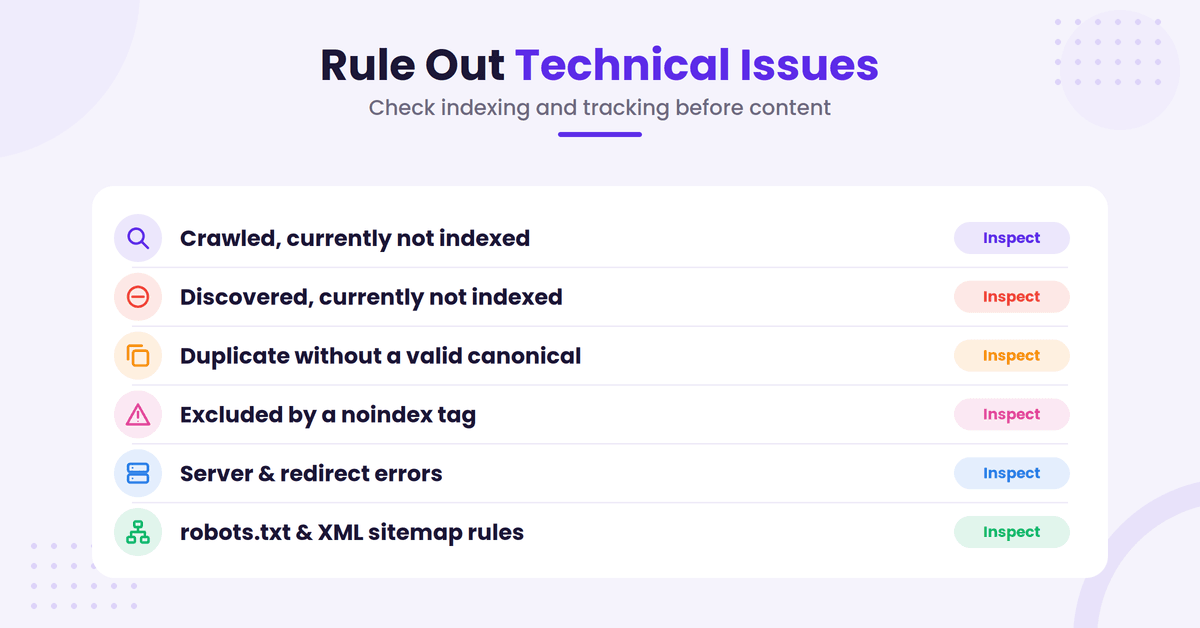
When you see a sudden increase in these patterns across an important directory, it is a clear indicator that technical issues may be impacting your site. Compare the affected URLs with your recent releases, CMS changes, plugin updates, redirects, and template edits.
Review your robots.txt file and XML sitemap. A small rule change can block a folder that previously received search traffic. A faulty canonical tag can tell Google that the wrong URL is the main version.
Check the actual pages on mobile and desktop. Look for broken layouts, missing content, slow loading, blocked JavaScript, and intrusive pop-ups. While Core Web Vitals are not a complete explanation for every ranking change, maintaining a high level of user experience is critical. Optimizing for these metrics helps ensure your search impressions remain stable by keeping your pages functional and accessible.
Analytics deserves its own review. Confirm that the Google Analytics tag still loads across your templates. Check whether a consent banner, tag manager change, domain migration, or referral exclusion altered your reporting.
Compare GA4 organic sessions with Search Console clicks. They will not match because the tools use different systems and attribution rules. However, both should show a similar direction over a comparable period.
A sharp decline in GA4 with stable Search Console clicks usually points toward measurement errors or a drop in referral traffic. A similar decline in both tools is stronger evidence of a search visibility problem.
Also inspect:
- Manual actions and security issues in Search Console
- Server uptime and response codes
- Recent site migrations or URL changes
- International hreflang settings
- Internal links to affected pages
- Google Business Profile data for local sites
- Search demand using Google Trends
Market fluctuations can fool even experienced teams. A travel site may see demand shift by month, while a tax site may have a predictable annual peak. A gardening site may lose winter traffic without losing rankings.
If impressions fell across the whole market, the topic may have less demand. If impressions stayed healthy but your position fell, ranking competition is more likely, often influenced by natural seasonality.
Read the Pattern Before You Change Content
The shape of the decline often points toward the next investigation.
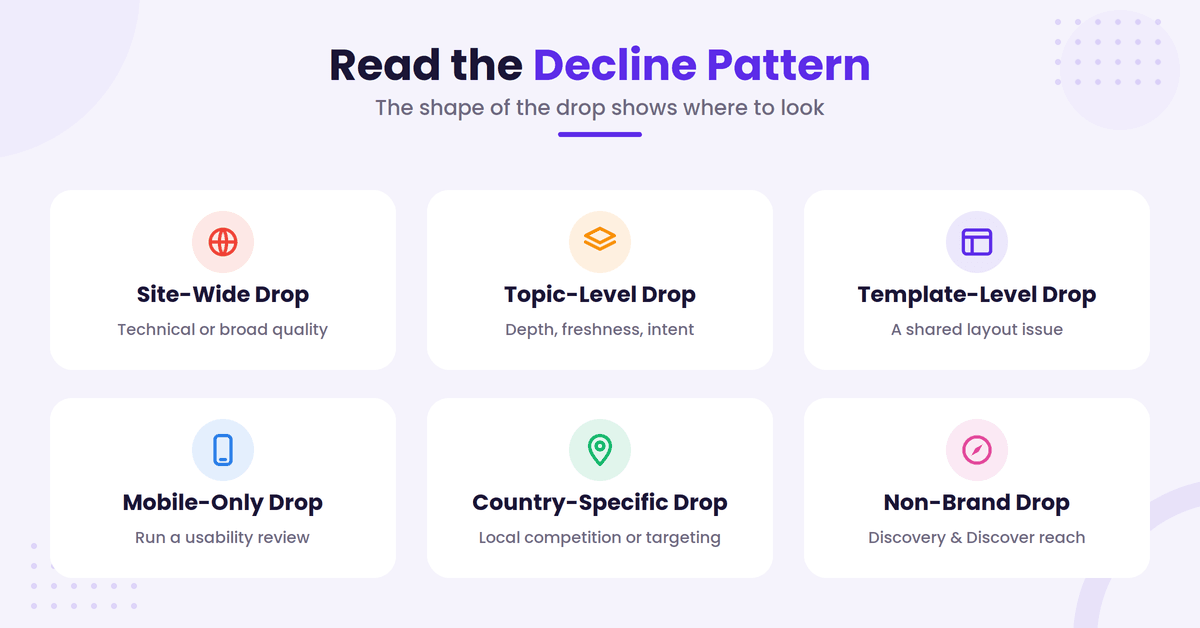
A site-wide drop following an algorithmic update may involve a technical issue, a broad quality concern, a tracking error, or a large change in how Google evaluates the site. Don’t assume every page needs an edit.
A topic-level drop suggests that certain subject areas no longer meet the expected depth, accuracy, freshness, or intent. Compare winning and losing pages within the same topic.
A template-level drop can affect every page built with the same layout. Product pages, location pages, author archives, and programmatic pages often share templates. Check whether a recent design or code change affected them.
A mobile-only decline calls for a mobile usability review. A country-specific decline may involve local competition, language targeting, availability, or regional demand.
A non-brand decline with stable brand traffic often means your discovery content or Google Discover performance has waned. Review your topical authority, internal links, content quality, and the authority of competing pages to see where you may have lost your edge.
A click-through rate decline with stable rankings requires a different response. Your title and description may no longer stand out, but changing them won’t fix a ranking problem. Search features may also take more clicks away from traditional listings, impacting your overall visibility.
Don’t rewrite every losing page at once. Choose a small group with clear potential, make meaningful improvements, and record what changed. This gives you a fair way to judge the result.
Google’s own guidance on core updates emphasizes E-E-A-T (Experience, Expertise, Authoritativeness, and Trustworthiness) rather than a single technical trick. That means asking hard questions about the page:
- Does it provide original information or first-hand experience?
- Does it answer the main question without unnecessary detours?
- Are its claims accurate, current, and supported?
- Would a reader feel satisfied after using it?
- Does the page have a clear purpose?
- Is the author qualified to discuss the subject?
- Does the site make it easy to trust the information?
These questions aren’t a scoring formula. They help you find weak spots related to E-E-A-T and user experience that a quick keyword edit won’t fix.
Ask AI to Run These Checks for You
Clicking through Search Console filters page by page takes a while. If you use RightBlogger, Chat can read your connected Search Console data and answer these questions directly. Open Chat, pick your site, and paste a prompt. The same prompts work in Claude once you connect Google Search Console to Claude.
Start with whether the drop is sitewide:
Next, separate ranking losses from click losses:
Then check whether the problem started before the update:
Finally, find the queries behind the biggest loss:
Treat the answers as a starting point. The AI reads the same Search Console data you would, including its reporting delay, so confirm the biggest findings in Search Console before you change a page.
Improve Pages That Lost Valuable Visibility
Once you have identified a real content problem, perform a comprehensive content audit to improve the page as a whole. Do not add paragraphs simply to increase your word count.
Begin with the searcher’s task. What does someone need to understand, compare, buy, or complete? Put that answer near the top, then add the detail needed to support it.
Remove sections that do not serve the page purpose and prune thin content that fails to provide utility. Combine pages that target the same search intent, and redirect outdated URLs when a stronger, more relevant replacement exists. Do not merge pages only because they share a keyword.
Add original value where you have genuine expertise. Include test results, screenshots, examples, calculations, product limitations, mistakes, or clear explanations of how you reached a conclusion. Generic summaries are easy to replace.
Review the author information and editorial process for topics that require trust. Health, finance, legal, and safety content need careful sourcing and qualified review, as this is where E-E-A-T becomes a vital framework for your site. A vague author page will not solve weak advice, but clear ownership helps readers judge the credibility of your content.
Update facts that have changed. Check prices, software features, laws, dates, statistics, and product availability.
Change the page only when the information or usefulness has improved. Updating the date without updating the substance will not help readers.
Strengthen internal linking from relevant pages. Use descriptive anchor text and link where the reader naturally needs more information. A page with useful links is easier to explore, and important URLs are easier for search engines to discover.
Look at titles and descriptions after the core content is fixed. They should accurately describe the page and make a clear promise.
Avoid clickbait. A higher CTR will not help for long if the page fails to deliver on its promise.
Do not delete a page just because it lost traffic after one update. Wait for the rollout to finish, review the data, and decide whether the URL has a useful purpose.
Some pages recover without changes. Others need a full rewrite. A few should be merged or retired.
Measure Recovery Without Guessing
Keep a detailed record of update dates, affected URLs, query groups, and the specific changes you implemented. Be sure to include the publication date, revision date, search intent, and any technical work completed to track your progress toward recovering organic traffic.
Give your improvements enough time to be crawled and evaluated by search engines. Search performance fluctuates daily, so avoid judging a page based on a short spike or a single quiet week.
Watch both leading and business metrics throughout this process. Impressions and rankings demonstrate your visibility, while clicks show the searcher’s response. Ultimately, conversions, revenue, leads, and engagement indicate whether the traffic remains useful for your business.
Use Google Search Console regularly to identify pages that have impressions but weak click-through rates. By analyzing your performance report, you can pinpoint queries where you rank near the first page and pages currently experiencing declining visibility. A page that still earns impressions has potential for improvement, but do not feel pressured to chase every single query.
If your site uses AI to support research, outlines, or drafts, maintain human review throughout the process. While AI can help organize information, it cannot replace first-hand knowledge, fact-checking, or editorial judgment. Searchers need useful, expert-led answers, not more content that simply repeats the same general points.
FAQs About Google Traffic Drops After Core Updates
Here are a few additional questions you might have about diagnosing Google traffic drops after core updates.
How long should I wait before diagnosing Google traffic drops?
Start collecting data immediately, but wait until the rollout finishes before making a final judgment. Search Console may also report recent days late, so allow enough time for complete data.
Review the trend across several weeks. A one-day decline rarely tells you whether a page has a lasting ranking problem.
Is a Google core update the same as a manual action?
No. A core update changes how Google evaluates search results across many sites and topics. A manual action is a direct enforcement measure against a site or specific pages.
Check the Manual Actions report in Search Console. If there is no notice, do not describe the decline as a manual action without other evidence.
Should I delete pages that lost traffic?
Not automatically. First check whether the page still serves a useful purpose, has backlinks, supports other pages, or targets a valid search need.
Improve, merge, redirect, or retire the URL based on its value. Removing pages without a clear reason can create more problems.
Why did clicks fall while rankings stayed similar?
Your click-through rate may have dropped because the search results page layout changed. Google may show more ads, AI Overviews, answer boxes, videos, images, or local results that push your listing further down the page.
Demand may also have declined. Compare impressions, query wording, search features, and year-over-year data before rewriting the title.
Can changing a title recover lost Google traffic?
A stronger title can improve clicks when impressions and rankings remain stable. It will not repair a page that no longer matches search intent or has lost meaningful visibility.
Fix the content and intent first. Test the title afterward, then measure your click-through rate and clicks over a useful period.
Final Thoughts on Diagnosing Google Traffic Drops
Navigating Google traffic drops after a core update should never involve guesswork or reactionary changes to your entire site. Instead, focus on confirming the timeline, analyzing clean Search Console data, inspecting specific query and page patterns, and ruling out common technical or tracking issues. While SERP volatility is a natural byproduct of these updates, a data-driven approach allows you to see past the noise.
The most effective strategy for recovering organic traffic begins with concrete evidence. Focus your efforts on improving pages that no longer fully satisfy the user intent, document every update you make, and measure the results over an appropriate period. Although a sudden decline in your metrics can be alarming, a methodical diagnosis provides the clarity needed to stabilize your performance and move forward with confidence.

RightBlogger Co-Founder Andy Feliciotti focuses on website development and shares his photography and travel adventures on YouTube and his blog.
Automated SEO Blog Posts for Your Site
Research, write, publish, and share from one account.
7-day free trial. Cancel anytime.





Leave a comment