How to Fix Duplicate Without User-Selected Canonical Errors
Choose a preferred URL, align canonicals, links, and sitemaps, and use 301 redirects for obsolete duplicates.


The Duplicate without user-selected canonical status means Google found multiple versions of the same page, and your site never named which version it should keep.
It is not a penalty, and Google’s own help page says it is not an error. Google is working as intended by keeping duplicate copies out of search. It only needs fixing when the URL Google set aside is the one you wanted indexed.
When it is, the cause is usually mixed signals. Pick the URL you want, point the duplicates at it, and Google has a much easier choice.
Key Takeaways for Fixing Duplicate Without User-Selected Canonical
- Pick one URL and make it the obvious winner. The page you want indexed should point to itself with a canonical tag to establish it as the definitive canonical URL, while every duplicate page should point to that preferred version.
- Use redirects when a duplicate should retire. Google lists redirects as its strongest canonical signal, with a canonical tag close behind. A canonical leaves both URLs live and asks Google to choose. A 301 takes the old one out of circulation entirely.
- Make the rest of the site agree. Internal links, sitemaps, hreflang tags, and parameter handling configurations should all point in the same direction, or Google may choose to ignore your hints and select a different page for indexing instead.
What the Error Actually Means
The phrase sounds technical, but the idea is straightforward. When you see the duplicate without user-selected canonical status in Google Search Console, it means Google has discovered duplicate content across multiple URLs and did not find a declared preference to settle the matter.
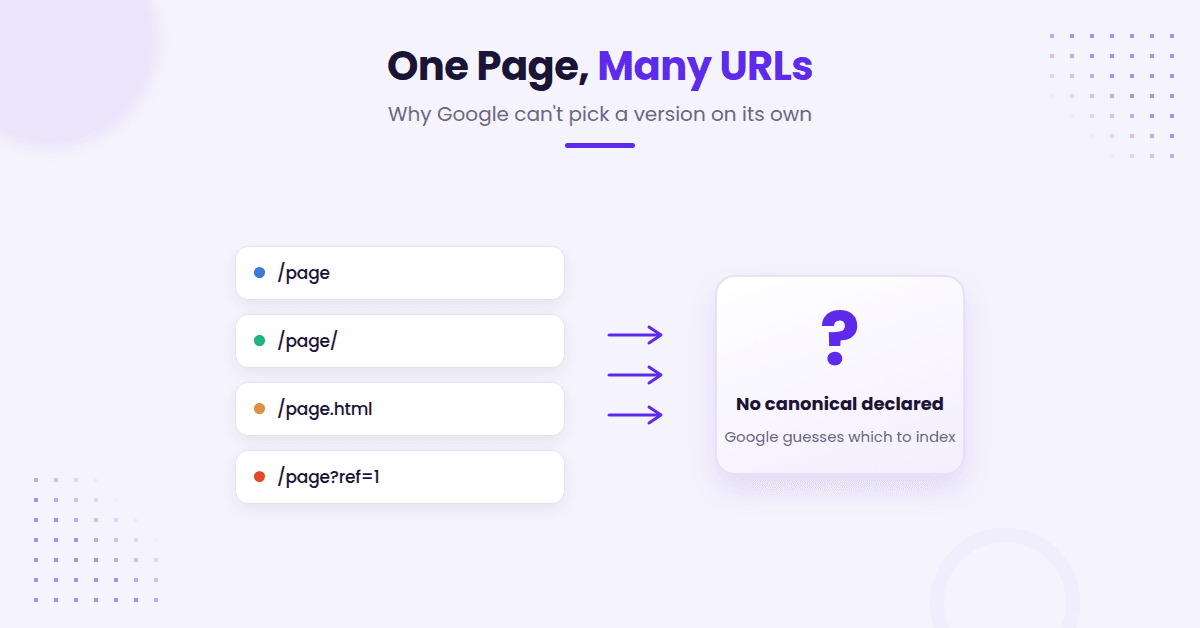
Google’s Page indexing report documentation gets to the heart of it. The search engine is identifying a group of pages that contain nearly identical information, but your site is not clearly naming a single canonical URL as the preferred version.
Two details matter here. Google has already picked a canonical for the group, so the page is not sitting in limbo, it is losing to a URL Google chose on its own and will not be served in search results. This is also a different status from Duplicate, Google chose different canonical than user, which is what you see when you did declare a canonical and Google overrode it.
That does not always mean the page is broken. It often means the page itself is fine, but the signals around it are inconsistent.
You might have protocol or subdomain variants, such as http versus https or www versus non-www, trailing slashes like /page versus /page/, or file extensions like /page.html. Perhaps your CMS automatically builds filtered versions of the same content, or your internal links point one way while your sitemap points another.
The label is a clue, not a verdict. If the page should rank, your job is to make the preferred version easy to identify. If it should not rank, your job is to remove it or redirect it cleanly to ensure you are not wasting crawl budget on unnecessary duplicates.
Choose the Canonical You Want Indexed
Start by asking one simple question, which URL should Google keep?
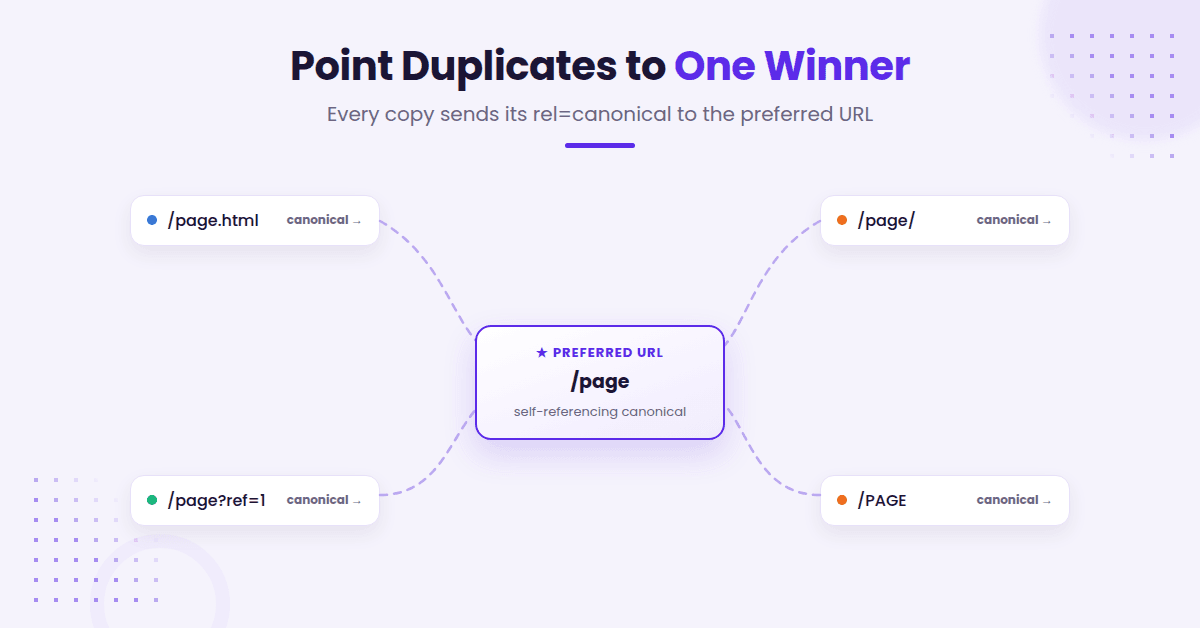
That answer should be based on the version that has the best content, the cleanest URL, and the strongest business value. For most sites, that means the shortest clean preferred URL, without tracking strings, print versions, or extra file names. It also means the page that receives the real internal links and sits in your sitemap.
Once you know the winner, give it a self-referencing rel=canonical tag. Then, point every duplicate version to that page with its own canonical tag. If you skip the self-reference on the preferred URL, you leave room for confusion.
To see which URL Google kept, run the affected URL through Search Console’s URL Inspection tool and read the indexed result. User-declared canonical will usually say None for this status, and Google-selected canonical names the URL Google chose. Skip the live test for this check: Google says it cannot predict which version will be treated as canonical. If you are trying to get Google to look again after the fix, how to request indexing in Search Console walks through the process without the usual guesswork.
Canonicals work best when they are calm and consistent. One clear winner beats five mixed signals every time.
Clean Up the Signals Google Reads First
A canonical tag is a helpful tool, but it is only one signal among many. Google also evaluates how the rest of your site behaves to determine which version should rank.
Internal links play a significant role in this process. If your navigation, related posts, and footer links consistently point to the wrong version, you are effectively telling Google the duplicate is the real page. Your sitemaps should also be audited; ensure they list only the preferred URL rather than including every minor variant or duplicate path.
When crawl waste becomes a bottleneck, the Crawl Stats report in Google Search Console is an essential tool. It reveals whether Googlebot is burning time on dynamic URL parameters, session IDs, or legacy paths you may have forgotten about. Checking this data is a necessary reality check when a site has grown messy over time, especially when you are trying to resolve errors appearing in your indexing report.
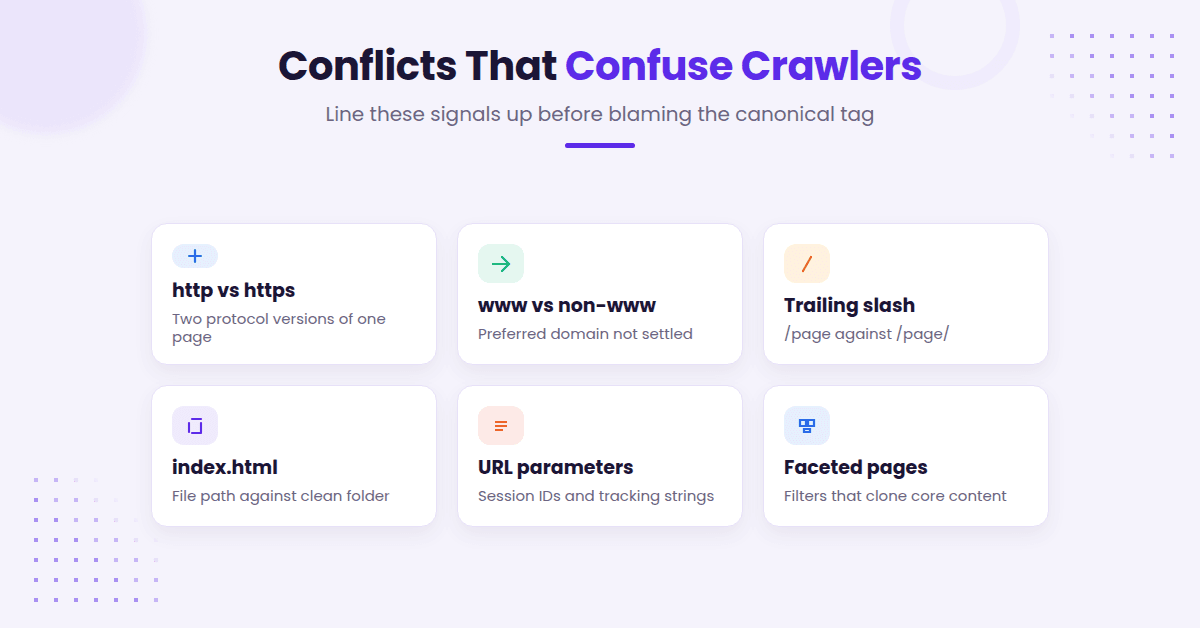
Watch for these common conflicts that confuse search engines:
- Mixed http and https versions
- Preferred domain inconsistencies, such as www versus non-www conflicts
- Trailing slash and non-slash versions
- Index.html and folder URLs
- Uppercase and lowercase variants
- Dynamic URL parameters that create unintended crawl paths
- Filtered or faceted pages that replicate core content
If a duplicate version has no strategic reason to exist, do not just rely on a canonical tag and hope for the best. Redirect it or remove it entirely. If a page remains useful for users but should not appear in search results, use the proper noindex directive instead of asking canonical tags to perform a job they were never intended to handle.
The reverse is true as well, and Google says so directly: do not reach for noindex to sort out duplicates inside a single site, because it blocks the page from search entirely instead of consolidating it. Google names rel=canonical as the preferred fix there. Avoid stacking both on one URL, since noindex is a directive Google has to obey while a canonical is only a signal, so the page leaves the index and passes nothing along.
If the situation starts looking less like simple duplication, and more like Google visiting the page but leaving it out of results anyway, fixing crawled currently not indexed issues is the next logical step in your technical audit.
When a 301 Redirect Beats a Canonical Tag
This part trips people up all the time. Google is explicit that a canonical preference is a hint, not a rule, and its canonical documentation ranks a 301 redirect first and rel=canonical second in how strongly each can sway Google’s pick. Both are strong signals, but the bigger practical difference is finality: a canonical leaves both URLs live and asks Google to pick, while a redirect removes the old URL so there is nothing left to choose between.
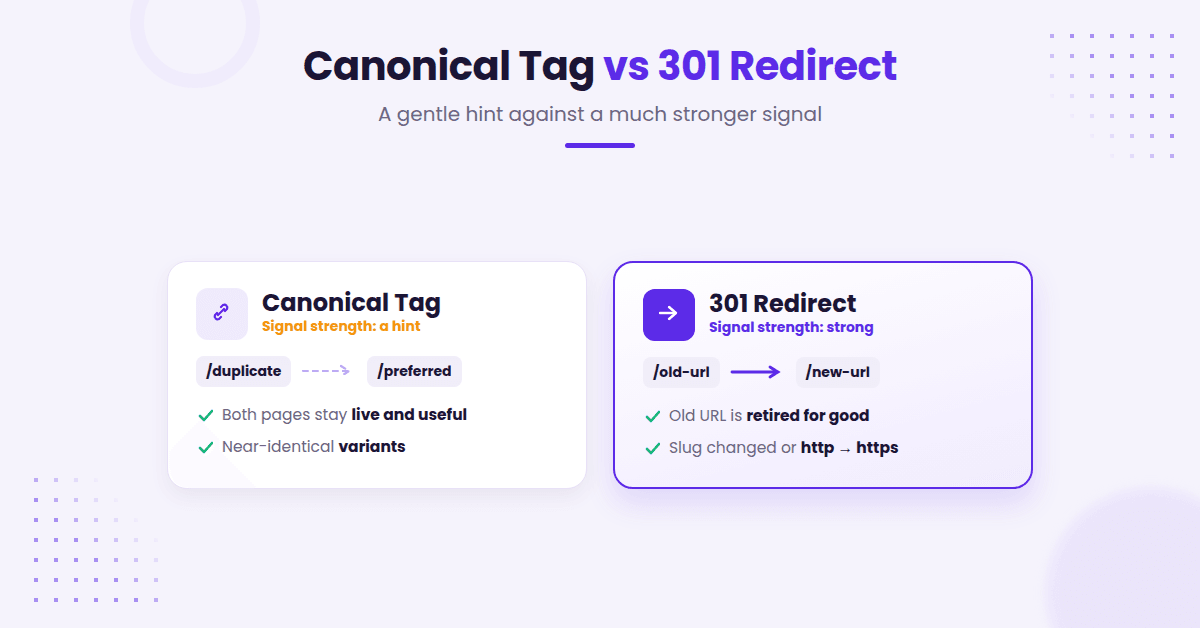
If the old URL is obsolete, use 301 redirects. Do not keep both pages live and hope that canonical tags sort it out later. That approach often leads to shaky signals and a much bigger cleanup job for your technical SEO.
Use 301 redirects when:
- the page has a true replacement
- the old slug changed permanently
- you are consolidating duplicate pages after a redesign
- http should move to https
- /index.html should move to the clean folder URL
Do not point every dead page to the homepage. That move feels tidy, but it usually creates a poor user experience, and Google has said it commonly treats redirects to an irrelevant destination as soft 404s anyway, so you gain nothing from the redirect. If there is no real replacement, let the page return a proper 404 error or a status code 410 to ensure Google understands the content is permanently gone.
A good rule is this: if the user would expect the same intent on the new URL, use 301 redirects to guide them there. If not, do not fake the match.
Fix Duplicate Patterns at the Source
Big sites rarely have just one duplicate. They have a pattern.
Maybe product pages create parameter versions. Maybe blog tags create near copies of the same archive. Maybe a CMS spits out printer-friendly versions, old archive slugs, session IDs, or paginated archives where every page repeats the same title and intro copy.
Pagination deserves a note, because the old fix no longer applies. Google retired rel=prev and rel=next as indexing signals back in 2019. Its current guidance is to give every page in a sequence its own unique URL and its own self-referencing canonical, and specifically not to point page two and beyond back at page one.
The fix is not to patch each issue one by one forever. The fix is to find the rule behind the mess.
That means checking templates, navigation, sitemap generation, and URL rules. If your site publishes lots of content, a quick pass through Search Console and crawl data can save hours later. When the pattern is clear, you can fix the source instead of chasing symptoms.
One more thing worth saying out loud: this status is not always a problem to solve. Faceted navigation, filter and sort parameters, and tracking strings generate it by design, and Google deduplicating them is the system working. Before you start fixing, confirm the URL is one you actually wanted indexed.
On some sites, the real win is editorial. Merge thin duplicate pages into one stronger page to ensure you are providing unique content that search engines can easily rank.
On others, the win is technical. Clean up canonicals, redirects, and internal links so every version points in one direction. Most of the time, it takes both.
FAQs About Duplicate Without User-Selected Canonical
Here are a few additional questions you might have.
Does a canonical tag guarantee Google will use it?
No. While canonical tags are helpful signals, they do not force Google to follow your preference. If internal links, sitemap entries, redirects, or conflicting content signals contradict the tag, Google may still choose a different URL as the primary version.
Should every duplicate page point to the homepage?
No. Redirecting to the homepage usually creates a poor user experience because the content rarely matches the intent of the original page. Use the homepage only when it truly aligns with the user intent, which is rare. Most of the time, a specific replacement page is a better choice. If the page should not be indexed at all, a meta robots tag set to noindex is more appropriate than a canonical tag.
How long does it take for the error to clear?
Plan on a few weeks, not a few days. Google has to recrawl every affected URL before the Page indexing report reflects the change, and Google’s own documentation says validation typically takes up to about two weeks and sometimes considerably longer. The report also runs a few days behind live crawl data. For a faster read on whether a specific fix landed, run that URL through the URL Inspection tool instead of waiting on the aggregate report.
Final Thoughts on the Duplicate Without User-Selected Canonical Error
Fixing these issues is rarely mysterious. Google found multiple versions of the same content, and your site failed to speak with one voice.
To fix duplicate without user-selected canonical on a page you want indexed, choose the specific URL you want indexed, ensure every duplicate page points to that location, and use 301 redirects when a page is no longer needed. By cleaning up those duplicate signals on your site, you make it easy for Google to prioritize the URL you actually want.
Once these signals align, this status stops being a mystery and becomes routine maintenance.

RightBlogger Co-Founder Ryan Robinson teaches readers how to grow online businesses and shares practical SEO advice.



Automated SEO Blog Posts for Your Site
Research, write, publish, and share from one account.
7-day free trial. Cancel anytime.





Leave a comment