How to Find Wasted Crawl Budget in Your Server Logs
See how to spot repeated hits on junk URLs, distinguish crawl waste from indexing issues, and redirect bots to priority pages.


Your server logs provide insights that Google Search Console only hints at. They show exactly where bots are spending time that they do not need to spend. If Googlebot keeps hitting thin archives, duplicate filters, or old redirect paths, your crawl budget is being drained. That means your most important pages may wait longer than they should to be indexed.
That waste is easy to miss until you look at the raw requests. Once you perform a log file analysis, the patterns causing these issues become clear. The fix is usually not a magic setting, but rather a combination of cleaner URLs, improved internal linking, and a sitemap that points bots toward your high-value pages.
Key Takeaways from Server Logs Crawl Budget
- Server logs show the actual crawl trail. They tell you which URLs search bots hit, how often they return, and which specific status codes they encounter during their visit
- Search Console is the map, but logs are the camera. Use both tools; the crawl stats report gives you the big picture, while raw logs show you the exact instances of wasted resources.
- Most crawl waste stems from repeat junk. Think of tag pages, URL filters, query parameters, pagination traps, redirect chains, and orphaned archive URLs.
- Not every crawl problem is actually a crawl budget issue. If a URL is crawled frequently but still stays out of the index, the page may need consolidation, pruning, or higher quality content.
- The ultimate goal is not simply to achieve fewer crawls. Instead, the focus should be on improving crawl efficiency, ensuring that you maximize the value of every search bot visit to your most important pages.
What Server Logs Show That Search Console Cannot
Search Console gives you clues, and those clues matter. The Search Console Crawl Stats report can show how often Googlebot visits, how fast it moves, and whether your server gets in the way. But logs go one layer deeper. They show the exact path requested, the timestamp, the response code, the server response time, and the bot that asked for it.
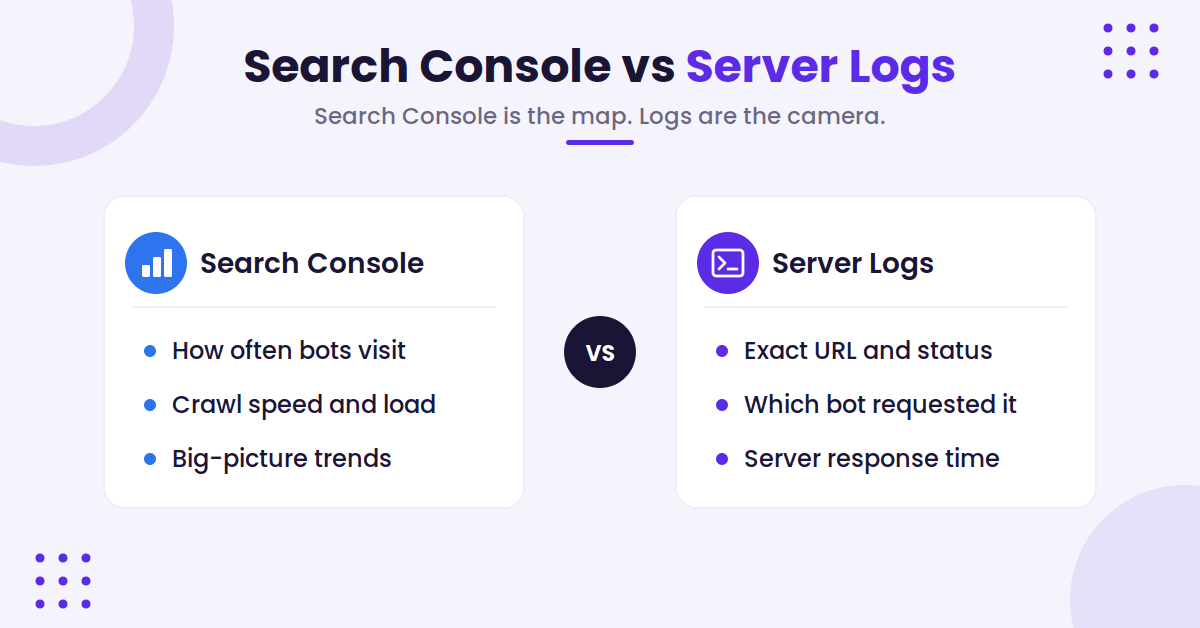
That matters because crawl waste is often hiding in plain sight. A report might say Googlebot is active. The logs might show that most of that activity is going to /tag/, ?sort=, or ?page= URLs nobody should care about.
Don’t trust the user-agent string alone. If a request says it’s Googlebot, confirm the identity through proper IP verification and reverse DNS before you treat it as real search traffic.
That step matters even more on large websites where third-party bots, scrapers, and monitoring tools can muddy the file fast.
The main job here is simple. Separate the real search bot traffic from the noise, then look for patterns that repeat. That is where wasted crawl budget starts to show its face.
Pull a Log Sample You Can Trust
A clean analysis starts with the right slice of data. You do not need every request your site has ever seen, but you need enough history to spot repeat behavior. For most blog sites, that means a recent sample covering enough days to catch publishing cycles, updates, and bot revisits. If you are managing large websites, you will need more frequent sampling to account for the high volume of daily traffic and bot activity.
Pull logs from the source that actually sees the requests, which may be your server, your host, a CDN, or a log export tool. Focus on the fields that matter most: request path, timestamp, response code, user-agent, and method. If you can also capture referrer data, that helps when you want to trace crawl paths back to internal links.
It helps to know what a single line looks like and how to slice it. In the common log format, a Googlebot request and two quick tallies look like this:
# A Googlebot request in common log format
66.249.66.1 - - [29/Jun/2026:13:42:08 +0000] "GET /blog/my-post HTTP/1.1" 200 18342 "-" "Mozilla/5.0 (...; Googlebot/2.1; +http://www.google.com/bot.html)"

# Googlebot hits by status code, then by most-requested path
grep 'Googlebot' access.log | awk '{print $9}' | sort | uniq -c | sort -rn
grep 'Googlebot' access.log | awk '{print $7}' | sort | uniq -c | sort -rn | head -50
Grepping the user-agent is fine for a quick local tally, but it is easy to spoof, so verify the source IP through reverse and forward DNS (or Google’s published IP ranges) before you act on the numbers.
Keep the scope tight. Start with HTML pages rather than every image or JavaScript file. While static assets can be useful later, they usually do not explain why your primary content is lagging. However, if you suspect your budget is being drained by script requests, you can review your JavaScript rendering resources during a subsequent pass.
The first pass should answer a few basic questions:
- Which URLs do search bots hit most often?
- Which paths return specific status codes, such as 200s, 301s, 404s, or 5xx errors?
- Are crawls clustered around old archives, tag pages, or URL parameters?
- Are important posts getting fewer hits than thin pages?
If the site is new or small, the file may look messy but not huge. That is fine. Crawl waste is easier to see when you are not buried in scale.
If you want a second practical example of how to think about crawl cleanup, Wix’s crawl budget optimization guide lines up well with this same process.
The Requests That Usually Waste Crawl Budget
Most wasted crawl budget on blogs comes from the same few places. The URLs change, but the shape of the problem stays the same.
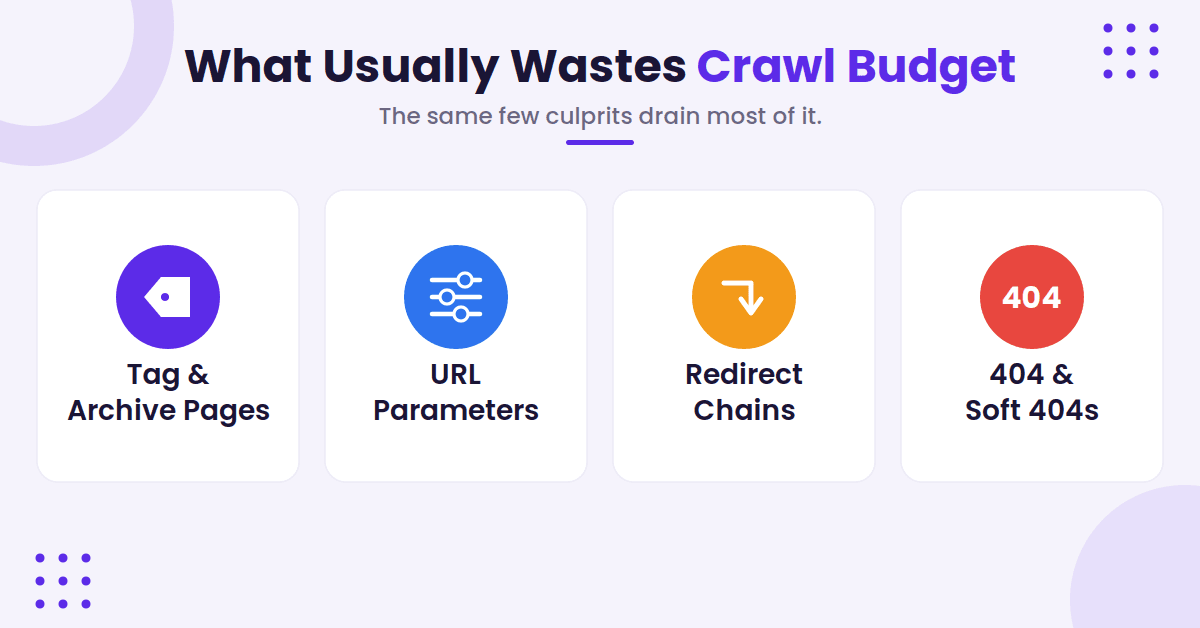
Tag archives are a classic offender. So are category pages with very little unique value. When you add pagination, faceted navigation, and internal search URLs to the mix, the bot encounters a complex maze. That maze can consume your site crawl capacity limit without giving Google anything better to index.
URL parameters are another common trouble spot. Sorting, tracking, and session-style query strings can create dozens of versions of the same page, which often results in duplicate content. If bots keep revisiting those versions, the logs will show it right away.
The fix is not always to block everything. Sometimes the right move is using canonical tags, refining internal links, or removing those URLs from the places that surface them.
Redirect chains waste crawl time as well. A bot that has to step through three redirects just to reach a post has already burned some of the budget. One redirect is fine when it serves a clear purpose, but two or three in a row on old blog paths creates a significant drain.
Old 404s and soft 404s also show up in the log file. If search bots keep trying dead URLs, the site is still advertising ghosts. That often happens after a redesign, a slug change, or a content prune that did not clean up internal links.
A bot does not invent most crawl waste. The site hands it the trail.
The most useful thing to watch is repetition. One bad URL is a simple fix. Fifty bad URLs with the same pattern indicate a deeper system problem.
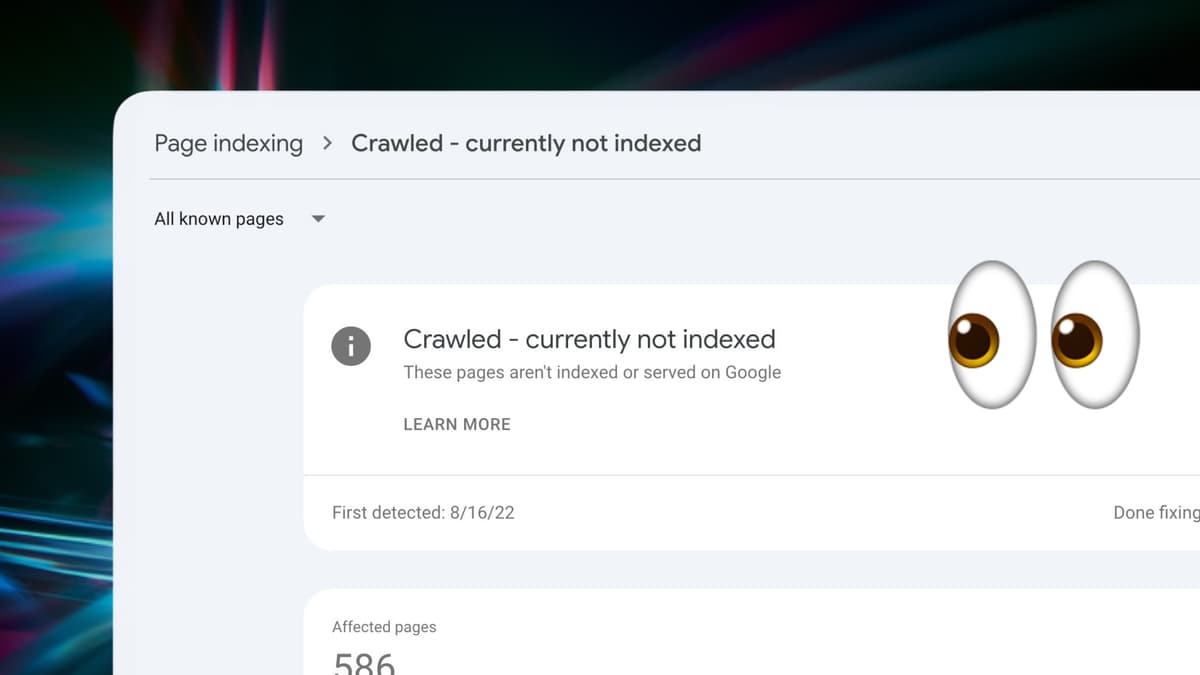
If those URLs also show up as crawled but not indexed, the issue is usually bigger than a single page. Google is telling you that the crawl happened, but the page did not earn a spot in the index.
Turn the Patterns Into Fixes
Once you know where the waste sits, the clean-up path gets a lot more obvious. Start with the URLs that are easy to remove from the crawl path. That usually means internal search results, thin tag pages, duplicate filters, and broken archive paths.
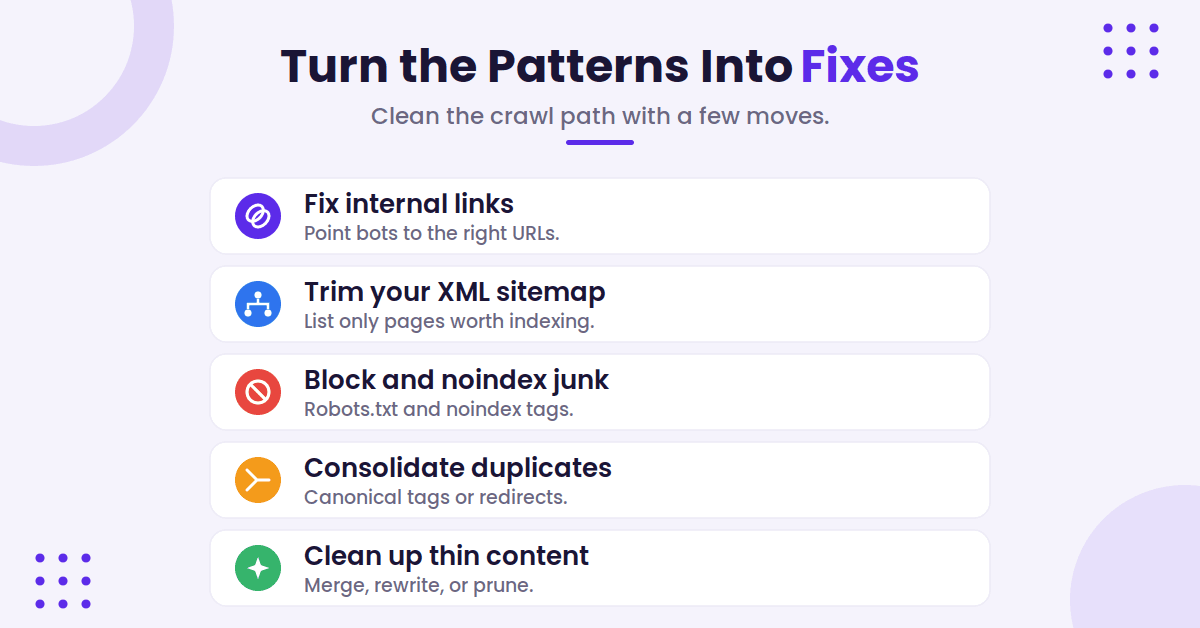
Fix the internal link structure first. If your navigation, related posts, or in-content links keep pointing to the wrong version of a page, bots will keep following them. The same goes for stale sidebar widgets and old footer links. A crawler can only go where your site sends it, so refining these paths is essential for healthy site architecture.
Then look at your XML sitemaps. These files should include pages you actually want indexed, not every URL the site can generate. Skip pages using noindex tags, duplicate URLs, and thin archive pages that have no real search value.
If your XML sitemaps are bloated, trim them. XML sitemap setup basics are worth revisiting here because a clean file gives bots a much clearer path to your priority content.
After that, tackle the URL rules, and match the tool to the goal. Use a robots.txt Disallow to stop bots from crawling whole sections; that is the only directive that actually saves crawl budget. Use canonical tags to consolidate duplicate versions onto one URL, and return a 404 or 410 for pages that are truly gone.
One caveat worth getting right: noindex does not save crawl budget. Google has to crawl a page to see the noindex tag in the first place, so noindex controls whether a page is indexed, not whether it gets crawled. As Google’s own crawl budget guide puts it, a noindexed page is still requested and then dropped, which wastes the very budget you were trying to protect. Reach for robots.txt when the goal is to stop the crawl.
Remove junk query strings from internal links where possible. If a page type has no reason to rank, do not keep feeding it fresh crawl attention.
This is also where content cleanup matters. A strong log fix combined with a weak page strategy still leaves you with waste. If a post is thin, outdated, or too close to another one, Google may keep crawling it and still skip it. That is a sign to merge, rewrite, or prune, not just to tweak the robots.txt file.
A good habit here is to pair log cleanup with a page-level review. Tighten headings, cut duplicate sections, and make sure your strongest pages have the clearest internal paths. Tools like RightBlogger’s SEO reports can help keep that part tidy while your technical crawl rules get cleaned up.
Read the Results Without Chasing Noise
After the first round of fixes, do not expect your logs to look perfect overnight. Search bots do not reset the same day you change your site. Instead, they adjust their crawl frequency based on links, history, and the overall structure of your pages. Because of this, the trend matters far more than any single spike in activity.
Look for a few clear shifts in your data. Important blog posts should start receiving a larger share of hits, while junk paths should begin to fade. Redirect chains should shrink, and pesky server errors that previously plagued your logs should disappear. If the same type of waste keeps returning, it usually means an internal link, a sitemap entry, or an old template is still pointing bots in the wrong direction.
This is where many people get distracted by numbers that look significant but do not actually matter. A high crawl count is not automatically bad, and a low one is not automatically good. Your true goal is to improve crawl efficiency, ensuring that Googlebot spends its time on the pages that provide the most value to your site.
Use your log files as a feedback loop rather than a scorecard. Check the data, implement a change, wait for the next crawl cycle, and check it again. That methodical process is how you determine whether your crawl path is getting cleaner or if you are simply moving the same mess to a different location.
When Crawl Waste Is Really an Indexing Problem
Sometimes the logs are fine, but the page itself is the root of the problem. Google may crawl a URL, yet it still chooses not to index it. This often happens with thin content, duplicate topics, weak internal support, or pages that do not match search intent closely enough.
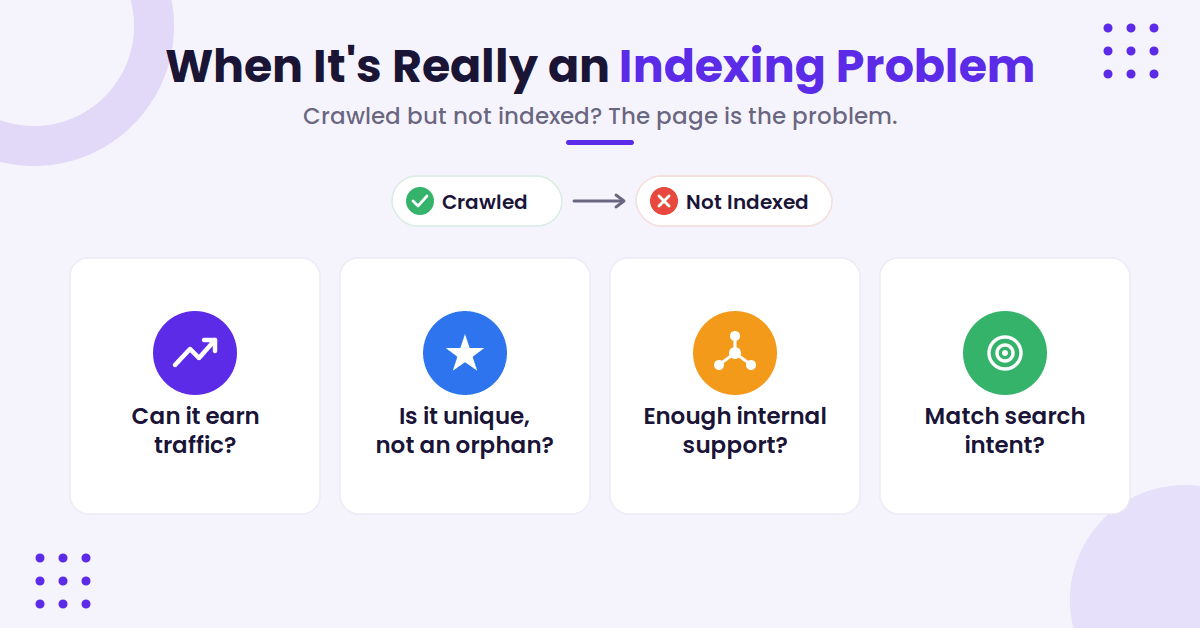
That is why server logs and index reports need to be analyzed together. Logs reveal what was fetched, while index reports show you what Google chose to keep. If you see consistent crawl activity but the page keeps landing in the crawled but not indexed report, the fix usually starts with the page quality.
Ask these four questions:
- Can this page earn search traffic or a conversion?
- Is it unique enough to stand on its own, or is it an orphan page that lacks necessary internal links?
- Does the site provide it with enough internal support to build page authority?
- Does the content match the current search intent?
If the answer to these questions is no, do not force the content into the index. Instead, merge it with a stronger page or remove it entirely. If the answer is yes, improve the page and ensure that your sitemap and internal linking structure point bots to it clearly.
This is also where freshness and crawl demand become critical. Sites that update content frequently often generate higher crawl demand, which helps keep crawl paths sharp.
If your site publishes content regularly, make sure the pages worth revisiting are easy to reach. Google rewards this kind of site structure because it allows their bots to spend less time sorting through clutter and more time indexing high-value pages.
AI Crawlers Are the New Line Item in Your Logs
In 2026, Googlebot is no longer the only heavy crawler in your logs. AI bots have caught up fast: one widely shared report found AI crawlers now match Googlebot’s request volume to a site, and Cloudflare Radar clocked automated traffic at more than half of all web requests. A good chunk of what looks like wasted crawl budget is now AI bots, not search engines.
The catch is that these bots spend your server’s bandwidth and CPU and give very little back. Cloudflare’s data shows AI crawlers request far more than they ever refer, so the cost lands on your origin, not on Google. They are not stealing from search engines; they are spending your resources.
When you scan logs, these are the user-agent strings worth grepping for, grouped by who owns them:
- OpenAI: GPTBot (training), OAI-SearchBot (ChatGPT’s search index), and ChatGPT-User (a live fetch when someone asks ChatGPT about a page)
- Anthropic: ClaudeBot (training), Claude-SearchBot (retrieval), and Claude-User (live fetch)
- Perplexity: PerplexityBot and Perplexity-User
- Others: Bytespider (ByteDance), Meta-ExternalAgent (Meta), Amazonbot, and CCBot (Common Crawl, which feeds many open AI datasets)
One thing not to chase: Google-Extended and Applebot-Extended are robots.txt opt-out tokens, not crawlers. They control whether your content is used for AI training, and they never appear in your access logs, so do not go hunting for them there.
To handle the rest, start with robots.txt, where you can block a specific bot by its user-agent:
User-agent: GPTBot
Disallow: /
But robots.txt is voluntary. OpenAI and Anthropic honor it; ByteDance’s Bytespider has a documented history of ignoring disallow rules. For bots that do not cooperate, enforcement has to happen at the edge, which is why Cloudflare’s AI Crawl Control and custom WAF rules that match the user-agent string have become the practical answer in 2026.
Before you block everything, weigh the tradeoff. Blocking a training crawler like GPTBot or ClaudeBot saves resources with little downside. But blocking the retrieval bots (OAI-SearchBot, PerplexityBot, Claude-SearchBot) also removes you from those tools’ live answers, which is real visibility you may not want to give up. Decide bot by bot, not all at once.
FAQs About Server Logs Crawl Budget
Here are a few additional questions you might have about server logs and crawl budget.
How often should I review server logs?
For a busy blog, a weekly or biweekly check works well. Smaller sites can usually get by with a monthly review, as long as you incorporate server logs crawl budget analysis into your standard SEO audit process to ensure everything remains optimized.
Should I focus only on Googlebot?
Start with Googlebot, since that is the crawler most site owners care about. Then scan for other search bots and major third-party crawlers so you can separate useful data from noise.
What if my blog is too small to worry about crawl budget?
Small sites can still waste crawl activity on bad redirects, broken links, and useless parameter URLs. Even if your site is not large enough to hit indexation limits, prioritizing crawl budget optimization helps improve your general site health and makes it easier for search engines to discover your best content.
Do I need a special tool to read logs?
No. A spreadsheet can work for a small sample. However, for larger sites or more complex patterns, using log file analysis is the most efficient way to process the data and identify actionable insights without getting lost in the noise.
Is crawl budget a problem for every blog?
No. A tiny blog with a clean structure may never run into real crawl waste. However, the problem often appears faster on larger sites, fast-growing blogs, and sites with complex archives or parameter URLs.
Beyond site size, your total crawl demand also plays a significant role in how Google prioritizes your pages. High-authority sites with better technical health often receive more attention from search crawlers.
Final Thoughts on Server Logs and Crawl Budget
Server logs tell the truth about crawl behavior. They show exactly where bots spend their time, where they get stuck, and which parts of your site keep pulling attention for no good reason. By analyzing your server logs crawl budget, you gain the clarity needed to ensure that search engines are prioritizing your most valuable content.
The cleanest wins usually come from the same moves: cut junk URLs, fix broken internal links, slim down your sitemap, and give your important pages the clearest path possible. It is also increasingly important to watch how AI crawlers show up in your logs, since in 2026 they can rival Googlebot for volume and spend your own server resources rather than the search engines’.
Do this, and the crawl trail starts to look a lot less like noise, ensuring your site remains perfectly indexed and easy for bots to navigate.

Article by
RightBlogger Co-Founder, Ryan Robinson teaches 500,000 monthly readers to grow online businesses and is a recovering side project addict.



Automated SEO Blog Posts That Work
Try RightBlogger for free, we know you'll love it.
7-day free trial. Cancel anytime.





Leave a comment
You must be logged in to comment.
Loading comments...