How to Write a “Best Alternatives” Post That Converts
Build trust with 2–4 proof points per option, current screenshots, and verified pricing.

If someone searches for the best alternatives for a tool, they’re not window-shopping. They’re usually annoyed, stuck, or ready to switch. That’s why a best alternatives post (also called a comparison post) can perform really well.
To convince a user to switch, your roundup needs proof, real screenshots, and accurate pricing details. Whether you’re promoting an affiliate product or your own tool, these posts can be great ways to bring in additional revenue.
Key Takeaways (Read This Before You Write)
- Treat “alternatives” as decision content that helps a reader choose.
- Add proof sections for every option, so claims don’t feel made up.
- Use screenshots to provide social proof and lower anxiety about switching.
- Verify pricing with a simple workflow, then timestamp your checks.
- Keep in mind that these posts are great for maintaining AI visibility in modern search engines.
Pick the Right Angle for a “Best Alternatives” Search
A “best alternatives” post means readers arrive via bottom-of-funnel keywords driven by clear user intent. The reader is ready to buy … and just needs help choosing the right product for their needs.
A good place to start is by naming the “why now” behind the search, in plain language. Why are they looking to switch at this point?
It might be due to any of these:
- Price increase
- Missing feature
- Slow support
- Team outgrowing the tool
- Privacy or data concerns
Then, structure your post around use cases, with the primary goal of targeting high-intent competitor traffic.
Each alternative on your list should answer, “Who is this best for?” in one sentence. That line becomes your conversion engine, because it helps the reader self-select fast.
Before you dive into the post, it’s helpful to add a short methodology blurb near the top: how did you choose these picks? What factors did you consider? Showing your work builds topical authority and improves your overall search engine optimization.
Tip: You can also use a side-by-side comparison table at the top of your post to let readers quickly and easily compare options and make informed decisions.
Add Proof Sections That Readers Can Actually Verify
In the era of AI-powered search, simple summaries and “best of” posts are everywhere. That raises the bar. “This tool is great for teams” isn’t persuasive anymore unless you can show why.
For each alternative, I recommend including a short “Proof” section with 2 to 4 items. You can rotate these based on the product category and your competitor research, but here are proof types that consistently help conversions:
- A screenshot you took (with sensitive info blurred)
- A specific benchmark (implementation speed, time to publish, time to export)
- A support test (how long it took to get a reply)
- A cancellation check (how many clicks, any friction)
- One real use case from your workflow (not a generic scenario)
- Customer testimonials (for external validation)
- Social media quotes about the product (for social proof)
To boost SEO, I recommend using schema markup for these sections to help search engines parse the data.
It’s also good to call out tradeoffs. Readers trust you more when you say, “This is strong at X, but weak at Y.” That honesty reduces refund risk too.
Tip: Building more comparison content across your site? Connect these posts with others, following the approach in our SEO content strategy guide.
Use Detailed Screenshots to Reduce Fear and Raise Clicks
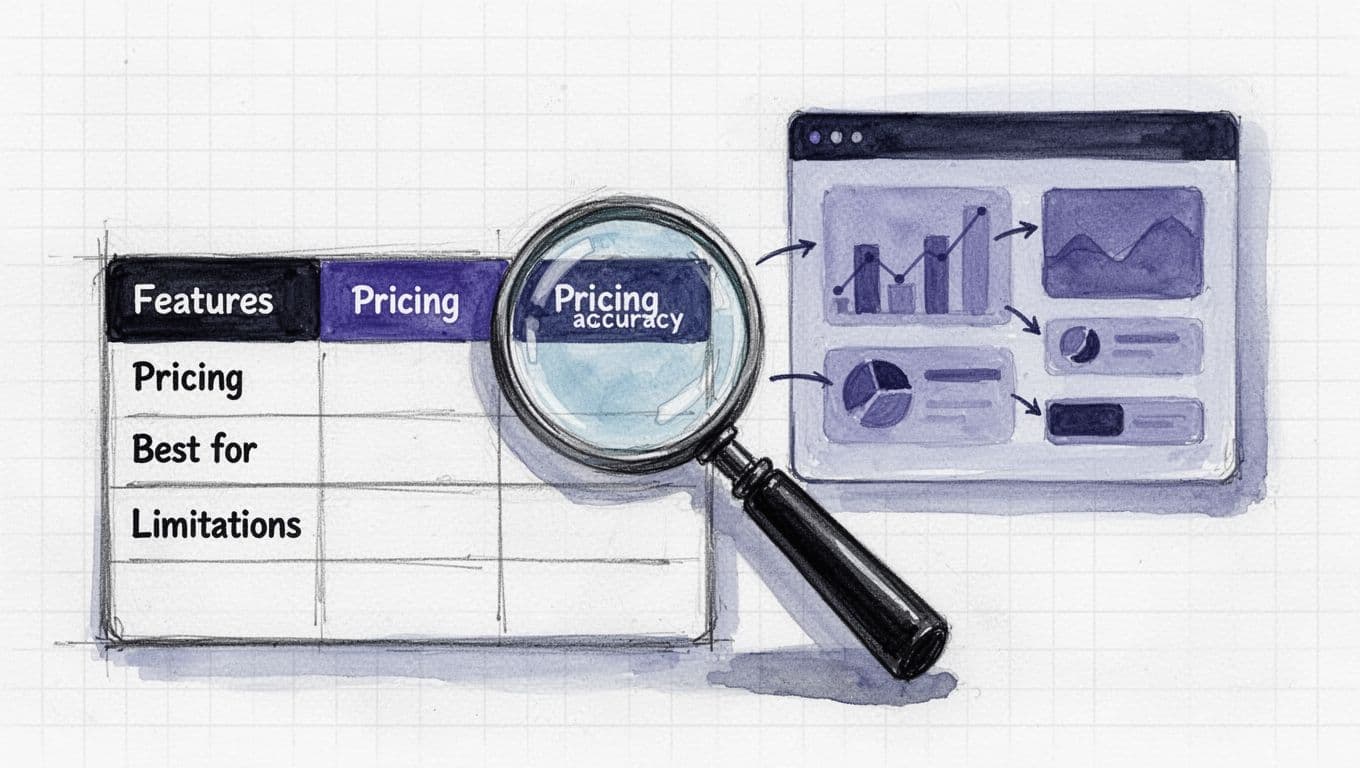
Detailed screenshots convert for one main reason: they answer, “What will this feel like?” before the reader commits. Pairing them with product comparison charts significantly boosts conversion rate.
This isn’t about dumping loads of screenshots. Instead, aim for one to three per section, and make sure each shows something important, like:
- The dashboard layout (so readers can judge complexity)
- The key workflow screen (the thing they’ll use daily)
- The billing page or plan picker (to reduce surprises)
Right after the image, add a couple of sentences to explain what the reader is seeing, and why it matters. Make sure you include alt text, too, for readers who are visually impaired (alt text also helps with SEO).
Aim to update your “best alternatives” posts regularly to keep screenshots current. Fresh visuals are key to AI visibility and modern search engine optimization. If the interface looks wildly different when they click through and start a free trial, readers are understandably going to lose trust in your guidance.
My Pricing Accuracy Checklist Before I Publish
Pricing is where alternatives posts win or lose trust. If you’re wrong, even by a little, the reader will lose trust in you, not the vendor.
Here’s a pricing accuracy checklist you can run through:
- Open the vendor pricing page in an incognito window (to avoid promo bias).
- Note the currency, billing cycle, and whether prices are “starting at.”
- Check whether it’s seat-based pricing (per user) vs flat pricing (per workspace).
- Look for required add-ons (extra seats, AI credits, integrations, support tiers).
- Check limits hidden inside plan tooltips (projects, exports, storage, history).
- Scan refund and cancellation terms (especially for annual plans).
- Check the changelog or docs for plan changes (tiers get renamed a lot).
- Email or chat support if anything feels unclear, then I save the reply.
- Add a “Pricing last verified” line in the post (month and year).
One more thing: ideally, you want to call out the total cost of ownership for a normal setup, with the add-ons and extra seats included. That’s what readers actually need.
Tip: Using structured data for pricing can help secure featured snippets in an AI-powered search environment.
Want proof that this kind of page can drive serious outcomes? Rework shared a story about alternatives pages capturing high-intent traffic, explaining, “Comparison and alternative pages work because they intercept people at the exact moment they’re ready to buy.”
FAQs About Best Alternatives Posts
How Many Alternatives Should I Include?
Around 5 to 8 alternatives is a good number to maintain a healthy share of voice in the market. Fewer can feel biased, but if you have more, readers will start skimming (and you may end up including lower-quality alternatives). If the niche is huge, group tools by use case.
Should I Include my Own Product in an Alternatives Post?
Yes, if it truly fits. Label it clearly and still mention any downsides. Including your own product helps with brand tracking and sentiment analysis. Trust is the whole point.
How Often Should I Update Pricing and Screenshots?
Ideally, re-check pricing at least quarterly, and refresh screenshots anytime the UI changes. If some information changes so frequently that you can’t keep it current, then remove those details. Frequent updates improve user adoption and help the page stay relevant in AI-powered search.
Do I Need to Test Every Tool Myself?
No … but be honest with readers about your methodology. Use verifiable sources, be clear about limitations, and quote from user reviews. Even without direct testing, competitor research can still inform the content strategy.
Should I Use a Template for my Comparison Posts?
It’s often helpful to use a blog post template to make sure you don’t miss anything important for your comparison posts. E.g. you might start with your methodology and a quick recommendation for the biggest use case, then dive into each section, structuring them in the same way with a screenshot, proof, and pricing.
Final Thoughts on “Best Alternatives” Posts
A successful content strategy for best alternative pages isn’t “the longest list.” It’s the clearest decision path, backed by proof and accurate pricing. This approach builds trust, maximizes AI visibility, and is a long-term play for search engine optimization. If you build that kind of trust once, readers come back the next time they’re ready to switch.
As AI-powered search evolves, providing a clear conversion rate path for the right user intent remains the priority for search engine optimization.
Use the Outline Tool in RightBlogger to come up with a detailed outline for your next “best alternatives” post today … or dive into the Article Writer to draft the whole thing.

Article by
RightBlogger Co-Founder Ryan Robinson teaches 500,000 monthly readers how to grow online businesses and writes about content that converts.




Automated SEO Blog Posts That Work
Try RightBlogger for free, we know you'll love it.
7-day free trial. Cancel anytime.





Leave a comment
You must be logged in to comment.
Loading comments...