Author Schema Markup for Blogs in 2026: Step-by-Step Setup
Copy-paste JSON-LD examples show the essential author fields, WordPress plugin settings, and how to validate your markup.


Author schema markup is structured data (usually JSON-LD) that tells search engines which real person wrote a blog post. The standard pattern is a BlogPosting object with an author property pointing to a Person object. Article markup has no required properties. It does not guarantee a knowledge panel. Official: Google’s Article structured data.
The official payoff is better title text, images, and date information in Search, when Google uses the markup. This guide has the JSON-LD samples, Yoast/Rank Math, multi-author cases, and validation. No author rich result lives in the Search gallery.
The minimum-viable author schema (copy this)
Google’s Article type has no required properties. The recommended set is headline, image, dates, and author with name plus url or sameAs. That is the min-viable block. Drop it inside a <script type="application/ld+json"> tag in your page head:
{
  "@context": "https://schema.org",
  "@type": "BlogPosting",
  "headline": "Your Post Title Here",
  "datePublished": "2026-05-05",
  "dateModified": "2026-05-05",
  "image": "https://example.com/featured-image.jpg",
  "author": {
    "@type": "Person",
    "name": "Jane Doe",
    "url": "https://example.com/author/jane-doe/"
  },
  "publisher": {
    "@type": "Organization",
    "name": "Example Site",
    "logo": {
      "@type": "ImageObject",
      "url": "https://example.com/logo.png"
    }
  }
}
That’s the floor. Everything below builds on it. If you only ship this much, you’re already ahead of most blogs.
What author schema actually does

Author schema does three concrete things:
- It tells Google who wrote the post in machine-readable form. Your visible byline tells humans; schema tells crawlers.
- It links every post by the same author into one entity. Consistent
nameandurlvalues help Google tell people apart. That is disambiguation, not a knowledge-panel guarantee. - It supports your entity-level signals, but be precise about what that means. Google has never said author markup feeds E-E-A-T, and its own guidance states that “E-E-A-T itself isn’t a specific ranking factor.” That same page asks for visible authorship, not markup: it strongly encourages “adding accurate authorship information, such as bylines to content where readers might expect it.” Treat schema as a clarity layer on top of a real byline and bio page, never a substitute for either.
Schema doesn’t boost rankings on its own. There’s no “+5 SEO points for adding schema.” Its value is removing ambiguity. Google’s Article documentation is specific about the payoff: markup “can help Google understand more about the web page and show better title text, images, and date information for the article in search results.” That is presentation, not ranking, and Google adds that it “does not guarantee that features that consume structured data will show up in search results.” There is no author rich result in Google’s Search Gallery, so do not expect author markup on its own to change how your listing looks.
Person vs Organization vs the @type “Author” question
One of the most common questions: should the author be a Person, an Organization, or something else? Here’s the decision in plain terms:
- Real human writer with a public identity: use
Person. This is the right answer 90% of the time. - Brand-authored content with no individual byline (e.g. company blog post that says “By Acme Team”): use
Organization. But a real human author is almost always better for E-E-A-T. - Multi-author posts: use an array of
Personobjects (covered below). - Pseudonyms or pen names: still use
Person, but use the pen name innameand the author bio page inurl. Don’t list both real and pen names.
Schema.org technically has a generic author property that accepts either, but Google’s documentation strongly prefers Person for individual writers. If you want one rule of thumb: if a real human can stand behind the post, use Person, even on a company blog.
The recommended author schema (with sameAs, jobTitle, and knowsAbout)
The min-viable block is the recommended Article fields. Extra Person fields like jobTitle and sameAs (other profile URLs) are optional. This is the fuller sample I use:
{
  "@context": "https://schema.org",
  "@type": "BlogPosting",
  "@id": "https://example.com/blog/author-schema-guide/#article",
  "mainEntityOfPage": "https://example.com/blog/author-schema-guide/",
  "headline": "How to Set Up Author Schema Markup",
  "datePublished": "2026-05-05",
  "dateModified": "2026-05-05",
  "image": [
    "https://example.com/featured-1200x630.jpg",
    "https://example.com/featured-1200x900.jpg"
  ],
  "author": {
    "@type": "Person",
    "@id": "https://example.com/author/jane-doe/#person",
    "name": "Jane Doe",
    "url": "https://example.com/author/jane-doe/",
    "image": "https://example.com/authors/jane-doe.jpg",
    "jobTitle": "Senior SEO Writer",
    "worksFor": {
      "@type": "Organization",
      "name": "Example Site",
      "url": "https://example.com"
    },
    "knowsAbout": [
      "Search engine optimization",
      "Content marketing",
      "Technical SEO"
    ],
    "sameAs": [
      "https://www.linkedin.com/in/janedoe",
      "https://x.com/janedoe",
      "https://www.wikidata.org/wiki/Q12345678"
    ]
  },
  "publisher": {
    "@type": "Organization",
    "@id": "https://example.com/#organization",
    "name": "Example Site",
    "logo": {
      "@type": "ImageObject",
      "url": "https://example.com/logo.png",
      "width": 600,
      "height": 60
    }
  }
}
Notes on each field:
@idon Person is a stable, unique identifier for the author entity. Use the same@idacross every post so your own schema graph stays internally consistent. This is a JSON-LD linked-data convention rather than something Google documents consuming for article authors, but it costs nothing, and Rank Math already does it by default using the author archive URL as the Person@id.@idandmainEntityOfPageon the BlogPosting tell Google which URL is the canonical home for this article and tie the article to the rest of your schema graph.knowsAboutis an array of topical authority signals. You can pass plain strings or, for stronger entity linking, point to Wikipedia or Wikidata URLs (e.g.https://www.wikidata.org/wiki/Q156128). Keep entries honest; three to five is a good range.author.urlis the property Google actually asks for. Its recommended-properties table describes it as “a link to a web page that uniquely identifies the author of the article,” such as a bio or about-me page. If you add only one optional field, add this one.jobTitleplusworksForadd professional context for readers and other consumers. Google documents no use of either, so treat them as good hygiene rather than a ranking play.imageas an array in 16×9, 4×3, and 1×1 aspect ratios is recommended by Google, with a minimum of 50,000 pixels when you multiply width by height. The 1200px-wide figure people quote comes from Google Discover’s image guidance, which is a separate requirement. Google no longer publishes a character limit forheadline; the current advice is just to “consider using a concise title, as long titles may be truncated on some devices.”- Publisher and its logo are no longer in Google’s picture. The Article doc’s recommended properties are just
author,author.name,author.url,datePublished,dateModified,headline, andimage, and there are no required properties at all. The old 600×60 publisher-logo rule was an AMP-era requirement and has been removed from the docs. Keeppublisherif your plugin emits it, just don’t treat it as something Google is checking.
Multi-author and guest post handling
For posts with two or more authors, use an array. Don’t smush names into one name field, and don’t pick one author as “primary” if both contributed:
"author": [
  {
    "@type": "Person",
    "name": "Jane Doe",
    "url": "https://example.com/author/jane-doe/"
  },
  {
    "@type": "Person",
    "name": "John Smith",
    "url": "https://example.com/author/john-smith/"
  }
]
For guest posts, the author should be the actual guest writer, not the site owner. If the guest doesn’t have a bio page on your site, create one. A guest author with no author archive page on your site looks weak to Google and weaker to readers.
For AI-assisted content, the author should be the human editor or writer who reviewed and approved it. Google doesn’t ban AI-generated content, but the search guidelines explicitly recommend that a human take editorial responsibility. Listing “AI” or “ChatGPT” as the author bypasses E-E-A-T entirely and is a bad signal even when it’s technically the truth.
Author schema in WordPress (Yoast, Rank Math, AIOSEO)
If you run WordPress, you almost certainly don’t need to write JSON-LD by hand. The major SEO plugins output it automatically. The catch is that they only output as much as your WordPress user profile contains, and the default user profile is anemic.
Yoast SEO

Yoast outputs Person schema for each post’s author automatically, regardless of your Site representation setting. The Site representation setting (Yoast SEO → Settings → Site basics) controls who the publisher is. Set it to “Person” if you run a personal blog where you are the brand, or “Organization” if your site has its own brand identity. The post-level author is always pulled from whichever WordPress user is assigned to the post.
Yoast pulls these fields from each WordPress user profile:
name→ Display name in WP profileurl→ Website field, or the user’s author archiveimage→ Gravatar (this is where most bloggers fall short)sameAs→ The social profile fields Yoast adds (Twitter, Facebook, Instagram, LinkedIn, etc.) inside each user’s profile pagedescription→ Biographical info field
To get the strongest output: fill out every social field in each author’s WP profile, set a real (non-default) Gravatar, and write a 2-3 sentence bio. That alone makes Yoast’s auto-generated schema close to the recommended setup above.
Rank Math
Rank Math has explicit author schema controls under Titles & Meta → Authors. Toggle “Author Schema Entity” on and Rank Math outputs a Person object pulled from each user’s profile, similar to Yoast. The plus side: Rank Math gives you a separate Schema Generator on each post where you can override or add fields per-post.
The free version handles the basics well. Rank Math’s per-post Schema Generator lets you add fields like knowsAbout manually if you want them on a specific post.
AIOSEO
AIOSEO outputs Person schema as part of its Article schema by default. The fields it pulls are similar to Yoast. Configuration lives under Search Appearance → Authors, and like Rank Math, AIOSEO offers a per-post schema override for cases where the default isn’t right.
What WordPress schema plugins won’t fix
WordPress user profiles are missing fields like jobTitle, knowsAbout, and a structured sameAs beyond the default social links. Two ways to fill the gaps:
- Advanced Custom Fields (ACF) + a small filter that injects extra fields into your SEO plugin’s schema graph. Best for technical bloggers.
- Co-Authors Plus if you publish guest posts and need full author profiles for non-WP users (people without WordPress accounts on your site).
If you’re publishing AI-assisted blog content with RightBlogger and pushing posts to WordPress with our WordPress plugin, your author schema gets generated by Yoast/Rank Math/AIOSEO at publish time using whichever WordPress user the post is assigned to. Make sure that user’s profile is filled out before you bulk-publish.
Don’t forget the author archive: ProfilePage schema
On the author archive, ProfilePage requires mainEntity plus a name. sameAs is recommended for other profile URLs, not a Wikidata-weighted stack. Official: ProfilePage structured data. Sample:
{
  "@context": "https://schema.org",
  "@type": "ProfilePage",
  "mainEntity": {
    "@type": "Person",
    "@id": "https://example.com/author/jane-doe/#person",
    "name": "Jane Doe",
    "url": "https://example.com/author/jane-doe/",
    "image": "https://example.com/authors/jane-doe.jpg",
    "jobTitle": "Senior SEO Writer",
    "knowsAbout": ["SEO", "Content marketing"],
    "sameAs": [
      "https://www.linkedin.com/in/janedoe",
      "https://www.wikidata.org/wiki/Q12345678"
    ]
  }
}
Google explicitly supports this. Its ProfilePage documentation lists “an author page on a news site” and “an About Me page on a blog site” as valid use cases, and the Article doc says that when author.url points at an internal profile page, “we recommend marking up that author using profile page structured data.”
Only mainEntity is required, plus name on the Person inside it. Add dateCreated and dateModified if you have them, and use description for the byline or credential, since that is the property Google documents for it. Skip interactionStatistic unless you genuinely run follower or post counts. Keep the Person @id identical to the one on every BlogPosting they wrote so the graph stays consistent. This will not produce a rich result on a normal blog, but it is the correct way to say that this URL is the canonical page for this author.
For YMYL niches, you can also record a separate fact-checker with reviewedBy. One caveat worth getting right: schema.org defines reviewedBy on WebPage, not on Article or BlogPosting, so put it on the WebPage node of your graph rather than inside the article object. Google documents no use of it either way, so this is for other consumers and for your own provenance trail.
For AI-coded sites: a drop-in prompt for Claude Code, Codex, or Cursor
If you built your blog with an AI coding agent (Claude Code, Codex, Cursor, Windsurf, Aider, v0), adding author schema is one of the easier prompts you can hand off. The agent already knows your stack and can wire it into your existing layout or template files. Paste this prompt into your agent of choice and adjust the bracketed values:
When you hand this to an agent:
- Tell the agent your stack. The placement of the
<script>tag and how to access post/author data depends entirely on your framework. Next.js App Router uses generateMetadata or a Layout, Astro uses frontmatter and SSR components, Hugo uses partials, etc. The agent will get this right if you tell it the framework. - Make sure schema renders server-side. Many AI agents will default to a client-side
useEffectinjection if you don’t specify. Googlebot does render JavaScript now, but server-side rendered schema is more reliable and gets indexed faster. The prompt above asks for this explicitly. - Audit the output before merging. Agents will sometimes hardcode fallback values. Inspect the generated JSON-LD on at least three different post URLs (different authors, different dates) before you ship.
- Add a test. Ask the agent to write a snapshot or unit test that asserts the JSON-LD includes the expected author fields. This catches silent regressions when someone changes the author data structure later.
If your site is on a managed CMS (WordPress, Ghost, Webflow, Squarespace), you don’t need a coding agent. The plugin or built-in schema feature is faster. The AI-coded path is for static site generators, custom Next.js or Astro sites, headless setups, and anything self-rolled.
The sameAs strategy: more than just LinkedIn
Official sameAs is other profile URLs for the same person (LinkedIn, a personal site, Wikidata if you already have an item). It is not a weighted stack. Google documents no extra points for Wikidata over LinkedIn.
Common other-profile URLs, in no official rank order:
- Wikidata, but only if you already qualify. Wikidata has a notability policy: an item needs a sitelink to Wikipedia or another Wikimedia project, or must describe an entity “that can be described using serious and publicly available references,” or fill a structural need. Your own site and social profiles are self-published and do not count. If you don’t already meet one of those bars, creating an item about yourself will most likely end up at Requests for deletion, so don’t. If one already exists, include it. Google documents no weighting that makes it worth more than your other
sameAsURLs. - Wikipedia: rare but powerful for established authors.
- Crunchbase / Muck Rack / IMDb: high-trust verified profiles for relevant niches.
- LinkedIn, GitHub, Stack Overflow: solid professional signals.
- Twitter/X, Mastodon, Bluesky: useful but lower weight; only include actively maintained accounts.
- Personal website: useful only if it’s distinct from your
urlfield.
Don’t pad sameAs with dead profiles. Every link should resolve, be active, and clearly identify the same person. A broken Twitter link is worse than no Twitter link.
Validate it works (and keep it working)
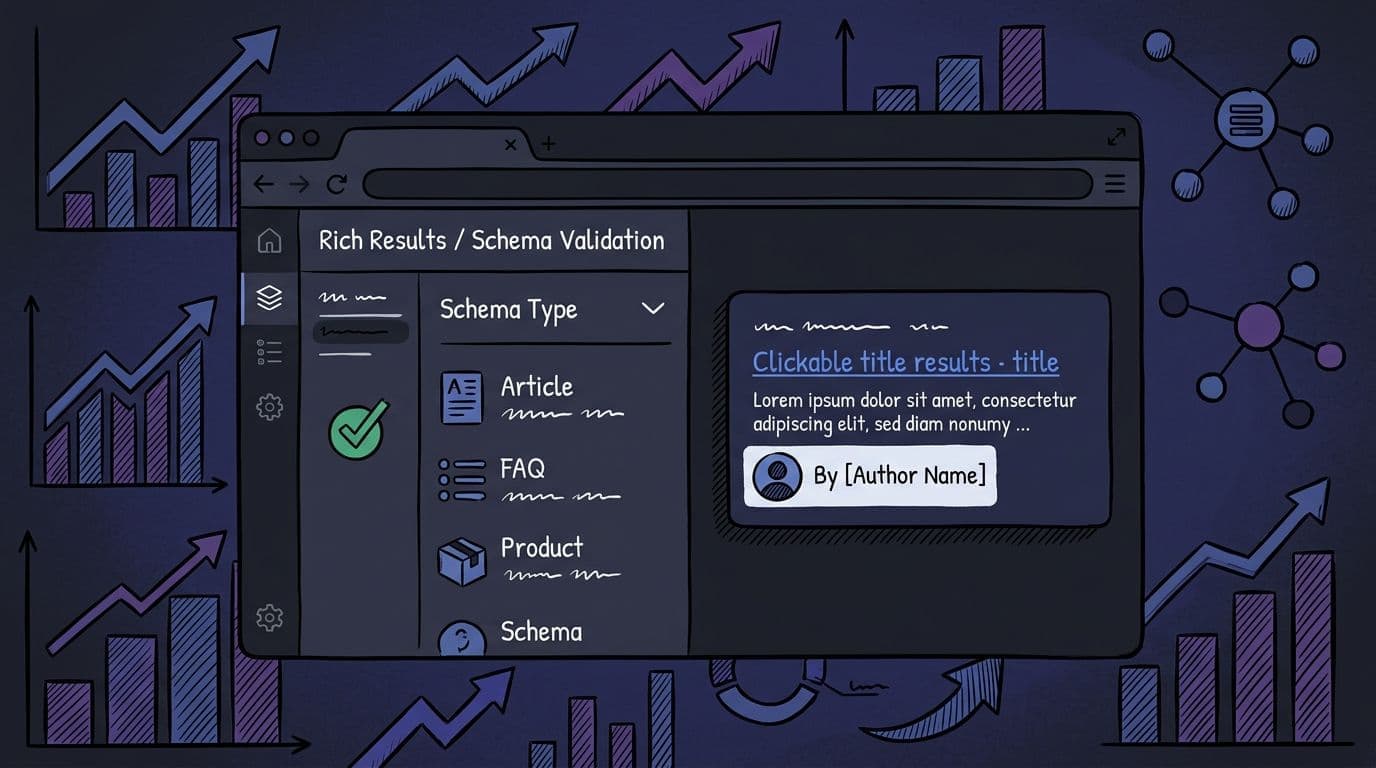
Three tools cover the validation layer:
- Google’s Rich Results Test parses a URL or raw code and tells you whether Google can use it for rich results. Run this on any post you audit or after any template change.
- Schema.org’s Schema Markup Validator is stricter than Google’s tool and catches spec issues Google’s test ignores. Use it if you’re working with less-common types or properties.
- Google Search Console’s Enhancements report monitors your live site over time. Watch for “valid with warnings” and “invalid” reports across your Article and BlogPosting types.
- Google’s Article structured data docs are the source of truth for what’s required vs recommended. Bookmark them.
What to actually check:
- Errors block rich results. Warnings don’t, but they often signal something to fix.
- Author name in schema matches the visible byline exactly. “Jane Doe” vs “Jane M. Doe” is a mismatch.
- Author URL returns a 200, not a redirect. Stale slugs after a rename are a common silent failure.
- Image URLs are absolute and crawlable. Relative paths break schema.
author.namecontains only the name. No publisher name, no job title, no “posted by”. Google calls this out specifically. UsejobTitleandhonorificPrefixfor the rest.
Common author schema mistakes that hurt you
- Fake authors with stock photo bios. Google’s spam policies cover synthetic personas, and a fake byline risks demotion (and looks bad to readers who notice).
- AI-generated author headshots. Same risk. If the photo is fake, careful readers can tell, and the photo provides no real entity signal. Use a real one.
- Inflated credentials in
jobTitleor bio. Don’t list yourself as “Senior Editor” on a one-person blog. - Schema author doesn’t match the visible byline. “Editorial Team” in the byline plus a specific Person in schema is a conflict. Match them, or pick the human and update both.
- Stale
sameAslinks. A broken Twitter from 2019 actively hurts entity disambiguation. Audit annually. - Assuming JavaScript-injected schema is broken. It isn’t. Google explicitly supports JSON-LD injected by JavaScript. Server-side rendering is still the safer default for the reason Google gives, that “not all bots can run JavaScript,” which in 2026 mostly means AI crawlers that don’t render at all.
- One author entity reused for multiple real people. This happens when an editor publishes posts under their own login that someone else wrote. Fix it by publishing from the actual author’s WordPress account.
Author schema FAQ
What is author schema?
Author schema is structured data (typically JSON-LD) that identifies the human author of a piece of content using schema.org’s Person type, usually nested inside a BlogPosting or Article object. It tells search engines which real person wrote the post in machine-readable form, separate from the visible byline that humans read.
What’s an example of author schema markup?
The simplest example is a Person object with three fields: name, url (linking to an author bio page), and ideally sameAs (an array of profile URLs on LinkedIn, Wikidata, etc.). See the copy-paste examples earlier in this guide for both minimum-viable and recommended versions.
What’s the difference between Person schema and Author schema?
There isn’t a separate “Author schema” type. author is a property on Article or BlogPosting that takes either a Person or Organization as its value. So when people say “author schema,” they almost always mean a Person object used as the value of an author property.
Does author schema improve rankings?
No. Schema isn’t a ranking factor, and Google’s own guidance says E-E-A-T isn’t one either. What author markup does is state authorship in a machine-readable way so Google has less guesswork about who wrote what. It does not create a rich result on its own, and it won’t rescue thin content. Don’t expect a Monday-launch, Friday-rankings effect.
How do I check if my site already has author schema?
Run any blog post URL through the Rich Results Test. If your site uses Yoast, Rank Math, or AIOSEO, you almost certainly have basic author schema already. Look in the rendered output for an author property with a Person object inside the BlogPosting or Article markup.
Where should I put the JSON-LD on my blog?
Inside a <script type="application/ld+json"> tag. Google supports JSON-LD in either the <head> or the <body>, so use whatever your CMS or template makes easiest. Placement does not affect whether Google picks it up. WordPress SEO plugins inject it server-side automatically.
Do I need author schema on every post?
If you show an author byline, yes. Inconsistency across an archive is worse than no schema at all. The whole point is signaling “this person wrote these things” across your site, which only works if every post has the markup.
Wrapping up
Author schema doesn’t make weak content rank, but for sites already publishing real work, it’s one of the cheapest technical changes you can make. Start with the minimum-viable JSON-LD above. Pick Person for any post written by an actual human. Fill out your WordPress user profiles so Yoast or Rank Math can output something useful. Add a real Wikidata entry if you can. Run validation after every template change.
If you’re also working on broader visibility in AI search engines (or want the framework-level comparison in our GEO vs SEO guide), strong author entities help there too. LLMs use the same entity signals Google does for grounding and citation, so a clean author schema setup pays off in both Google rich results and ChatGPT/Perplexity citations.

Article by
RightBlogger Co-Founder, Andy Feliciotti builds websites and shares his photography and travel adventures.

Automated SEO Blog Posts for Your Site
Research, write, publish, and share from one account.
7-day free trial. Cancel anytime.





Leave a comment
You must be logged in to comment.
Loading comments...