SEO Guide: Should You Put a Year in Your Blog URL?
Keep evergreen content year-free; reserve dated URLs for news, roundups, and time-bound updates.

Put a year in a blog URL, and you are making a promise. Sometimes that promise is useful. Sometimes it makes the page look older than it is.
That is the heart of year in URL SEO. The URL structure you choose can shape how people read your content, how often you reuse it, and how painful future updates become.
If you have been torn between a dated URL and a clean evergreen one, you are not alone. The right choice depends on how long the post should stay useful, not on a one-size-fits-all rule. Carefully choosing between these formats is a fundamental step in building SEO-friendly blog URLs.
Key Takeaways for Year in URL SEO
- Evergreen URLs are usually the best choice for blog posts that need to maintain search rankings and continue generating shares over time. These stable URLs provide the flexibility to refresh your content annually without needing to update the link structure or lose authority.
- Year-based URLs work best when the topic is tied to a specific moment, such as news, annual reports, or seasonal trend roundups. If the year is part of the promise you make to the reader, it belongs in the URL.
- The year that earns clicks usually belongs in your title, not your URL. Google shows your site name and a breadcrumb trail in search results rather than the full link, so a year at the end of a slug often never reaches the reader at all.
- Changing a dated URL later is possible, but you must handle redirects with care to preserve your site authority. A clean transition is essential to protecting the user experience and ensuring your traffic remains consistent during the migration process.
Why Year-Based URLs Feel Safe
A year in the URL feels tidy. It tells readers the page was written for a specific time, which serves as an immediate indicator of content freshness.
There is a catch, though. The year a searcher actually sees is usually the one in your title, not the one in your URL. Google now shows your site name and a breadcrumb trail in place of the full link, so a year sitting at the end of a slug frequently never reaches the reader. That splits the decision in two: you can put the year in the title, where it does the click-through work, and leave it out of the URL, where it only creates maintenance debt.
That matters when the post is built around a calendar moment. A post like 2026 Social Media Trends makes sense because the year is part of the value. No one expects that page to stay untouched forever.
The problem starts when the year is only there because it feels organized. A URL like /2026/best-email-tools/ can start to look stale even if the article is still useful.
Once the next year rolls around, you have an awkward question on your hands: do you keep the old URL, or change it and deal with the technical cleanup?
That is why a year-based slug can become a self-imposed deadline. It nudges you into rewriting or replacing content more often than you may actually need to.
Why Evergreen URLs Usually Win
Evergreen URLs are boring in the best way because they do not age in public.
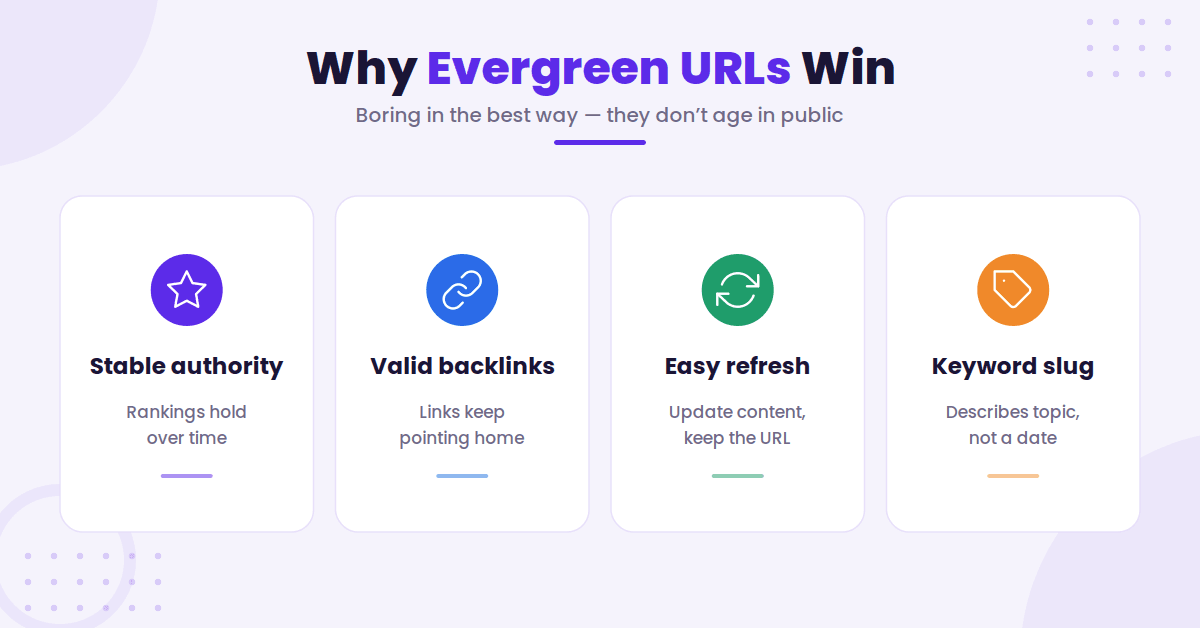
A clean slug like /best-email-tools/ gives you more room to improve the post later. You can update examples, swap screenshots, refresh stats, or add new sections without making the URL feel out of date.
Evergreen URLs are often the safest choice for content that should stay useful for years. When the URL stays put, links pointing at it keep resolving with no redirect in the middle. Google says permanent redirects do not lose PageRank, so a correct 301 is not the risk here. The risk is operational: redirect rules get dropped during migrations, chained, or misconfigured, and every hop is one more thing that can break. A URL you never have to change is a URL you never have to maintain.
If you want a refresher on the kind of content that keeps paying off, Smart Insights’ evergreen content guide is a solid read. The main idea is simple: content that stays relevant deserves a URL that does not expire.
This commitment to URL permanence also makes your links easier to trust. When another site points to your article, they are linking to a path that still makes sense next year.
Furthermore, focusing on descriptive keywords in URLs is a much more effective strategy than including dates. It tells search engines exactly what the topic is without forcing you to swap numbers like a calendar on the wall every January.
What the URL Slug Really Changes
Here is the part most people miss. While the URL is technically a ranking factor for search engines, its role is often overstated.
The slug does not do all the heavy lifting, but it does shape expectations for both algorithms and human users.
Readers notice URLs more than they admit. A dated path can make a page feel like an archive, even when the content is fresh. Conversely, a clean URL feels more flexible, which can positively impact your click-through rate when someone decides whether to click, save, or share the post.
It is important to remember that search engines look at the entire page, not just the slug. Your page title and the update date shown on the page do more work than the slug, both for readers deciding whether to click and for Google working out how current the page is. Bumping a date without meaningfully changing the content does not move rankings, though.
Google also documents a family of freshness systems. Its ranking systems guide describes “various query deserves freshness systems designed to show fresher content for queries where it would be expected.” Note the scope: that applies to searches where recency is expected, not to every query. Where it does apply, the signal Google acts on is the content itself, not the year in your URL.
Still, the slug matters because it is part of the page identity. It shows up in browser tabs, backlinks, and internal links.
Once a post is indexed, changing that URL requires careful redirection. If you are building a new post and want to ensure you are using SEO-friendly URLs, the SEO permalink generator can help you trim extra words and keep your structure concise.
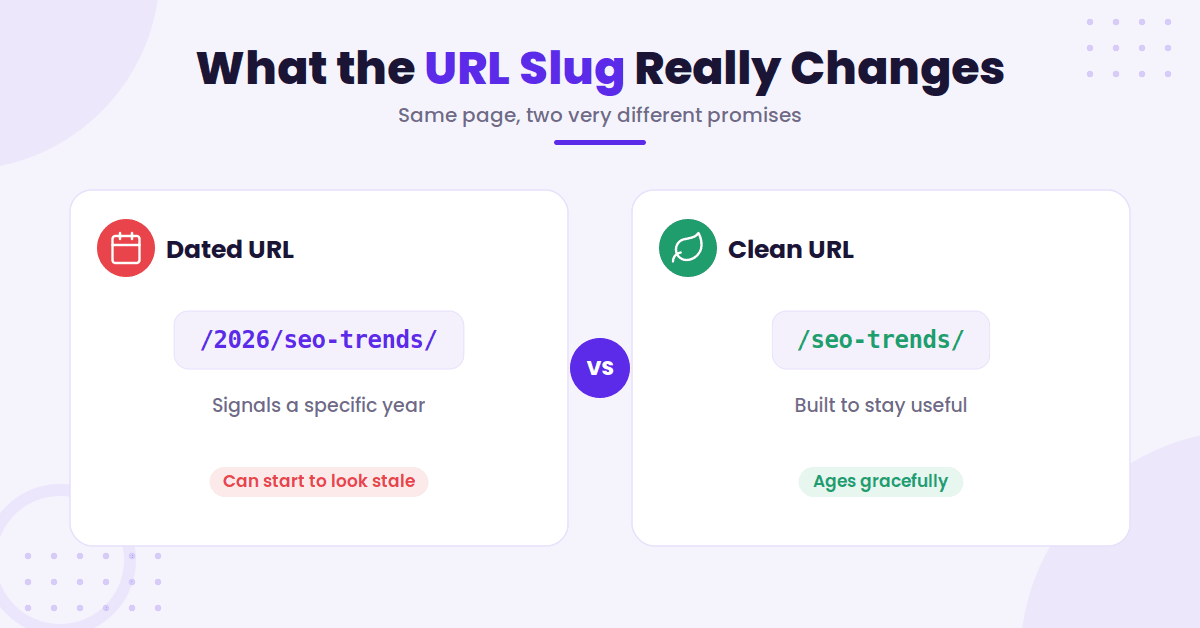
A simple example helps:
/2026/seo-trends/says the page belongs to a specific year./seo-trends/says the page is meant to stay useful.
Both can work, as they simply send different signals to the reader and the crawler.
When a Year in the URL Makes Sense
A year in the URL isn’t wrong. It just needs a reason.
If the page is tied to a fixed moment, the year earns its place, because a date gives helpful context when the topic belongs to a specific time.
From an architectural perspective, including a year can help organize your site hierarchy, especially if you want to keep your root URL clean by sequestering time-sensitive content into specific folders. For these pages, pick one convention and hold to it across the site. Usually the slug year should match the year the content covers, which is not always the year you published it. A trends roundup that goes live in December 2025 to cover the year ahead belongs at /2026-trends/, not /2025-trends/. Google publishes no guidance either way, so the real test is whether a reader can predict what the URL contains.
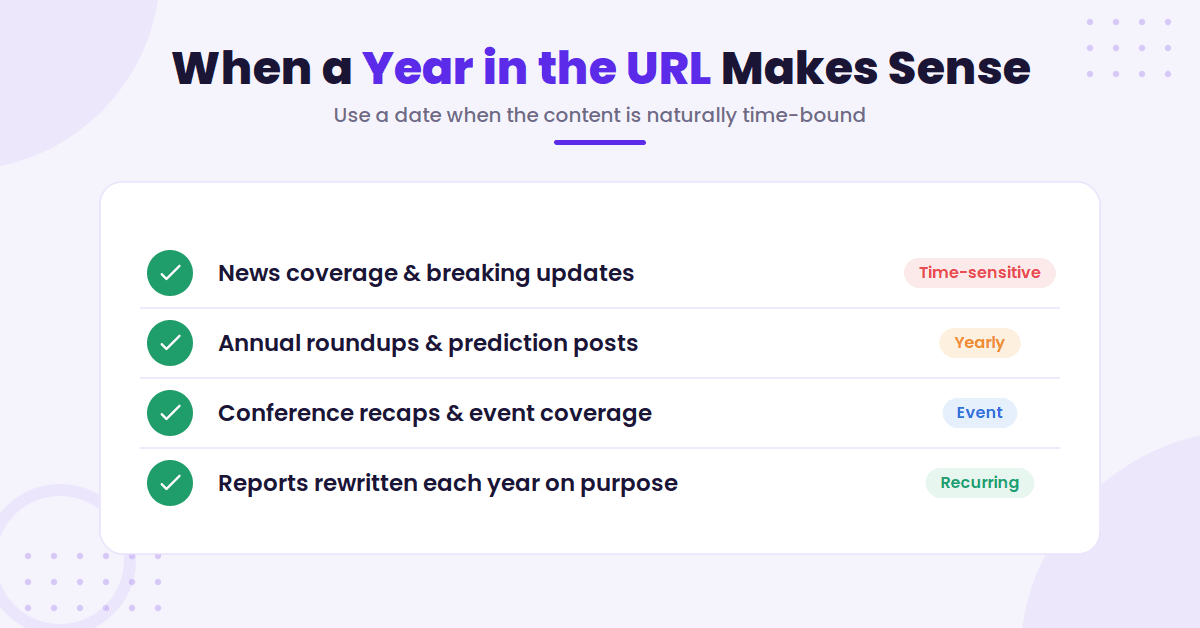
Use a year when the content is naturally time-bound, such as:
- News coverage and breaking updates.
- Annual roundups and prediction posts.
- Conference recaps, product launches, or event coverage.
- Reports that get rewritten each year on purpose.
In those cases, the year isn’t clutter. It is context. It tells readers what kind of page they are opening.
If the post would feel incomplete without the date, keep it. If the date is just there because you copied a pattern from an old post, leave it out.
How to Choose the Right Structure for Your Blog
The best way to decide is to think about shelf life. How long should this page stay useful? Choosing the right URL structure is essential for long-term SEO success.
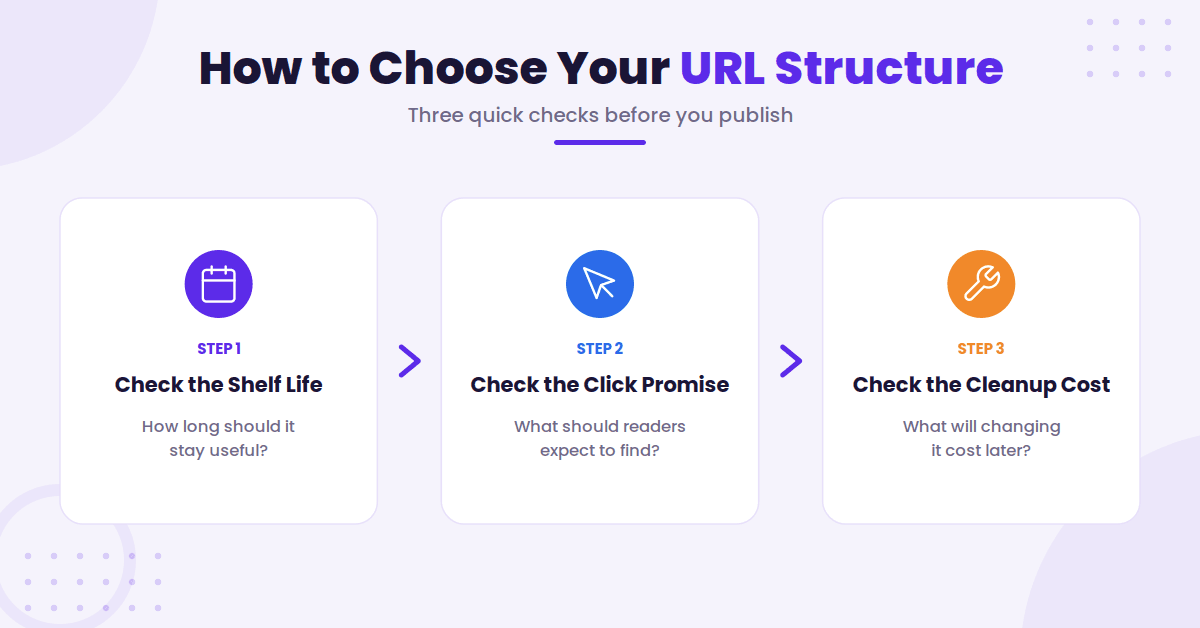
Check the Shelf Life
If you expect to update the article for years, give it an evergreen URL. That keeps the link stable while the content changes underneath it, which strengthens your internal linking over time.
Keeping your evergreen resources at a low click depth makes them easier for both users and search engines to find.
If the post will age out fast, or if you plan to publish a fresh version every year, a dated URL can make the page easier to understand.
The key is honesty. The URL should match the real lifespan of the content.
Check the Click Promise
Ask yourself what a reader should expect before they open the page. A year in the slug can help when recency matters, but it can also hurt when people want a long-term resource.
You can signal that your content is fresh through your page titles and by displaying a recent updated date on the page itself. This allows you to maintain an evergreen URL while still assuring the user that the information is current.
That is why best tools for 2026 feels different from best tools for bloggers. One is a snapshot, while the other is a reference. Choose the structure that matches the promise you are making to your audience.
Check the Cleanup Cost
Changing URLs later is never free. You may need redirects, updated internal links, refreshed references, and a bit of patience while search engines process the move.
If you are starting fresh, keep the path simple now and save yourself the headache later.
If you are still unsure, write the title for the reader and keep the slug as plain as possible. The title can carry the year if you want it, but the URL does not always need to.
If You Already Have Date-Based URLs
Don’t rip out every year from your site just because evergreen URLs sound cleaner.
If a post remains tied to a specific time, leave it alone. Maintaining stable URLs is often more beneficial for your SEO than chasing a perfect structure that risks breaking existing backlinks.
A dated archive can be useful for readers, and preserving those links is often better than creating a site migration headache.
If your content is truly evergreen and the year no longer provides value, a URL change might be worth the effort. To do this correctly, implement 301 redirects so users and search engines land on the updated path.
Google states plainly that permanent redirects do not cause a loss in PageRank, so a correctly built redirect is not bleeding authority. Two practical notes from that same guidance: keep the redirect live for at least a year, and give the change time to settle. Google says a medium-sized site can take a few weeks for most pages to move in its index, and the move happens URL by URL rather than all at once.
After the move, you must audit your internal linking structure to point to the new location. Then monitor your site crawlability to ensure everything is indexed correctly.
Use Google Search Console as your primary tool to track the migration. It will tell you if the switch is smooth or if you are running into indexing errors.
The safest rule is simple: only update your URL structure when the new version provides a significantly better user experience and the old date-based slug is actively preventing the content from ranking or performing as expected.
Frequently Asked Questions
Here are a few additional questions you might have.
Does having a year in my URL hurt my SEO rankings?
Including a year is not inherently harmful to your SEO if the content is truly time-bound. However, it can negatively impact your click-through rates if the year makes your content appear outdated or irrelevant to users searching for current solutions.
Can I remove the year from an existing URL later?
You can, but it requires careful implementation of 301 redirects to ensure you do not lose your established search rankings or backlinks. You should only perform this change if the content is intended to be evergreen and the current dated URL is actively discouraging clicks.
Should I include the year in the page title if I omit it from the URL?
Yes, including the year in your title tag is an excellent strategy for staying relevant in search results without committing to a dated URL structure. This allows you to update your title annually as needed while keeping the underlying link stable and clean for long-term SEO benefits.
How do I decide if a post is truly evergreen?
If the core information in your article remains useful and accurate regardless of the current calendar year, it should be treated as evergreen. Content that serves as a permanent reference or guide is best served by a stable, clean URL that does not require seasonal updates.
Final Thoughts on Year in URL SEO
The year is not the villain here. The mismatch between your URL structure and your content strategy is.
If a post is meant to stay useful for a long time, an evergreen URL gives you more room to grow. If the page is tied to a specific moment in time, a dated URL can be clear and honest. The trick is picking the structure that matches the intended shelf life of your content.
That is the real test when it comes to year in URL SEO. Remember that search engines value relevance and longevity, so you should focus on more than just the characters in your link.
Instead of asking which option sounds more organized, ask yourself which URL will still make sense when the post is doing its job six months, or even six years, from now.

Article by
RightBlogger Co-Founder, Ryan Robinson teaches 500,000 monthly readers to grow online businesses and is a recovering side project addict.

Automated SEO Blog Posts That Work
Try RightBlogger for free, we know you'll love it.
7-day free trial. Cancel anytime.





Leave a comment
You must be logged in to comment.
Loading comments...