How to Make a Free Blog Automation in 5 Minutes with RightBlogger
Connect your site, choose keyword or YouTube-based posts, and review automated drafts before they go live.

If you want to grow your website traffic without losing your creative edge, using a free blog automation tool is one of the smartest ways to reclaim your time while keeping your site’s growth on autopilot.
In this quick video tutorial & guide, I’ll show you how to use RightBlogger’s free blog automation software to bridge the gap between AI efficiency and human-led quality. This guarantees your site stays fresh, relevant, and consistently updated without the manual grind, and without managing endless AI chat threads.
The big win with blog automation is simple. Connect your site with a direct integration, create a project to train your AI, then plan your automated content calendar. This process keeps your workflow fast, still with human quality control.
Free Blog Automation Quick Action Steps
- Create your Project and connect your website with an integration to enable automatic publishing in your own voice from the Content Planner.
- Use RightBlogger’s WordPress plugin for the fastest setup on WordPress sites.
- Set up your free automation by either keyword (topic) or by YouTube channel, to streamline your SEO-optimized blog automation.
- Pro tip: During your free trial, keep your automated posts in draft mode to allow for manual review before they go live.
Now, here’s a more in-depth look at how to set up your free blog automations using RightBlogger.
Blog Automation That Keeps Your Posts Ranking

RightBlogger finds keywords, writes SEO articles, and publishes them to your blog. Then its Site Agent uses your Search Console data to keep older posts in shape, adding internal links, sharpening weak meta descriptions, and fixing stale years and broken links. Join 51,000+ bloggers using it to grow traffic from Google and ChatGPT.
1. Connect Your Site and Start the Trial
After creating an account, tell RightBlogger what your site is about. That gives the AI system context to understand your brand voice, niche (topics), and develop a content strategy, so you’ll get topics that are designed to bring more customers to your business.
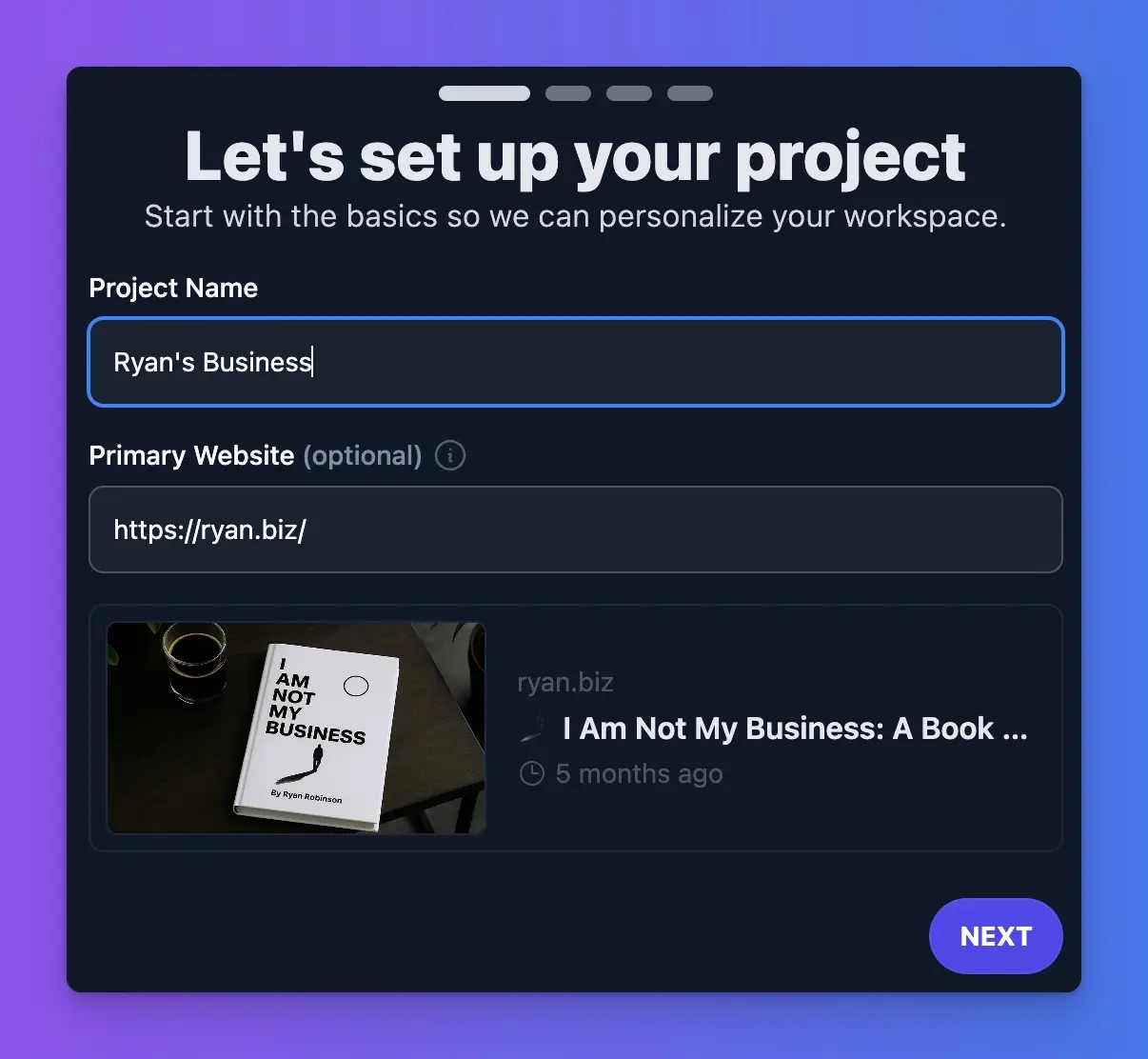
Next, you’ll connect your website. This is the step that unlocks automatic publishing from inside the Content Planner.
RightBlogger integrates directly with WordPress, Ghost, Webflow, Wix, Shopify, and other common CMS platforms, offering multi-site capability for users managing multiple sites. For the bigger picture, see our features overview to learn how the full system fits together.
Once your site connection is setup, you’ll start your 7-day free blog automation trial. That activates the Content Planner, which is where the scheduling and automations happen.
2. Integrate Your Website (and Install the WordPress Plugin)
WordPress is the most common setup, making it the best starting point for no-code blog automation with RightBlogger. For the full walkthrough, use the RightBlogger WordPress plugin setup guide.
In your WordPress dashboard, go to Plugins > Add Plugin, search for RightBlogger, then click Install Now and Activate. You can also get it from the RightBlogger listing on WordPress.org. After that, go to Settings > RightBlogger, click Connect to RightBlogger, choose the relevant project, and let the connection finish.
Once it’s working, a green connected message appears. RightBlogger also detects SEO plugins, like Yoast SEO or Rank Math, so the publishing setup stays in sync with SEO optimization and meta tags.
3. Use the Content Planner to Schedule Automated Blog Posts
Once your site is connected, the Content Planner becomes your primary control center for managing your automations & overseeing your content marketing strategy.
You can add a single post with New Post button, or make a repeating automation to schedule posts using the Automations button.
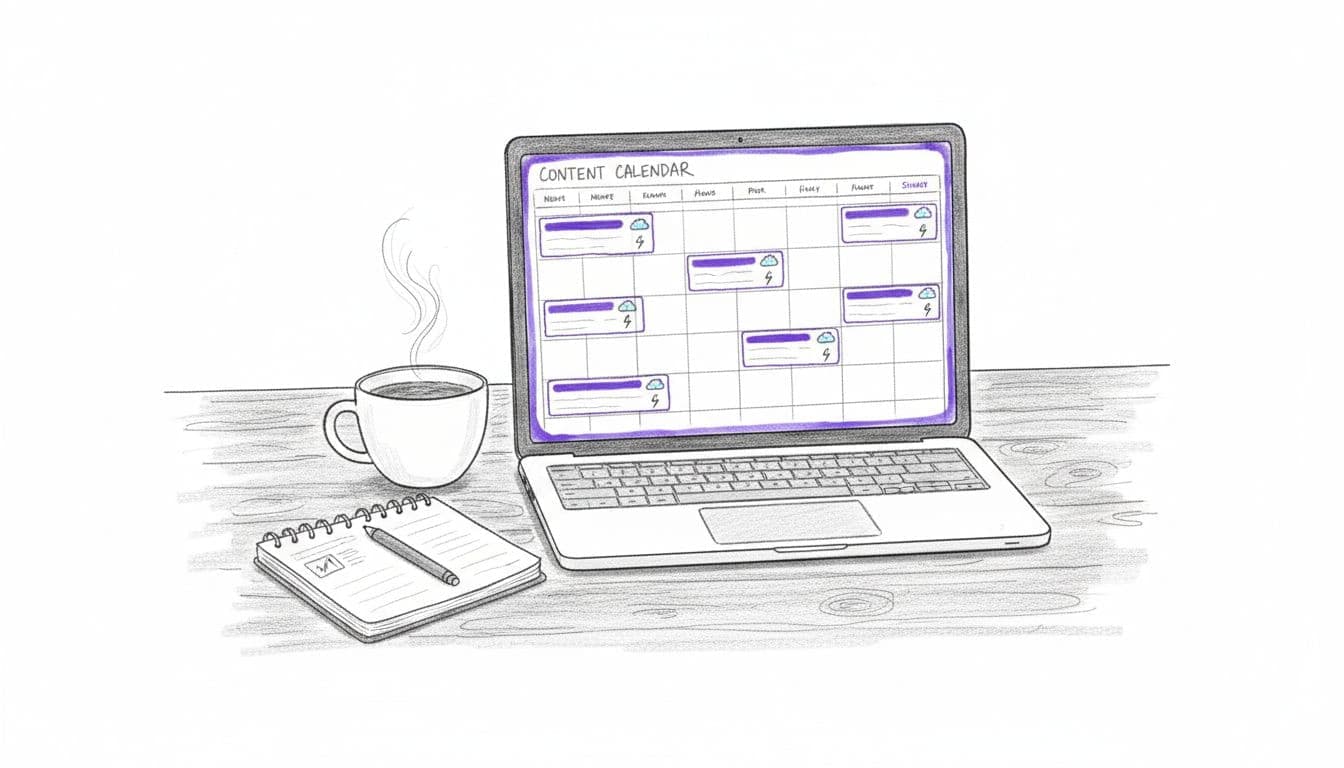
The calendar view makes things easy to scan, linking your keyword research and optimization overview in one single place. You can see scheduled content, keyword volume, and the optimization score for each article.
Once your automation is active, a small green lightning bolt appears on the calendar inside the day when your next blog automation is set to run.
To add content at any time, hit New Post and create one article. RightBlogger then pulls smart AI topic suggestions based on the site’s existing content. For more control over timing, check out our Content Planner scheduling guide.
4. Choose the Right Automation Options and Keep Control
RightBlogger has two types of blog automation options, based on keywords (topics your site should rank for) or videos uploaded to your YouTube channel.
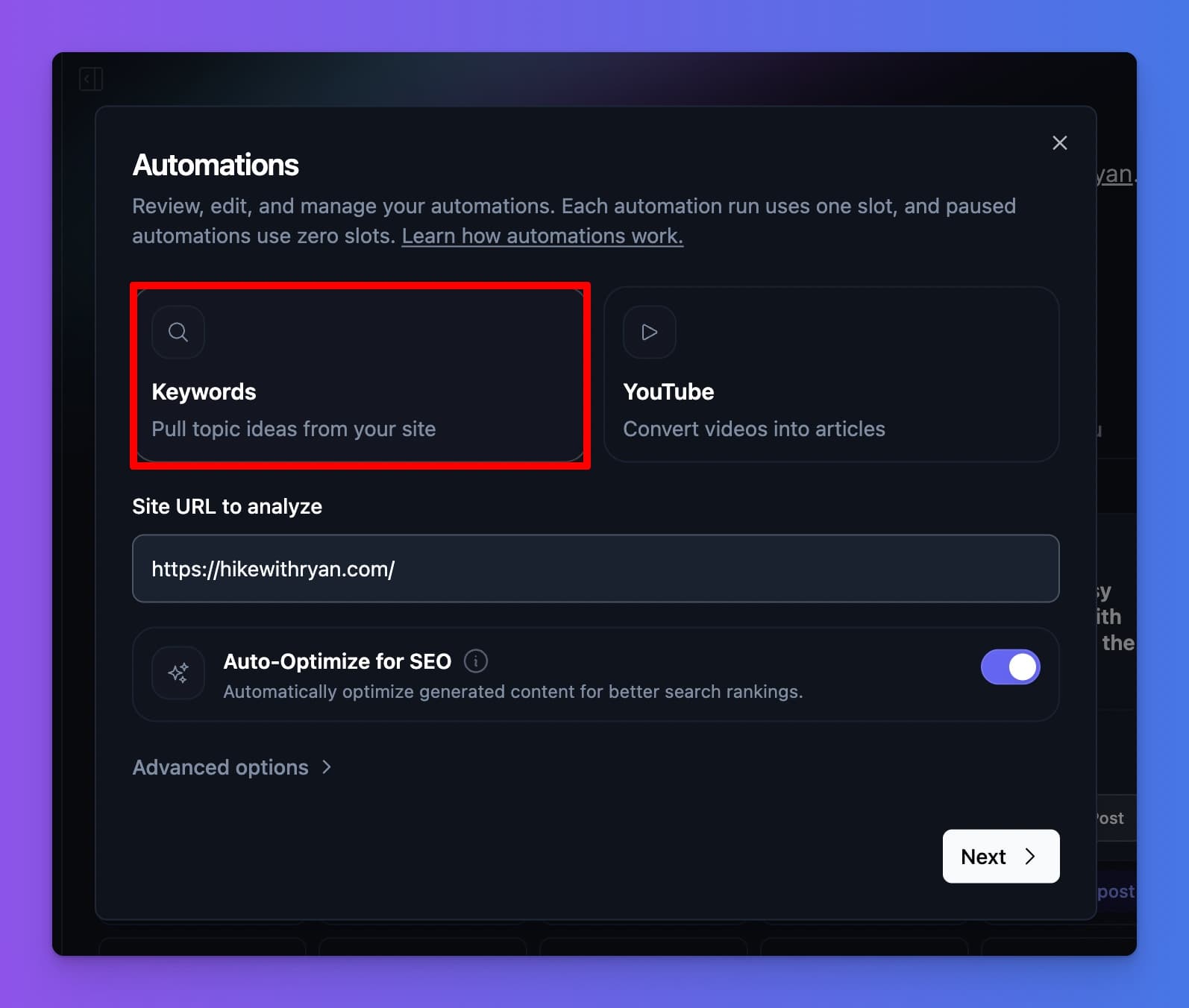
The first automation type is keyword-based, which builds topics from what the site already covers, and what it still needs to cover in order to earn more traffic from Google and score AI citations in platforms like ChatGPT.
The second automation type connects to a YouTube channel and turns new video uploads into AEO and SEO optimized blog posts.
Article generation for all automations is powered by the most powerful AI models available for high-quality results, with multiple rounds of optimization and refinement in order to land at truly rank-worthy AI generated content.
After picking your automation type, choose the day of the week you’d like your free blog automation to run, confirm the connected website, and click Create Automation.
👋 Every RightBlogger plan includes blog automation. The Solo plan gives you everything you need to get started, and the Pro and Agency plans allow for multiple automated posts per day. See pricing here.
During your free trial, I recommend setting your automated posts to appear as drafts in your site, so you can edit and review each article before it goes live.
Inside Settings, then Planner Options, you can change the publish time. In the integration settings, you can also switch between draft and published mode.
FAQs About RightBlogger’s Free Blog Automations
Here are a few of the most common questions we get about our free blog automations inside RightBlogger.
Can I publish as drafts instead of live posts?
Yes. You can toggle the integration so your automated blog posts arrive as drafts, which I do recommend during your free trial, especially for niche sites.
What do RightBlogger plans include for automation?
All RightBlogger plans (Solo, Pro, and Agency) include blog automation through the Content Planner. You can test the full workflow during your 7-day trial, including bulk content generation and scheduling.
Is there a money-back guarantee?
Yes. RightBlogger offers a 30-day money-back guarantee, so you can try the automation system risk-free. Create an account, connect your website, and start testing the features right away.
Can I turn YouTube videos into blog posts?
Yes. By connecting a YouTube channel, RightBlogger can automatically detect new videos when they’re uploaded, generate fully SEO-optimized blog posts based on video transcripts, and schedule them to publish directly on your website.
Can I automate social media posts with RightBlogger?
RightBlogger is primarily focused on automating the creation and publishing of blog content, but you can use the automated articles to fuel your social media strategy. Once your posts are published or saved as drafts, you can easily repurpose the content using our many social media generation tools to maintain a consistent presence across your social platforms.
Scaling Your Free Blog Automation System
Once your free blog automation setup is finished, the hard part is done. Your site is connected, the Content Planner is active, and the first posts are already lining up on your calendar.
With your automation running smoothly, focus next on internal linking and topic research to boost your site’s performance even more. This automation workflow is ideal for marketing agencies, teams, and creators looking to scale efficiently.
If you need an assist, reach out to us at contact@rightblogger.com anytime.
Blog automation is effective for more than 49,279+ of our customers because it’s simple. It saves time while getting your site in front of more customers. All while you stay in the driver’s seat.
Now that you know how simple it is to get started, you can stop manually posting with the help of ChatGPT and use our purpose-built free blog automation system.
Start your free blog automation trial by connecting your site to RightBlogger today.
Blog Automation That Keeps Your Posts Ranking
RightBlogger finds keywords, writes SEO articles, and publishes them to your blog. Then its Site Agent uses your Search Console data to keep older posts in shape, adding internal links, sharpening weak meta descriptions, and fixing stale years and broken links. Join 51,000+ bloggers using it to grow traffic from Google and ChatGPT.

RightBlogger Co-Founder Ryan Robinson teaches creators how to grow online businesses and build smarter blog workflows.
![How to Automate Blog Posts in 2026 [Step-by-Step Guide]](/_next/image?url=https%3A%2F%2Fcms.rightblogger.com%2Fwp-content%2Fuploads%2F2025%2F12%2Fautomate-blog.jpg&w=1200&q=75)

Automated SEO Blog Posts for Your Site
Research, write, publish, and share from one account.
7-day free trial. Cancel anytime.





Leave a comment
You must be logged in to comment.
Loading comments...