Automated AI SEO Optimization: Set Up Once, Grow Faster
Each scheduled post can use one SEO Report credit to reach an 85–95 score before publishing.


If (like me) you’ve ever felt like consistently publishing great content is already hard enough… and then AI & SEO-optimization comes along and adds a whole second job into the mix, this upgrade in our Autoblogging Content Planner is for you.
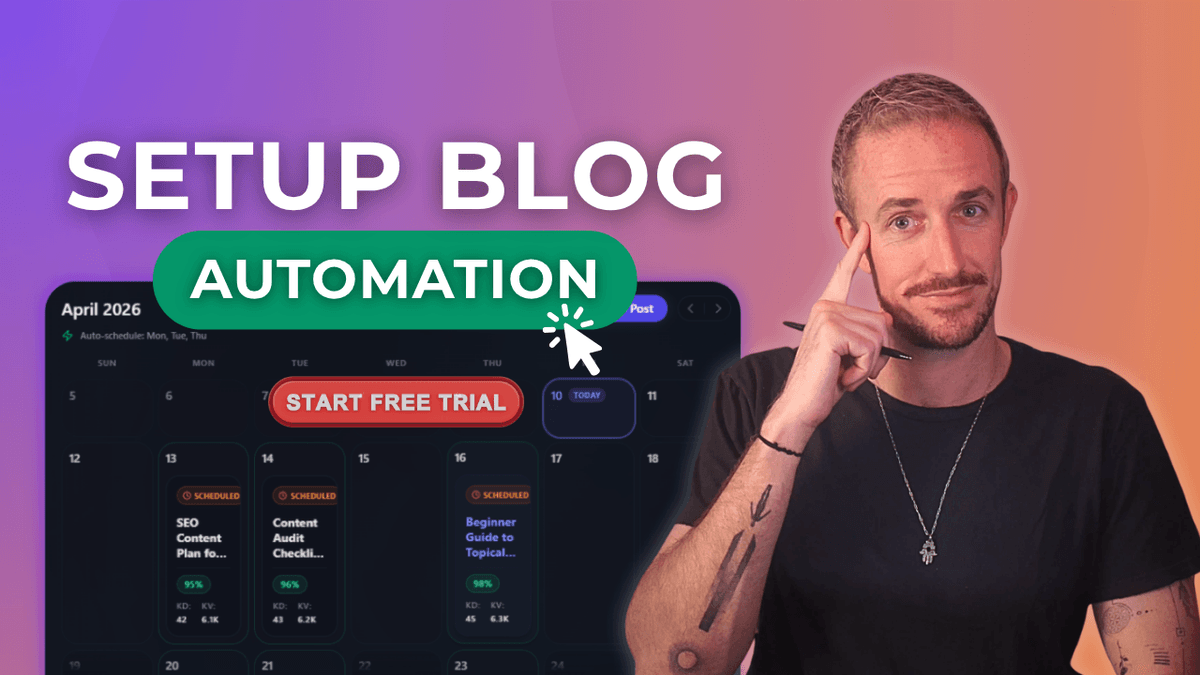
Inside RightBlogger’s Content Planner, you can now turn on automated AI SEO optimization for all your scheduled blog posts using our powerful SEO Reports. This means your content is better positioned to rank higher in Google, drive more organic traffic, and earn more citations in AI platforms like ChatGPT… all without adding extra steps to your content workflow. Watch how:

In the video above and in today’s walk through, I’m sharing the two new ways to set up automated AI SEO optimization for all your content automations, plus how to keep your SEO Report credits topped up with flexible add-ons to your plan.
Blog Automation That Keeps Your Posts Ranking

RightBlogger finds keywords, writes SEO articles, and publishes them to your blog. Then its Site Agent uses your Search Console data to keep older posts in shape, adding internal links, sharpening weak meta descriptions, and fixing stale years and broken links. Join 51,000+ bloggers using it to grow traffic from Google and ChatGPT.
Key Takeaways on Automated AI SEO Optimization
- Using the right automated AI SEO tools like RightBlogger, you can enable scaled up auto AI SEO optimization for every new blog post that’s created for your site, improving your Google rankings and earning more ChatGPT citations.
- Each automated optimization uses an SEO Report credit, and it happens before content is sent to your site via RightBlogger’s Content Planner.
- All of your content will be optimized to the green score range (about 85 to 95) using our SEO Reports, positioning you for the quickest organic traffic gains.
What this Automated Content Planner Upgrade Actually Does
The Content Planner is my home base for automations inside RightBlogger, where I fully automate the research, creation, and publishing of AI SEO-optimized blog posts. This is especially useful when I’m publishing a lot or managing more than one site.
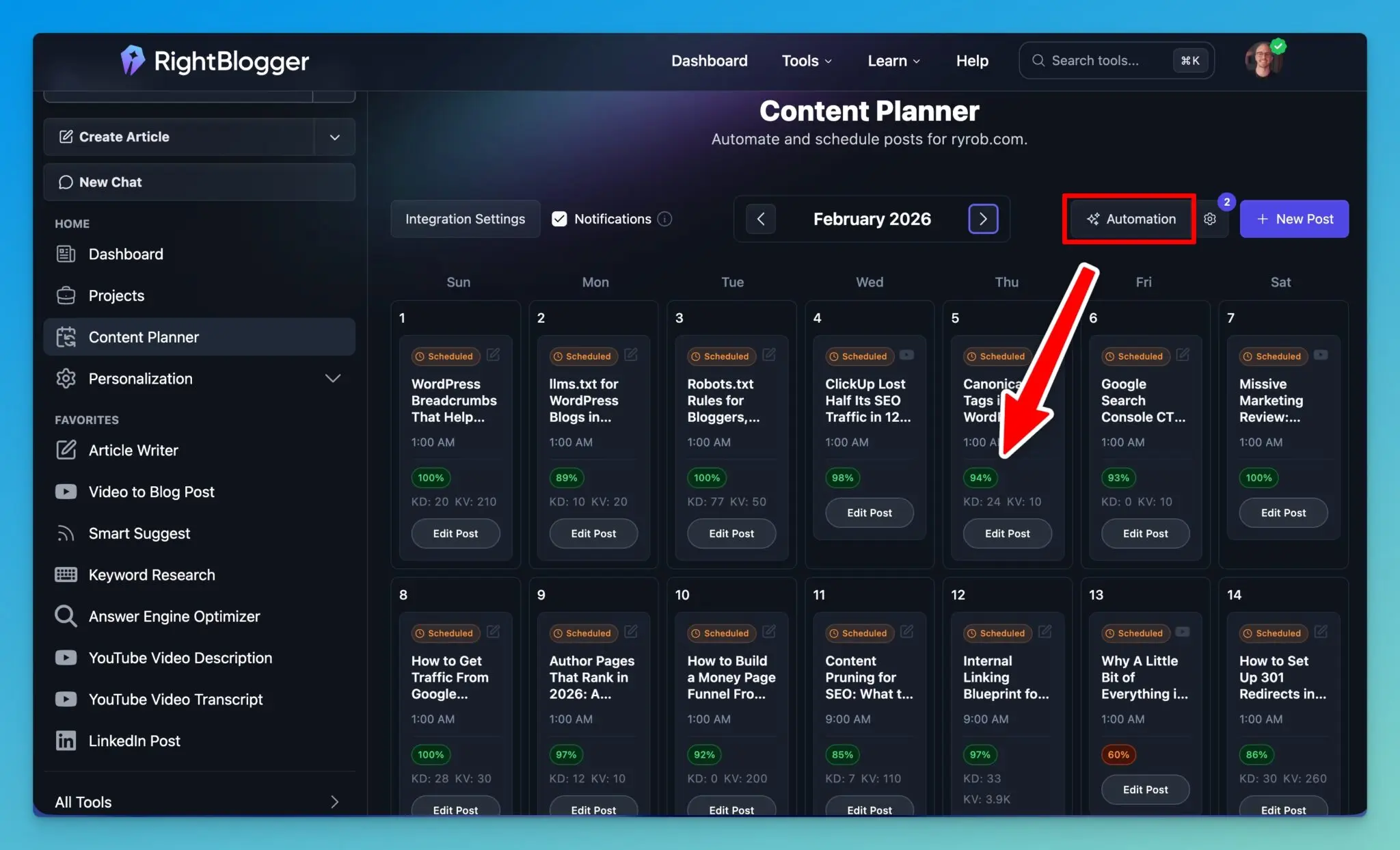
This specific new feature (Automated AI SEO Optimization) is available on Pro and Business plans, and it’s built for publishing consistent content that drives more organic traffic to your site.
The big shift: SEO Reports are no longer something I run “after the fact” when I remember or have the time. I can attach AI SEO optimization to each scheduled blog post itself, so the research and optimization happens through automated workflows as each post gets generated and sent via integrations to my WordPress blog.
If you’re already using an autoblogging calendar, this fits right in. If you’re new to this party, create a RightBlogger account today and try our AI-powered autoblogging scheduler to see how the planner, scheduling, auto-publishing, and optimization components all seamlessly connect.
Option 1: Automatically Optimize Every Blog Post Using Automations
If you already have automations running in your Content Planner, this is the fastest setup because it applies AI SEO-optimization to every blog post you publish, moving forward.
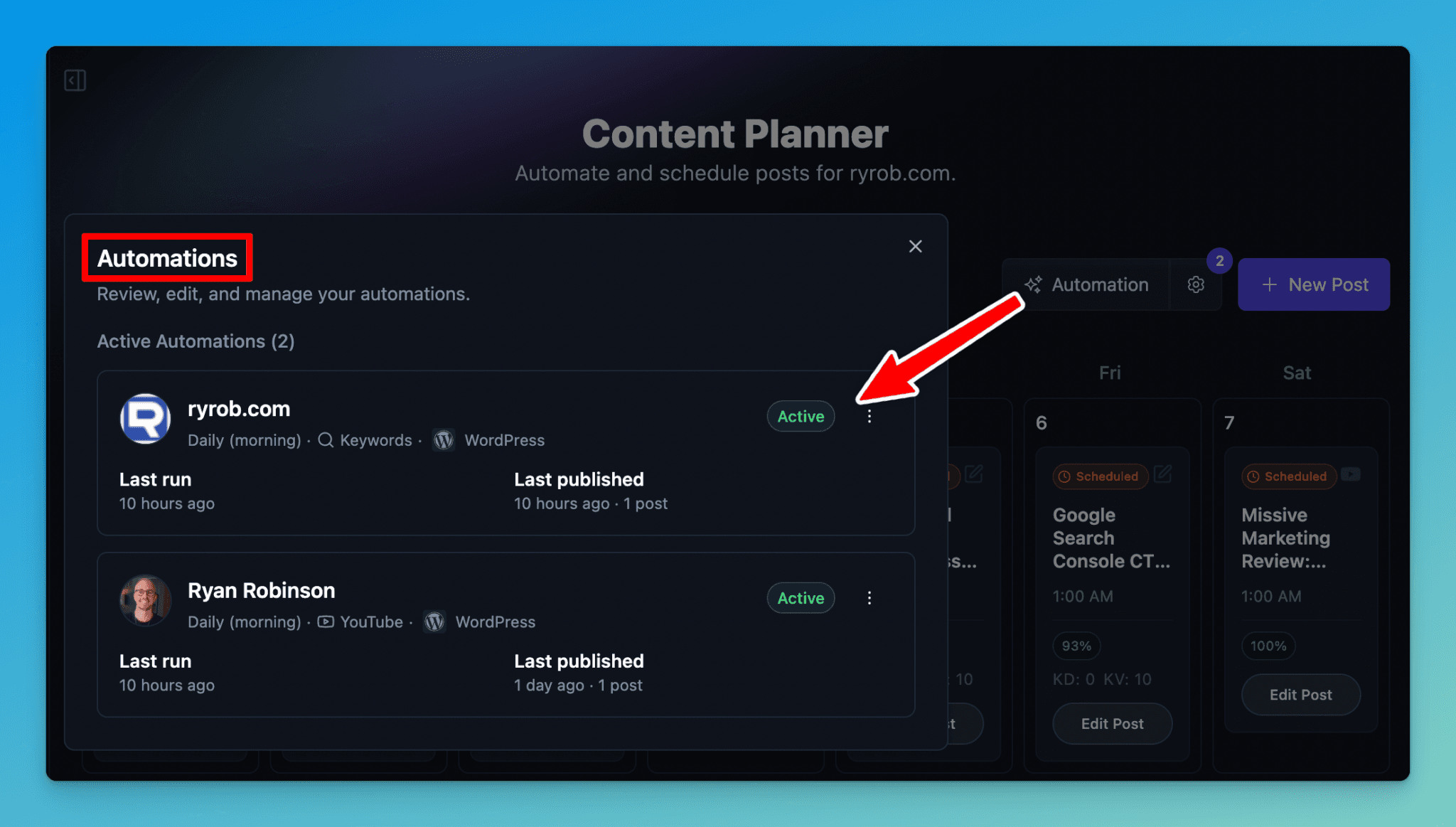
Start by going into the Content Planner and opening the settings (the gear icon). From there, find the automation you want to add Auto SEO-optimization to, and hit the ••• icon and ‘Edit Automation’ button.
Inside the automation settings, there’s now an Auto-Optimize for SEO checkbox, which activates the use of RightBlogger’s AI SEO-optimization:
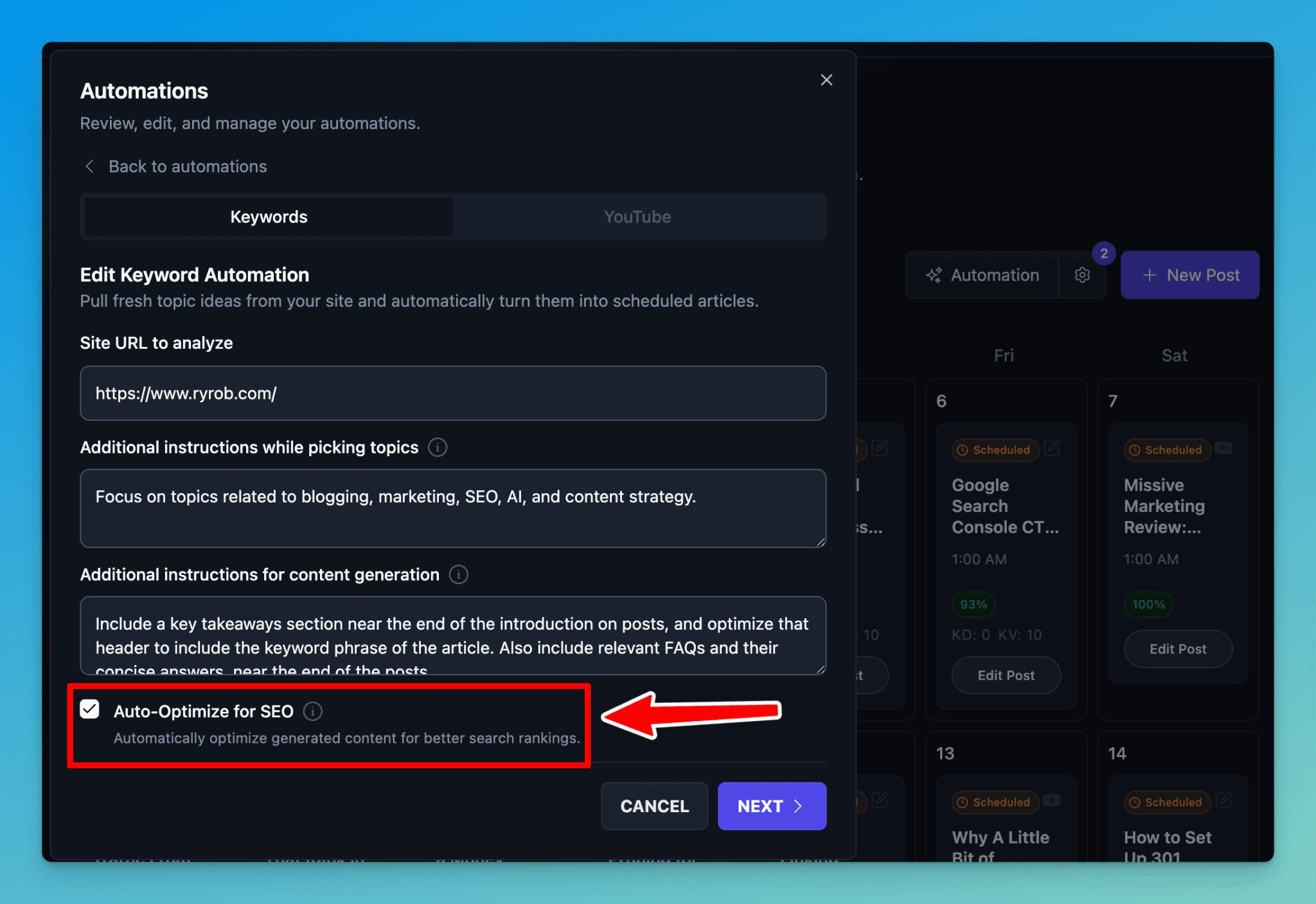
Once enabled, here’s what happens every time an automation runs:
- One SEO Report credit is used
- Your blog post gets researched and optimized for SEO and AI platforms like ChatGPT and Google AI Overviews at the same time
- The optimized version, complete with SEO meta title and description, is sent to my connected site via RightBlogger’s integrations, automatically
After I check the box, I click next, double-check the rest of the automation settings, then hit update. From that point on, every new post this automation adds to my planner arrives with AI SEO optimization already handled, factoring in my brand voice.
If you want the broader walkthrough on setting up automations using our Content Planner, check out my step-by-step RightBlogger automations guide.
Option 2: Turn on Auto Optimization for a Single Scheduled Post
Sometimes I don’t want to change an entire automation, or I might not want every single post to come out fully optimized (using up all my SEO Reports too quickly). Maybe I just want to add one single post to my Content Planner and make sure it’s optimized before it hits WordPress.
You can do that too. In the Content Planner, just hit the New Post button:
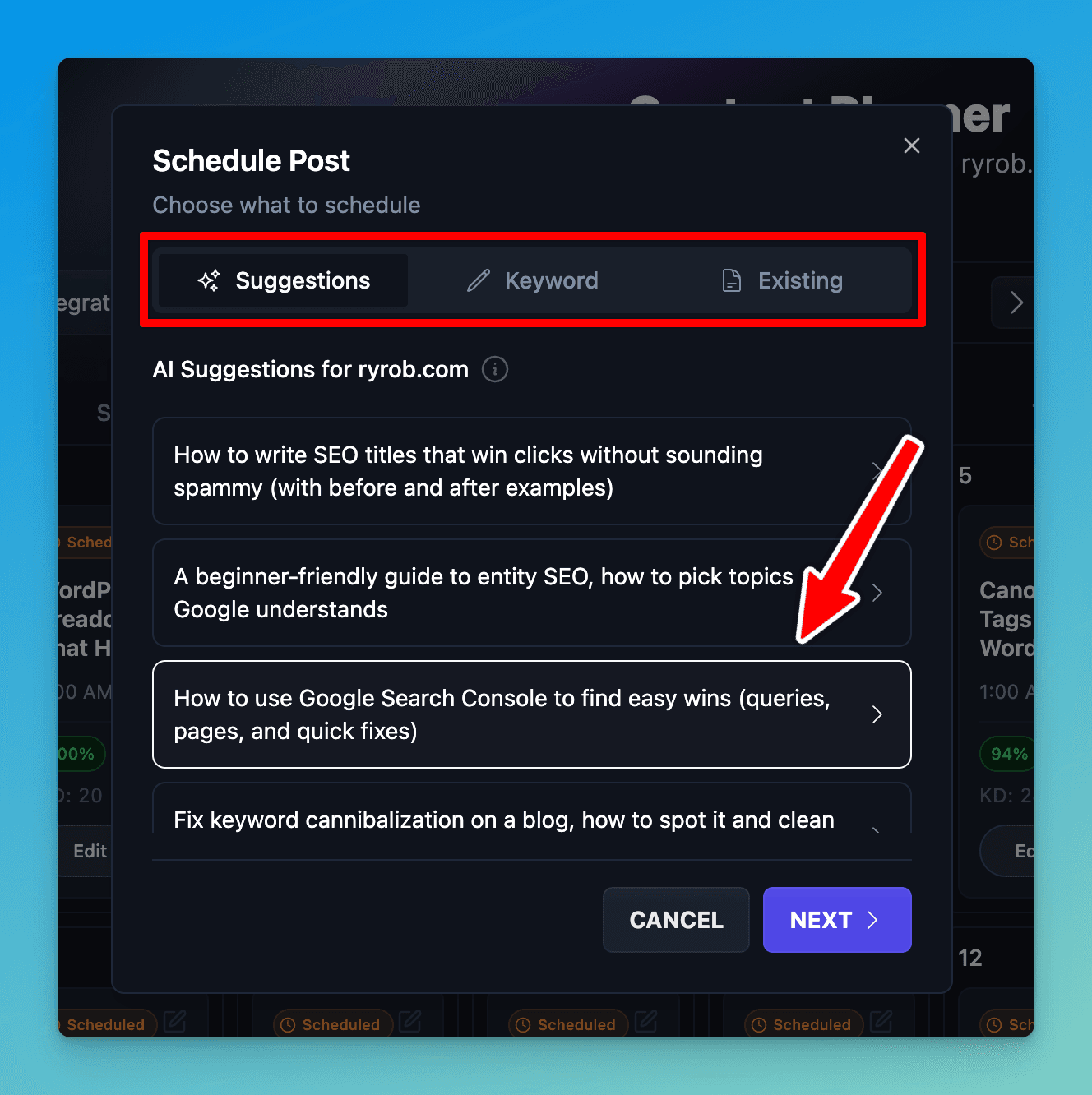
From here, you can choose a topic in a few different ways:
- Use AI-powered suggestions based on your connected site (it researches search intent to determine what makes sense for your website, including long-tail keywords with clear SEO traffic potential)
- Do keyword research and type in your own keyword/topic directly
- Choose from content that already exists inside your RightBlogger account
Before I schedule it, I make sure the Auto Optimize for SEO toggle is enabled:
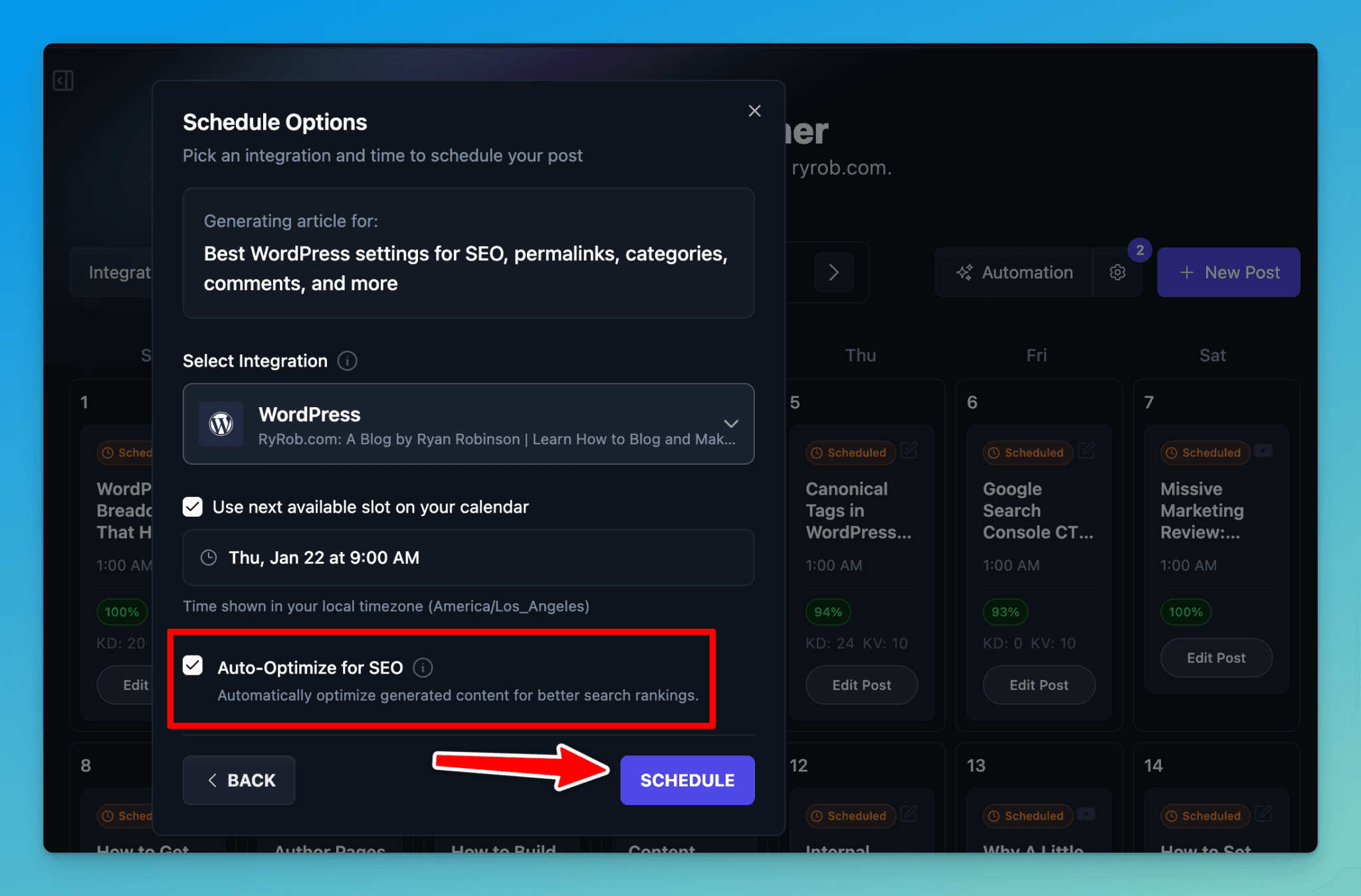
That checkbox is what applies the SEO Report credit and runs content optimization before publishing.
Then just select your WordPress integration and choose the date and time you want it added to your schedule (or add it to the next available slot on your calendar). Simple, and it streamlines content creation while keeping your calendar moving… all without juggling extra tools or spending much time.
For context on how these kinds of tools fit into a bigger content workflow, peep our practical guide to the best AI SEO tools.
Managing SEO Report Credits When You Publish at Scale
If I’m using the Content Planner the way it’s meant to be used (with publishing automated content at scale), I’ll eventually need more SEO Reports.
To manage your SEO Report credits, go to your account area in RightBlogger and open the Usage tab. That’s where you can see your plan, monthly limits, and how close you are to those limits.
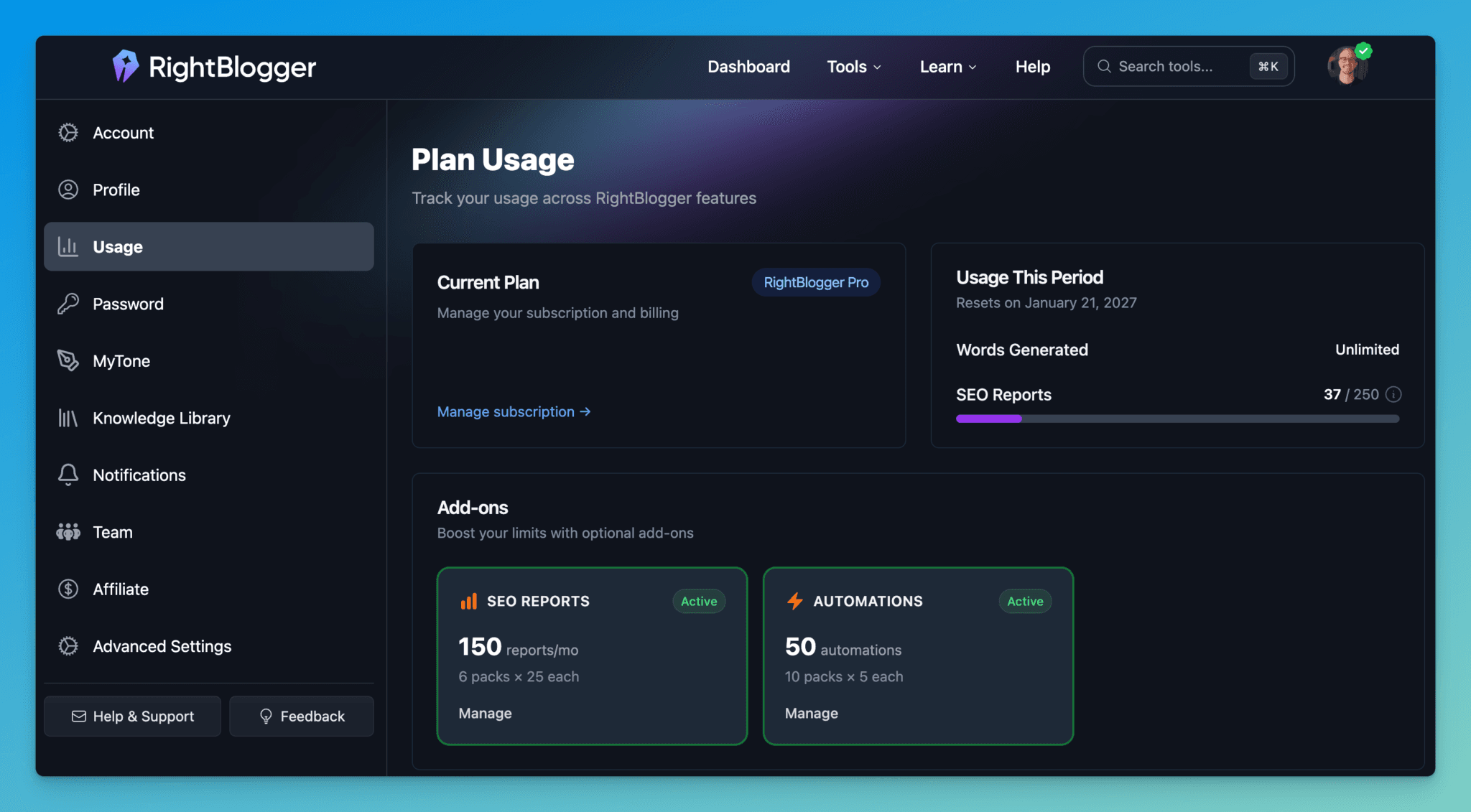
In this area, there’s an option to manage SEO Reports, so you can add extra packs to your plan:
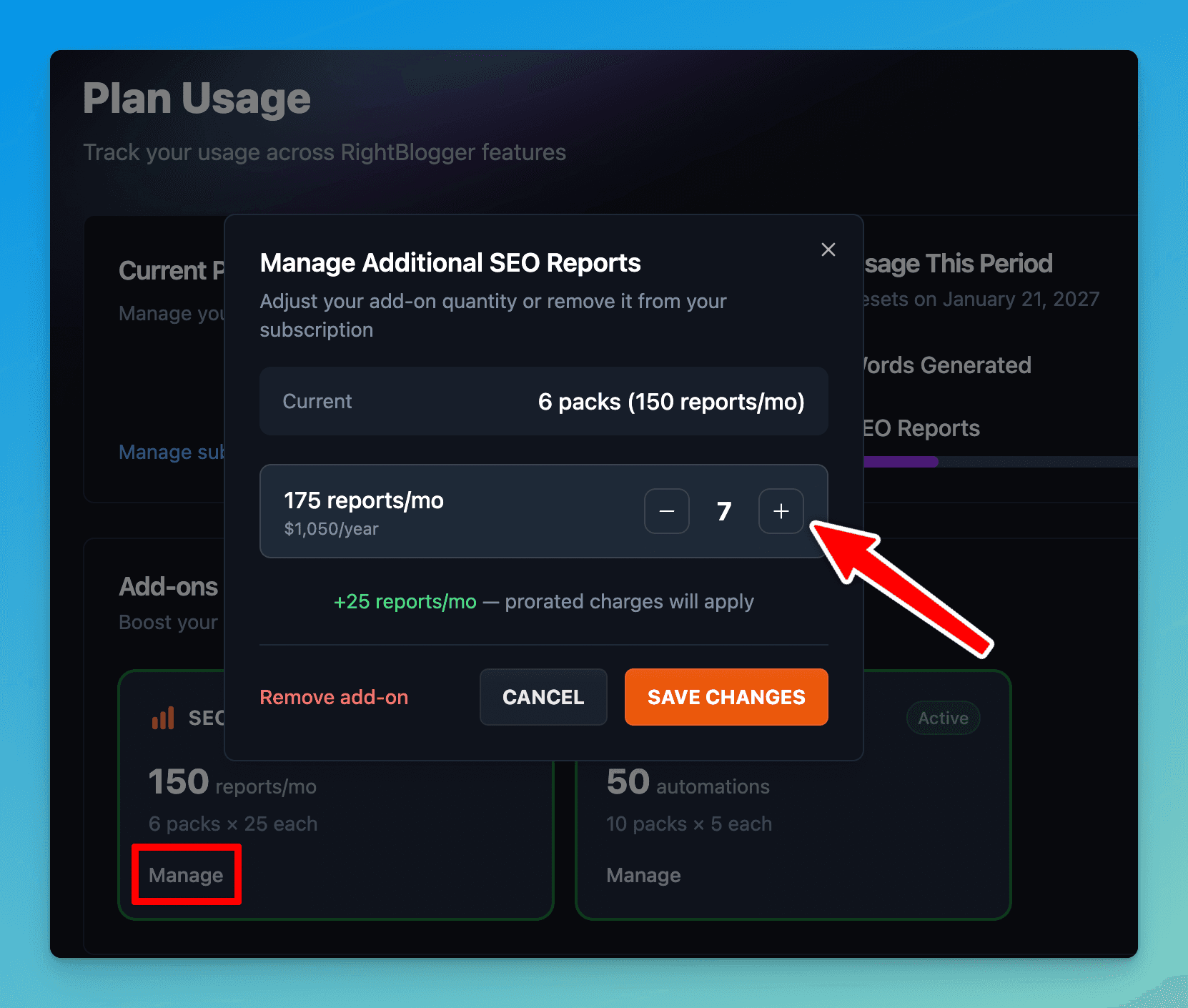
This matters if you’re publishing at a high volume (like 15+ posts per month using our automations), or running automations across multiple sites, which enables thorough competitor analysis to maintain a competitive edge.
If you need an assist, drop us an email anytime to: contact@rightblogger.com.
FAQs About Automated AI SEO Optimization
We field a lot of questions about how to best use our SEO Reports for automated AI SEO optimization. Here’s our answers to the most common questions:
Do I need to manually run SEO reports for scheduled posts?
No. When you enable Auto Optimize for SEO across an entire automation or enable it for a single post, the SEO report runs and fully optimizes your content for Google rankings and ChatGPT citations, automatically before publishing.
Does a 100% SEO score matter?
No. I always aim for the green range (between 85 to 95 is solid). That’s typically enough to boost search engine rankings without overdoing it and running the risk of over-optimizing too much of your content.
Can I use these automated AI SEO optimizations with WordPress?
Yes! Our RightBlogger WordPress plugin is designed to seamlessly send your automated, optimized content straight to your blog. Just pick your WordPress integration during the automation setup process, and the content with on-page optimization is sent to the site automatically.
What if I publish on multiple sites?
This is the best use case for automating your AI SEO optimization at scale. Using our Content Planner, you can create separate automations for each site, to maximize LLM visibility on AI platforms, ensure your content is seen in AI Overviews, and you can always add more SEO Report packs from the Usage tab in your account, as needed.
Final Thoughts on Automating Your AI SEO Optimization
When I want consistent traffic growth in a competitive niche, I don’t need more busywork, I need better systems. We built our automated AI SEO optimization feature inside the Content Planner, to solve this exact challenge.
Using our SEO Reports, powered by natural language processing and machine learning, I can schedule content and know it’s being optimized before it ever hits my site.
This setup incorporates traditional SEO best practices and Generative Engine Optimization, the strategy for modern search and AI, while predictive analytics helps spot content gaps and plan ahead for new traffic opportunities.
If you want to try this feature out, take our Pro or Business plan for a spin today.
Blog Automation That Keeps Your Posts Ranking
RightBlogger finds keywords, writes SEO articles, and publishes them to your blog. Then its Site Agent uses your Search Console data to keep older posts in shape, adding internal links, sharpening weak meta descriptions, and fixing stale years and broken links. Join 51,000+ bloggers using it to grow traffic from Google and ChatGPT.

RightBlogger Co-Founder Ryan Robinson helps creators grow online businesses and shares practical ways to automate SEO and blogging.
![How to Automate Blog Posts in 2026 [Step-by-Step Guide]](/_next/image?url=https%3A%2F%2Fcms.rightblogger.com%2Fwp-content%2Fuploads%2F2025%2F12%2Fautomate-blog.jpg&w=1200&q=75)
Automated SEO Blog Posts for Your Site
Research, write, publish, and share from one account.
7-day free trial. Cancel anytime.





Leave a comment
You must be logged in to comment.
Loading comments...