Your AI SEO agent, working while you sleep.
"The Site Agent is really a phenomenal value. You've taken something that is complex and overwhelming to the average small business, and made it easy and within reach."
It Finds the Work for You
It runs on a schedule, scans your recent posts and Search Console data, and queues the highest-impact fixes it finds. Add a task and the next audit picks that up too.
- Internal links between related posts
It finds older posts that should link to your newer guides, and proposes the anchor text.
- Sharper meta descriptions on low-CTR pages
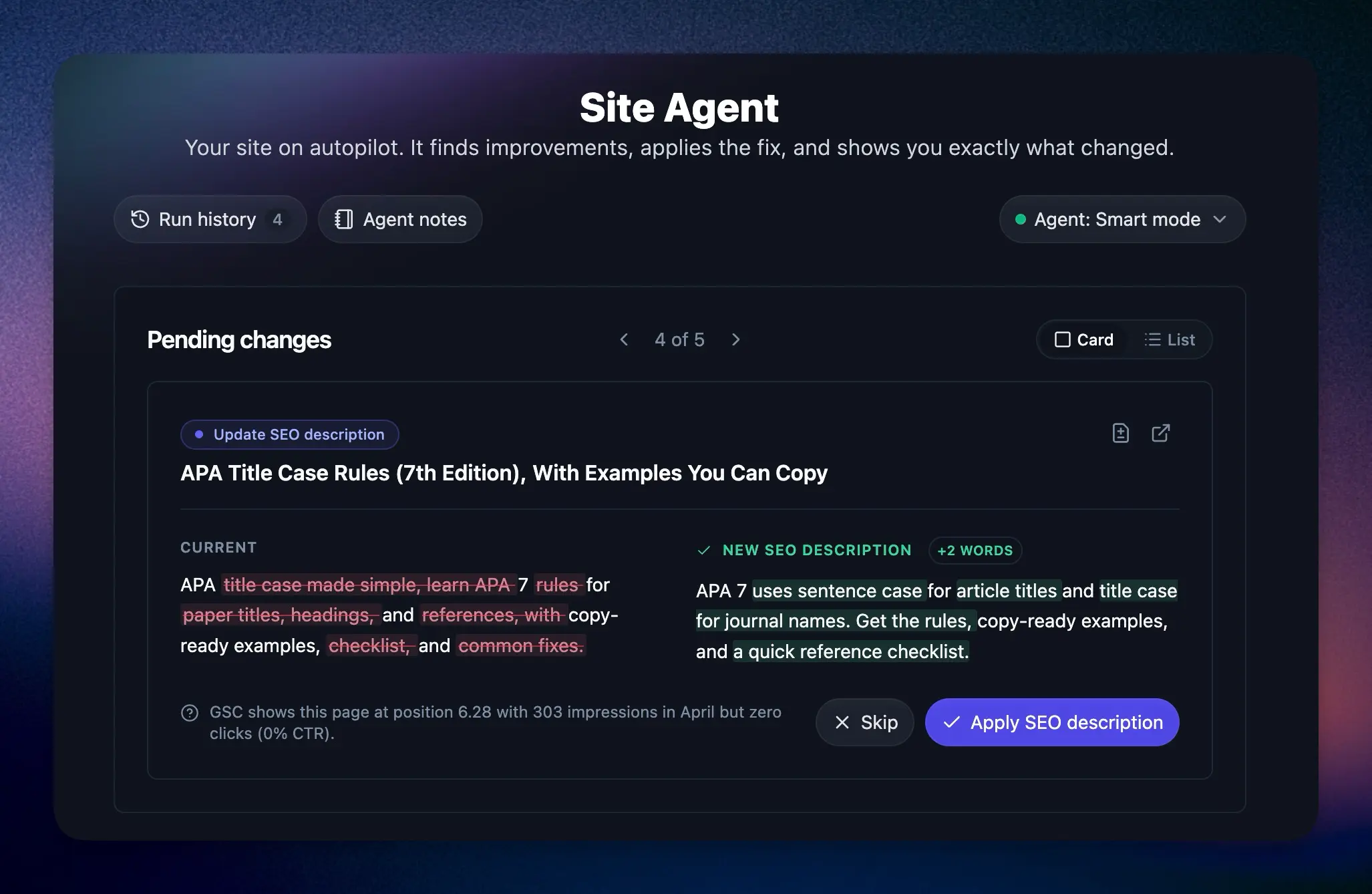
When a page ranks well but loses the click, Site Agent rewrites the snippet to win it back.
- Year refreshes and broken outbound links
It catches stale "in 2025" titles after the calendar flips, and unwraps dead outbound links.
From Manual to Hands-Off, Your Call
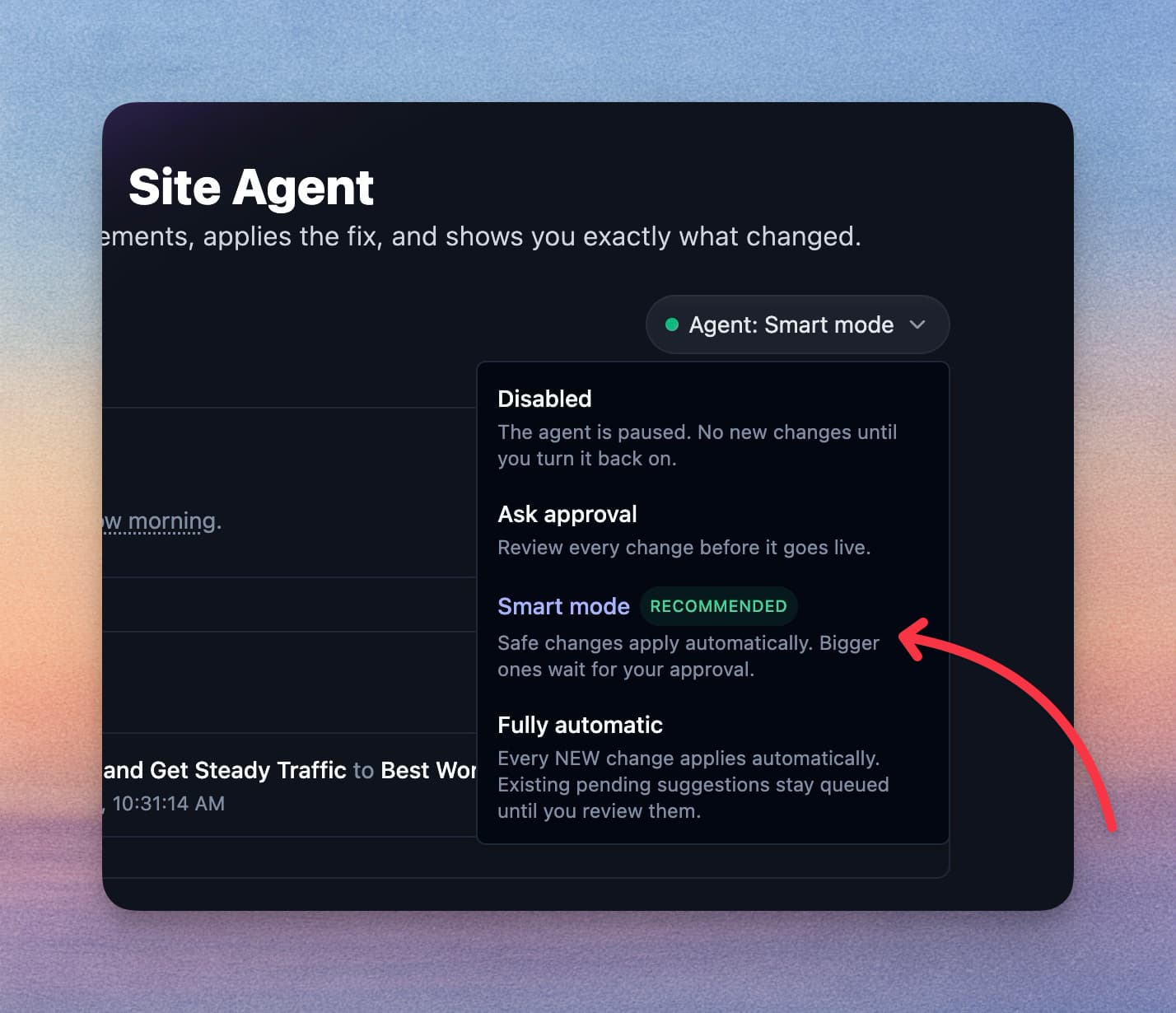
New projects start in Ask approval, so nothing goes live until you click Approve. When you're ready, let the safe edits apply on their own, or hand over the keys. Switch modes or pause a project anytime.
- Ask approval
Every suggestion waits for your click, and an email tells you when new ones are ready.
- Smart mode (recommended)
Internal links, other low-risk fixes, and meta descriptions apply automatically. Title changes and rewrites wait for your approval unless they clearly match a task you gave. This is what Andy runs on most of his sites.
- Fully automatic
Every suggestion ships the moment it's ready. Best when you trust the patterns.
Every Edit Is One Click Away From Undone
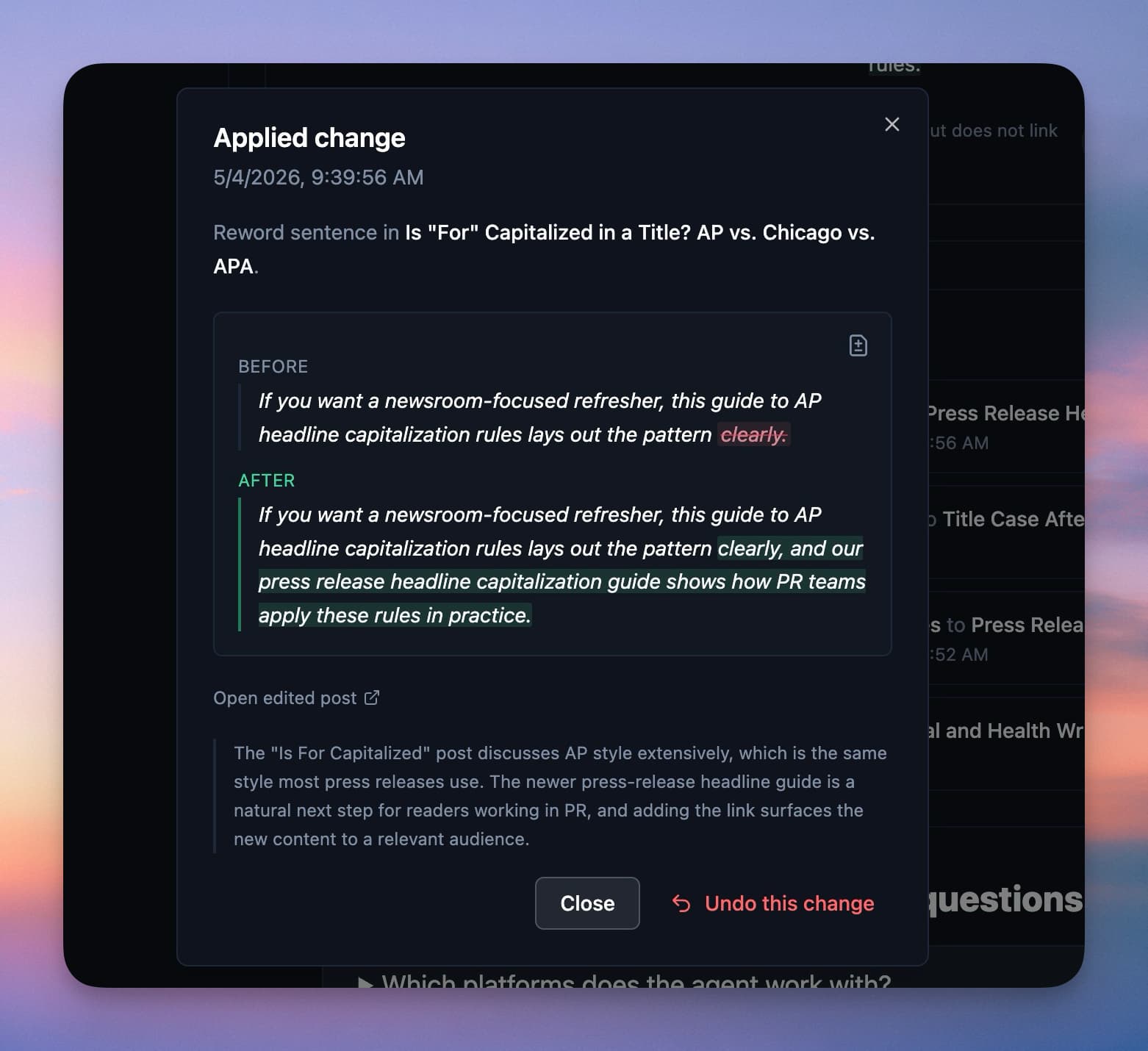
We snapshot the post before we touch it. Undo any single change for 30 days, without affecting the others.
- One-click undo per change
Each applied edit gets its own Undo button. Restore one rewrite without rolling back the rest.
- 30-day backup window
Every pre-change snapshot is kept for 30 days, stored in two separate places.
- Won't overwrite your manual edits
If you've changed the post since, Site Agent refuses to undo and tells you why.
Built for the Way Bloggers Work
Site Agent ships into the platform you already pay for. No new dashboards to learn.
Estimated traffic upside per edit
Search Console-driven suggestions carry a "+X clicks/mo" estimate, so you know which approvals matter most.
WordPress, Ghost, Webflow, Wix, Shopify, Framer, and Git
It works through the CMS and Search Console connections you already have, so there is nothing new to set up.
Run history, plus an email digest
Every audit is recorded with full diffs, even for edits you skipped, plus an email summary of what shipped.
Give it a task in one sentence
Ask for "fix the broken links in my pricing post" and the next audit works on it.
Per-project notes and memory
It remembers site facts and dismissed ideas across runs. Pin rules it has to respect.
Careful with pages that already win
It leaves the titles of your top-ranking pages alone, makes a few edits per run, and limits how often it touches any one post.
Refresh one post on demand
Site Agent compares a post with the pages ranking for its topic, then proposes up to 6 updates: a missing section, a fuller thin one, updated facts, or a sharper title. Refreshes always wait for your review.
Alt text for bare images
Images with no description get a short, accurate alt text written for them.
Send it a page from anywhere
Start a task from a Search Console quick win, a decaying page, an AI Brand Monitor prompt you lost, or any post in the Content Planner.
Pricing
Blog automation and unlimited AI words on every plan. Try it free for 7 days. Cancel anytime.
Solo
For bloggers with one site
$588/yr billed annually
Save $120/yr- 1 site included
- 30 SEO reports per month
- AI Brand Monitor 25 checks per site/mo
Pro
For bloggers with multiple sites
$23 per site
$828/yr billed annually
Save $240/yr- Everything in Solo, plus:
- 3 sites included, $20/mo per extra site
- 3 blog automations
- 15 writing styles
- 3 team seats
- 90 SEO reports per month
- Premium courses included
Agency
For agencies managing client sites
$19.90 per site
$2,388/yr billed annually
Save $1,200/yr- Everything in Pro, plus:
- 10 sites included, $20/mo per extra site
- Site Agent daily audits
- 10 blog automations
- 5 team seats
- 300 SEO reports per month
Not ready for a trial? Create a free account and use the tools with 2,000 free words every month. No credit card required.
Questions?
Can't find an answer? Contact us.
What is an AI SEO agent?
An AI SEO agent handles your ongoing on-page SEO for you: it audits your site on a schedule and fixes internal links, meta descriptions, broken links, and stale dates without you hunting for them. RightBlogger's Site Agent is one built for blogs. It reads your published posts and Google Search Console data, then queues fixes for approval or applies them automatically, depending on the mode you pick. Every change is reversible for 30 days.
Will it mess up my posts or change my voice?
New projects start in Ask approval, so nothing changes until you click Approve. Each edit replaces one exact passage, like adding a link, refreshing a year, or tightening a meta description. It never regenerates a whole post, it leaves the titles of your top-ranking pages alone, and it limits how often it touches any one post. Every applied change has a one-click Undo for 30 days.
Does the Site Agent help my posts show up in ChatGPT and AI search?
Yes, through the same fixes that help you rank on Google. ChatGPT, Perplexity, Gemini, and AI Overviews all summarize pages that already rank well, so lifting a post's rankings raises its odds of being cited. Site Agent's fixes map directly: stale year references get refreshed, meta descriptions get sharpened, internal links get added, and broken outbound links get cleaned up. Nothing here games an AI system.
How is it different from the AI article writer or autoblogging?
The article writer creates new content from a keyword. Autoblogging schedules and publishes new posts. The Site Agent does neither: it works on the posts you have already published. Ongoing maintenance, not new production.
How often does it run?
Every three days by default, and you can slow a project to weekly. Agency plans can also run daily. Each audit makes a few edits, not dozens, so changes stay easy to review. If an audit finds nothing worth your attention, that's a successful run too.
What CMSes does it support?
WordPress (via the RightBlogger plugin), Ghost, Webflow, Wix, Shopify, and Framer. Site Agent reads, proposes, and writes through whatever integration the project already has connected.
What does "Smart mode" mean?
The mode we recommend once you've approved a few edits and like what you see: low-risk fixes and meta descriptions apply automatically, and title changes and rewrites stay queued for your approval unless they clearly match a task you gave. New projects start in "Ask approval", where you review everything, and "Fully automatic" lets it all ship.
Can I undo an edit after it goes live?
Yes. Every applied edit gets a one-click Undo for 30 days. We keep two backups of the pre-edit content and check the post hasn't changed since. If you edited it yourself, Site Agent refuses the undo and tells you why.
Does it use Google Search Console?
If you've connected GSC, yes. Site Agent uses it to find low-CTR pages, slipping rankings, and queries you nearly rank for, and each GSC-driven suggestion carries an estimated upside ("+X clicks/mo"). Without GSC it still handles internal links, broken outbound links, and freshness updates.
Can I tell Site Agent what to work on?
Yes. Click "Add task" and describe it in a sentence, like "replace links to old-shop.com with new-shop.com". The next audit picks it up and labels the change with what you asked for. Site-wide requests get worked through a few posts per run. Tasks cover the edits Site Agent can make: links, wording, sections, titles, and meta descriptions. You can also send a page to Site Agent from Search Console quick wins and content decay, from an AI Brand Monitor prompt you lost, or from any post in the Content Planner. For a brand new post, use the article writer.
Can I run it on more than one site?
Yes. Each project gets its own audit schedule, review queue, mode, and history, so five client sites mean five independent queues. Agency plans can also run audits daily.
How much does it cost?
The Site Agent is included on Solo, Pro, and Agency plans with no per-edit or per-project fees. View pricing for plan details.
Keep your older posts working.
Start a free trial, connect your site, and review the first edits Site Agent suggests. Nothing goes live until you approve it.
7-day free trial. Cancel anytime.




