410 vs 404 for Deleted Blog Posts in 2026
Choose 410 when permanent, 404 when uncertain, or 301 for a genuine replacement.


Delete a blog post the wrong way, and the URL can linger like a ghost in search results. Leave the status code too vague, and both crawlers and readers have to work harder than they should.
In 2026, the choice between 410 vs 404 still matters for site health and search visibility. Most of the time, the right answer comes down to one question: is that post gone for good, or might it come back later?
Choosing the correct status code helps communicate the page status clearly to search engines. This guide explains when to use a 410, when a 404 makes more sense, and when a 301 redirect is the better option.
Key Takeaways on 410 Vs 404 for Deleted Blog Posts
- Use 410 Gone when the page is truly deleted. It states outright that the content was removed on purpose and is not coming back. Google treats 404 and 410 the same for indexing; pick 410 when you want the HTTP meaning of permanent removal to be explicit. Official: How HTTP status codes affect Google’s crawlers.
- Use 404 Not Found when removal is intentional but less final. If you are not ready to lock in a permanent gone forever status, this error code provides you with more flexibility if you might restore the page later.
- Use a 301 redirect if another page fits the job. If you have a relevant replacement for the removed content, you should not bury the old URL with an error code. Instead, send your visitors and search bots to the best available match.
If a page has a clear replacement, do not choose between a 404 or a 410. Use a 301 redirect and move the user to the closest existing answer.
What 410 and 404 Actually Tell Search Engines
When a web server sends an HTTP status code to search engines like Googlebot, it provides specific instructions on how to treat a URL. A 404 Not Found error tells the crawler, “This page is not here right now.”
It is a vague response that does not clarify whether the page is temporarily missing or permanently deleted.
A 410 Gone response provides the opposite experience. It explicitly signals to search engines that the content has undergone permanent removal and will not return.
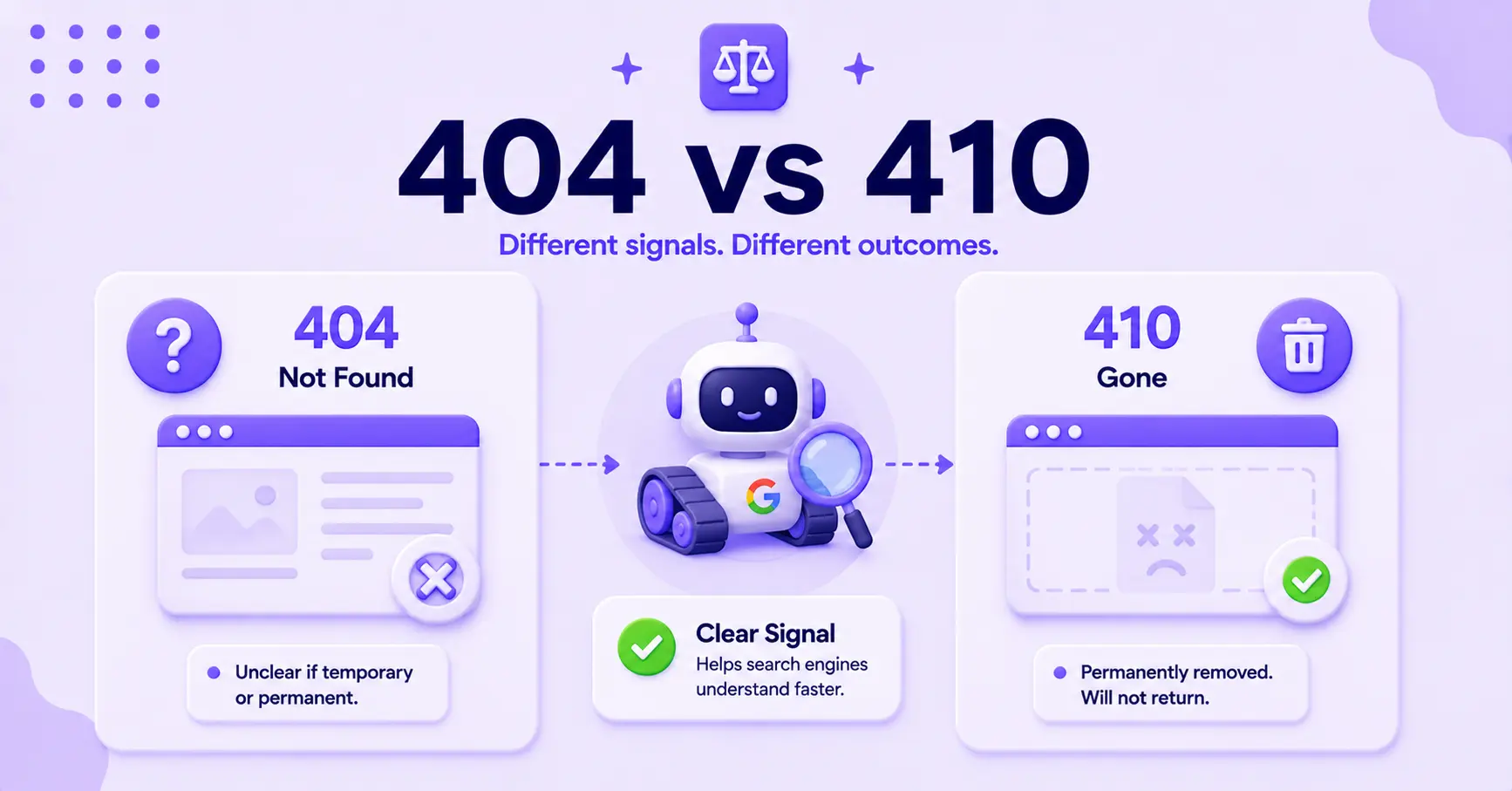
In practice, the gap for Google Search is about meaning, not speed. Official docs group 404 and 410 together: all 4xx responses except 429 are treated the same, and both drop the URL from the index over time. Google’s crawl budget guidance also says to return a 404 or 410 for permanently removed pages, and calls a plain 404 a strong signal not to crawl that URL again. Use 410 when permanence is the point; use 404 when you are less sure. Official: How HTTP status codes affect Google’s crawlers.
For a plain-language explanation of how the 410 response works, see diva-e’s 410 status code guide. Third-party crawl tests such as Reboot Online’s 404 vs 410 experiment have reported different re-crawl patterns, but Google’s own status-code docs still treat 404 and 410 the same for indexing. Prefer the official rule over any single experiment.
The practical takeaway is simple. Both codes do the job for a removed page. A 410 states permanence outright, so reach for it when you know the page is gone for good, while a 404 is perfectly fine when you are less certain.
When 410 Is the Better Fit
The 410 Gone status code is the right choice when a post is not coming back and you want that fact to be explicit.
Common examples include:
- Deleted evergreen posts
- Retired campaign pages
- Old event pages
- Outdated content with no future use
It also fits pages that had no strong search value in the first place. If the post was thin, obsolete, or never meant to live forever, a 410 status keeps the cleanup honest.
By providing this signal, you are demonstrating that the page was intentionally removed rather than simply missing by accident.
Choosing the right response code is a vital part of technical SEO. Search engines prefer clear instructions because they dislike mixed signals.
A page that returns a fake not found message with a 200 status code is one of the classic soft 404 problems. This practice wastes crawl time and muddies your site cleanup process.
A good rule of thumb is simple: if you would not restore the post even if traffic dipped for a week, a 410 status is likely the better fit.
When 404 Still Makes More Sense
The 404 Not Found error still has a place in your site strategy. If a post might return to your site, or if the decision to delete it is not fully settled, 404 is the safer choice.
Think about content that might be rebuilt, republished, or replaced later. The resource could be under review, pulled while the author updates claims, or held in limbo because you have not decided whether to keep it dead.
In those situations, a 404 Not Found status avoids making a final promise to search engines too early.
It also works well when you are dealing with a URL that never earned a real audience. If the specific URL has no links, no traffic, and no suitable replacement, the 404 status is acceptable.
Just keep in mind that how you handle these pages still impacts the overall user experience. Make sure your custom error pages remain helpful even when the content is gone.
The key is honesty:
- Match the code to the real status of the content, not to a hunch.
- Do not use 404 as a lazy default when the page is clearly gone for good.
- Do not use 410 when you are unsure about the future of the page.
How to Handle Deleted Posts Without Creating SEO Mess
The status code is only one part of the job. The cleaner part is deciding what should happen before the page disappears.

If there is a close match, use a 301 redirect to point users to the new content. A deleted product review should not dump people on the homepage, and a broken recipe should not point to a random category page simply because it feels tidy.
The rule from Google is narrower than it sounds: redirect only when you have a genuinely equivalent page. John Mueller has warned against blindly redirecting deleted URLs to a similar page, a category page, or the homepage, and says that if you are unsure, you should not redirect at all. When there is a true replacement, a 301 redirect consolidates the old page’s ranking signals to it, but only if Google sees the destination as a real match.
If there is no replacement, choose between 404 and 410 based on permanence. This is where a content decay audit helps because it allows you to sort posts into the right buckets: refresh, merge, redirect, or remove.
When you are dealing with a larger cleanup, the same logic applies to managing deleted blog posts during migration. Big site changes expose bad redirects, orphaned URLs, and leftover internal links quickly.
You should fix every broken URL before Google has to guess what changed or interpret conflicting SEO signals.
A few habits help keep the cleanup tidy:
- Use the right status code on the page itself.
- Remove internal links that point to dead URLs.
- Update XML sitemaps so deleted posts do not continue appearing as a valid resource.
- Check Search Console for crawl errors and coverage issues.
- Audit your site for broken links and monitor backlinks to deleted pages.
That last point matters more than many people realize. If a deleted post still earns links, you do not want to waste that equity.
Redirect it if you can. Only let it die when it truly has nothing left to offer.
Common Mistakes That Slow Down Cleanup
The worst mistake is pretending a deleted page still exists. Returning a 200 status with a page not found message creates soft 404 signals that confuse crawlers and frustrate users.
Those signals can linger in search results long after the content is gone.
Another common mistake is overusing redirects. Not every dead post belongs on the homepage, and not every old URL should point to the nearest category page.
While these redirects may feel tidy at first, they often accumulate into digital junk that dilutes your site authority.
Blocking a page in robots.txt before the web server can deliver the correct status code is another common trap. If crawlers cannot access the URL, they may never see the 404 Not Found or 410 error.
Allowing search engines to see the proper HTTP status code is essential for efficient crawling and indexing.
Finally, do not treat a 410 code like a magic eraser. Search engines still need to revisit the URL before they remove it from their memory.
A 410 is clearer HTTP semantics than a 404 (Gone vs Not Found), but it is not instant amnesia for your site. Google still has to recrawl the URL before it drops from the index.
FAQs About 410 vs 404
A few more questions that come up often:
Does Using a 410 Gone Status Immediately Remove a Page From Search Results?
No. A 410 does not immediately remove a page from search results. Google treats 404 and 410 the same for indexing: Googlebot still has to revisit the URL, then the indexing pipeline can drop it over time. Official: How HTTP status codes affect Google’s crawlers.
Can I Use a 410 Status for a Page That Might Return Later?
No, it is not recommended to use a 410 status for content that may return in the future. Because a 410 explicitly tells crawlers that the page is permanently removed, using it for temporary deletions may cause the page to be de-indexed more aggressively than you intend.
Should I Redirect Every Deleted Post to My Homepage Instead of Using a 404 or 410?
No, you should avoid redirecting all deleted posts to your homepage. This practice creates a poor user experience and often results in soft 404 errors because the destination page rarely matches the intent of the original link.
When Is a 301 Redirect Better Than a 404 or 410?
A 301 redirect is better than a 404 or 410 when you have a relevant, live page that matches the content of the removed URL. Google then consolidates the old page’s ranking signals to that destination, and users who click old links still land on something useful. If the match is loose, skip the redirect, since Google may treat it as a soft 404 and pass nothing.
Final Thoughts: Which One Should You Use in 2026?
If a blog post is gone for good, use a 410 status. If the situation is less final, a 404 remains appropriate. However, if there is a more relevant page on your site to point users toward, utilize a 301 redirect instead of both.
That simple rule covers most real-world cases. When you are deciding between 410 vs 404, this logic keeps your site structure healthy, makes site maintenance easier, and gives search engines a clear signal rather than an ambiguous one.
Managing deleted content does not need to be complicated. It just requires the right response status code, a clean redirect where it provides value, and a site architecture that stops pretending a dead post is still alive.

Article by
RightBlogger Co-Founder, Ryan Robinson teaches creators how to grow online businesses and reach more readers through smarter SEO.




Automated SEO Blog Posts That Work
Try RightBlogger for free, we know you'll love it.
7-day free trial. Cancel anytime.





Leave a comment
You must be logged in to comment.
Loading comments...