6 Post Types That Convert Best for AI-Written SEO Content
Match each format to buying intent, then add proof, clear recommendations, and one relevant CTA.

If you’re using AI-written SEO content to publish faster, you’ve probably noticed something: some posts bring clicks, but others bring customers. That gap usually isn’t to do with the post quality. It’s all about the post type.
Some AI drafts might read well and bring in traffic, but not convert. Meanwhile, a simple “A vs B” post or a practical template quietly racks up signups.
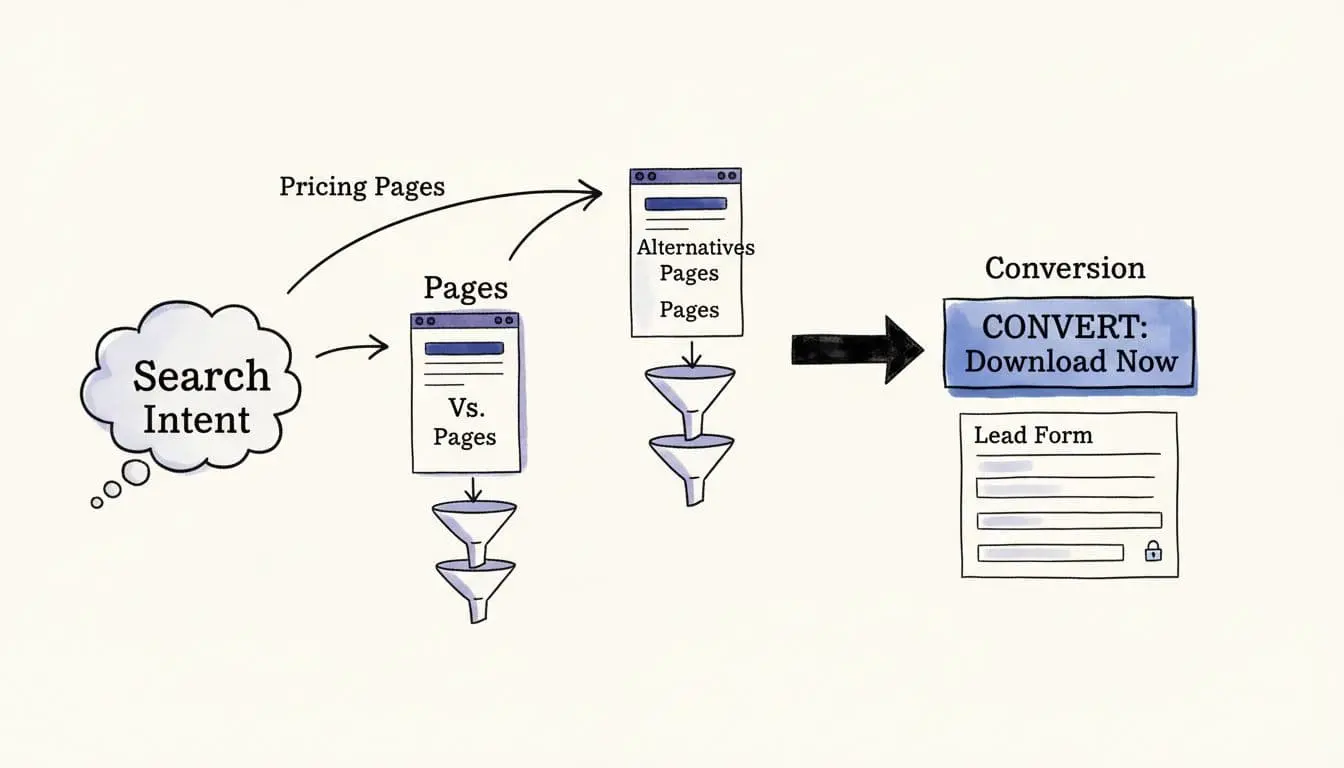
The difference is which stage of the buying funnel you’re targeting. TOFU (top of funnel) content brings in broad traffic; BOFU (bottom of funnel) content is aimed at people who are on the verge of making a buying decision.
Key Takeaways for AI-Written SEO Content That Converts
- Match intent, don’t chase traffic. The best converting posts show up when readers are close to a decision.
- Use formats that earn trust fast (reviews, case studies, and comparisons).
- Put the CTA where it belongs. One clear next step beats five weak ones.
- AI speeds up structure. You’ll still want to add proof, specificity, and a real point of view.
- Refresh these posts often. Pricing, alternatives, and reviews go stale quickly.
Why Post Type Beats “Better Writing” for Conversions
Conversion-focused search terms are like someone walking into a store and picking up a product straight away. They’re not browsing, they’re checking things like the fit, price, and whether it’s right for them.
That’s why bottom-of-funnel formats consistently win. They’re built around decision questions like:
- “Is this worth it?”
- “What does it cost?”
- “What’s the best option instead?”
- “Can I copy a proven example?”
The other reason these formats convert is trust. When a reader searches “review,” “pricing,” or “A vs B,” they’re basically saying: “Prove it.” Your job is to reduce doubt with specifics, not hype.
With this type of content, you’ll want to be a little picky about how you use AI. I recommend that you let it handle the heavy lifting (outline, coverage, first draft), then you dive in to tighten the claims, add proof, and make the piece feel like it came from a real creator with real experience.
The 6 Key Post Types to Convert Traffic to Customers
Let’s dig into the best types of bottom of funnel content:
1) Alternatives Posts (The “I’m Not Sold Yet” Page)
An “alternatives” post converts because the reader already has a short list of options. If they’re already using one of those, they’re looking for permission to switch … or a reason not to.
I recommend including:
- A quick “who this is for” section (so they self-qualify)
- A short list of top alternatives with clear tradeoffs
- A “choose this if…” recommendation that feels honest
Don’t go over the top with your alternatives. I often see bloggers listing 20 options with shallow blurbs. That’s a full directory … and it won’t help buyers make a decision.
If you publish “alternatives” content often, build a repeatable workflow. Use RightBlogger’s Knowledge Library to store information about different products/services (particularly your own) and use Projects to set up all the customization options you need for your “alternatives” posts.
2) Pricing Posts (The “Can I Afford This?” Page)
Pricing pages and pricing blog posts convert because they remove friction. Your product doesn’t have to be the cheapest … it just has to be of clear value versus the competition.
For your pricing content, I recommend you cover:
- What’s included (in plain language)
- Who each tier is best for
- What you might pay in different situations (examples matter)
- A simple “how to choose” section
Be careful with accuracy. If pricing changes often, say so, and point readers to the official pricing page for the latest numbers.
On your own product’s pricing page, make it really clear what options there are, and what each option includes. (Check out the RightBlogger pricing page for an example of how we do this.)
3) Review Posts (The “Should I Trust This?” Page)
A review post should make it clear that you’ve had hands-on experience with the product or service that you’re covering. It should sound real and honest, like getting a friend’s opinion on a potential purchase.
Try this formula:
- My use case and starting point (context is everything)
- What I liked, what annoyed me, what surprised me
- Who should buy it, and who shouldn’t
- A clear CTA (free trial, demo, or email capture)
4) “A vs B” Posts (The “Make the Call for Me” Page)

“A vs B” posts convert because the potential customer has already narrowed down their options: they just want to know which is best. “A vs B” terms are frequently searched for, too, so these posts can bring in a lot of traffic.
The best “A vs B” pages do two things:
- They compare the right criteria (based on the buyer’s priorities)
- They end with a confident recommendation
If you want an example of this format in action, here’s a direct comparison page: Koala vs RightBlogger. Notice how the structure makes it easy to skim, then decide on the best option depending on the blogger’s needs.
As well as doing “A vs B” posts, you can use an “A vs B vs C” format. Just make sure all three options really are comparable.
5) Templates (The “Give Me Something I Can Use” Page)

Templates convert in two ways: they attract the right reader, and they create a natural reason to opt in (e.g. for an email newsletter).
When you publish templates, aim to include:
- A clear explanation of when to use it
- The template itself (simple, editable, and not overly clever)
- One example filled out, so it’s not abstract
- A CTA that matches the intent (download or email signup)
For an example, check out my Content Brief Template over on my blog.
6) Case Studies (The “Show Me Proof” Page)
Case studies are the closest thing to a receipt. If you can show before-and-after results with believable constraints, you’ll win trust fast.
The best case studies include:
- The starting situation (traffic, time, budget, team size)
- The exact actions taken
- What changed, plus what didn’t
- Lessons learned, probably including at least one mistake
Again, you’ll want to feed the AI plenty of knowledge to work with: use the Knowledge Library to upload client documents, reports, testimonials, and anything else that could feed into the case study.
My Simple Workflow for Turning AI Drafts Into Pages That Sell
Ready to create AI-written SEO content that actually converts? Here’s what to do:
- Pick the format first, then outline. Decide on what type of post you want the AI to create before you open up the Article Writer.
- Write for one reader. Tell the RightBlogger AI about this person in the “Target Audience” section of the Advanced options.
- Add proof fast. When you edit, include screenshots, steps, numbers, quotes, or real examples.
- Edit the CTA into the page, not tacked on at the end. It should feel like a natural fit.
When you’re updating and tightening pages, run them through an editor built for optimization, like RightBlogger’s AI SEO Editor. This will help you get your posts ranking even higher … and can point you to sections you might be missing.
If you want a clearer process for moving from keyword to intent to a finished post, this walkthrough on going from keyword to blog post maps it out in a way that’s easy to repeat.
FAQs About AI-Written SEO Content That Converts
1. Do I need all six post types on my blog?
No. Start with the ones that match the monetization methods you’re using. For instance, if most of your money comes from affiliate marketing, prioritize reviews, A vs B, and alternatives. If you’re selling your own product, lean into pricing comparisons, A vs B (where one is your own product!) and case studies.
2. How long should these posts be?
Your bottom of funnel content needs to simply be long enough to help someone decide. It’s better to publish a 1,000-word “A vs B” post with clear criteria than a 2,500-word ramble.
3. What’s the fastest way to improve conversions without rewriting everything?
Update your CTAs and add trust elements. A single screenshot, a short “who this is for,” and a clearer recommendation can move the needle quickly.
Choose a Format … and Start Producing Bottom of Funnel Content
If you want conversions from AI-written SEO content, start by picking a format that matches a decision.
Alternatives, pricing, reviews, A vs B pages, templates, and case studies all work because they meet readers at the moment they’re ready to act. Pick one format, publish one strong page this week, and then do the same again next week. You’ll soon have a solid foundation of high-converting content that matches your ideal customers’ search intent.

Article by
RightBlogger Co-Founder Ryan Robinson teaches 500,000 monthly readers how to grow an online business and shares practical tips on SEO content.


![How to Automate Blog Posts in 2026 [Step-by-Step Guide]](/_next/image?url=https%3A%2F%2Fcms.rightblogger.com%2Fwp-content%2Fuploads%2F2025%2F12%2Fautomate-blog.jpg&w=384&q=75)
Automated SEO Blog Posts That Work
Try RightBlogger for free, we know you'll love it.
7-day free trial. Cancel anytime.





Leave a comment
You must be logged in to comment.
Loading comments...