How to Add Schema Markup for Free Tool Pages
Use SoftwareApplication schema with price 0, visible details, real ratings, and validation tests.

Free tool pages are easy to overlook when they appear as plain utility pages. I do not leave them that way anymore.
When I add schema markup on free tool pages, I am aiming at a SoftwareApplication rich result. Google requires a name, an offers.price (use 0 if the tool is free), and a real review or aggregateRating. Official rules: Google’s SoftwareApplication structured data.
The fix is simple, but it has to be honest. The wrong type, a fake rating, or a made-up category can get the markup ignored.
I start with the right type, then keep the fields tight so the page pairs cleanly with author schema on the supporting blog content.
Key Takeaways on Schema Markup for Free Tool Pages
- Implementing schema markup is a core part of technical SEO that helps search engines better understand your site.
- For most free online tools, SoftwareApplication is the type Google documents for rich results.
applicationCategoryis a closed list. WebApplication is a type, not a category value. - Free still counts as pricing, so use offers with price: “0” when the tool is free.
- Keep the schema aligned with what visitors can see on the page, and avoid marking up anything that is not visible.
- Only add aggregateRating or review when the ratings are real and supported.
- Test the page after publishing, and verify it after any major update to keep the markup accurate and eligible for rich results.
Why Structured Data Matters for Free Tool Pages
Free tool pages often sit in a weird spot. They are useful, but they can look thin to a crawler if the page does not explain itself well.
Schema gives the page a clear label. It tells search engines that this is a functional utility rather than just a landing page, which significantly improves search engine understanding and helps categorize the content accurately.
I keep that in mind whenever I publish a new tool, because a high-quality page can still get mixed signals if the markup is sloppy or vague. Schema does not create E-E-A-T, and it does not put your tool in the Knowledge Graph. It only helps machines parse what is already on the page. Official: helpful, reliable, people-first content and structured data policies.
Do not mark up what a visitor cannot see.
Pick the Right Schema Type
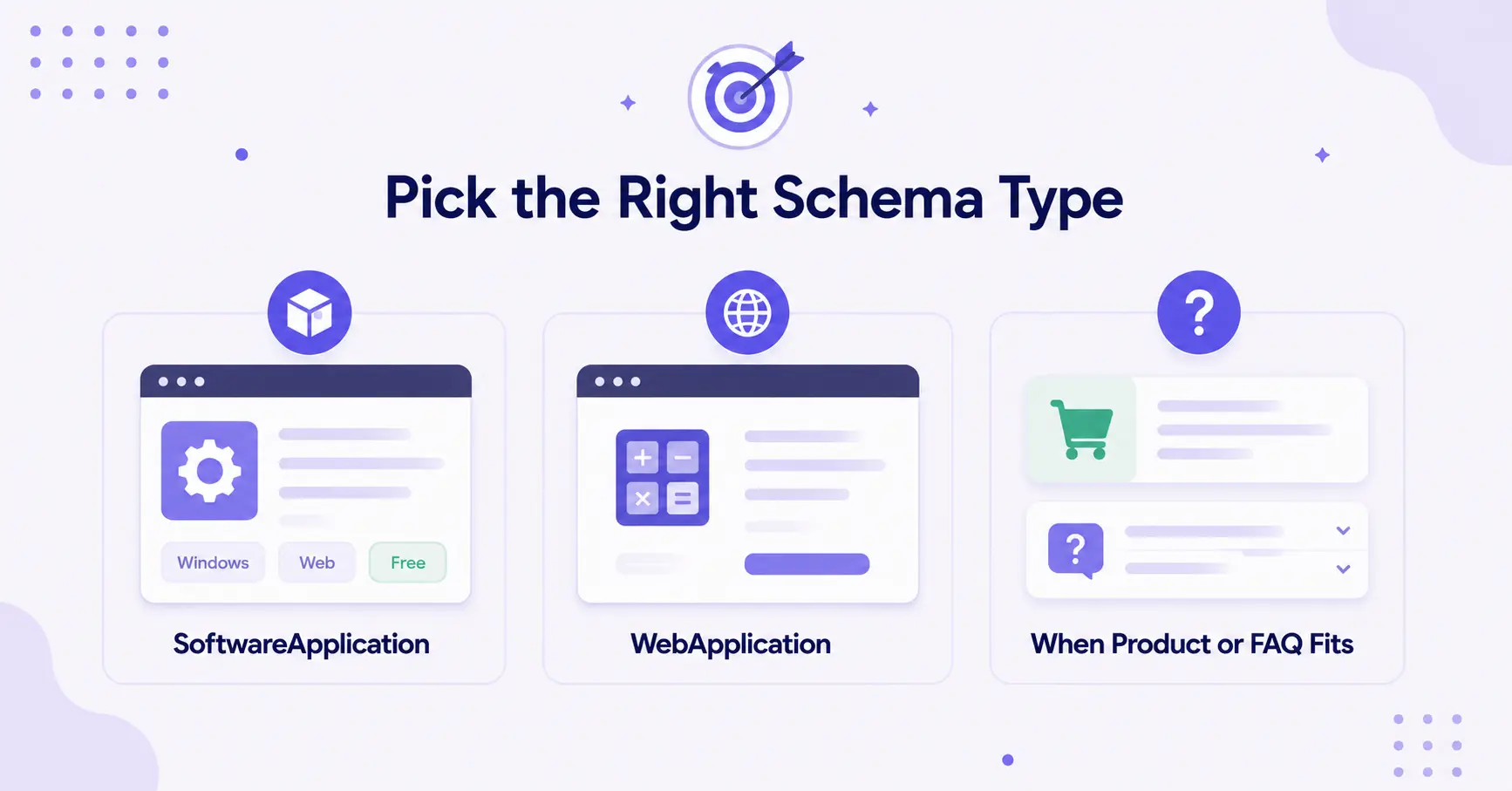
The biggest mistake I see is people picking a schema type because it sounds smart. I do not do that. I match the type to the way the tool actually works, and sometimes I use a schema markup generator to explore options and get a clean starting point for the code.
SoftwareApplication
I reach for SoftwareApplication when the page is about a named tool, app, or utility that behaves like software. Google’s SoftwareApplication structured data documentation is the reference I check when I want the rules, not guesses.
For a free keyword generator, a text summarizer, or an AI content tool, this type usually fits well. A SoftwareApplication rich result needs name, offers.price (use 0 if free), and a real review or aggregateRating. applicationCategory must be one of Google’s listed values, not a custom string and not “WebApplication.”
WebApplication
If the tool works fully in the browser, WebApplication is a valid schema.org subtype that some tools use for calculators, converters, checkers, and one-page generators. Worth knowing: Google’s rich-results documentation actually focuses on SoftwareApplication, and the recommended pattern for browser-based tools is SoftwareApplication with operatingSystem set to "Web Browser". Both are technically valid, but if you want the safest path to a rich result, stick with SoftwareApplication.
The page can still be free. The schema does not care about the price alone, it cares about what the page is and how it behaves.
When Product or FAQ Page Fits
I only use Product when the page is actually selling access like a product or subscription. If the page is just a free utility, I usually skip it.
For FAQ schema specifically, set expectations: Google ended FAQ rich results on May 7, 2026 and removed the FAQPage documentation on June 15, 2026. Adding FAQPage will not get a FAQ rich result. Official note: Google’s changelog entry on removing the FAQ rich result. I skip FAQ markup on most tool pages. A fake FAQ block forced in for SEO just adds clutter.
What to Put In The Markup, And What to Leave Out
I keep the schema tight. More fields do not make it better, clear fields do.
The fields that decide SoftwareApplication eligibility are name, offers.price (use 0 if free), and a real review or aggregateRating. I also set applicationCategory from Google’s closed list and operatingSystem (use "Web Browser" for in-browser tools). Currency is needed when price is above 0.
If the tool has a free tier and a paid tier, I describe the free access honestly. I do not pretend every feature is free if it is not, because that mismatch can cause problems later.
I leave out aggregateRating and review unless I have real user ratings. Without one of those, the page is not eligible for a SoftwareApplication rich result, even if name and price are perfect. Organization or About markup does not create credibility or E-E-A-T. For Person + sameAs on the supporting blog post, see author schema markup for blogs.
I use JSON-LD code because it is the format Google recommends, and it keeps the markup out of the visible page content. I place it in the head or near the end of the body, depending on how the site is set up.
If the page says free in the UI, the schema should say free too. I also keep the description aligned with the visible copy so the page does not send mixed signals.
How to Add Schema to the Page And Test It
I usually add schema in the cleanest place I can find, which is often the page head or a custom code field in the CMS.
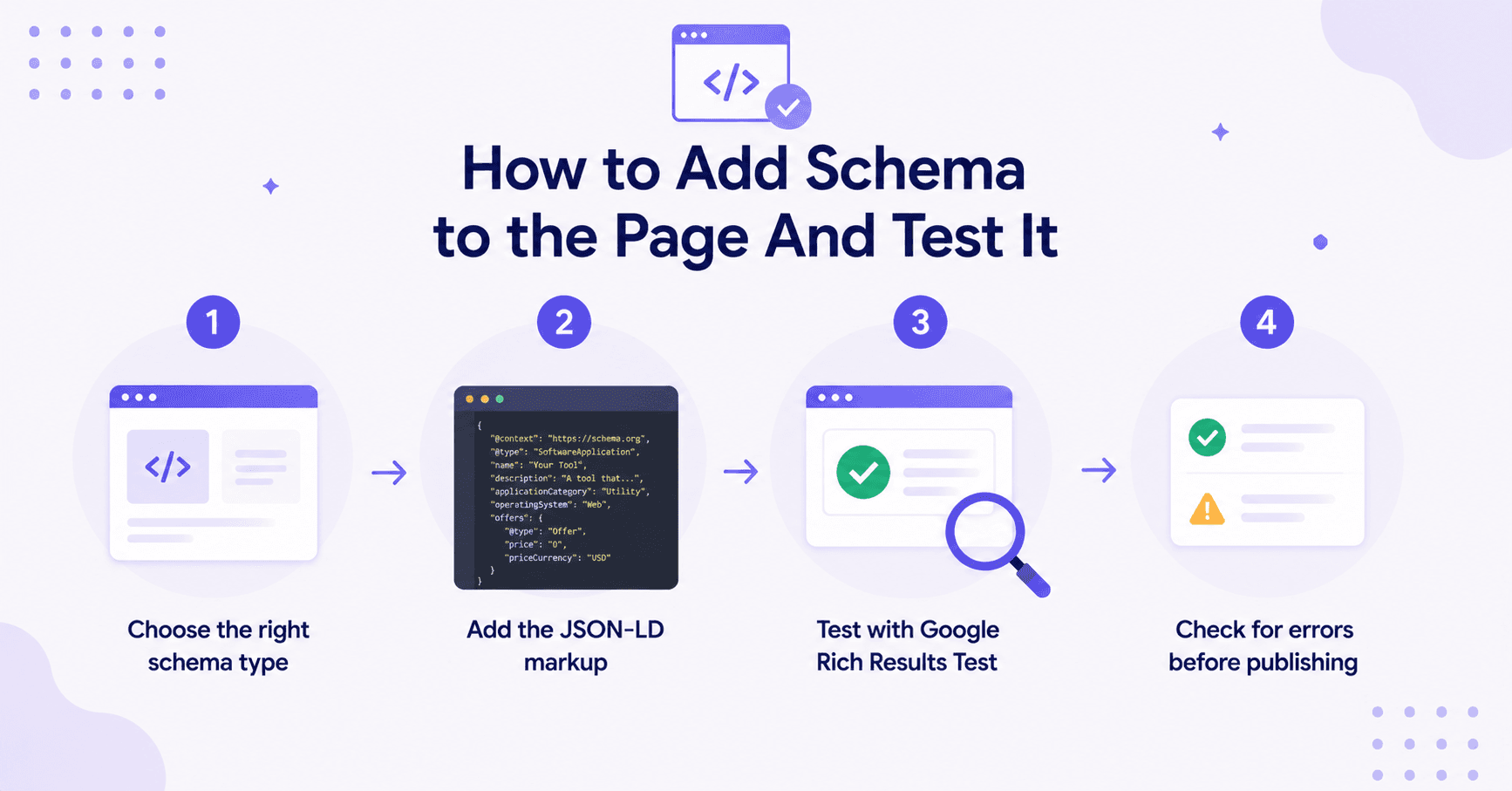
My process stays simple:
- Choose the right schema type. Decide whether the page fits SoftwareApplication or WebApplication based on how the tool actually works.
- Write the JSON-LD to match the page. Make sure the schema aligns with the page title, intro, and visible features. No guessing or mismatched data.
- Add the markup once, cleanly. Place it in the head or a custom code field. Avoid stacking multiple schema blocks unless they add real value.
- Test and validate before publishing. Run the page through Google’s Rich Results Test and the Schema.org validator. Fix any errors or warnings before going live.
After publishing, I always review the page again. A name, price, or rating change can drop eligibility. Re-run the Rich Results Test after those edits.
If I want a second pass on headings, internal links, and schema ideas, I use the AI SEO Editor before I ship the page.
Common Mistakes to Avoid
I see the same mistakes over and over, and they are easy to dodge:
- Using the wrong schema type
- Marking up features that visitors cannot see
- Adding fake ratings or reviews
I also watch for these issues:
- Forgetting to update the schema after a rename, price change, or feature update
- Using too many schema blocks when one clear block will do the job
- Relying on automatic tagging tools instead of clean, hardcoded JSON-LD
- Using local business schema for tools that are globally available
Avoiding these errors keeps the markup eligible. It does not guarantee a Knowledge Graph entry. I always double-check with Google’s Rich Results Test and the Schema.org validator before going live.
If I have a supporting blog post for the tool, I keep the author schema markup clean so the content side and the tool page stay in sync.
The rule I follow is simple. If the page changed, the schema should change too.
FAQs About Schema Markup Free Tool Pages
Here are a few questions that might also help you.
Should I Use SoftwareApplication Or WebApplication?
For most cases, lean toward SoftwareApplication and set operatingSystem to "Web Browser" for browser-based tools. That’s the pattern Google’s rich-results documentation actually demonstrates. WebApplication is a valid schema.org subtype you’ll see in the wild, but SoftwareApplication is the safer bet for rich-result eligibility.
Choosing the right website structured data helps search engines better understand the nature of your tools. If you are ever unsure about how your implementation is performing, check Google Search Console for any reporting issues related to the schema on your page.
Do Free Tool Pages Need An offers Property?
Yes, if you want SoftwareApplication eligibility. Set offers.price to 0 when access is free. That is required alongside name and a real review or aggregateRating. Price alone does not create a rich result. Official: Software app structured data.
Can I Add FAQ Page Schema To Every Tool Page?
No. Google ended FAQ rich results on May 7, 2026 and removed the FAQPage docs on June 15, 2026. Adding FAQ schema will not trigger that rich result. Official note: Google’s changelog entry on removing the FAQ rich result. I skip it on most tool pages. A forced FAQ block is clutter.
Final Thoughts on Schema Markup for Tool Pages
Free tool pages do not need fancy markup. They need honest markup that clearly explains what the tool is, what it does, and what it costs.
That is the purpose of using schema markup on these pages. It removes guesswork and gives search engines a more accurate reading of your content without cluttering the user interface.
When I pick SoftwareApplication, fill the required fields (including a real rating or review), keep every value visible on the page, and re-test after edits, the markup stays eligible. That is understanding and eligibility, not a ranking or brand-authority promise. For how schema sits next to AI search, see GEO vs SEO.
Blog Automation That Keeps Your Posts Ranking

RightBlogger finds keywords, writes SEO articles, and publishes them to your blog. Then its Site Agent uses your Search Console data to keep older posts in shape, adding internal links, sharpening weak meta descriptions, and fixing stale years and broken links. Join 51,000+ bloggers using it to grow traffic from Google and ChatGPT.

Article by
RightBlogger Co-Founder Ryan Robinson teaches 500,000 monthly readers how to grow online businesses and writes about SEO and blogging.
Automated SEO Blog Posts That Work
Try RightBlogger for free, we know you'll love it.
7-day free trial. Cancel anytime.





Leave a comment
You must be logged in to comment.
Loading comments...