AI in Business: 11 Smart Ways to Use AI in Your Business (2026)
See how AI can automate bookings, personalize customer experiences, forecast demand, and repurpose content across 11 practical use cases.

Whether you’re running a side hustle or leading a team at a major corporation, there are lots of ways to incorporate AI in business, today. From use cases like customer service to marketing automation, predictive analytics, inventory management, process optimization, and beyond, artificial intelligence is dramatically changing the ways we do business.
When you think of AI (artificial intelligence), you might think about generative AI, like ChatGPT or our very own SEO-Optimized RightBlogger Article Writer. But there are all kinds of ways AI is being used across different industries, for customer service chatbots, workflow automation, data analysis, and much more.
Here’s what AI means within business contexts, along with benefits and examples of how you can start using AI in your business today.
Blog Automation That Keeps Your Posts Ranking

RightBlogger finds keywords, writes SEO articles, and publishes them to your blog. Then its Site Agent uses your Search Console data to keep older posts in shape, adding internal links, sharpening weak meta descriptions, and fixing stale years and broken links. Join 51,000+ bloggers using it to grow traffic from Google and ChatGPT.
What is AI in Business? Understanding the Business Applications of Artificial Intelligence
AI in business is any use of artificial intelligence technology that helps companies improve their operations and make more profit.
AI covers a range of technologies, including machine learning (the use of algorithms letting computers learn and adapt without explicit instructions), deep learning (one advanced type of machine learning), and natural language processing (computers understanding normal human written instructions).
There are lots of different AI models (many of which are large language models) out there. One of the most famous is the GPT model from OpenAI (which powers ChatGPT). Others include Claude (from Anthropic), Gemini (from Google), Microsoft Copilot, and Meta’s Llama.

In practice, some of the most common uses of AI in business include:
- Chatbots: automated agents to answer customer service requests, escalating to a human agent as required.
- Generative AI: technology that can produce all kinds of text (based on a prompt and/or sample), such as a blog post, email, social media posts, images, even videos. This is our specialty here at RightBlogger.
- Data analysis: AI can be used to analyze large volumes of data, making connections, identifying outliers, and predicting future trends. This can include sifting through data from different sources (e.g. customer reviews, support emails, social media posts).
- Personalization engines: AI can track users’ behavior, delivering personalized experiences such as recommending specific products or services.
- Workflow automation: AI technology can automate routine business tasks, like scheduling a meeting or entering data into a database.
- AI agents: autonomous systems that execute multi-step tasks on their own, from researching competitors to drafting reports to managing entire workflows. Deloitte’s 2026 State of AI report found agentic AI adoption is set to jump from 26% to 74% of companies within two years.
- Fraud detection: by spotting unusual patterns or behaviors in transactions, AI systems can detect potential fraud in real-time (helping businesses reduce losses and protect customer data).
These are just a few of the most practical use cases for AI in business, today. With time and the continued advancement of this technology, we’ll see even more useful applications become available each year.
11 Ways to Use AI in Business (Examples & Methods)
Why should businesses use AI? If you run a small business, startup, or side hustle, you might feel daunted by all the different AI solutions out there … and perhaps you’re wondering whether it’s worth using AI at all.
Here are some massive benefits that AI could bring to your business, whatever its size.
1. Process Optimization: AI Makes Routine Tasks Far More Efficient
All companies have some business processes that they carry out again and again … and these can eat up a lot of time.
You might handle repetitive tasks like emailing back and forth repeatedly with clients to schedule meetings. Hiring a virtual assistant to manage your calendar could free up your time … but that would rapidly get expensive. Solutions like Calendly may not suit you if your client just wants to interact via email (or if you don’t want to have your availability fully visible).
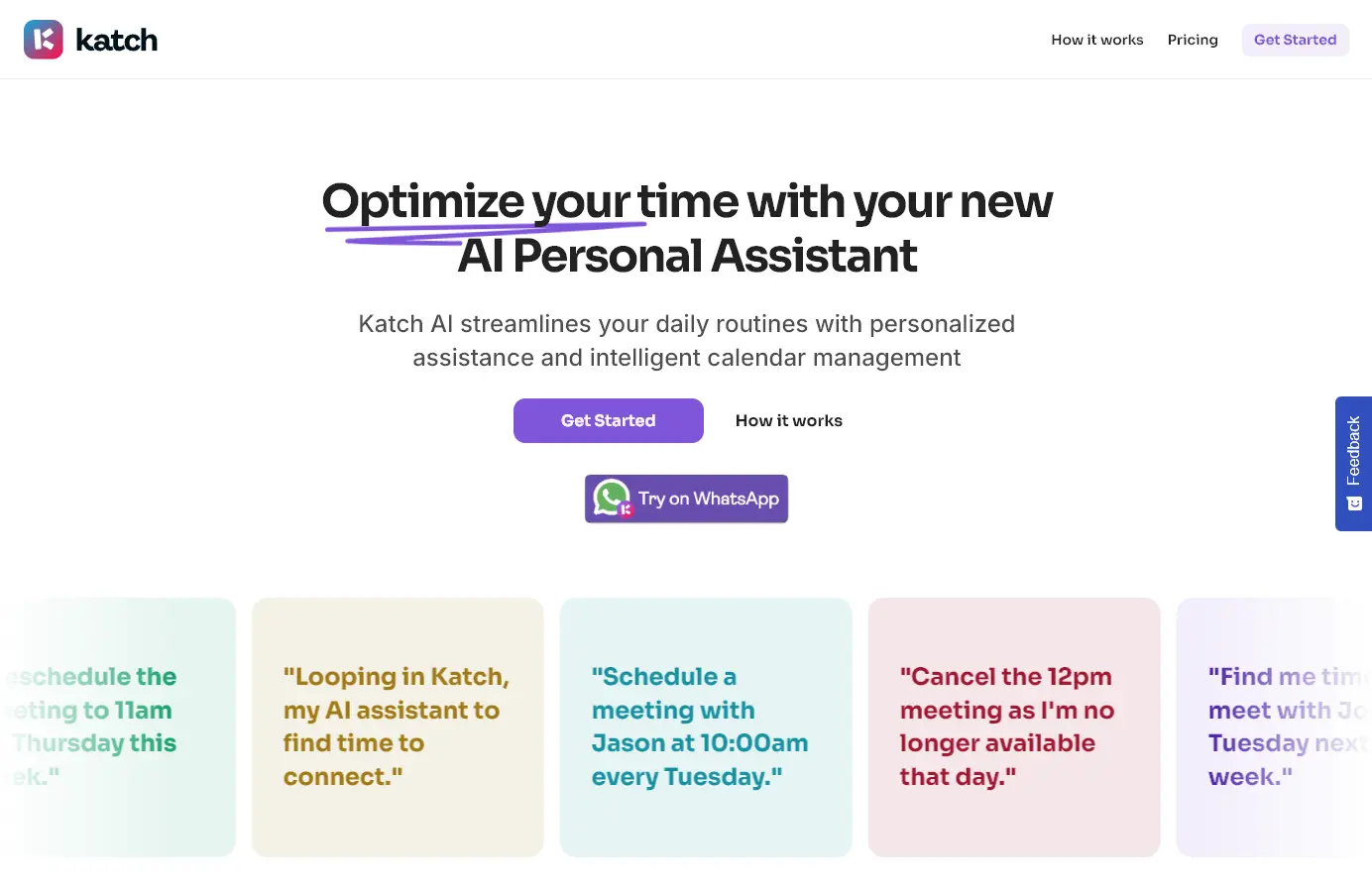
AI scheduling assistants can handle everything for you, sending emails, finding and scheduling times, setting up video conference links, and more.
2. Avoiding Mistakes: AI Reduces the Potential for Human Error

Have you ever made a typo? Or mistyped a number in a spreadsheet? Of course you have, you’re only human!
AI tools don’t make these kinds of mistakes. They won’t misread your data or make a spelling error … meaning that you can save time on tasks like editing, proofreading, and QA. While it’s still important to check the AI’s output, you won’t need to constantly watch out for the types of mistakes that a human would make.
Human error isn’t just about typos, either. AI is also better at handling issues like cybersecurity (the AI won’t be taken in by that spam email and can spot vulnerabilities and mistakes in code).
3. Personalized Customer Experiences (at Scale)

Unless you sell a high-priced bespoke product or service, chances are, you’re not personalizing your offering to each client or customer.
With AI, you can provide a fully personalized experience to every single customer, potentially letting you significantly increase your bottom line. You could use AI to tailor things like:
- Emailed product recommendations: suggest the product that your customer is most likely to buy next, based on their past purchases, what they’ve viewed on your website, and more.
- Your actual website content: dynamic content lets you automatically adjust visuals and text based on what you already know about your customer and their situation.
- How your chatbot responds: sentiment analysis lets your chatbot adjust its approach based on each customer’s emotions.
- The pricing your customer sees: even pricing can be adjusted dynamically with AI, based on your customer’s behavior and what they’re likely to be willing to pay.
4. AI Agents & Chatbots for 24/7 Customer Service
When potential customers have a question, they want an answer fast. As many as 50% of sales go to the vendor who responds first … meaning you simply can’t afford to wait even a few hours to get back to a prospect.
With AI, you can answer calls and online chats instantly, any time of the day or night. AI voice agents can handle incoming calls, draw from your knowledge base, and even make outbound calls to a list of leads. It can also reroute calls to human operators as needed (sometimes, only human intelligence will do).
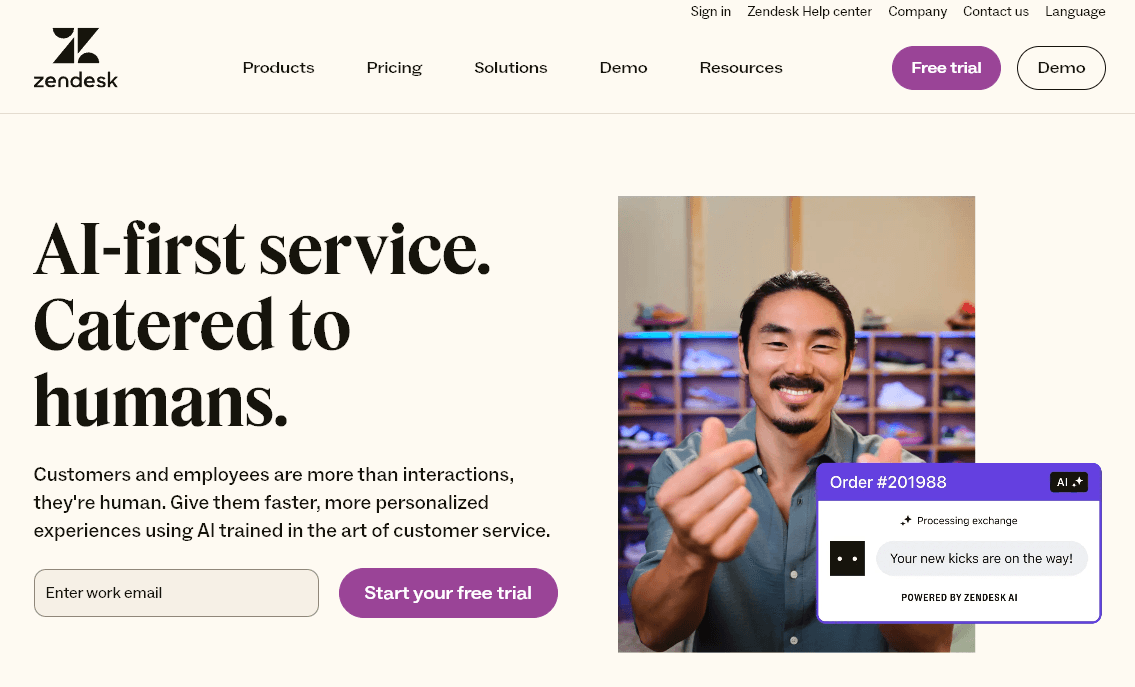
AI chatbots tools like Zendesk work in the same way, answering questions, handling common tasks like scheduling appointments, and even interacting fluently in multiple languages. They can be used for customer support, sales, and more.
5. Data Analysis: AI Quickly Analyzes Large Data Sets

Whatever industry you’re in, there’s a good chance your business produces a lot of data. Sales data, website analytics, customer feedback … whatever it is, that data isn’t much use on its own. You need to be able to understand and interpret it.
Instead of getting lost in all the details yourself (or hiring a pricey consultant), use AI tools to analyze large data sets fast. You’ll have the answers that you need in minutes, not weeks, giving vastly improved decision-making power and the ability to change direction based on what the data’s telling you.
6. Forecasting: AI Can Forecast Future Trends (Predictive Analytics)

Alongside helping you make sense of the past (through data analysis), AI can also predict the future! Through detailed analysis, AI can spot emerging trends that might not be obvious to humans.
Predictive analytics can tell you all kinds of things, from the big picture (how many of Widget X are you likely to sell in the next 3 months, helping with supply chain management) to the details (what is Customer Y likely to buy next). In healthcare, predictive analytics can even help improve patient care, accurately predicting patients at increased risk.
While the most robust AI forecasting and predictive analytics tools are largely focused on serving enterprise-sized companies at this stage, long-running tools like Baremetrics are adding AI-powered features to help companies get more out of the predictive power AI packs.
7. Search Engine Optimization (SEO): AI is Great at Content Optimization
One fantastic way to use AI is to improve your business’s online visibility. If you have any kind of blog or website, you want potential customers to be able to find you via search engines. The problem is, every single one of your competitors wants the same thing!
This is why search engine optimization (SEO) is so important. You need to create high-quality content that brings readers to your site.
AI can do most of the work for you. Inside RightBlogger, we have a ton of powerful SEO tools you can use, including:
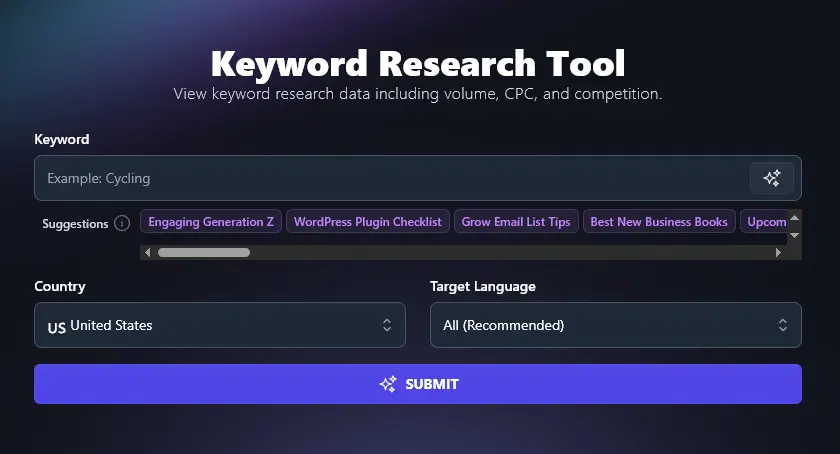
- Keyword Research Tool: find the best keywords to optimize your content around
- Meta Title Generator: give your content a title/headline that’s likely to rank well in Google and other search engines
- Meta Description Generator: instantly create an engaging, keyword-rich meta description (appears in search results)
Example: Using AI for SEO in the Content Writing Niche
SEO is used across all kinds of industries, but it’s particularly impactful if you primarily do business online and rely on customers finding your website.
Content writer and editor Anne McAuley Lopez uses RightBlogger’s Keyword Research Tool to optimize her content, sharing “I’ve been using RightBlogger and it’s a game changer. […] In a week, my site is ranking #3 for a competitive keyword that means a lot for my business!”
8. Content Repurposing: Make the Most of Your Content with AI
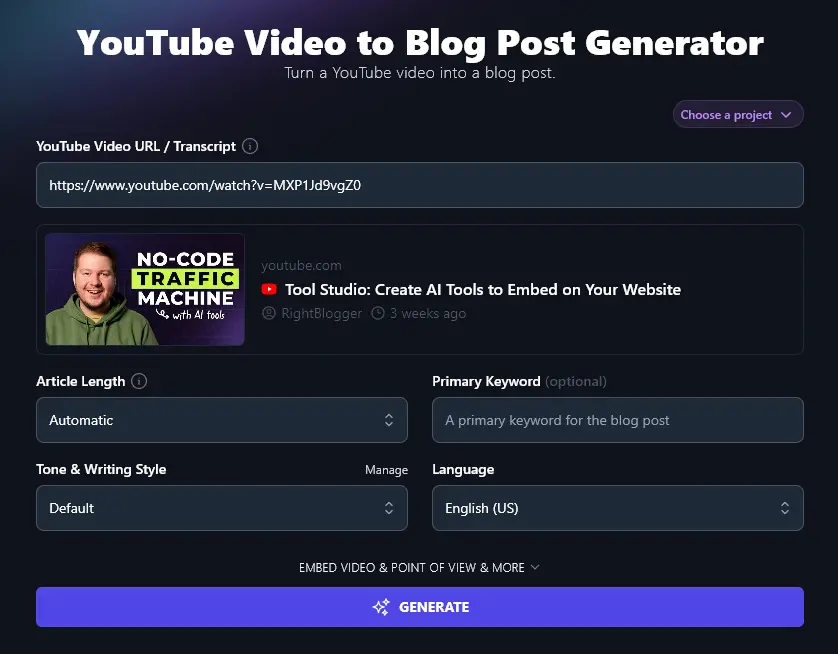
The Internet offers so many fantastic ways to get customers, not just search engine traffic, but YouTube viewers, social media followers, email list subscribers, and blog readers are all a valuable part of your acquisition strategy, today.
Keeping up a steady stream of content for all your online channels can be exhausting. AI shines here with its ability to quickly adapt content for different purposes (like turning a video into a blog post or a series of tweets that engages your audience on a different platform or in a new medium).
Example: Using AI to Convert Videos to Blog Posts in the Web Design Industry
Squarespace web designer Christy Price uses AI to craft video descriptions and to create full-length blog posts from her videos, explaining: “Not only does RightBlogger give me great descriptions for my videos, but it’s the perfect tool to help transform those videos into blog posts. RightBlogger saves me HOURS every week.”
9. Dynamic Price Optimization with AI

Want to maximize profits and never miss out on a sale because your price point was just a little too high for one particular market? AI can automatically adjust pricing based on what a customer is likely to pay, taking into account factors like competitors’ real-time pricing and a customer’s geographic location in the world.
Example: Using Dynamic Pricing in the Airline Industry
Airlines have long used dynamic pricing for maximum profit, but AI opens up new possibilities for how fast, accurate, and responsive pricing can be for all kinds of retail and ecommerce companies.
As Fetcherr points out in Dynamic Pricing in Aviation: How AI is Revolutionizing Airline Revenue Management, “Picture a real-world scenario: A major sporting event gets canceled, a competitor drops their prices, and a weather system threatens to disrupt flights – all within the same hour. Traditional systems would struggle to respond to even one of these events effectively. AI-driven dynamic pricing handles all three simultaneously, adjusting prices across your entire network before you’ve even finished reading about the first incident.”
10. Automated Scheduling & Appointment Booking
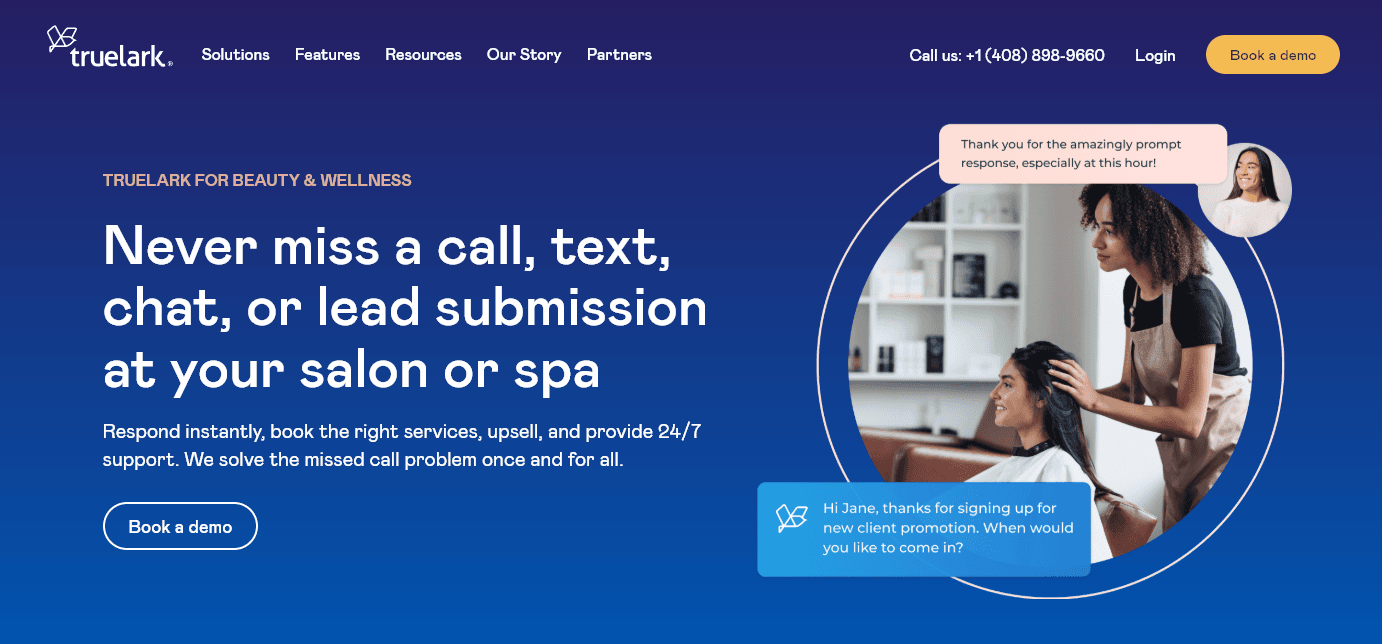
Another great use of AI is to have it handle booking customers in for meetings or appointments. Instead of having a receptionist search for free slots, AI tools can sort it all out while on the phone, during a chat, or over email (without the need for the customer to visit a weblink or install a clumsy app).
Example: Automated Appointment Booking in the Spa & Salon Industry
Spas and salons will often need to book clients for multiple appointments on the same day (e.g. a facial, a massage, and lunch). AI applications like Truelark can make the whole process easier, with automated bookings, reminders, and follow-ups about appointments. AI can also handle cancellations, offering slots to other customers as appropriate.
11. Images, Visuals & Videos: AI Can Produce Marketing Collateral for Your Business
Whatever your exact marketing strategies, at some point, your business is going to need visuals: illustrations, graphics, photos, videos, or other visual elements for your website and/or printed materials. You may also need visuals for a slideshow (e.g. for clients/investors) or for your products themselves (e.g. for a paid training program).
Thankfully, there are tons of AI options for creating images, including our very own RightBlogger AI image generator, that can help here.
Example: Creating and Printing AI Visuals in the Clothing Industry
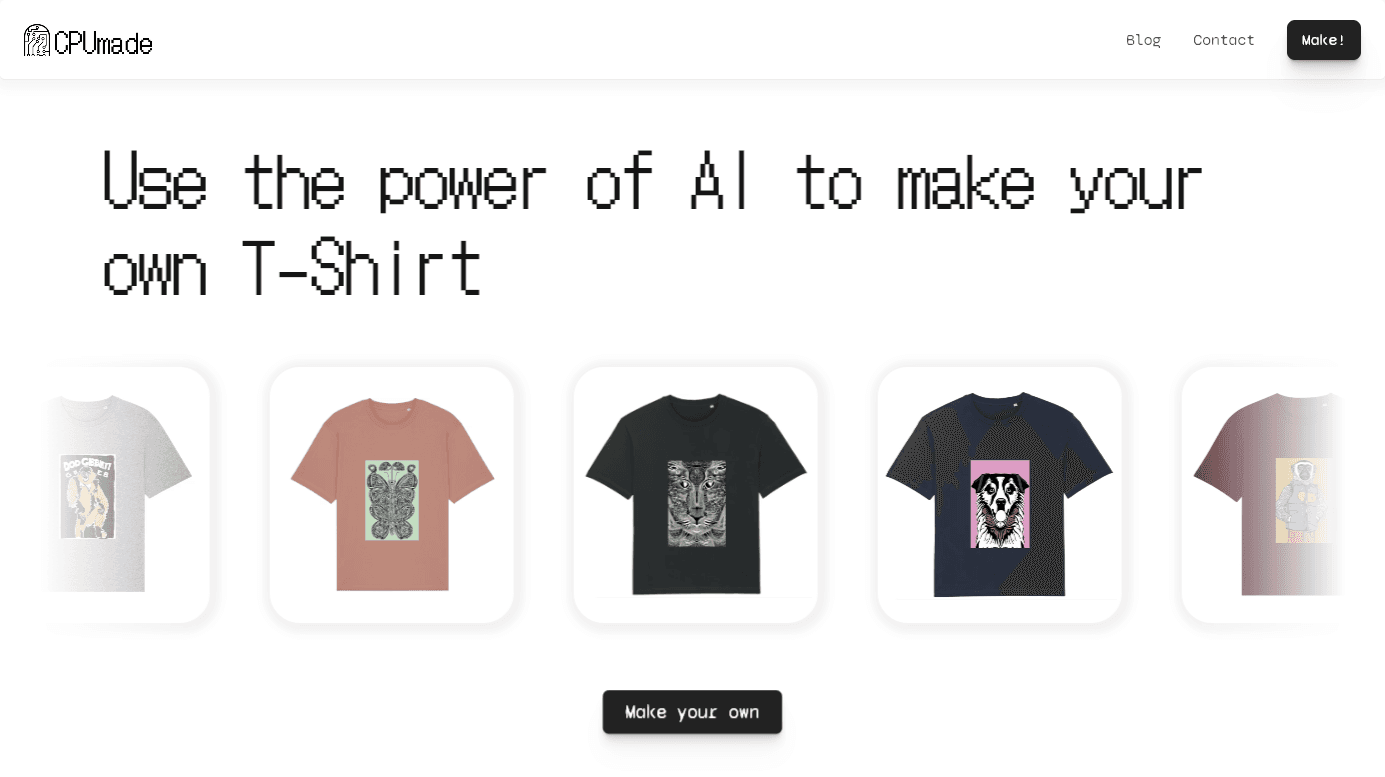
Custom t-shirts, caps, and other apparel have always been popular… and with the possibilities AI offers, platforms like Kittl AI are letting customers generate their own one-of-a-kind designs from text prompts.
Focus on One Area to Get Started with AI in Business Today
If you run any kind of small business, from a tiny side hustle to a fast-growing startup, then you want AI tools on your side, ASAP.

AI adoption has accelerated fast. 88% of organizations now use AI in at least one business function (per McKinsey), and a Microsoft-commissioned IDC study found companies see an average return of $3.70 for every $1 invested in generative AI. Business leaders across every industry are already using AI to cut costs and move faster, so the window to gain a competitive edge is narrowing.
With AI tools, you can market far more effectively, save a ton of time on content creation, and compete with other businesses vying for your customers’ attention.
You don’t need to figure out a whole AI strategy before you begin. You can get started in just minutes, for free. Sign up for RightBlogger today to try out our powerful AI tools for businesses of all sizes. Plans start at $49/mo with a 30-day money-back guarantee.
To go even further, upgrade to our Pro plan for full access to all our most advanced AI features, including the ability to make personalized embeddable AI lead magnets to convert your audience into subscribers with Tool Studio.
Blog Automation That Keeps Your Posts Ranking
RightBlogger finds keywords, writes SEO articles, and publishes them to your blog. Then its Site Agent uses your Search Console data to keep older posts in shape, adding internal links, sharpening weak meta descriptions, and fixing stale years and broken links. Join 51,000+ bloggers using it to grow traffic from Google and ChatGPT.

RightBlogger Co-Founder, Ryan Robinson helps 500,000 monthly readers grow online businesses and is a recovering side project addict.

Automated SEO Blog Posts for Your Site
Research, write, publish, and share from one account.
7-day free trial. Cancel anytime.





Leave a comment
You must be logged in to comment.
Loading comments...