
Blog Post Ideas Generator
Generate a list of blog post ideas from a topic or keyword.
Looking for a blog post idea generator to come up with lots of great ideas fast? Fill your content calendar for months to come with our AI blog post ideas tool: it's quick and easy to use. All you need is a keyword or rough topic.
Our Blog Idea Generator is designed to come up with lots of workable ideas with just the right size and scope to cover in a 1,000--3,000 word blog post. You'll get a whole list in seconds: no more writer's block or struggling to fill out your content calendar.
As you sort through the AI-generated ideas, you'll want to look for:
-
Ideas that are keyword-focused (use RightBlogger's Keyword Research Tool for help with that).
-
Ideas that are a great fit for your audience (e.g. beginner-friendly vs more advanced).
-
Ideas that you could bring an interesting angle or perspective to.
Ready to dig in?
How to Use the Blog Post Idea Generator to Come Up With Great Ideas for Your Blog
We (Andy and I) designed the blog post idea generator to be simple and fast to use. Here's your quick-start guide to using it.
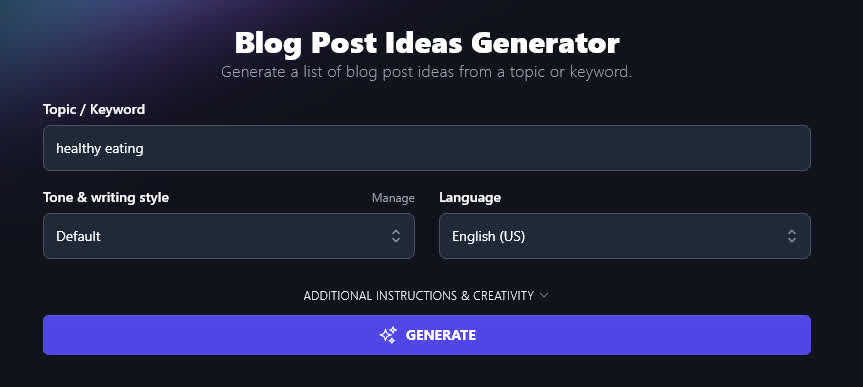
1. Enter Your Keyword or Topic
If you've got a keyword already, put it in here: the content idea generator will come up with a range of ideas to fit that keyword.
If you've got a broader topic in mind, that's fine too.
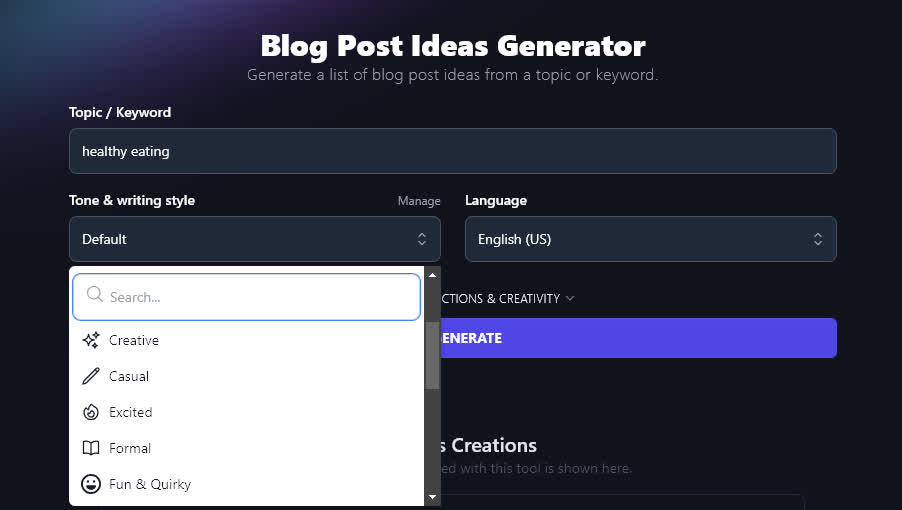
2. Choose Your Tone (Optional)
In almost all of RightBlogger's tools, you've got the option to pick your Tone and Writing Style. If you're not sure, you can just leave this as "Default" for now.
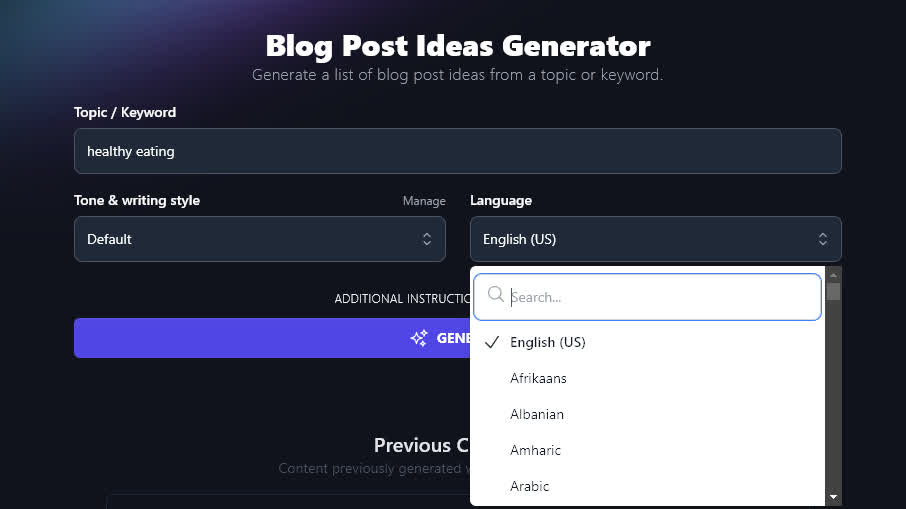
3. Select Your Language (Optional)
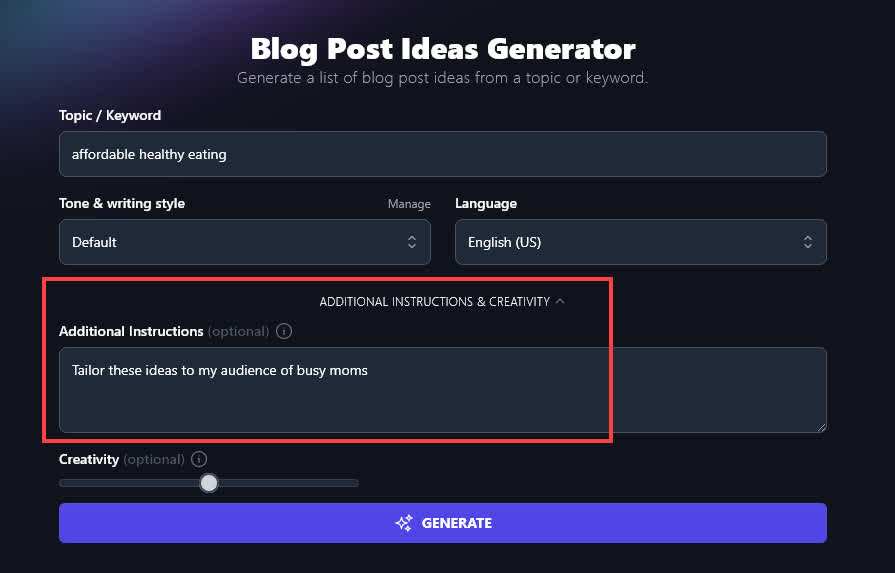
RightBlogger's AI can generate text in 100+ different languages. The idea generator defaults to English (US), but you can pick a different language---or even a different variety of English---from this dropdown.
When you're ready, go ahead and generate ideas.
RightBlogger will give you a list of 10 ideas.
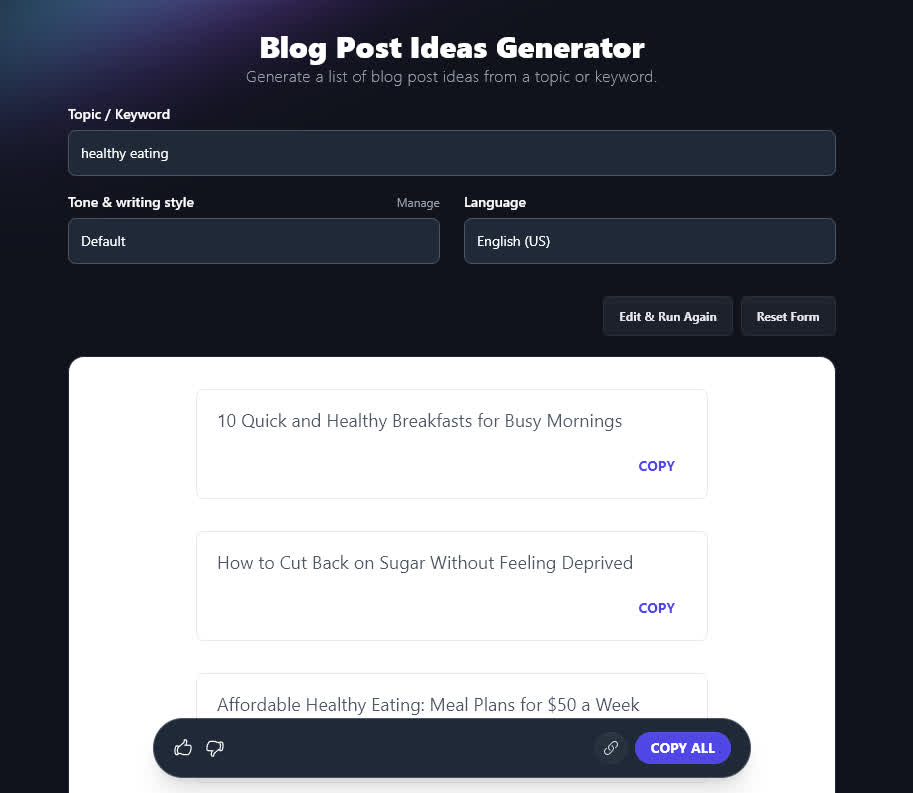
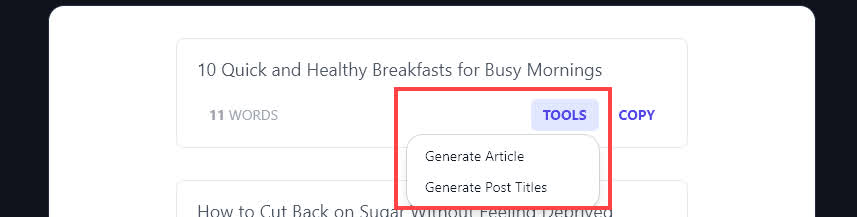
You can copy and paste individual ideas, or the whole lot, into a separate document. Spot an idea you love? You can instantly turn it into a title or article by clicking the "Tools" button beneath it (this button appears when you run your mouse cursor over the idea).
Bonus: Use My Free Idea-Testing Checklist Alongside This Tool
Not sure whether an idea is right for your blog? Here are 6 questions I use to evaluate blog post ideas. I'm looking for a "yes" each time!
-
Can I optimize this around a low competition, medium volume keyword? (I use the Keyword Research Tool to help me figure this out.)
-
Do I have the skills and knowledge to write about this idea in an authoritative way?
-
Does this idea fit my target audience well? (For instance, is it similar to other ideas that have been popular with them?)
-
Would this idea fill a gap in my current content?
-
Could this idea help me get sign ups for my email list and/or products?
-
Does this idea grab my attention and sound fun to write?
The Features of the Blog Idea Generator
The blog idea generator is really easy to get started with. But if you want to go a little further and refine your results, here's a deep dive into all its powerful features.
1. Keyword/Topic (The Clearer, the Better)
It's fine to use this tool as a blog topic generator---like we did above with "healthy eating". You'll get more targeted results, though, if you have a more specific topic in mind.
Tip: You don't need to come up with your specific keywords/topics on your own. You could run the idea generator for a broad topic (e.g. a noun like "money"), then pick one of its ideas to run through the tool again.
Here's an example. One of the ideas the AI came up with for "healthy eating" was "Affordable Healthy Eating: Meal Plans for $50 a Week". Affordable healthy eating could be a huge topic for your audience -- especially if you're aiming your blog at students, young families, retirees, or anyone else who might be on a tight budget.
Running the tool again for affordable healthy eating gives a whole list of on-point ideas:
-
"10 Budget-Friendly Ingredients to Build a Healthy Meal Without Breaking the Bank"
-
"How to Plan a Weekly Healthy Menu for $50 or Less"
-
"Cheap but Nutritious: Filling Meals for Under $2 Per Serving"
-
"Healthy, Affordable Snacks You Can Make in 5 Minutes"
-
"Mastering Meal Prep: Saving Time and Money While Eating Clean"
-
"The Best Frozen Foods for Affordable and Healthy Cooking"
-
"Cooking with Leftovers: Transforming Ingredients into New Healthy Meals"
-
"Seasonal Produce Guide: Eating Fresh and Healthy on a Tight Budget"
-
"Affordable Plant-Based Meals That'll Keep You Full and Happy"
-
"Store-Brand vs. Name-Brand: How to Save on Healthy Staples"
2. Tone & Writing Style (Get Ideas That Suit Your Brand)
While you don't have to set your tone & writing style, picking an option here can help the AI tailor its ideas to your brand.
RightBlogger has 20+ built-in tones to choose from, like Creative, Excited, Formal, Academic, Passionate, and Technical.
If you've got the Pro plan, you can also create a custom MyTone, based on a blog post or other sample of writing. This lets the AI match your voice every time.
3. Language (Pick from 100+ Languages)
RightBlogger can output text in over 100 different languages, from Afrikaans to Zulu. If your blog isn't in English, or you're creating ideas for a multilingual website, just select your preferred language from the dropdown.
4. Additional Instructions (Make Special Requests Here)
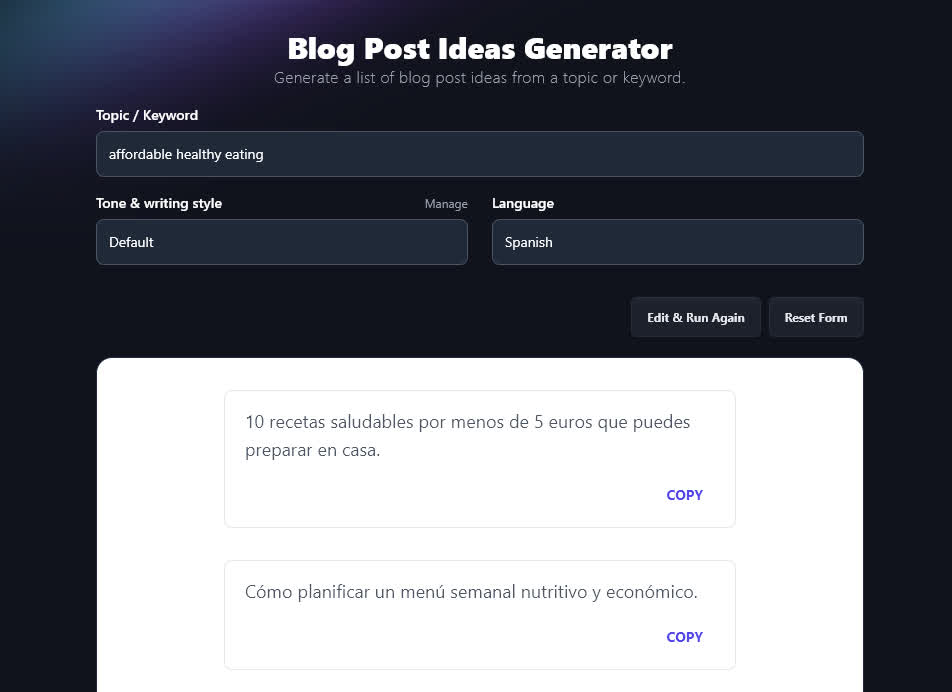
Click on the "Additional Instructions & Creativity" link to open up the advanced options.
In the Additional Instructions box, you can add any specific constraints or requirements for your blog post ideas.
For instance, if your audience is "busy moms", then you could include that here.
You'll now get ideas tailored to your requirements:
-
"10 Budget-Friendly Meals Under $10 That Your Kids Will Actually Eat"
-
"How to Shop Smart: Healthy Groceries for a Family of Four on $50 a Week"
-
"The Best Cheap Protein Sources You're Not Buying Yet"
-
"Quick and Healthy Recipes for Moms Who Hate Meal Prepping"
-
"How to Use Frozen Veggies to Save Time and Money Without Sacrificing Nutrition"
-
"One-Pot Dinners for Busy Nights That Won't Break the Bank"
-
"DIY Snack Ideas That Cost Less Than Store-Bought and Are Way Healthier"
-
"How to Stretch Pantry Staples Into Healthy Family Meals"
-
"What to Cook When You Only Have $20 Left Until Payday"
-
"Affordable Swaps: Expensive Ingredients You Can Replace Without Anyone Noticing"
5. Creativity (Get More/Less Creative Ideas)
The RightBlogger AI is set, by default, to a medium level of creativity. This means it comes up with ideas that aren't too predictable... but also aren't too wacky!
If you'd prefer more (or less) predictable blog post ideas, then go ahead and adjust the creativity slider.