
YouTube Video Ideas Generator
Brainstorm YouTube videos ideas based on a topic.
Coming up with YouTube video ideas is one of the biggest challenges many YouTubers face. The right idea can bring in loads of viewers, subscribers, and revenue. Using our YouTube video idea generator, you can brainstorm dozens or even hundreds of ideas, effortlessly.
Whether your channel is brand new or well-established, it can be difficult to figure out what to create content about.
If you’re just getting started, you might feel that all the best ideas have already been covered over and over again by other creators … and if you’ve been running your channel for months or years, it may seem like you’re fresh out of inspiration.
A good YouTube video idea is going to be one that interests plenty of people and that offers some kind of useful takeaway or information. Whether that’s a tutorial, top tips video, or even something entertaining, it needs to be of real value to the person who’s going to spend their time watching it.
Our YouTube Video Idea Generator, powered by AI (artificial intelligence), is designed to come up with fantastic, on-topic ideas that will work for your video content.
How to Use the AI YouTube Video Idea Generator
Ready for some content creation? The idea generator will get you started with the perfect video ideas. Here’s how to use it.
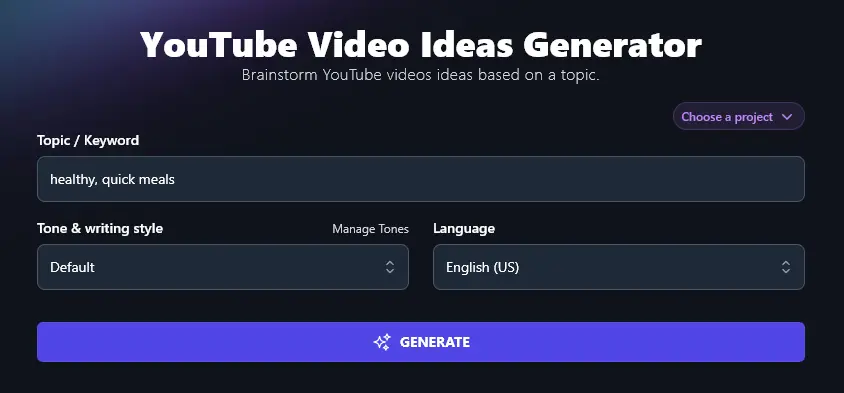
Step 1. Enter a Starting Topic or Keyword
The AI needs a starting point, so pick a rough topic or keyword that you know will work for your target audience and type this into the “Topic / Keyword” box.
Tip: If you’re not sure where to begin, try using the Keyword Research Tool to find out what people are searching for online.
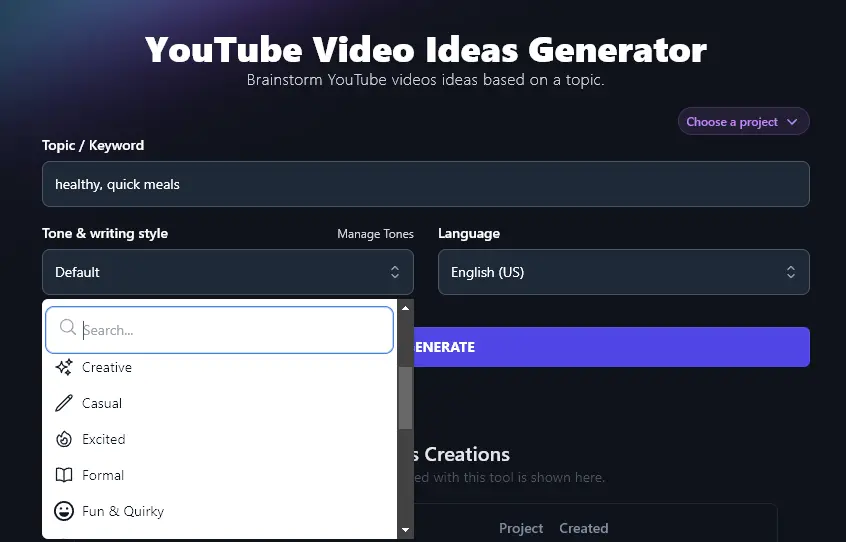
Step 2. Select Your Tone & Writing Style for the Ideas
Are you looking for professional ideas, perhaps for a B2B channel … or fun and quirky ideas for an audience that loves to be entertained?
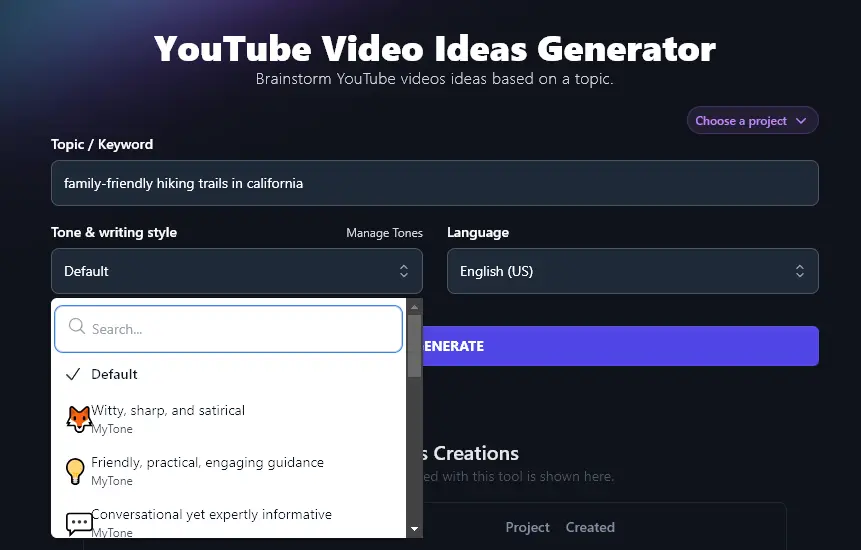
Use the Tone & Writing Style dropdown to select from different tones.
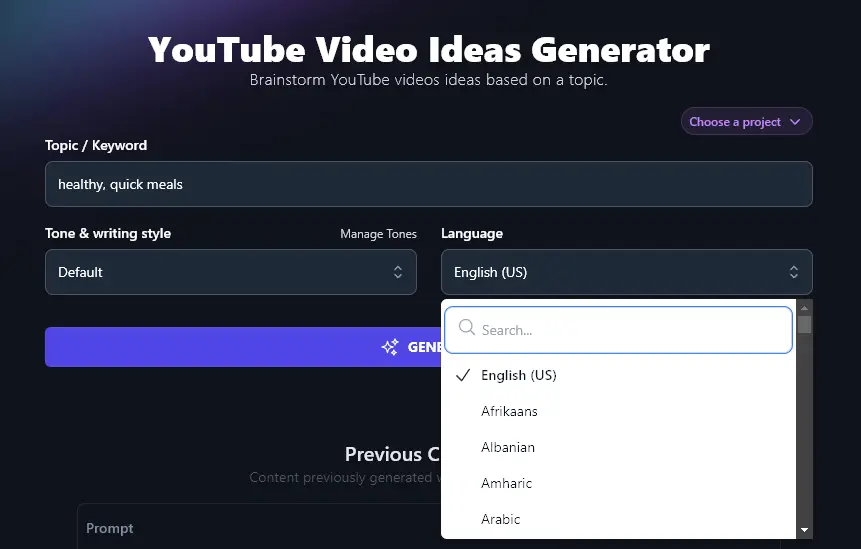
Step 3. (Optional) Pick a Language for the YouTube Ideas
If you want content ideas in a language other than English, the video ideas tool has you covered! RightBlogger can generate video ideas in 100+ different languages. Just pick the one you want from the dropdown list.
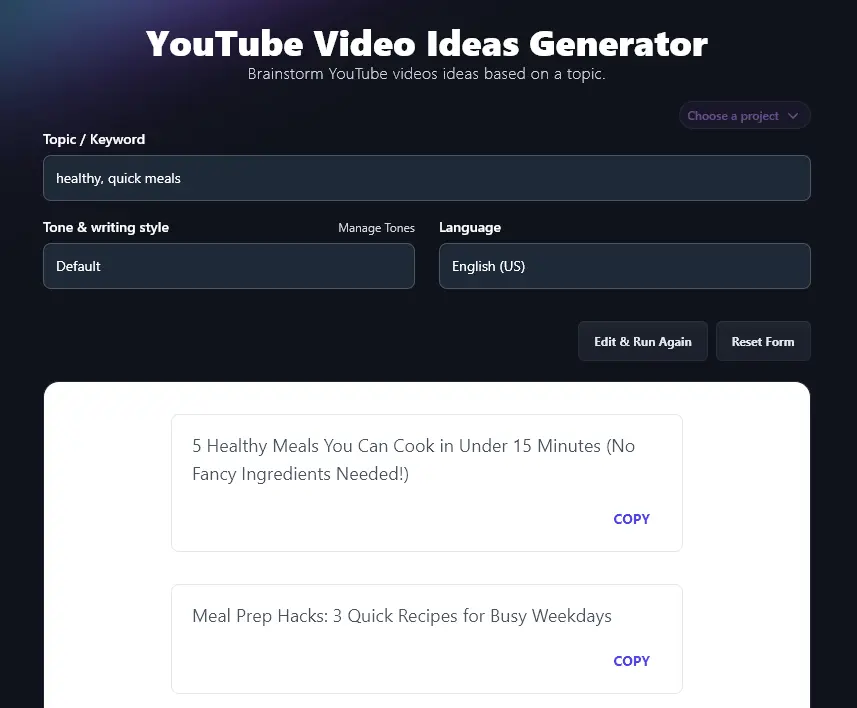
When you’re ready, go ahead and generate your video ideas. The AI will come up with these as a list of potential YouTube video titles:
Tip: If you want some title variants, pick any title you like then run it through the YouTube Video Title Generator.
Bonus: Use My Free YouTube Recording Checklist Along With This Tool
Creating engaging content on YouTube all starts with a solid idea … but for a truly high-quality video, you want to make sure your recording setup is good, too.
Here’s my personal checklist you can use every time you record a new video:
- Let your family members (or housemates) know you’ll be recording, so they don’t interrupt
- Soundproof your room as much as possible, e.g. close the door and windows
- Close any tabs/apps on your computer that you don’t need for the recording
- Check out your camera angle: do you need to adjust it or remove anything that’s visible in the background?
- Adjust your lighting if needed, e.g. turning on extra lights or using a ring light
- Make sure your mic is working (before you hit record)
- Have any props or your slideshow ready to go
- Run through some simple vocal exercises to warm up your voice
- Put your phone on silent or airplane mode and switch off anything that might make a noise (e.g. Alexa)
- Record a quick test video to make sure your recording software is working
- When you begin the actual video, wait for a few seconds before you start talking (a few seconds of silence is helpful for editing out ambient noise)
- Just before you begin speaking, double-check you definitely pressed “record”!
How Does the YouTube Video Idea Generator Work?
The AI video idea generator will come up with creative ideas and video concepts in seconds … but to get the most from it, it’s helpful to know how best to use the different features.
1. Topic / Keyword (Choose a Broad Idea or a Topic You Cover)
You don’t need to have a specific idea in mind when you use the tool. Instead, you can choose a broad topic or concept, like “gardening tips for beginners” or “hiking routes in California”.
The AI will then come up with a wide range of unique content ideas that suit your idea/topic. Here’s an example for “hiking trails in California”:
- “Top 10 Hidden Hiking Gems in California You’ve Never Heard Of!”
- “California’s Most Instagrammable Hiking Trails – Best Photo Spots!”
- “I Hiked Every National Park in California – Here’s What I Learned!”
- “5 Beginner-Friendly California Hikes That’ll Blow Your Mind”
- “The Deadliest Hiking Trails in California – Would You Try These?”
- “California’s Best Waterfall Hikes – Must-See Spots for Nature Lovers!”
- “Day Hikes vs Overnight: Exploring California’s Best Trails”
- “The Trail Everyone Gets Wrong: Fix Your Yosemite Hiking Plan”
- “How to Avoid Crowds on California’s Most Popular Hiking Trails”
- “The Ultimate California Hiking Bucket List for Adventure Seekers”
If you want more specific ideas, just enter a narrower topic, like “family-friendly hiking trails in California”.
2. Tone & Writing Style (Adjust the Style of Your Ideas)
If you want to use the AI’s suggestions as-is for your video titles, then it’s a good idea to select a tone & writing style that matches your brand.
There are 16 different preset styles, or you can create your own with RightBlogger’s MyTone feature, which is included on every plan. Paid plans save 5 (Solo), 15 (Pro), or 50 (Agency) custom tones, which you can then select from the dropdown.
3. Language (Over 100 Languages to Pick From)
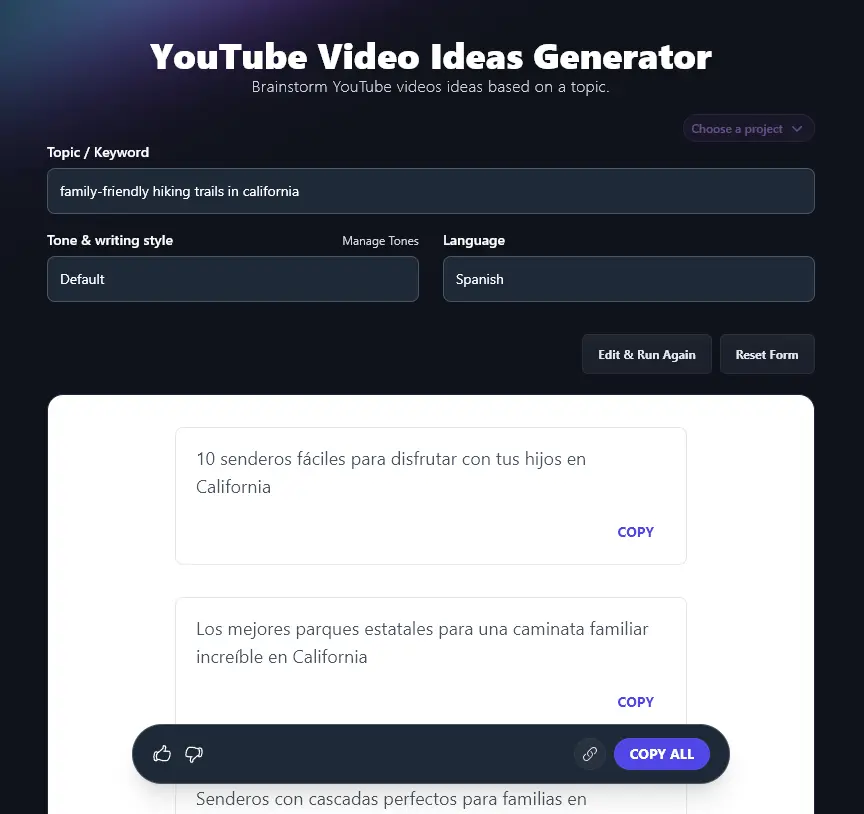
RightBlogger’s AI writing tools can create content in over 100 different languages, ideal if you’ve got a multilingual channel or you’re creating videos for a non-English speaking audience.
To come up with video ideas in a different language, just select it from the dropdown. (There’s a handy search bar within the dropdown so you don’t have to scroll down for ages.)
YouTube Video Idea Generator FAQs (Frequently Asked Questions)
Got questions about the YouTube video idea generator or about coming up with new video ideas in general? Here’s what you need to know.
Do I Need Unique Ideas for My Videos?
You don’t necessarily need a completely unique idea for your video. In fact, popular videos often follow trending topics and proven ideas: ones with an existing audience interest. What matters is the unique angle, perspective, or expertise that you can bring to the topic.
How Do I SEO-Optimize a YouTube Video?
To make your YouTube video SEO-friendly, make sure you:
- Use a keyword (search query) in the title that users are likely to type into the YouTube search or into Google.
- Always add a description: again, use the keyword.
- Include tags and hashtags to improve visibility.
None of this will guarantee that you go viral … but it’ll give your video a good shot at being favored by the YouTube and search engine algorithms.
Tip: You can also use the YouTube Video to Blog Post Converter to turn your finished video into SEO-optimized blog content.
Can I Use the Idea Generator for YouTube Shorts?
While the YouTube video idea generator is designed for regular YouTube videos, you can absolutely use it to come up with ideas for other formats.
Add “Short video” in the topic (e.g. “short video with a hiking tip”) and you should get ideas that will work for Shorts, Reels, TikTok and other short-form social media videos.
Can I Use the Idea Generator to Brainstorm YouTube Channel Names?
The video idea generator is designed for video topics rather than YouTube channel names. The Podcast Name idea generator could help you come up with a great name for your channel.
What Other AI Tools Can I Use to Build and Improve my YouTube Channel?
The video ideas generator is just one AI-powered tool … we have lots more to help you take your YouTube channel to the next level:
- YouTube Video Title: get multiple title options and variations based on your YouTube video idea
- YouTube Video Description: craft a compelling description for a new or existing YouTube video
- YouTube Video Outline: create the perfect outline script, helping you record high quality content
- YouTube Video to Tweets: convert a YouTube video into a series of tweets
- YouTube Tag Generator: come up with tags for your next YouTube video
- Blog Post to YouTube Video Script: turn a blog post into a video script
In total, RightBlogger has over 85 different tools, covering blogging, SEO, social media, sales, productivity, and more.
Who is the YouTube Video Idea Generator Tool For?
We designed the YouTube video idea generator for anyone who publishes content on YouTube. That includes YouTubers, bloggers, content creators, content marketers, SEO professionals and agencies, small businesses, and influencers.
How Do I Sign Up for RightBlogger and How Much Does it Cost?
You can use the YouTube video idea generator on any RightBlogger plan, starting at monthly Solo $59 (annual billing, charged monthly, is $49).
Every paid plan includes unlimited words, brand voices, and full automation. Monthly Pro $89 (annual $69) is the most popular, with 3 sites and 3 team seats. Plus you get a 7-day free trial and a 30-day money-back guarantee on every plan. See RightBlogger pricing.