Paste a sentence, a paragraph, or a whole article, pick a tone, and RightBlogger’s free AI paraphrasing tool says the same thing in new words. It keeps the meaning, drops the awkward phrasing, and hands the result back in seconds. It is free to use, no account is needed to try it, and it takes up to 20,000 characters at a time, which is roughly 3,000 to 4,000 words.
Call it a paraphraser, a rephrase tool, or a rewording tool. The job is the same: take text that already exists and restate it so it is clearer, simpler, or a better fit for the piece you are writing, without changing what it means. That is different from a rewrite, which restyles the text while keeping all of it, and from a summary, which cuts it down. If you want either of those, the rewriter and the summarizer are one click away.
Key Use Cases for the AI Paraphrasing Tool
Paraphrasing for Bloggers
As a blogger, you might paraphrase to:
- Explain the findings of an academic study in a straightforward but accurate way for your readers.
- Rework something you’ve written yourself to make it more readable (e.g. if you’re updating an old blog post).
- Put information from multiple sources into your own words rather than using lots of blockquotes, which could get a bit choppy or confusing.
Paraphrasing for Copywriters and Marketers
If you’re writing sales or marketing copy, you might paraphrase to:
- Make an important message clearer for your audience.
- Provide statistics or proof for your statements, but in terms that are easy to understand.
- Weave together information from different sources to back up the points that you’re making.
Paraphrasing for Academic Writing
In an academic context, paraphrasing is useful to:
- Demonstrate that you’ve understood a specific text or source that you’re using.
- Create a coherent argument that flows well, without excessive use of quotations.
- Draw out important points from a complicated or lengthy text for the purposes of your own paper or report.
Important: You still need to cite sources, even if you’re not quoting directly from them. Avoid paraphrasing without mentioning your sources, as this could still potentially be considered plagiarism.
How to Use the AI Paraphrasing Tool
Three quick steps:
Step 1. Copy and Paste the Text You Want to Paraphrase
Open up the text you want to paraphrase, copy it, then paste it into the box. (You can also type the text in, if you only have it in a printed format.)
We’re using three paragraphs from my blog post 40 Ways to Grow a Blog over on RyRob.
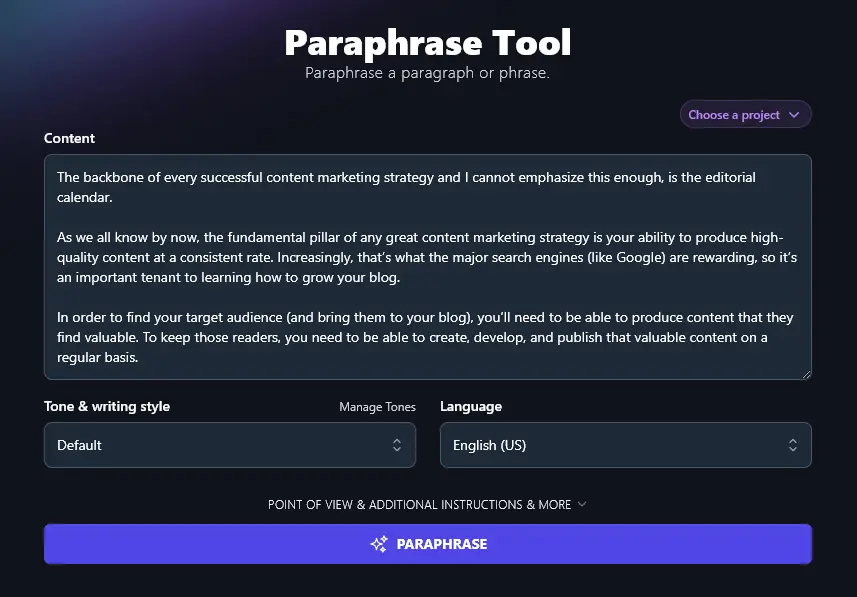
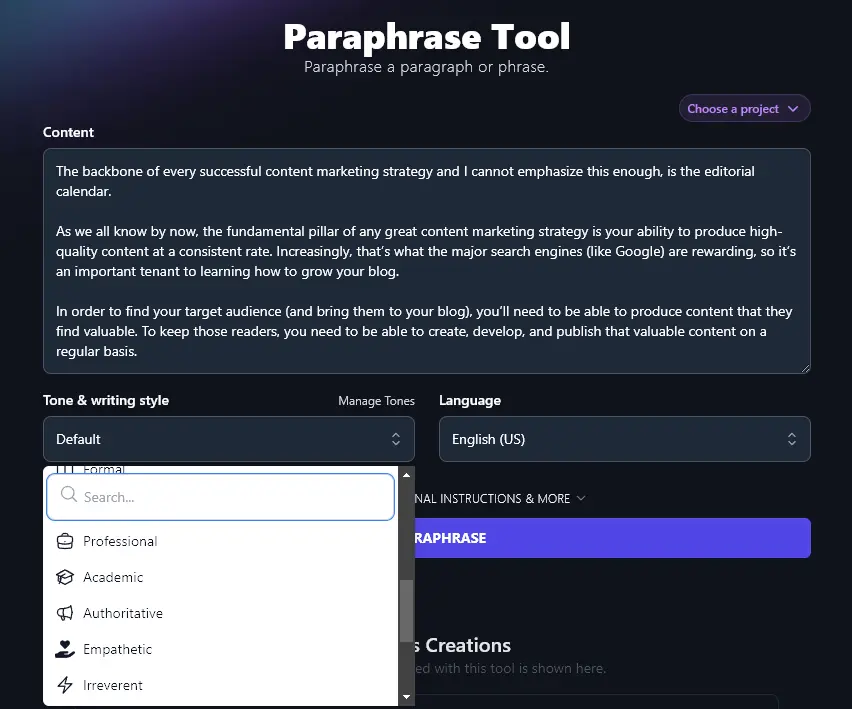
Step 2. Set the Tone & Writing Style
What tone and style do you want for your paraphrase? You can select from 16 preset styles here, including Academic, Casual, Direct, Fun & Quirky, and more.
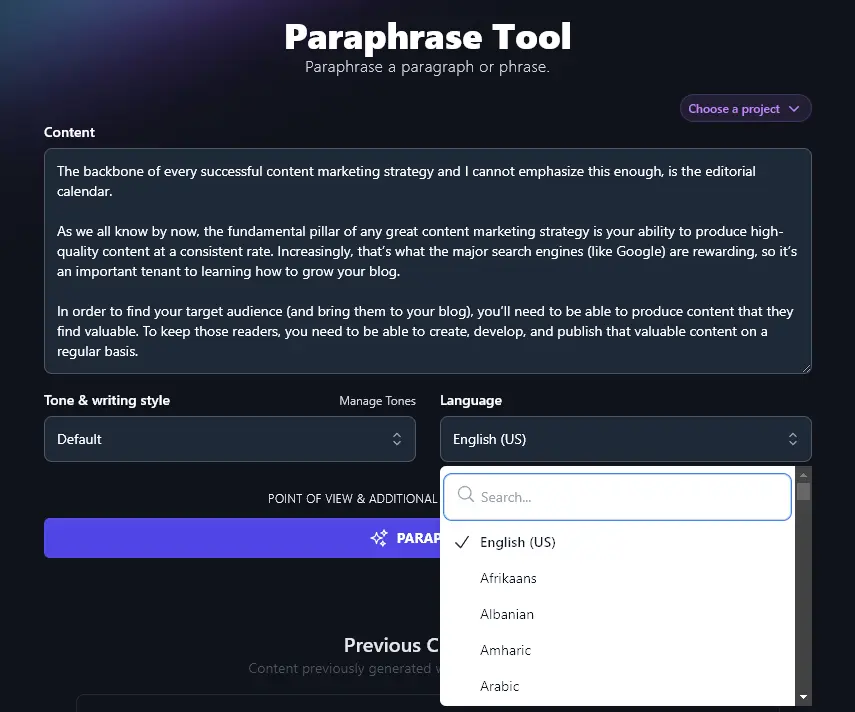
Step 3. Choose the Language for Your Paraphrase
By default, RightBlogger generates content in English (US). You can select from over 100 other languages, though, from Afrikaans to Zulu, and the AI will create a paraphrase in that language.
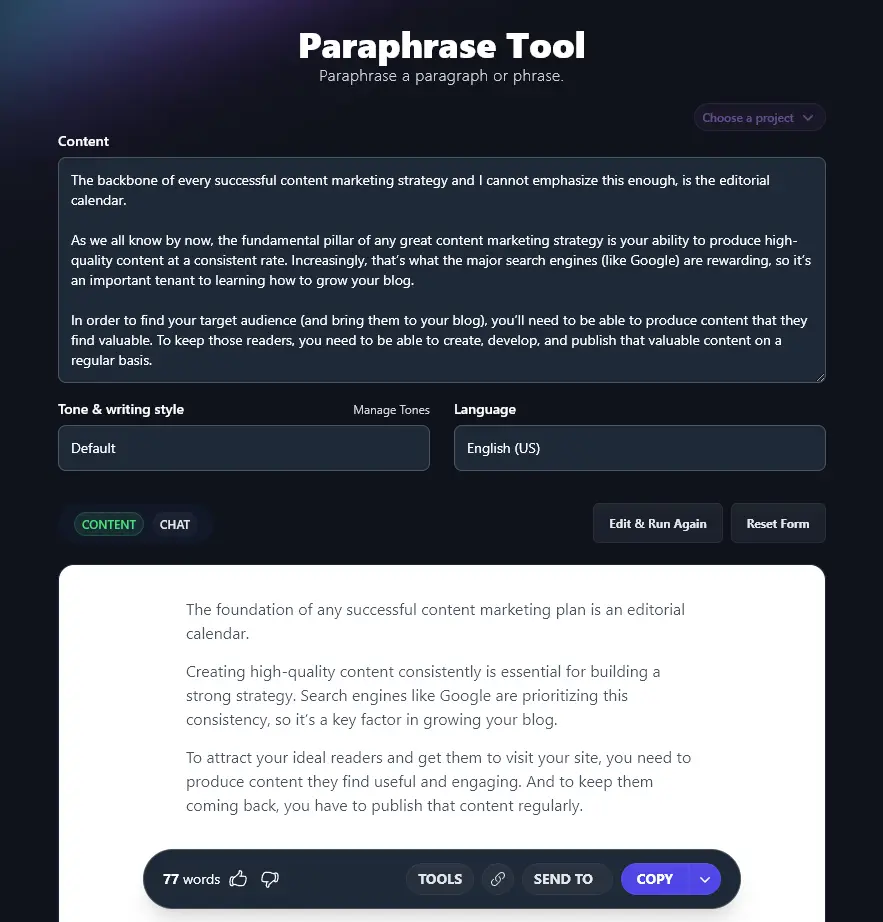
Once you’re ready, click the “Paraphrase” button. The tool will instantly rework the text for you, giving you a paraphrase within seconds.
Before You Use a Paraphrase
A paraphrase is a draft, not a finished paragraph. Four checks take about a minute and catch almost everything:
- Read it against the original. The meaning should be identical, including any caveats the source made.
- Check every number, name, and date by hand. Paraphrasing tools restate what you give them; they do not verify it.
- Cite the source if the ideas are not yours. A paraphrase without attribution is still plagiarism.
- Match the tone of the paragraphs around it, then run it through the grammar fixer if you changed anything by hand.
Each Feature, Explained (Plus Advanced Options)
The paraphrase tool is fast to use as-is. If you want to fine-tune the output for tone, length, or perspective, this is what each advanced field does.
A look at each feature of the paraphrase generator:
1. Content (Paste in the Whole Passage You Want to Paraphrase)
The content box lets you paste any piece of content for paraphrasing.
You can paste anything from a single sentence up to 20,000 characters (roughly 3,000 to 4,000 words). This means you could potentially paraphrase whole articles, blog posts, research papers, or book chapters … or you could use this tool as a simple sentence rephraser.
Note: You can’t upload a file or link to a URL for the paraphrase. You need to paste or type in the text.
2. Tone & Writing Style (Create a Paraphrase That Works for Your Piece)
When paraphrasing, you usually want your paraphrase to fit with the overall style of your piece of writing.
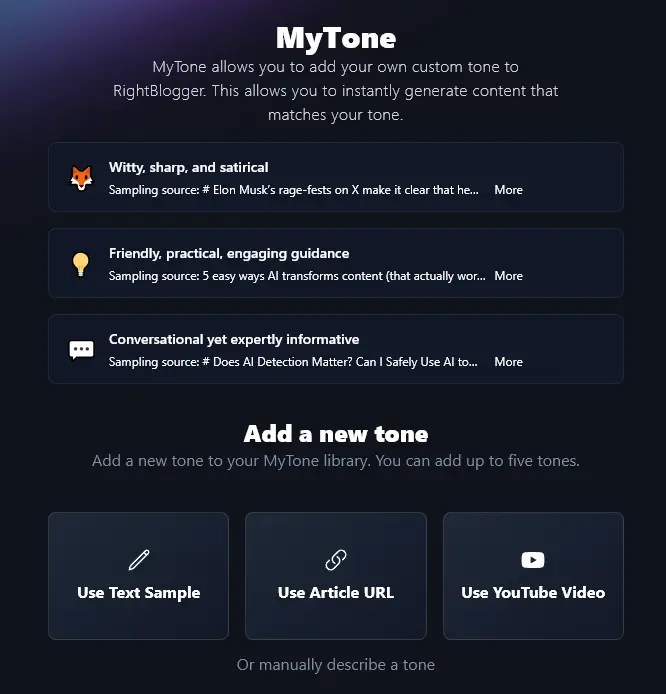
The Tone & Writing Style dropdown lets you pick from 16 preset styles, so the paraphrase matches the voice of the piece it is going into.
Every plan also includes MyTone, which builds a custom style from a sample of your own writing (paid plans include more MyTone voices). Simply give the AI an example of your writing (or even link to one of your YouTube videos), and it’ll create a unique style to match your voice.
3. Language (Select from 100+ Languages)
If you’re writing something in a language other than English, you don’t want to go to the effort of translating your paraphrase. Instead, get the AI to produce the paraphrase directly in your chosen language.
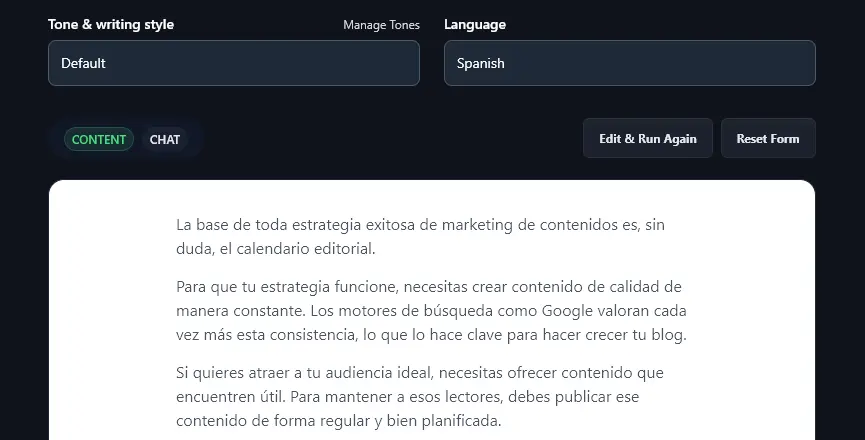
As well as picking from entirely different languages, you can also choose from four varieties of English: for the US, UK, Canada, and Australia.
4. Point of View (Choose the Perspective for Your Paraphrase)
The paraphrasing tool comes with some advanced options which you can open up by clicking on the “Point of View & Additional Instructions & More” link.
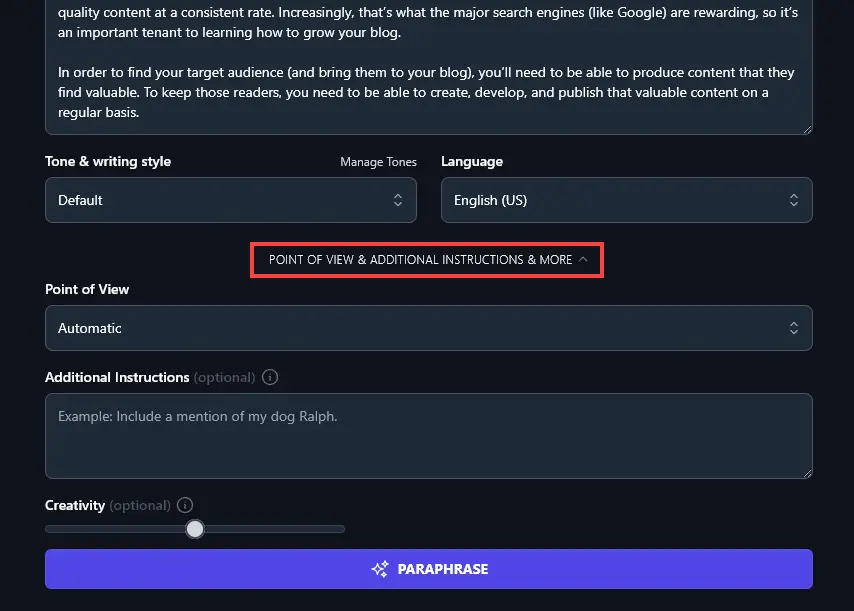
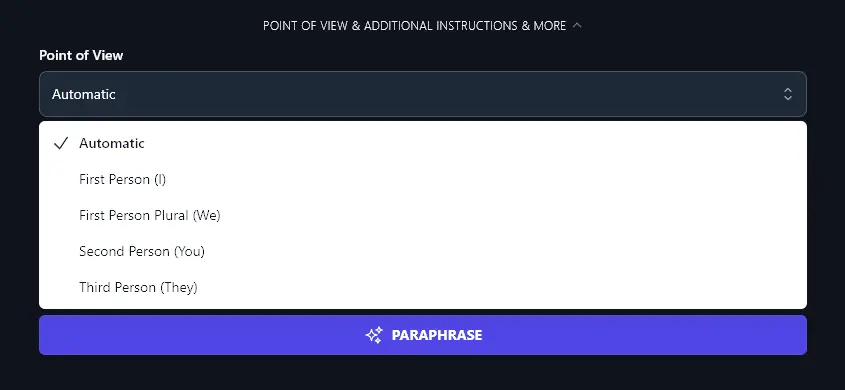
The first extra feature here is the “Point of View” dropdown. This lets you decide on the focus for the paraphrased text.
Usually, Automatic works best. But you might want to experiment with the other options, like First Person (“I”) for a piece centred on your own experience, Second Person (“You”) to concentrate on the reader, or Third Person (“They”) for a more neutral tone.
5. Additional Instructions (Give the AI Any Extra Details)
The AI’s defaults handle most paraphrases well. Use this field to push the output in a specific direction.
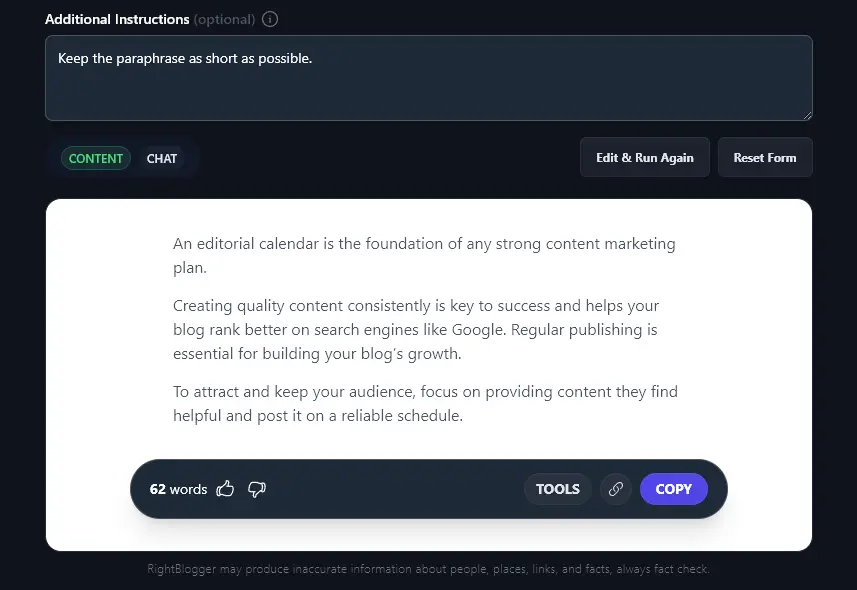
That’s where additional instructions come in. For instance, you could ask the AI to Keep the paraphrase as short as possible.
With that instruction in place, our paraphrase came out as 62 words instead of 77 words:
6. Creativity (Make Your Paraphrase More Conventional or More Unusual)
You can adjust the AI’s “creativity” level, which makes your results either more or less predictable.
Want wording that strays further from the original, with less common word choices? Shift the slider toward “Most Creative”. When accuracy matters more than variety, for a statistic or a technical explanation, keep it conventional.

AI Paraphrase Generator FAQs
What’s the Difference Between Rewriting and Paraphrasing?
People use the words interchangeably, but they are different jobs. A rewrite keeps everything in the original and presents it in a new way, usually to improve flow or match a style. A paraphrase restates the important ideas in your own words, often more simply, and can leave the rest behind.
We’ve got an article here explaining the difference between rewriting and paraphrasing. If you want to rewrite text instead of paraphrasing it, we’ve got the Rewriter tool for that!
Can the Paraphrase Tool Help Me Avoid Plagiarism?
The wording it produces is new, not copied from anywhere, so a plagiarism checker will not flag the text itself. That is only half of plagiarism, though.
However, the ideas and concepts in your paraphrase could still be considered plagiarized, if you took them from a source that isn’t your own work and if you don’t acknowledge the source.
Important: Even the best paraphrasing tool can’t be responsible for how you use the paraphrased content. Academic integrity requires you to cite the sources you’ve used. That applies whether you’re quoting verbatim or paraphrasing, you need citations either way.
What Other AI Tools Can I Use to Rework Content?
Along with our free AI paraphrasing tool and rewriter, we’ve got a bunch of other AI tools that you may want to check out.
- Rewriter: handy rephrasing tool for reworking any passage of text
- Summarizer: quick way to summarize an article, video, webpage, etc
- Shorten and Expand Tools: writing tools to adjust the length of your text
- Grammar Fixer: AI grammar checker that automatically fixes mistakes for you
- Improve Writing: rewording tool to enhance and polish your writing (e.g. improving sentence structure)
We’ve got a huge library of tools, so you might also want to take a look at our social media tools (like the YouTube to Blog Post Converter), our SEO tools (like the Keyword Cluster tool) and our blogging tools (like the Article Writer).
Who is the AI Paraphrase Generator Designed For?
Bloggers restating a study or refreshing an old post, marketers simplifying a claim, students and researchers putting a source into their own words with a citation, and anyone who has a paragraph that says the right thing the wrong way. If your text is longer than 20,000 characters, paraphrase it in sections.
Is the paraphrasing tool free?
Yes. You can paraphrase online here without creating an account. A RightBlogger plan removes the usage limits and adds the rest of the toolkit, including the article writer, the rewriter, and MyTone custom voices.
Can I use it as a sentence rephraser?
Yes. Paste a single sentence and it works as a sentence rephraser; paste a page and it paraphrases the whole thing. The tone, language, and point of view settings apply either way, so a one-line rephrase can match the voice of the paragraph it is going back into.
Does paraphrasing remove AI watermarks?
Not reliably, and that is not what it is for. Claude and Gemini now embed statistical watermarks in their text, and only heavy rewriting erodes them. Google has said it ranks pages on quality rather than on how they were produced, so there is nothing to remove for SEO. Use the tool to make text clearer for readers, and disclose AI use where a client or publisher requires it. Our explainer on the Claude watermark and SEO has the details.
How Do I Sign Up For RightBlogger and How Much Does it Cost?
You can get started with RightBlogger right away. Every plan gives you access to the paraphrase generator and all other tools, with a 7-day free trial and a 30-day money-back guarantee. Monthly plans start at Solo $59 (annual billing, charged monthly, is $49), with monthly Pro at $89 (annual $69) (most popular, includes 3 sites and 3 team seats) and monthly Agency at $299 (annual $199) for larger teams. Every paid plan includes unlimited words and all tools.