Need to quickly fill in a piece of content? Meet RightBlogger’s free AI Content Filler tool. Perhaps you’ve got the start of an introduction but you’re stuck on what to write next. Maybe you’ve been asked to reply to a bunch of interview questions by email, or you need a quick sentence or two for an image caption.
Whatever your exact situation, our AI Content Filler is here to lend a hand. It’s a really simple, fast AI tool that instantly expands on whatever you’re writing.
How to Use the Content Filler Tool
The content filler tool is very easy to use, it has just one straightforward input box. All you need to do is type in the content you already have, then put in [AI] where you want the AI to make additions.
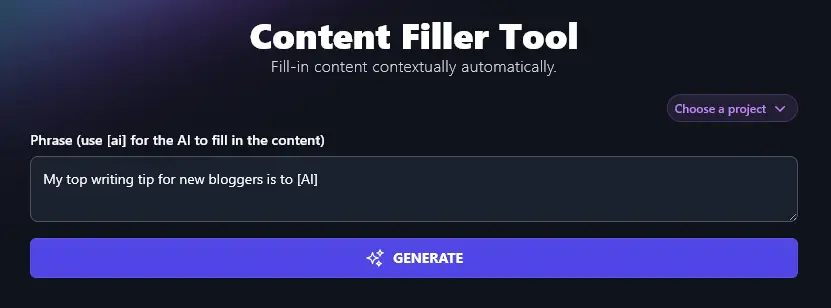
When you’re ready, simply click the Generate button and the AI will write the rest of the text for you:
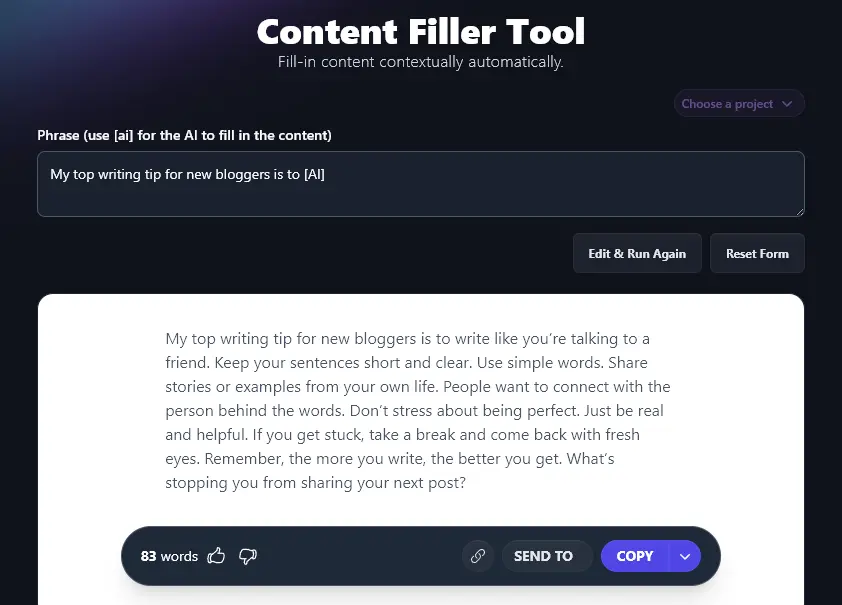
You can use the “Copy” button to copy this text, create a shareable link, or send it to someone else on your team. The downward arrow next to “Copy” gives you more options, like copying as HTML or downloading a .docx file of your text.
Use Cases for the Content Filler Tool (With Examples)
While its functionality is very straightforward, there are so many different ways you could use the Content Filler tool. Here are just a few options, plus examples of each:
1. Fill in a Word or Phrase When You’re Stuck
Struggling with writer’s block? Just pop “[AI]” into your text and let the AI fill in the gaps for you! The AI can even do this multiple times in a short piece of writing, like this:
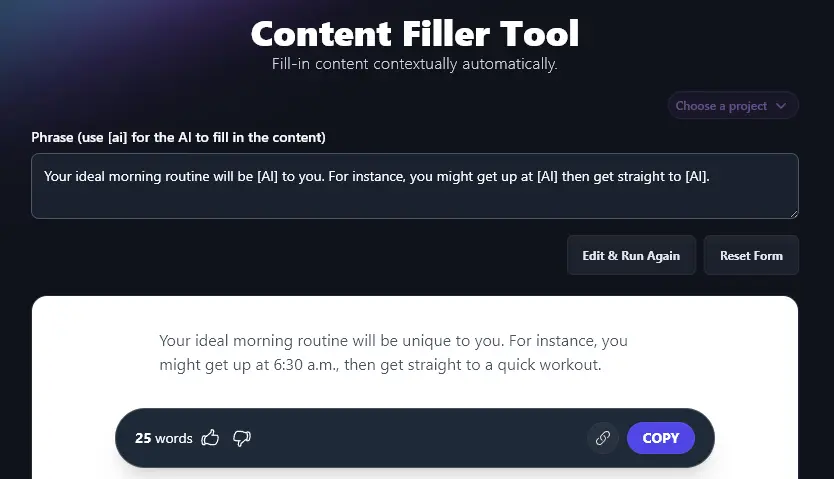
This is a great option if:
- You’re not sure what word to choose or you can’t quite think of the right word.
- You want an example but you don’t want to make it up yourself (perhaps you find yourself falling back on the same few examples).
- You’re just tired of writing and making decisions!
- You’re producing several pieces of similar text, but you want them all to have unique details (e.g. to avoid duplicate content penalties in SEO).
2. Quickly Answer a Question by Giving a Starting Phrase
Let’s say you’ve got a list of questions to answer, perhaps from your blog’s readers or from someone conducting an email interview with you. You could easily draft responses using this tool.
Just take the question (e.g. “Can you give us one simple SEO tip for total beginners?”) then add “Answer: [AI]” below it, like this:
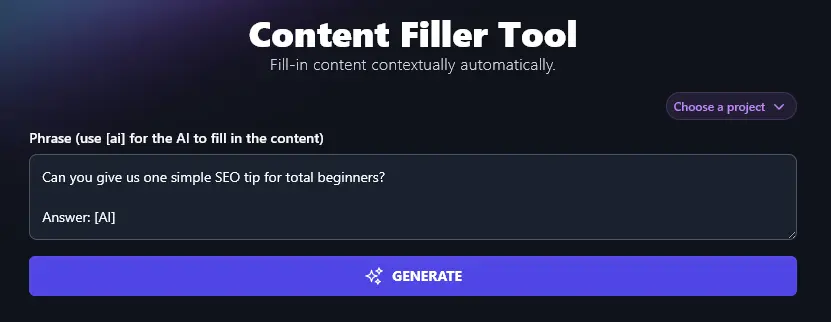
The AI will instantly draft a full answer for you.
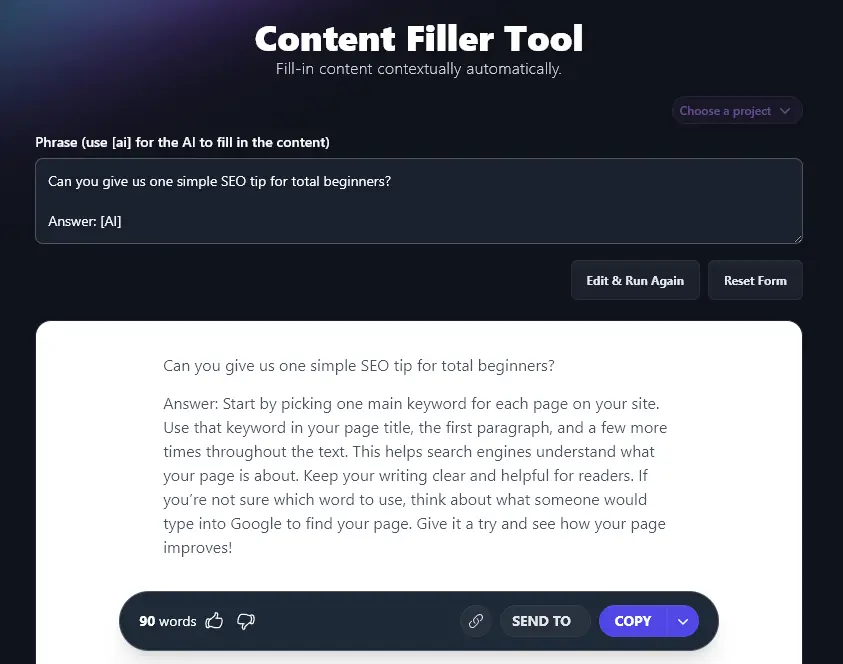
You can do this for any question … and you could even generate answers to a whole list of questions, adding “Answer: [AI]” below each one.
3. Create Social Media Posts to Share Tips and Ideas
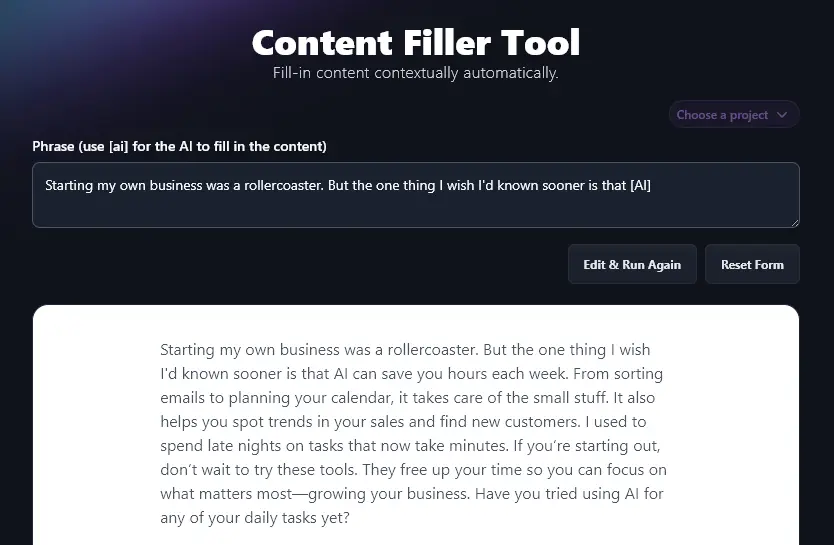
Another fantastic use of the AI Content Filler Tool is to craft social media posts. RightBlogger already has a range of social media tools (like the LinkedIn Post Generator and the Instagram Caption Generator), but if you’ve already written part of a social media post, using the Content Filler makes a lot of sense.
For instance, you might have an opening line or two for a LinkedIn post… but you want the rest. Let the AI tool come up with it for you
4. Create AI Content as an Alternative to Lorem Ipsum Filler Content
If you’ve ever set up a website, you might have used a Lorem Ipsum generator to create dummy text, before you write the actual text for the site. This is commonly done for mockups, typesetting, and website/document layouts.
Lorem Ipsum text (sometimes called “Lipsum”) is a nonsense Latin based on “De finibus bonorum et malorum” by Cicero. It looks like this:
Lorem ipsum dolor sit amet, consectetur adipiscing elit, sed do eiusmod tempor incididunt ut labore et dolore magna aliqua. Ut enim ad minim veniam, quis nostrud exercitation ullamco laboris nisi ut aliquip ex ea commodo consequat. Duis aute irure dolor in reprehenderit in voluptate velit esse cillum dolore eu fugiat nulla pariatur. Excepteur sint occaecat cupidatat non proident, sunt in culpa qui officia deserunt mollit anim id est laborum.
The text was long thought to have no meaning, but Latin scholar Richard McClintock from Hampden-Sydney College discovered its connection to Cicero’s writing. (If you’re interested in knowing more, Wikipedia has H. Rackham’s translation of the text, alongside the Latin version, with the sections that make up Lorem Ipsum highlighted.)
Using Latin text as filler content is common for website designers and graphic designers, and has been since the early days of desktop publishing, but it may not be a great option if you’ll have visitors coming to your website.
The AI Content Filler is a great alternative if you prefer not to use lorem ipsum, letting you quickly generate something that works fine for a sample site. For instance, it means clients can see what text would look like in a specific font or where it’ll appear on the finished web page.
To generate this kind of sample text, just type in the type of page or content you want (e.g. “About Page”) and then add [AI]. The Content Filler will come up with placeholder text for you:
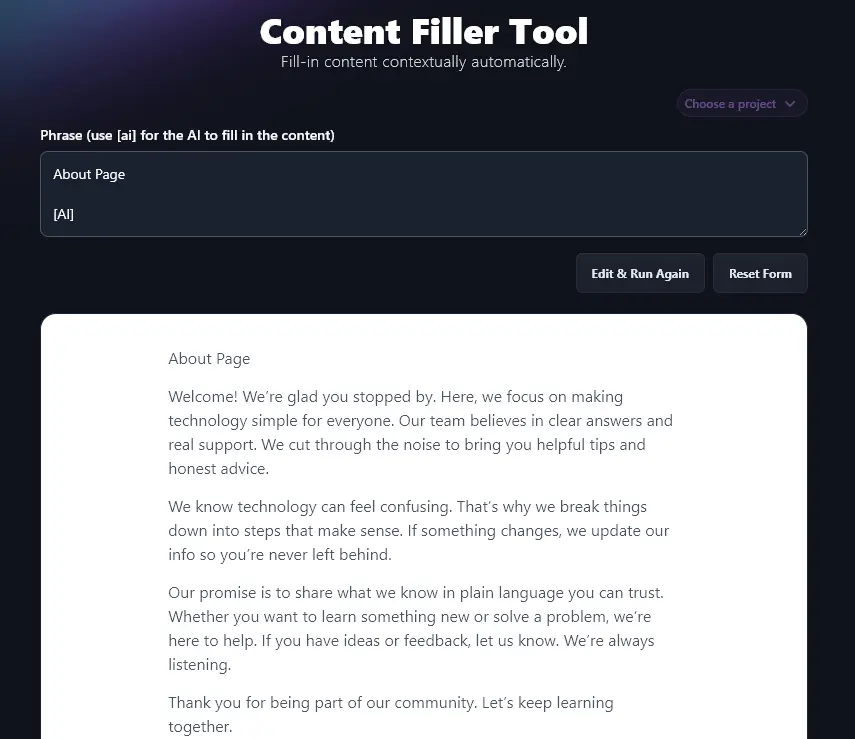
You can then use this text in your templates or in a client’s website mockup. At a later stage of the web design process, you can simply replace this with the actual content.
5. Use the AI Content Filler for Creative Content
You can use the AI Content Filler in all kinds of creative ways. Maybe you’re writing a short story or even a novel and you’re not sure what to write next, let the AI come up with an idea for you!
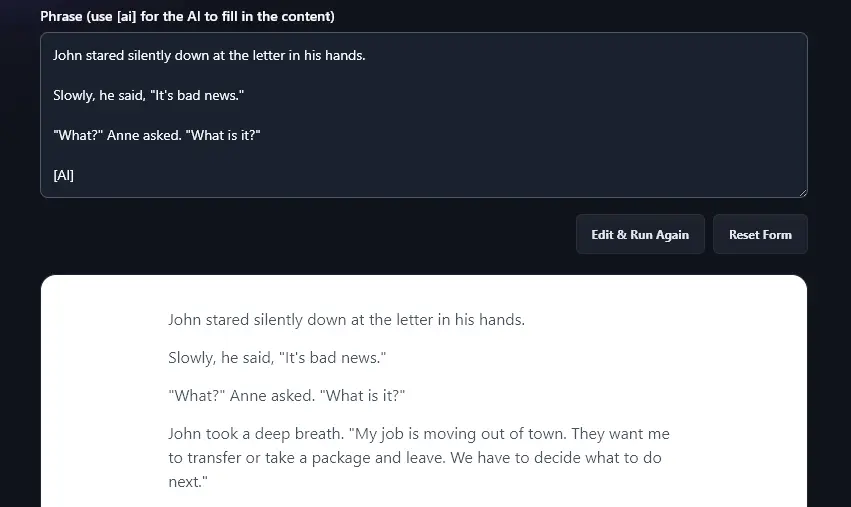
Tip: As you can see, you don’t need to tell the AI what type of content this is. It can automatically work out from context that you’re writing a piece of fiction.
Bonus: Use My Editing Checklist to Refine Your Filler Text
In some cases, you might simply use your filler text as-is. But you may want to make some tweaks and edits so that it works for your intended purpose.
Here’s my personal editing checklist to help you:
- Read through the whole text, both your parts and the AI additions, make sure it all flows well
- Check that your piece has a good introduction that draws readers in (use the Hook Generator to help)
- Make sure it’s clear what your post or article is about, right from the start
- If it makes sense, use subheadings in your piece to “signpost” the reader through the text
- Include facts, statistics, or quotes to back up your points, and make sure you reference these accurately
- Look out for any words/phrases that are overused in your piece, finding alternatives as needed
- Check that the whole tone of your piece is consistent between you and the AI, and edit if needed
- Run a readability check on the whole piece to make sure it’s about right for your audience
- Use a Grammar and Spelling Checker to fix any errors in your text
- Do one final proofread before posting, emailing, or publishing your piece
AI Content Filler FAQs (Frequently Asked Questions)
Got questions about using the AI Content Filler or about creating filler content in general? Here are some answers for you.
How Does the Content Filler Know What to Write?
The Content Filler Tool is powered by advanced AI algorithms, letting it detect:
- The context of your piece.
- The tone of your piece.
- How much content would be appropriate to add (which might be anything from a word to several paragraphs).
If you want, you can give the Content Filler additional instructions in parentheses.
For instance, when we typed in “The best way to write AI prompts is to [AI]” we got a paragraph in response:
The best way to write AI prompts is to give clear instructions, set the right tone, and use simple language. Be direct about what you want. Add context or examples if you have them. Stay focused on your goal and keep your words short and to the point. This helps the AI give you better answers.
But giving the Content Filler the starting phrase: “The best way to write AI prompts is to [AI] (answer in a few words)” got the response:
The best way to write AI prompts is to give clear and direct instructions.
For Placeholder Text, Is it Better to Use an AI Content Filler or Latin Words?
Let’s say you’re a graphic designer or a WordPress website creator. If you’re creating text for a sample website, document layout, or similar, it’s up to you whether you use an AI text generator like the Content Filler or Latin text.
The advantage of AI-generated text is that it tends to look more “finished” and polished. Your client might be able to more easily imagine their own text (or even just a tweaked version of the AI text) on the site or in the document.
The advantage of Lorem Ipsum text is that it won’t distract the client: they won’t expect this text to be anything like the final form, so they’ll instead focus on things like the typography and visual elements.
Here are a few more lines of Latin text that you can use, if you want:
Nisi ut aliquid ex ea commodi consequatur. Ut labore et dolore magnam aliquam quaerat voluptatem. Sed ut perspiciatis. Neque porro quisquam est adipisci velit aldus letraset.
What Other AI Tools Can I Use to Grow My Business Online?
RightBlogger is packed with AI tools to help you grow your business. Sign up today with monthly plans start at Solo $59 (annual billing, charged monthly, is $49) and a 7-day free trial and a 30-day money-back guarantee. See RightBlogger pricing.
Some great ones to start with are:
- Article Writer: create a full-length article draft from just a keyword or topic
- Keyword Research Tool: find the best keywords for your site, to bring in lots of search engine traffic (gives volumes plus difficulty ratings)
- Blog Post Outline Tool: come up with a solid outline for any blog post topic, in seconds
- Expand Tool: extend any piece of writing, without adding “fluff” (works for blog posts, social media posts, essays, and more)
- Newsletter Ideas Tool: come up with great ideas for sending to your email newsletter list
- FAQ Tool: easily add a list of Frequently Asked Questions to your blog post or webpage (great for SEO)
How Do I Sign Up for RightBlogger and How Much Does it Cost?
All our AI tools are included in every RightBlogger plan. Sign up here to get started.
For unlimited AI words plus advanced features like SEO Reports, MyTone, Chat, Projects, and Knowledge, check out our plans. Monthly Solo is $59 (annual $49), monthly Pro is $89 (annual $69) (most popular, with 3 sites and 3 team seats), and monthly Agency is $299 (annual $199) for teams managing multiple sites.