Subject lines are the single biggest factor in whether your email gets opened. You have one line to earn attention in a crowded inbox, without sounding gimmicky or tricking the reader into clicking.
This free AI Email Subject Line Generator writes 10 subject lines from any topic or keyword in seconds, built around the patterns that actually drive opens (curiosity, specificity, urgency where it fits) and trimmed to fit inbox display limits (~50 characters / 9 words).
How to Use Our Free AI Email Subject Line Generator
Three quick steps:
Step 1. Enter a Topic or Keyword for Your Email
First, tell the AI what your email is about, by entering a topic or even a keyword into the first box. You could also paste in your current subject line.
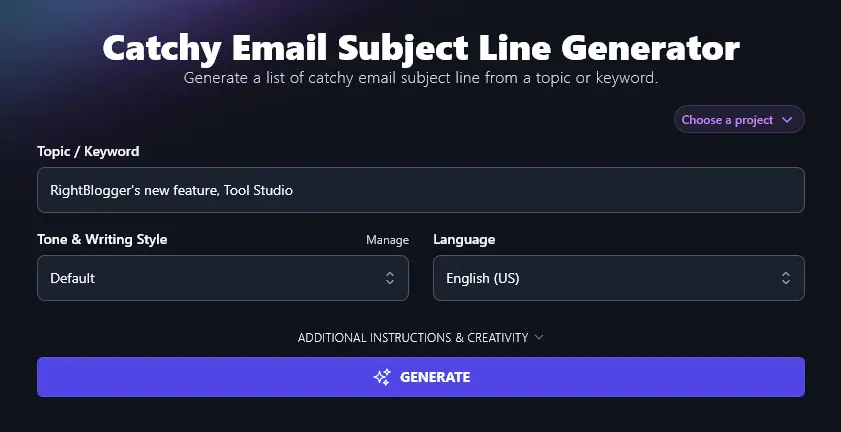
Step 2. (Optional) Select Your Preferred Tone & Writing Style
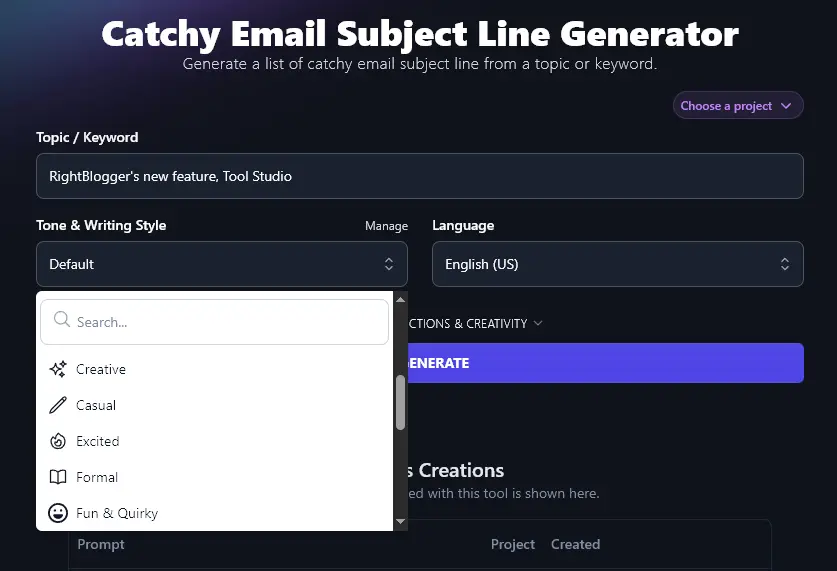
The Email Subject Line Generator uses copywriting practice and proven email subject line templates to generate compelling subject lines for you. Because of this, and because the subject lines are so short, it’s fine to stick with the “Default” tone and writing style.
If you have a strong brand voice, however, you may want to reflect that in your email subject lines. Go ahead and select any of the 16 different tones from the Tone & Writing Style dropdown:
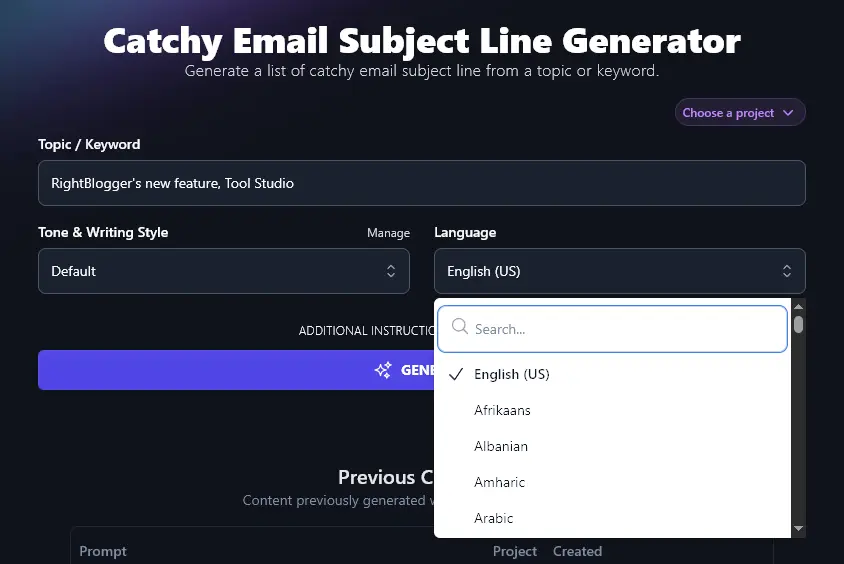
Step 3. Choose Any of 100+ Different Languages
RightBlogger creates content in US English by default. The AI can also write fluently in over 100 other languages, The AI can write fluently in over 100 languages, so if you want a subject line in a different language, just select it here.
When you’re ready, click the “Generate” button to generate subject lines. The AI will come up with 10 different options for you:
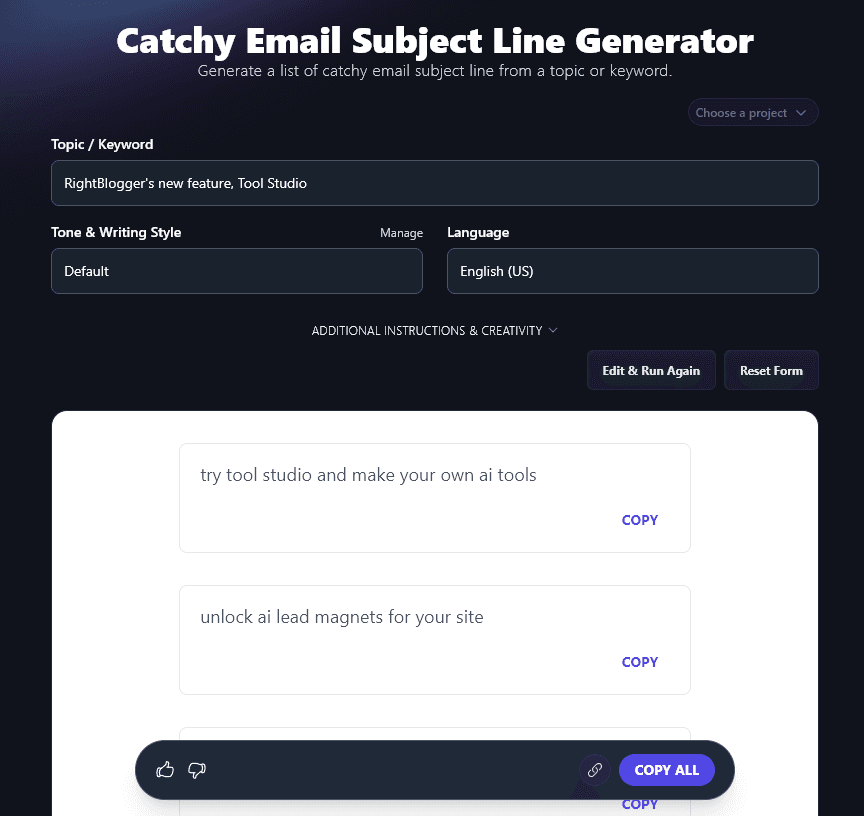
You can copy any individual subject line using the “Copy” link just below it, or you can copy all your subject line options using the “Copy All” button. (You could then paste these into a spreadsheet or document to go through at a later stage.)
Bonus: My Email Subject Line Checklist
Whether you’re writing subject lines yourself or using AI to help, this is my personal checklist for making sure each one performs:
- Make sure your subject line tells readers what the email is about (avoid vague subject lines like “Great News!” or “Important Update”)
- Check that your subject line connects with your audience’s needs and/or goals
- Keep it under 50 characters (around 9 words) or you’ll find your subject line gets cut off in many email apps
- Spark curiosity, without gimmicks that may annoy your audience (e.g. avoid things like “Our Meeting Today” if your recipient doesn’t actually have a meeting booked with you!)
- Don’t use ALL CAPS or it’ll seem like you’re shouting
- Avoid using too many words that may trigger spam filters (and don’t use excessive punctuation either)
- Match your subject line to the tone and brand that your audience expect from you
- If appropriate, use urgency/scarcity words (e.g. “Last Chance” or “Only 4 Places Left”)
Each Feature, Explained (Plus Advanced Options)
It’s easy to get started with this tool. You’ll have a list of subject line ideas in seconds. When you’re searching for the perfect subject line, it’s helpful to know how to get the most out of every feature.
A look at every option, including the advanced ones:
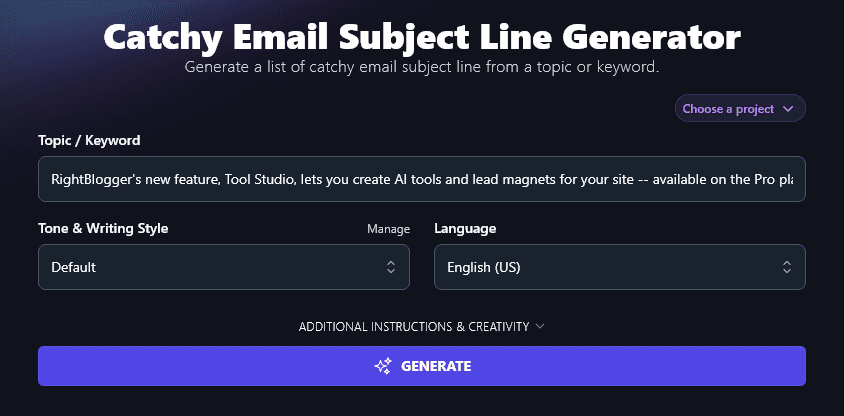
1. Topic / Keyword (What’s Your Email About?)
The AI needs to know what your email’s about … and that’s where the Topic/Keyword box comes in. Got something quite specific in mind? Describe it fully here, or add more details in the “Additional Instructions” box (which we’ll come onto shortly).
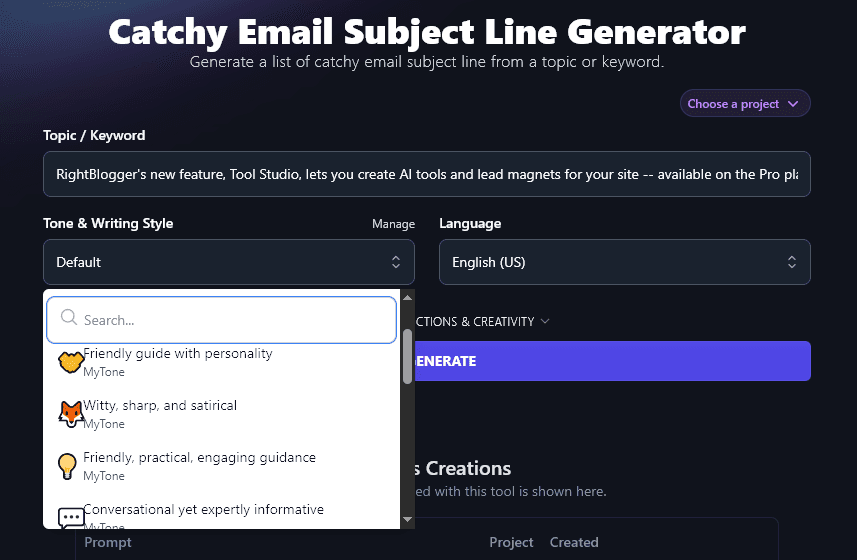
2. Tone & Writing Style (Choose from the Dropdown or Create Your Own)
Many bloggers find that the “Default” tone & writing style suits them well. You’ve got 20 others to choose from, so feel free to experiment!
A quick look at how Tone & Writing Style shifts the same subject line set:
“Fun & Quirky” style:
- meet tool studio: spin up ai tools for your fans
- build your own ai lead magnet, no sweat
- new pro perk: launch ai tools in minutes
- want ai tools on your site? tool studio’s ready 🎉
- tool studio drops, make lead magnets the smart way
- ai tools for your blog? yep, it’s a thing now
- boost your list: tool studio rolls out on pro
- get creative: tool studio turns ideas into ai magic
- unlock tool studio, your mini ai factory 🛠️
- surprise! pro plan now makes ai lead magnets for you
“Professional” style:
- new: build ai tools for your website in minutes
- boost signups with custom ai lead magnets
- create ai tools for your site (now on pro) 🛠️
- get more leads with tool studio’s ai builder
- tool studio: your shortcut to high-value lead magnets
- turn ideas into ai tools that grow your list
- attract more users with ai-powered site tools
- build ai lead magnets, no coding needed
- unlock tool studio on pro and start creating
- try tool studio: launch your own ai tool today 🚀
You can also create your own custom tone of voice using MyTone. Just give the AI a sample of your writing (or even a video you’ve created) and it’ll automatically detect your tone, saving this as a new MyTone. You can then select your MyTone from any of the Tone & Writing Style dropdowns across all RightBlogger’s tools.
3. Language (Over 100 Options, Plus 4 Varieties of English)
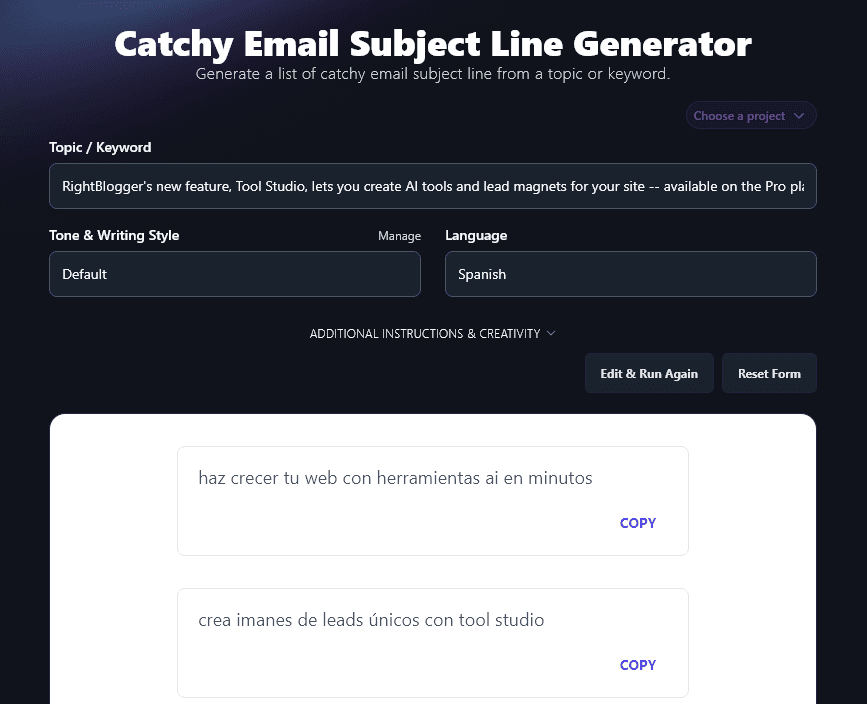
The Language dropdown gives you an incredible range of languages to pick from, ideal if you’re creating email campaigns for a non-English-speaking audience or for a global business.
The AI coming up with subject line ideas in Spanish:
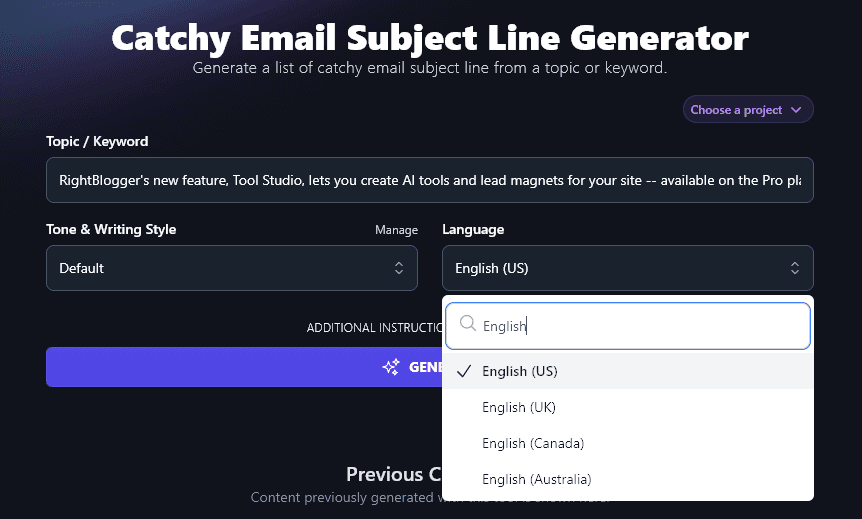
The RightBlogger AI can also write in 4 different versions of English: US English is the default, but we also have options for the UK, Canada, and Australia. This means your subject lines will always use the right spellings and terms for your country.
4. Additional Instructions (Give the AI Any Extra Information or Special Requests)
The Email Subject Line Generator includes 2 advanced options, which you can view by clicking on the “Additional Instructions & Creativity” link:
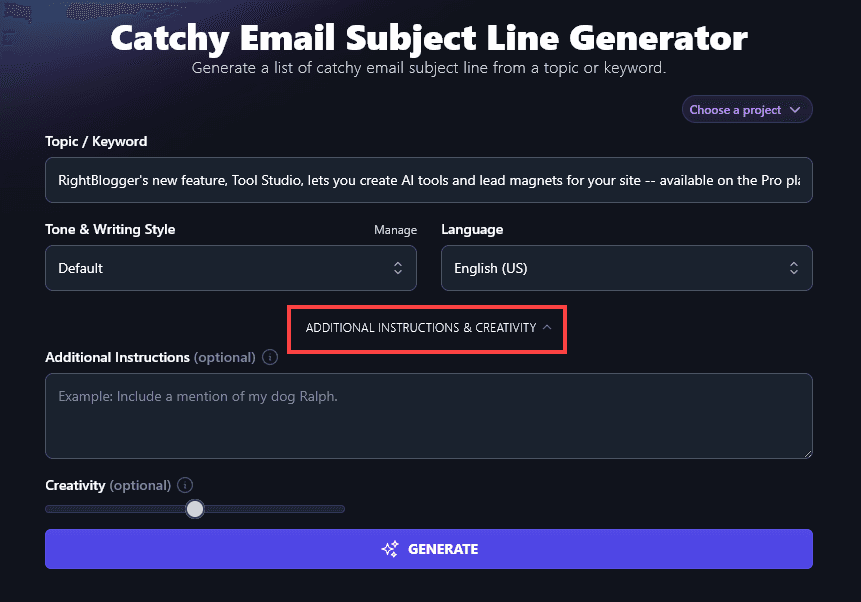
The first option you’ll see is for “Additional Instructions”. This lets you give the AI any requests you want about your email subject lines. You can include more information about your topic (or the product/service/etc you’re promoting), or ask for your subject lines to be written in a specific way.
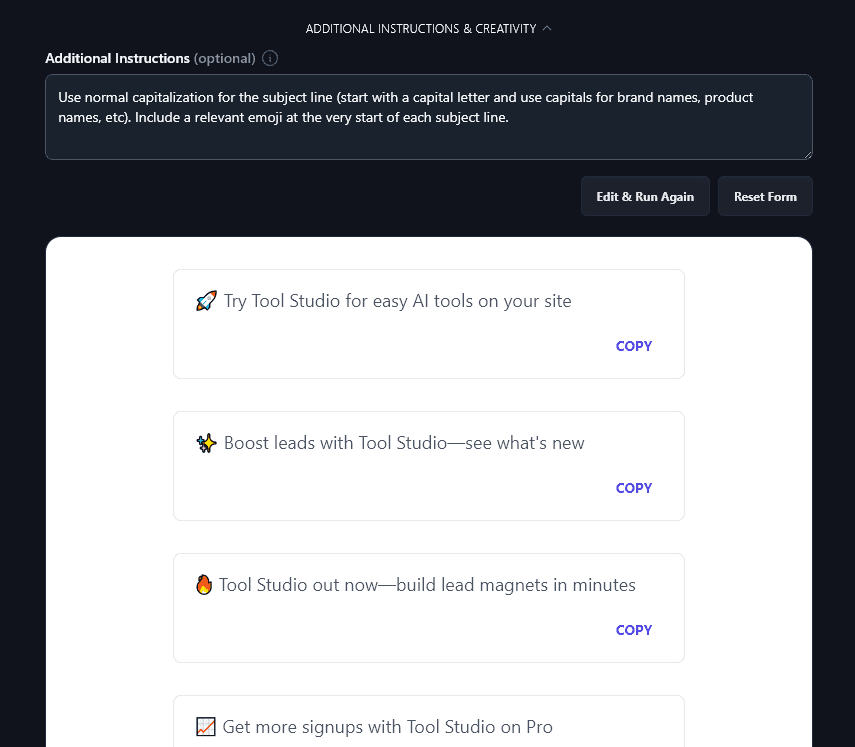
For instance, if you want the subject lines to use normal capitalization, just say so. If you’d like an emoji at the start of each subject line, add that too. You could also request close variations of each subject line for A/B testing, ask for more ideas, or even ask the AI to tell you which idea it thinks is best.
Here, the AI has followed our additional instructions about emojis and capitalization:
5. Creativity (Make Your Subject Lines More Predictable or More Unusual)
RightBlogger’s AI is automatically set to a midpoint of creativity, which is what we recommend. If you want to adjust this, just move the Creativity slider. Left is for less creative (more predictable) and right is for more creative (more unusual).

Email Subject Line Generator FAQs
How Can I Write Effective Subject Lines for Marketing Emails?
The job of your email subject line is to get the reader’s attention and encourage them to open your email (instead of ignoring it or deleting it unread). For specific examples, see our roundup of 75+ ChatGPT prompts for marketing (includes email-specific prompts).
Some techniques you can use are to:
- A/B test your subject lines, so you can figure out what styles and words seem to resonate best with your audience.
- Consider using the recipient’s name in a personalized subject line, since this can grab their attention, but it may be more appropriate if they feel they already know you.
- Include a sense of urgency where it makes sense, e.g. if a sale is coming to an end.
- Make sure each email you send is genuinely useful to your audience: that could be helpful tips or information, product updates, or a new product launch. Avoid emailing just for the sake of emailing.
What Other Free Tools Can I Use to Write Email Content and Grow My Business?
RightBlogger is packed with 100+ AI tools, just sign up for an account to try them out for as long as you want.
Some great ones to get started with are:
- Cold Email Generator: instantly create an engaging email that introduces you and your product/service to a member of your target audience (perfect for sales emails)
- Newsletter Idea Generator: if you’re stuck for an idea, this brainstorming tool will let you quickly fill out your email marketing content calendar
- Newsletter Generator: beat writer’s block and dramatically speed up your workflow with done-for-you newsletters (any topic and a wide range of purposes)
- Article Writer: draft a full-length article from just a topic or keyword (and optimize for SEO) with our flagship AI content creation tool
- Feature/Benefit/Outcome Generator: give your prospective customers a whole range of reasons to buy with this powerful copywriting tool
- Rewriter: if you need to tweak an email or you want to create variants for A/B testing your marketing strategy, the Rewriter tool is here to speed up the process
We’ve also got lots of blogging tools, ecommerce tools, social media tools, and more. Whatever area of your business could benefit from automation, we’ve probably got a tool for it. Once you’ve nailed your subject lines, the next step is growing the list itself, see our guide on how to grow your audience for the full play.
How Do I Sign Up for RightBlogger and How Much Does it Cost?
All our tools are available on every RightBlogger plan. Pick monthly Solo $59, Pro $89, or Agency $299 (annual billing, charged monthly, is $49 / $69 / $199) to get started.
Every paid plan includes unlimited words, brand voices, AI images, and full automation. Scaling up? Pro adds 3 team seats and 3 connected sites at monthly $89 (annual $69), and all plans include a 7-day free trial and a 30-day money-back guarantee.