Need the perfect name for your product? If you’re stuck, RightBlogger’s Product Name Generator is here to help. It will come up with all kinds of catchy names for you to choose from, based on a simple description of the product.
The right name, one that connects with your audience, can make a massive difference to your product’s success. Instead of struggling to brainstorm ideas on your own, use the power of AI algorithms to come up with lots of great name possibilities in seconds.
Ready to give it a try?
How to Use the Product Name Generator
The product name generator is really easy to use. We’ll go through it step by step.
Step 1. Enter Your Product Category
What type of product are you creating? Give the AI a rough category for your product: think where it would fit on the shelves in a store, or what type of “Top 10” list it would fit on. Type this into the first box.
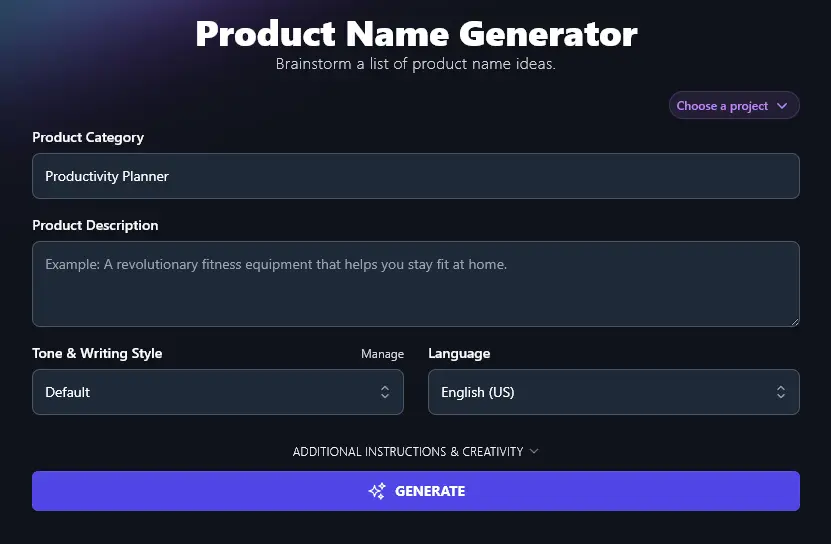
Step 2. Give a Brief Description of Your Product
What exactly is your product? Add details about it in the “Product Description” box. You don’t need to write a lot, but you do need to give the AI a clear idea of the key product features, so that it can come up with appropriate name suggestions.
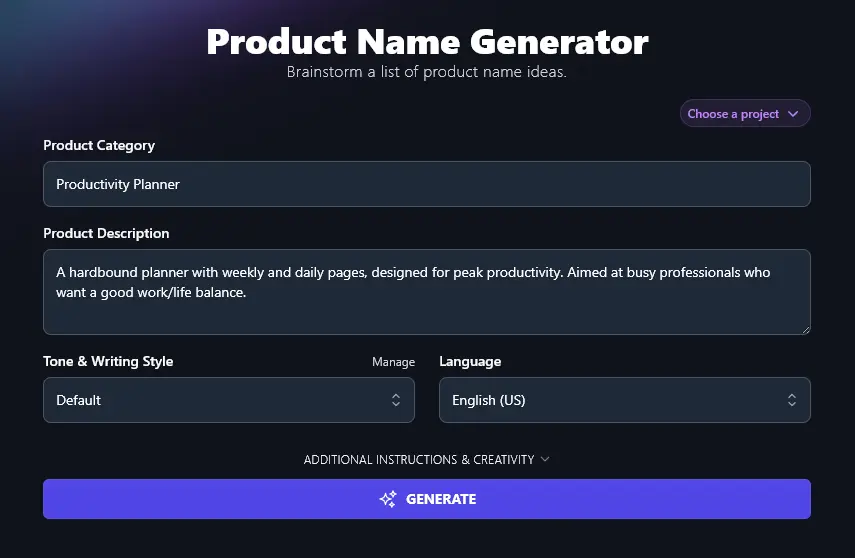
Step 3. Choose a Tone and Writing Style That Fits Your Brand
You want your product name to work alongside your brand identity, and that means having names that fit your usual tone and style.
Because product names are so short, you may not see a dramatic difference between different styles, but it’s still a good idea to pick one of the 16 preset styles from the dropdown. That way, your AI-powered name ideas will be subtly tailored to your brand.
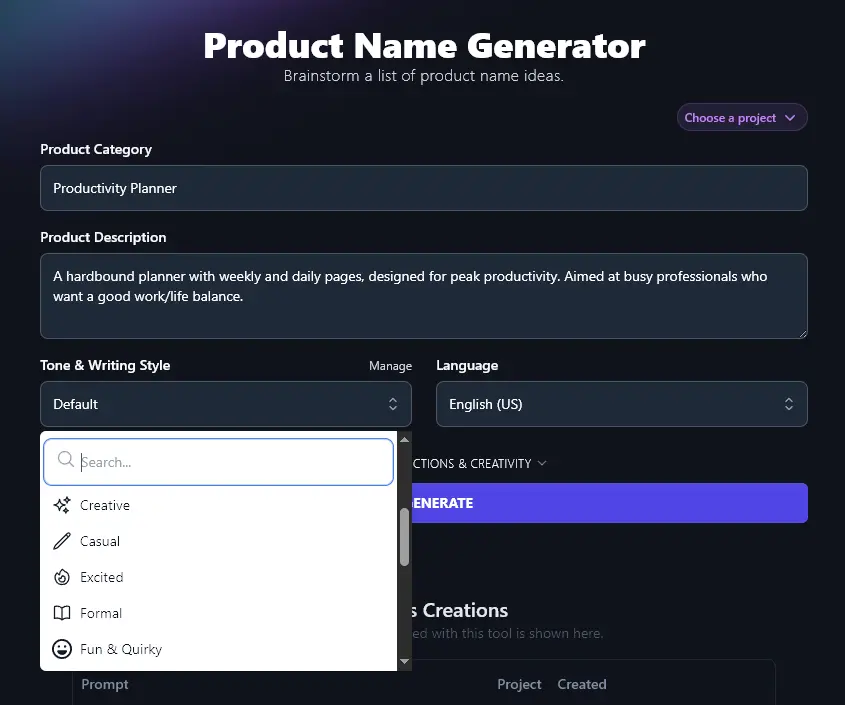
Step 4. Select Your Language (If It’s Not US English)
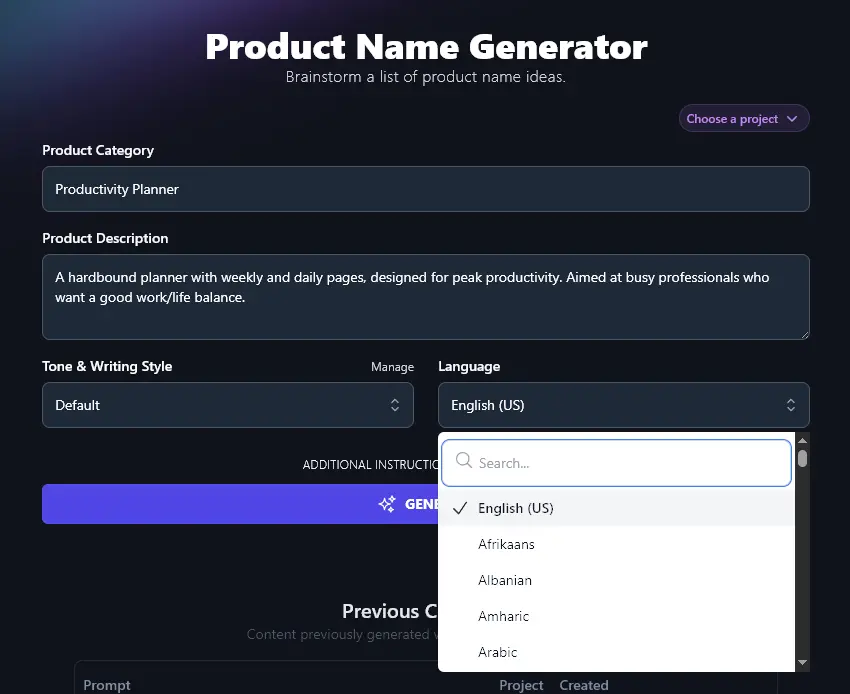
RightBlogger defaults to US English … but what if your target audience doesn’t have English as a first language?
The AI can write in over 100 different languages, so simply choose the most appropriate one from the dropdown list. (There’s a search bar at the top of the dropdown to help you find languages more quickly.)
Ready to generate names for your new product? Just click the “Generate” button and you’ll get a list of 10 creative product name options.
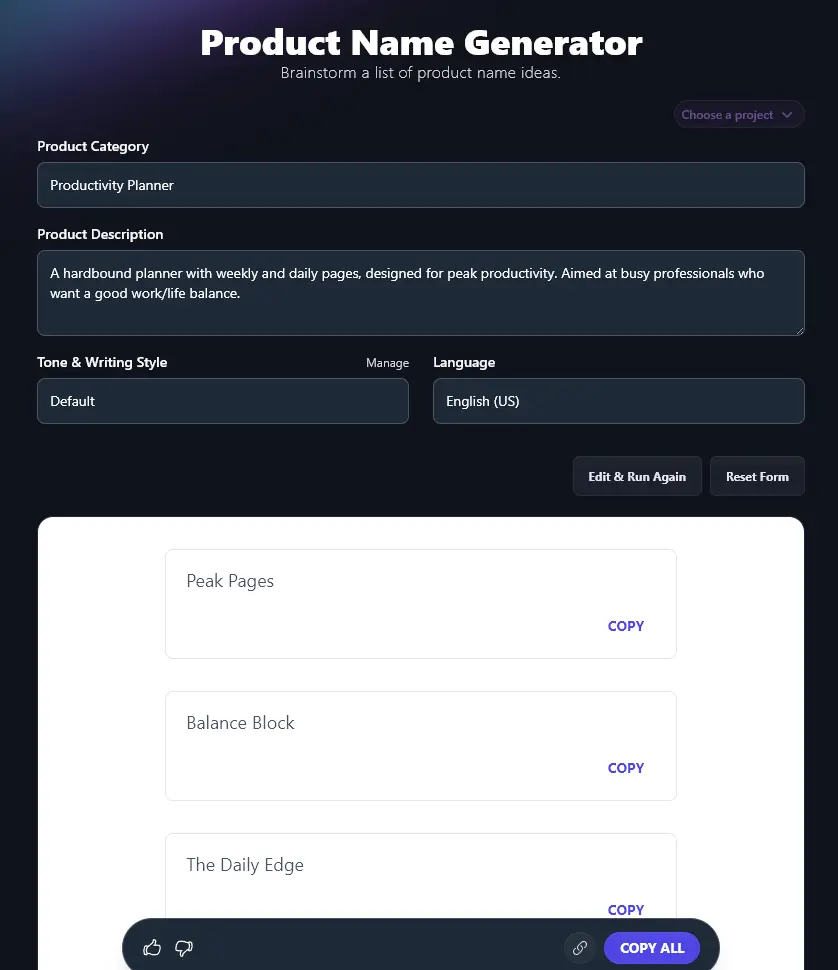
Click the “Copy” link below any idea to copy it to your clipboard, or use “Copy All” if you want to copy the whole list. You can then paste this into a document or spreadsheet.
Bonus: Use My Checklist to Make Sure You’ve Got a Great Product Name
When you’re coming up with a product name (whether on your own or with a helping hand from AI), it’s a good idea to run through this quick checklist.
Your product name should:
- Make it clear what your product actually is
- Fit with your brand in general (you might even want to incorporate your brand name)
- Be a unique product name, not the same as (or even very close to) any other product on the market
- Be easy to spell and pronounce, you want a memorable name that people can easily share with their friends
- Suit your target market, so that the product feels like an instant good fit for potential customers
- Allow for further products in the same product line, if that’s applicable to your business
Also, if you haven’t yet got a website or social media accounts for your business, you may want to consider seeing whether your product name is available as a domain name. You can check domain name availability using the Domain Name Generator on RyRob.
How Does the Product Name Generator Work?
The Product Name Generator is easy to use … but if you want to get the best possible product name ideas from it, it’s helpful to know a bit more about each of its features. We’re going to dig into everything in detail, including the advanced options.
1. Product Category
Artificial intelligence can do some amazing things … but it can’t read minds! You need to tell the AI what type of product you’ve got. This can be a fairly broad description, e.g.:
- Fitness equipment
- Mobile app
- Nonfiction book
- AI platform
- Snack subscription box
2. Product Description
Give the AI a clear description of your product: what is it, what does it do, and who is it for? It’s fine if you haven’t yet created the product, just describe what you’re envisioning for it.
If you put in a short description, like “Printed planner”, you’ll get some fairly generic (and sometimes slightly random-sounding) names:
- Plan Happy
- The Daily Hustle
- TimeTamer
- Donezo
- Chisel Planner
- GoGetter
- MindSprint
- FocusFlow
- Plot Perfect
- TaskTide
If you can, give the AI more detail, like this:
“A high-end hardbound planner with weekly and daily pages, designed for peak productivity. Aimed at busy professionals who want a good work/life balance. Available in a range of different colors and layouts.”
You’ll then get name ideas tailored to your specific product, like:
- Peak Pages
- The Balance Book
- Thrive Planner
- The Life Ledger
- Daily Drive
- The Work/Life Journal
- Clarity Keeper
- Momentum Planner
- LifeHub
- The Precision Planner
Tip:You can write up to 10,000 characters in this box (around 1,500-2,500 words), so if you already have a draft landing page for your product, you could just copy the whole thing in here.
3. Tone & Writing Style (Pick from the Dropdown or Create a MyTone)
You want your product name to fit your brand … and the AI can adjust the names to suit your preferred tone of voice. However, because your product names are likely only one to two words long, you may not see a great deal of difference between the tone options.
Here are 10 names created with an “Excited” tone, for a snacks subscription box:
- Snack Attack Monthly
- Treat Trunk
- Munch Madness
- Snack Parade
- Crave Crate
- Bite Box
- Snackology
- Munchy Moments
- Surprise Snacks Club
- Nibble Nest
And 10 names using a “Formal” tone:
- SnackCrate Monthly
- TasteQuest Box
- Treat Time Club
- SnackSurprise Hub
- Tasty Seasons Box
- MunchMix Monthly
- The Snackery
- Flavor Fix Box
- SnackStash Monthly
- Goodies Galore Box
The formal ideas tend to be longer and use more formal language (like “galore”).
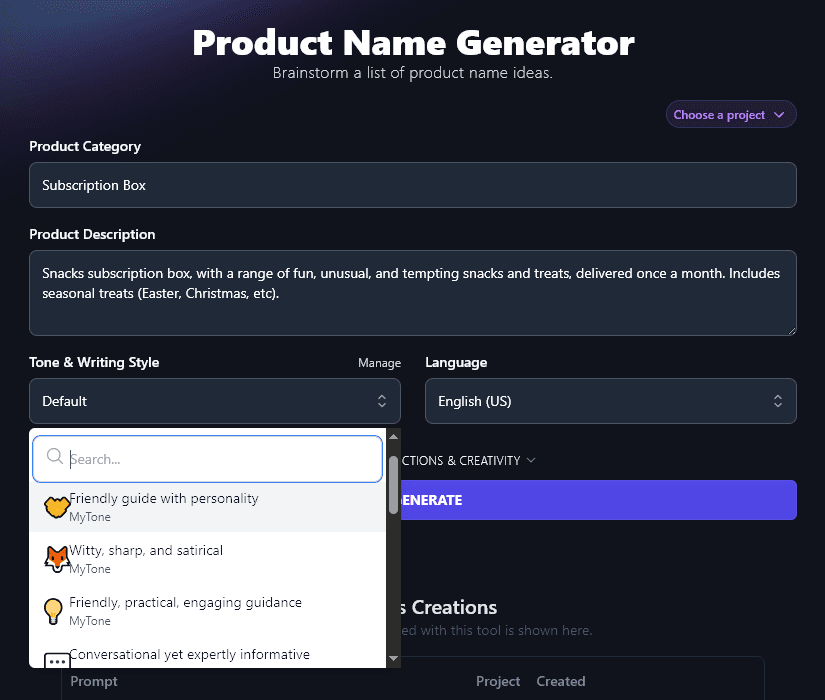
If you want more options than the preset ones, you can create a custom MyTone on any RightBlogger plan. The AI can learn your usual tone from a piece of your writing (or even a video) and it can then save this as a unique MyTone. You can choose a MyTone from the Tone & Writing Style dropdown.
4. Language (Including Different Varieties of English)
The RightBlogger AI can come up with product name ideas in any language of your choice, just choose from the dropdown menu.
If you want name ideas in English, there are 4 different varieties: US, UK, Canada, and Australia. Just choose the most appropriate for your audience, and the AI will adjust terms and spellings accordingly.
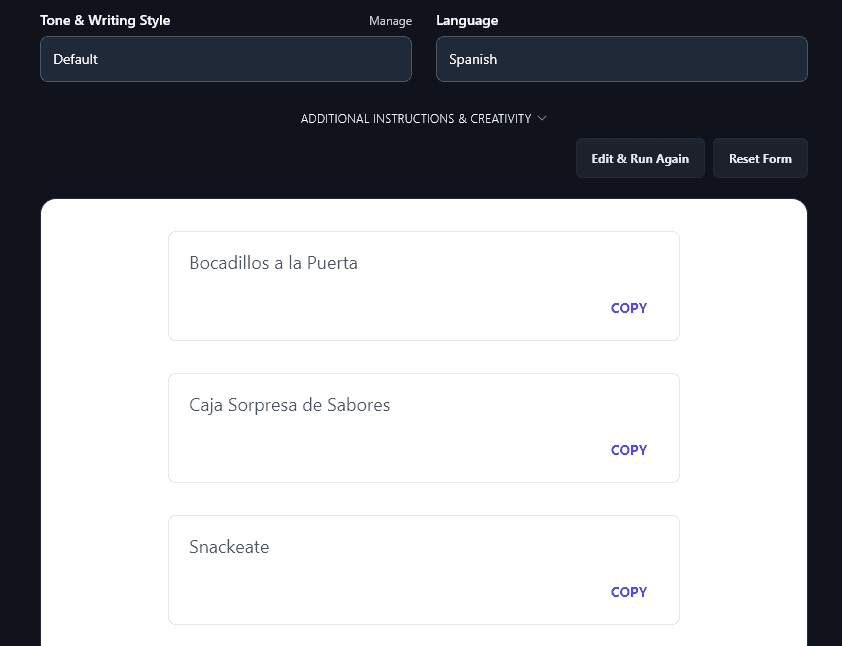
Here’s an example of product names created in Spanish:
5. Additional Instructions (Give the AI Any Special Requests)
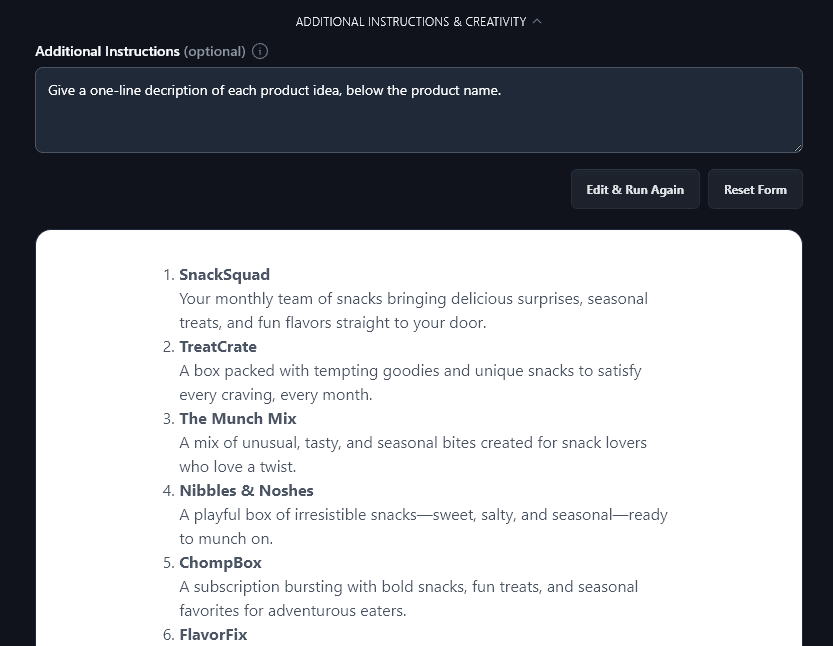
Click on the “Additional Instructions & Creativity” link and you’ll open up 2 advanced options.
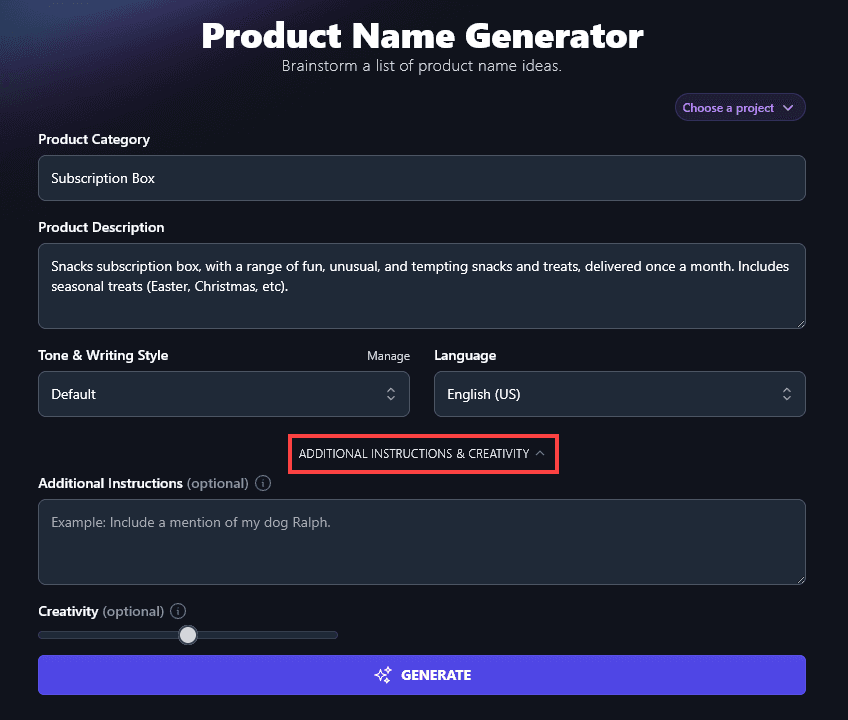
The first of these is the Additional Instructions box. This lets you give any special requests to the AI. For instance, you might want to get it to give a brief one-line description of the product during the naming process.
6. Creativity (Get More Unusual or More Predictable Name Ideas)
By default, the RightBlogger AI is set to a medium level of creativity. This allows it to come up with catchy product names that are neither too bland nor too bizarre.
If you want to adjust the creativity, though, you can do so by moving this slider. Shift it left for less creative ideas and right for more creative ones.

Product Name Generator FAQs (Frequently Asked Questions)
If you’ve got questions about coming up with product names or about using the Product Name Generator, here’s everything you need to know.
What Makes a Good Product Name?
Whether you’re using the AI Product Name Generator or coming up with a list of product names yourself, it’s a good idea to keep in mind:
- Your target audience. What sort of product names might connect with them?
- The length of the product name. Short is best, and you could even join 2 or 3 words together as one word, e.g. FocusFlow.
- Whether your product name would also work as a unique business name (if you’re launching this product as part of a brand new business).
- Whether your product name suggests your pricing is high-end or budget-friendly.
Can I Use the Product Name Generator as a Business Name Generator?
The product name generator isn’t specifically designed as a business or brand name generator, but you’re welcome to use it to get business ideas. Perhaps one of the product names you generate could be the perfect creative business name for you.
Is the Product Name Generator Only Suitable for New Products?
No! You can use the product name generator to rebrand existing products. Either enter the current name as part of the product description or add a sentence into the Additional Information to explain you’re rebranding a product, and give its old name.
What Other Free AI Tools Can I Use to Grow My Business and Make More Sales?
RightBlogger gives you access to every AI tool you need to grow your blog, startup, or small business. Get started with a plan that fits your needs, from monthly Solo $59 (annual billing, charged monthly, is $49). See RightBlogger pricing.
Some great ones to get started with are:
- Article Writer: draft a full, high-quality article (optimized for SEO) with this advanced AI content creation tool
- Keyword Research Tool: help your content (and product pages) rank well in search engines by using this tool to pinpoint the best keywords to use
- Product Description: write an engaging description for your new product, great for ecommerce sites
- Call-to-Action: prompt prospective customers to buy using a powerful CTA (call to action)
- Feature/Benefit/Outcome: craft sales copy that lets prospects know exactly what your product can do for them
- Slogan: come up with a slogan for your business or even an individual product
Along with these, we have lots more AI-powered tools to help you speed up your business, covering content, SEO, sales, and more. All our generative AI tools have the option to tailor the content to your brand personality and voice, too.
How Do I Sign Up for RightBlogger and How Much Does it Cost?
Go ahead and sign up for RightBlogger to unlock every tool with unlimited words on a paid plan. All plans include a 7-day free trial and a 30-day money-back guarantee.
Want more MyTones, plus Projects, Knowledge, Chat, and more? Check out the Pro plan (monthly $89 (annual $69)) for 3 sites and team seats, or go with monthly Solo $59 (annual $49) if you just need one site.