Need a slogan for your business, brand, or even a specific product? RightBlogger’s free AI slogan generator is a fantastic brainstorming tool, it can come up with dozens of slogan ideas in seconds, letting you figure out the perfect catchy (and on-brand) option.
It’s easy to use and powered by AI, so you always get unique, creative, and workable ideas. Whether you want something short and iconic like Nike’s “Just Do It” or a slogan that carries an implicit promise about what you offer, like Disney’s “The Happiest Place on Earth”, the slogan generator is here to help.
How to Use the Slogan Generator
Ready to give the slogan generator a try? It’s really easy to use: here’s what to do, step by step.
Step 1. Enter the Name of Your Business, Brand, or Product
First, type your business name into the top box. (If you prefer, you can use your brand, product, service, or project name instead.)
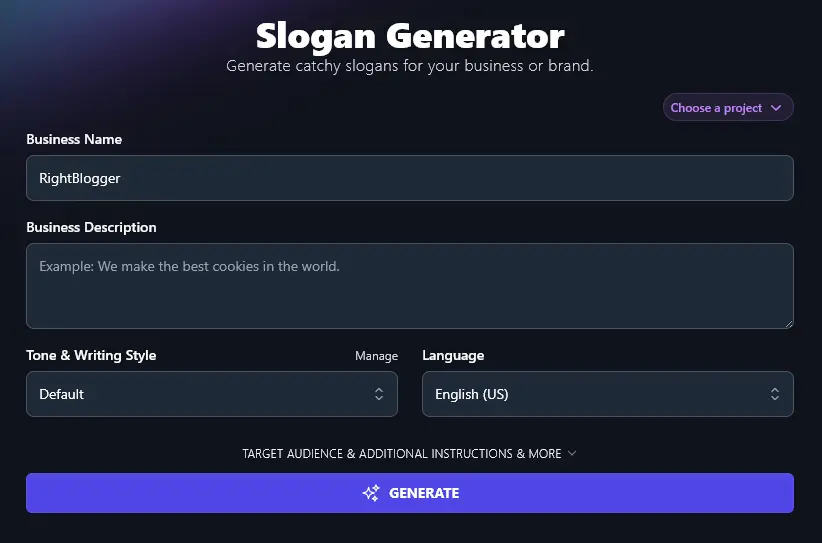
Step 2. Describe Your Business, Brand, or Product for the AI
The AI needs to know a bit about your business in order to come up with slogan ideas that will work for you. Type or paste in a short description about what you do.
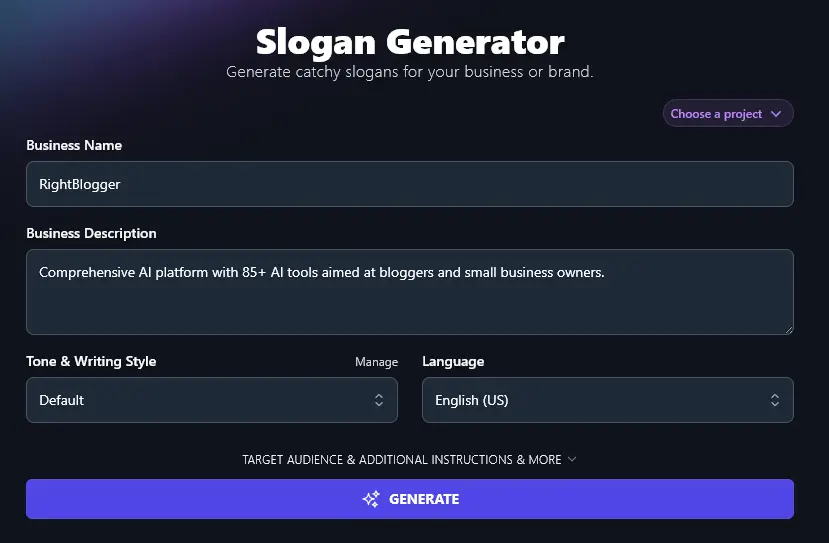
Step 3. Choose Your Tone & Writing Style (Optional)
Because your slogan will be very short, Tone & Writing Style won’t have as dramatic an impact as with our longer-form tools. It’s fine to leave this set to the default, but if you want to experiment with different tones, go ahead and pick one from the dropdown list.
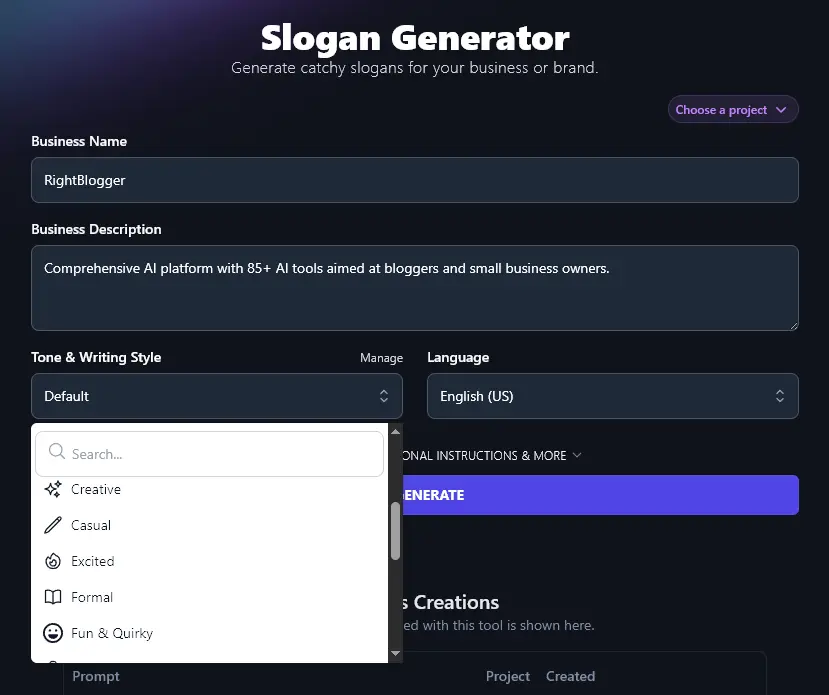
Step 4. Select a Language, if You Don’t Want US English
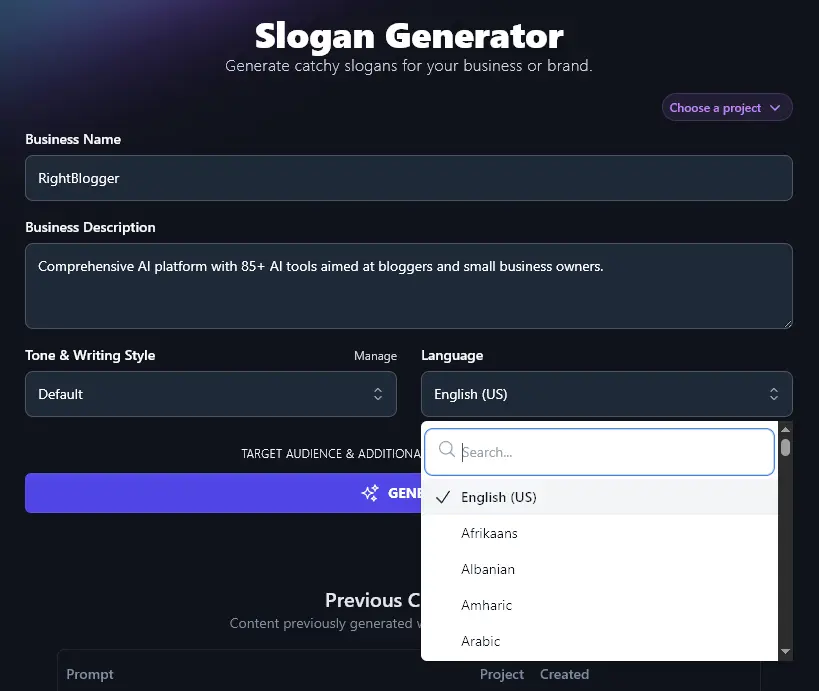
RightBlogger will create slogans in US English by default, but if your business is in a different country, you may want to use your native language. Go ahead and choose your preferred language from the dropdown list.
Tip:You can use the search bar at the top of the dropdown list to save scrolling down.
When you’re ready, go ahead and generate your list of potential slogans, the AI will come up with 15-20 impactful slogans for you:
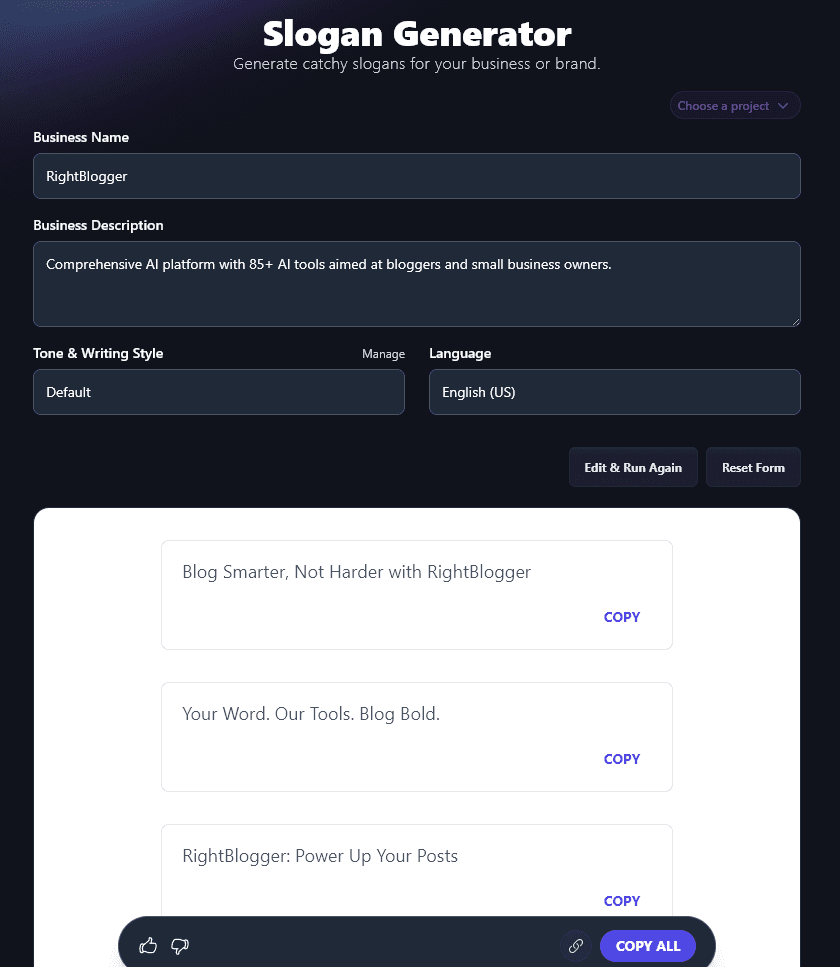
You can copy any individual slogan using the “Copy” button to the bottom right of it, or you can use the “Copy All” button to copy the whole list if you’ve not yet picked a winning slogan.
Bonus: Use My Slogan Checklist Alongside This Tool
Not sure how to pick the best slogan option for your brand … or coming up with slogans on your own? Here’s my simple checklist you can use to make sure you’ve chosen a slogan that’s going to work brilliantly for your brand, business, or product.
- Keep your slogan short and catchy (try alliteration, rhyme, or wordplay)
- Make sure it’s clear and uses the type of language your audience would use
- Try to reflect your brand’s core values within your slogan … and definitely don’t go against them!
- Use words that are unambiguous and easy to spell, think about punctuation, too
- Check that your slogan is relevant to both your target audience and the product/service you want to sell
- Keep your slogan positive, and definitely avoid controversy
- Test out your slogan with a small group of your target audience (e.g. existing customers), then make changes based on their feedback
- Revisit your slogan from time to time, to make sure it’s still fully relevant to your business and your audience
How Does the Slogan Generator Work?
It’s really easy to generate a list of potential slogans using the Slogan Generator … but how can you get the best possible results from it? We’re going to dig into all its features, including the advanced options.
1. Business Name (Or Brand, Product, Etc)
Enter your business name as you’d want it to appear in your slogan. (The AI won’t use it in all your slogan options, but it’ll likely incorporate it in some.)
If you’re creating a slogan for a product or service, e.g. for an advertising campaign, a landing page headline, or similar, then just enter the product/service name in this box instead.
2. Business Description (Explain What Your Business or Product Is)
For the AI to come up with a memorable slogan, you need to describe what your business does. You can give plenty of detail here, up to 10,000 characters, or around 1,500-2,500 words, though just a sentence or two is fine. If you want to list different features of your business, product, or service, just put them on separate lines or separate them with commas.
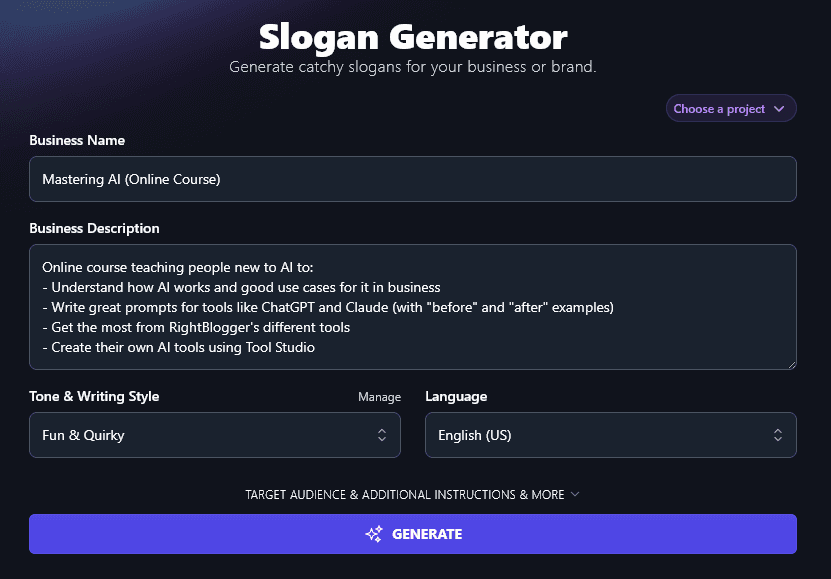
3. Tone & Writing Style (Pick from the List, or Create Your Own)
Even with the tone & writing style set to “Default”, the AI will aim to write catchy slogans that share your brand message in a way that will connect with your potential customers.
If you want a different brand voice for your slogans, though, just select from the dropdown list. The AI will aim to incorporate this tone within your slogans.
For instance, with an “Academic” tone selected, the AI generated slogans like:
- Build AI Skills. Shape Tomorrow’s Tools.
- AI Clarity Starts Here.
- Prompts That Power Progress.
- Simple Steps to Smarter AI.
- Better Prompts, Better Results.
- Learn. Prompt. Create. Excel.
- See AI Differently.
- Guide AI With Words That Work.
- Tools for Today’s AI Thinker.
- From Basics to Brilliance in AI.
With a “Fun & Quirky” tone selected, the AI came up with wackier slogans like:
- Turn Small Talk Into Smart Talk, With AI
- Give Your Prompts a Glow-Up
- Make AI Work for You, Not the Other Way Around
- Skip the Waiting Room, Build AI Tools Yourself
- From AI Shrug to AI Pro (We’ll Show You How)
- Prompts Gone Wild, See the Magic Happen
- Turn “Huh?” Into “Heck Yes!” With Smart AI Moves
- Train Your Brain for the Robot Future
- Play With AI, Walk Away With Skills
- RightBlogger’s Tools, Now With Extra Brainpower
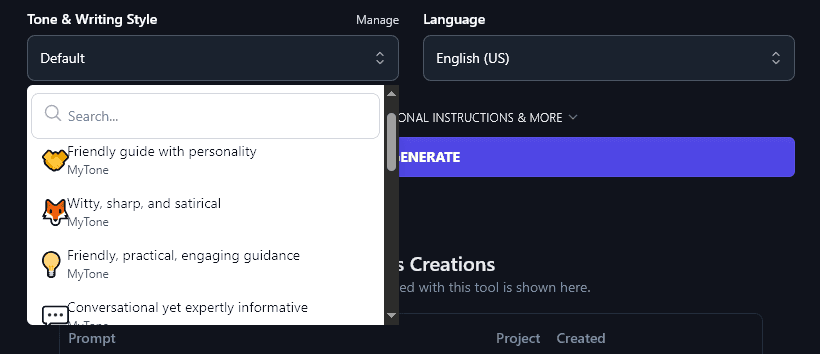
What if none of the 16 preset tones quite fit with your brand identity? Go ahead and make your own! MyTone lets you create completely custom tones, based on samples of your writing or even a YouTube video. Every plan includes it, and RightBlogger’s paid plans save 5 (Solo), 15 (Pro), or 50 (Agency) of them.
Once you’ve created a MyTone, you can select it from the dropdown just like the preset tones:
4. Language (Even Includes 4 Varieties of English)
The AI can come up with slogans in over 100 different languages, making it a fantastic tool if you’ve got customers all around the world, or if you’re based in a country other than the USA. Here’s a list of slogans generated in Spanish:
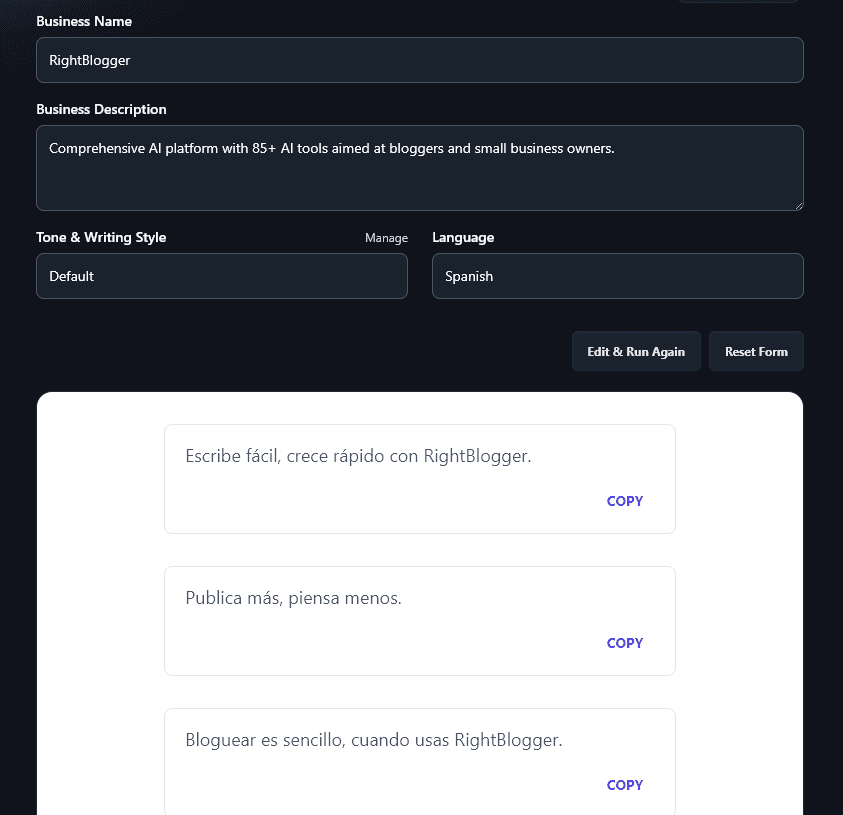
Along with different languages, the Language dropdown also lets you pick from 4 varieties of English. There’s US English (the default), then options for the UK, Canada, and Australia. So if you want your slogan to match the spellings and terms of your country, just pick the right version of English from the dropdown.
5. Target Audience (Tell the AI Who Your Business/Product is Aimed At)
To open up the Slogan Generator’s advanced options, click on the “Target Audience & Additional Instructions & More” link.
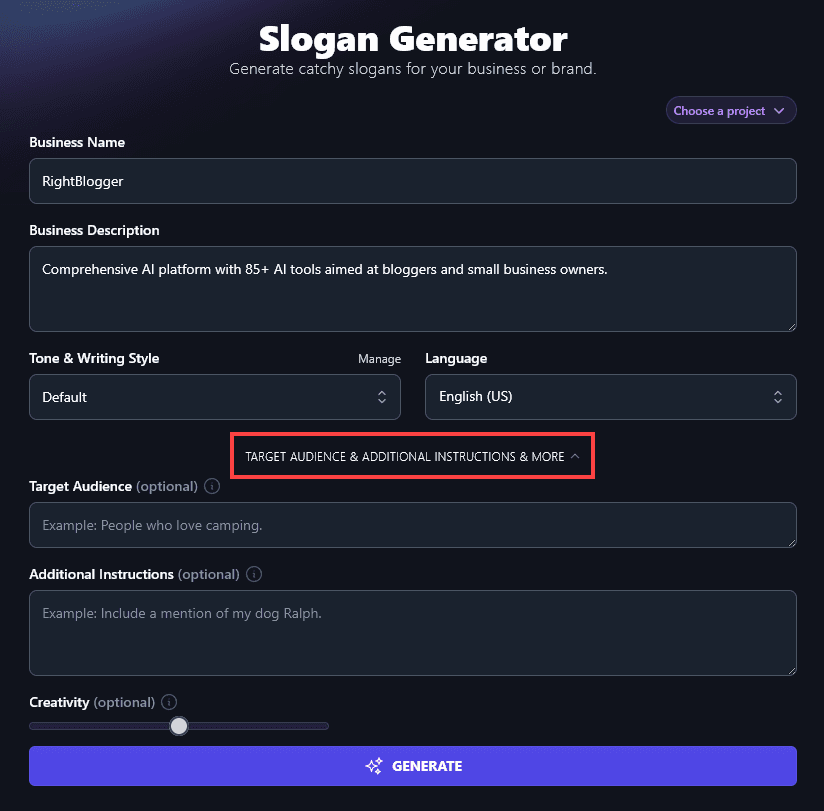
You’ll then see the box for “Target Audience”. Here, you can tell the AI all about your ideal customers. Who is your business aiming to reach? You don’t have to write a lot here, just a few words or a sentence is enough.
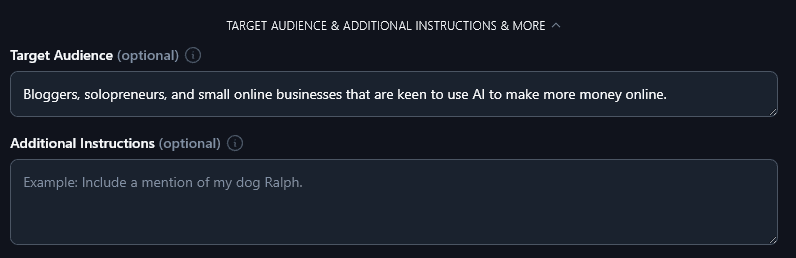
6. Additional Instructions (Give the AI Any Special Requests)
Perhaps you have something special in mind for a great slogan: maybe you want a slogan that alliterates, or you’d like 3 slogans that fit together so you can use them for different products. Whatever it is you need, just tell the AI … and it’ll use your instructions when coming up with your unique slogans.
We asked the AI to include an emoji in each slogan it came up with, and it did just that:
- Write Smarter, Not Harder ✍️
- Your Blog’s Secret Weapon 🤖
- More Posts, Less Stress 🚀
- Power Up Your Blog Game 💡
- AI Tools, Real Results 💻
- Let Your Blog Work for You 🤑
- Turn Ideas Into Income 💰
- Write Less, Earn More 📈
- Your Blogging Shortcut 🎯
- Blog Big With Smart Tech 🛠️
- One Stop for Blog Success 🏆
- Blog Better Every Day 🌟
- AI Help, Blogger Magic ✨
- The AI Toolbox for Bloggers 🧰
- Small Biz, Big Ideas 💥
7. Creativity (Make Your Slogans More Unusual or More Predictable)
The RightBlogger AI is automatically set to a balanced level of creativity. This means that when you generate slogans, the algorithms aim to come up with interesting, unique slogans … without making them too weird or too bland. We recommend leaving the Creativity set to this midpoint.
Of course, you can play with the Creativity level if you want to. If you’d like more predictable slogans, move the Creativity slider left for “less creative”. If you’d like your slogans to be more unusual, move the slider right for “more creative”.

Slogan Generator FAQs (Frequently Asked Questions)
If you’ve got questions about using the AI-powered slogan maker, or about coming up with good slogans in general, here’s everything you need to know.
Can I Use the Free Slogan Generator to Create a Tagline for My Blog?
Yes! The slogans you generate can make great taglines too. To create this variety of slogan, it’s a good idea to use the Additional Instructions field and enter the instruction “Create a slogan I can use as a tagline for my blog.”
How Will I Know When I’ve Found the Perfect Slogan?
Whether you’ve used an AI tool or gone through your own creative process to brainstorm slogans, how do you know which is the right option to pick?
Look for a slogan that reflects both your brand values and your brand’s personality. You want the slogan to feel like “you” as a blogger/solopreneur, or like the voice of your business if you run a startup or small business.
Assuming you’re creating a business slogan (rather than one for a hobby blog) it’s also important that your slogan works for your audience. You’re looking for a slogan that connects with them, draws them in, and makes a lasting impression. This means it’s often a good idea to shortlist a few potential slogans, then run them past a small group of your existing customers or target audience.
What Other Free AI Tools Can I Use to Grow My Business?
RightBlogger includes a full suite of AI-powered tools, all available in every plan. Get started from monthly Solo $59 (annual billing, charged monthly, is $49). See RightBlogger pricing.
Some great ones to get started with are:
- Article Writer: Create a high-quality blog post draft from just a keyword or topic idea, this tool alone could save you hours each week.
- Keyword Research Tool: Know what keywords to build content around with our free keyword research tool (includes monthly search volumes and difficulty ratings). Essential for good SEO.
- AI Image Generator: Come up with images in a whole range of styles and sizes to use on your blog, in ads, as part of social media posts, or even in digital products.
- Ad Copy Generator: Use this handy AI writing tool to come up with ads for a range of different platforms, e.g. Google, Facebook, YouTube.
- Newsletter: Take the hard work out of your next marketing campaign with our newsletter generator, which uses tried-and-true templates to craft high-converting newsletters for you.
- Product Name Generator: Not sure what to call your product? Pop in a description and this tool will give you loads of great suggestions. (You could also use it as a brand name or business name generator.)
We have plenty more tools, covering blogging, SEO, ecommerce, sales, productivity, and more. Feel free to give them all a try!
How Do I Sign Up for RightBlogger and How Much Does it Cost?
All RightBlogger plans include unlimited AI words and access to every tool. Sign up and start creating with a 7-day free trial and a 30-day money-back guarantee on every plan.
Advanced features like MyTone, Projects, and Chat come standard on every plan. Compare Solo, Pro, and Agency to find the right fit for your workflow.