Are you looking for an accurate, fast AI list generator? Whether you want a quick list to include in a post for your blog (or social media) or you’d like to research a topic in an easy-to-digest way, RightBlogger’s list generator is here to help.
Lists are easy to scan and take in. They create extra white space on the screen, which makes your post more readable. They can be powerful ways to share benefits of your product, tips for your readers, or a recap of important info in your post.
Whether you’re writing a blog post, a sales page, a downloadable resource, or something else entirely, there’s a good chance you’ll want to use a list somewhere in there.
So how do you come up with a great list? This AI-powered tool is here to do all the heavy lifting for you.
How to Use the Free AI List Generator
Ready to create an AI-generated list? Here’s what you need to do, step by step.
Step 1. Enter Your Topic or Keyword
The AI needs to know what your list is going to be about. Go ahead and put in the topic for the list (or your primary keyword).
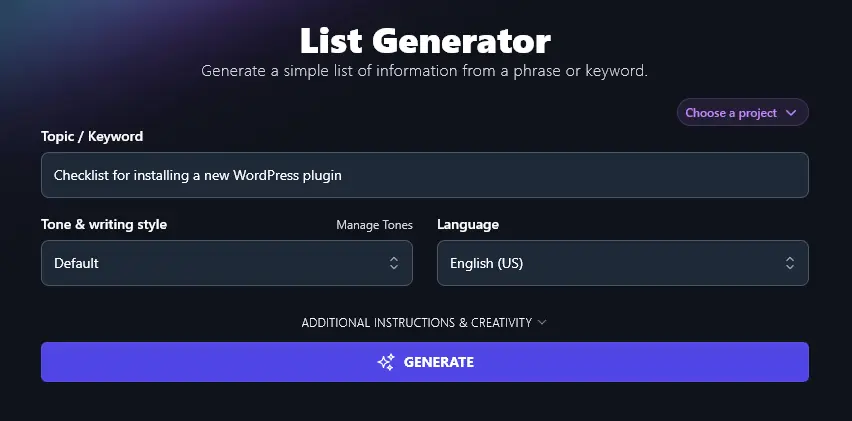
Step 2. Choose the Tone & Writing Style (Match Your Content as a Whole)
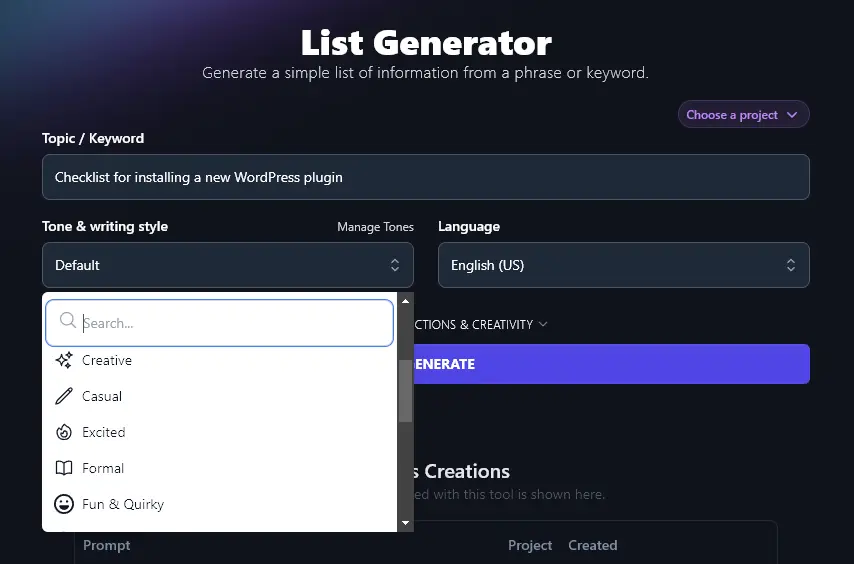
Like all of RightBlogger’s generative AI tools, the list generator lets you select a tone & writing style. This means your list will match your brand and fit smoothly into other content that you’ve written.
Use the Tone & Writing Style dropdown to select whatever style is closest to your own voice. There are 16 different options to choose from, like Casual, Fun & Quirky, Academic, Professional, and Direct.
Step 3. (Optional) Pick a Language
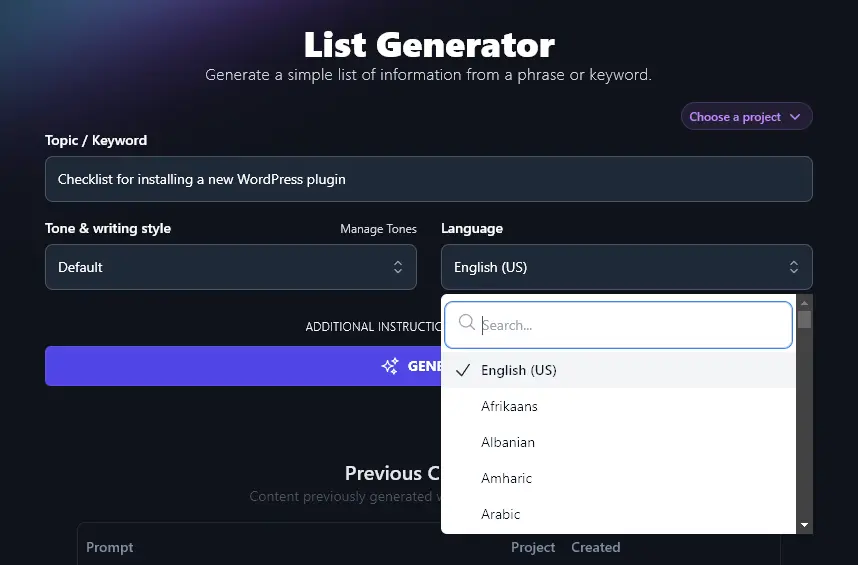
By default, Rightblogger produces content in US English … but you can select from over 100 different languages.
If you’re writing for a multilingual or non-English audience, just pick your preferred language from the dropdown list.
Once you’re ready, go ahead and run the list generator. Your list will appear in seconds.
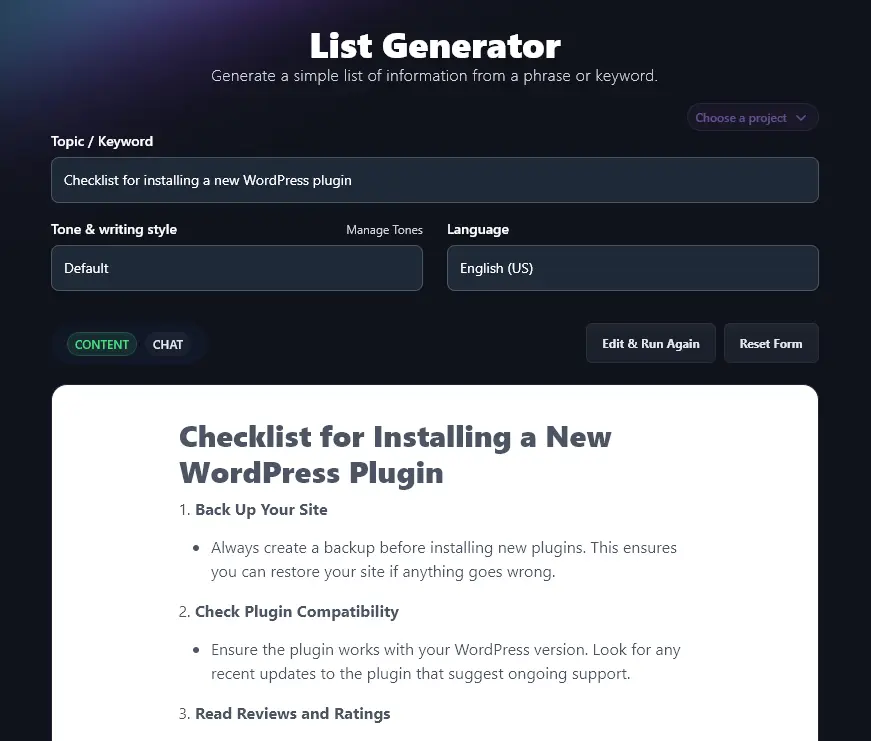
You can copy your completed list straight into your CMS (e.g. WordPress) or into Google Docs or whatever software you and your team members use for drafting content.
Bonus: Use This Free SEO Checklist Along With This Tool
Lists can be a great SEO (search engine optimization) tool, letting you create high-quality content that’s designed to rank well. To go even further with SEO, make sure you follow my personal checklist:
- Install and use a reputable SEO plugin like Yoast or RankMath
- Always pick a suitable primary keyword that’s a good fit for your target audience
- Where possible, use keywords in your headings: this can help get your page indexed faster (and it encourages rich snippets)
- Make sure your page only has a single H1 header, that should be the post title at the top
- Stick to correct header hierarchy, with H2 headers for your subheadings and H3 headers for sub-subheadings
- Don’t “keyword stuff” … make sure you use your primary keyword a few times in the text, but check it always reads naturally
- Have a good mix of both internal and external links (at least 3-5 of them should be external links)
- Write a meta description that grabs readers, and that uses your main keyword(s)
- Give all your images an alt description, using keywords in this where appropriate
- Make sure your post as a whole is long enough to rank well, usually, at least 1,500 words
- Craft a meta title (SEO title) that’s designed for good SEO and to entice readers
- Include your primary keyword in your post or page’s permalink (URL)
How Does The AI List Generator Work?
The AI list generator is simple to use, but perhaps you want to be sure you’re getting the most from it. There are a few options for additional customization along with some advanced features, so let’s dig a little deeper into what the AI technology can do.
1. Topic/Keyword (What’s the List All About?)
Even the most advanced AI can’t read minds … so you need to enter a topic for your list. The more detailed you can be here, the better. The AI will do its best with a short, general topic, but it’s much more likely to hit the mark if you get specific.
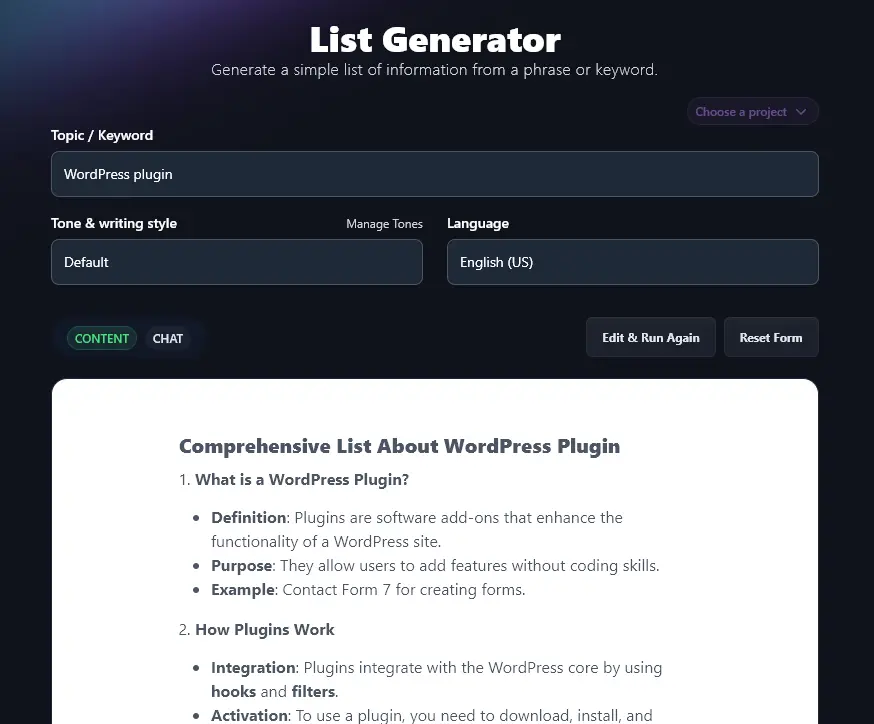
Here, we asked for a list using the topic “WordPress plugin”. We got a much more wide-ranging list than the one we created earlier for “Checklist for Installing a WordPress plugin”.
2. Tone & Writing Style (Choose from 16+ Tones)
While the AI will usually write in a suitable default style for blog posts, articles, and other online content, you may want to adjust the style if you have a strong brand voice.
Here’s the difference style can make to your list:
“Fun & Quirky” style:
- Research the Plugin
- Read Reviews: Check user reviews for any major red flags. A plugin with a ton of 5-star reviews usually means happy users.
- Check Ratings: A solid rating often signals reliability. Aim for plugins with at least 4 stars.
- Developer Info: Know the developer. Trusted developers likely offer better support and updates.
“Professional” style:
- Research the Plugin
- Check ratings and read user reviews.
- Ensure it meets your specific needs.
- Look for recent updates to ensure compatibility.
3. Language (Select from Over 100 Options)
The AI can write lists in over 100 different languages. Just select the one you want from the dropdown. You don’t have to scroll all the way down: there’s a mini search bar you can use at the top of the dropdown list.
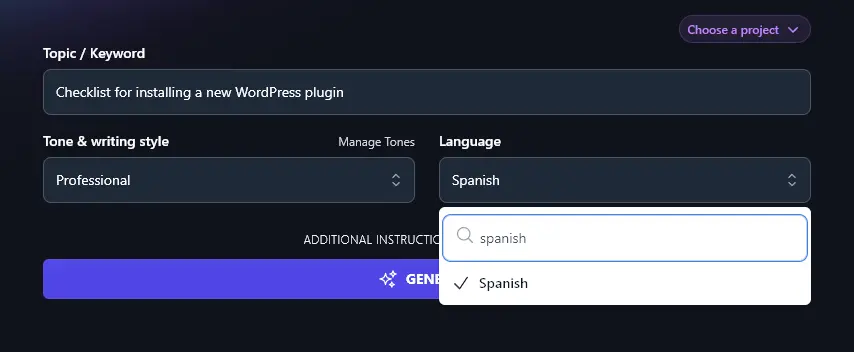
Even if you’re writing for an English-speaking audience, you may still want to use this dropdown, as it offers 4 different varieties of English: US, UK, Canada, and Australia.
4. Additional Instructions (Give More Instructions to the AI)
If you’ve got any special requirements for your list, then click the “Additional Instructions & Creativity” link to open up the advanced features for the list generator.
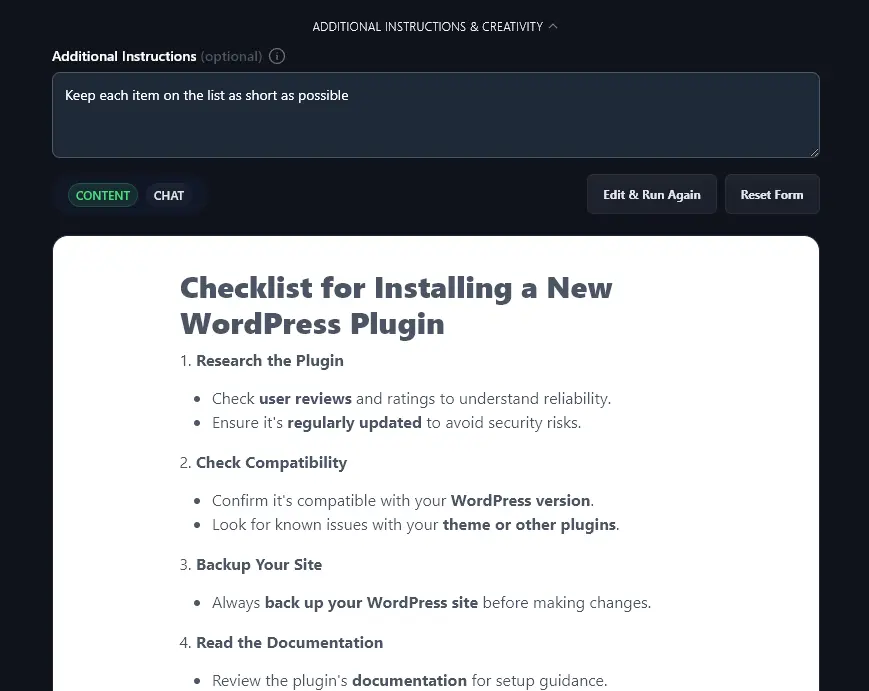
Then, you can type in any extra instructions or information, e.g. if you use particular templates for your lists.
Here, we asked the AI to “keep each item on the list as short as possible”:
5. Creativity (How Standard or Unusual Should the List Be?)
If you feel your list is a bit too predictable, you can make it more creative. You can also adjust the creativity down, if you want your list to be very conventional. Just move the Creativity slider:

AI List Generator FAQs (Frequently Asked Questions)
Got questions about the list generator or about creating a list? Here are the answers you need.
Can I Use This Tool as a Listicle Generator for a List Post?
While you could use the list generator to create a very short list post, we recommend using our Listicle Generator instead. This is set up to write full-length articles that are structured as blog posts.
Does This Tool Work as a Task List or To-Do List Generator?
Our AI list generator is a content generator, designed to create content for blog posts, articles, social media, and sales copy. It’s not a task list generator so it’s not suitable for task management or project management, though you could use it to get ideas for your tasks or teamwork!
If you are looking to improve your time management, take a look at our productivity tools like the Summarizer.
What Other AI Tools Can I Use to Write Great Content?
As well as the list generator (and the listicle generator), we have lots of other great tools you can use to brainstorm ideas, outline, draft content, and speed up every step of your content production workflow.
Our tools include the:
- Article Writer: draft full-length blog posts from just a keyword or topic idea
- Smart Suggest: get instant blog post topics that will fit smoothly with your website’s existing content with this idea generator
- Keyword Research Tool: figure out the perfect keywords to use for your posts to improve traffic
- YouTube Video to Blog Post Generator: turn your YouTube videos into well-structured blog posts
- Feature/Benefit/Outcome: create a powerful list of benefits and outcomes based on your product features
- Key Takeaways: write a list of key takeaways based on an existing article or video you’ve created.
Many of our tools include a Chat feature. This is like an AI writing assistant that knows the full details of your AI project, so you can easily ask for changes and tweaks.
Who is the AI List Generator For?
The AI list generator is designed to automate list content creation for bloggers, marketing and sales teams, SEO professionals, small businesses, and anyone writing online content.
Whether you’re creating a marketing campaign, improving your product descriptions, or writing social media posts, the list generator can help.
How Do I Sign Up for RightBlogger and How Much Does it Cost?
It’s completely free to sign up for RightBlogger and try out all our artificial intelligence tools.
This tool comes with every plan. Monthly Solo $59 covers one site, Pro $89 adds team seats and multiple sites, and monthly Agency $299 (annual $199) scales to 10+ sites with onboarding support.