Looking for a catchy acronym to use for a product, service, book, blog post, or anything else you’re working on? This AI Acronym Generator will come up with lots of great options for you.
Acronyms are short and memorable, based on initials of different ones. Some very common acronyms are used as words, like “SCUBA” (Self-Contained Underward Breathing Apparatus). Others are the names of organizations, like NASA (National Aeronautics and Space Administration).
With this tool, we’re thinking about acronyms that help make processes and ideas memorable, e.g. SMART goals (Specific, Measurable, Achievable, Relevant, and Time-bound).
Coming up with a good acronym can be tough, so try our free AI acronym generator to get a whole list of meaningful acronyms in seconds.
How to Use the AI Acronym Generator
We’ve designed our AI-powered Acronym Generator to be really straightforward to use. Here’s what to do, step by step.
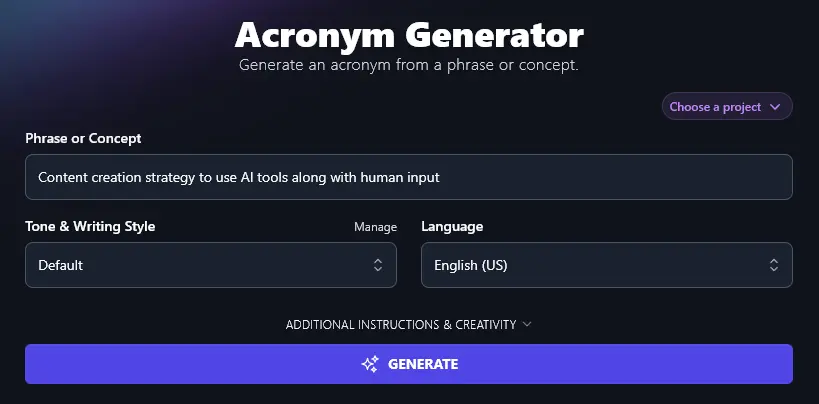
Step 1. Enter the Phrase or Concept for Your Acronym
In the first box, explain what your acronym is for. Perhaps you’re creating a new marketing process or a time management system. Maybe you want a memorable way to get students to structure their studying. Whatever it is you need, explain it here.
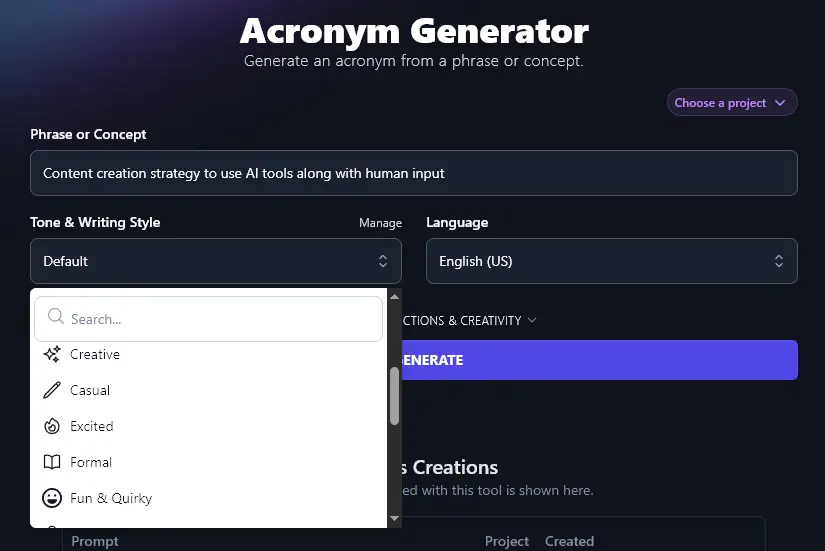
Step 2. Choose a Tone & Writing Style for Your Acronym
Although your acronyms will be fairly short, you may still want them to fit with your brand voice. You can pick a tone & writing style from the dropdown list: there are 16 preset options to choose from. Whether you want something “Academic”, “Casual”, or “Fun & Quirky”, there’ll be a style to suit you.
Step 3. Select Your Language (Defaults to US English)
If you want a different language from US English, go ahead and select it from the language dropdown. RightBlogger can create acronyms (and any content!) in over 100 different languages … making it a great option for non-English and multilingual websites.
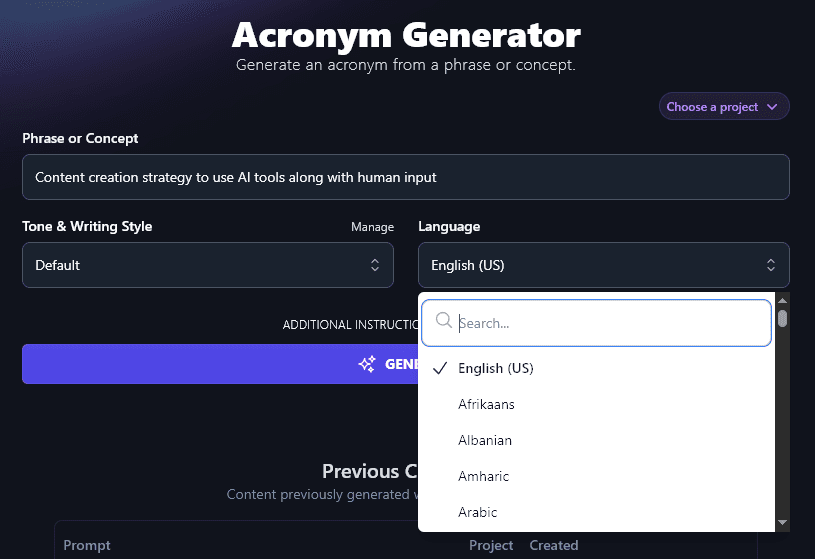
Tip:You don’t have to scroll all the way down the dropdown to find a language, you can use the search bar at the top of it instead.
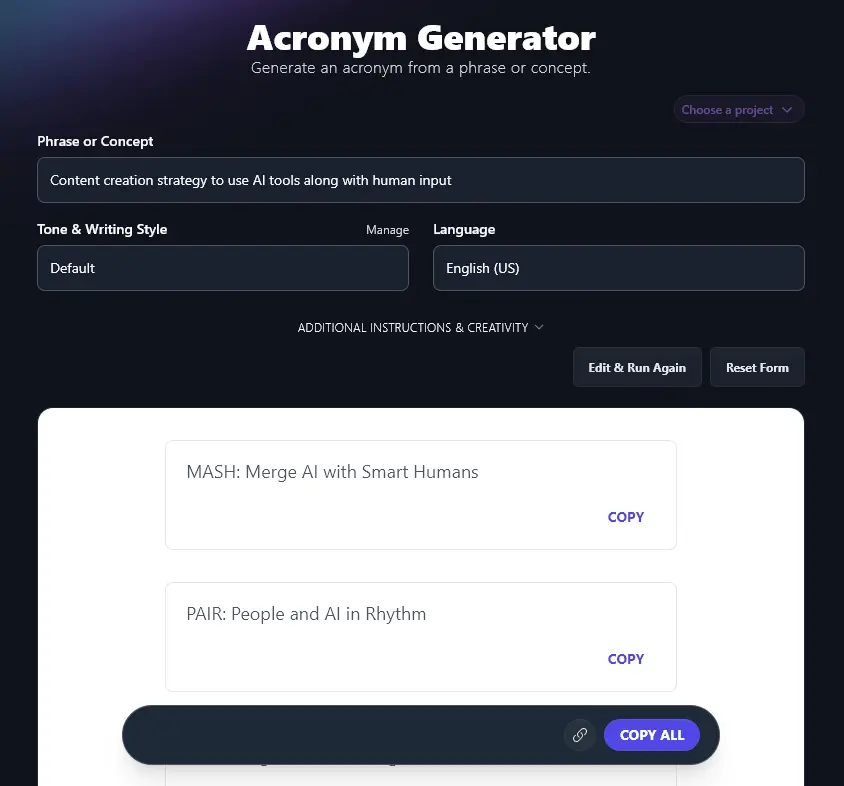
Once you’re ready, click the “Generate” button to come up with 7 different acronym options.
Bonus: Use My Acronym Checklist Alongside This Tool
Want to make sure you’ve picked a great acronym? Whether you’re using one of the AI’s suggestions or coming up with acronyms yourself, here’s a quick checklist to make sure your chosen acronym is as good as it can be.
- Make sure the acronym is memorable and not too long or confusing
- Pick an acronym that will connect with your target audience (e.g. using the words they would use)
- Avoid strange combinations of letters or unusual/archaic grammar or terms
- Check that your acronym itself fits with your brand and doesn’t have any negative connotations
- Don’t use an acronym that’s already in common use (whether as a turn of phrase or a business acronym)
- Say your acronym out loud, check that it’s easy to pronounce
How Does the Acronym Generator Tool Work? (Brainstorming Creative Acronyms)
Let’s dig into each feature of the Acronym Generator, so you can get the most from this AI tool, whatever kind of acronym you’re creating.
1. Phrase or Concept (Explain What Your Acronym is All About)
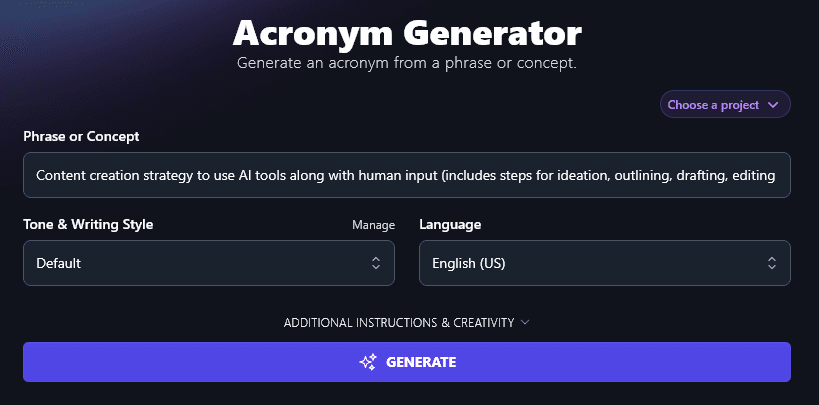
You need to clearly tell the AI what your acronym is going to be for. This box lets you input up to 10,000 characters (1,500-2,500 words), so you can be as detailed as you like!
We added extra detail to our concept, explaining the different steps in our process:
2. Tone & Writing Style (Choose a Preset Tone … or Create One)
The Tone & Writing Style dropdown gives you 16 different options to pick from. While the AI is constrained by needing to come up with a coherent acronym, it’ll still aim to incorporate your chosen tone & writing style as much as possible.
We came up with 2 sets of acronyms in different tones.
“Formal” tone:
- AIMED – AI + Input Method for Editorial Development
- SYNC – Synergetic Yield of Notable Content
- PAIR – People And Intelligence in Reporting
- GUIDE – Generate, Use Input, Draft, Edit
- BLEND – Balanced Logic: Editorial, Neural, Draft
- EDITO – Envision, Draft, Integrate, Tweak, Output
- SCOPE – Strategy, Create, Outline, Polish, Execute
“Excited” tone:
- SPARK, Synergy of People And Robot Know-how
- BLEND, Brain & Logic Engineered New Drafts
- FUSE, Fusion of User and Smart Engines
- SHINE, Smart Human Input, New Edits
- MIXER, Minds + Intelligence for eXpert Editorial Results
- UNITY, User + AI, New Ideas To You
- TEAM, Technology, Editing, And Minds
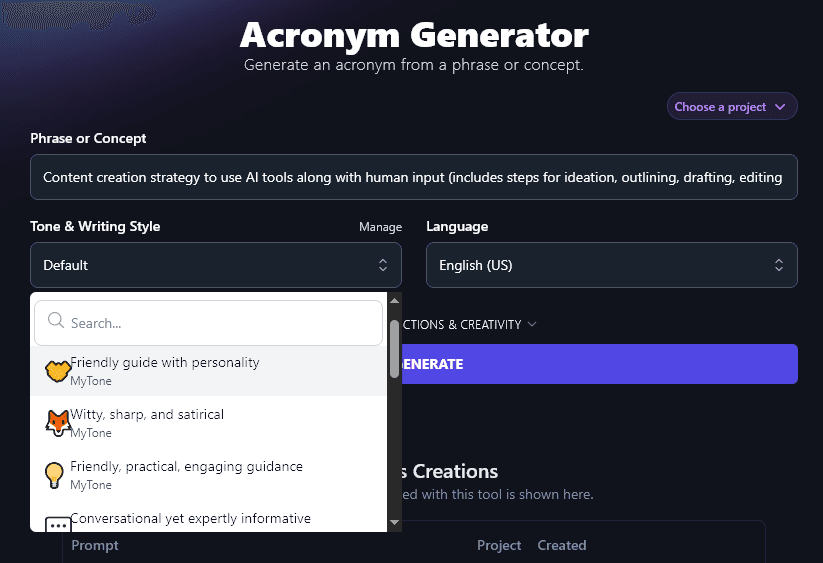
What if none of the preset styles is quite right for you and your brand? With MyTone, you can create custom tones based on samples of your writing, or videos. Every plan includes it, and RightBlogger’s paid plans save 5 (Solo), 15 (Pro), or 50 (Agency) custom tones.
Once you’ve created a MyTone, you can select it from any Tone & Writing Style dropdown:
3. Language (Choose From 100+ Options, Including 4 Versions of English)
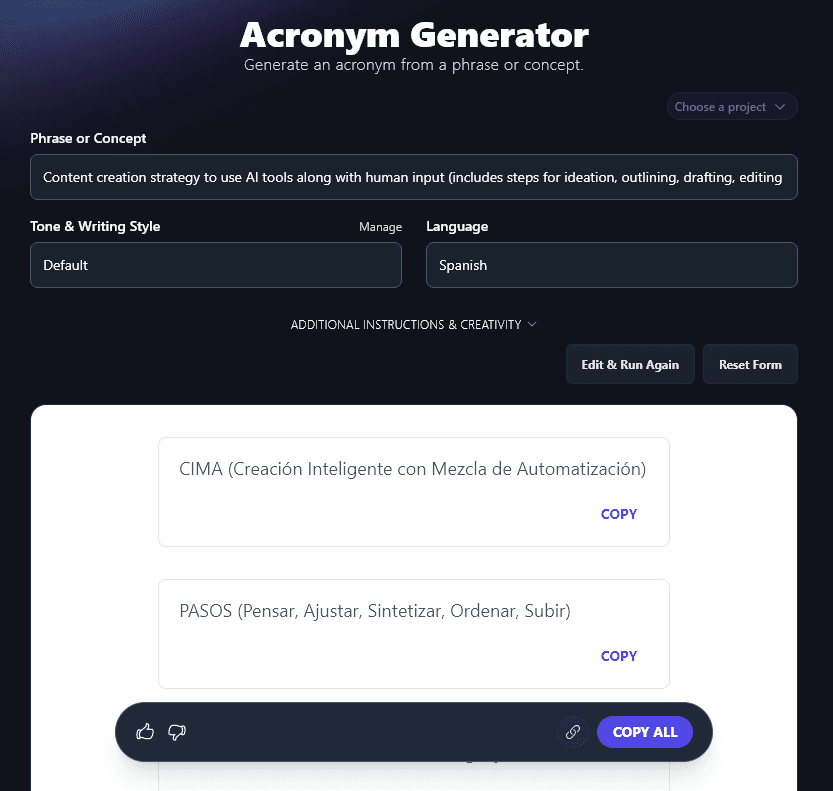
The RightBlogger AI can generate acronyms in more than 100 languages. Here’s an example of acronyms created in Spanish:
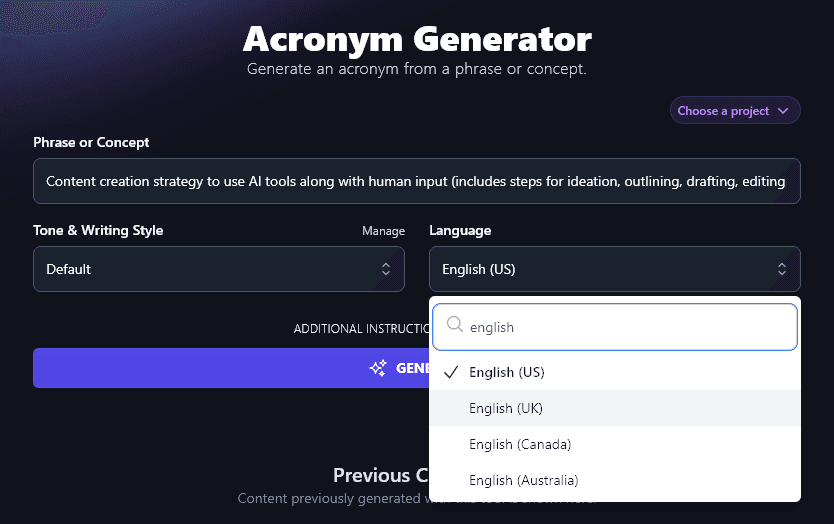
If you’re in the UK, Canada, or Australia, you can also select your local version of English: this means that your acronyms will use local spellings and terms as appropriate.
4. Additional Instructions (Give the AI Any Special Requests for Your Acronyms)
Perhaps you have a specific requirement for your acronym.
Let’s say you’re coming up with an acronym to describe a linear process: you might want each word in the acronym to correspond to one step of the process. Or perhaps you’ve already chosen the acronym word … and you want the AI to come up with words starting with each letter.
Whatever it is you need, simply ask the AI for it here in the Additional Instructions box.
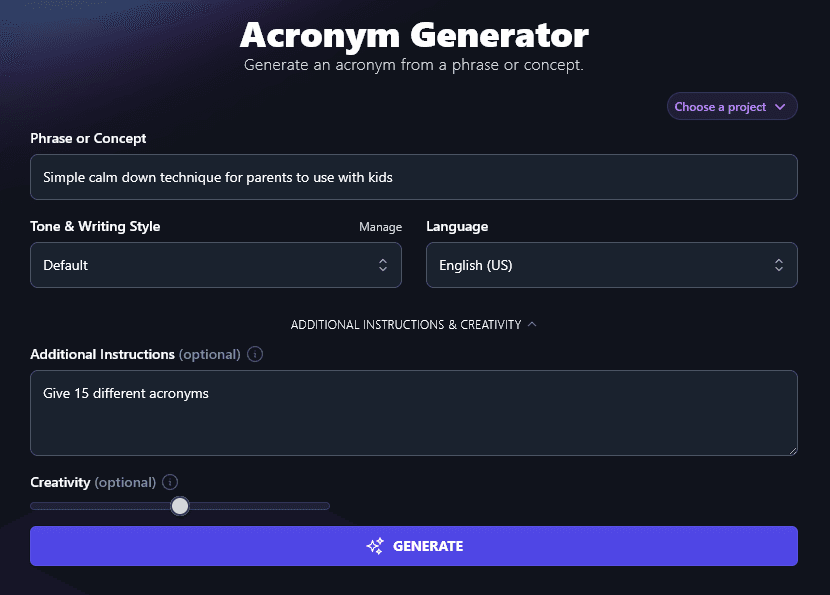
For instance, we wanted 15 acronyms instead of 7 to choose from, for a “Simple calm down technique for parents to use with kids”. The AI delivered 15 as requested:
- BREATHE, Break, Relax, Exhale, And Think, Help Ease
- PAUSE, Parent And Use Soothing Energy
- CALM, Count And Listen Mindfully
- REST, Relax, Exhale, Stay Together
- WAIT, Watch, Acknowledge, Inhale, Talk
- SOFT, Slow, Observe, Focus, Talk
- PEACE, Pause, Exhale, Ask, Connect, Ease
- QUIET, Question, Understand, Inhale, Empathize, Talk
- EASY, Encourage, Ask, Soothe, Yield
- SLOW, Stop, Listen, Observe, Wait
- COOL, Count, Observe, Offer Love
- OPEN, Offer Patience, Empathy, Nurture
- STEADY, Stop, Take, Exhale, And Deeply Yield
- CARES, Calm, Accept, Reassure, Ease, Support
- HUSH, Hold, Understand, Stay Here
5. Creativity (Make Your Acronyms More Predictable or More Unusual)
RightBlogger’s AI is automatically set to a balanced level of creativity, so your acronyms will be interesting without being too off-the-wall.
If you want to adjust the level of creativity, however, just move the slider left (less creative) or right (more creative).

Acronym Generator FAQs (Frequently Asked Questions)
Got questions about using the Acronym Generator Tool … or about coming up with memorable acronyms in general? Here’s what you need to know.
What’s the Difference Between an Acronym, an Abbreviation, and a Mnemonic?
Some people use the word abbreviation for an acronym, but really, these are two different things.
An acronym is formed from the first letters of a series of words: e.g. “USA” for “United States of America”.
An abbreviation is a shortened form of a word, e.g. “ad” for “advertisement”.
A mnemonic is a special kind of acronym, designed to make it easy to remember the correct order of items or steps. Most mnemonics form a phrase or sentence. One famous one is Richard Of York Gave Battle In Vain, for the colors of the rainbow (Red, Orange, Yellow, Green, Blue, Indigo, Violet).
How Do I Come Up With Great Acronym Ideas?
It can be hard to come up with the perfect acronym idea. Ideally, you want each word of the acronym to be spot-on … and you want the acronym itself (formed from the first letter of these words) to also be meaningful. SMART goals is a good example of this.
You can use our free acronym generator to create lists of acronym ideas: if you’re not quite happy with what you get, try including additional instructions, or tweaking your starting phrase or concept.
What Other Free AI Tools Can I Use to Help Me Grow My Business?
As well as the acronym creator, RightBlogger includes a full suite of AI-powered tools for content creation and marketing. Some great ones to get started with are:
- Article Writer: create high-quality articles from just a starting topic or keyword, automatically optimized for search engines
- Paragraph Rewriter: rework a paragraph of text, you could even change it to a different style (this tool also works as a sentence rewriter)
- Product Name Generator: if you need to name a new product, or rebrand an old one, this is the tool for you, or you could even try it for project names, brand names, or business names
- Introduction Generatorand Conclusion Generator: nail these important sections of your blog post with our powerful text generator tools
- Blog Post Title Generator: come up with the perfect title for your blog post
- Summarizer: instantly get a summary (short form of a long text) for any article, webpage, email, etc, just copy-and-paste it into the tool or enter the URL
We also have lots of other writing tools, content creation tools, SEO tools, social media tools, and more! They’re all designed to be as user-friendly as possible, making it quick and easy for you to create what you need. Whether you’re a blogger, content creator, entrepreneur, or small business owner, you’ll find loads of tools here to help you dramatically improve your workflow.
How Do I Sign Up for RightBlogger and How Much Does it Cost?
Sign up for RightBlogger to get started.
One subscription covers this tool plus the entire suite. Monthly Solo $59 (annual $49) for one site, monthly Pro $89 (annual $69) for three sites with team access, or monthly Agency $299 (annual $199) for 10+ sites. Every paid plan includes unlimited words, brand voices, blog automation, and a 7-day free trial and a 30-day money-back guarantee. View plans.