Does your social media bio need work? Whether you’re setting up a brand new social media profile or you’re revamping an old bio, this free AI Social Media Bio Generator is here to make your life easy.
Writing a bio can be tricky … and it’s easy to put this off, or type a short placeholder like “Blogger” or “Business owner”. But your bio is often one of the first things that people who come across you will check out, and having a good one can make a big difference.
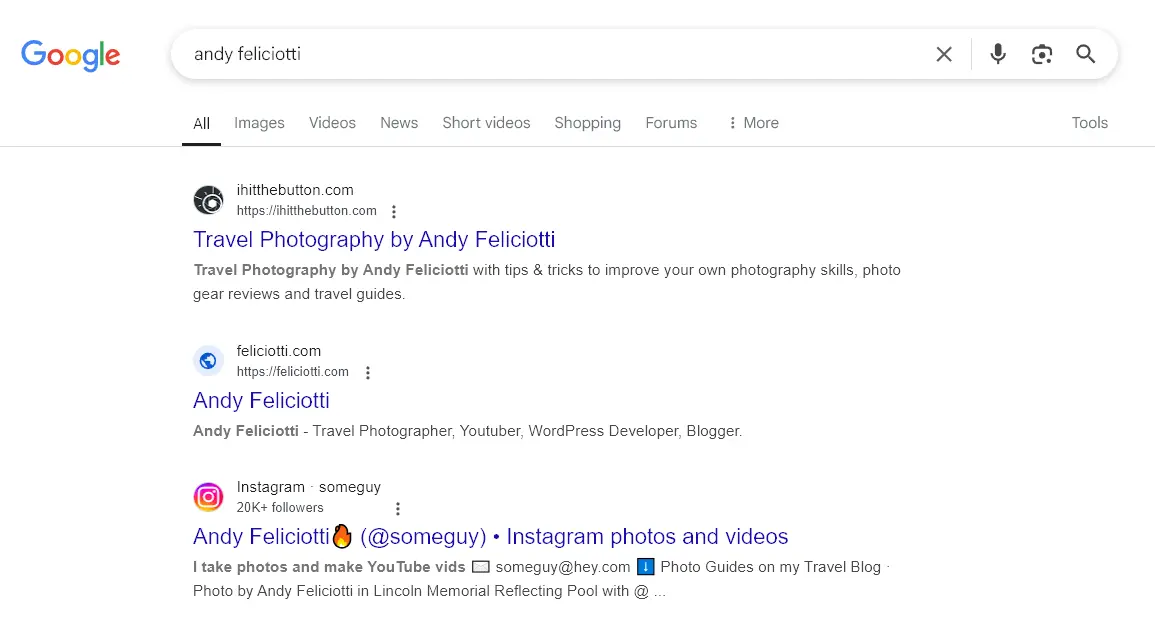
Another important reason to have a solid social media bio is to improve your online presence. Your social accounts are likely to rank near the top of Google when someone searches for your name (or your company’s name). You want the SERP results to give an instant picture of who you are and what you do. Here’s how that looks for RightBlogger’s Andy Feliciotti:
You know your bio matters, but writing the perfect bio can feel daunting. Whether you’re a small business owner, consultant, or would-be influencer, let artificial intelligence give you a helping hand.
How to Use the Social Media Bio Generator (Free AI Bio Generator)
Ready to generate a new bio? Here’s what to do, step by step.
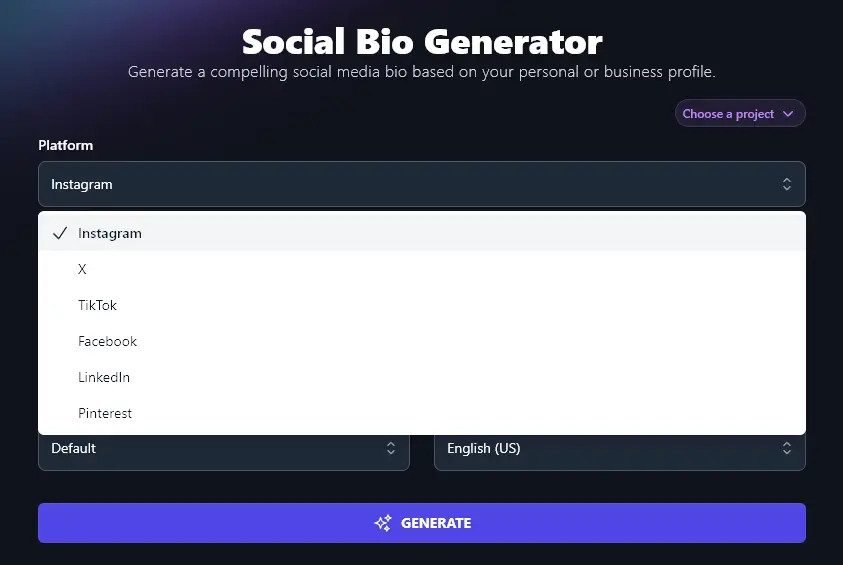
Step 1. Select Your Social Media Platform
Different social platforms not only have different maximum lengths for bios, they also have different audience expectations in terms of tone and what you include. That’s why you need to select the right platform for your bio from the dropdown list.
Step 2. Select Your Profile Type
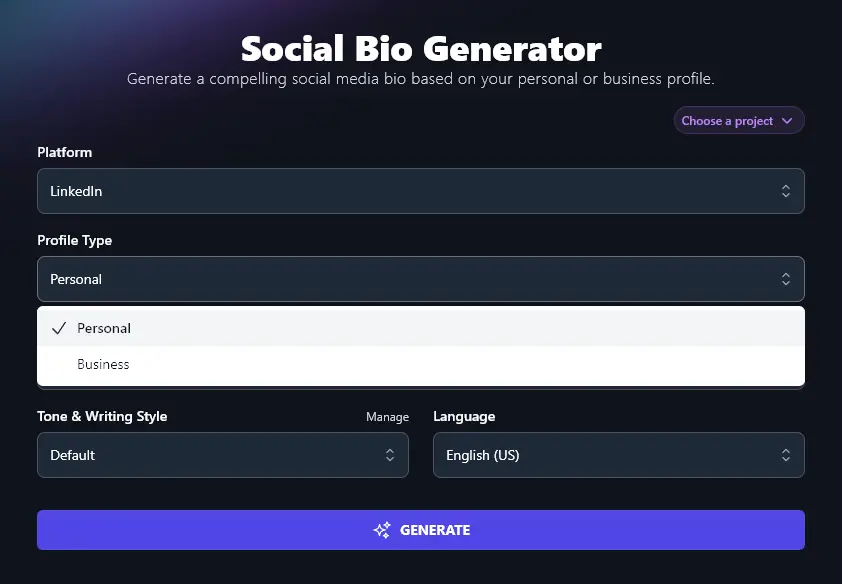
Is your profile for a personal account or a business one? Go ahead and select the appropriate option from the dropdown.
Step 3. Enter What You Do or What You’re Interested In
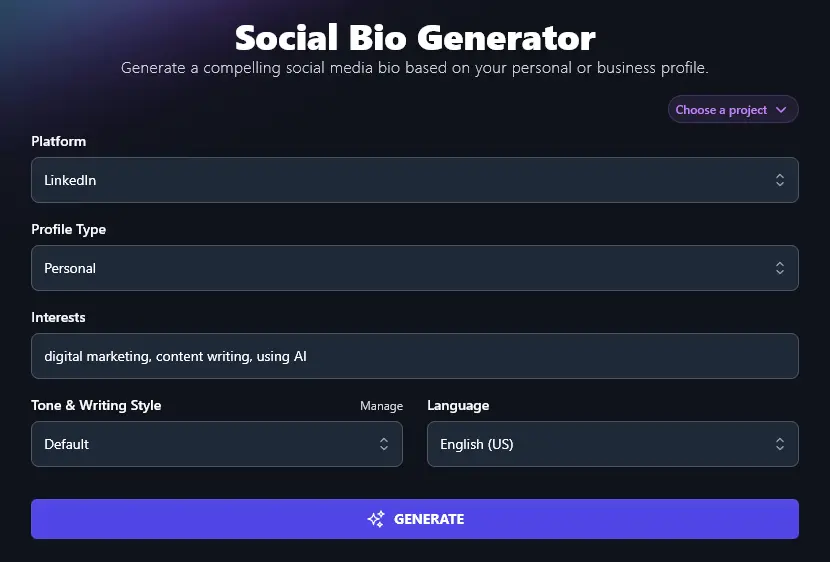
In the “Interests” section, type in the area(s) that you do, or want to, work in. The AI will aim to incorporate all of these into your bio.
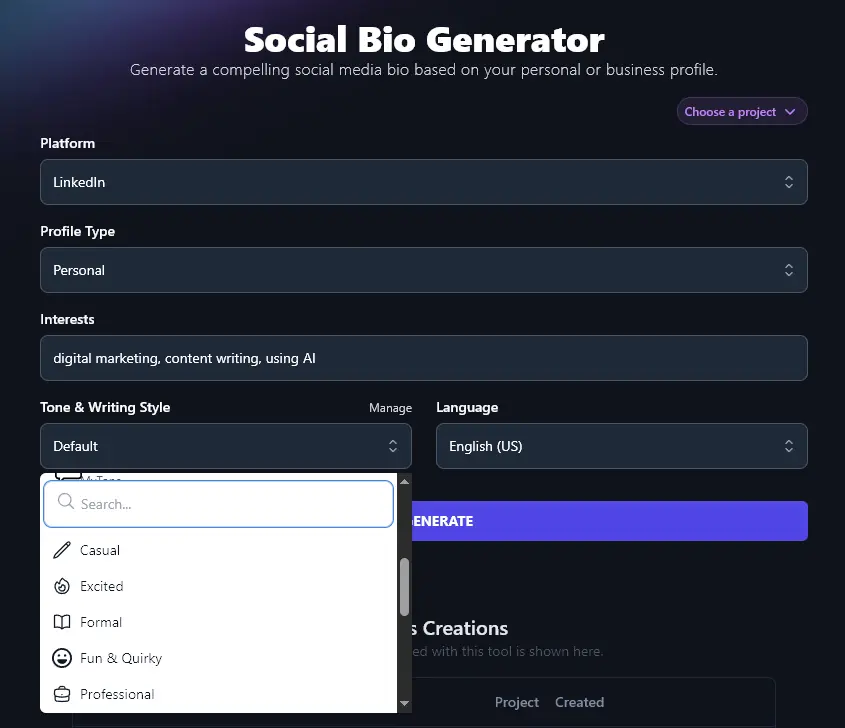
Step 4. Select Your Tone & Writing Style
You want your bio to sound like you(or, for a business bio, to reflect your company’s brand). The Tone & Writing Style dropdown lets you select an appropriate tone of voice for your bio, from 16 preset options.
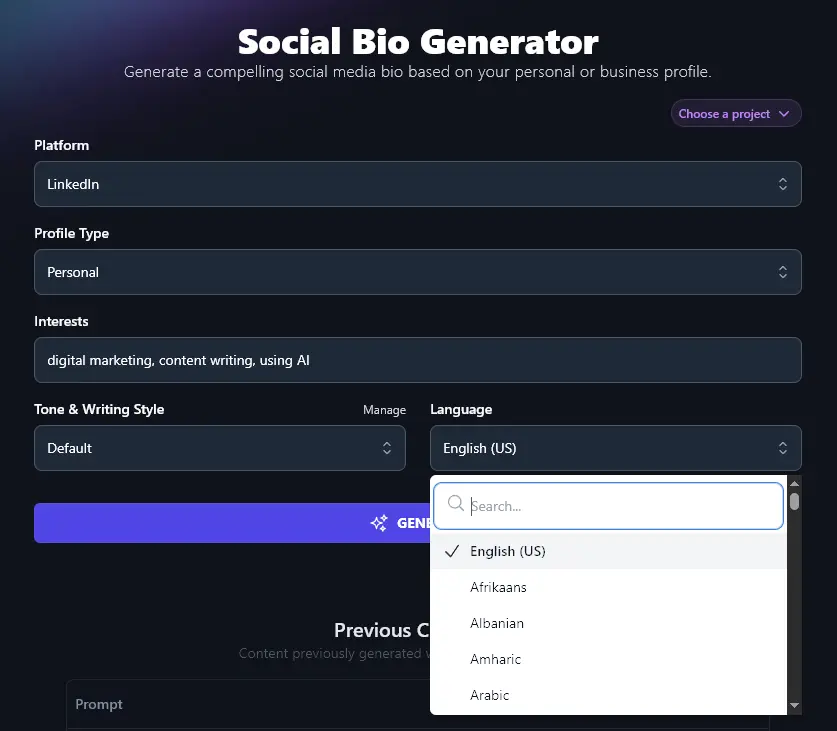
Step 5. Choose a Language (Optional)
If your audience is non-English speaking, go ahead and choose your preferred language for your social media bio. The RightBlogger AI can create content in more than 100 different languages.
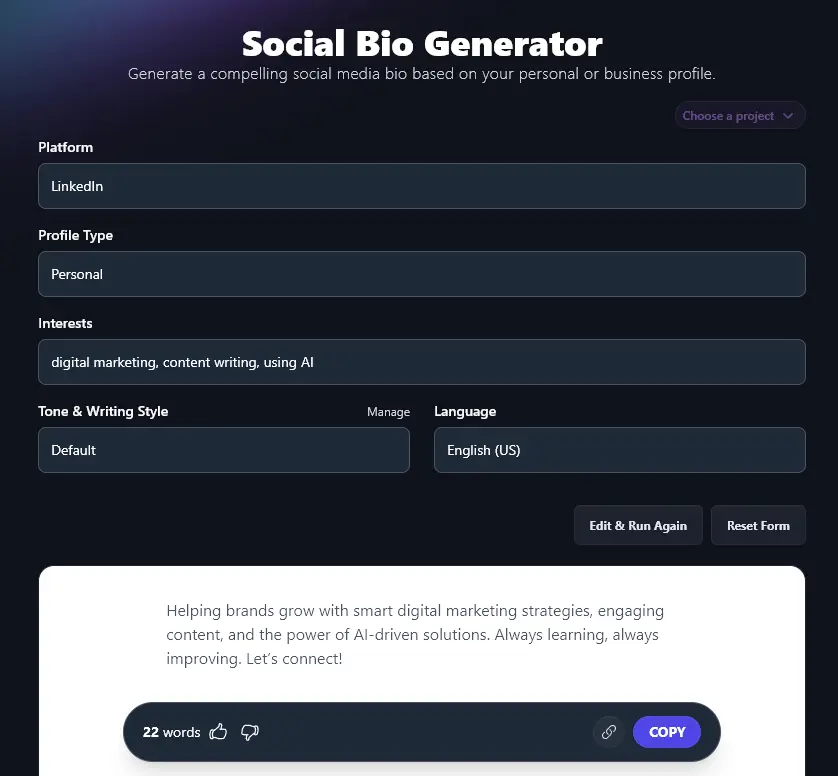
When you’re ready, go ahead and click “Generate”. You’ll see your generated bio in seconds.
Bonus: Use My LinkedIn Profile Checklist Alongside This Tool
If you’re creating a bio for X, TikTok, or Instagram, there’s not too much you need to write beyond the bio itself. But LinkedIn, as a network geared up for professionals, involves a bit more work.
Here’s my checklist for setting up (or revamping) your LinkedIn profile.
- Make sure you have a profile photo in place, and choose a current, professional-looking one.
- Include a cover image that’s a good match for your personal (or company) brand.
- Check that these images look great on both mobile and desktop
- Create a custom URL for your LinkedIn profile: you can easily add this to business cards, your email signature, etc and it looks professional
- Use your bio as the start of your About section, feel free to add to it, but make sure you stay focused on what your target audience wants
- Add your best content to your Featured section, e.g. a blog post, video, etc, if you’re including links, check that the thumbnail image looks good
- Complete the sections for your past Experience (previous jobs/roles). Avoid leaving gaps in your job history, though feel free to leave out things like your high school summer job
- Add details of your education, this can help you connect with fellow alumni
- Ignore the Endorsements section as most people don’t use or care about it!
- But do try to get some Recommendations, these are like testimonials and you could even quote from them on your website
How Does the AI Social Media Bio Generator Work?
Whether you’re looking to build a personal brand or grow your business, you want to get the most from the Social Bio Generator. Let’s dig into all the different features of this AI-powered tool.
1. Platform (Adjust This for a Different Length and Style of Bio)
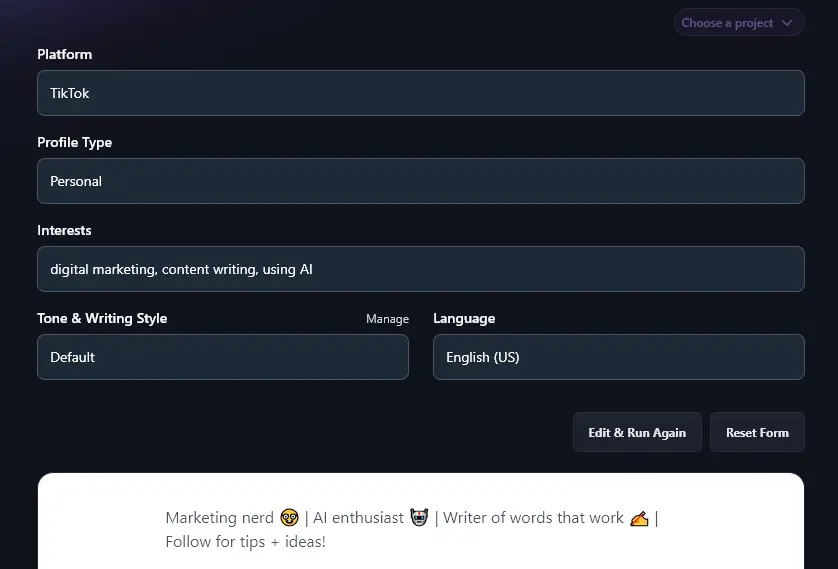
The AI will automatically tailor your bio to the requirements of the social media platform you’ve chosen, sticking to the correct character limit.
A professional bio for LinkedIn, for instance, won’t include emojis. But your personalized bio for TikTok probably will:
2. Profile Type (Personal or Business?)
The Social Bio Generator assumes you’re here to do business online … not simply to share your random thoughts with the world.
Picking a “Personal” profile type means your bio will focus on you as an individual:
Digital marketer and content writer exploring creative ways to connect brands with people. Passionate about using AI to simplify and amplify ideas. Let’s build solutions that make an impact.
Using “Business” will shift the focus onto what your business does:
Helping brands grow through smart digital marketing, clear content, and efficient AI tools. Always looking to create meaningful connections and real results.
3. Interests (List Your Main Areas of Work)
The Interests section isn’t about your hobbies: instead, it’s about what you’re interested in doing in your work. That might include things you’re already doing or areas you’re moving into.
You can type in as many interests as you want, separated by commas. The more specific you are, the easier it will be for the AI to craft your bio.
For instance, you might enter: copywriting, B2B, growth
Or, you can give the AI a full sentence here, like Writing non-boring content for B2B companies that want to grow fast.
4. Tone & Writing Style (Adjust This to Suit Your Personal or Business Brand)
Engaging bios have a sense of style and personality. You want to make a first impression that fits with who you are (or what your business is like) … so go ahead and select a suitable Tone & Writing style.
Here’s the difference your tone and style can make for a Facebook bio:
Fun & Quirky Tone:
Word wizard 🖋 | B2B growth enthusiast 📈 | Turning ideas into clear, clever copy that clicks 💡 | Let’s get growing, DM me! 🚀
Professional Tone:
Helping businesses grow through sharp copy and smart strategy. B2B enthusiast with a focus on results. Let’s make it happen.
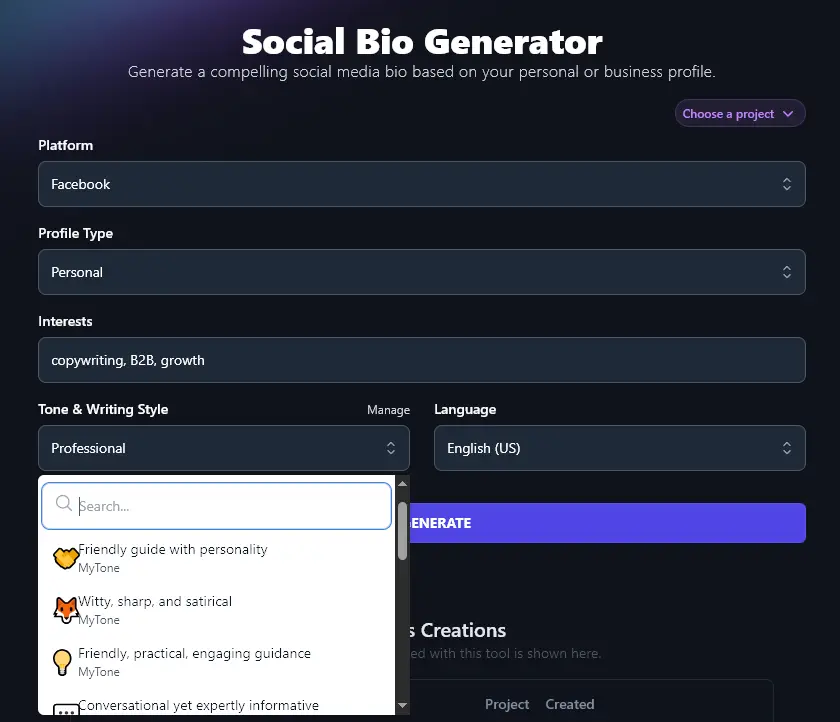
What if you want your bio written in your own unique voice? You can create a custom tone using RightBlogger’s MyTone feature. Every plan includes it, and paid plans save 5 (Solo), 15 (Pro), or 50 (Agency) MyTones. MyTone lets you give the AI a piece of your writing, or even a video, so it can automatically detect your tone.
Once you’ve created a MyTone, you can simply select it from the Tone & Writing Style dropdown:
5. Language (Write Your Bio in Any Language You Choose)
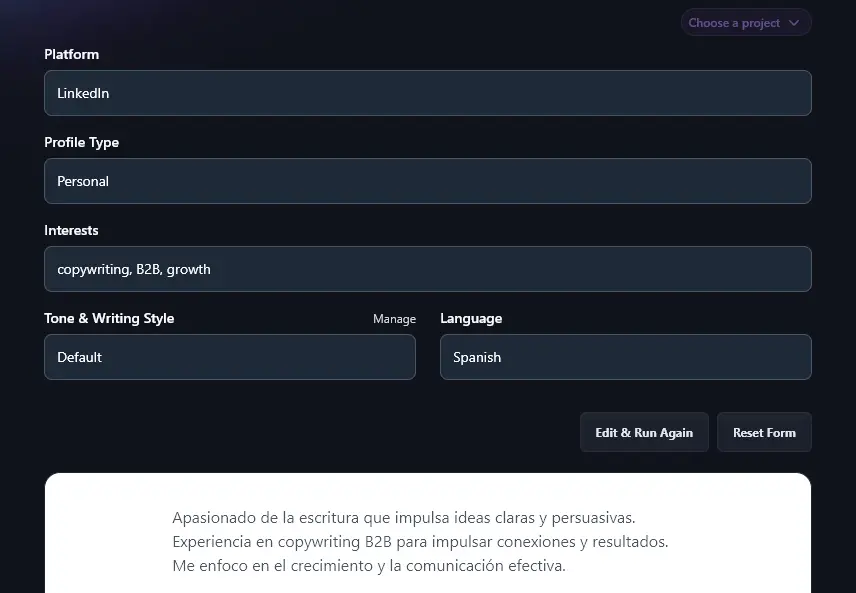
Want a bio in a different language from the default (US English)? Or even in a different variety of English? Just use the language dropdown and scroll down or search for your preferred language.
Here’s the AI writing a bio in Spanish:
Social Media Bio Generator FAQs (Frequently Asked Questions)
Got questions about drafting your social media bio or using the free bio generator tool? Here’s everything you need to know.
What Should I Include for a Compelling Bio?
A good social media bio will clearly explain what you do and what audience you serve, so that you can instantly attract your ideal customers.
Consider making it more eye-catching (e.g. use emojis) if that’s appropriate for your brand.
Can I Use This Social Media Bio Generator For Different Platforms?
Yes! Whether you’re looking for an Instagram bio generator or a TikTok bio generator, AI technology is here for you. 🙂 Just make sure you select the correct social media platform from the dropdown.
What Other Free AI Tools Can I Use to Grow My Online Presence and My Business?
RightBlogger includes a full suite of AI tools to help you build an online business. Sign up today and get started from monthly Solo $59 (annual billing, charged monthly, is $49). See RightBlogger pricing.
Here are just a few of our great tools for bloggers, entrepreneurs, and online business owners:
- Article Writer: bloggers and content creators will love this powerful AI article generator, which streamlines the process of creating a blog post, go from initial topic/keyword to finished draft in minutes
- Keyword Research Tool: nail your on-page SEO by finding the perfect keyword to optimize around, with accurate volume and competition metrics
- Instagram Caption Generator: create the perfect caption for your Instagram posts by simply entering a quick summary of your photo
- Product Description Generator: if you’re selling a product online, this tool helps you quickly write compelling copy about it, using advanced AI algorithms
- Podcast Name Generator: come up with the perfect name for your podcast: our AI will give you lots of ideas to choose from in seconds
- Call to Action Generator: craft a compelling call to action (CTA) to turn prospects into customers
We have tools for YouTube video creators, startups, bloggers, writers, sales, and more.
How Do I Sign Up for RightBlogger and How Much Does it Cost?
The Social Media Bio Generator is included in every plan. Try it risk-free with a 7-day free trial and a 30-day money-back guarantee.
Every paid plan includes unlimited words, brand voices, and advanced features like MyTone. Pricing is straightforward: monthly Solo $59, Pro $89, or Agency $299 (annual billing, charged monthly, is $49 / $69 / $199) depending on how many sites and seats you need.