
Backlink Checker Tool
View backlinks for a domain or URL.
Looking for a great backlink checker to identify all the backlinks for a website? Whether you want to dig into your own backlinks or a competitor’s, RightBlogger’s free backlink checker tool makes the whole process incredibly quick and easy.
In case you’re not 100% sure what backlinks are, they’re simply any links from other sites to your site (or your competitor’s site). You’ll sometimes hear them called “inbound links” or “incoming links”. Backlinks are vital for search engine optimization (SEO) as they act like a “vote” from the other site, telling Google that your site is a useful resource.
The practice of attempting to gain backlinks from other sites, e.g. by providing them with a guest post, is called “link building”.
How to Use the Backlink Checker to Uncover a Website’s Backlinks
Ready to take a look at your own backlinks, or a competitor’s? Here’s what to do.
Step 1. Put in a URL (Website Address) to Check Backlinks For
To use our free backlink checker, you just need to enter your URL (that’s the address of your website, e.g. rightblogger.com).
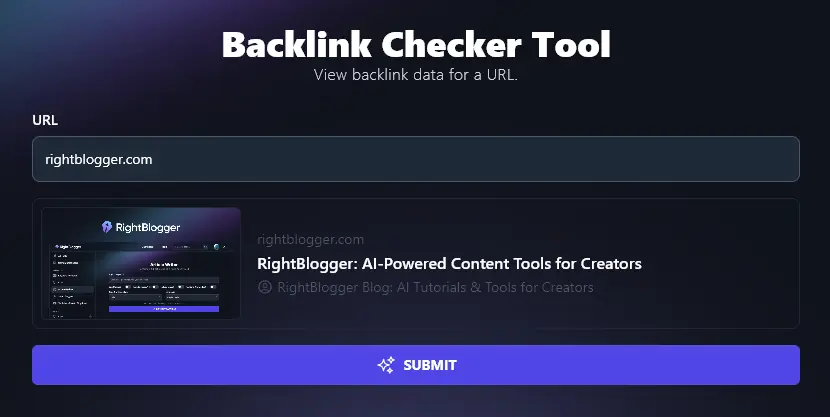
The tool should show a preview of your website. If you don’t see a preview (or if it doesn’t look like your site!) then check you’ve typed your URL correctly.
Step 2. Run the Backlink Checker
Click the Submit button to run the backlink checker. You’ll see a list of backlinks, like this:
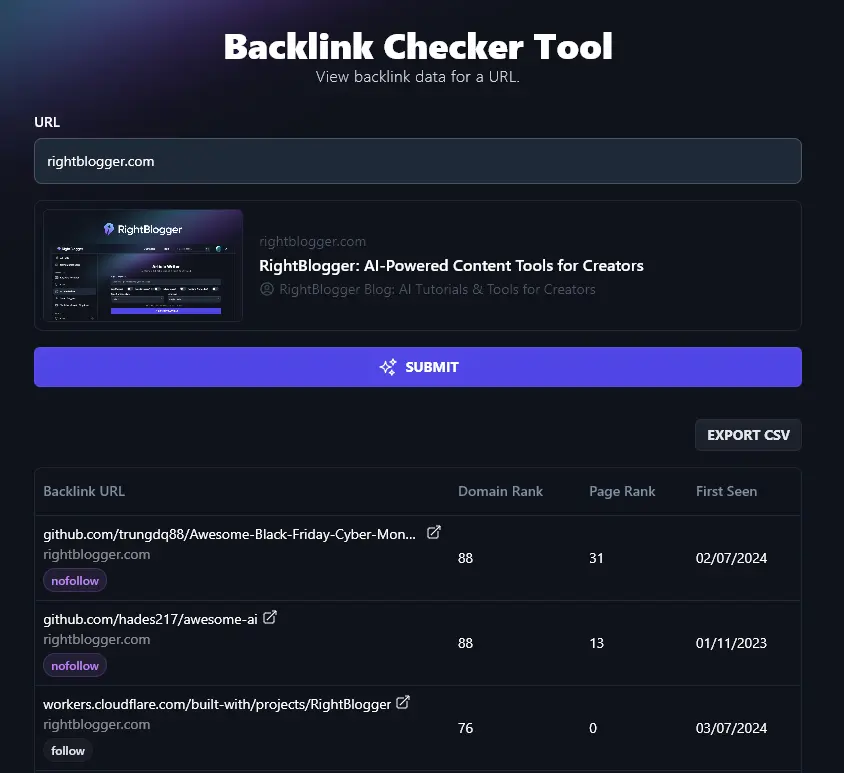
This might look a little daunting at first glance. Don’t worry, we’re going to go through what each piece of information means in a moment.
Note: The number of backlinks shown depends on your plan. Higher-tier plans give you access to more detailed backlink data.
Step 3. Download Your List of Backlinks
You can save your whole list of backlinks to look through at a later point. Just click the “Export CSV” button.
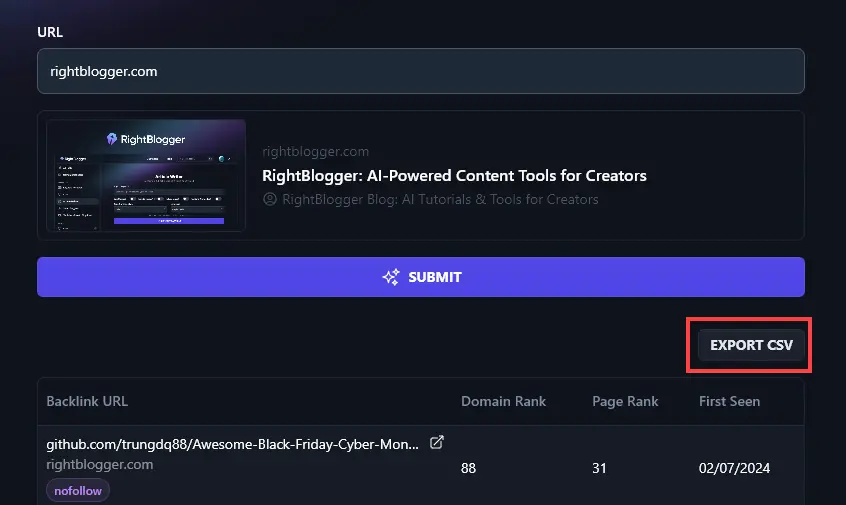
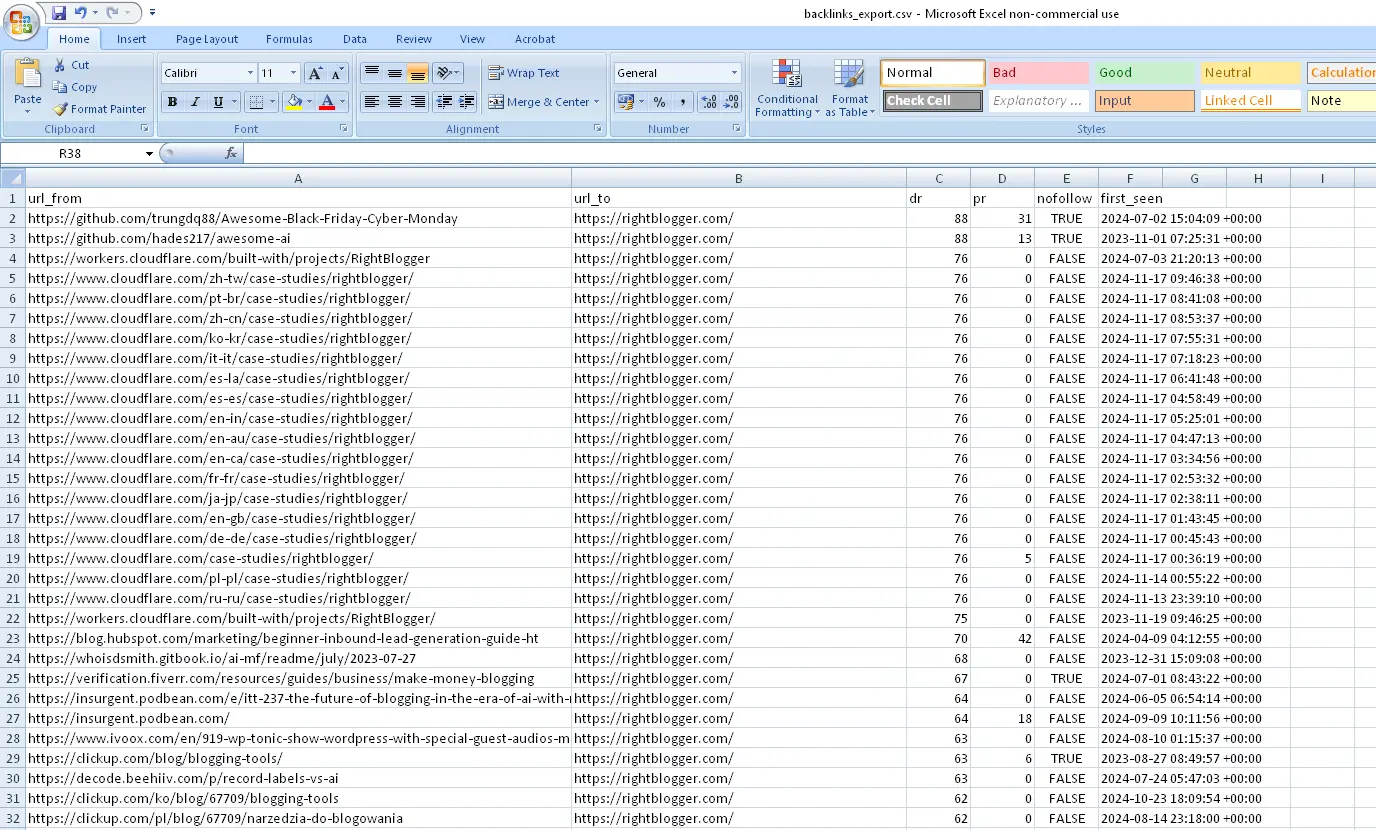
This gives you a spreadsheet file (compatible with any spreadsheet program, e.g. Excel, Google Sheets) that contains all your backlink information.
Step 4. Sorting Your Backlinks in RightBlogger
RightBlogger lets you sort the backlinks by URL, Domain Rank, Page Rank, or First Seen. Just click on the column header to sort:
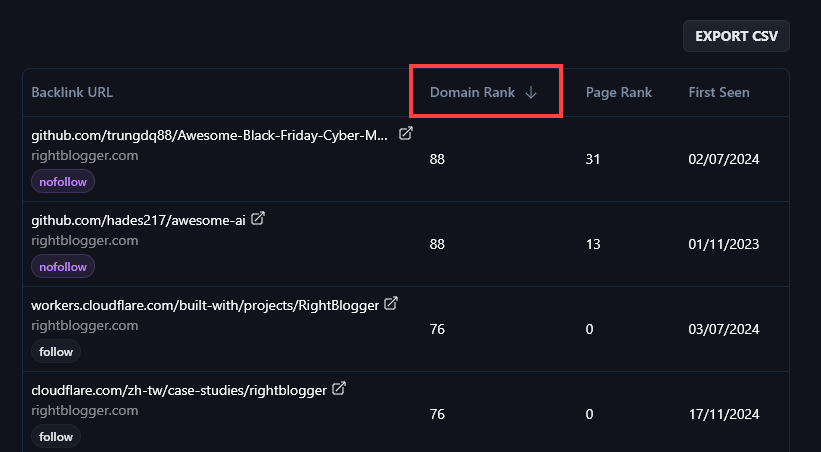
Terms like “Domain Rank” and “Page Rank” might not be familiar to you. Let’s go through what these mean.
Understanding the Information in the Backlink Checker Tool
The four columns of the Backlink Checker tool are:
- Backlink URL
- Domain Rank
- Page Rank
- First Seen
Here’s what you should know about those columns and the metrics involved.
Backlink URL
The Backlink URL field tells you what page is linking back to your site. This is the first URL, in white.

Tip:You can click the arrow next to this URL to open up the webpage in a new tab.
Immediately below that, you’ll see the URL of the page on your site that the link goes to. This may well be your homepage (your main URL) like in this example.

You’ll then see a badge saying “follow” or “nofollow”. The “follow” links are the most valuable for your SEO, but it’s good to have some “nofollow” links too for a natural backlink profile.

If you order the results by Backlink URL, this groups them together by referring domains (so all the pages linking to you from one site will be in the same place).
Domain Rank
The Domain Rank number is a measure of the reputation and authority (in Google’s eyes!) of the website linking to you. The higher, the better! Well-established and popular sites will have a much higher Domain Rank than small, new sites.
Even links with a low Domain Rank can still be worthwhile, especially as they help show Google that you have a natural link profile (i.e. that you haven’t been buying links).

Page Rank
Page Rank measures the authority and reputation of the specific page that’s linking to your site. Again, the higher the number, the better. This number will almost always be lower than the Domain Rank, which is normal.

First Seen
The “First Seen” column records the date when a link first appeared on the web. This is useful to know when you’re looking at a competitor’s backlinks: if they gained that link 5 years ago from a site that’s grown rapidly since, it might be hard to get a similar link today.

Bonus: Use My SEO Checklist Alongside This Free Backlink Checker Tool
Getting backlinks is a great way to boost your site’s ranking, but it’s also important to optimize the content on your site.
Here’s a quick SEO checklist you can use for every new post or page on your site.
- Use a reputable SEO plugin like Yoast SEO or RankMath on your WordPress site
- Make sure you’ve done your keyword research and that your primary keyword is relevant to your audience, and achievable
- If possible, use keywords in your subheadings: this encourages Google’s rich snippets and can help your site get indexed faster
- Check you’ve only got a single H1 heading on your page (the title/headline at the top)
- Use correct header hierarchy with H2 subheadings then H3 sub-subheadings nested beneath those
- Only use your primary keyword naturally within your text, you don’t need to use it over and over again
- Have plenty of internal and external links (at least 3-5 external ones)
- Craft a powerful meta description that incorporates your keywords and draws readers in
- Add alt text to all your images: make it descriptive and use keywords where appropriate
- Write a long enough post that it’s able to rank well: that usually means 1,500+ words
- Give your post an engaging meta title that’s SEO-friendly (includes your keyword)
- Use your keyword as your post’s permalink, without any little words like “a” or “of”
AI Backlink Checker FAQs (Frequently Asked Questions)
Got questions about using our free Backlinks Checker tool, or about backlinks in general & how they relate to your SEO strategy? Here’s what you should know.
How Do Backlinks Improve My SEO?
Backlinks can help your content rank higher on a search engine results page (SERP). That’s because Google’s crawlers follow and take note of backlinks. Lots of backlinks can improve your domain rating and your individual page authority score.
Backlinks are just one ranking factor. There are lots of others, like “on page” ranking factors such as your title, headings, content, meta description, and so on.
How Do I Build Backlinks to My Site?
There are lots of different link building strategies you can try to gain high-quality backlinks and improve your organic traffic:
- Look at your competitors’ backlink data. See where they’re getting links from and whether you could potentially get a similar link from those linking domains.
- Try “Broken link” backlink building. Identify broken links in other people’s content and offer them a similar piece of content they could link to on your own site.
- Reach out to website owners and bloggers in your niche, asking if they’ll link to you. This kind of outreach can be successful if you’ve got a great piece of content and you’re friendly and polite.
When you’re building backlinks, it’s best not to build loads of new links all at once. Instead, aim to get new backlinks over time, as this is more natural. You don’t need your total number of backlinks to shoot up overnight.
Does Quality or Quantity Matter When Building Backlinks?
The ideal situation is to have both: a great number of backlinks from high-quality sites! But that’s not going to be achievable overnight.
When you’re looking for link building opportunities, it’s usually better to get a few quality backlinks than dozens of links from sites with a very low domain authority.
Important: If you have a lot of backlinks from low-quality or spammy sites, this can hurt your SEO. If your site has been hit with a penalty, you can “disavow” these links in Google Search Console.
Does Anchor Text Matter When Building Backlinks?
The “anchor text” for a link is the text that the link is attached to. For instance, in the sentence Check outRightBlogger for great AI tools, the word “RightBlogger” is the anchor.
Anchor text helps Google (and readers) know what the page is about. Often, anchor text will be your site/product name, or a short keyword phrase that links to the topic of your post.
Try not to build backlinks that all have the exact same anchor text. This looks a bit spammy to Google.
What Are Follow vs Nofollow Links?
Follow links (sometimes called “dofollow” links) are regular links.
Nofollow links are links that have the rel attribute “nofollow”. This signals to search engines that this link shouldn’t pass any link authority.
In reality, Google does consider nofollow links as a ranking signal, so they’re still worthwhile. They’re just not generally as valuable as regular links.
Having nofollow links could also potentially help your website’s backlink profile look more natural. It would be weird for a site to have lots of regular links and zero nofollow links.
Can I Buy Backlinks?
You shouldn’t buy backlinks. It’s not illegal, but it’s against Google’s policies. You could get hit with a huge Google penalty if they catch you buying backlinks, as it’s seen as an attempt to manipulate search rankings.
What SEO Tools Can Help Me With Backlink Analysis?
There are lots of SEO tools out there like Ahrefs, Moz, and Semrush that can analyze backlinks for you, but these can be very expensive.
RightBlogger lets you generate a full backlink report. Monthly plans start at Solo $59 (annual billing, charged monthly, is $49) and every plan includes the backlink checker along with all 100+ tools.
What Other AI Tools Can I Use to Improve My SEO?
As well as backlink checking, RightBlogger offers all kinds of SEO tools to help you with your digital marketing.
Some great ones to check out are:
- Keyword Research Tool: discover relevant and achievable keywords to use for optimizing your content
- Keyword Cluster Generator: create powerful clusters of keywords to help you build authoritative content
- Content Gap Analysis Tool: discover exactly why a competitor’s piece of content is outranking yours, and what to do about it
- Meta Title Generator: come up with a keyword-rich meta title for your blog post or article
- Meta Description Generator: craft an engaging meta description for an existing post or based on a title/keyword
- Google Preview Tool: check out how your meta title and description will look in Google’s search results
Along with our SEO tools, we have social media tools, sales tools, blogging tools, and more, 90 tools and counting!
Who is the Backlink Checker For?
The backlink checker is easy to use for beginners. It’s suitable for bloggers, content marketers, SEO professionals, small business owners, and anyone looking to get their content to rank better online.
How Do I Sign Up for RightBlogger and How Much Does It Cost?
You can start using the backlink checker tool today, along with our other 100+ tools. Every plan comes with a 7-day free trial and a 30-day money-back guarantee.
Every RightBlogger plan gives you unlimited access to all tools and advanced features. Monthly plans are Solo $59, Pro $89, and Agency $299 (annual billing, charged monthly, is $49 / $69 / $199).