Online courses are a fantastic way to make money online, for all kinds of businesses. Meet RightBlogger’s free Online Course Outline Generator. If you’ve got a blog, social media following, podcast, or YouTube channel, you’ve probably thought about monetizing your audience by selling online courses. If you serve a local audience, you may even want to create an offline course that you can run in person.
The problem is, creating a course takes a lot of time, and effort. You might have an idea in mind, but not know where to begin.
That’s where our Course Outline Generator will help. Powered by AI (artificial intelligence), it can draft a full outline for your course in seconds. Whether you use this as a starting point or run with it as-is, you’ll be well on your way to creating your course.
This tool isn’t just for money-making courses: you can also use it to come up with an outline for an educational course or a free reader magnet.
How to Use the AI Course Outline Generator
Ready to give the Course Outline Generator a try? It’s really easy to get started with, but we’ll take it step by step to help you come up with the perfect outline.
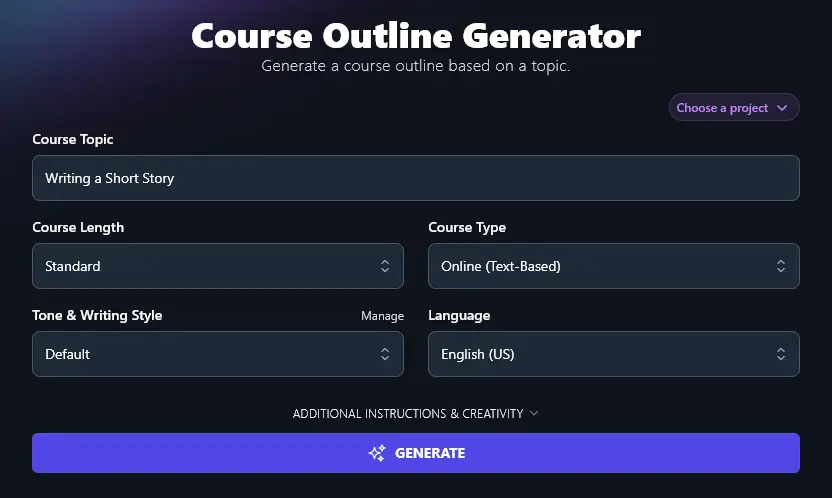
Step 1. Enter Your Course Topic
What’s your course going to be about? Type your title or topic into the “Course Topic” box. It doesn’t need to be perfect: you just need to give the AI your basic course idea.
Step 2. Choose Your Course Length
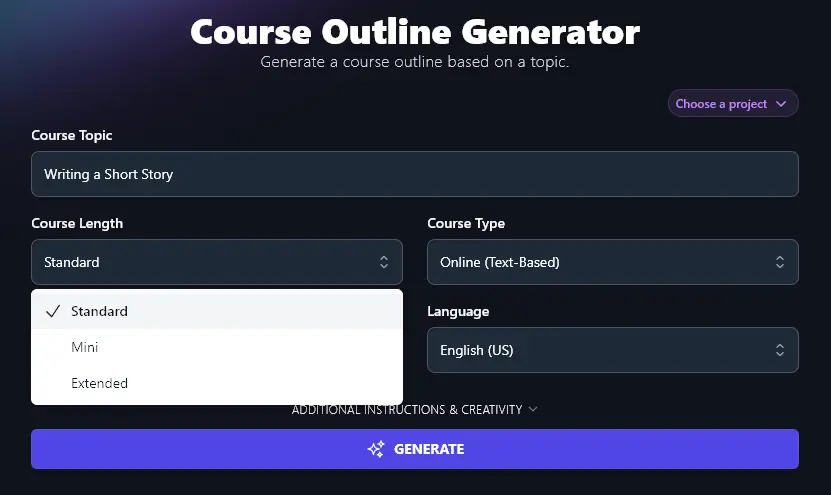
How long is your online course going to be? You can choose from Standard, Mini, and Extended here, just click on the dropdown menu.
Tip: Creating a free course to get people onto your email list? “Mini” is a great option here.
Step 3. What Type of Course Are You Creating?
Are you creating a general online course, a video course, or an offline course? Choose the most appropriate option from the dropdown list.
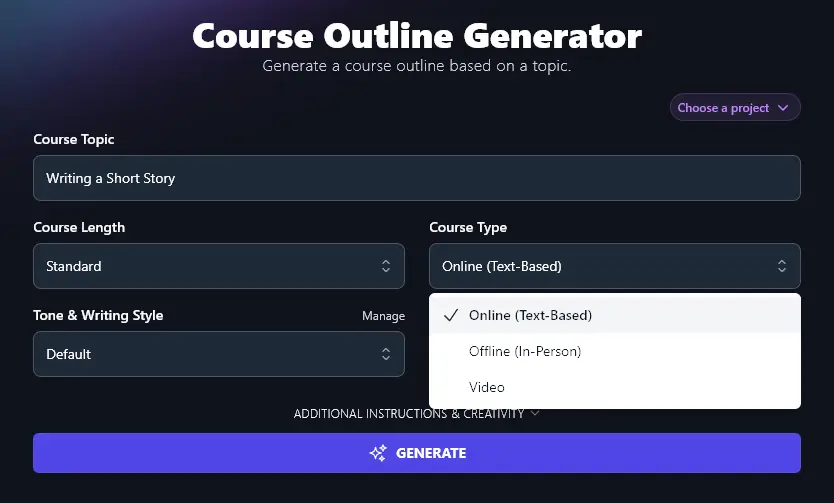
Tip: Most course creators will run their course online, for ease of access and scaling … but depending on your business or organization, you might want to run your course in-person.
Step 4. Choose the Tone & Writing Style for Your Course Outline
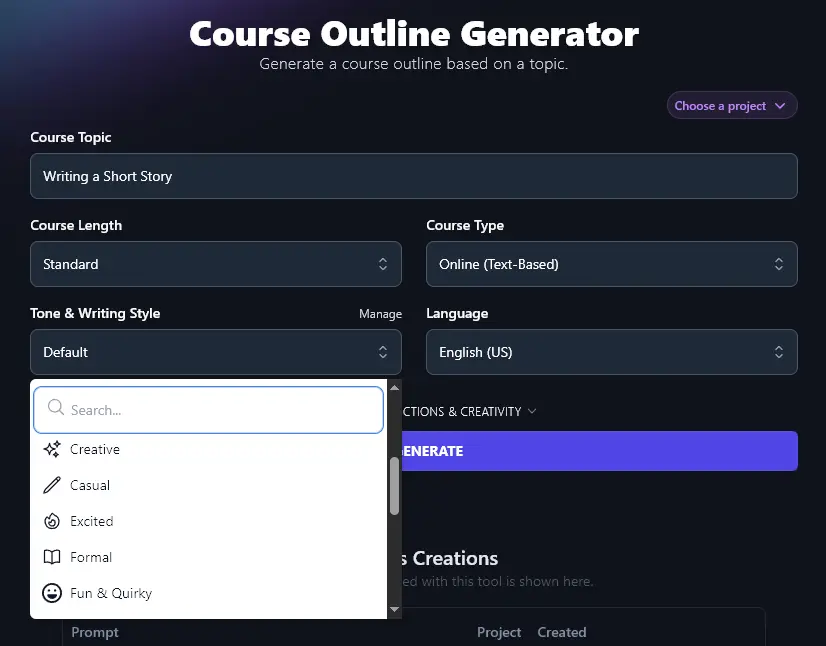
If you’re just creating an outline for your own purposes, the “Default” style is likely fine for you. But what if you want to use the generated outline as your course curriculum or roadmap that goes out to your prospective learners?
The “Tone & Writing Style” dropdown lets you create an outline that matches the style and tone of your business as a whole. We have 16 preset styles (think things like “Excited”, “Fun & Quirky”, “Academic”, and “Direct”). Just choose the most appropriate one from the dropdown list.
Step 5. Select Your Preferred Language (Over 100 to Choose From)
RightBlogger’s AI defaults to creating content in US English, but it can write fluently in more than 100 different languages. If your course is for a non-English-speaking audience, go ahead and create your outline in any language of your choice.
You can scroll down the dropdown to find your preferred language, or you can simply type it into the search bar at the top of the dropdown list.
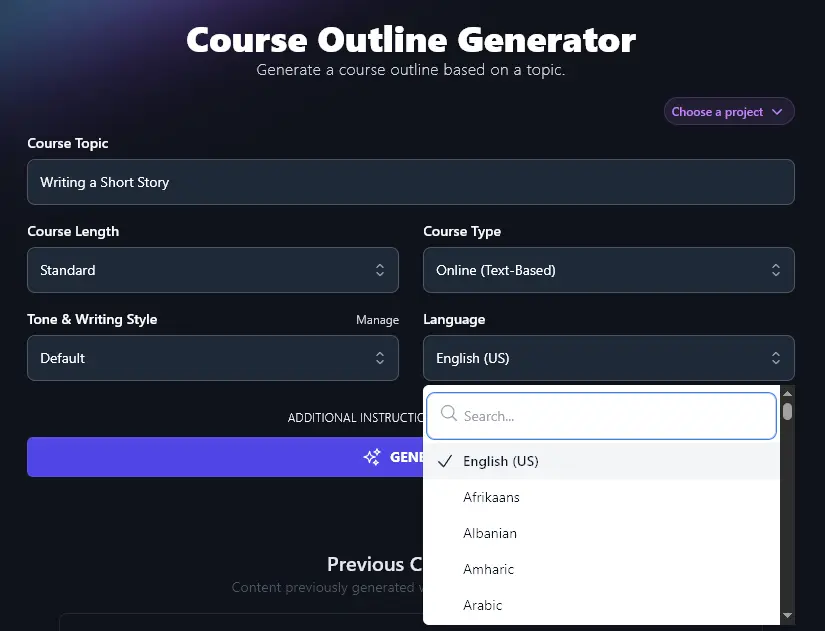
When you’re ready, go ahead and press “Generate” to create a structured outline for your course content.
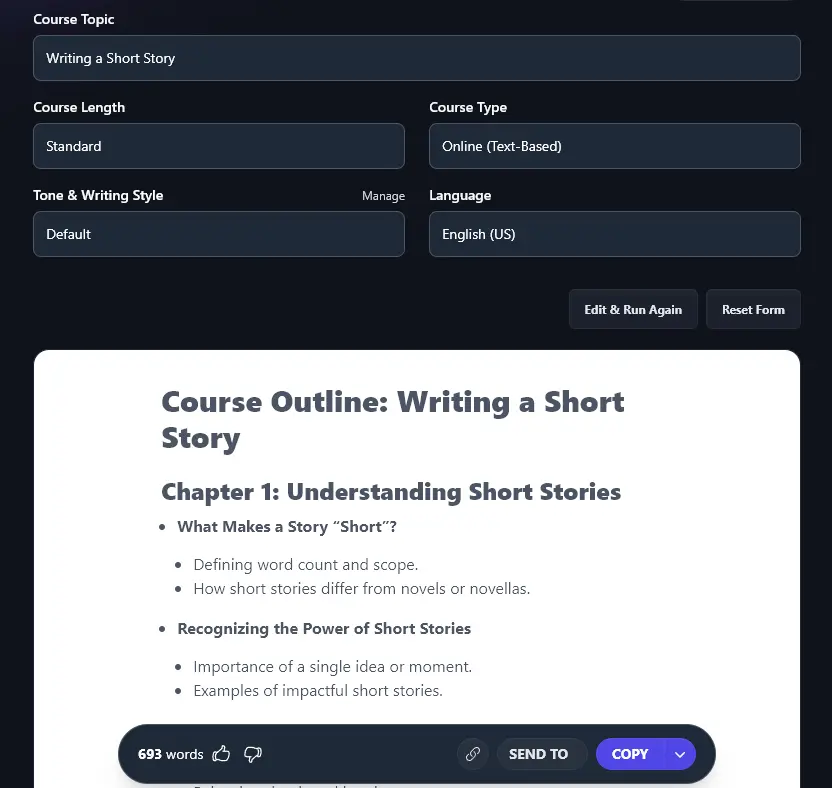
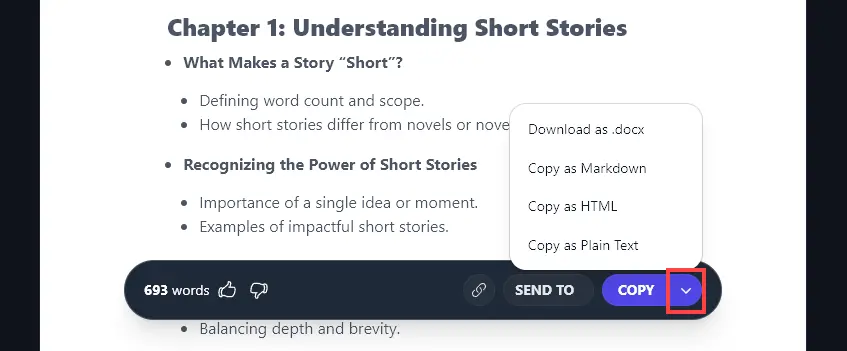
You can then use the “Copy” button to copy your course outline, or click on the downward arrow next to it to save the outline as a .docx, or copy it in special formats.
Bonus: Use My Course Creation Checklist as You Put Together Your Course
Your outline is just the start! Once you have it in place, you’ll need to create high-quality content for your course and make it available to students.
Here’s my personal checklist for you. It’s geared toward online courses, but much of it applies if you’re running an in-person course, too.
- Choose the right topic for your course, consider surveying your audience to find out what problem(s) they have
- Review any content you’ve already created (videos, blog posts, reader magnets, etc) to decide if you can rework these for your course
- Consider different formats for your course, e.g. text-based vs video, what would work best for your audience?
- Think about whether you want to add assessment opportunities to your course, e.g. quizzes or assignments (necessary if your course leads to some kind of certification)
- Use AI course content where that’s helpful, e.g. AI images could enhance your slides or AI key takeaways make it easy for you to sum up a video lesson
- After creating your content, enlist some beta-testers to go through it for free or at a steeply discounted price
- Tweak your course content based on feedback, e.g. adding material to explain concepts that learners struggled with
- Use your course outline as the basis for your sales copy about the course, letting readers know exactly what they’ll get
- Try out different online course platforms (e.g. Teachable, Udemy) if you don’t already have a specific platform that you want to use
- Promote your course through your email list, try the Newsletter Generator to help craft your email copy
How Does the AI Course Outline Generator Work?
The Course Outline Generator is designed to be as simple as possible to use. To get the most out of it, though, it’s helpful to know how to use each of the different features … along with the advanced options.
1. Course Topic (Get Specific if You Can)
The AI will base the whole course outline on your course topic, so make it as specific as you can. If your topic is something very broad like “Using AI” or “Cooking”, you’re going to get a long, high-level course outline.
Ideally, go with a more specific topic, like “Using AI to Increase Your Daily Productivity” or “Cooking Fast, Healthy Meals on a Budget”. That way, the AI has a lot more to go on when coming up with the modules or lessons for your course.
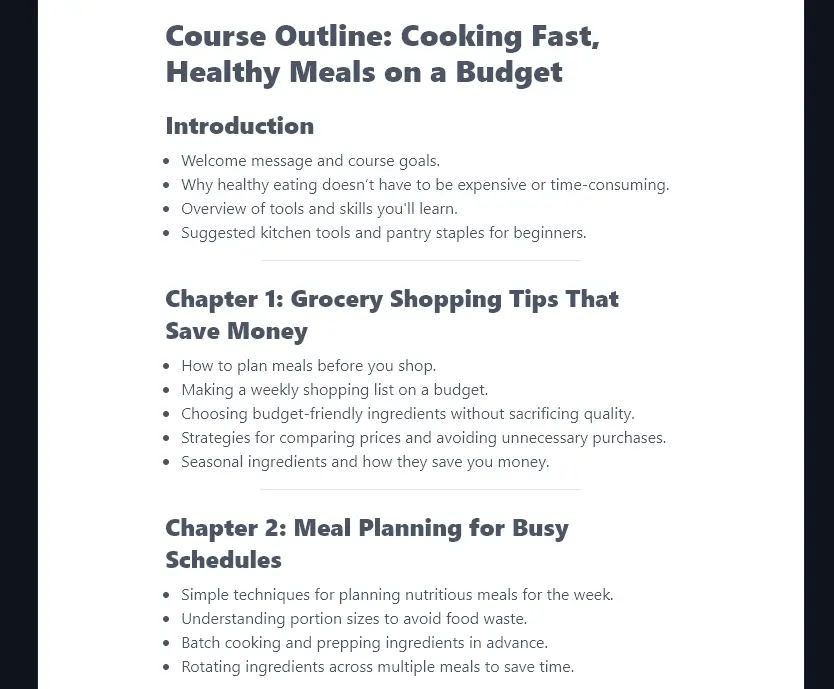
Here’s a quick look at the difference. First, we asked for a course outline for “Cooking” and we got lots of general information like this:
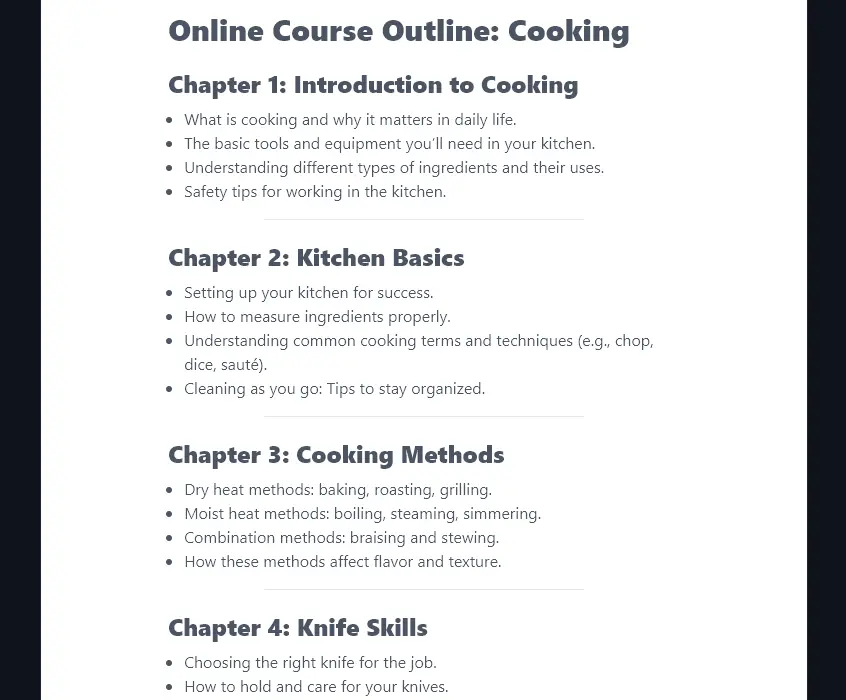
Then, we asked for “Cooking Fast, Healthy Meals on a Budget” and got much more specific course content suggestions:
2. Course Length (Standard, Mini, or Extended)
How long should your course be? You might not know exactly how many lessons or weeks you want your course to run for … but you probably have a rough idea if you want it to be a standard length or much shorter or longer than average courses.
The AI will also tailor your course’s length to your topic (if it’s a huge topic, you’ll need more content in there). But you can roughly expect these course lengths to work as follows:
- Standard:Around 10-14 lessons
- Mini:Around 6-8 lessons
- Extended: 20+ lessons
Where appropriate, the AI will group 2-4 lessons together in a module.
Tip:Need a specific number of lessons or modules? You can use the advanced option for “Additional Instructions”, which we’ll come on to shortly.
3. Course Type (Text-Based, In-Person, or Video)
What type of learning experience do you want to offer? Depending on your audience and their needs, you may want to opt for a specific type of course.
The AI lets you create courses that are:
- Online (Text-Based) – This is a great option if you’ll be delivering primarily written materials to your learners, (perhaps with some videos or audio files along the way, but not as the main focus).
- Offline (In-Person)– If you’re running your class in person, go with this option, it includes ideas for activities, group discussions, and lengths of each class/section. It might also suit you well if you’re running a live, interactive course over Zoom or similar.
- Video– Go with this option if your course is going to mainly consist of video lessons: the AI will help with ideas for your opening and closing messages, as well as video-appropriate instructions (e.g. “encouragement to pause the video and try”).
4. Tone & Writing Style (Choose from the List … or Create Your Own)
If you want to use your course outline on your sales page, or as a handout for students, you’ll want the AI to write it in an appropriate style.
There are 16 preset styles you can pick from, and these can make a significant difference to the tone of your content. Here’s a quick example, in both cases, we used the topic “Writing Your Ideal Morning Routine”, a “Mini” course length, and the “Online (Text-Based)” course type.
Fun & Quirky Style:
Welcome to a Fresh Start
Objective: Connect with the reader, set the tone, and explain why mornings matter.
- Quick intro: Mornings set the tone for the day. Let’s make them awesome.
- Why routines aren’t boring (and how they can make life easier).
- Guide overview: Small steps, big energy.
Module 1: Morning Myths, Busted!
Objective: Break down common misunderstandings about mornings.
- “I’m not a morning person” (Spoiler: You don’t have to wake up at 5 AM).
- Do you really need 32 steps for a productive morning? Nope.
- Perfection is overrated, focus on what works for you.
Module 2: Your Sleep, Your Secret Weapon
Objective: Highlight the connection between sleep and great mornings.
- Why hitting snooze 10 times isn’t helping.
- The night-before trick: A quick setup for smooth mornings.
- Easy tips for better sleep (no techy hacks needed).
Academic Style:
Introduction
- Objective of the Course
Understand the components of an effective morning routine. Learn how to create a routine that improves productivity and well-being.- Course Overview
This short course is divided into five chapters. Each chapter focuses on a specific aspect of building a morning routine.- Who This Course Is For
This course is designed for busy individuals looking to improve their mornings through better habits.Module 1: Understanding the Importance of Mornings
- The Science of Morning Habits
Explore research on how morning routines set the tone for the day.- Benefits of Structured Mornings
Discuss physical, mental, and emotional benefits such as reduced stress and increased focus.- Common Myths About Morning Routines
Debunk misconceptions, like the idea that routines must start early or involve long tasks.Module 2: Identifying Your Needs and Priorities
- Assessing Your Current Morning
Reflect on your existing habits. Identify what works and what doesn’t.- Clarifying Personal Goals
Align your morning activities with your daily priorities and long-term goals.- Understanding Your Natural Rhythm
Learn how sleep cycles and energy patterns influence morning productivity.
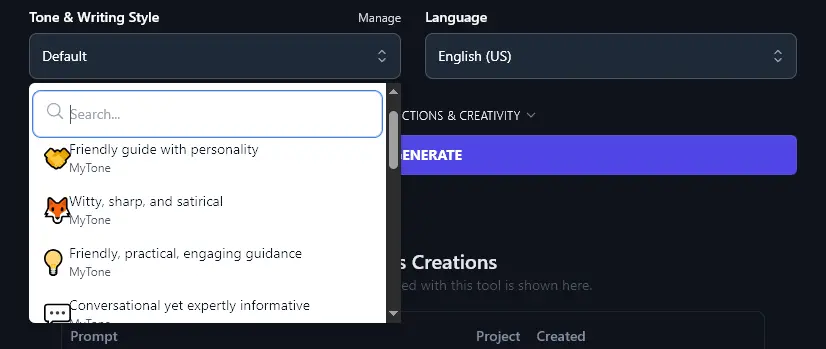
Can’t find a style that works perfectly for you? You can create your own custom style using the MyTone feature, which is included on every plan. Just give the AI a sample of your written or video content, and it’ll automatically detect and save your tone of voice.
Paid plans save 5 (Solo), 15 (Pro), or 50 (Agency) MyTones, and you can select them from any Tone & Writing Style dropdown:
5. Language (Including 4 Different Varieties of English)
As well as letting you choose from over 100 different languages, the Language dropdown gives you 4 varieties of English: US (the default), UK, Canada, and Australia.
If you’re in any of those countries, simply pick your local version of English so that spellings and terms in your outline are tailored accordingly.
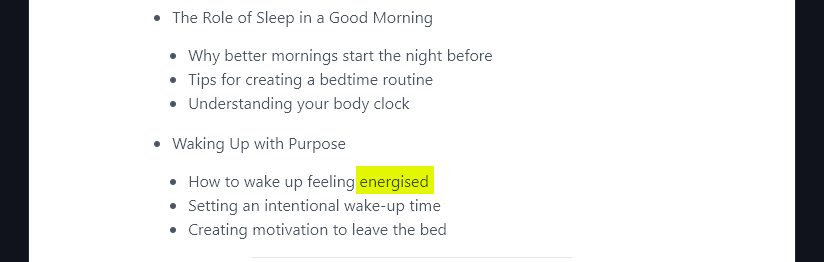
For instance, for this outline, we chose English (UK) from the language dropdown. The AI has correctly used the UK English spelling “energised” instead of the US English “energized”.
6. Additional Instructions (Give the AI Any Requests for Your Course Outline)
The Course Outline Generator includes 2 advanced options. You can open these up by clicking the “Additional Instructions & Creativity” link.
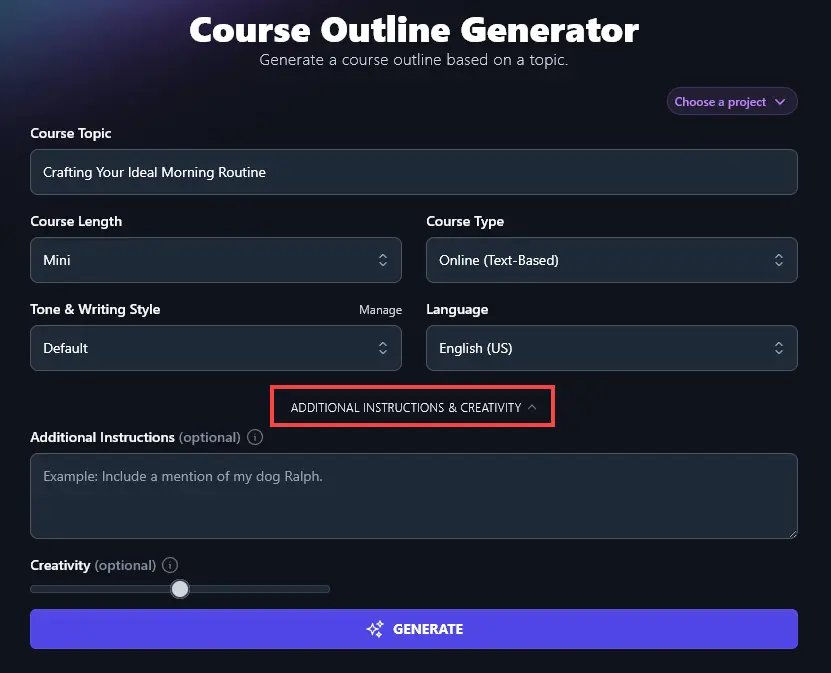
The Additional Instructions box lets you give the AI any special requests, constraints, or elements to incorporate in your course outline.
For instance, you might want the AI to add learning objectives at the start of the course outline, or you may want it to suggest an engaging course title.
Perhaps you want your course to follow a template, so that it’s in line with your other courses, or maybe you need to use specific assessment methods. You may want a course that’s tailored to complete beginners, or one that’s suitable for more advanced students.
All of these are things you can ask for as part of your course design. The AI will follow your instructions.
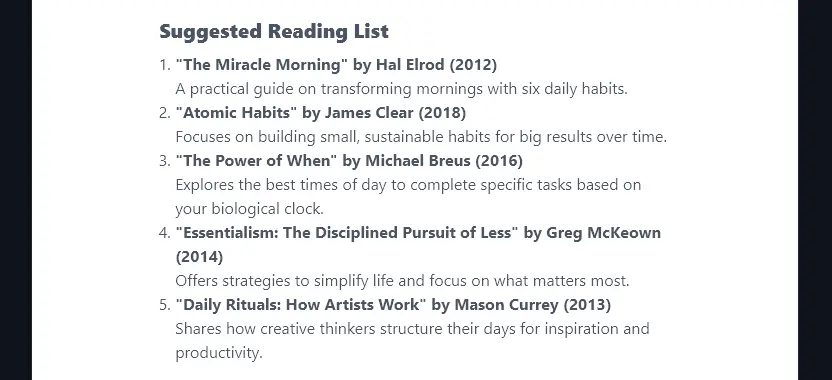
For example, we asked the AI to “Include a list of recommended reading (books and articles) at the end of the course outline.”It did exactly what we wanted:
7. Creativity (Make Your Course Outline More Predictable or More Unusual)
The RightBlogger AI is set, by default, to a balanced level of creativity. This means your outline won’t be too offbeat … or too boring.
If you want to adjust the creativity, go ahead and move the creativity slider left (less creative) or right (more creative).

Course Outline Generator FAQs (Frequently Asked Questions)
Do you have questions about the Course Outline Generator, or about creating a course in general? Here’s what you need to know.
How Do I Come Up With Ideas for a Course?
When you’re trying to decide on the topic for a new course, it can be tricky to come up with good ideas. Some good ways forward are by:
- Brainstorming all the things you wish you’d known a few years ago about your core topic area (e.g. time management, creative writing, AI, SEO). There’s a good chance others will want to learn the same things!
- Looking on social media to see what questions people are asking about this niche or industry. What sort of questions are coming up on LinkedIn, Instagram, Facebook, or X? Try to find people who are in your target audience, e.g. in the same industry or at the same level of expertise.
- Using the Keyword Research Tool to see what types of searches people are typing in (e.g. “SEO Course” is very popular, but “local SEO course” is a great low-competition query, as is “tech SEO course”).
How Can I Create All the Content I Need for My Course?
Putting together a great course will take some time … but you can speed up the process with all kinds of AI tools. For instance, using RightBlogger you can automate tasks like turning videos into written content or transcribing audio (so your course can suit more learning styles).
RightBlogger is also packed with content creation tools that you can use to write full video scripts for your course, generate paragraphs of content, or create expanded material. You can even turn each lesson into printable practice activities with the AI worksheet generator.
As well as using AI technology, you’ll want to set aside enough time for the whole course creation process. If you’re delivering your course in-person or over live calls, you may want to rehearse your content too.
What Other RightBlogger Tools Can I Use to Make Money Online?
RightBlogger has a full suite of user-friendly AI tools, many of which can help you monetize your blog or social media presence.
Some great ones to get started with:
- Article Writer: bring more traffic to your site with SEO-optimized content, all you need is a keyword or topic idea and the article content generator will do the rest
- Press Release: get the word out about your new course (or any new product, service, or initiative) with a professional-looking press release
- Feature/Benefit/Outcome: sell your course to prospective customers with clear explanations of what they’ll gain from taking it
- Webinar Topic: webinars are a great way to promote higher-ticket items like online courses, so get all the ideas you need here
- Ad Copy: this tool makes it easy to craft the perfect ad for your course, covering a range of platforms
- LinkedIn Post: craft a great LinkedIn post to sell your course to your network
Along with all these tools, we also have lots of blogging, SEO, and social media tools to help you with every aspect of your online marketing.
How Do I Sign Up for RightBlogger and How Much Does it Cost?
The Course Outline Generator is included in every RightBlogger plan, starting at monthly Solo $59 (annual billing, charged monthly, is $49). Sign up to get started with unlimited words on a paid plan and full access to every tool. See RightBlogger pricing.
Most creators choose the monthly Pro plan at $89 (annual $69), which includes 3 sites, team seats, and 90 SEO reports per month. Every plan comes with a 7-day free trial and a 30-day money-back guarantee.