Most freelancers spend hours rewriting the same proposal sections for every new client. RightBlogger’s free AI Proposal Generator takes your name, your client’s name, your fee, and a list of deliverables, and writes the whole proposal for you in seconds, clean intro, structured deliverables, professional summary, all included.
A clear proposal wins more work AND prevents the two biggest freelancing headaches at the start: scope creep and endless revision requests. The page below walks through how to use it, plus an editing checklist and a feature-by-feature breakdown.
How to Use the Freelance Proposal Generator
Six quick steps:
Step 1. Enter Your Name (Nice and Easy!)
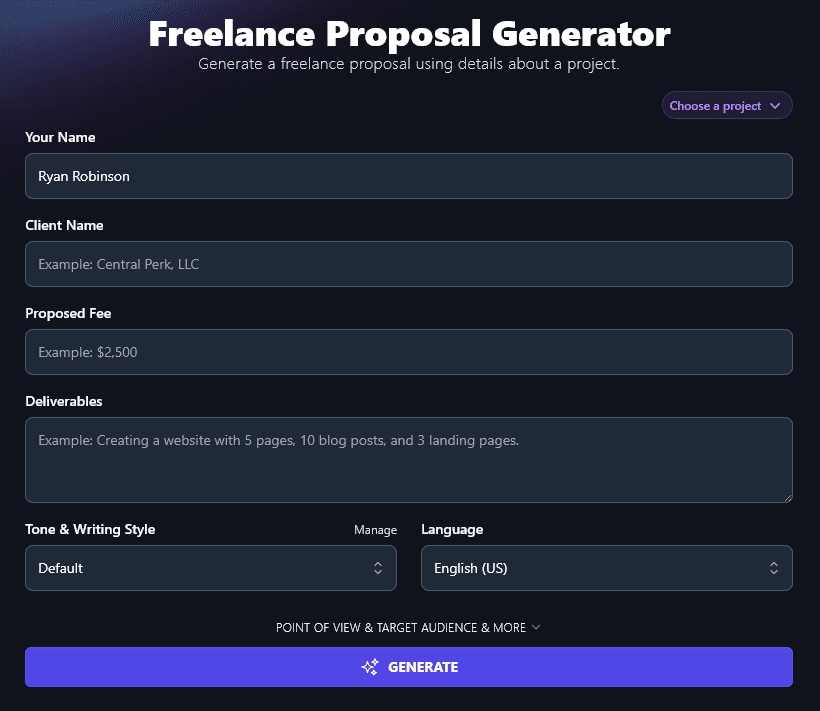
Enter your name. You can use a personal name or a business name.
Step 2. Enter Your Client’s Name … After Double-Checking the Spelling
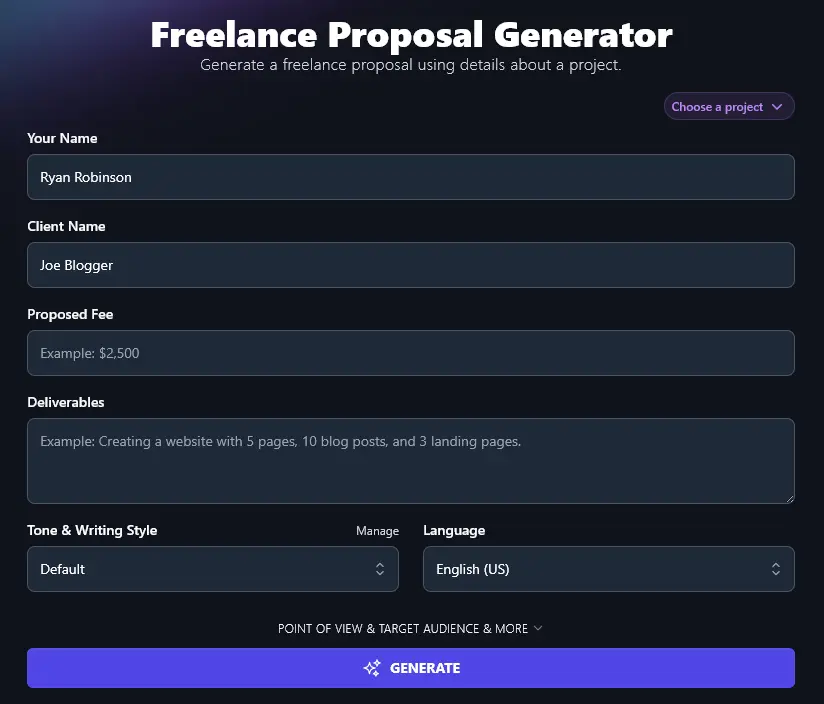
Put in your client’s name. Double-check the spelling, even if you’re sure you’ve got it right. Getting a client’s name wrong is the kind of first impression that’s hard to recover from.
Step 3. Set a Fee for All the Work You’re Proposing
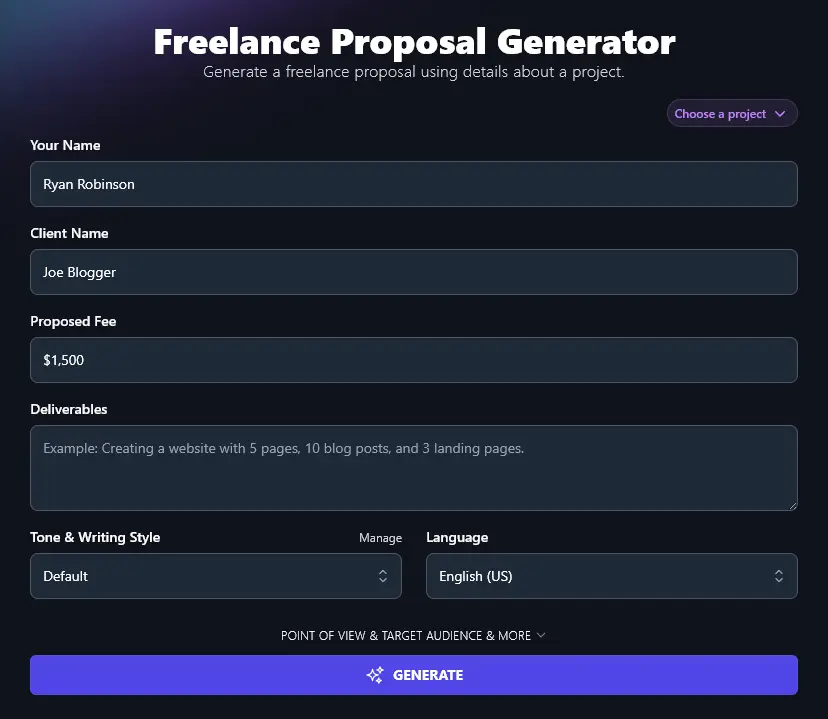
Many freelancers find it hard to charge a professional rate. Don’t undercharge for your services: find out what other people in your industry charge and use that as a benchmark. Make sure you include all the work in your fee, too.
Step 4. Enter a List of Deliverables
What exactly will you be providing? Be specific about deliverables so the client knows precisely what’s included in your fee.
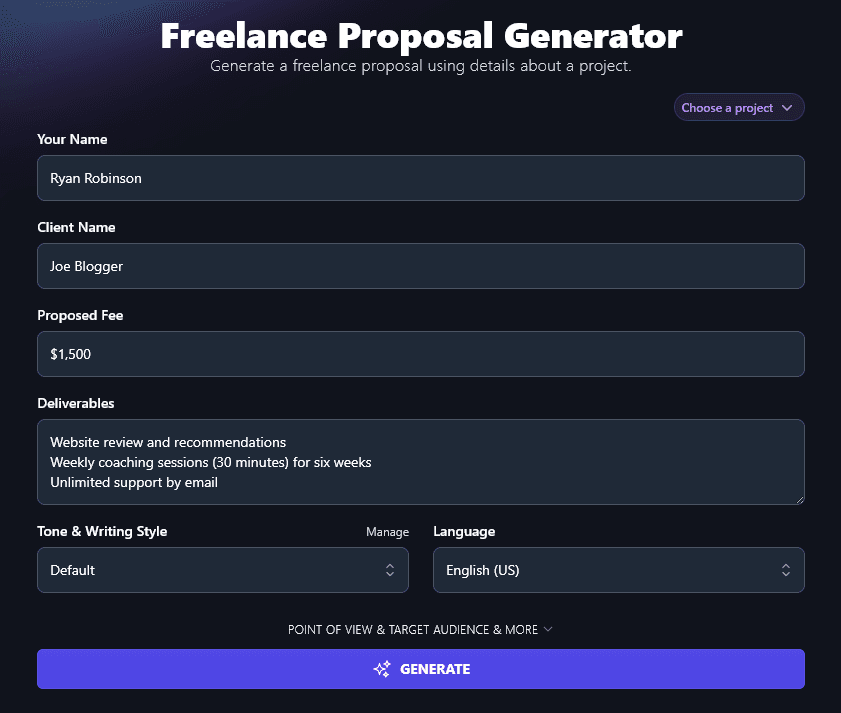
Add your deliverables here. You can separate the items in your list by entering them on separate lines, or by using commas.
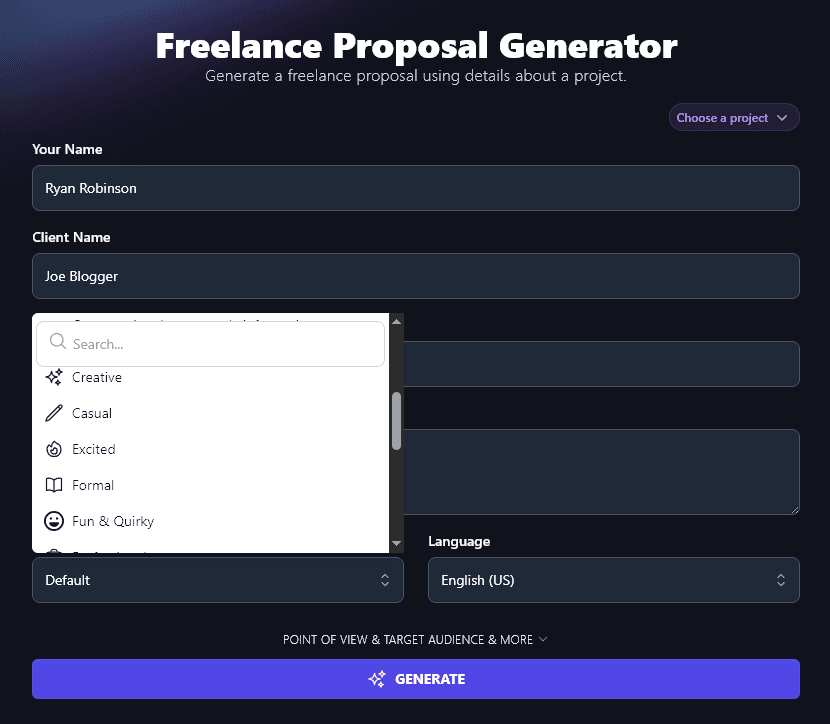
Step 5. Choose Your Tone & Writing Style
While you want your proposal to sound professional, you also want it to sound like you. Whether you’re brisk and business-like or laid-back and casual, you want the tone of your proposal to be a good fit.
The Tone & Writing Style dropdown lets you choose from a wide range of different styles, including Casual, Direct, Professional, and Academic.
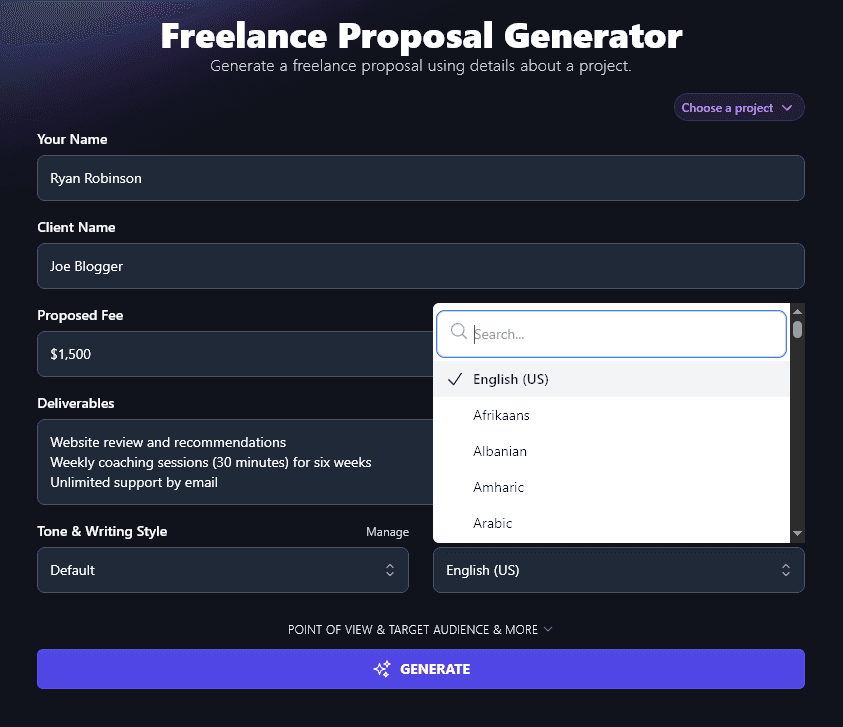
Step 6. Select Any of 100+ Languages (Defaults to US English)
The RightBlogger AI will write your proposal in US English by default, but you can choose any other language you want here from a list of over 100 options.
Useful when you’re working with a client in another country, or when English isn’t your first language.
When you’re ready, go ahead and generate your proposal. The AI will automatically incorporate all the information you entered, and write a professional introduction, a clear and detailed list of what the client will get, a summary of your fee, and more.
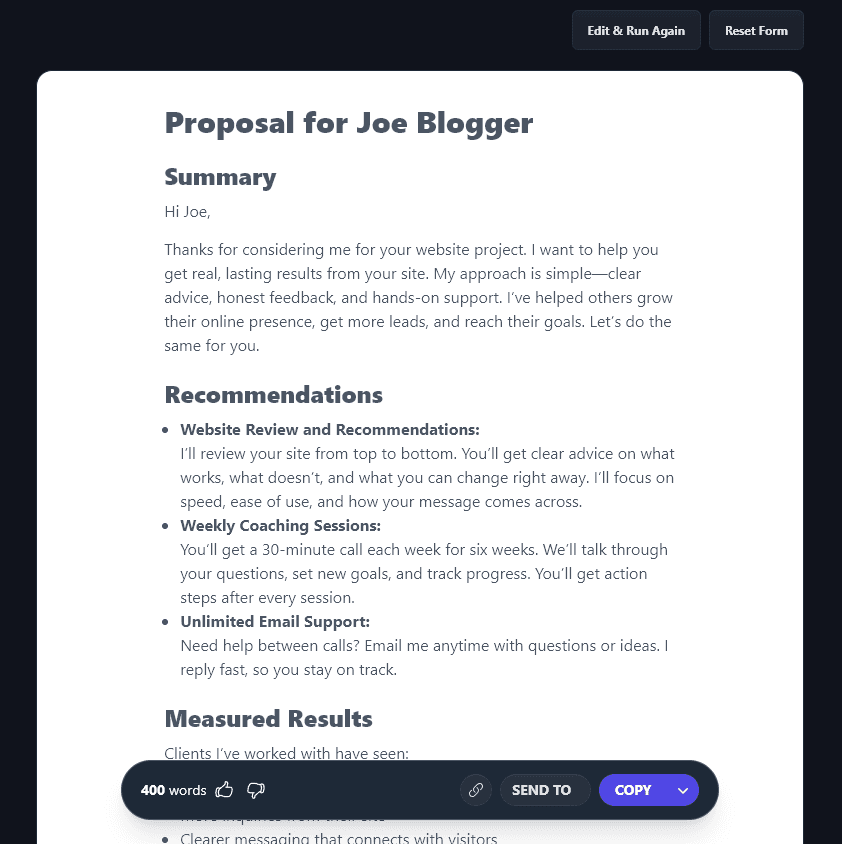
Use the “Copy” button to copy the text of the proposal, or click the downward arrow next to Copy in order to download the proposal as a .docx (or copy it in various formats). Then, you can tweak the proposal to suit you as needed.
Bonus: My Editing Checklist
If you’re tweaking or changing your proposal, you can accidentally introduce typos. This is my editing checklist for making sure your proposal is clean before you send it:
- Read through the whole proposal and make sure the tone of voice is consistent (especially if you’ve edited or added sections)
- Make sure you clearly and concisely set the context for the email at the start, think of this as an introduction to your proposal
- Use subheadings in your proposal to clearly separate different sections: remember, you want to make life as easy as possible for your potential client!
- Remind your client of your credentials (e.g. results you’ve achieved for other clients, qualifications you hold)
- Check for any words or phrases that you’ve overused, and consider replacing some of these with alternatives
- Use a readability checker to make sure your text is at an appropriate level for your target clients
- Run the proposal through an AI Grammar Fixer to check for grammatical, spelling, and punctuation errors
- Before you send your proposal, do a final proofread to make sure you don’t have any typos
Each Feature, Explained (Plus Advanced Options)
The basics get you a proposal in seconds. The advanced fields let you fine-tune tone, language, point of view, target audience, and more:
1. Your Name and Client Name (Personal or Business Names)
The first 2 input boxes are for your own name and your client’s name. You can use the names of people (e.g. “Ryan Robinson”, “Joe Blogger”) or the names of businesses (e.g. “RightBlogger”, “Acme, LLC”).
Tip: If you want to create a template proposal to re-use with multiple clients, just enter an easy-to-spot placeholder for the client’s name, like “XXXXX”.
2. Proposed Fee (Your Total Charge for the Whole Project)
Your proposed fee needs to cover the entire project. If you have multiple deliverables, make sure your fee reflects that!
You can enter the fee in any currency of your choice, formatting this however you want it to appear in your proposal, e.g:
- $1,000
- £1,000
- 1,000 USD
- $1,000 (CAD)

3. Deliverables (List Everything That You’ll Be Providing for the Client)
The Deliverables section is the main part of your proposal. What exactly will you be providing? Make sure you break this down clearly: you can use commas or new lines to separate different items.
You’re probably already clear on the main thing(s) you’re delivering, but think about extras that might be implied. How many rounds of revisions will you offer, for instance? If you’re writing content, does your fee also include uploading that content into the client’s CMS? If you’re a website designer, will you be supplying stock images or does the client need to give you images for the site?
The AI will interpret the deliverables, adding detail: you can always tweak this if it’s not quite what you have in mind. Alternatively, if you’re offering a new service for the first time, you may well find that this gives you a great framework.
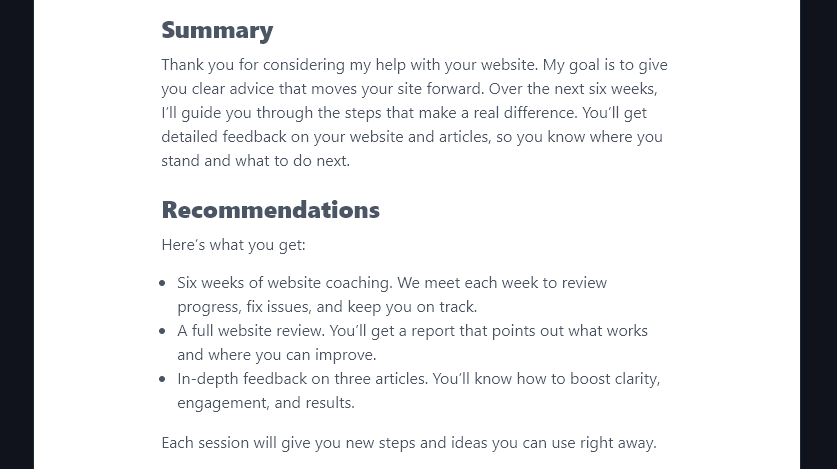
We entered “6 weeks of website coaching, plus a full website review, and a detailed review of 3 articles” as the deliverables, and the AI expanded this into:
4. Tone & Writing Style (Choose From the List … or Create Your Own Unique Tone)
Striking the right tone for your proposal can be tricky. You want to sound like a professional … but you also want to be warm and friendly. You may want a sense of your personality to come across.
The Tone & Writing Style dropdown lets you pick an appropriate tone for your proposal. If you’re working with big, traditional companies, then a “Professional” tone might work best. If you instead provide services for fast-moving startups, a “Casual” or even “Passionate” tone might work. And if you work with individuals, you might want an “Empathetic” or “Excited” tone.
A quick look at how tone shifts the same proposal. We wrote one in a “Professional” tone and another in an “Excited” tone, changing nothing else.
Professional tone:
Summary
Thank you for considering my services. I help business owners like you get more from their websites. My approach combines clear feedback, direct support, and ongoing guidance. My clients see real improvements in site performance and user experience.
Recommendations
I offer a detailed website review with clear, practical steps to improve your site. You will get weekly 30-minute coaching sessions for six weeks. I will guide you on changes, answer your questions, and help you track progress. You will also have unlimited support by email during this time.
Casual tone:
Summary
You want your website to work harder for you. You want real feedback, clear steps, and someone to talk things through with each week. I’ve helped businesses get more from their sites. My focus is on changes that bring results, not just a list of things to fix.
Recommendations
- Website Review and Recommendations:
I’ll go through your website, spot what’s working, and point out what’s slowing you down. I’ll give you a list of steps you can take right away, plus bigger ideas for long-term growth.- Weekly Coaching (Six Sessions):
Each week, we’ll meet for 30 minutes. We’ll talk through what’s working, what’s not, and what you should focus on next. Bring your questions, nothing is off limits.- Unlimited Email Support:
If something comes up between sessions, just send me an email. I’ll get back to you fast with answers or advice.
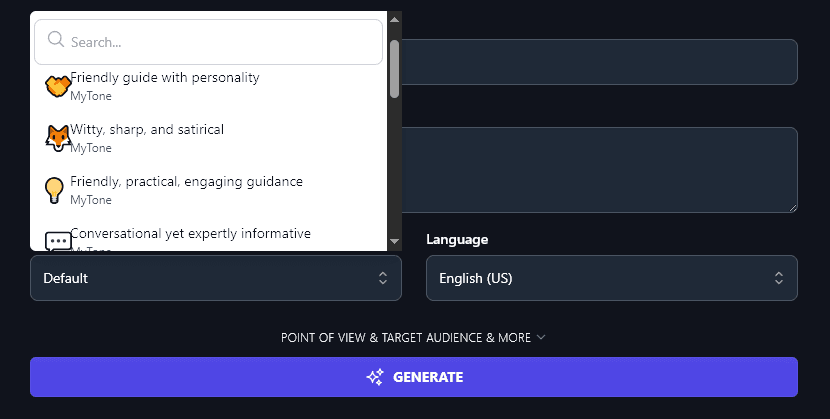
What if none of the preset styles quite fit your brand? With MyTone, which every plan includes, you can create your own custom tones: just give the AI a sample of your writing and it’ll automatically detect and save the tone. RightBlogger’s paid plans save 5 (Solo), 15 (Pro), or 50 (Agency) of them. You can then select your MyTone from the Tone & Writing Style dropdown:
5. Language (Choose Your Preferred Language from the Dropdown)
By default, RightBlogger creates content in US English. The AI can also write fluently in 100+ different languages. If your native language isn’t English (and/or if you’re working with clients who don’t speak English), the Language dropdown handles it for you.
Tip:The dropdown has a search bar at the top to save you scrolling down to look for your preferred language.
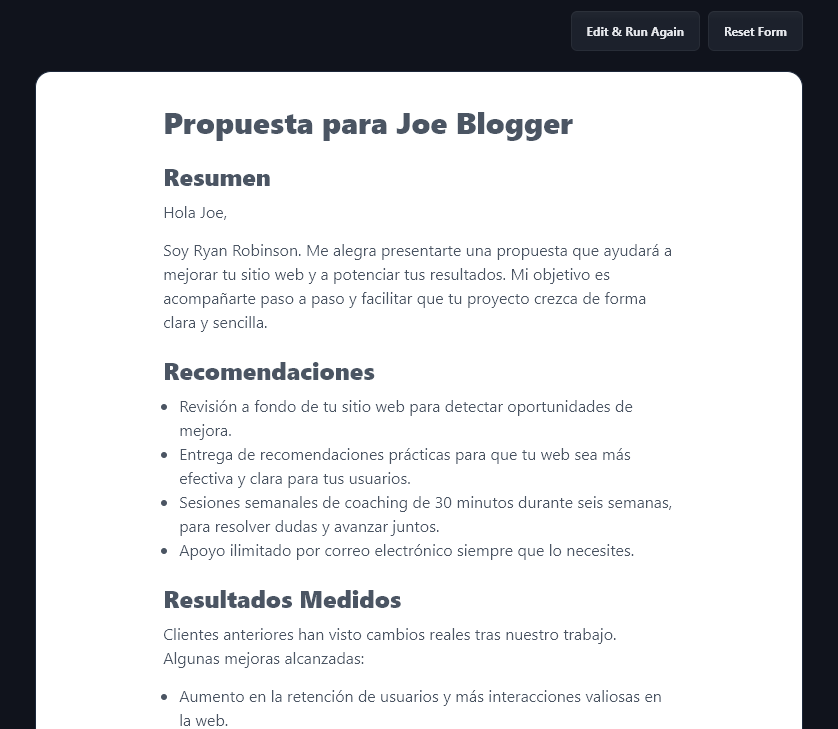
A proposal the AI created in Spanish:
6. Point of View (Adjust the Focus for Your Proposal)
The Freelance Proposal Generator has 4 advanced options, which you can view by clicking the “Point of View & Target Audience & More” link.
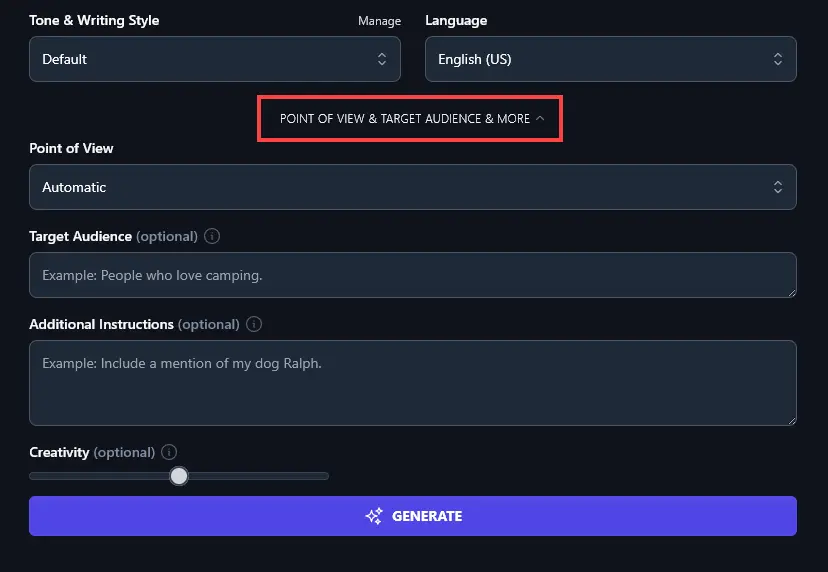
The first option you’ll see here is the Point of View dropdown. The AI will automatically write your proposal with a standard point of view (writing from “I” the freelancer to “you” the client). But if you want to adjust this, just choose a different point of view from the dropdown:
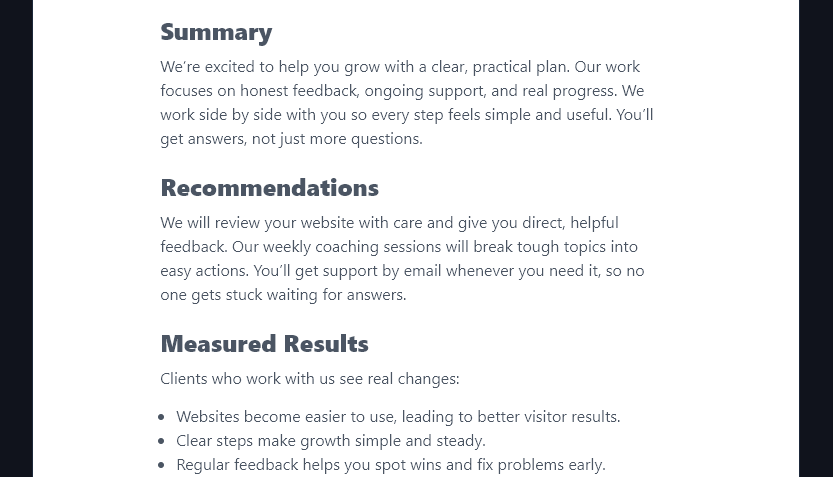
For instance, if you’re writing your proposal on behalf of a team or company, select the “First Person Plural (We)” option. Your proposal will use “we” instead of “I”.
7. Target Audience (Tell the AI About Your Client)
Many of RightBlogger’s generative AI tools include a “Target Audience” option, letting you give the AI more information about who’ll be reading the generated content.
With the Freelance Proposal Generator, this gives you the opportunity to share more details about your client. Are they brand new to your field or fairly experienced? Do they have specific goals that they want to achieve through their work with you? Let the AI know here.
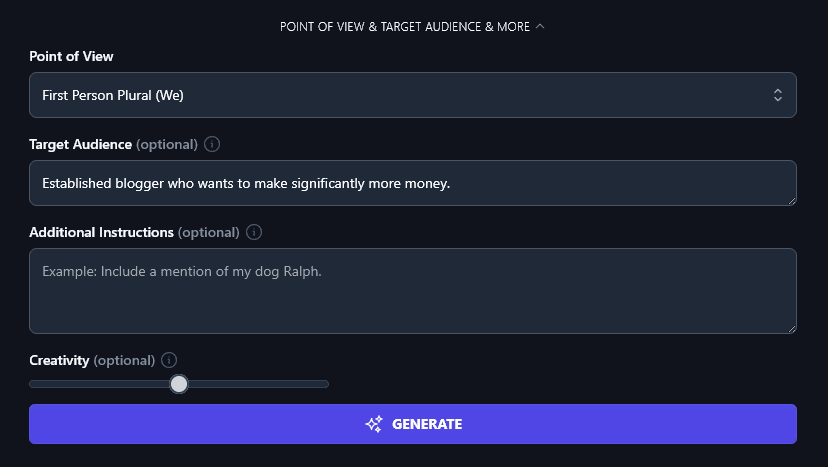
The AI will then incorporate material that specifically relates to your client’s specific needs.
8. Additional Instructions (Customize Your Proposal However You Like)
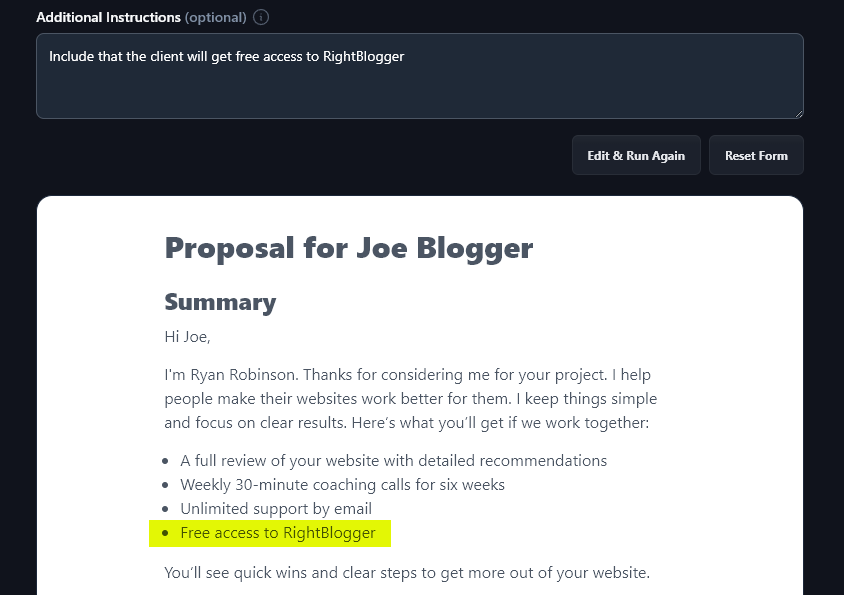
Use this field when you need to override the AI’s defaults:
Perhaps you want the AI to follow a specific proposal template that you’ve already developed, or maybe you need to include some extra project details and milestones for a complex project proposal. Go ahead and put any special requests into the “Additional Instructions” box.
Here, we’ve asked the AI to “Include that the client will get free access to RightBlogger” in the proposal.
9. Creativity (Make Your Proposal More Predictable or More Unusual)
The RightBlogger AI is always set to a balanced midpoint of creativity, so your proposal won’t be too bland and boring … or too wacky.
If you want to adjust the creativity level, though, just move the slider to the left (less creative) or the right (more creative).

Freelance Proposal Generator FAQs
What Should I Include a Freelance Proposal?
Proposal writing is part craft, part repeatable structure. We recommend using this tool for an initial draft, then editing to make sure it’s 100% accurate for what you offer.
If you’re writing a custom proposal from scratch, you’ll need to include:
- Your name and the client’s name (these could be personal or business names).
- What you’re offering, the specific deliverables.
- How it works from the client’s perspective (e.g. timescales, what you’ll need from them).
- What they need to do to take the next steps, which might be booking a call, filling in a form, or just replying to your email.
- How much it costs (in total) and when payments are due.
To make your proposal even more persuasive, it’s a good idea to include a clear value proposition: why should the client hire you?
Who Needs to Write a Proposal?
Business proposals are common for all kinds of freelance businesses: you might be a writer, graphic designer, web developer, social media manager, project manager, or consultant.
What Other AI Tools Can I Use to Get More Freelance Work?
If you’re looking to grow your freelancing business (or any small business!) then RightBlogger is packed with tools for you. Proposal creation is just the start. Here are some you’ll want to check out.
Some great ones to start with are:
- Freelance Contract: once you’ve landed that client, you want to get your partnership off to a great start with a clear contract
- Article Writer: automate the process of creating high-quality blog posts, letting you showcase your expertise and bring more potential clients to your website
- Cold Email: get more clients by streamlining your outreach process, starting with emails
- Call-To-Action: create a powerful call-to-action (CTA) for more persuasive proposals
- AI Prompt Improver: if you’re working with other AI tools like ChatGPT, Claude, MidJourney, or Dalle, then this prompt improver helps you get the most from them
- Ad Copy: ads can be a great way to scale faster … and this tool simplifies the process of creating ad copy for a range of different platforms
Along with these tools, we have a huge range of blogging, SEO (search engine optimization), social media, sales, and productivity tools.
How Do I Sign Up for RightBlogger and How Much Does it Cost?
You can start using the Proposal Generator and all of RightBlogger’s tools with a RightBlogger account.
Every plan comes with a 7-day free trial and a 30-day money-back guarantee. Start with monthly Solo at $59 (annual $49) and upgrade anytime. Monthly Pro $89 (annual $69) adds team seats and multiple sites, while monthly Agency $299 (annual $199) is built for freelancers managing several clients. Every paid plan includes unlimited words plus MyTone, Chat, Projects, and Knowledge. View plans.