Are you struggling to come up with enough topic ideas for your podcast episodes? Beat your creative block with our Podcast Idea Generator: it’ll instantly come up with 5 on-topic ideas for your podcast.
As a podcast host, you need a constant stream of fresh ideas. Most podcasts come out weekly, and that means coming up with 52 fantastic ideas every year. You’ll probably want to plan out your podcasting calendar ahead of time, too, so you can book guests or prepare for milestone episodes.
The Podcast Idea Generator makes it fast and easy to brainstorm ideas for your podcast. Use them as-is or let the AI inspire ideas of your own, it’s up to you.
How to Use the Podcast Idea Generator
The Podcast Idea Generator is really straightforward to use. Here’s what to do, step by step.
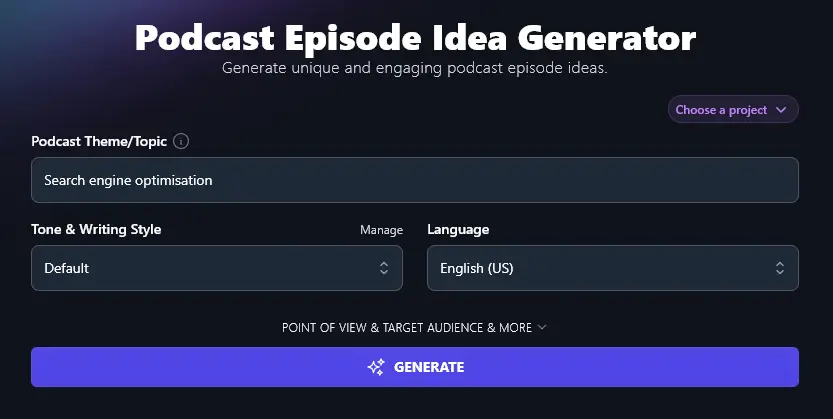
Step 1. Enter Your Podcast’s Theme, Genre, Niche, or Topic
What’s your podcast all about? Whether you’re a True Crime podcaster or you’re talking about developments in your industry, the AI can come up with ideas for you. Just tell it your theme or topic.
Step 2. Select a Tone and Writing Style for Your Ideas
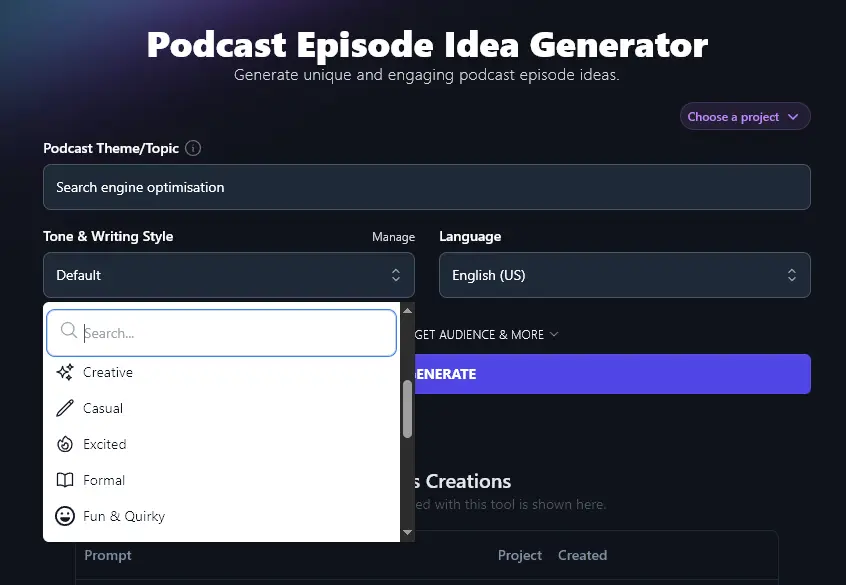
Chances are, the “Default” tone and style will be fine for your ideas, they’re probably just for your eyes, or maybe you plus your co-host.
But if you want to share your ideas more widely (e.g. if you need buy-in from decision-makers or you’re asking your current listeners to vote on new episode topics), then you may want to have the AI write in a way that matches your brand voice.
Go ahead and select from the 16 preset styles in the Tone & Writing Style dropdown.
Step 3. Choose the Language for Your Ideas (Optional)
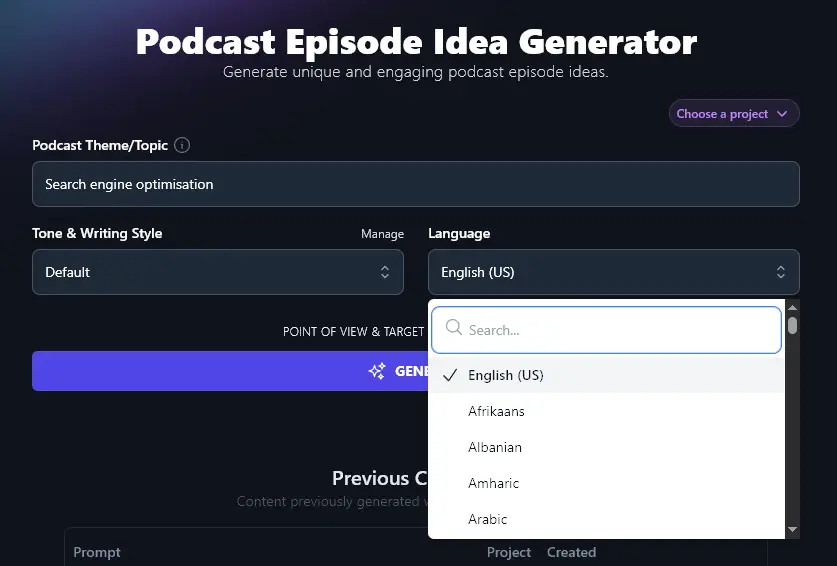
Like all RightBlogger’s generative AI tools, the Podcast Idea Generator can create content in over 100 different languages.
If you want your ideas written in a language other than US English, just select your preferred language from the dropdown.
Happy with the options you’ve selected (or happy sticking with the defaults)? Go ahead and click the “Generate” button whenever you’re ready.
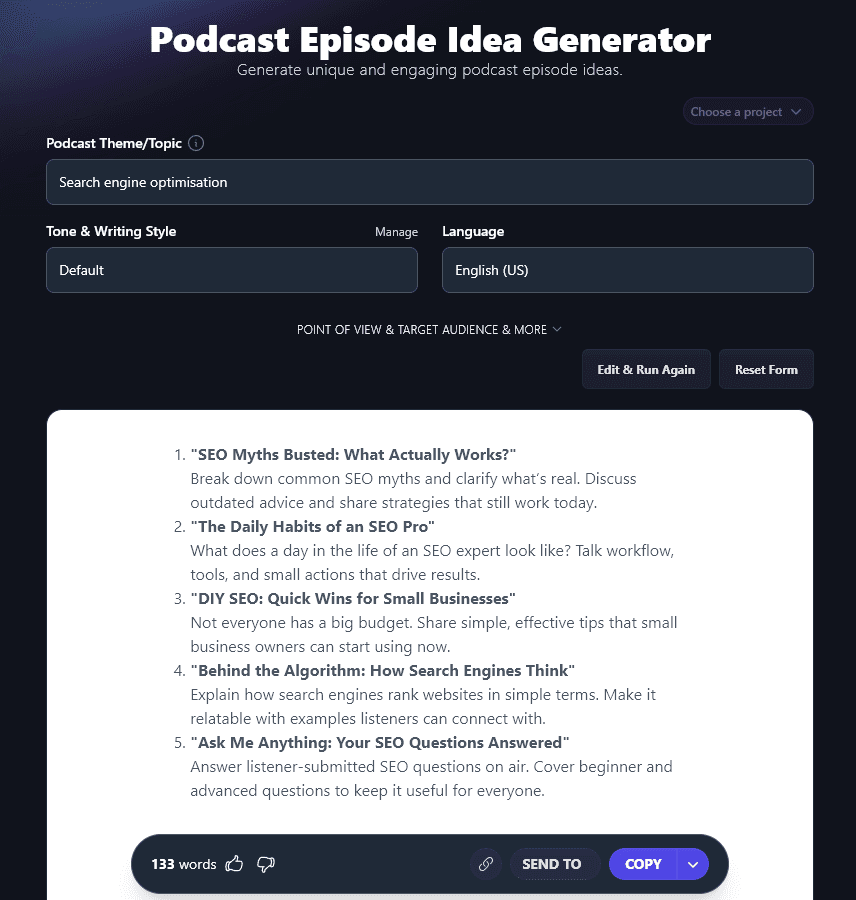
The AI will instantly come up with 5 engaging, on-topic ideas for you, with a potential title plus short summaries of what type of content you could include in that episode.
Bonus: Use My Free Podcast Recording Checklist Alongside This Tool
You’ve got a great idea for your episode, and you’re ready to go! But before you start recording, run through this quick checklist. That way, you’ll get high-quality audio every single time.
- If anyone else is in your home/workspace, tell them you’ll be recording, and ask them not to interrupt
- Make your room as soundproof as you can (or even consider recording in a closet)
- Close any open tabs, apps, etc on your computer to avoid random noises or software crashes while recording
- Test out your mic and make sure it’s picking up your voice clearly
- If you’re recording with a guest or a co-host, check their mic is working too!
- Ask your guest to adjust their setup, if you need to, e.g. moving closer to the mic
- Have your episode notes or script ready in front of you
- Warm up your voice with a few simple vocal exercises
- Switch your phone to silent/airplane mode … and turn off anything else that may make a noise (e.g. Alexa)
- Record a quick test audio file to make sure your recording software is working fine
- Before you begin talking, wait a few seconds so you’ve got a short period of silence at the start (helpful for editing out background noise later)
- When you’re ready to begin for real, make 100% sure you pressed the record button!
How Does the AI Podcast Episode Idea Generator Work? (Brainstorming Ideas That Will Hook Your Listeners)
You can generate dozens of ideas in just a few minutes using the AI-powered episode idea generator. But if you want to get the best quality content, it’s helpful to know the ins and outs of all its features.
Let’s dig into every option for the podcast topic generator, including the advanced ones, so you can get the most from it.
1. Podcast Theme/Topic (Be Specific)
When you’re entering your podcast’s theme or topic, you want to be specific enough to get on-topic ideas … but you don’t need to get crazily detailed here.
If you find the ideas are a little too broad, or if you have a particular subtopic in mind, just run the Podcast Idea Generator again with a slightly more specific topic.
For instance, instead of the fairly broad topic of “Search Engine Optimization”, we ran the generator for “Link Building Tips and Strategies” and got ideas specifically tailored to this:
1. “How to Build Links Without Being Spammy”
Talk about ethical ways to earn links. Share examples of what works and what doesn’t. Highlight the importance of offering real value.
2. “The Link Outreach Emails That Actually Work”
Break down the dos and don’ts of outreach emails. Include examples of subject lines, email templates, and messages people are likely to respond to.
3. “Smart Link-Building Moves for Small Brands”
Explore budget-friendly strategies for businesses without big marketing teams. Cover tactics like community participation, partnerships, and making newsworthy content.
4. “The Secrets of Earning Links from Big Players”
Discuss how to catch the attention of larger websites. Share specific tips for collaborations, interviews, and creating content they’d want to reference.
5. “Myths About Link Building People Still Believe”
Bust common misconceptions about link building. Explain what Google actually rewards and debunk outdated or dangerous advice people should avoid.
2. Tone & Writing Style (Choose from the List or Make Your Own)
As we mentioned before, you might be fine with the “Default” tone and writing style. If you want to use the suggested titles from this tool as-is, though, or if you’re planning to present your ideas to your target audience for their feedback, it makes sense to get the AI to write them in your brand voice.
Our advanced AI can write in a huge range of tones & styles: we have 16 preset ones, but you can also create a completely unique style using our MyTone feature. This lets you use a sample of your writing (or even a video/podcast transcript) to teach the artificial intelligence how to write just like you.
Here’s a quick look at the difference that tone and writing style can make.
These first 3 ideas were generated in a “Fun & Quirky” style:
Link Love or Link Lame? Spot the Difference
Teach listeners how to recognize valuable links versus useless ones. Share tips on where to focus their energy. Toss in a few hilarious examples of bad links for comic relief.
Grandma’s Guide to Building Links: Old Tricks that Still Work
Some strategies never go out of style. Talk about tried-and-true methods that still deliver results in 2023. Highlight why these classics endure, no matter how much the internet evolves.
The Link Building Olympics: Gold Medal Tactics
Rank the best link-building strategies as if they were Olympic sports. Which one deserves the gold? Add fun commentary and hypothetical match-ups (Guest posting vs. Broken link building, who wins?!).
And these 3 were generated in an “Authoritative” style:
Building Links Without Cold Emails
Share alternative link-building methods that skip traditional email outreach. Highlight practical, creative tactics that save time while driving results.
The Truth About Guest Posting
Break down what works and what doesn’t with guest posts. Offer a step-by-step process listeners can follow for maximum impact.
Competitor Backlink Audits Simplified
Teach listeners how to analyze competitors’ backlinks. Explain how to find opportunities and avoid wasting energy on weak prospects.
3. Language (Over 100+ Different Options, Including 4 Varieties of English)
With AI technology, you can generate ideas in a huge range of different languages. Whether you’re collaborating with non-English speakers or you’re podcasting in your native tongue, use the dropdown here to pick your preferred language.
The language dropdown even gives you 4 different varieties of English: the default US English, then versions for the UK, Canada, and Australia. Go ahead and pick the right one for you, and all the spellings and terms in your ideas will be smoothly matched to it.
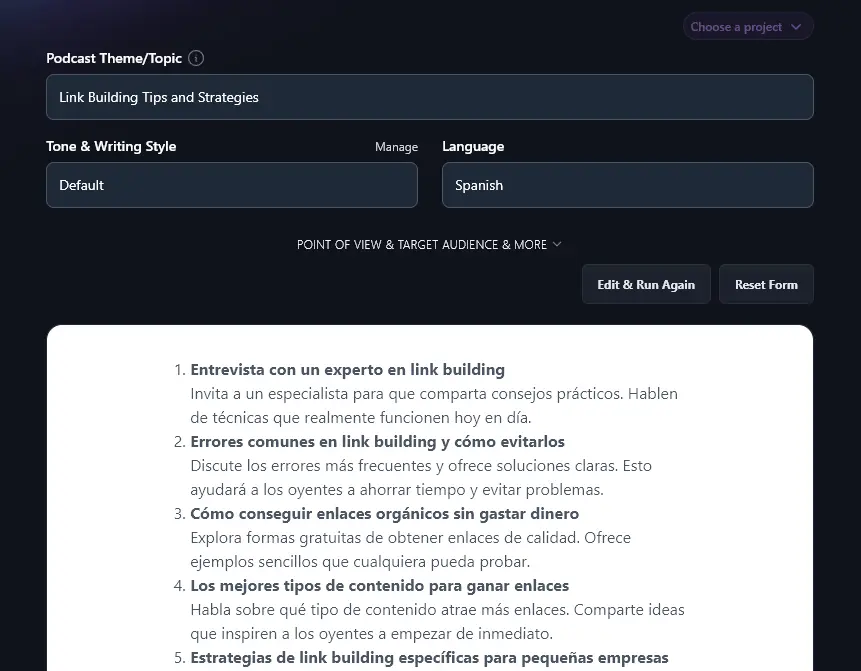
Here’s the Podcast Idea Generator in action, coming up with ideas in Spanish:
4. Point of View (Adjust the Perspective for Your Ideas)
The Podcast Idea Generator includes some advanced options: to open these up, click the “Point of View & Target Audience & More” link.
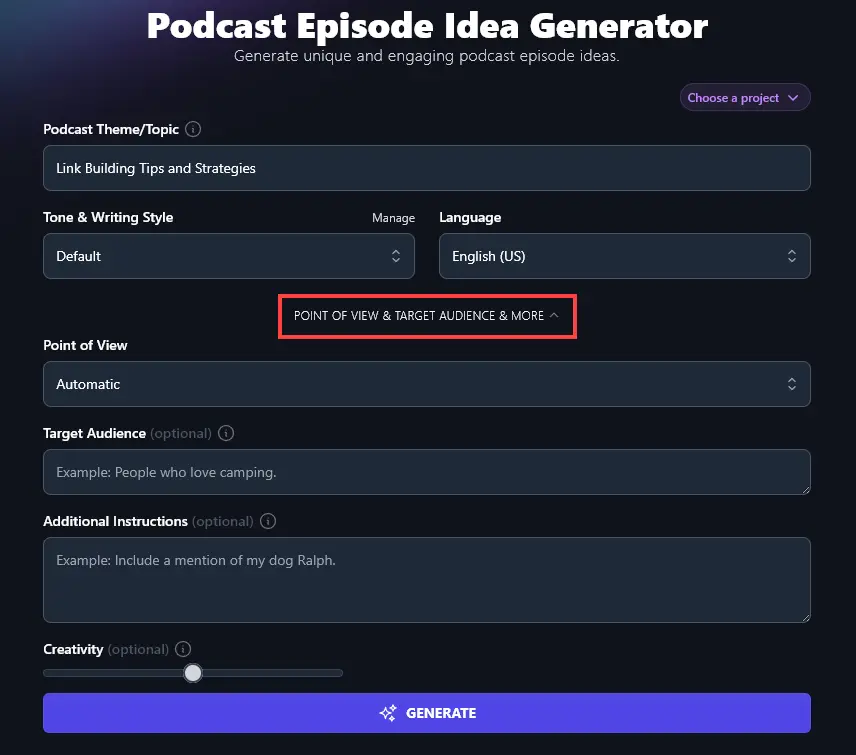
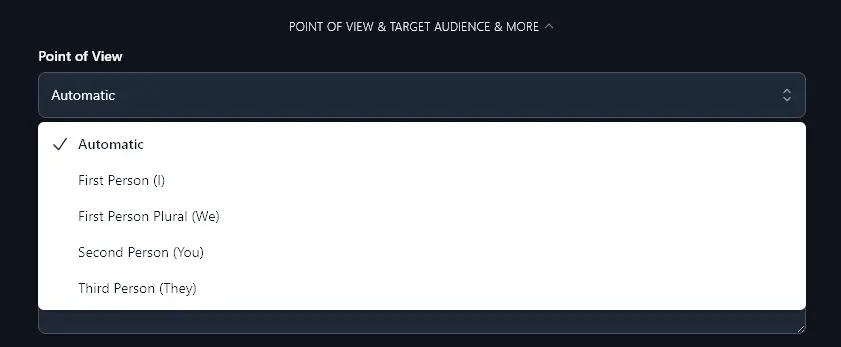
The first of these options is the Point of View dropdown. This lets you choose how to angle your ideas. Are you writing from your own personal perspective using “I” … or are you and a host sharing as “we”? How about keeping the focus on “you”, the listener? Or maybe you want to talk more neutrally in the third-person perspective, “they”.
The AI will select an appropriate point of view for your ideas automatically, but you can adjust this by choosing an option from the dropdown.
5. Target Audience (Who’s Listening to Your Podcast?)
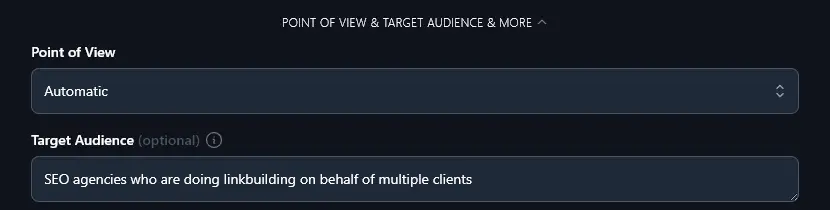
At all stages of the content creation process, it’s helpful to give the AI some information about your target audience.
By giving this information upfront as you generate ideas, the AI can come up with engaging content for your subscribers and potential new listeners.
For instance, if your podcast is aimed at SEO agencies, your topics will likely be a little different from a podcast aimed at solopreneurs doing their own SEO.
6. Additional Instructions (Give the AI Any Special Requests)
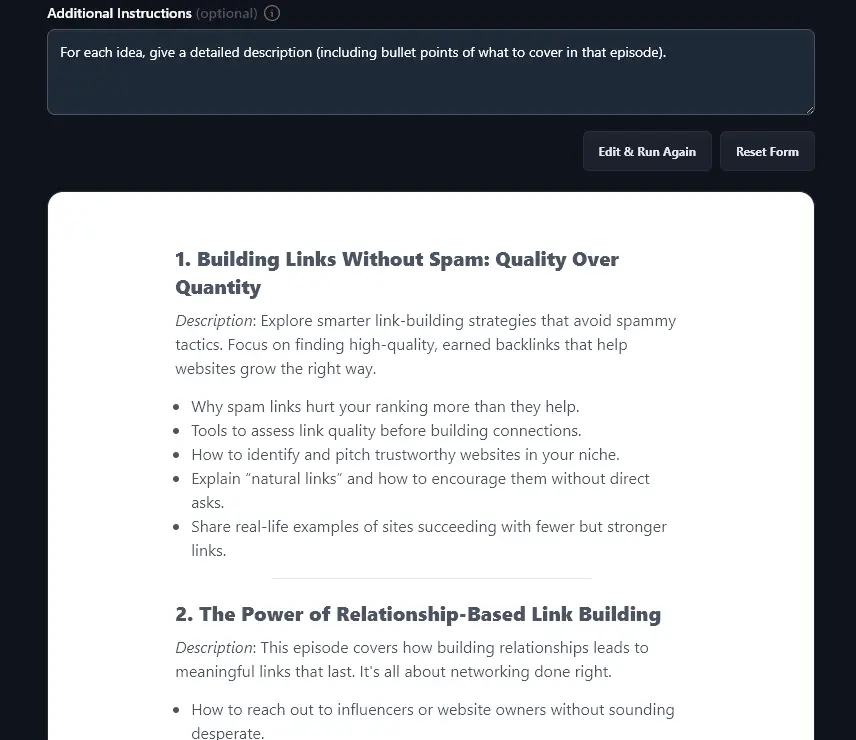
Maybe you want the AI to include longer descriptions for each idea, or to come up with ideas that all follow a specific format, or to tie your ideas in with the broader content strategy for your podcast. Whatever it is you need, just ask for it here!
Here, you can see that the AI has followed the instructions we gave, providing more detailed descriptions for each episode idea:
7. Creativity (Get More Unusual or More Conventional Ideas)
By default, the AI’s creativity is set to a good midpoint: not too predictable but not too weird either! If you want to adjust the creativity, just move the slider left (less creative) or right (more creative).

Podcast Topic Generator FAQs (Frequently Asked Questions)
Coming up with topic ideas for your podcast can be tough. If you’re not sure how to brainstorm ideas or you don’t know how best to use RightBlogger’s other tools to help with your podcast, here are some answers for you.
How Do I Come Up With a Podcast Idea?
If you don’t yet know what you want your podcast to be about, try one of these as a starting point for brainstorming:
- What podcasts do you enjoy listening to? Could you create something in the same genre/niche?
- What expertise do you have? Would you enjoy podcasting about it?
- If you have an existing blog or online business, what podcast topics would tie in with that?
While some podcast niches are huge and popular (e.g. true crime, finance, news/current events), you’re unlikely to get traction in those unless you’re genuinely interested in that topic. It’s better to pick a podcast idea that you’d love to talk about for years to come!
What Should My First Podcast Episode Be About?
For your first podcast episode, you’ll want to introduce yourself and the podcast, and talk a little bit about your business (if you have one). It’s a good idea to also share information like when the podcast will be released, and how it’ll be structured (e.g. interviews, taking questions from your listeners in advance, etc).
If you’ve already recorded some of your main episodes, you could include teasers (clips of audio) from those.
This episode will usually be shorter than your regular ones. Sometimes podcasters call it “Episode 0” as it’s a bit like a trailer for your podcast.
What Other AI Tools Can I Use to Grow My Podcast?
RightBlogger has 100+ tools for podcasters and content creators. Every tool is included in every plan. See the full lineup here.
Here are some great ones to get you started.
- Podcast Name Generator: if you’re not sure what to call your podcast, this podcast title generator will give you plenty of ideas to pick from
- Podcast Episode Title Generator: this tool helps you refine your podcast episode’s tile, once you’ve got a topic/idea
- Podcast Appearance Finder: if you want to be a guest on other people’s podcast, this tool gives you all the links, contact info, and details you need
- Article Writer: use AI to write a whole article for your blog, just from a keyword or topic idea
- Video to Blog Post: originally designed for YouTube videos, this tool also works for podcasters: just paste in your episode’s transcript and you’ll get a well-formatted post
- Smart Suggest: if you’ve already got a blog, pop the URL into this tool and you’ll get a whole list of great ideas for posts (or you could use them for podcast ideas)
There’s plenty more to explore, too. We have tools for blogging, SEO (search engine optimization), writing social media posts, and for writing great sales copy.
How Do I Sign Up for RightBlogger and How Much Does it Cost?
Every RightBlogger plan gives you access to all our tools, and paid plans include unlimited AI words.
If you’d like to go further with podcasting and creating content, upgrade to a paid plan. This gives you access to all our advanced features, like Chat and more MyTone styles, and it lets you create unlimited content with all our generative AI tools. We’ve kept the pricing as affordable as possible, at monthly Solo $59, Pro $89, or Agency $299 (annual billing, charged monthly, is $49 / $69 / $199).