Features tell, benefits sell, outcomes convert. RightBlogger’s free AI Feature Benefit Outcome Generator takes any product feature and writes the matching benefit (why it matters) and outcome (what changes for the customer), so your landing pages, sales emails, and ads actually do the heavy lifting.
Built on the proven feature-benefit-outcome (FBO) framework copywriters have used for decades. Works for any kind of product or service: SaaS, physical products, courses, freelance services, agencies, and more.
How to Use the Feature Benefit Outcome Generator
Three quick steps:
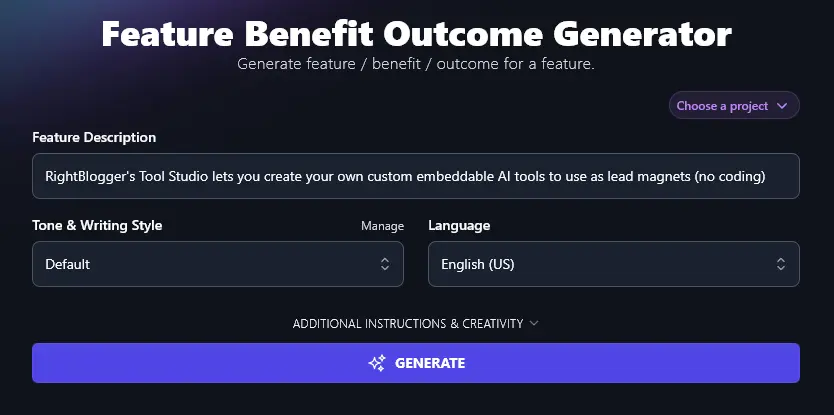
Step 1. Enter a Description of Your Feature
What’s the product feature you want to expand upon in your copy? Enter it here. (If you have multiple features that need benefits and outcomes, run the tool separately for each one.)
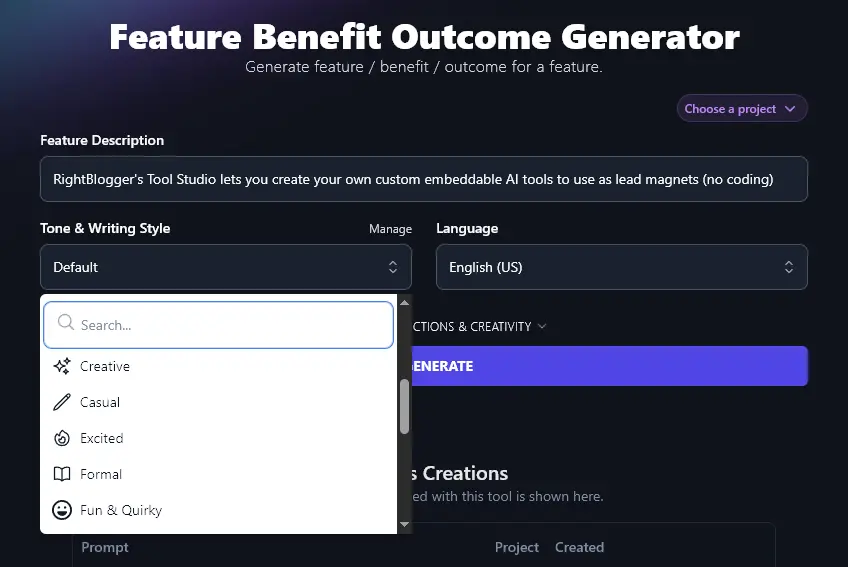
Step 2. Choose a Tone & Writing Style
You want your sales copy to be in keeping with the rest of your brand. If the Default tone & style isn’t quite right, go ahead and pick something different from the dropdown list. The RightBlogger AI can create copy in all kinds of styles, from “Casual” and “Excited” to “Academic” and “Formal”.
Step 3. Select Your Preferred Language
RightBlogger defaults to creating content in US English. If you have a non-English-speaking or multilingual audience, you can set the AI to use any of over 100 different languages. Just select the language you want from the dropdown.
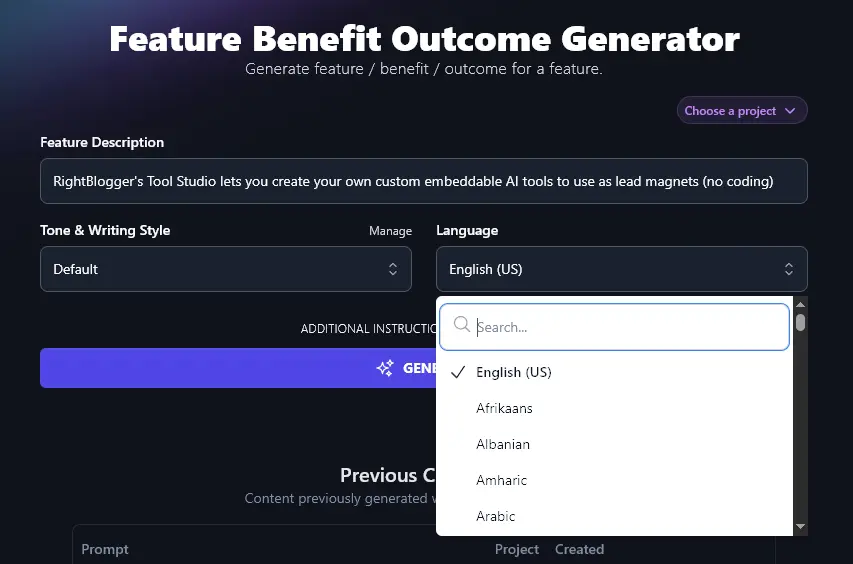
Tip:There’s a search bar at the top of the dropdown list, to save you from scrolling.
When you’re ready, click Generate, and the AI will come up with a whole list of benefits of your product and positive outcomes for your potential customers, all based on your feature:
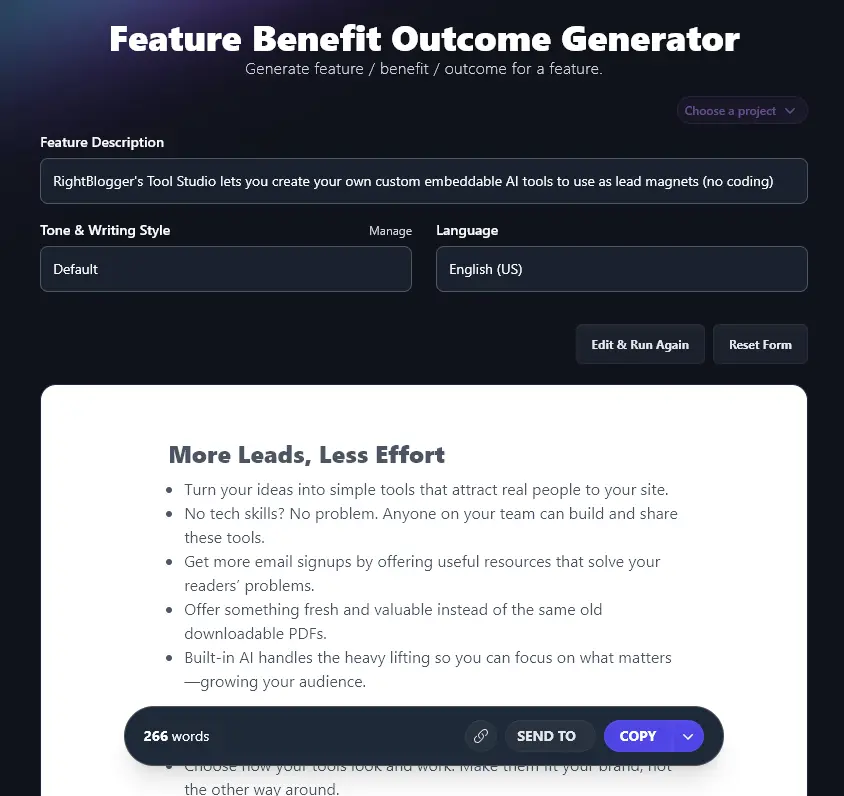
To copy the full list to your clipboard, so you can paste it into your sales page (or anywhere you like), just click the Copy button. Want to copy as HTML, Markdown, or Plain text? Click the downward arrow next to Copy for those options. This arrow also gives you the option to download a .docx file of your Benefits and Outcomes.
Bonus: My Editing Checklist
When you’re incorporating AI text into your sales content, it’s worth running through an editing pass. This is my personal sales-copy checklist (designed for sales pages, but most points apply to emails and ad copy too):
- Read through the AI’s copy and make sure it’s 100% accurate for your product (adjust anything that’s not quite right)
- Craft a powerful hook to start off your sales page, try the Hook Generator to help
- Check that your whole sales page flows well, with the AI copy smoothly incorporated along with any other text
- Make sure your offer is clear upfront: you don’t want readers to spend half the sales page wondering what your product actually is!
- Use subheadings, pull-out boxes, and other eye-catching features on your sales page to differentiate between sections and hold the reader’s attention
- Include case studies and testimonials if possible, to give customers social proof that your product works for others like them
- Look out for any words or phrases that you use too often on your sales page and find alternatives
- Make sure your tone of voice is consistent throughout your sales page
- Run a readability check on your sales page to check that it’s at the right level for your audience
- Use a spelling and grammar checker to catch any typos or mistakes (the Grammar Fixer will make changes for you automatically)
Each Feature, Explained (Plus Advanced Options)
The Feature Benefit Outcome Generator is easy to get started with. To get the most from it, you’ll want to know how to use each of its options as effectively as possible. We’ll dig into all of them, including the advanced features.
1. Feature Description
The first box is where you need to describe your feature to the AI. Make sure you give enough detail so that the AI can come up with meaningful benefits and outcomes.
If you’ve not yet created your product, using the Feature Benefit Outcome tool is a great way to get more ideas of how to develop and position it. You could enter an idea for your feature and see what the tool comes up with.
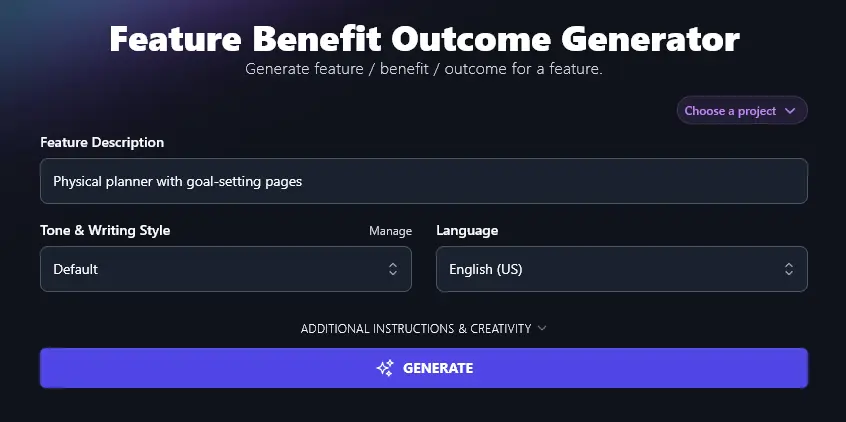
Tip: Want to give more background on your product? You can put it in this box or use the “Additional Instructions” option, which we’ll come to shortly.
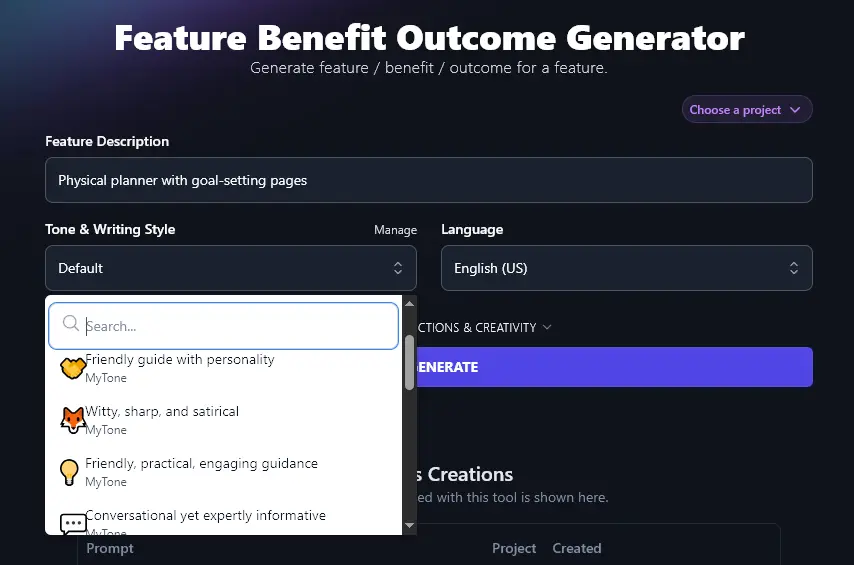
2. Tone & Writing Style (Select from the Dropdown … Or Create Your Own)
RightBlogger’s AI can tailor your sales copy to any style you want. The “Tone & Writing Style’ you choose can make a big difference. An example:.
“Fun & Quirky” tone:
Clarity and Focus: Like Binoculars for Your Brain
- Keeps goals in plain sight, not hidden in some app folder you’ll forget about.
- Helps you spot big dreams and break them down into small, bite-sized tasks.
- Guides your daily plans so you’re not just spinning your wheels.
- Gives you a “why” behind each task, adding purpose to your day.
“Professional” tone:
Clarity and Focus
Benefit:
A physical planner puts your goals in writing. This builds clarity and helps you focus on what you want to achieve.
Outcome:
With goals written down, it’s easier to remember your priorities each day. You waste less time and stay on track.
As well as using the preset styles, you can create your own unique custom style using RightBlogger’s MyTone feature. MyTone builds a unique tone from samples of your writing or even YouTube videos. Every plan includes it, and paid plans save 5 (Solo), 15 (Pro), or 50 (Agency) custom styles. The AI will automatically detect your tone & style and save this as a new MyTone.
Once you’ve created a MyTone, you can select it from the dropdown list in any tool.
3. Language (100+ to Choose From, Plus 4 Varieties of English)
RightBlogger’s AI can create content in more than 100 different languages. All you need to do is select the one you want from the Language dropdown.
The AI writing benefits and outcomes in Spanish:
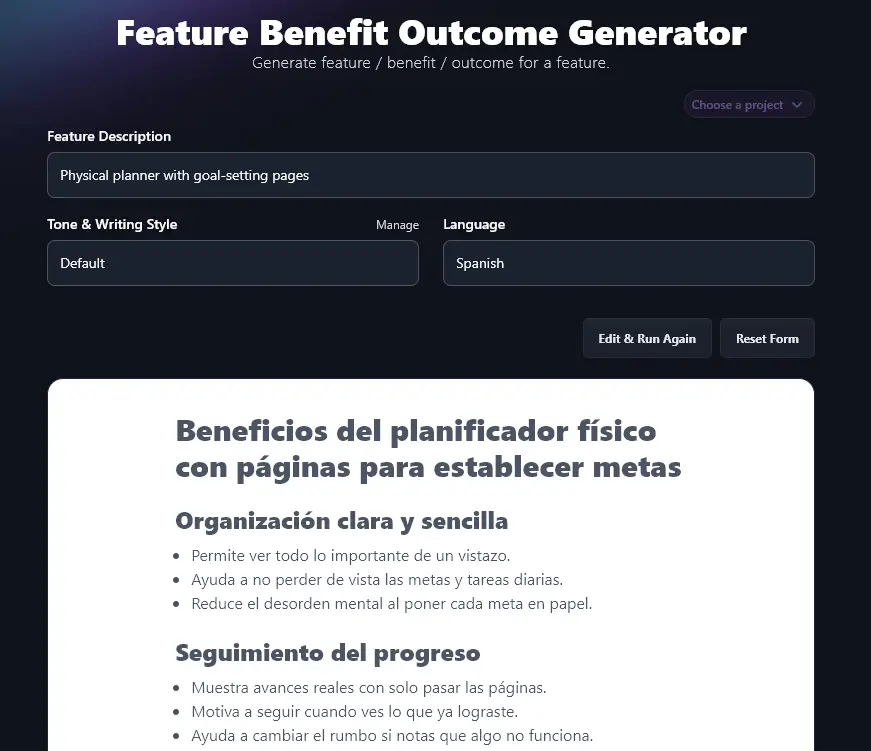
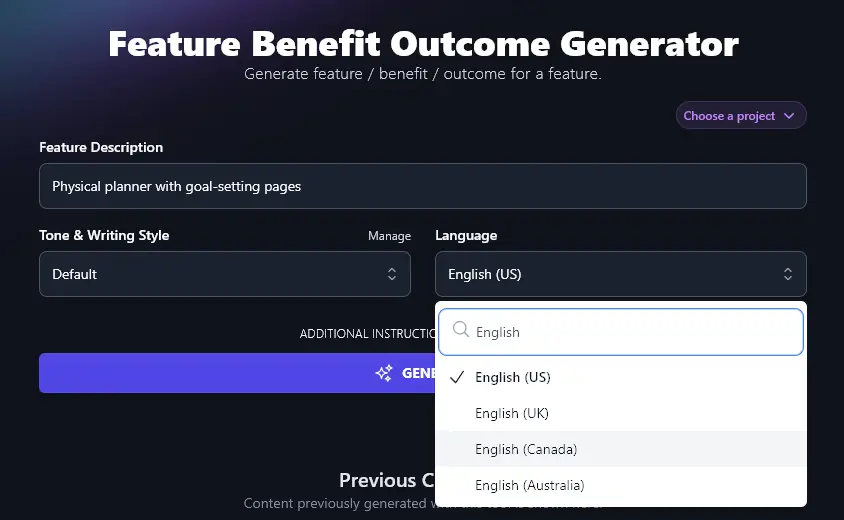
Along with all the different languages, RightBlogger lets you choose from 4 varieties of English. The default is US English. If you’re in the UK, Canada, or Australia, there’s an option for you too. This means your sales content will always use the correct spellings and terms for your country.
4. Additional Instructions (Give the AI Any Extra Information or Special Requests)
The Feature Benefit Outcome Generator has 2 advanced options: to access these, just click the “Additional Instructions & Creativity” link.
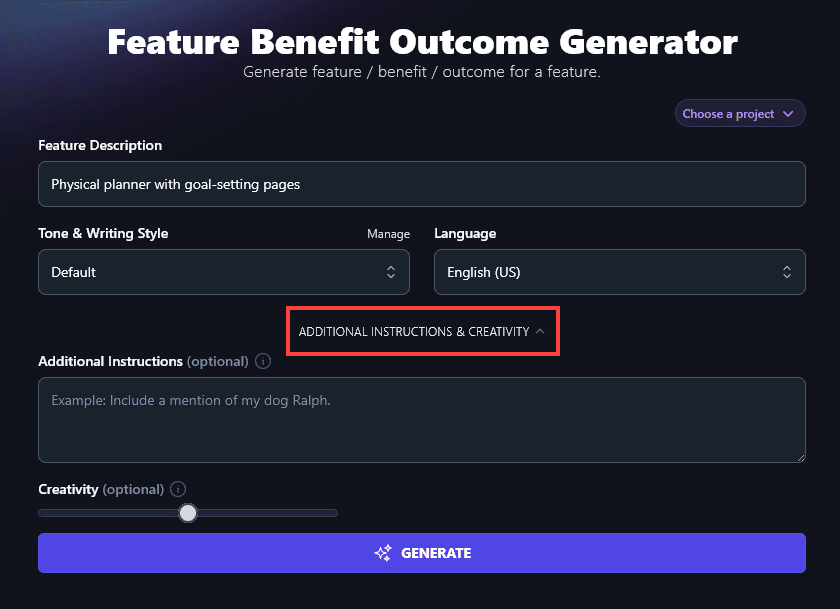
The first of these options is the “Additional Instructions” box. This lets you enter any extra information, special requests, or requirements for the AI. It’ll take on board everything you enter here when creating your benefits and outcomes.
For instance, you might want to add:
- Extra information about your product and potentially its other features.
- More information about your target audience and/or your brand.
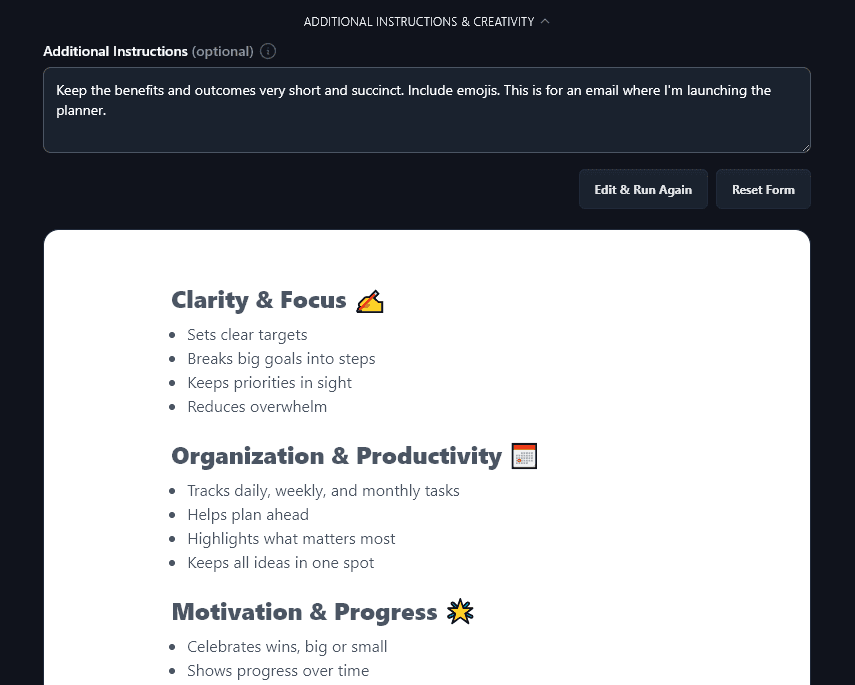
- Where you’re going to be using the copy (e.g. in an email)
You could request short, snappy copy for an email, or you could ask the AI to use emojis within the copy. Here, the AI has kept the benefits and outcomes short, and added emojis, as requested:
5. Creativity (Make Your Sales Copy More Predictable or More Unusual)
We’ve set the RightBlogger AI to a balanced midpoint of creativity. To adjust it, go ahead and move the slider. Left is less creative (more predictable) and right is more creative (more unusual).

Feature Benefit Outcome Generator FAQs
What’s the Difference With Features vs Benefits vs Outcomes?
Features of a product are its functionalities or characteristics. For instance, a feature of RightBlogger is that it has over 100 AI tools.
Benefits of a product are why those features matter to your target audience. For instance, a benefit of using RightBlogger is that it can save bloggers lots of time.
Outcomes are the overall results or changes that come as a consequence of the benefits. They might be broader than any one individual benefit. For instance, an outcome of using RightBlogger might be that a site’s traffic grows dramatically.
Sometimes, the difference between a feature and a benefit is all in the phrasing. “Our customer support team is available 24/7” is a feature … but “You can get help instantly, any time you need it (day or night)” is a benefit.
Another way to look at it is the “so what?!” test. Imagine your sales team telling your customer about a feature. Would the customer think “so what?!” If so, you definitely need to be selling benefits, not features.
How Do I Come Up with Benefits and Outcomes?
This tool is a strong copywriting shortcut. If you want to come up with your own benefits and outcomes (or guide the AI better), here are 3 questions to work through first:
- Think about your customers’ needs. What are they trying to achieve? What are their pain points? (E.g. lack of time, lack of confidence, needing to save money.) How does your product address those specific needs?
- Go through the key features of your product and brainstorm as many benefits as you can for each one of those, thinking in particular about how they might impact your customer’s life.
- Look at your past marketing campaigns (if you’ve run any before for this product). What benefits have you already talked about in your marketing messages … even if you didn’t realise those were specific benefits at the time? Did any of these seem to connect with your prospective customers?
It’s also a good idea to think about the big picture: what’s your product’s key value proposition? What are the differentiators that make it stand out from all the other products out there?
What Other Free AI Tools Can I Use to Improve My Product Marketing?
Whether you’ve got a fully thought-out marketing strategy or you’re a brand new business owner just getting to grips with marketing, we’ve got over 100 AI tools to help you. You can try all of them for free for as long as you like, just sign up for an account. For specific copywriting prompt examples to use across these tools, see our roundup of 75+ ChatGPT prompts for marketing.
These are some great ones to get started with:
- Article Writer: craft a full-length article draft from just a keyword or topic, perfect for improving your content writing workflow
- Product Description Generator: speed up the whole process of creating sales copy with this powerful AI tool, it can tailor your copy for different platforms, too
- Product Name Generator: if you’re stuck on what to call your product, it can hold you up from launching your startup or SaaS company, so use this name generator to get a list of catchy names
- Call to Action: great sales copy doesn’t mean a thing if it doesn’t lead to action in the real world … so make sure you have a strong CTA to convert prospects into customers
- Email Subject Line Generator: your sales emails need to stand out in customers’ crowded inboxes, this tool will help you craft great subject lines
- Review Generator: if you’re getting great customer satisfaction ratings and feedback, use the details that your customers share to craft a review on their behalf (check with them before posting it on your site or to social media, though)
How Do I Sign Up for RightBlogger and How Much Does it Cost?
Sign up for RightBlogger and start turning features into compelling sales copy.
Included with your plan. Monthly Solo $59, Pro $89, or Agency $299 (annual billing, charged monthly, is $49 / $69 / $199). Every paid plan includes unlimited words and a 7-day free trial and a 30-day money-back guarantee. See RightBlogger pricing.