Need a captivating hook for your latest blog post, email, or social media content? RightBlogger’s free AI Hook Generator tool is designed to grab attention fast, drawing in readers, listeners, and viewers with a powerful introduction to your topic. The first few words of your content are important for its success… so make them count with a strong hook.
How to Use Our Free AI Hook Generator Tool
Our AI-powered Hook Generator is simple but powerful. Here’s how to use it, step by step, to create attention-grabbing hooks for any piece of content.
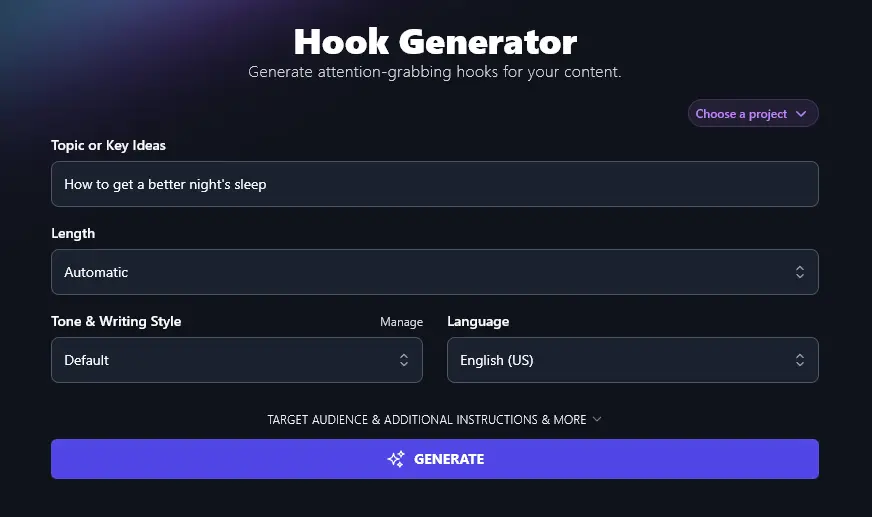
Step 1. Enter Your Topic or the Main Idea of Your Content
First, put in the topic or key idea that you’re writing about. This might be the title of your blog post, or even a keyword that you’re optimizing for.
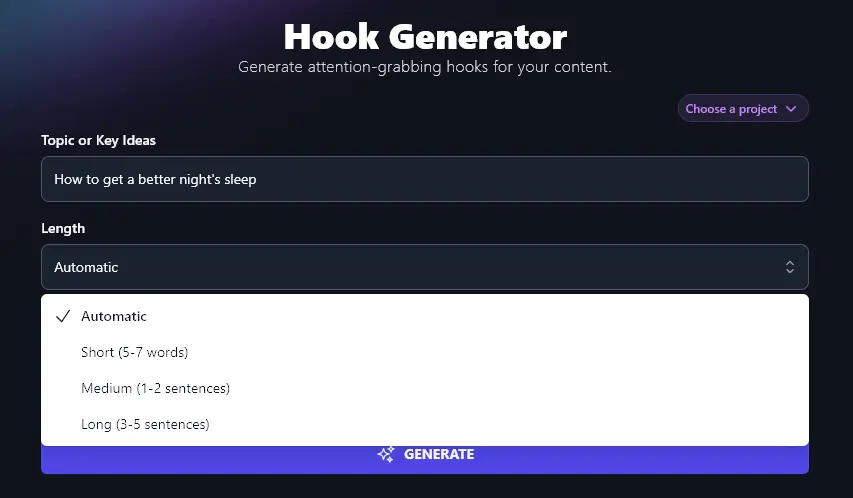
Step 2. Select an Appropriate Length for Your Hook
The RightBlogger AI will automatically write hooks that are around a sentence long. But you might want a shorter hook (e.g. for a Twitter/X post, where you won’t have much space) or a longer hook (e.g. for a blog article, where you may be writing thousands of words).
To change the length of your hook, just select an option from the dropdown list:
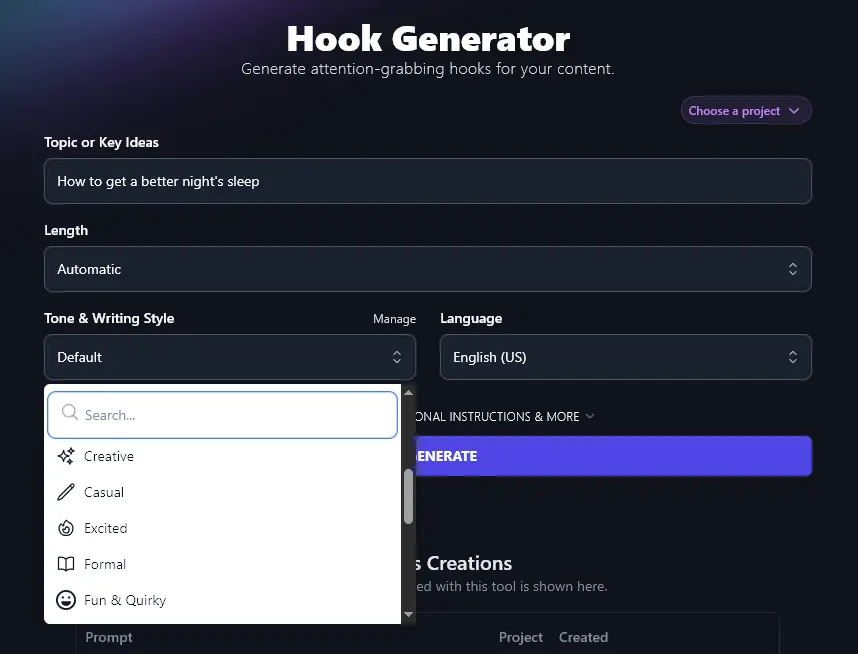
Step 3. Choose the Tone & Writing Style for Your Hook
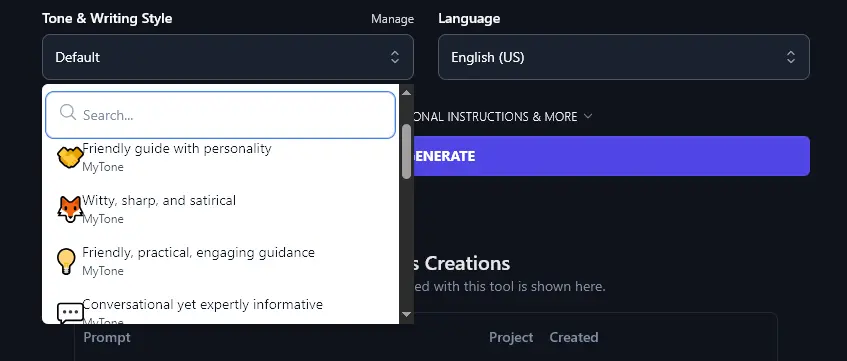
You want your hook to match the rest of your content, so it’s a good idea to pick an option from the Tone & Writing Style dropdown that sounds like you. There are 16 different ones to choose from, ranging from “Excited” and “Fun & Quirky” to “Formal” and “Academic”.
Step 4. Select Your Preferred Language
By default, RightBlogger will generate hooks in US English, but if your target audience doesn’t speak English, or if you’re creating multilingual content, you can simply select a different language from the dropdown list here.
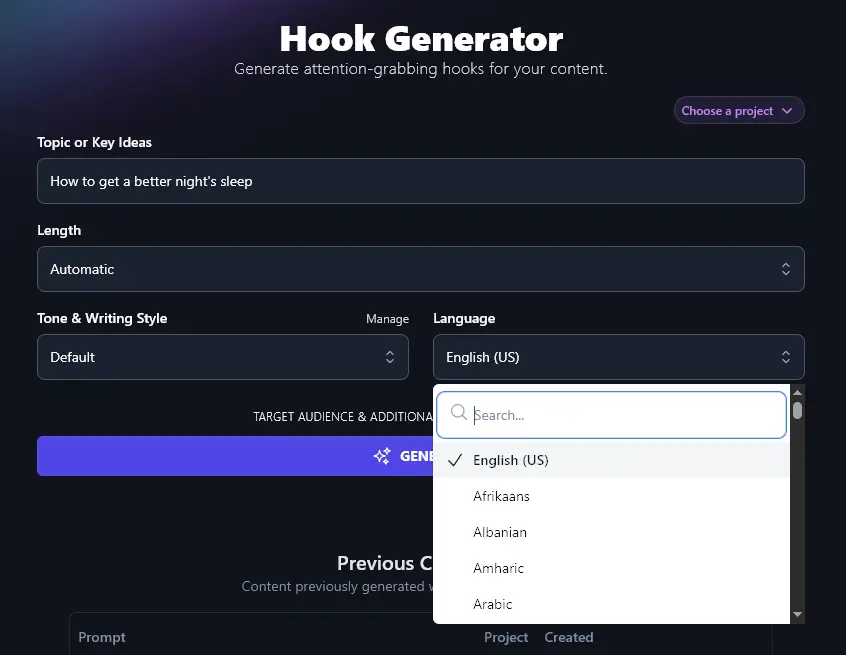
Tip:You don’t have to scroll down the whole list: there’s a built-in search bar at the top of the dropdown.
When you’re ready, click the “Generate” button and the tool will come up with a list of 10 potential hooks for you:
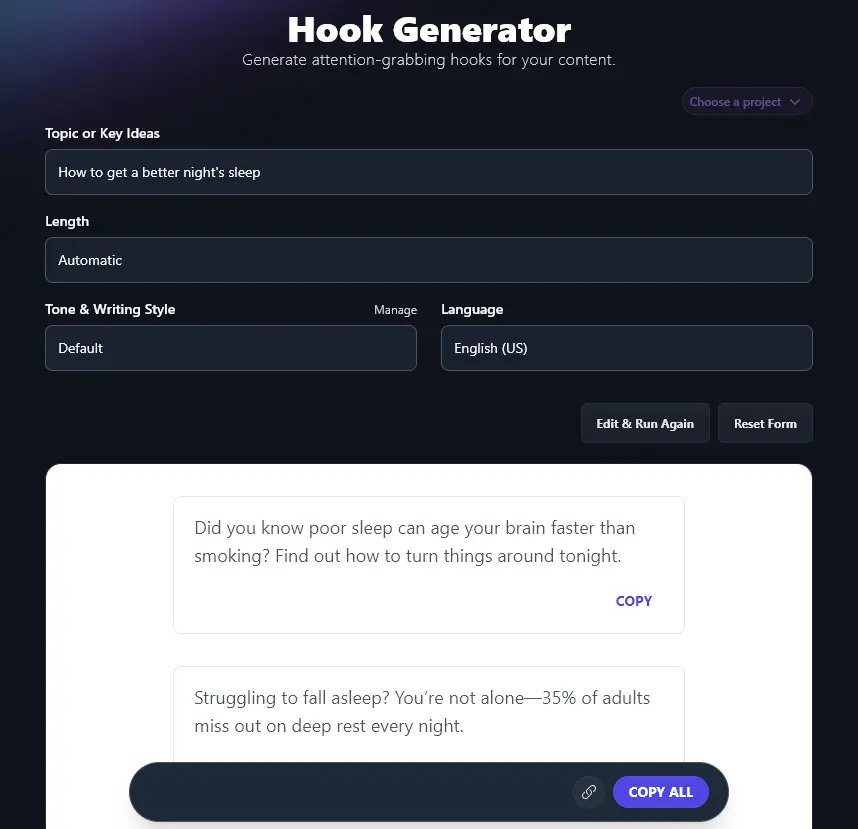
If you see a hook you love, click the “Copy” link just below it to copy it to your clipboard. Not sure which hook you want to use? Click “Copy All” and you can paste the whole list into a spreadsheet or document to review later.
Bonus: Use My Editing Checklist Alongside This Free Tool
Whether you’re creating a hook before you write your content or you’re adding a strong hook after drafting the rest of your post, it’s important to edit the whole thing to make sure your hook ties in well with the rest of your piece.
Here’s my personal editing checklist that you can use:
- Read through your whole post and make sure that everything flows well (especially if you wrote some parts and used AI for other parts)
- Make sure that the hook is highly relevant to your audience
- Be clear what your post is about, right from the start, don’t confuse your readers
- If you’ve written a longer piece, like an article, use subheadings as “signposts” to help readers find their way through it
- Where possible, include facts, statistics, and quotes to back up the points you’re making, and add references to the sources of these
- Watch out for words or phrases that you’re over-using in your piece: switch some of these for alternatives
- Check that your piece is consistent in tone and style, make edits if you need to
- Run a readability check on the full piece to make sure it’s at the right level for your audience
- Use a spelling and grammar checking tool to correct any errors or typos (try the Grammar Fixer to make changes automatically)
- Before you post your content online, send an email, etc, do one last proofread
How Does the Free AI Hook Generator Work? (Creating Compelling Hooks)
The AI Hook Generator is easy to get started with, but if you want to get the most from it and create different types of hooks, it’s helpful to know more about each feature, plus the advanced options.
1. Topic or Key Idea (What’s Your Piece of Content All About?)
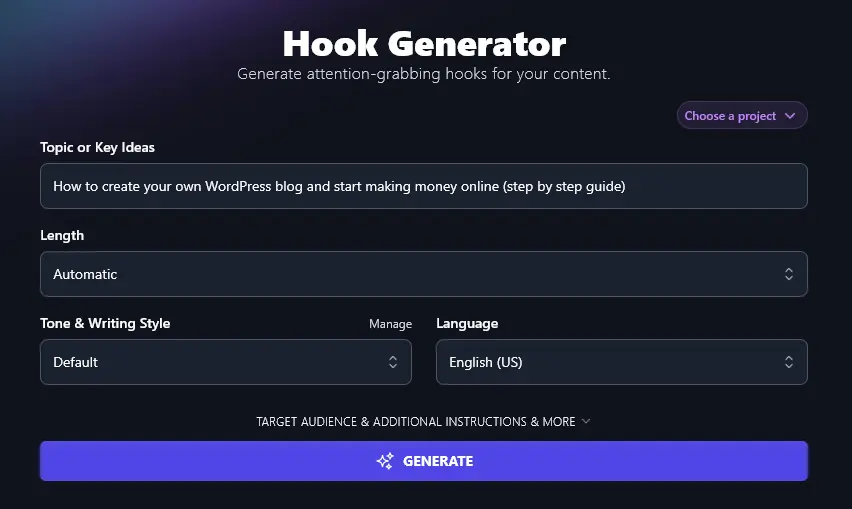
To come up with captivating hooks, the AI needs to know exactly what you’re writing about. In the first box, enter your main topic or key idea for your post. The more detail, the better.
2. Length (How Long Do You Want Your Hook to be?)
The AI can come up with hooks of several different lengths, to suit different types of content. Let’s take a quick look at what you can expect from these length options.
Automatic: hooks will be around a sentence long, e.g. “Over 600 million blogs exist, but most don’t make a dime, here’s how first-timers get paid with a WordPress blog.”
Short:hooks will be 5-7 words long, e.g. “Your blog could be your paycheck”
Medium:hooks will be 1-2 sentences long, e.g. “Don’t wait for a ‘perfect moment.’ Start your blog now and watch your online income grow month by month.”
Long: hooks will be 3-5 sentences long (a full introduction paragraph), e.g. “Feeling stuck in your 9-to-5? You can set up a WordPress blog today and start building a steady side income from your living room. It doesn’t take fancy tech skills or big money to get started. This guide lays out each step in plain English, so you can launch and earn faster than you thought possible.”
3. Tone & Writing Style (Select One … or Create Your Own)
The RightBlogger AI can produce content in a wide range of different styles, letting you add a real sense of voice and brand to your hook. Take a look at the difference between “Fun & Quirky” and “Professional”:
“Fun & Quirky” hooks:
- Dread the “how do I even start?” feeling? Let’s break down WordPress into baby steps (with dollar signs at the finish line).
- Your morning scroll could pay your bills. Discover the simple WordPress steps turning couch potatoes into online earners.
- Over 600 million blogs exist, and some bring in six figures. Want a slice? Here’s your shortcut.
“Professional” hooks:
- Over 600 million blogs earn money worldwide; learn how yours can be next with a clear, beginner-friendly roadmap.
- Most new bloggers quit because they don’t know where to begin, skip the confusion and follow simple steps that bring results.
- Real people are earning thousands every month from their WordPress blogs, now’s your turn to start with a proven plan.
You’re not limited to the preset options, though. RightBlogger’s MyTone feature lets you create completely custom tones. It’s included on every plan, and paid plans save 5 (Solo), 15 (Pro), or 50 (Agency) of them. Just give the AI a sample of your writing, or even a link to a YouTube video you’ve made, and it’ll automatically detect your tone of voice.
Once you’ve created a MyTone, you can select it from any Tone & Writing Style dropdown across all RightBlogger’s tools, helping you keep your brand at the forefront of all your content creation.
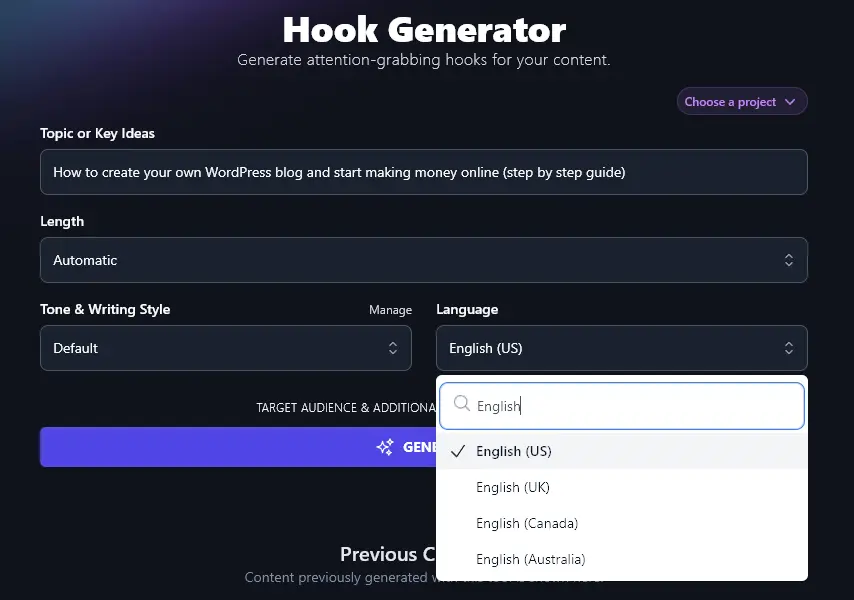
4. Language (Over 100 Languages to Choose From, and 4 Varieties of English)
Need your hook in a language other than US English? Just select your preferred option from the dropdown list. RightBlogger can create fluent AI content in any language you choose.
Here’s the AI coming up with hooks in Spanish:
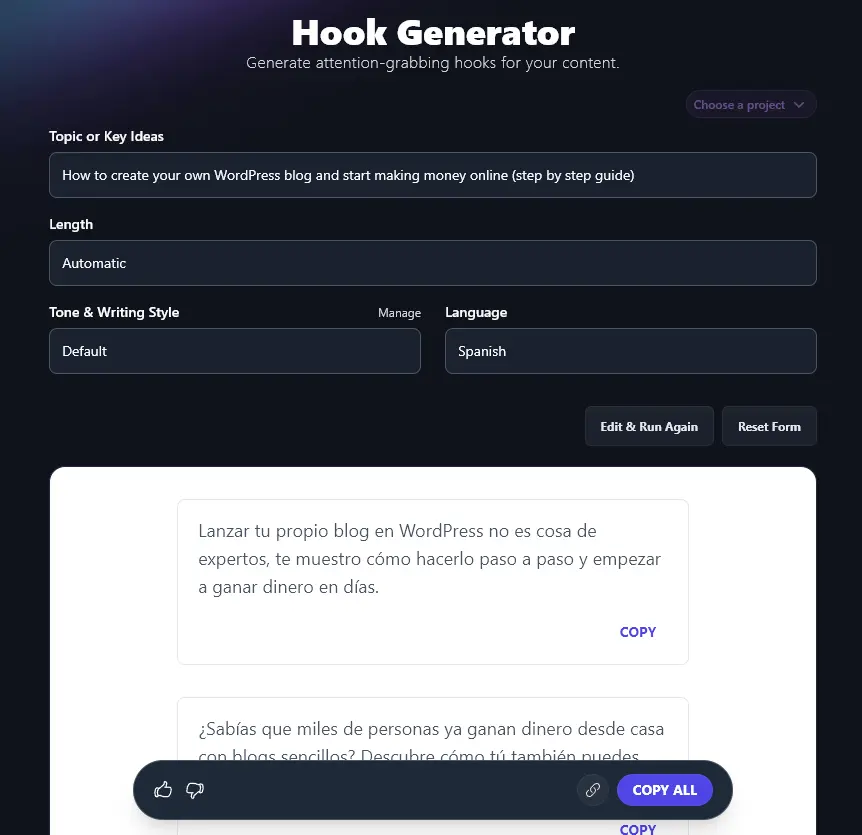
Along with 100+ languages, the Language dropdown lets you pick from 4 different versions of English. The default is US English, but if you’re in the UK, Canada, or Australia, you’re covered too. Picking your local version of English means the AI will use the correct spellings and terms for your country.
5. Target Audience (Who is Your Content Aimed At?)
The Hook Generator has several advanced options: you can open these up by clicking the “Target Audience & Additional Instructions & More” link:
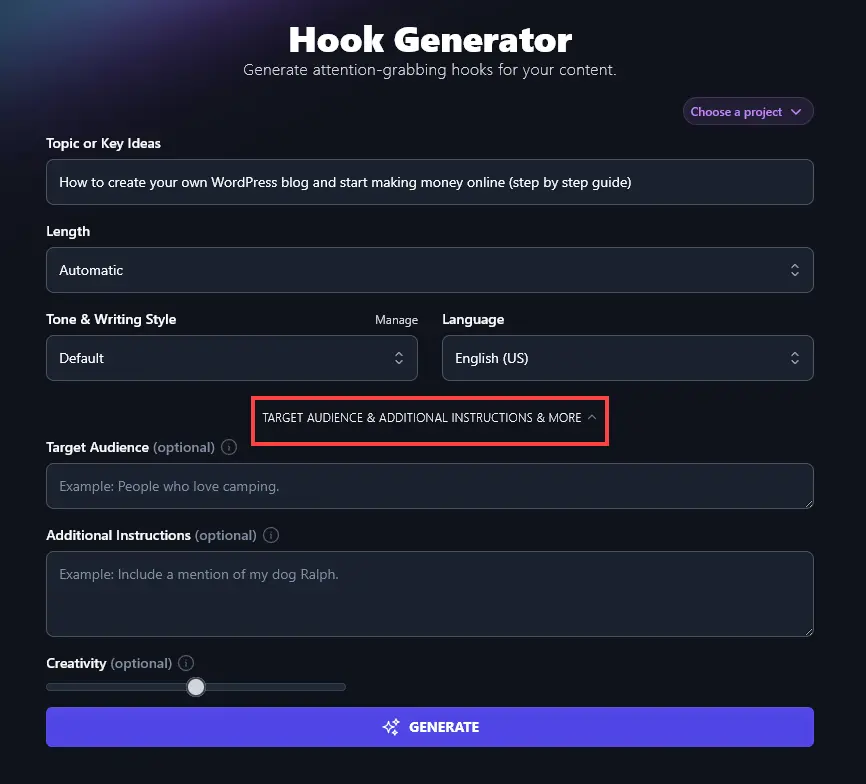
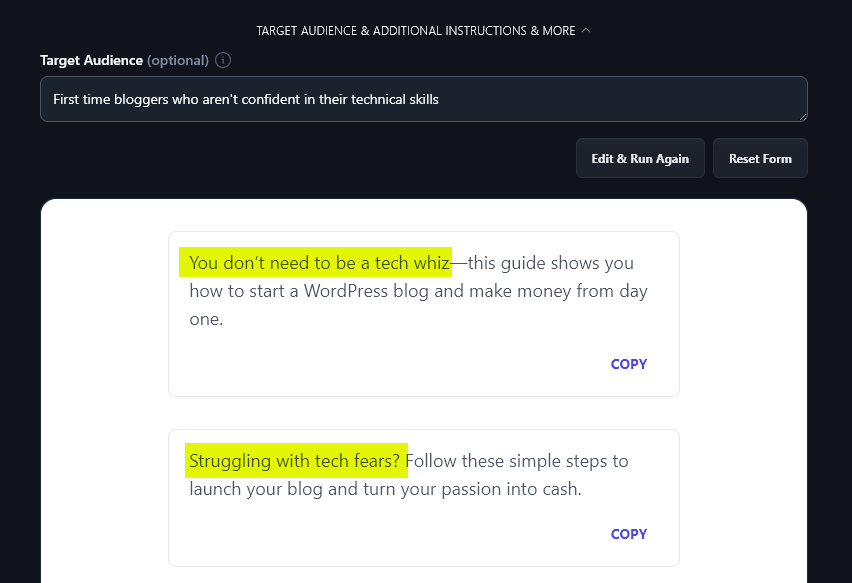
The first new option you’ll see is the “Target Audience” box. Telling the AI who your content will be aimed at makes it easier for it to grab your audience’s attention with a hook specifically tailored to their needs.
As you can see from the phrases we’ve highlighted, the AI has incorporated the target audience when coming up with hooks:
6. Additional Instructions (Give the AI Any Extra Requests or Information)
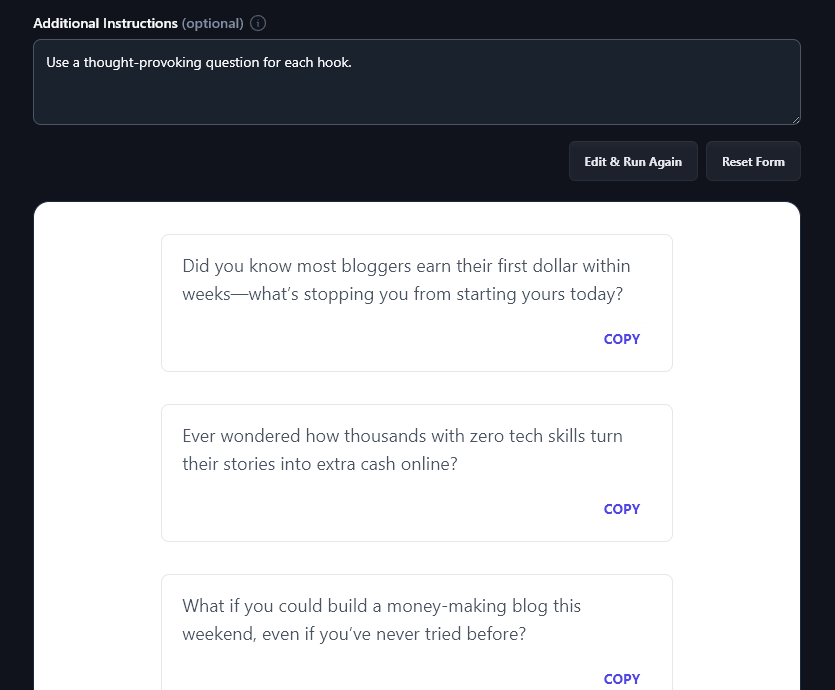
Is there something else you want the AI to know about your content, or something you want it to do when creating your hooks? Just add it in the “Additional Instructions” box.
For instance, you might want it to come up with a specific type of hook (statistical hooks, quotation hooks, question hooks, etc). Maybe you’d like your hook to include emojis or bold text. Whatever you need, just ask.
Here, we’ve instructed the AI to “use a thought-provoking question for each hook” and it’s done so:
7. Creativity (Make Your Hooks More Unusual or More Predictable)
We automatically use a balanced, recommended level of creativity for the artificial intelligence that powers RightBlogger, but if you want, you can adjust this creativity level. Just move the slider left to make your hooks less creative (more predictable) or right to make them more creative (less predictable).

Hook Generator FAQs (Frequently Asked Questions)
Got questions about the hook generator, or about writing great content that grabs your reader’s interest? Here’s everything you need to know.
How Can I Make the Most of My Opening Lines in a Blog Post?
Your opening lines need to get your reader’s attention. We recommend using the Hook Generator to brainstorm catchy hooks. Then, move smoothly into your intro (the Introduction Generator can help you out with this).
Can I Use This Tool to Come Up With Essay Hooks?
The Hook Generator is primarily designed for online content (blog posts, landing pages, and social media posts) … but you can also use it to create effective hooks for essays and academic papers, with a few tiny tweaks. Just enter your paper’s title or question as the Topic, then set your Tone & Writing Style to “Academic”. In the Addition Instructions box, tell the AI to “use the word ‘essay’ instead of ‘post’ in the hooks.”
What Other AI Tools Can I Use to Assist My Content Creation Process?
RightBlogger is packed with 80+ useful tools for you (and they’re free to try for as long as you want). Whether you’re a content creator, copywriter, blogger, or small business owner running a marketing campaign, you’re sure to find tools here that save you a ton of time.
Some great content marketing tools to get started with are:
- Article Writer: draft full-length articles from just a topic or keyword with this powerful, flexible writing tool
- Keyword Research Tool: find the perfect keywords to optimize your content for search engines, with volumes and difficulty ratings included
- Image Caption Generator: craft captions for social media images or as alt text to use on your blog (helps with SEO)
- Product Description Generator: create a compelling description for any product, whether that’s for a store, full landing page, or even an ad
- Rewriter: suitable for a wide range of use cases, the Rewriter tool will rephrase any content you like, while keeping all the original meaning
- Summarizer: if you need a quick version of a long piece, the Summarizer is the tool for you, it’ll give you the key points without any fluff
How Do I Sign Up for RightBlogger and How Much Does it Cost?
All our AI tools are included in every RightBlogger plan. Just sign up here to get started.
For more MyTone styles, plus Chat, Projects, and Knowledge, check out our monthly Pro plan at $89 (annual $69) (includes 3 sites and 3 team seats). Monthly Solo starts at $59 (annual $49), and monthly Agency is $299 (annual $199) for teams. Every paid plan includes unlimited words and a 7-day free trial and a 30-day money-back guarantee.