What Is an AI SEO Agent? How It Works + 7 Best Tools in 2026
Compare three agent types and seven tools, with practical safeguards for reviewing and undoing SEO edits.

Most SEO tools hand you a report and wait. An AI SEO agent takes the next step itself: it reads your site on a schedule, decides what to fix first, and makes the change through your CMS, with as much or as little sign-off from you as you want.
The label now covers very different products. Some agents write new articles, some edit the posts you already have, and some change your pages with a script that loads in the visitor’s browser. Below I’ll cover what an AI SEO agent is, how the main types work, where they go wrong, and which ones are worth a look in 2026, including the one we built at RightBlogger.
Key Takeaways
- An AI SEO agent finds SEO problems on your site, picks which to fix first, and applies the fixes on a schedule, without waiting for you to run a report.
- There are three main kinds: content agents that write new posts, maintenance agents that edit existing pages through your CMS, and technical agents that change pages with a JavaScript snippet.
- The safest agents edit one exact passage at a time, keep an undo history, and let you approve changes until you trust them.
- Google says AI-written titles, meta descriptions, and alt text should be fact-checked before they go live, so an approval step matters more than speed.
- RightBlogger’s Site Agent is built for blogs: it maintains published posts using your Search Console data, and every applied edit can be undone for 30 days.
What Is an AI SEO Agent?
An AI SEO agent is software that uses a language model to find SEO problems on your site, decide which to fix first, and apply the fixes on a recurring schedule.
The difference from a regular SEO tool is who takes the next step. A keyword tool or site auditor gives you data and stops there. An agent turns that data into a change, like a new internal link, a rewritten meta description, or a refreshed year in a title. Then it runs again a few days later without you asking.
It’s also different from a fixed automation, like a Zapier workflow that publishes a post every Monday. An automation repeats the steps you wrote. An agent looks at the current state of your site and picks its own steps toward the goal you gave it.
| SEO tool | Automation | AI SEO agent | |
|---|---|---|---|
| Decides what to do next | You | You, once, when you build it | The agent |
| Runs on its own schedule | No | Yes | Yes |
| Changes your live site | No | Only the steps you scripted | Yes, through your CMS or a script |
| Example | Keyword research tool, site audit | Zapier or Make workflow | RightBlogger Site Agent, Search Atlas OTTO |
Types of AI SEO Agents
When a product calls itself an AI SEO agent, it usually means one of three things, plus a fourth route where you build your own. Knowing which one you’re looking at tells you most of what you need to know about the risk.
Content Agents
These research keywords, write new articles, and publish them to your CMS on a schedule. They’re closest to autoblogging, with more decision-making about which topics to cover next. The main risk is volume: Google’s scaled content abuse policy targets sites that publish many pages without adding value for readers.
Maintenance Agents
These work on pages you’ve already published. They add internal links, sharpen meta descriptions, update stale dates, fix broken links, and refresh thin sections. They write through your CMS, so the change is saved in the post itself. This is the work most site owners know they should do and rarely get to, which is why SEO maintenance piles up on older blogs.
Technical Agents
These install a JavaScript snippet that changes title tags, meta descriptions, schema, or links when the page loads. They’re fast to deploy on sites with no CMS access, but the changes live in the vendor’s script instead of your pages. Remove the script and the changes go with it. Some vendors also serve the changes from the server, through an edge worker or pre-rendered pages, so crawlers that skip JavaScript still see them.
Do-It-Yourself Agents
You can also build your own agent in a workflow tool like n8n or Gumloop, connected to an AI model and your CMS API. It’s flexible, but you own every guardrail, from rate limits to undo.
What an AI SEO Agent Actually Does
Here are the jobs you’ll see across most products, roughly from lowest to highest risk:
- Adds internal links from older posts to newer ones, with anchor text that fits the sentence
- Removes or replaces outbound links that now return errors
- Writes alt text for images that don’t have any
- Updates stale years and dates in titles and intros
- Rewrites meta descriptions on pages that rank but don’t get clicked
- Refreshes a post with a section that higher-ranking pages cover and it doesn’t
- Writes and publishes brand-new articles (content agents)
- Changes title tags, schema, or canonicals through a script (technical agents)
The low-risk jobs are small, checkable edits. The higher you go, the more an agent can hurt a page that’s already working. That’s why good maintenance agents leave the titles of your best-ranking pages alone and cap how often they touch any single post. If you want to see where links are missing today, our guide to finding orphan pages is a good manual starting point.
How AI SEO Agents Work
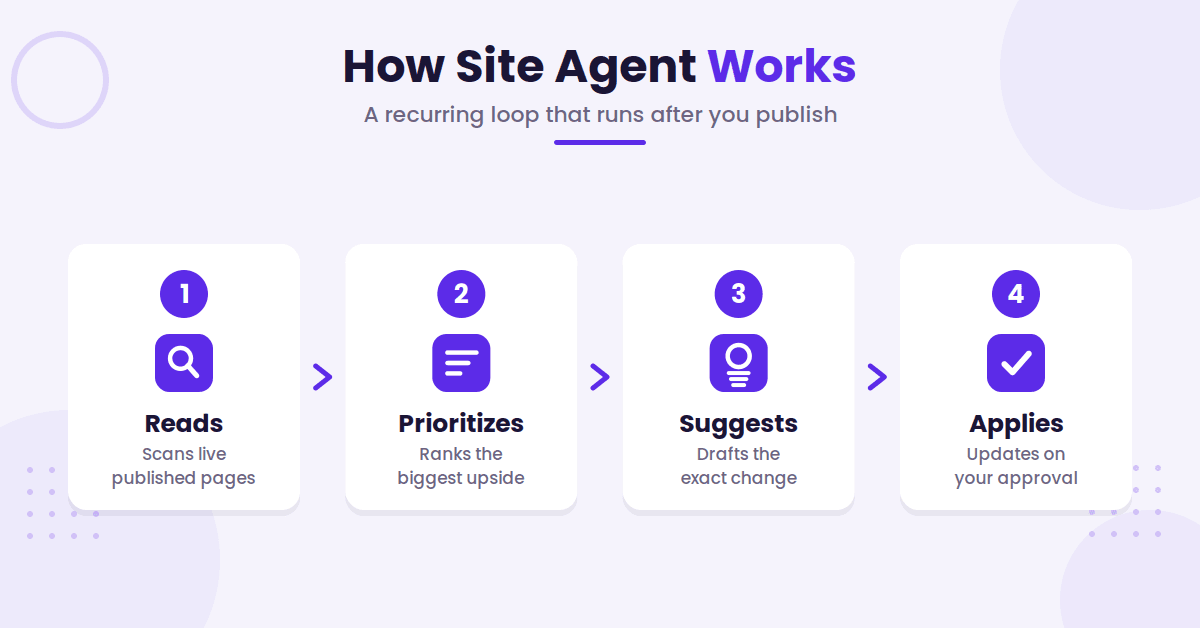
Under the hood, most agents run the same loop on every audit:
- It reads your published pages and, if connected, your Google Search Console data: queries, clicks, click-through rate, and position.
- It ranks the problems it finds by likely upside. A page sitting at position 4 with a 1% click-through rate is a better target than a page on page five.
- It drafts the exact change, usually one passage or one field, not a whole new page.
- It applies the change through your CMS API, a JavaScript snippet, or a pull request, depending on the product and how much approval you require.
- It logs what changed so you can review it later and undo it if needed.
The approval step is where products differ most, and it matters. Google’s guidance on generative AI content says to fact-check AI output before publishing, and it names titles, meta descriptions, structured data, and image alt text specifically. Those are exactly the fields SEO agents edit, so an approval queue (or at least a reliable undo) isn’t a nice-to-have.
Quick Comparison of AI SEO Agents
Seven AI SEO agents at a glance. Prices are the cheapest paid plan as listed on each vendor’s pricing page on October 31, 2026.
| Agent | Type | How it changes your site | Starting price |
|---|---|---|---|
| RightBlogger Site Agent | Maintenance | CMS (WordPress plugin, Ghost, Webflow, Wix, Shopify, Framer) | $49/month billed annually ($59 monthly) |
| Search Atlas OTTO SEO | Maintenance and technical | JS pixel, Cloudflare Worker, or CMS connectors | $99/month |
| Frase | Content and maintenance | Publishes to WordPress, Webflow, Sanity, Wix | $39/month billed annually ($49 monthly) |
| The SEO Agent | Content | Publishes to WordPress, Webflow, Shopify, Ghost, Wix, Framer | $99/month, 30 articles |
| SEO.AI | Content | Publishes to WordPress, Webflow, Wix, Squarespace, Shopify, Magento | $149/month, 1 site |
| Writesonic SEO AI Agent | Chat-based assistant | WordPress integration | $79/month billed annually ($99 monthly) |
| Alli AI | Technical | JS snippet, WordPress plugin, or tag manager | $249/month billed annually ($299 monthly), 5 sites |
The Best AI SEO Agents in 2026
They’re ordered by type: maintenance agents first, then content agents, then a chat-based assistant and a technical tool. Each one gets the same three questions: what it does, how it touches your site, and who should skip it.
1. RightBlogger Site Agent
Site Agent maintains the posts already on your blog. It adds internal links, rewrites weak meta descriptions on low-CTR pages, fixes stale years and broken outbound links, writes missing alt text, and refreshes a post against the pages ranking for it.
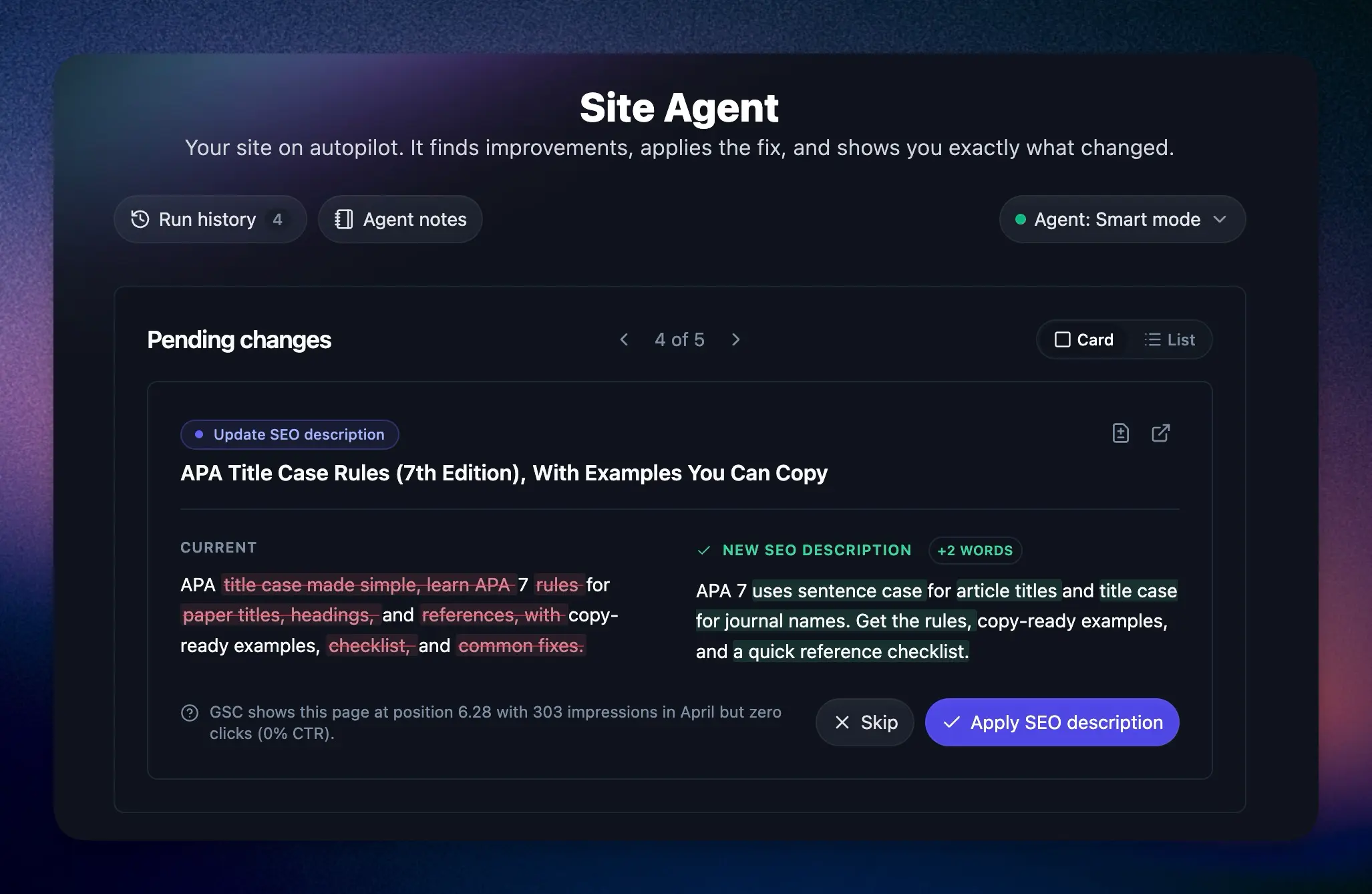
It writes through your CMS, starts in approval mode, and gives every applied edit a 30-day undo. Search Console suggestions show an estimated click upside, so you can approve the important ones first.
Best for bloggers and small teams with a back catalog that needs upkeep. Skip it if you mainly need new articles written, if most of your posts are built in Elementor or Divi, or if you need technical fixes like redirects and canonicals. Included on paid plans from $49/month billed annually ($59 monthly).
2. Search Atlas OTTO SEO
OTTO is the broadest agent here. It fixes titles, schema, canonicals, redirects, broken links, alt text, and internal links, and the wider Search Atlas suite adds content, link building, press releases, and Google Business Profile management.
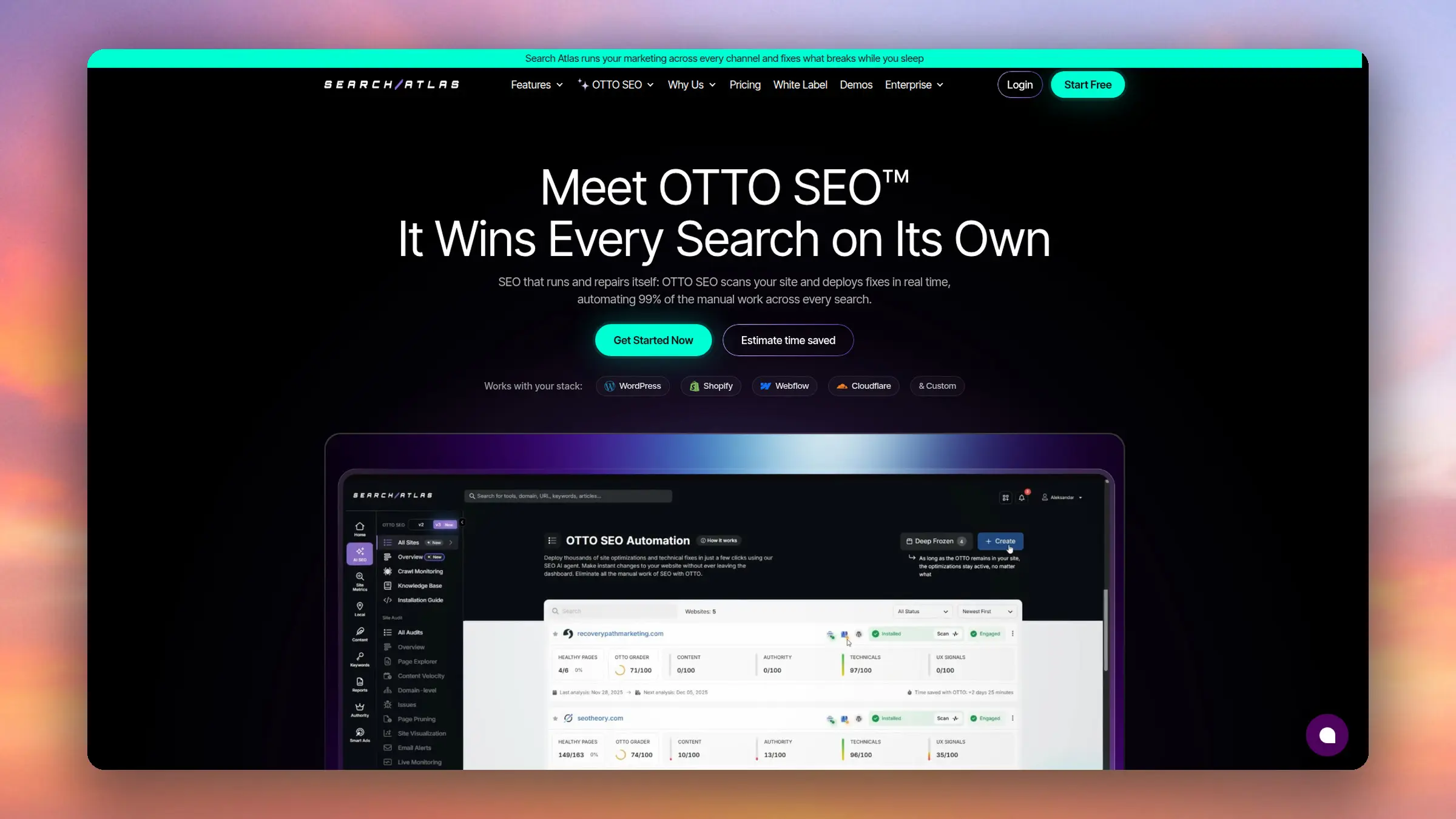
Changes go out through a JavaScript pixel, a Cloudflare Worker, or CMS connectors for WordPress, Webflow, Shopify, HubSpot, and others. It runs on autopilot by default, with an approval mode and rollback available.
Best for SEO teams and agencies that want technical and on-page fixes in one place. Skip it if you only need upkeep on one blog, or if a credit-based suite is more than you need. Starter is $99/month with one OTTO site.
3. Frase
Frase started as a content brief and writing tool and now adds agents on top. Its Content Guard feature watches published pages for ranking decay and drafts a fix, alongside research, writing, and SEO and AI-search scoring.
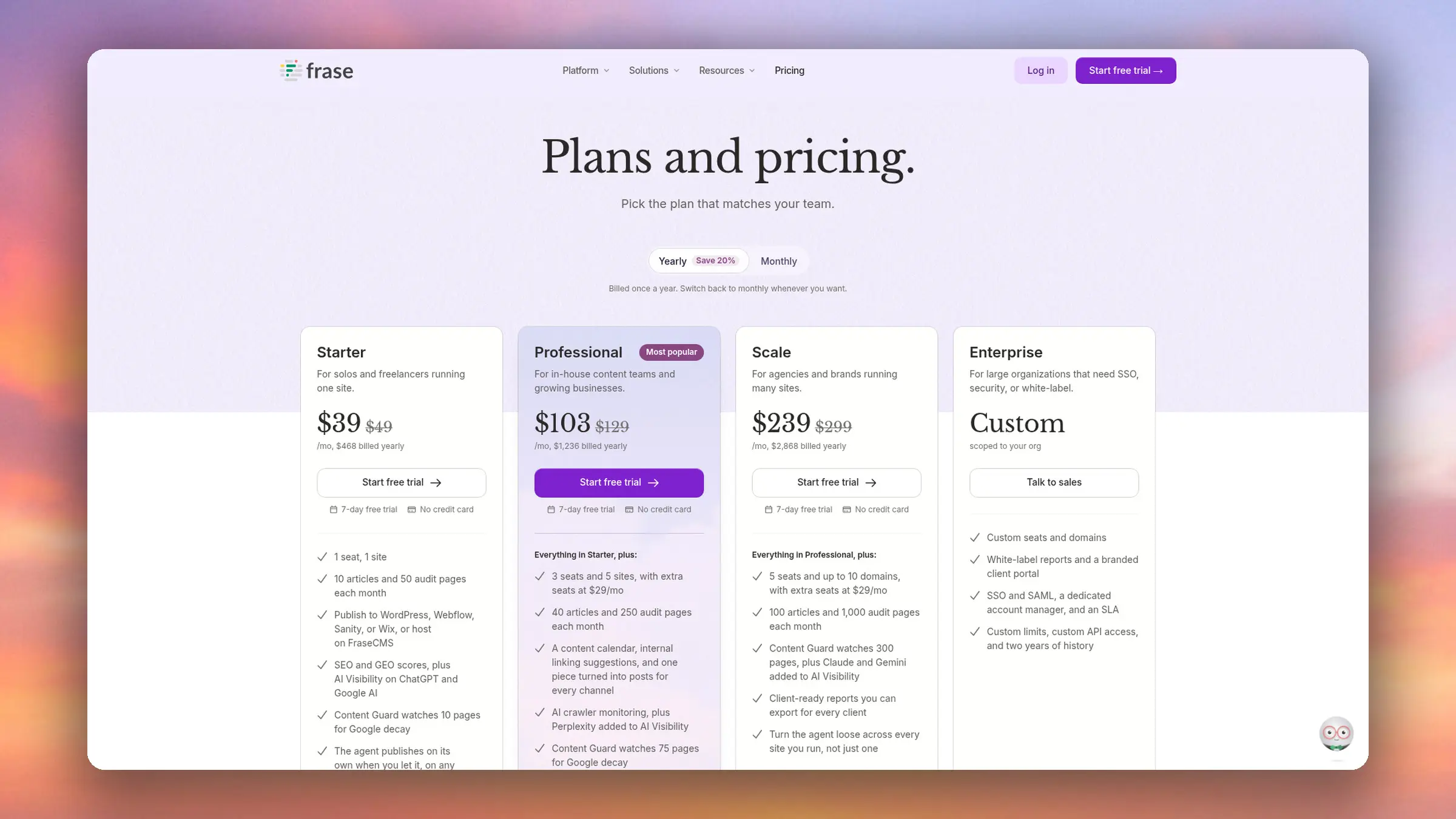
It publishes to WordPress, Webflow, Sanity, and Wix. Nothing ships until you approve it unless you opt into auto-publishing for a content type, and it also offers an MCP server for AI assistants.
Best for writers who want briefs, drafts, and decay monitoring in one tool. Skip it if you need hands-off maintenance across a large archive, since the Starter plan covers 10 articles and 50 audit pages. Starts at $39/month billed annually ($49 monthly).
4. The SEO Agent
The SEO Agent is a content agent. It researches topics, writes and fact-checks articles against sources, adds images, alt text, metadata, and internal links, then publishes. It doesn’t fix pages you already have.
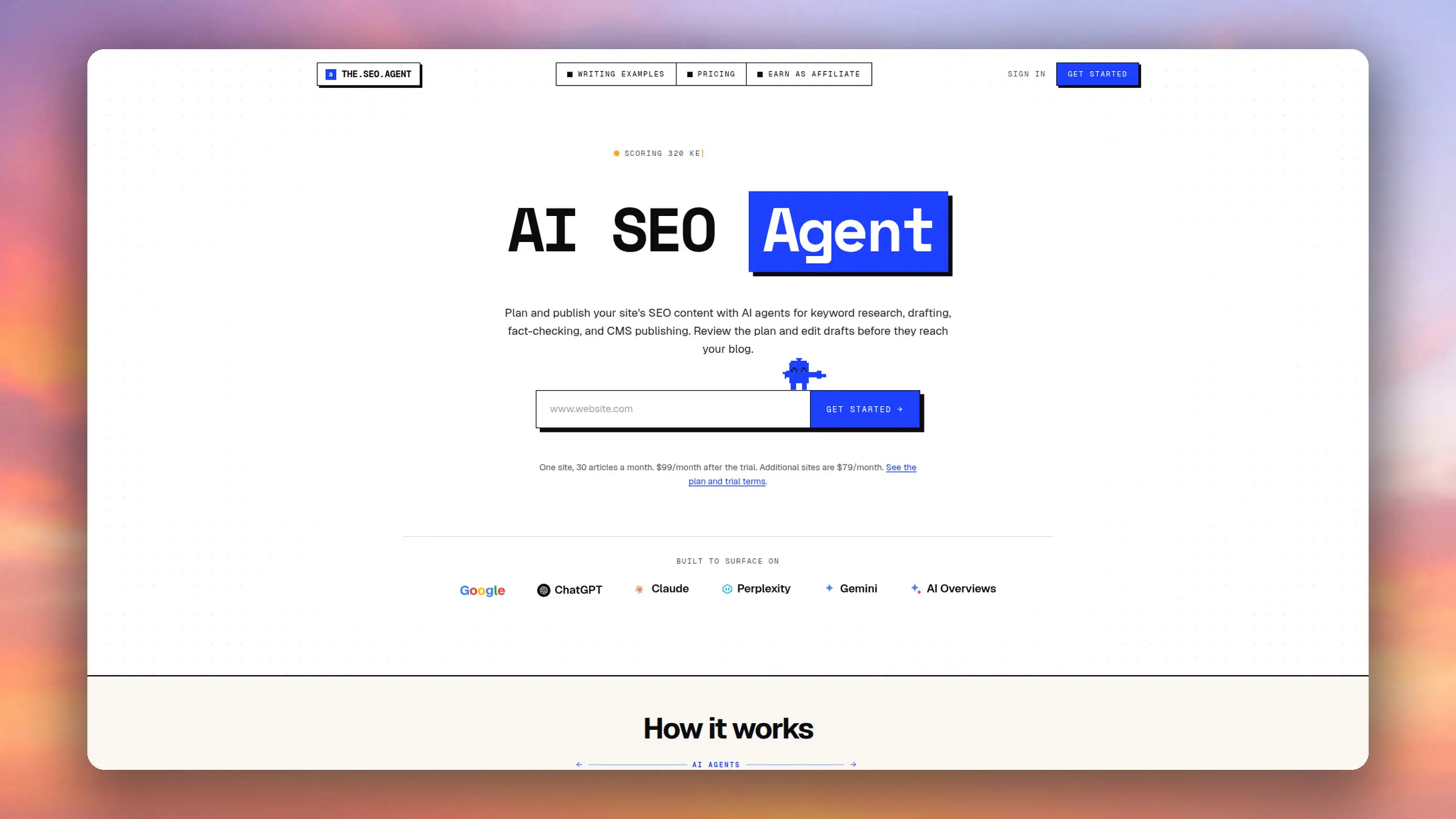
It publishes natively to WordPress, Webflow, Shopify, Ghost, Wix, and Framer, or by webhook. You can require outline approval, and articles with an unresolved fact-check problem are held for review.
Best for sites that need a steady flow of new articles with sourcing built in. Skip it if your real backlog is old content, or if you run several sites, since each extra site is $79/month. One plan at $99/month for 30 articles on one site.
5. SEO.AI
SEO.AI positions itself as SEO done for you by an AI agent. It builds a content plan, writes pages and articles, monitors performance, and also covers backlinks and Google Ads.

It connects to WordPress, Webflow, Wix, Squarespace, Shopify, and Magento. You choose between automatic publishing, saving as drafts, or reviewing in the platform, and it emails you content before publishing.
Best for small businesses that want content, links, and ads handled by one vendor. Skip it if you want to stay hands-on with each post, or if you’re mainly maintaining an existing blog. Single Site is $149/month for one site in one language.
6. Writesonic SEO AI Agent
Writesonic‘s SEO AI Agent works through chat. You ask it for SERP and competitor analysis, content plans, technical audits, internal linking suggestions, or improvements to existing content, and it works through the task.
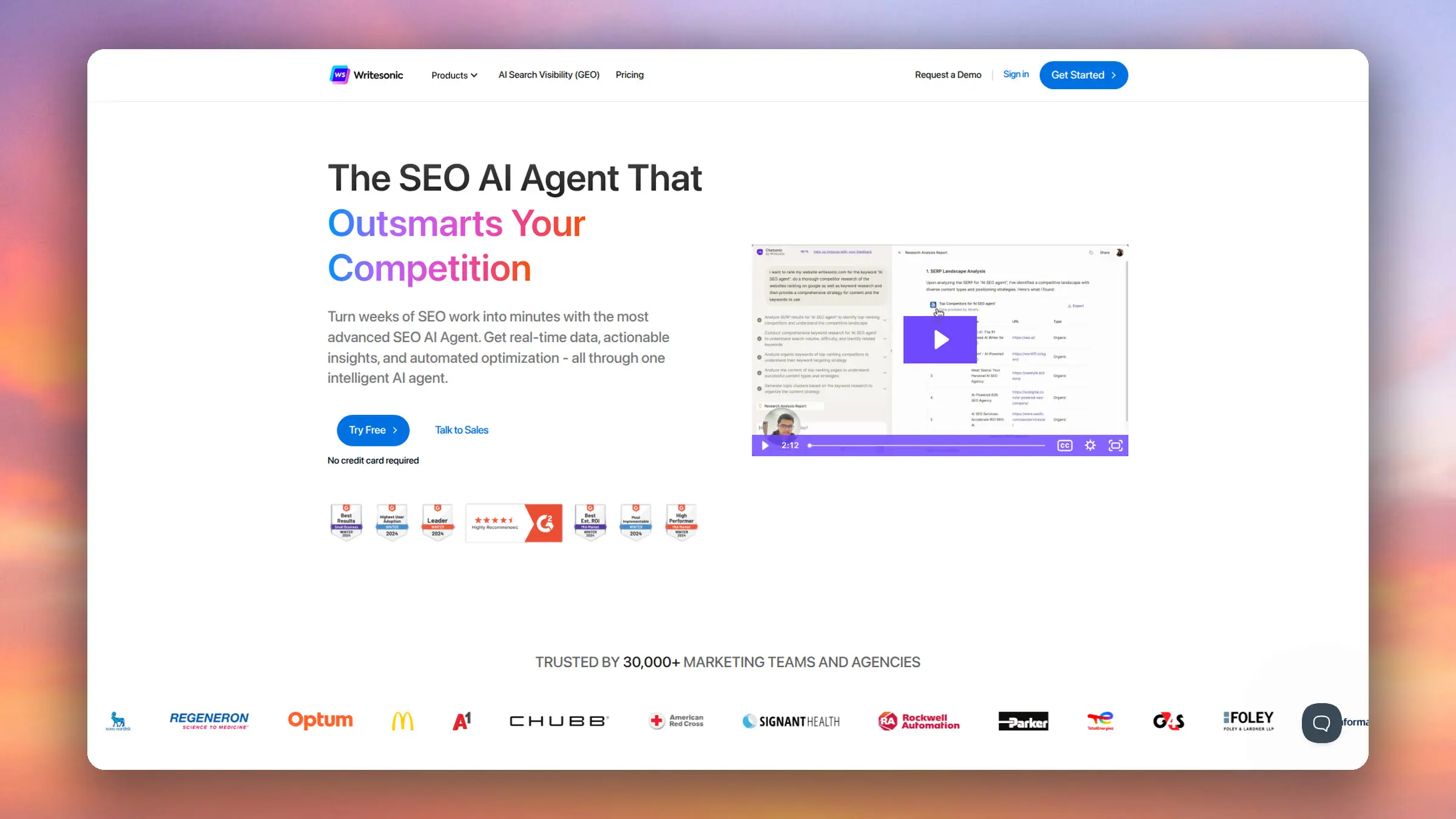
It integrates with WordPress and Google Search Console. The product page says it implements fixes without code, but it doesn’t explain the mechanism or the approval controls, so test that on a staging site first.
Best for marketers who prefer directing an assistant over setting a schedule. Skip it if you want an agent that runs on its own: the Starter plan limits agentic workflows to 10 trial runs. Starter is $79/month billed annually ($99 monthly).
7. Alli AI
Alli AI is the technical option. It applies title, schema, and internal link changes across many pages with rules, and serves pre-rendered HTML to AI crawlers so they see those changes without running JavaScript. It doesn’t write content, and it markets itself as an AI visibility platform more than an agent.
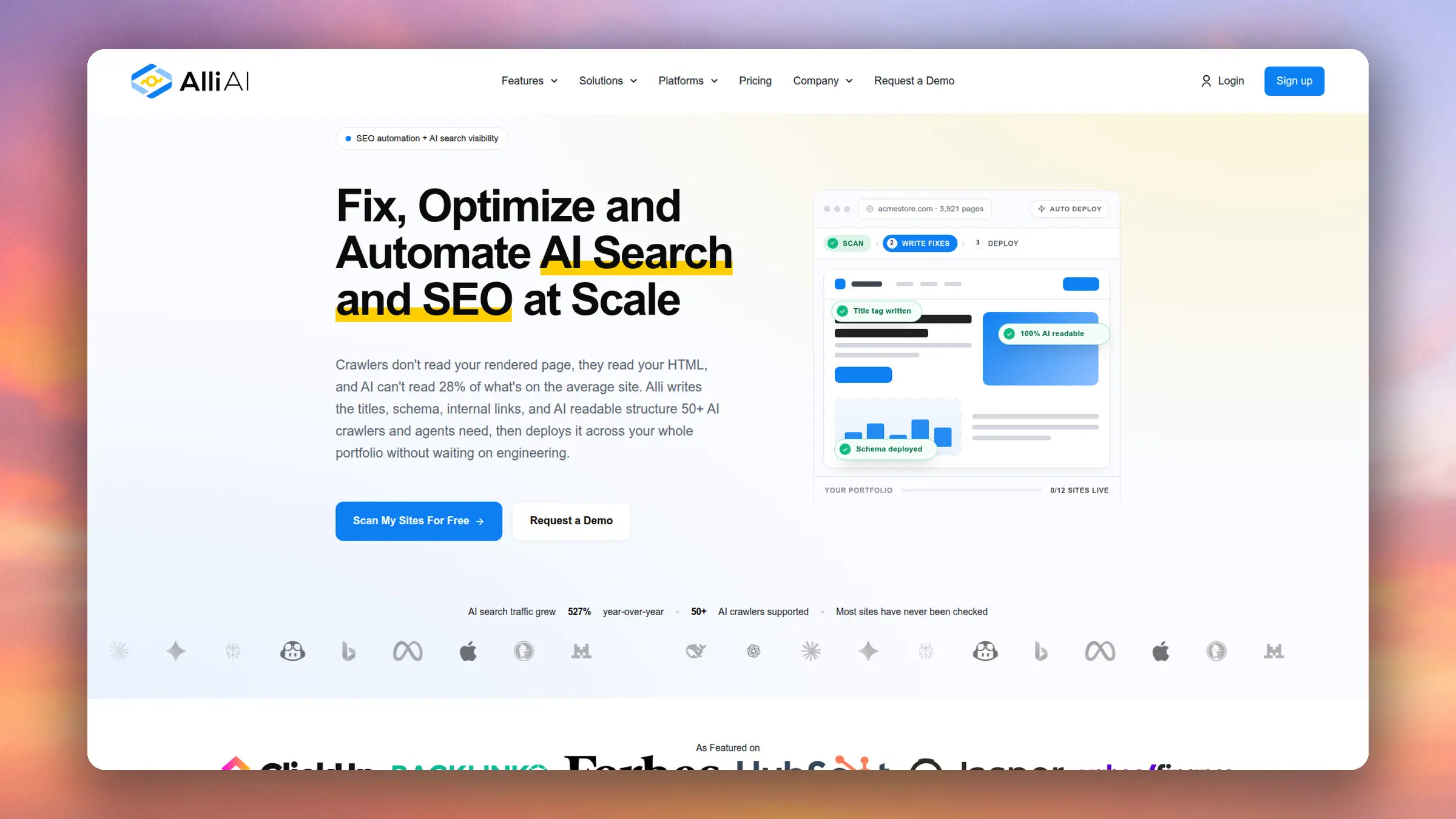
Changes deploy through a one-line JavaScript snippet, a WordPress plugin, or a tag manager, with no source code edits. Its demo shows automatic deployment, and approval or undo controls aren’t described on its site.
Best for agencies managing many sites where CMS access is limited. Skip it if you run one blog, or if you want edits saved in your posts rather than a script. Business is $249/month billed annually ($299 monthly) for 5 sites.
What Can Go Wrong With an AI SEO Agent
Most problems with SEO agents come from the same handful of failure modes. Watch for these when you trial one:
- Invented specifics. A rewritten meta description promises a number, feature, or price the page never mentions.
- Too many edits at once. Forty changes in one run make it impossible to tell which one helped or hurt.
- Touching your winners. A new title on a page that already ranks well can cost you clicks overnight.
- Voice drift. Generic rewrites flatten the personality out of a blog that people read for the writer.
- Script-only changes. Google can render JavaScript, but a December 2024 Vercel study found that none of the major AI crawlers it tracked, including ChatGPT’s and Claude’s, executed it. Edits that only exist in a script may never reach AI search.
- No way back. If the product can’t show you what changed and undo it, you’re trusting every edit blind.
How to Choose an AI SEO Agent
Before you connect anything to your live site, get clear answers to these:
- Does it write new content, edit existing pages, or both? Pick the one that matches the work you’re behind on.
- How does it change your site: through your CMS, a script, or pull requests?
- Can you require approval for every edit, and loosen that later?
- Can you undo a single change without rolling back everything else?
- Does it use your Search Console data, or only a crawl?
- Does it support your CMS, and what happens on page-builder pages?
- Is pricing per site, per article, or per edit, and what’s the cap?
How RightBlogger’s Site Agent Works
Site Agent is the maintenance agent inside RightBlogger. It doesn’t write new posts (our autoblogging tools do that). It works on the posts you’ve already published, including ones you didn’t write in RightBlogger.
Every few days it reads your recent posts and Search Console data, then queues the fixes with the most upside. Search Console suggestions carry an estimated “+X clicks/mo” so you can see which approvals matter most. Here’s what it handles today:
- Internal links from older posts to your newer guides, with proposed anchor text
- Sharper meta descriptions on pages that rank but lose the click
- Stale years in titles after the calendar flips, plus dead outbound links
- Alt text for images that have none, written after it looks at the image (existing alt text is left alone)
- Refresh this post: an on-demand pass that compares one post to the pages ranking for its topic and proposes up to 6 updates, like a missing section or updated facts
- Tasks you type in plain English, like “fix the broken links in my pricing post,” which the next audit picks up
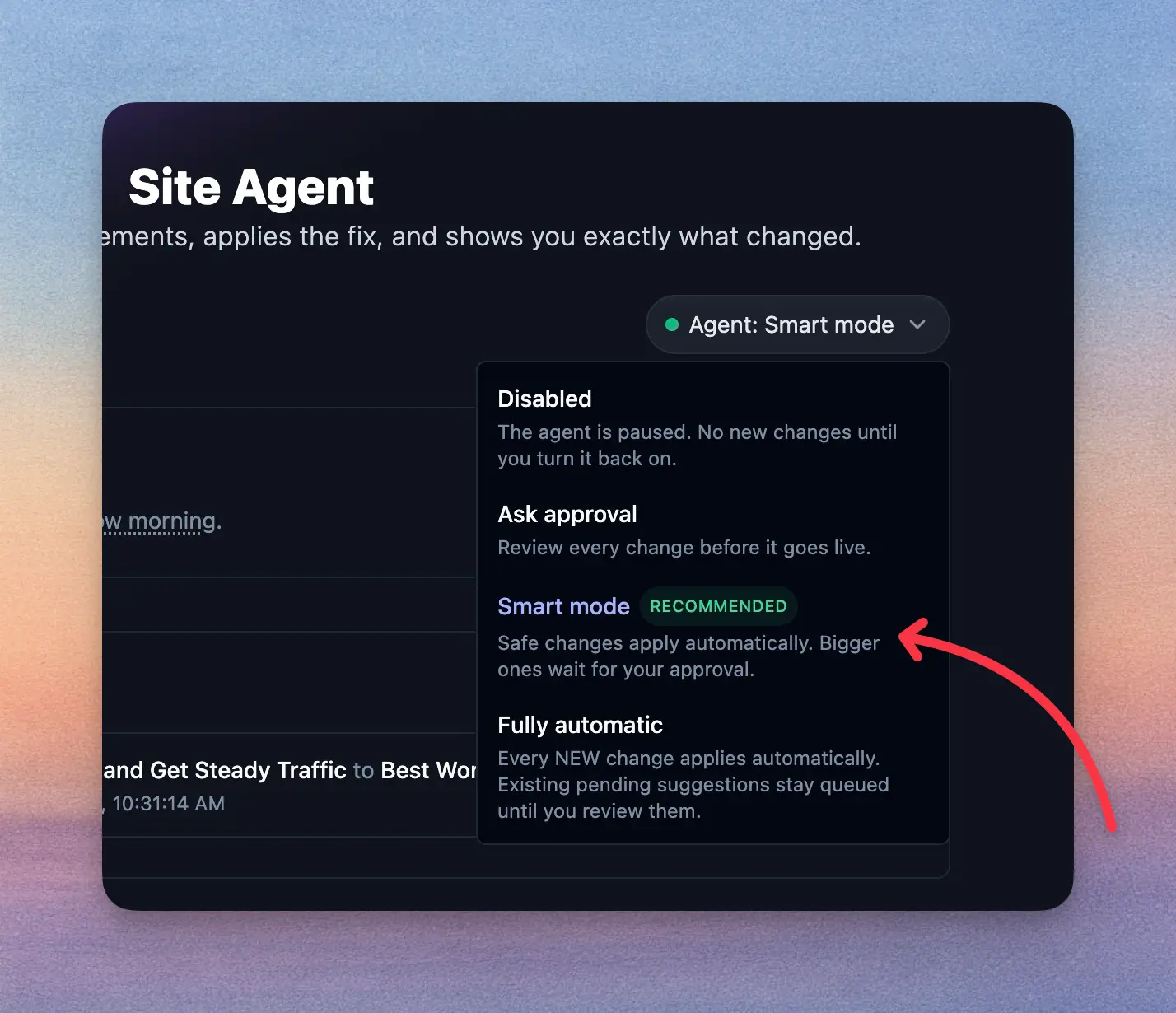
You choose how much it can do on its own. New projects start in Ask approval, so nothing changes until you click Approve. Smart mode applies internal links, other low-risk fixes, and meta descriptions automatically, while title changes and rewrites wait for you. That’s the mode I run on most of my sites. Fully automatic ships every change as soon as it’s ready, except post refreshes, which always wait for review.
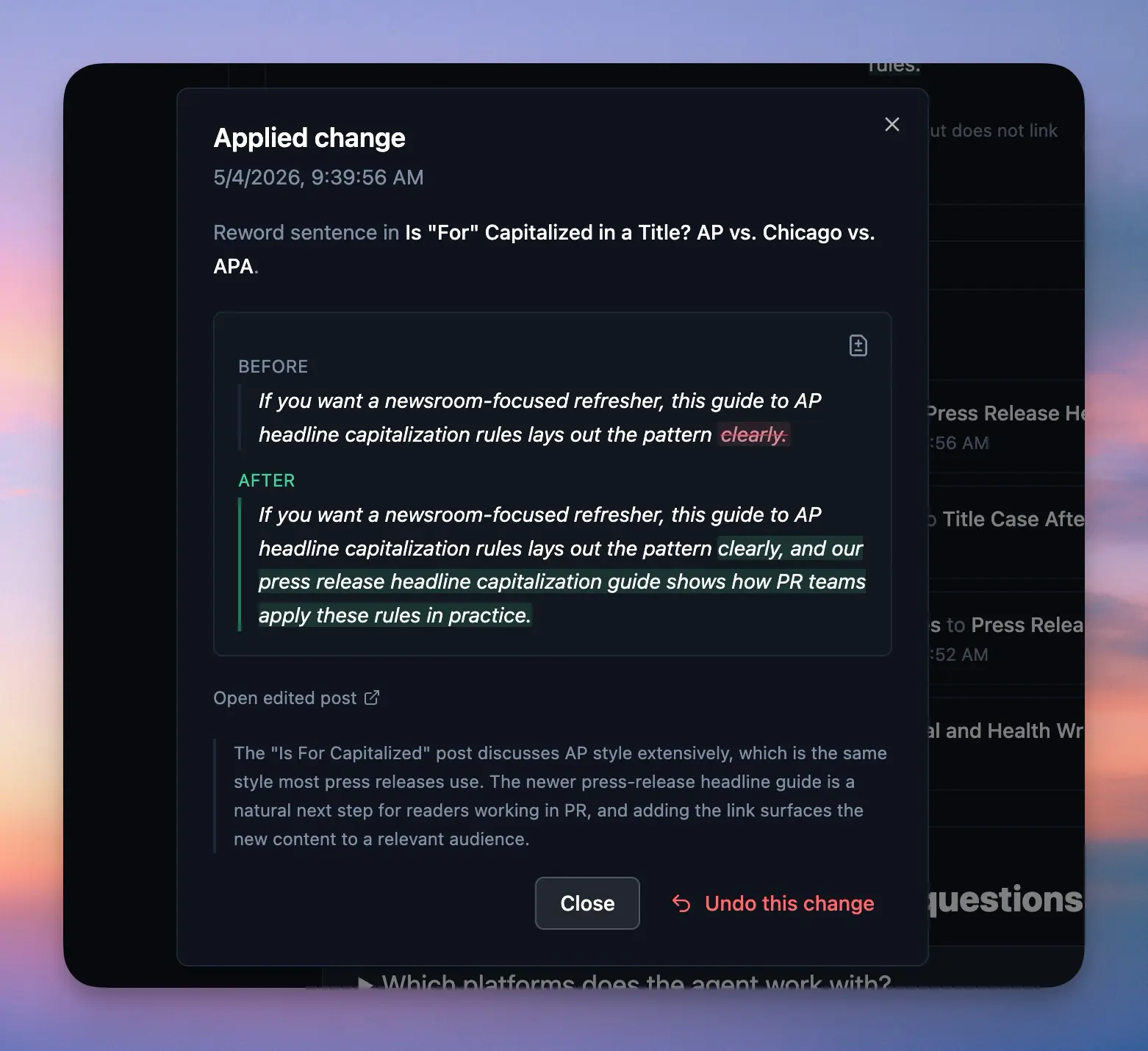
Every applied edit gets its own Undo button for 30 days. Site Agent snapshots the post before it touches it, and if you’ve edited the post since, it refuses the undo and tells you why instead of overwriting your work.
It also connects to the rest of RightBlogger. When AI Brand Monitor shows ChatGPT or another assistant has stopped naming your brand for a question, you can click Fix with agent to queue a task to answer that question in your closest existing post. Each project gets its own schedule, review queue, and history, and a digest email groups what shipped and what needs your review.
Site Agent works with WordPress (through the RightBlogger plugin), Ghost, Webflow, Wix, Shopify, and Framer. One limit to know: on page-builder posts (Elementor, Divi, and similar), it skips body and image edits.
FAQs About AI SEO Agents
Do AI SEO Agents Actually Work?
For routine maintenance, yes. Adding internal links, fixing broken links, and refreshing stale dates are well-understood fixes, and an agent does them more consistently than most people do by hand. Don’t expect one edit to move rankings on its own, though. Judge an agent by the edited pages’ clicks and click-through rate over the following weeks, not by how many changes it made.
Will Google Penalize Changes Made by an AI Agent?
Using AI isn’t against Google’s rules. Google’s stated position is that it rewards helpful content however it’s produced. What it does act on is scaled content abuse: many pages generated without adding value. A maintenance agent making a few reviewed edits per run is a very different pattern from an agent publishing hundreds of thin pages.
Can an AI SEO Agent Replace an SEO Specialist?
It can replace a lot of the repetitive work: the link audits, meta rewrites, and date sweeps that eat an afternoon. It doesn’t replace strategy, like choosing which topics to own, earning links, or deciding a page should be merged or removed. It keeps the archive in shape; deciding where the site goes is still your job.
Do AI SEO Agents Help With ChatGPT and AI Overviews?
Indirectly. ChatGPT, Perplexity, and Google’s AI Overviews lean heavily on pages that already rank, so the same fixes that help a post rank also raise its odds of being cited. For AI-specific steps, see our guide on how to get cited by ChatGPT.
Is Site Agent Included in RightBlogger Plans?
Yes. It’s included on the Solo, Pro, and Agency plans with no per-edit or per-project fees, starting at $49/month billed annually ($59 month to month). Solo and Pro audits run every three days, and Agency can run daily. It isn’t part of the free plan. Every paid plan starts with a 7-day free trial, so you can connect a site and review the first suggestions before anything goes live. See pricing for details.
Final Thoughts on AI SEO Agents
An AI SEO agent is worth it when it takes a job you keep putting off and does it carefully: small edits, a clear record, and an easy way back. Start with approval on, read the first week of suggestions, and loosen the controls only once the edits look like ones you’d have made yourself.
If your backlog is the posts you’ve already published, try Site Agent on one site and see what it finds in the first audit.

RightBlogger Co-Founder Andy Feliciotti focuses on website development and shares his expertise in blogging, SEO, photography, and travel.


Automated SEO Blog Posts for Your Site
Research, write, publish, and share from one account.
7-day free trial. Cancel anytime.





Leave a comment