
AI Blog Automation for Framer
"RightBlogger is worth every penny. The tools actually deliver results that rank."
Connect With an API Key, No Plugin
Connect FramerExample- AI featured image
- SEO title and description
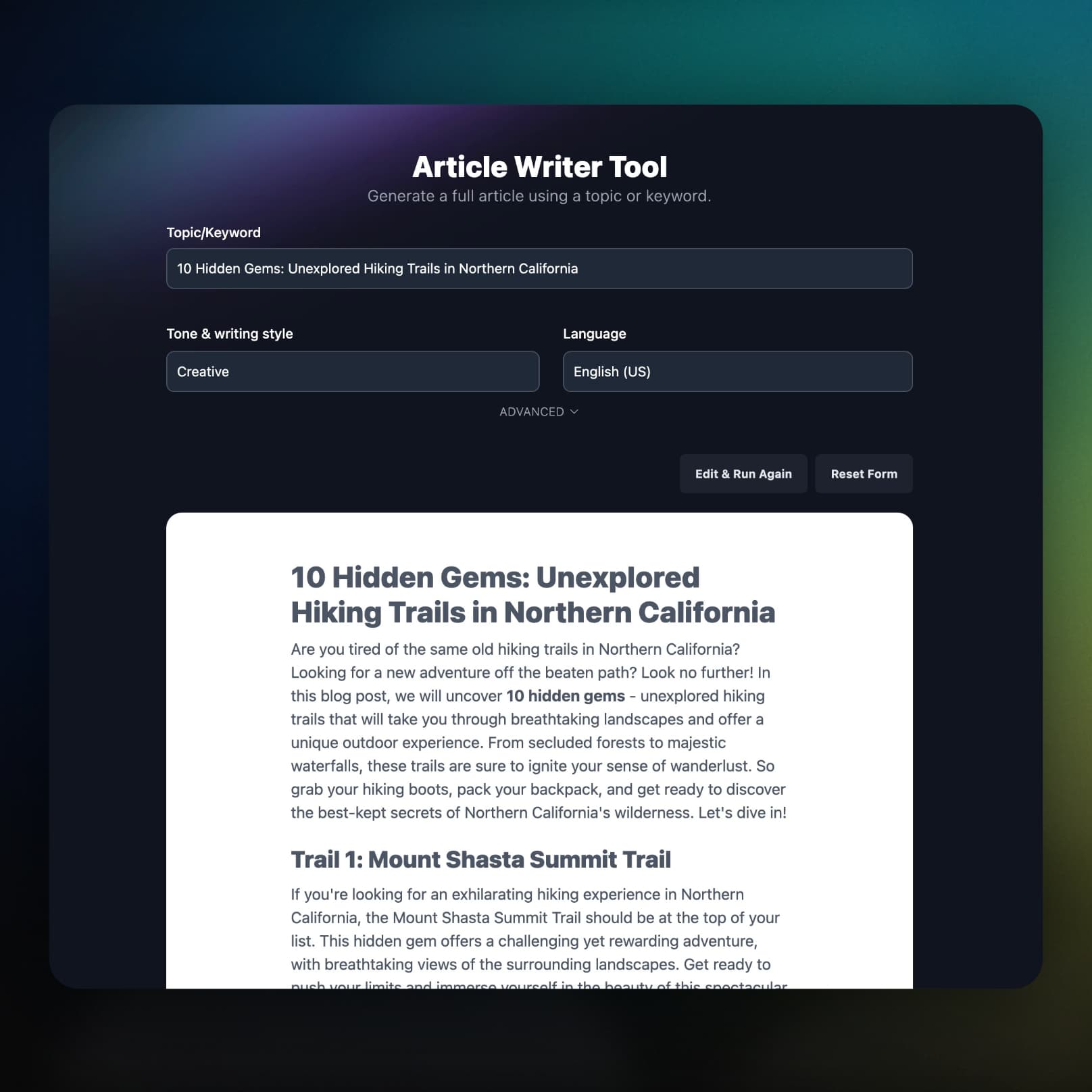
Write Articles Built for Your Collection
Long-form articles built from keyword research arrive as HTML in your Content field, ready for the blog pages you already designed.
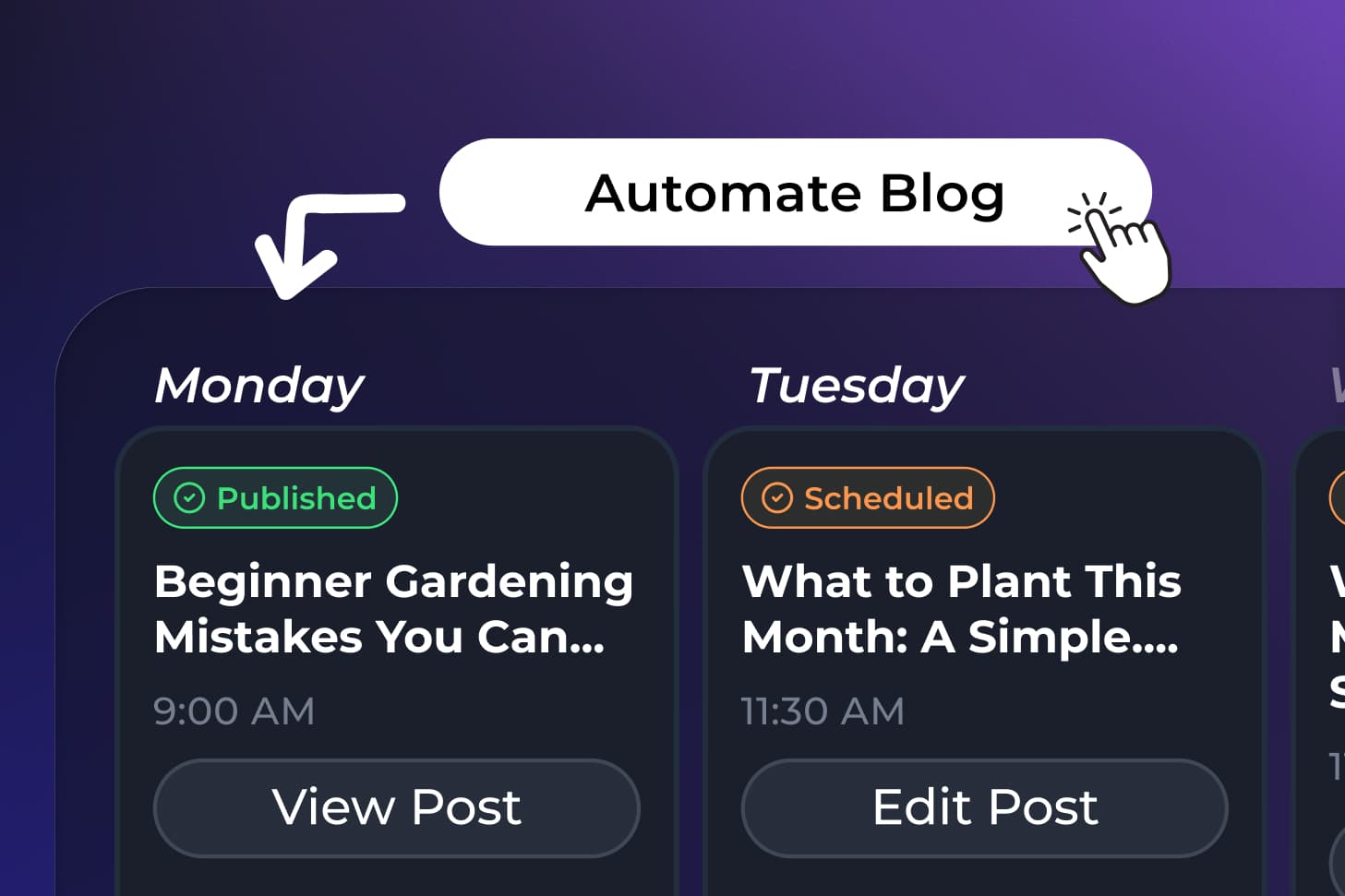
Schedule a Calendar of Framer Posts
Queue topics in the Content Planner and each article lands in your collection on the date you pick, with no copy and paste.
What Else Comes With the Framer Integration
The details that decide whether an integration is worth using: your collection fields, your SEO settings, and what happens when something breaks.
Fields created for you
RightBlogger adds Title, Content, Featured Image, Meta Title, Meta Description, and Date when they are missing, and reuses the ones already there.
SEO fields filled on every post
A meta title and meta description are written with each article. Bind the two fields to the page settings in Framer once.
Featured images included
An AI featured image is generated for each post by default and set on the Featured Image field.
Draft item or live site
Items are saved as drafts by default. Turn on **Publish site after each post** and RightBlogger publishes the site as soon as the item lands.
You hear about failures
If a scheduled item cannot reach Framer, you get an email with the error and a link to retry it from the planner.
Part of the full platform
Keyword research, the AI SEO editor, Search Console reporting, and the Site Agent that improves items already live are all on the same plan.
Frequently Asked Questions
Can't find an answer? Contact us.
How do I connect RightBlogger to Framer?
Create an API key in your Framer project under Site Settings > General > API keys, then paste it with your project URL (copied from the address bar) into the Framer integration in your project settings and pick the CMS collection to publish to. There is no plugin to install.
Which Framer collections can RightBlogger publish to?
RightBlogger can publish to any Framer CMS collection you created yourself. Collections synced from another source, such as Notion or Airtable, are read-only in Framer, so they are left out. If you do not have a blog collection yet, RightBlogger can create one with every field in place.
Do I need to set up the collection fields?
No, RightBlogger reuses the fields you already have (Title, Content, Featured Image, Meta Title, Meta Description, Date) and creates any that are missing the first time it publishes. You connect the collection to your blog list and detail pages inside Framer once, the same way you would for posts written by hand.
Do posts go live right away?
Only if you turn it on: by default each post is saved as a draft item you review and publish from Framer. Turn on Publish site after each post and RightBlogger publishes the site as soon as the item is created. Framer publishes the whole project when it does, including unpublished design changes, so leave it off during a redesign.
Can I schedule and automate posts to Framer?
Yes, Autoblogging schedules posts to your Framer collection: queue topics in the Content Planner, pick the dates, and RightBlogger writes and sends each article on its day.
What content does RightBlogger send to Framer?
RightBlogger sends the title, a URL slug (numbered if it is already taken), the full article as HTML in the Content field, a featured image, a meta title and meta description, and the publish date. Headings, lists, links, and images come across as Framer formatted text.
Does the Site Agent work with Framer?
Yes, the Site Agent reads the items in your collection, finds improvements such as internal links and sharper meta titles and descriptions, and writes the edits back to the item. When publishing after each post is on, the site republishes after each applied edit.
RightBlogger also publishes to






Automated SEO Blog Posts for Your Site
Research, write, publish, and share from one account.
7-day free trial. Cancel anytime.




