

AI Blog Automation for Blogmaker
"For the price and ease of use, what RightBlogger offers is unmatched."
Connect Once, Then Publish in One Click
- Draft or live
Posts arrive as drafts in the Blogmaker editor unless you turn on Publish instantly.
- Featured image attached
Every post gets a featured image, the one you picked or an AI image in your project's image style, sent with the article.
Connect BlogmakerExampleBlogmakerAPI key ••••••••••Connected- AI featured image
- SEO title and description
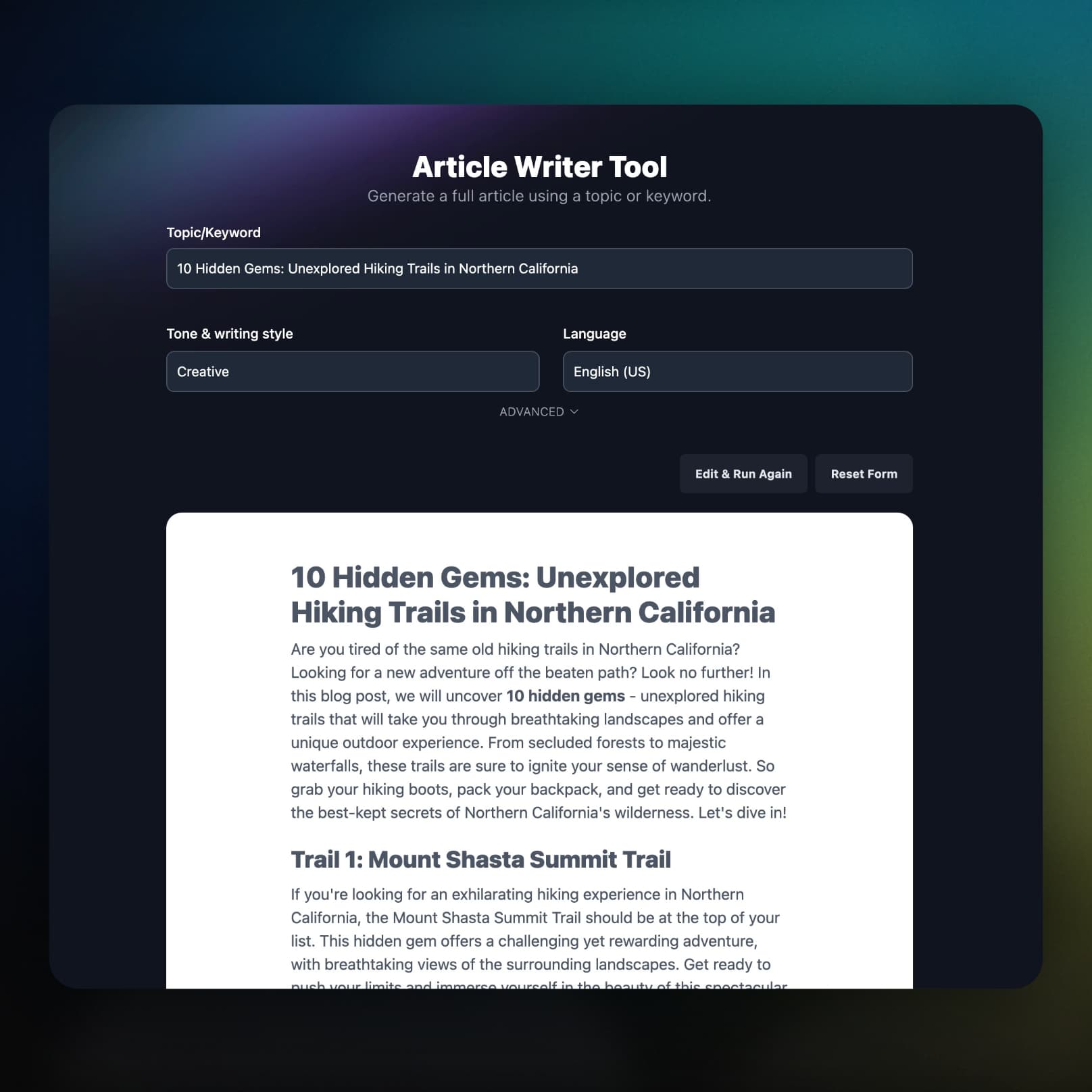
Write Long-Form Posts for Your Blogmaker Blog
RightBlogger researches your keyword and writes a long-form article on it, ready to send to Blogmaker.
Put Your Blogmaker Blog on Autopilot
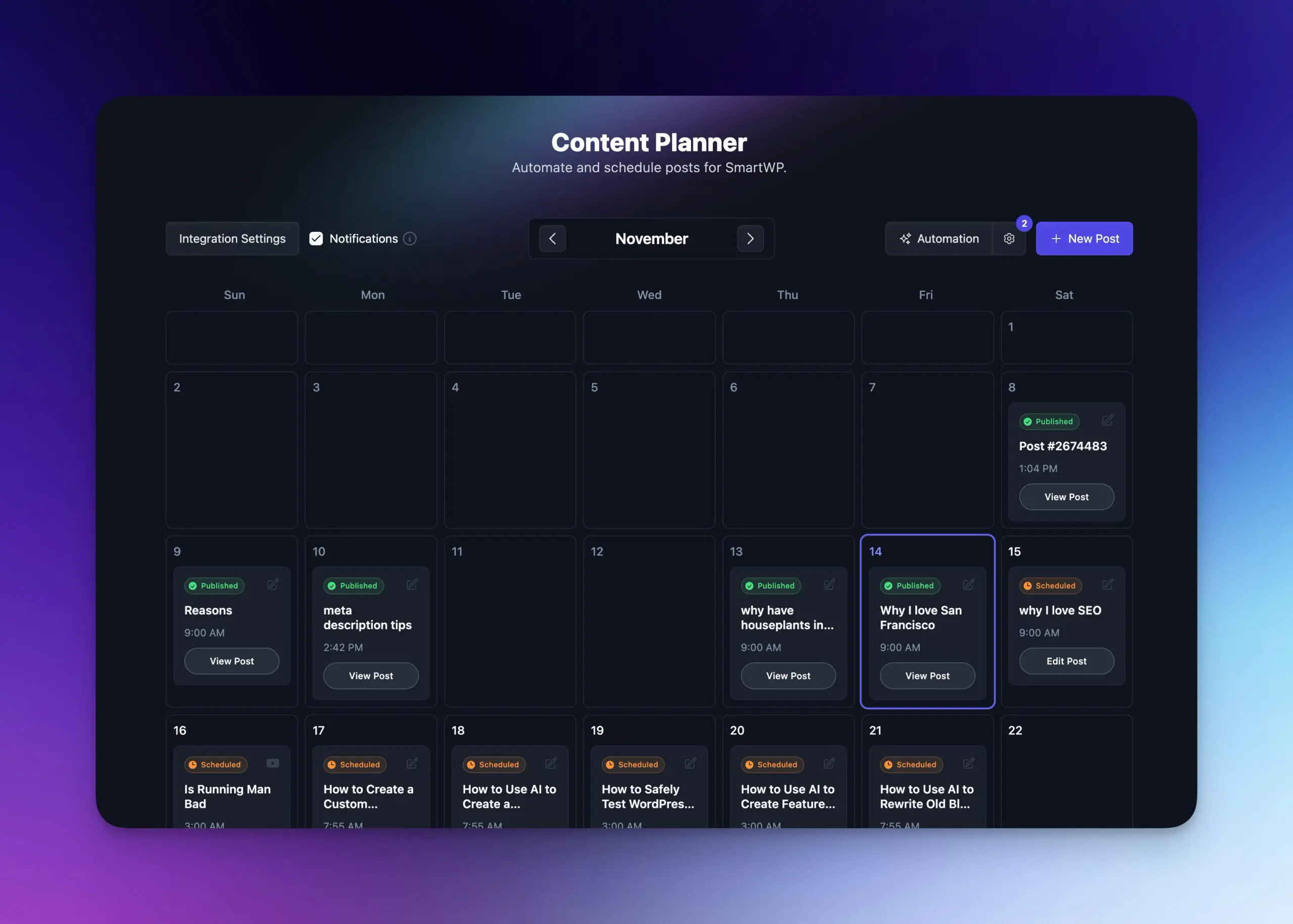
Schedule topics in the Content Planner and RightBlogger writes each post and sends it to Blogmaker on its day.
- Plan on a calendar
See every upcoming post and its publish date in one view.
- Set keywords and cadence
Pick the topics and how often to post. RightBlogger handles the writing and publishing.
- Learn more about autoblogging
What Else Comes With the Blogmaker Integration
How you connect, what lands on the post, and what happens when something breaks.
One token to connect
Paste a single API token. No plugin, no OAuth screens, no site IDs to hunt down.
Description written for you
Each post ships with a generated meta description, so your listing does not cut off mid-sentence.
Readable URL slugs
Each post URL is built from its title.
Social links go to the live post
When a post publishes, RightBlogger finds its public URL, custom domain included, so social shares link to the article.
You hear about failures
If a scheduled post cannot reach Blogmaker, you get an email naming the cause, from an invalid token to a duplicate URL.
Part of the full platform
Keyword research, the AI SEO editor, and Search Console reporting come on the same plan.
Frequently Asked Questions
Can't find an answer? Contact us.
What is Blogmaker and why integrate it with RightBlogger?
Blogmaker is a hosted blog platform for founders and small teams, and connecting it to RightBlogger lets you write SEO articles and send them to your Blogmaker blog in one click or on a schedule. RightBlogger adds the keyword research, writing, featured image, and meta description; Blogmaker hosts and serves the blog.
How do I connect my Blogmaker account to RightBlogger?
Copy your API token from Settings → API in the Blogmaker dashboard, then open your project settings, choose Blogmaker under Integrations, and paste it. RightBlogger checks the token and shows your blog's name. Blogmaker only allows posting through its API on plans that include it (the Advanced plan at the time of writing).
Does RightBlogger generate featured images and SEO descriptions for Blogmaker?
Yes. Every post is sent with a featured image (the one you picked, or an AI image), a generated meta description, the title, the full article body, and a URL slug built from the title.
Will my posts publish immediately or save as drafts?
Posts save as drafts unless you turn on Publish instantly in the Blogmaker connection settings. Drafts land in the Blogmaker editor at editor.blogmaker.app for review; with the setting on, posts go live the moment RightBlogger sends them.
What is the best AI writing tool for a Blogmaker blog?
RightBlogger connects to Blogmaker directly: it researches keywords, writes the article, generates the featured image and meta description, and sends the finished post to your blog through the Blogmaker API. Published posts can be shared to your social accounts automatically.
What happens if a post fails to reach Blogmaker?
RightBlogger tells you why in plain English: an invalid or missing API token, a rate limit, a Blogmaker plan without API posting, or a rejected URL. For scheduled posts, that reason is emailed to you with a link to the post in the Content Planner so you can fix and retry.
Why did my post URL get rejected?
Blogmaker rejects a URL that is purely numeric, uses a reserved word, or duplicates an existing post. Since the slug comes from your title, adjusting the title usually fixes it, and RightBlogger names which of the three it was.
Can I automate content creation for my Blogmaker blog?
Yes. With Autoblogging, add keywords to the Content Planner and set a schedule; RightBlogger writes each article and publishes it to Blogmaker on its day.
RightBlogger also publishes to





Automated SEO Blog Posts for Your Site
Research, write, publish, and share from one account.
7-day free trial. Cancel anytime.




