How to Use the Site Agent in RightBlogger
Choose how edits are approved, queue specific fixes, and undo any applied change for 30 days.

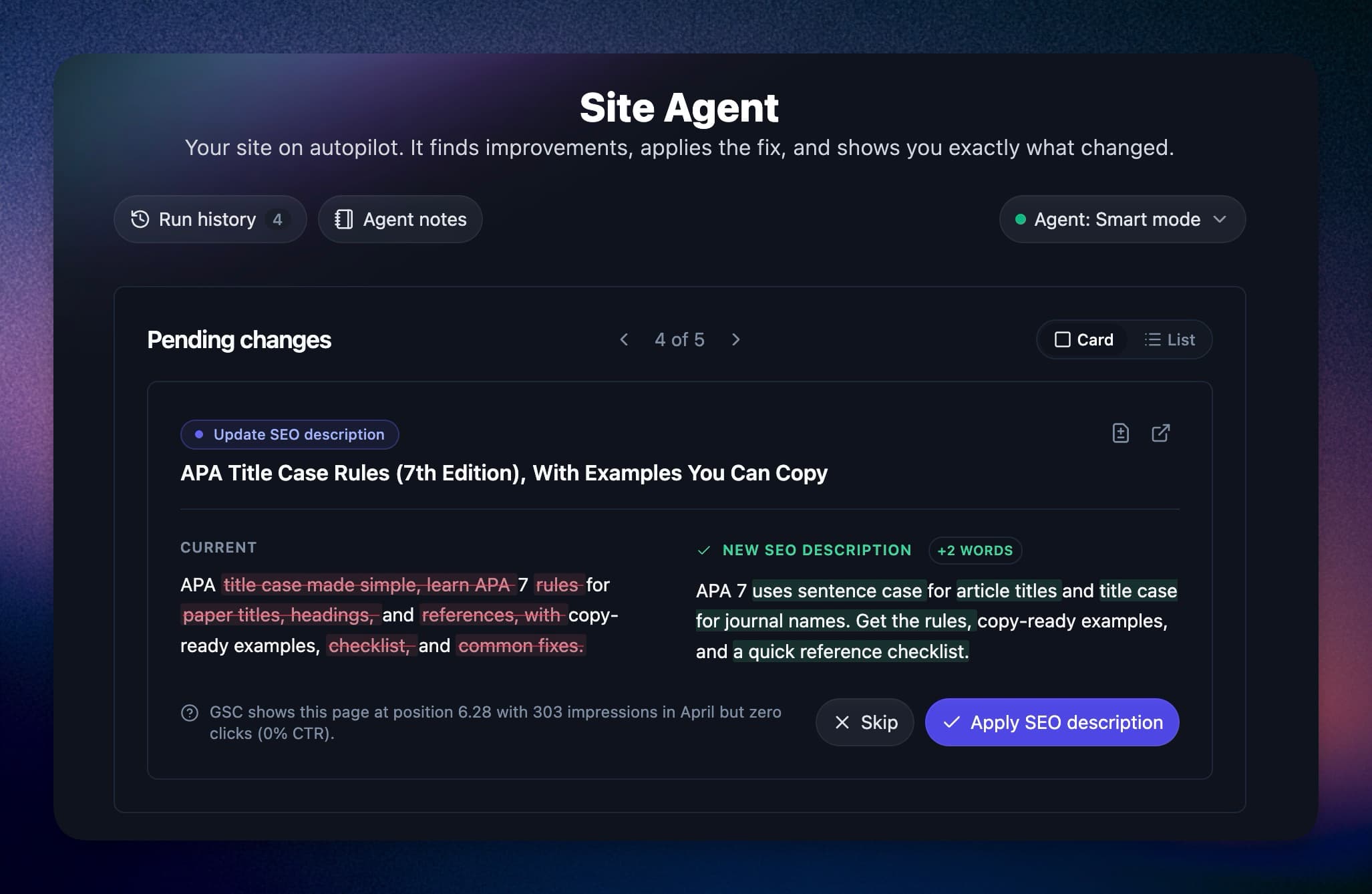
The Site Agent is a RightBlogger assistant that checks your connected site on a recurring schedule (about every three days on paid plans) and proposes specific, reviewable improvements to the content you have already published. Think of it as a content editor that works in the background: it studies your site, drafts precise changes, and either waits for your approval or applies the safe ones automatically, depending on the mode you choose.
What the Site Agent Does
On each run, the agent reviews your published content and looks for practical improvements, like adding helpful internal links between related posts, refreshing outdated details, and tightening on-page SEO. When your project is connected to Google Search Console, the agent also uses your real search data to focus on the pages where improvements matter most.
Every idea the agent has becomes a suggestion: a specific change to a specific post, with a plain-language description of what it does. Suggestions are small and focused. The agent proposes a handful of quality changes per run rather than rewriting your site in bulk.
Suggestions, Approvals, and Modes
Each audit creates specific suggestions first. What happens next depends on the approval mode you choose:
- Ask approval: Review every change before it goes live. This is the fully hands-on option.
- Smart mode (recommended): Safe edits, and edits that clearly match your tasks, apply automatically. Other changes wait for your approval.
- Fully automatic: Every new change applies automatically. Existing pending suggestions stay queued until you review them.
- Disabled: The agent is paused. No new changes until you turn it back on.
In every mode, suggestions also pass an automated quality check before you see them, so weak ideas get filtered out rather than filling up your review queue.
Give the Agent a Task
The agent finds its own improvements, but you can also point it at something specific. Click Add task at the top of the Agent page, describe what you want in a sentence, and the task is queued for an upcoming run. The examples in that box are built from your own posts, so they show the kinds of requests that work well: link older posts to a new one, fix the broken links in a specific post, refresh a year in a title, or rewrite a meta description.
The AI Brand Monitor can hand the agent tasks too. On prompts you are losing, a Fix with agent button queues a task for you, with a brief covering who answered instead of you, which competitors were named, and which sources the AI cited.
Tasks live in the same Pending changes list as the agent’s own proposals, so there is one place to look:
- Queued: Your task appears as a card marked “You asked” until an audit picks it up. Each audit takes on at most two tasks, so a longer queue is worked through over a few runs. You can keep up to 15 tasks open per project.
- Proposed: When the agent acts on a task, the change it makes carries the same “You asked” label and is reviewed or applied according to your mode. In Smart mode, edits that clearly match your task can apply automatically. Your email summary groups these changes under your request, too.
- In progress: A site-wide request, such as replacing an old link everywhere, is handled in chunks. The card shows how many changes have landed so far and continues on the next audit, up to 10 changes per task. Add a new task if more remains after that.
- Closed: If the agent cannot do what you asked, the card says so with its reason. You can try again or dismiss it.
Tasks work best when they name a post and a change. The agent can add or fix links, reword a sentence, add a section, and update titles and meta descriptions. It does not rewrite whole posts or create new ones; use the Article Writer for that.
Agent notes, also at the top of the Agent page, are different from tasks. Notes are facts and preferences the agent reads before every audit, like “never link to competitor sites” or how your brand name is spelled. Use notes for how the agent should work and tasks for what you want done.
How Your Content Is Protected
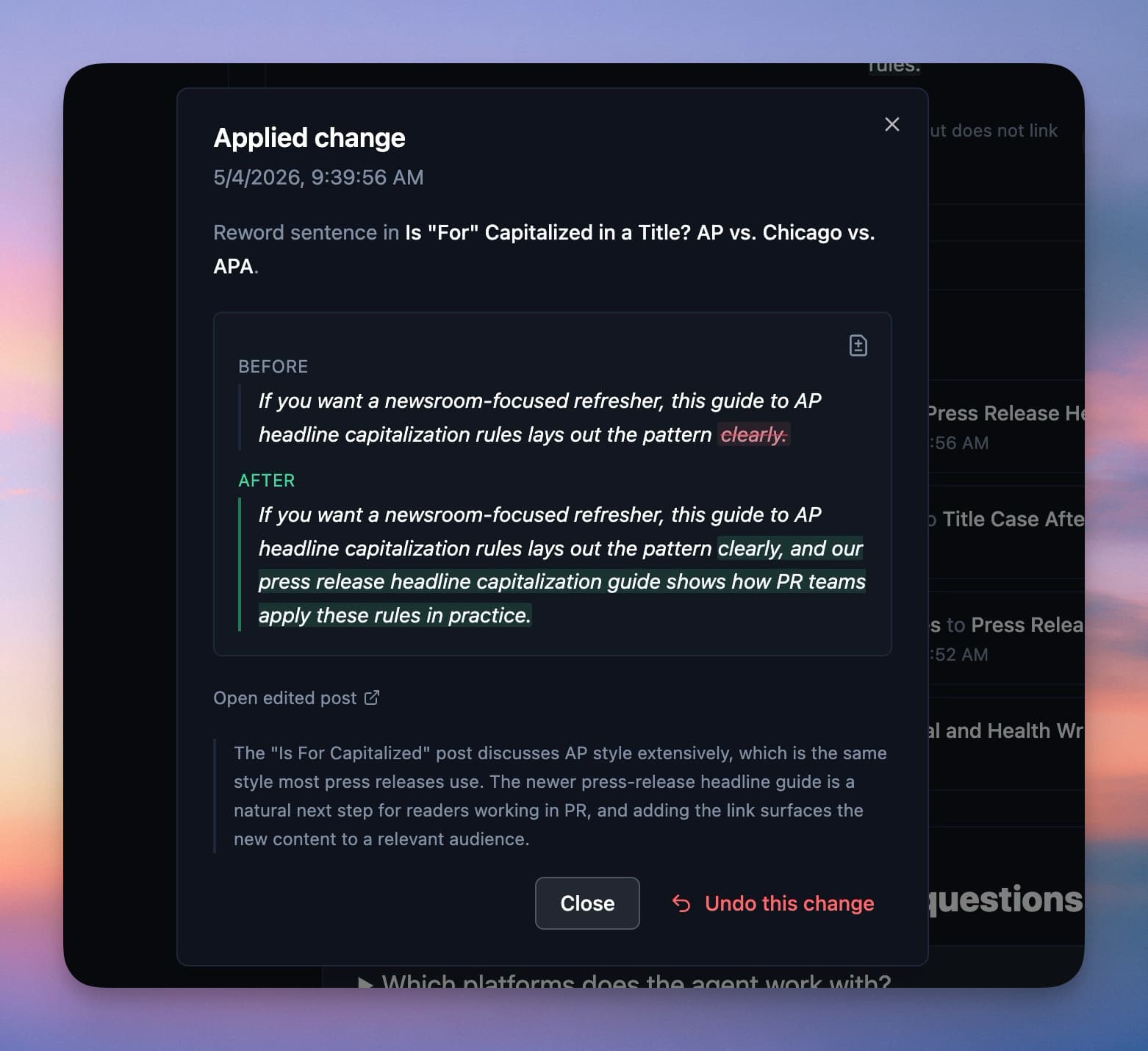
- Exact-match edits: Every change targets an exact snippet of your current content. If a post changed since the suggestion was created, the agent refuses to apply it rather than guessing.
- Automatic backups: Before any change is applied, the agent saves a full copy of the post, stored in two independent places.
- One-click undo: Every applied change has an Undo button on the Recently applied card for 30 days.
- Small batches: Runs are intentionally capped to a few focused changes, so you can always tell what happened and why.
Scheduling and Running the Agent
By default the agent runs every few days. You can adjust how often it runs from the agent settings, and Agency plans can unlock a daily cadence. Tasks join the queue for upcoming scheduled runs, up to two per run, so a task may wait more than one run.
Email Summaries
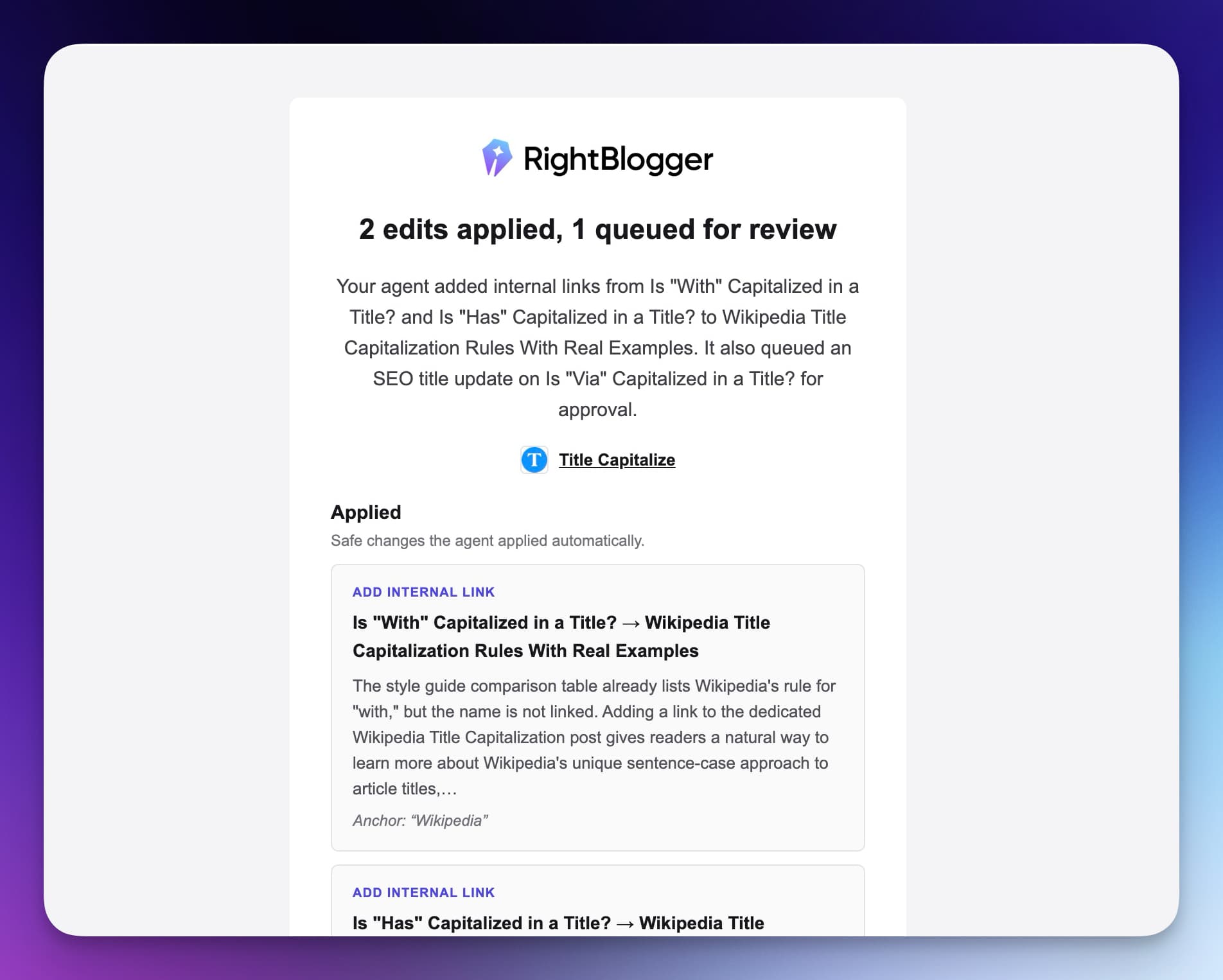
After a run, RightBlogger can email you a summary of what was applied and what is waiting for your review, so you never need to keep the dashboard open to stay informed. Changes that came from your tasks are grouped under your request in the email. Turn these emails on or off with Site Agent notifications in the project’s Settings tab, under Notifications, or for every project under Account, then Notifications, then Agent. The agent will also let you know if it loses the connection to your site.
Which Platforms It Works With
The Site Agent works with sites connected through WordPress (via the RightBlogger plugin), Ghost, Webflow, Wix, Shopify, Framer, and Git (GitHub and Cloudflare Artifacts repositories). Connect your site first, then enable the agent for that project.
Does It Help With AI Search Too?
It can help, but no edit guarantees an AI citation. Clear, current pages with useful internal links are easier for search engines and AI systems to discover and understand. The Site Agent improves those fundamentals by refreshing stale details, strengthening internal links, and improving search snippets. If you also want to measure whether your brand appears in AI answers, use the AI Brand Monitor.
How to Turn It On
Open the Agent page inside RightBlogger, choose the project you want it to work on, and enable it. If that project has no connected site yet, the page shows only the connect step until an integration is in place. Pick your mode (Smart mode is the recommended starting point), set how often it runs, and the agent takes it from there. The Site Agent is included on the current Solo, Pro, and Agency plans. It is not included on Free or legacy Lite accounts.
A good first week: leave it on Ask approval, read the first batch of suggestions, and approve the ones you like. Once you have a feel for its judgment, switch to Smart mode and let it handle the routine improvements while you focus on writing.
Still need help?
Ask the AI assistant for an instant answer, or reach us directly and we will get back to you as soon as we can.
Automated SEO Blog Posts for Your Site
Research, write, publish, and share from one account.
7-day free trial. Cancel anytime.




