
Ryan Robinson
Co-Founder, Marketing
Ryan has spent 10+ years building blogs that rank, attract loyal readers, and turn SEO traffic into revenue.
Visit ryrob.comWhat You Get
Readers get a tool that solves a real problem on your site, and you get an optional way to collect their email.
Generators, planners, recommenders, and checklists for your niche. Describe the tool and Tool Studio writes the form and the prompt.
Add an email signup or your own call to action to any tool, and optionally blur results until visitors complete it.
See how often each tool ran over the last 30 days, so you know which ones to build on.
How It Works
Pick an idea, match it to your site, and paste it into any page.
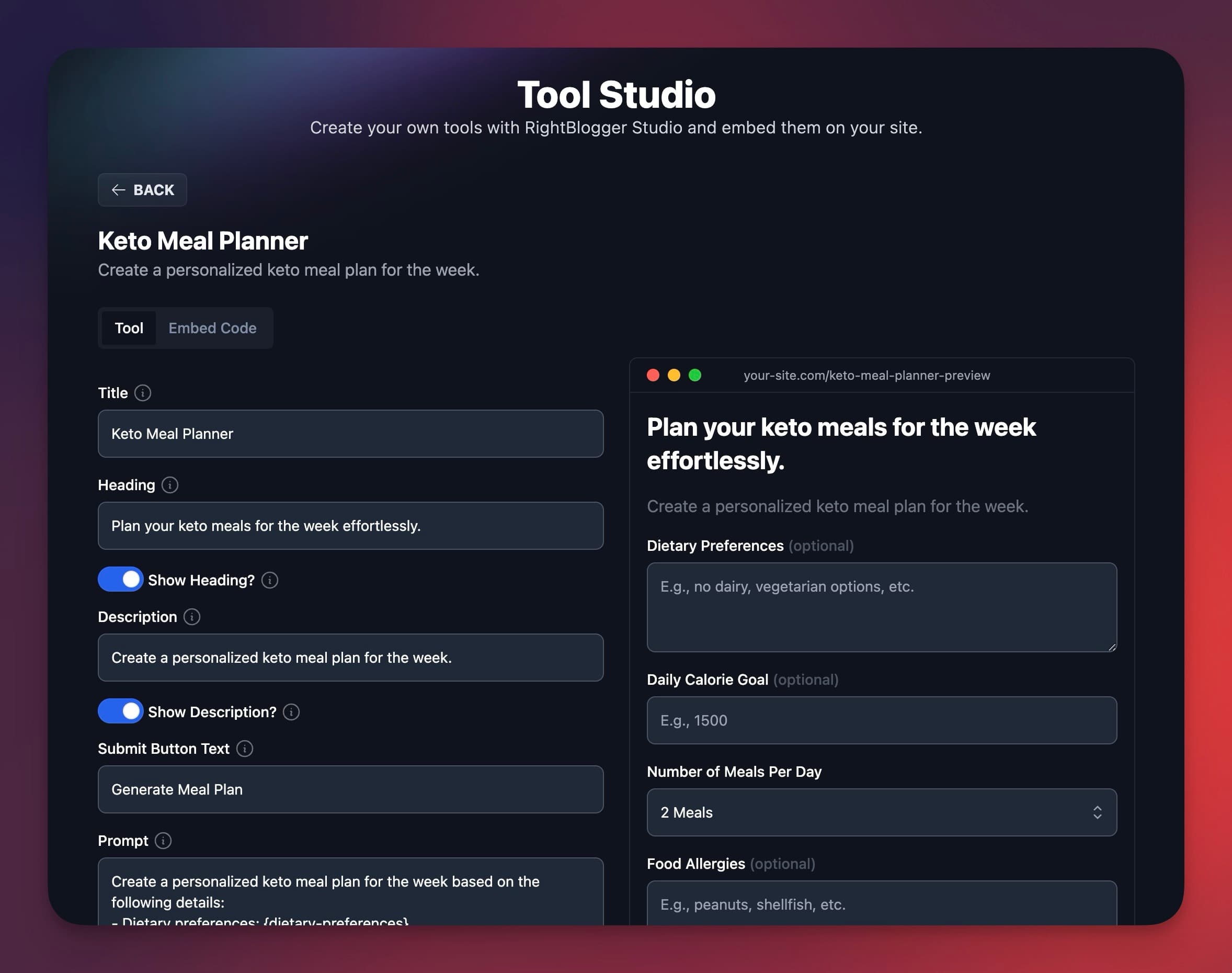
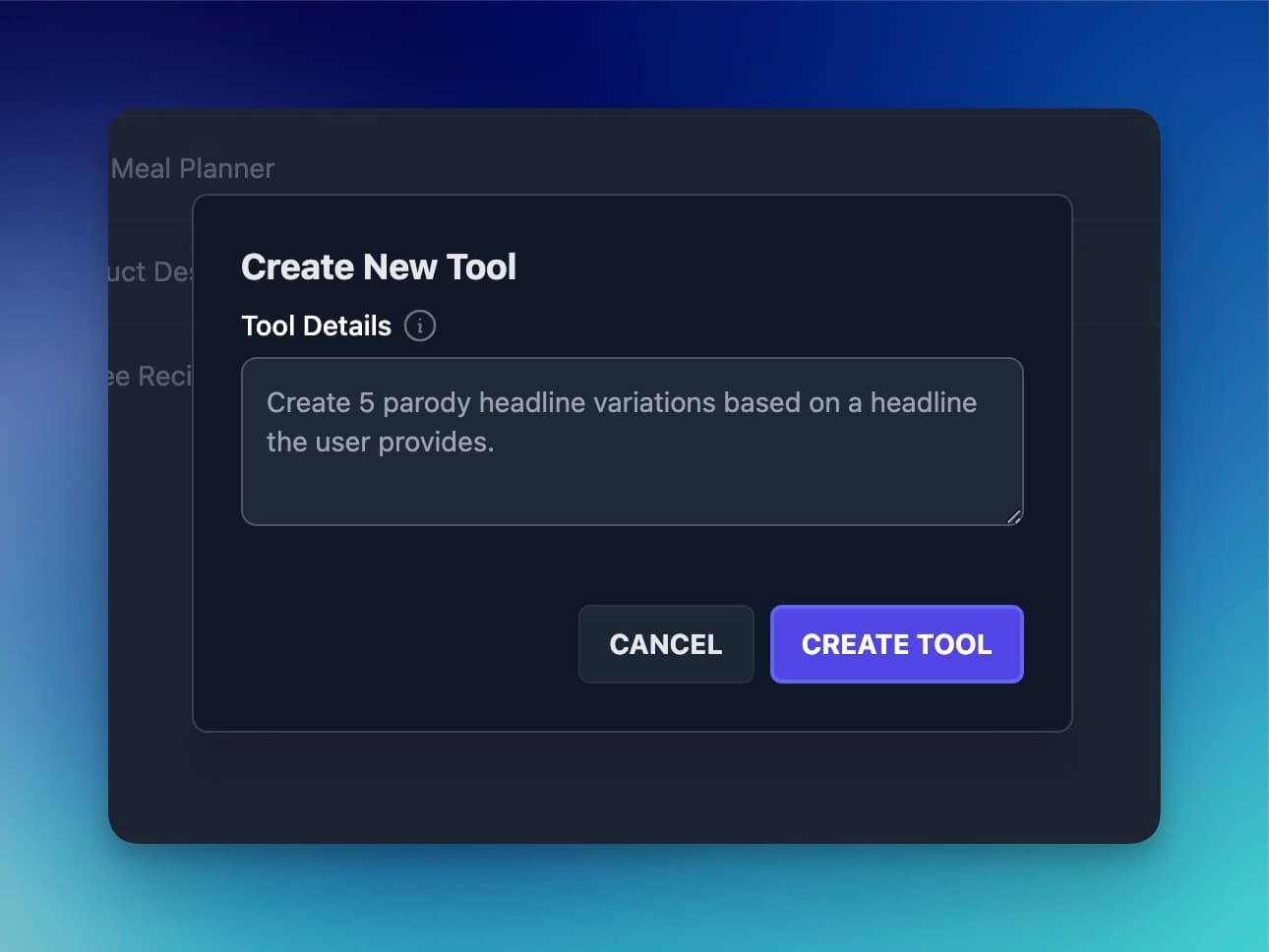
Tool Studio suggests tool ideas based on your interests, or you describe your own from scratch.
Set colors, buttons, layout, and light or dark mode. Paid plans can hide the RightBlogger badge and add custom CSS.
Paste one snippet on any page, or use the RightBlogger Tool block in our WordPress plugin and skip the code.

Guitarist & Lifelong Musician, stringshock.com
"I use Tool Studio to create fun, interactive AI tools for my audience. One lives in my sidebar, others are woven right into my content. Readers get something genuinely useful and engaging, and I get better retention and SEO. The 30-day analytics show me exactly how each tool is performing. Nothing else lets me build something like this without code."
Built by Practitioners
Tool Studio is built by RightBlogger's co-founders, Andy and Ryan, both longtime bloggers.
Co-Founder, Marketing
Ryan has spent 10+ years building blogs that rank, attract loyal readers, and turn SEO traffic into revenue.
Visit ryrob.com
Co-Founder, Product
Andy is the developer behind Tool Studio, focused on tools that are easy to embed and work on real websites.
Visit ihitthebutton.comCan't find an answer? Contact us.
Tool Studio builds interactive AI tools that you embed on your own site. Describe the tool you want, and it writes the input fields and the prompt. Adjust the fields, behavior, and look, test it in preview, then copy the embed code onto your page.
Build one for a narrow question your audience asks all the time. Generators, planners, recommenders, and checklists tied to your niche work well because they give a useful result right away. Our guide to tool lead magnets has examples.
Yes. Set the call to action to Email Capture and the tool asks visitors to subscribe alongside their result. Email capture is optional: you can use a custom call to action or none. If the result is worth trading an email for, turn on Require CTA to View Results, which blurs the result until the visitor subscribes.
Copy your tool's embed code and paste it where you want the tool to appear. On WordPress you can skip the code: install our free WordPress plugin, add the RightBlogger Tool block, and pick your tool from a dropdown. For search traffic, surround the tool with supporting content like a short intro, how-to steps, and FAQs.
Solo includes 5 tools, Pro 15, and Agency 50. The Free plan can build up to 3 tools and use them inside RightBlogger, but embedding them on your site needs a paid plan. Each tool has an Analytics tab with its usage over the last 30 days. Compare plans.
Every current paid plan can embed Tool Studio tools on your site, with more tools on larger plans.
For bloggers with one site
$588/yr billed annually
Save $120/yrFor bloggers with multiple sites
$23 per site
$828/yr billed annually
Save $240/yrFor agencies managing client sites
$19.90 per site
$2,388/yr billed annually
Save $1,200/yrNot ready for a trial? Create a free account and use the tools with 2,000 free words every month. No credit card required.