How to Turn RightBlogger SEO Reports Into Update Briefs
Learn how to turn RightBlogger SEO data into clear update briefs writers can act on immediately.

Some blog posts fail before the writing even starts. The report gets opened, skimmed, and dropped into a folder with no clear next step.
That is where RightBlogger SEO reports earn their keep. They should not sit there like a dusty spreadsheet. Instead, they should serve as the foundation of a solid SEO strategy.
By transforming these insights into a clean update brief, you provide your writer with a clear roadmap of what to fix, what to keep, and what to leave alone. This helps streamline the editing process and keeps everyone focused on the same goal.
If you already publish at scale, this workflow can save a significant amount of time. The process is simple, but it begins with deeper keyword research to validate your findings.
Once you have that context, you can read the report like an editor and turn it into a brief that points the work in one definitive direction.
Key Takeaways for RightBlogger SEO Reports
- When a report turns into a brief, it stops being background noise. It becomes a actionable task with a clear target keyword objective.
- The best briefs focus on intent, priority, and proof. They tell the writer exactly what the page should do to effectively compete with top ranking content, what specific elements need to change, and what should stay intact.
- If you want a quick refresher on what the report includes, the RightBlogger SEO reports overview is a solid place to start.
Read the SEO Report Like an Editor
A good report can look busy at first glance. That is normal. The goal is not to react to every line, but to spot the patterns that drive performance.

Start by looking at the page purpose. What query is it trying to win, and how does that match up with current Google Search Results? As you review the data, perform a quick competition analysis to see how your page stacks up against those currently ranking at the top. Does the current angle actually satisfy the user intent, or does the content need a pivot?
Use the data provided to guide your editorial decisions. High search volume for specific terms should influence how you prioritize content updates, while keyword difficulty scoring can help you decide which topics are worth the effort to target. If the headings do not help the reader move through the page, they are likely just filling space.
For the basics, Google’s SEO Starter Guide still holds up. It keeps the focus on clear titles, useful structure, and pages that answer the question well.
You are not writing a verdict. You are writing a map.
That mindset changes the whole process. Instead of handing off a pile of notes, you hand off clear, actionable direction.
Turn Findings Into a Writer-Friendly Update Brief
A brief should be short enough to scan in a minute. If it takes longer, it probably includes too much raw report data.
Start with one sentence on the page goal. Then name the main problem the report found. After that, spell out the changes in plain language. You should include specific instructions regarding the content structure and target word count to keep the piece focused. Think “expand this section,” “rewrite this heading,” or “add a source-backed example.” That kind of note gives the writer something real to work with.
The brief should also say what not to waste time on. If a section already matches search intent, say so. If the intro is strong but the middle needs more depth, call that out. Update briefs work better when they point out both the fix and the keepers.
Once the brief is ready, you can use AI writing tools to help the writer execute the changes. Even if you are into autoblogging, these structured briefs are essential for refining your automated outputs to ensure they stay competitive.
Additionally, the AI Article Writer can handle the first pass of these updates to save time. Use these tools to support the edit, not to replace the brief. The brief sets the direction, while the edit sharpens the page.
Prioritize Changes That Matter Most
Not every issue deserves equal attention. If your RightBlogger report points to a low SEO Score, thin sections, and a missing answer to the main question, the order of operations matters. Always prioritize the most significant gaps first.
This is where many teams get stuck. They turn a useful report into an overwhelming list, and the writer gets buried. A better brief clearly states what must change during this specific update cycle and what can wait for later.
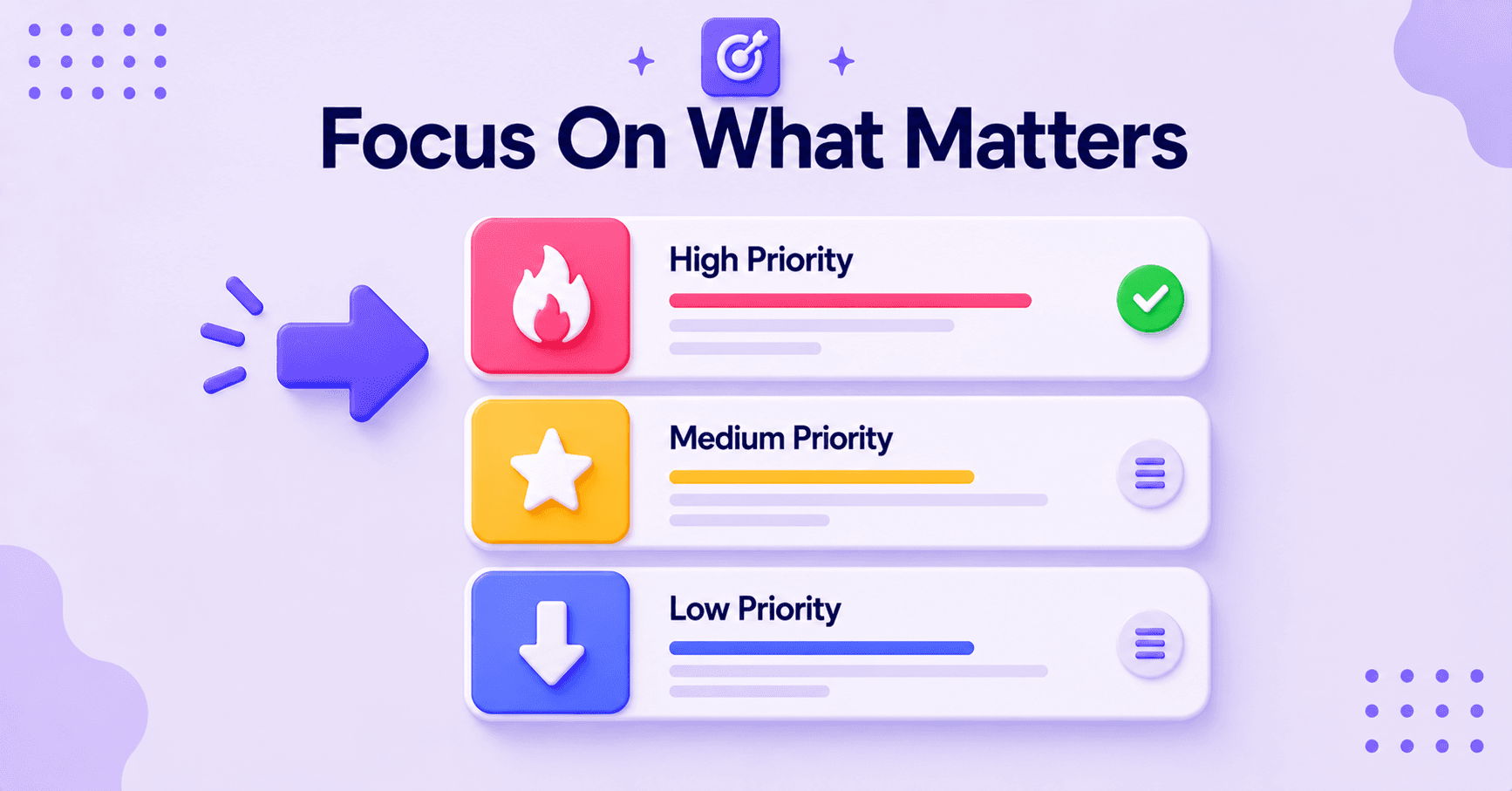
To keep your efforts focused, ensure your content remains aligned with the primary target keyword for that page. If the report indicates that your page is struggling to rank because it covers too many unrelated topics, consider using a Keyword Cluster tool to better organize your content strategy.
If your team needs a bigger system for choosing what gets updated first, creating an actionable SEO content plan helps keep updates tied to the pages that can move fastest. You do not need to patch every page at once. You simply need to know which page deserves the next hour of work to improve its SEO Score.
A blog audit walkthrough can also help when you want to see how an editor weighs a significant rewrite against a lighter refresh. That kind of judgment is essential when the backlog is full and you need to maximize your impact.
Add Sources, Links, and Page Notes
A report tells you where the page is weak. The brief should tell the writer what evidence to use to strengthen the content.
That means including top sources, updated stats, product notes, internal pages, or examples from your own content library. If a section needs support, name the source and explain why it belongs there. During your optimization process, be sure to highlight any missing keywords that the writer should integrate to improve search coverage and topical authority.
Keep the notes tight. If a paragraph should link to a deeper page, say where that link should go and what reader question it answers. That saves back-and-forth later.
Tone matters too. Use your MyTone preferences to explain exactly how the page should sound. Should the content be practical, conversational, or more expert? Should it speak to beginners or people who already know the topic? The more specific your notes are, the less rewriting you will have to do later.
For a broader system around what gets updated and why, this SEO content strategy system is a useful companion read.
A Simple Brief Format You Can Reuse
Use the same consistent order for every assignment. That makes handoffs easier and keeps your team from guessing. This standardized format is perfect for both long-form articles and standard blog posts. If you are an agency owner, you can even export white-label SEO reports to share these professional insights directly with clients.
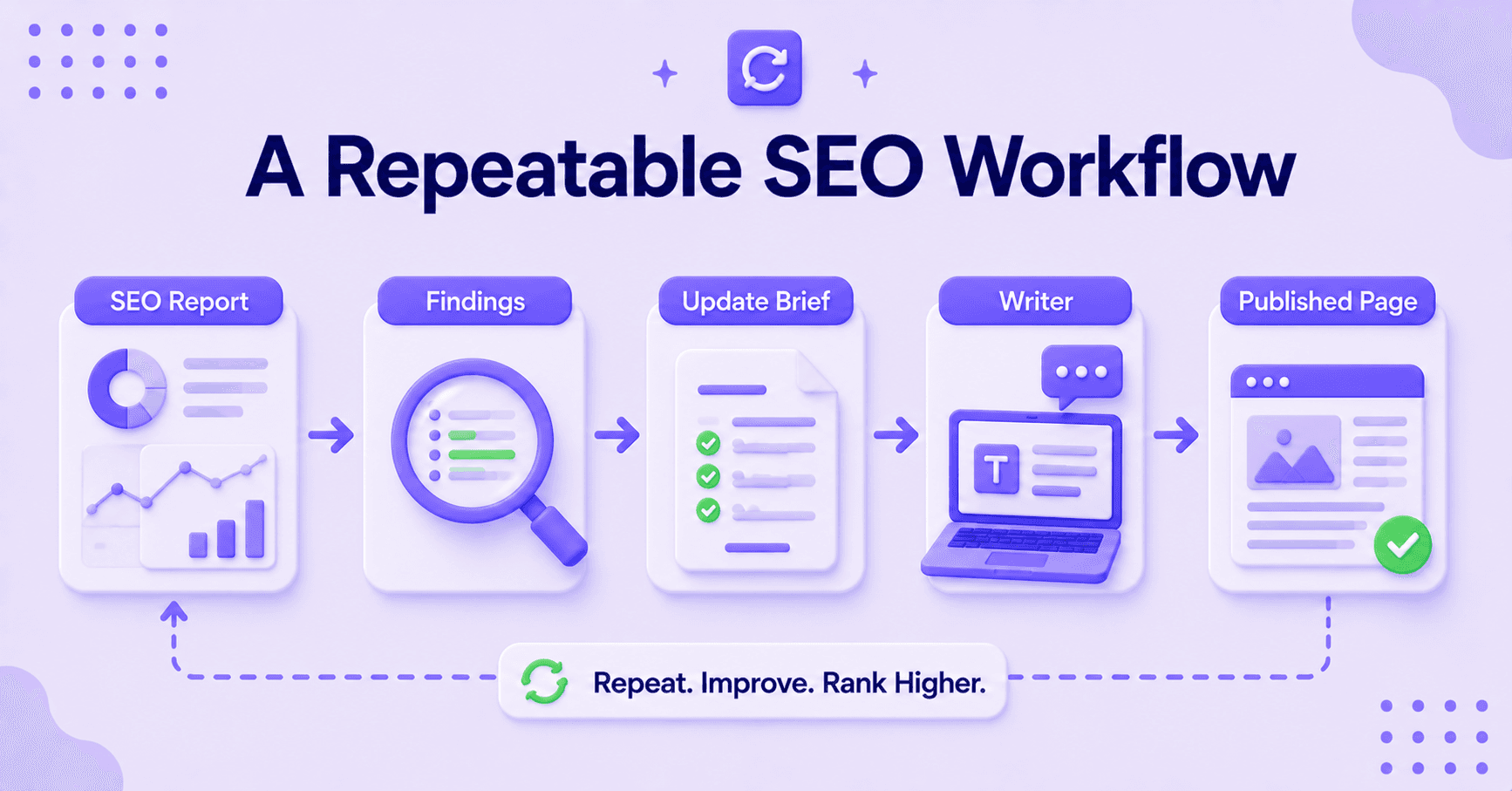
Begin your brief with the page goal and the target query. Add the biggest gap the report uncovered. Then, spell out the must-fix sections in plain language. Close with source notes, link targets, and any deadline that matters.
Because RightBlogger offers unlimited usage, you can scale your content creation efforts without worrying about extra costs. Here is the real test: can a writer open the brief and know exactly what to do without asking three follow-up questions? If the answer is yes, your brief is working.
That kind of structure also makes updates faster across a whole content library. The report handles the diagnosis, and the brief handles the assignment.
FAQs About RightBlogger SEO Reports
Here are additional questions you might ask for.
How Detailed Should an Update Brief Be?
Detailed enough to remove guesswork, but not so detailed that it becomes a second report. A good brief gives the page goal, the main gap, and the most important changes.
If the report highlights a need for better ranking, you might suggest adjusting the Word Count to ensure your content is comprehensive enough to satisfy search intent.
Should Writers See the Full Report?
Not always. Most writers need a clean summary, plus any notes on intent, sources, and priority. Editors can keep the full report for context, but writers should focus on clear instructions.
Remember that updating existing Blog Posts is just as vital for your growth strategy as your new Content Creation efforts.
Can One Report Drive More Than One Update?
Yes, if the findings point to a clear pattern across related pages. The brief should still stay focused on one page at a time so the work remains clear.
How Can I Speed Up the Update Process?
If you are looking to streamline your workflow, look for platforms that offer WordPress Integration, which allows you to move your updated content directly to your site with a single click. Additionally, if you have video assets, you can use a YouTube to Blog Tool to repurpose that media into fresh sections for your existing articles, keeping your site current and engaging.
Final Takeaways on RightBlogger’s SEO Reports
RightBlogger SEO reports are most useful when they lead to action. The report gives you the clues, but the update brief is what turns those clues into a job a writer can finish. By refining your existing content, you prepare your pages for the shifting landscape of AI search engines and better position yourself to capture valuable LLM traffic.
Keep the brief short, focused, and plain. If it tells the writer what to fix, what to keep, and what success looks like, you have done the hard part. This briefing method is also a perfect strategy for content repurposing, allowing you to breathe new life into older pieces while maintaining relevance.
The next time a page needs work, do not stop at the raw data. Use these RightBlogger SEO reports to turn your findings into a clear, actionable guide that a writer can use right away.

Article by
RightBlogger Co-Founder, Ryan Robinson helps 500,000 readers grow online businesses and calls himself a recovering side project addict.



New:Site Agent
Automated SEO Blog Posts That Work
Try RightBlogger for free, we know you'll love it.
- Automated Content
- Blog Posts in One Click
- Unlimited Usage





Leave a comment
You must be logged in to comment.
Loading comments...