You’ve come up with a fantastic new product idea… but you need a description that convinces your future customers to buy. Meet RightBlogger’s free Product Description Generator. Writing powerful copy can be really difficult (and hiring an expert copywriter might be well out of your budget). But with a helping hand from AI technology, you can have the perfect product description in seconds.
Whether you need to create dozens of product descriptions for an ecommerce site or a detailed landing page, this free Product Description Generator is the tool you need.
How to Use the Product Description Generator
The Product Description Generator is easy to use … but it has a few different options, depending on what sort of product description you want to create. We’ll walk you through it, step by step.
Step 1. Type in the Name of Your Product
First, the AI needs to know what your product is called. Pop that name in the first box.
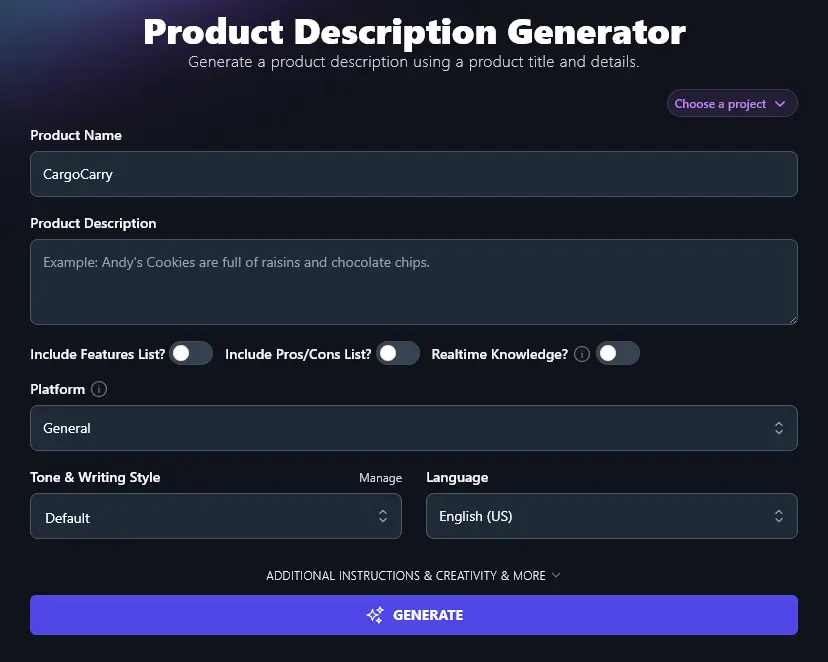
Tip: Haven’t quite figured out the perfect name for your product yet? Use the Product Name Generator to brainstorm all the ideas you need, in just seconds.
Step 2. Enter a Rough Description of Your Product
Tell the AI about your product, mentioning key features or aspects of it. You can use bullet points, phrases, whatever works for you, the AI is going to completely refine all this information into polished sales copy.
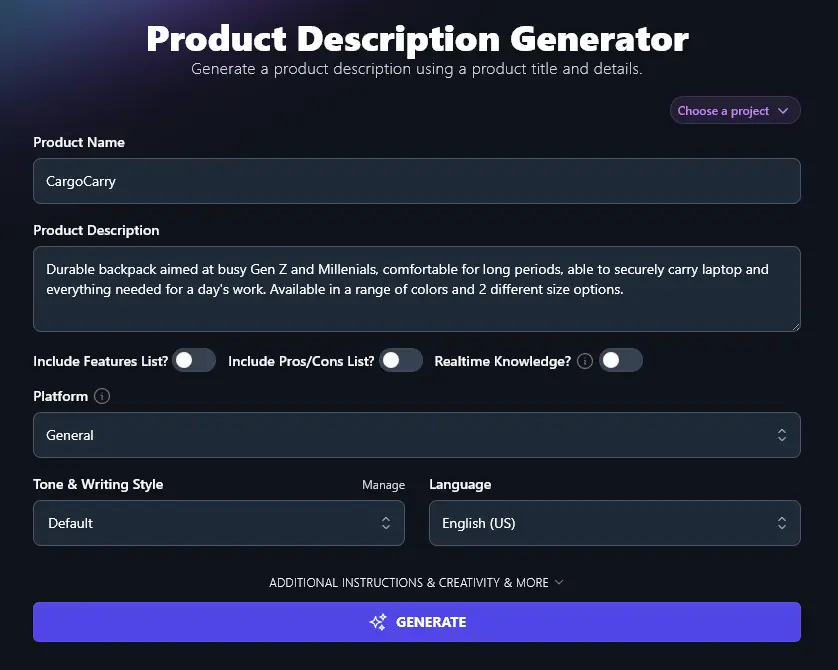
Step 3. Choose to Include a Features List if You’ll Have Space
Optionally, you can add a list of features to your product description. If you’ve got a good amount of space to describe your product, this is a great option to go for.
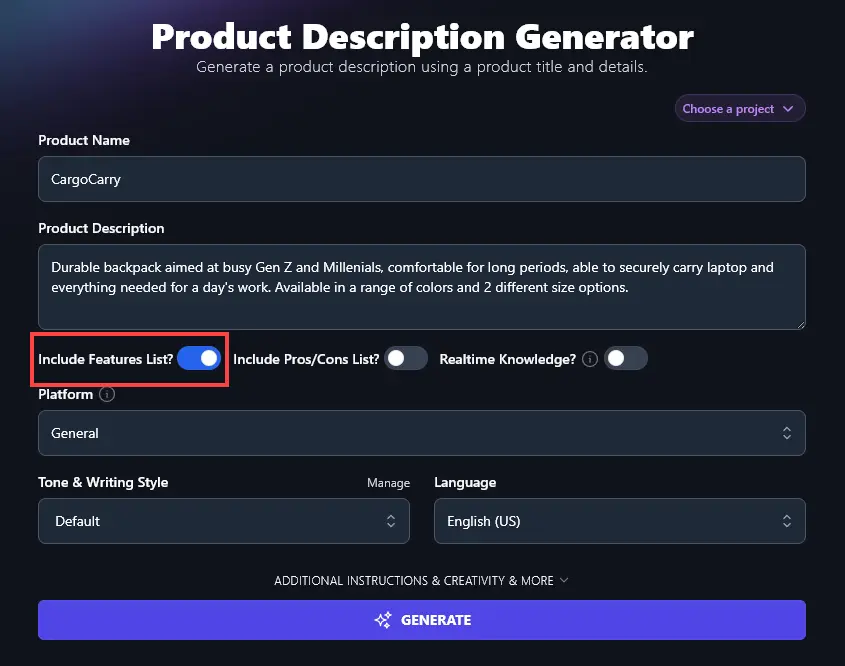
Step 4. Consider a Pros/Cons List to Add Transparency and Trust
Want to make it clear to readers that you’re giving a balanced view of a product (even if it’s your own)? Tell the AI to include a Pros/Cons list.
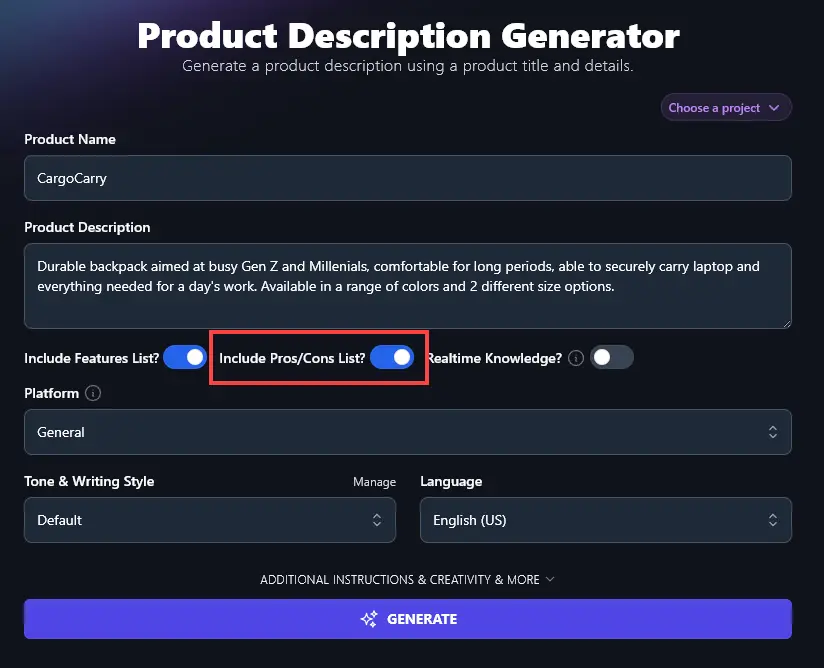
Tip: If you’re still at the ideation stage with your product, adding features and a pros/cons list can help you come up with ideas of what to include … and what pitfalls to steer clear of.
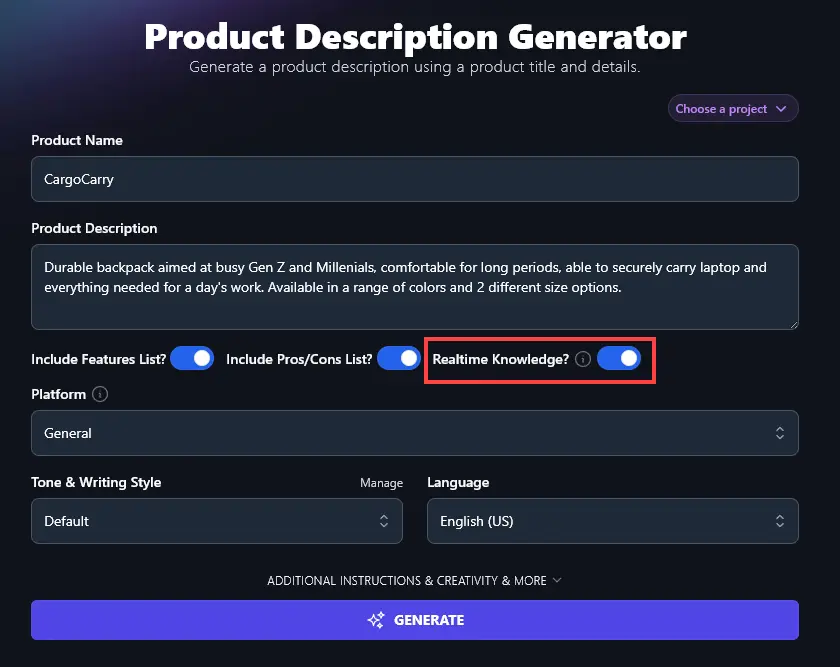
Step 5. Choose Whether or Not to Include Realtime Knowledge
If you’re writing about a product that’s already live on the web, whether it’s your product or someone else’s, then you can have the AI draw on up-to-the-minute information about that product. Just turn on the “Realtime Knowledge” option.
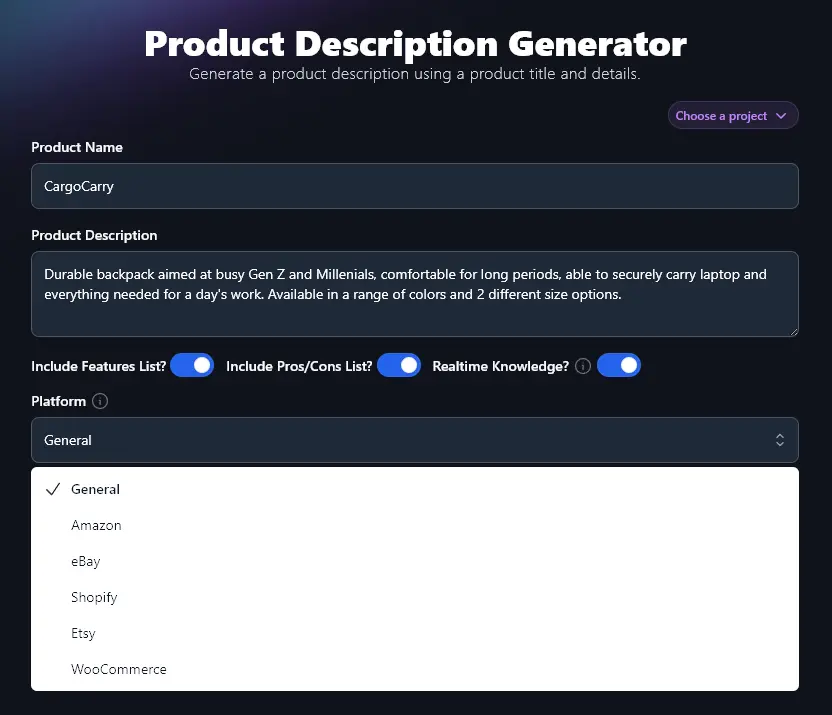
Step 6. Select Your Platform for Product Sales
Where are you selling your product? Choose from the dropdown list and the Product Description Generator will tweak the format and style of your product’s description to suit that platform, whether it’s Amazon, Shopify, Etsy, eBay, or somewhere else.
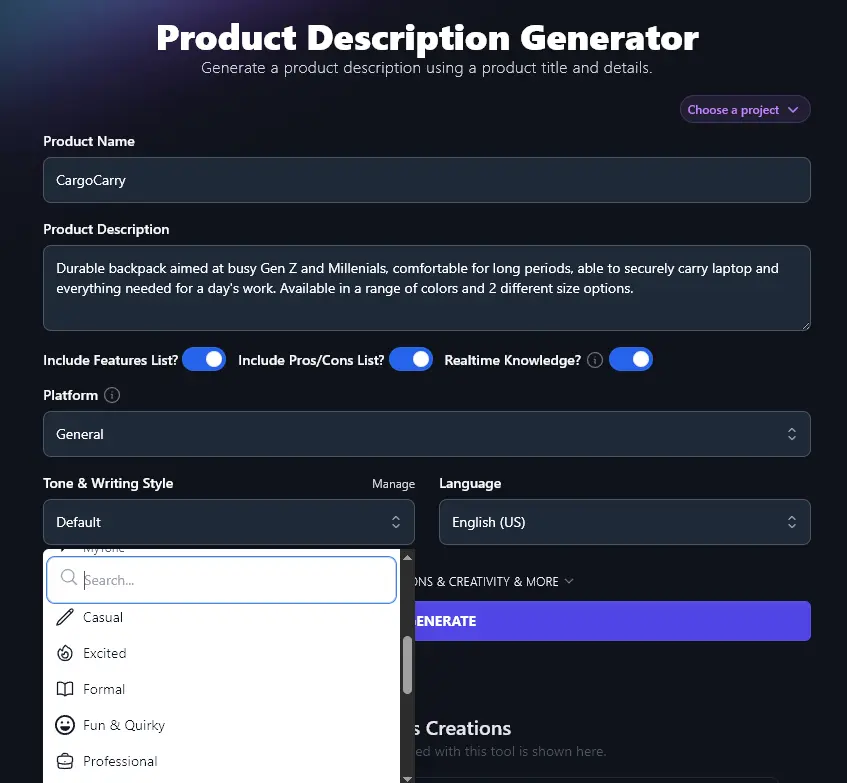
Step 7. Choose the Tone and Writing Style for Your Product Description
If you have a strong brand voice, then you want your product descriptions to sound like you.And even if your brand itself is fairly neutral, you’ll need your copy to speak to your target audience.
Go ahead and choose a Tone & Writing Style from the dropdown list, whether it’s Fun & Quirky, Passionate, or Direct, we have an option to suit you.
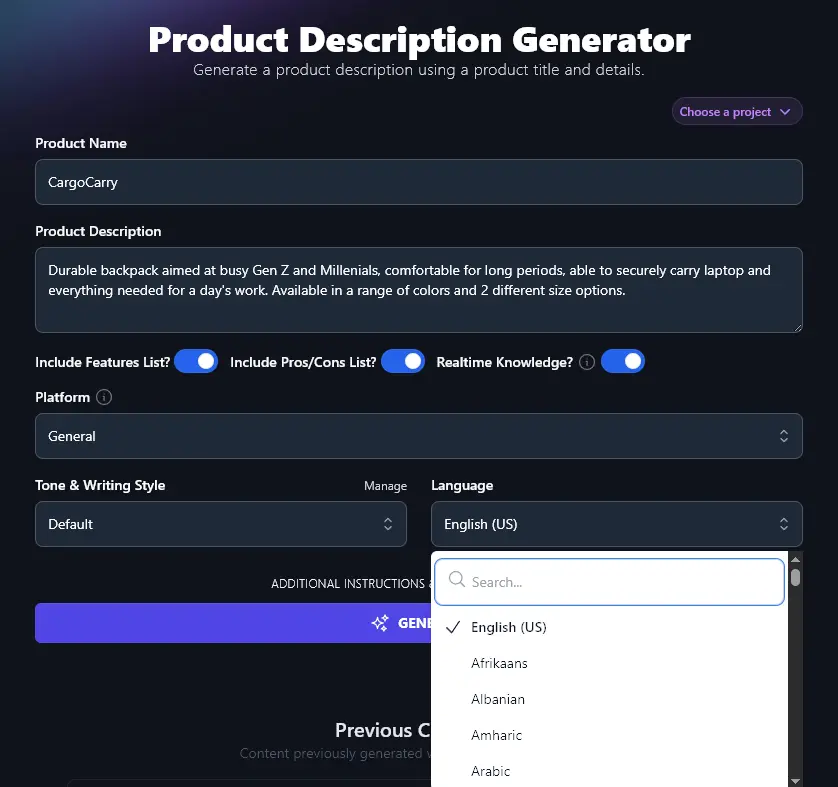
Step 8. Select a Language for Your Product Description
By default, RightBlogger will create a product description in US English … but what if you have a non-English-speaking or multilingual audience?
Simply use the Language dropdown to pick from more than 100 different languages. You can either scroll down the list or type the language you want into the search bar at the top.
Once you’ve entered all the information you want, go ahead and click the “Generate” button to create your product description.
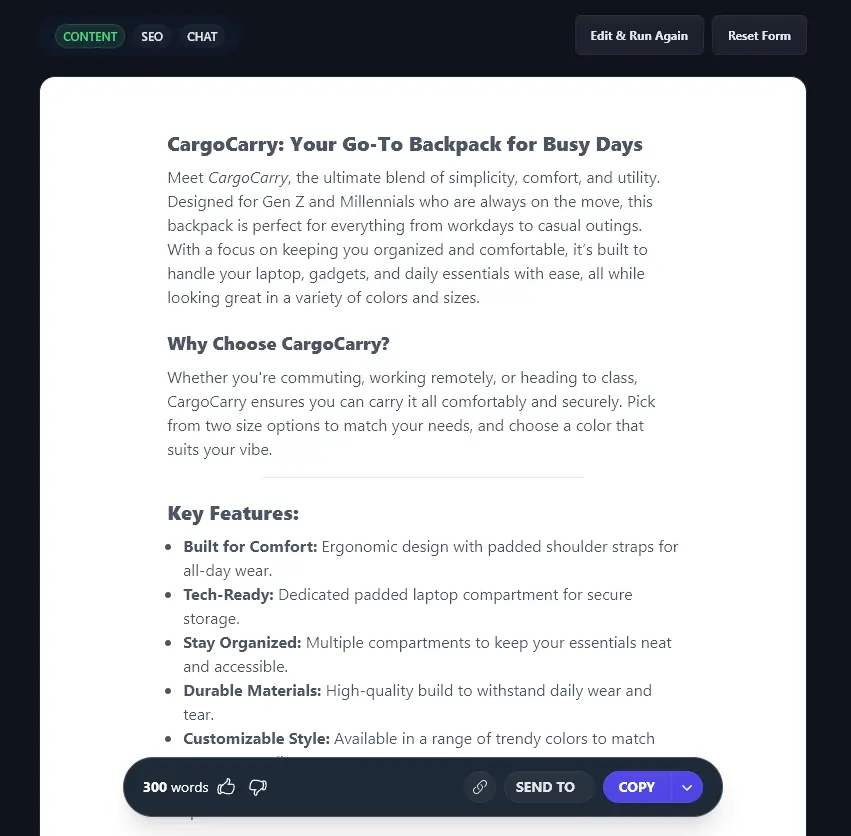
You can click the “Copy” button to copy your full product description, or click the dropdown arrow next to “Copy” for more options.
Bonus: Your Product Description Checklist
You want your product description to win over prospective customers, giving them everything they need to know about your product in order to buy.
Here’s a checklist to help you nail that perfect product description:
- Include key features, and the benefits they offer for customers, especially if those might not be obvious
- Consider going further and including outcomes, too: use the Feature/Benefit/Outcome Generator to help
- Make it easy to read (or skim) with short paragraphs and bullet-points, your customers may be in a hurry, or comparing several options
- Tailor it to your audience, think about your ideal customer, focus on their needs, and use the type of language that will connect with them
- Pre-empt questions and objections, perhaps by adding an FAQ section to address common queries or concerns
- If possible, include a strong call-to-action (CTA) at the end of your product description
How Does the Product Description Generator Work? (Details & Advanced Options)
The Product Description tool has quite a few different options, so how can you make the most of these and get a fantastic product description that converts well?
We’re going to take a closer look at all its features, including the advanced options.
1. Product Name (Enter the Name of Your Product)
The Product Name field is pretty straightforward! If you haven’t finalized the name for your product, don’t let that hold you back, just enter a placeholder name for now and edit your product description when you’re ready.
2. Product Description (Give the AI Plenty of Details to Work With)
It might seem odd to enter a product description into this tool … after all, you’re creating the product description!
But the description you enter here doesn’t need to be beautifully crafted or carefully designed to win conversions. Instead, it’s all about the facts: what is your product, what key features does it have, and what details do you want the AI to include in the description?
If you only enter a short description here, the AI can still come up with plenty of details for you, but they may well not accurately reflect your product.
Here’s a detailed description the AI generated for a product that we called “Tego” and gave the extremely minimalist description for as “standing desk”:
Tego Standing Desk
Upgrade your workspace with the Tego Standing Desk, designed to blend functionality, durability, and modern style. Whether you’re working, creating, or gaming, this desk adapts to your day effortlessly.
Built for Comfort and Productivity
Say goodbye to sitting all day. The Tego Standing Desk features a smooth, height-adjustable design, making it easy to switch between sitting and standing. With a maximum height of 47 inches, you can set it to the perfect position to support better posture and reduce strain.
Premium Materials, Everyday Durability
Crafted with a water-resistant and scratch-resistant hardwood veneer surface, Tego is built to handle whatever your day throws at it. Its sleek beveled-edge design not only looks great but is made to last.
Smart Features for Modern Needs
Stay connected and powered up. The desk includes a touch screen control panel, built-in smart sensors, and customizable settings for effortless use. With four power outlets, USB-A and USB-C ports, and a headphone jack, you’ll always have the connections you need within reach.
Quiet, Powerful Adjustment
Thanks to four whisper-quiet motors hidden in the legs, you can adjust the desk’s height smoothly, without disruptions. Smart sensors also detect desk position and avoid collisions, offering an extra layer of safety.
Customize Your Space
Personalize your workspace further with optional add-on accessories. The subtle ambient light strip brings extra comfort, while the sturdy frame ensures stability for dual monitors, laptops, or other essentials.
The Tego Standing Desk isn’t just furniture; it’s a tool for a healthier, more productive workday. Ready to make the switch? Experience the difference with Tego today.
Tip: Still developing your product? The copy that the AI comes up with, based on a minimal product description, could give you loads of great ideas for features to include.
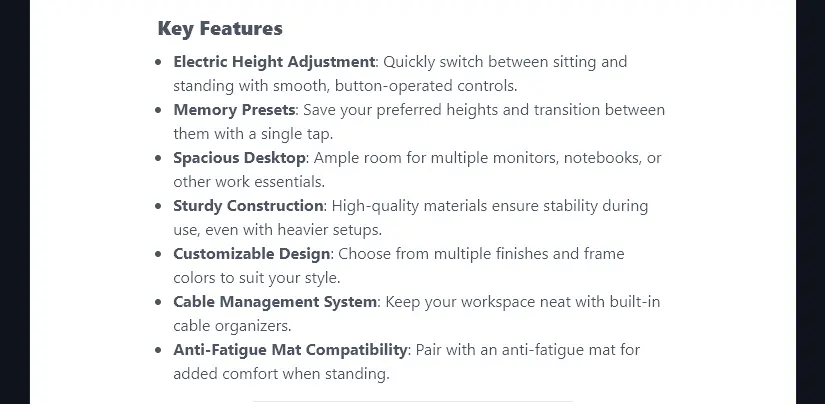
3. Include Features List? (Add This for Longer Product Descriptions)
If you want a longer product description, perhaps for a landing page or for a platform where you’ve got plenty of space to go into details, then get the AI to include a list of features.
The AI will automatically format this in easy-to-read bullet points, and automatically explain the benefits of each feature too.
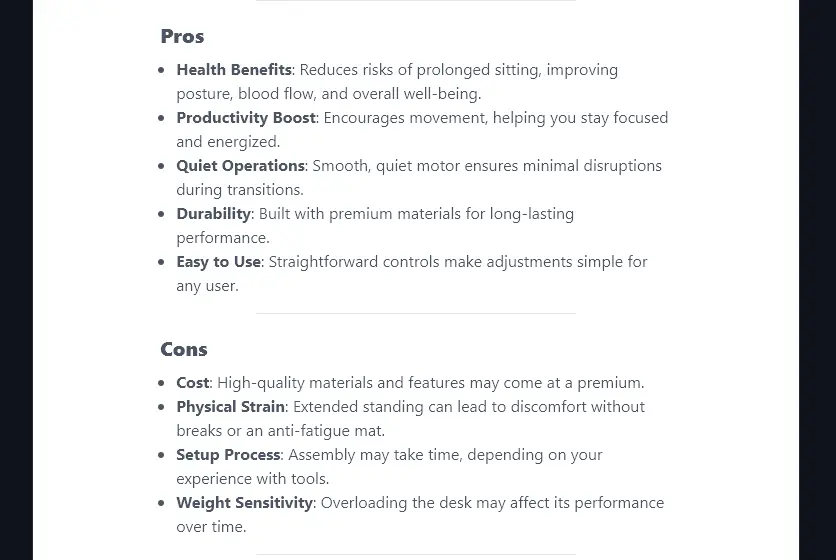
4. Include Pros/Cons List? (Can Help Prospects Trust You)
It might seem a little odd to include not just pros but also cons of your own product … but this transparency can help signal that you (or your company) can be trusted.
Creating a pros/cons list can also help weed out buyers who won’t be a good fit, saving you time on refunds or constant support requests.
If you’re writing a product description for a product that’s not yours (e.g. an affiliate product), a pros/cons list also helps you create a balanced review that your readers can trust.
Here’s how the generated pros/cons list looks:
5. Realtime Knowledge?
Depending on the type of product (or service) you’re offering, you might want your product description to incorporate fully up-to-date information from the web. By switching on Realtime Knowledge, you give the AI access to hunt the web for details to include.
For instance, if you want to include references to up-to-the-minute news and events, you’ll want to make sure Realtime Knowledge is on.
Here’s an example of the difference Realtime Knowledge makes. We came up with a fictional product “PoliticalPal” with the description “AI tool to summarise political news stories (give examples of relevant, recent news)”.
With Realtime Knowledge off, the AI wrote:

While this did reference recent news, there wasn’t much detail, and some events had already changed versus this summary.
With Realtime Knowledge on, the AI wrote:

This did indeed track with up-to-the-minute news at the time we created the product description.
6. Platform (Choose Where Your Product Description Will Appear)
Are you selling on Amazon, eBay, through your own WooCommerce store, or somewhere else entirely? Selecting the right platform here makes sure that your product description is in the right length and structure for that platform.
For instance, a General product description will be fairly short:
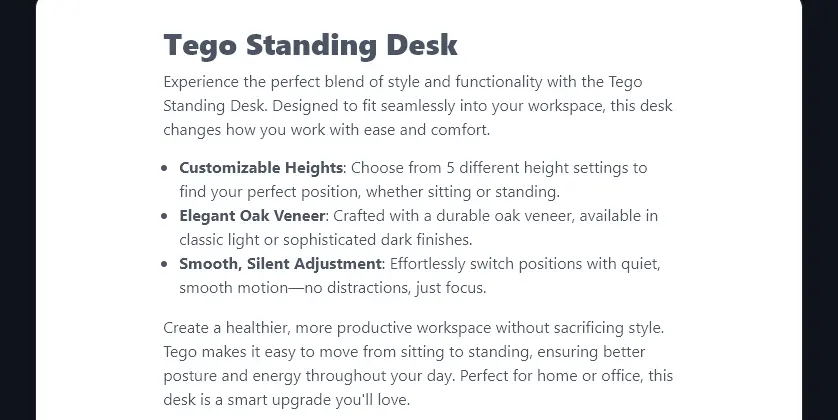
A product description created for Amazon will go into more detail. Here’s just the start of that description:
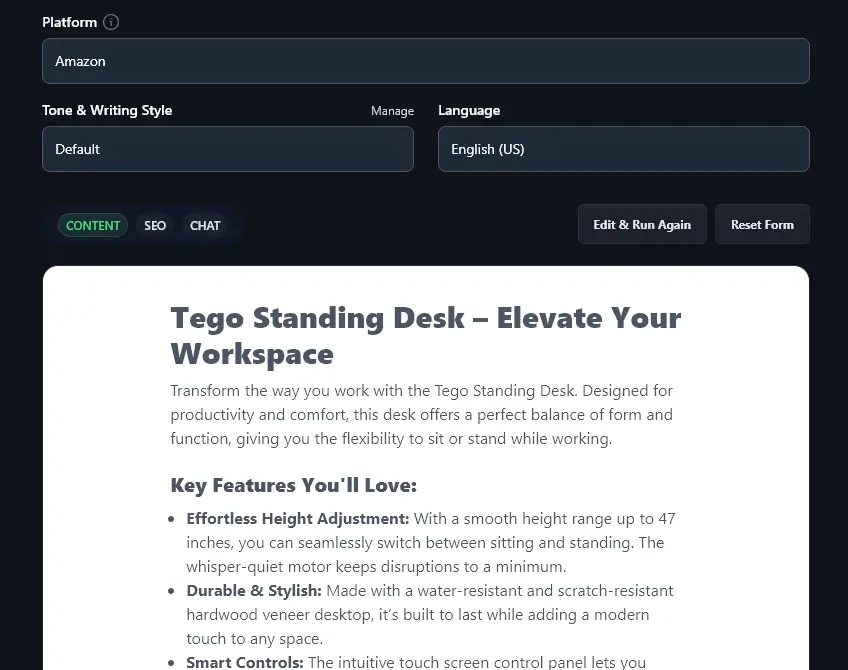
Tip: You can create multiple product descriptions tailored to different e-commerce stores’ platforms. Simply run the tool multiple times, selecting a different platform each time.
7. Tone & Writing Style
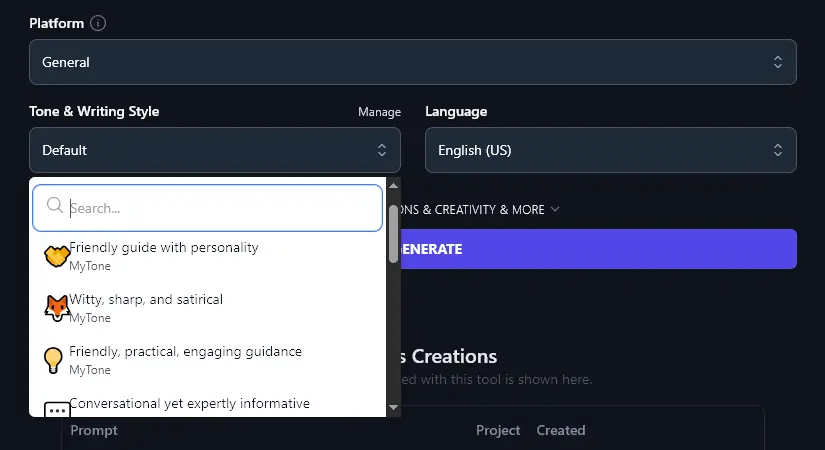
With the “Default” tone & writing style, the RightBlogger AI will write engaging, persuasive copy. But if you want to match the copy to your own brand, then it’s easy to do so by choosing from the preset Tone & Writing Style options.
Here’s a quick look at the difference these can make, we used the same information (“Tego” product name and “standing desk” product description) and only varied the tone.
Fun & Quirky Tone:
Say hello to Tego, the desk that does more than just stand around. It’s the ultimate sidekick for tackling your to-do list, keeping your coffee within arm’s reach, and reminding you to, well, move.
Tego is built for people who refuse to settle for ordinary. Its height-adjustable design makes sitting or standing a smooth switch, no awkward cranking or Hulk-like effort required. With four whisper-quiet motors, this desk is so smooth, you might think it’s sneaking out of the house after curfew.
The scratch-resistant desktop isn’t just about looks (though it’s a stunner). It’s tough enough to handle your busiest days, whether that’s bouncing a notebook off it or leaning into a mid-afternoon slump. Plus, there’s a hardwood veneer and beveled edges because your wrists deserve love, too.
Academic Tone:
The Tego Standing Desk combines thoughtful design with advanced functionality to enhance your workspace. Built with a focus on comfort and productivity, this desk features a height-adjustable design that reaches up to 47 inches. Its smooth electric adjustment is powered by four whisper-quiet motors, minimizing interruptions during operation.
The desk’s scratch-resistant desktop is finished with a durable hardwood veneer offering both style and water resistance. A beveled edge enhances wrist comfort during extended work sessions. For a personalized touch, the Tego includes a customizable ambient light strip, which can serve as a visual cue to alternate between sitting and standing.
As well as choosing from the preset tones, you can create custom MyTones in RightBlogger. Every plan includes MyTone, and paid plans save 5 (Solo), 15 (Pro), or 50 (Agency) of them. Simply give the AI a text or video sample of your content, and it’ll automatically detect and save your tone of voice.
Once you’ve created a MyTone, you can select it from the Tone & Writing Style dropdown.
8. Language (Select From 100+ Languages, Including 4 Varieties of English)
If you’re selling to a non-English-speaking or international audience, you can produce your product description in over 100 different languages, using this dropdown.
RightBlogger even supports 4 different varieties of English: US, UK, Canada, and Australia, so you can have the AI generate your product description using localized spellings and terms.
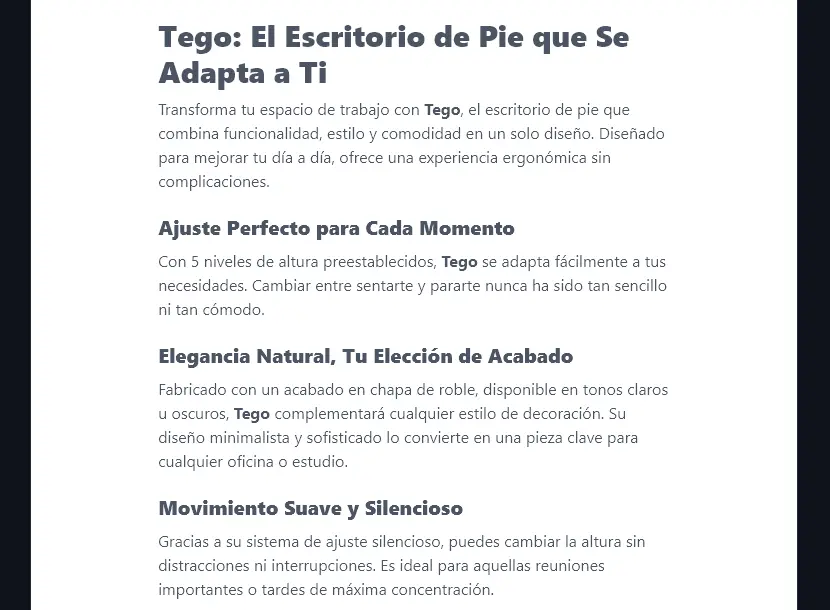
Here’s an example of a product description generated in Spanish:
9. Additional Instructions (Give the AI Any Extra Requests or Information)
The Product Description Generator includes 2 advanced options, which you can open up by clicking the “Additional Instructions & Creativity & More” link.
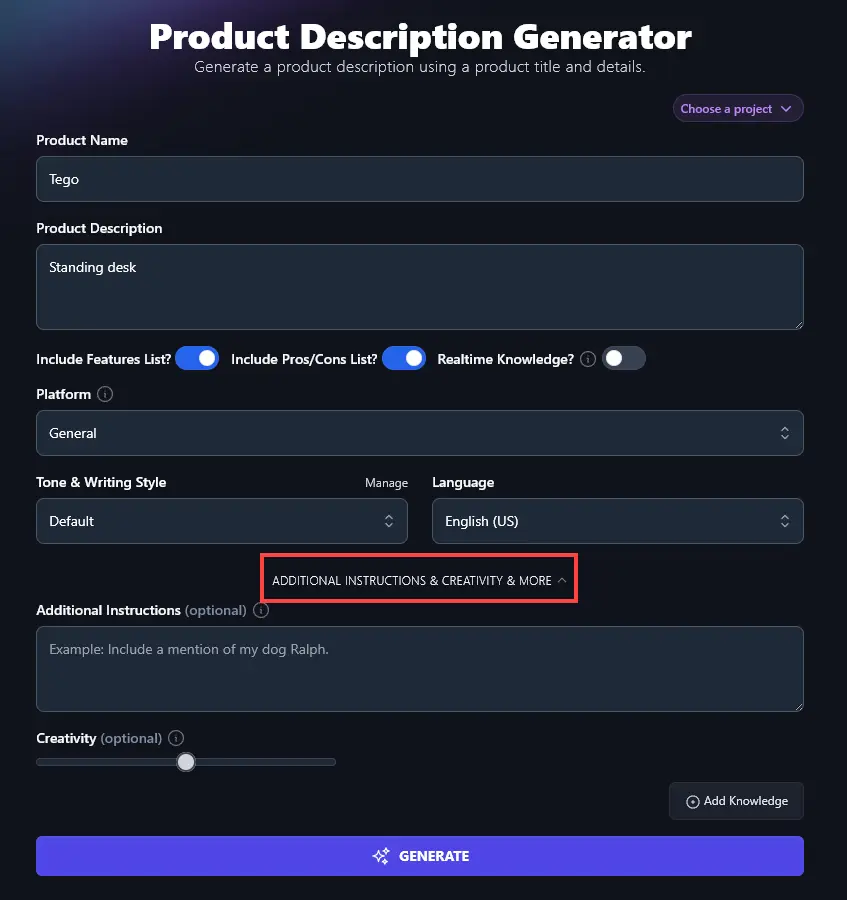
The box for “Additional Instructions” lets you give the AI any specific instructions for your product description. For instance, you could ask the AI to include emojis, write a short two-sentence version as well as the full product description, compare your product with another product, or pretty much anything you want.
If you want specific keywords included for SEO optimization, then you could also add those keywords in the additional instructions and ask the AI to incorporate them.
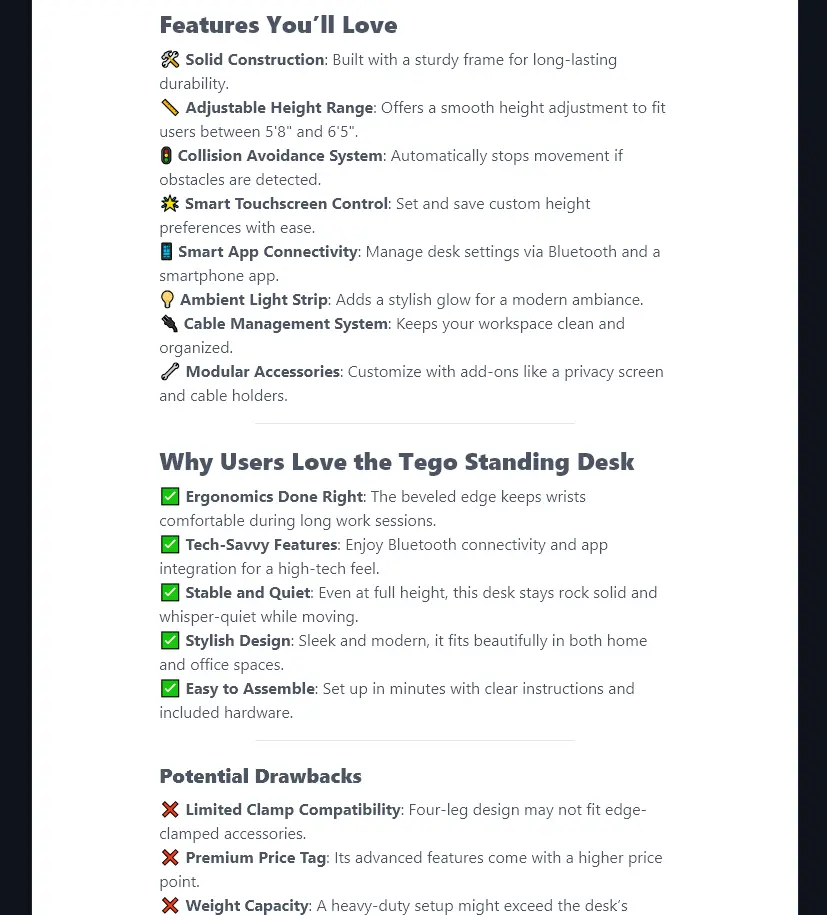
Here, we’ve prompted the AI to include specific emojis, and it’s followed our instructions:
“Use emojis instead of bullet points in the Features List (pick a different, appropriate, emoji for each feature). Use checkmark emojis instead of bullet points for all the Pros and X emojis for all the Cons.”
10. Creativity (Make Your Product Description More Predictable or More Unusual)
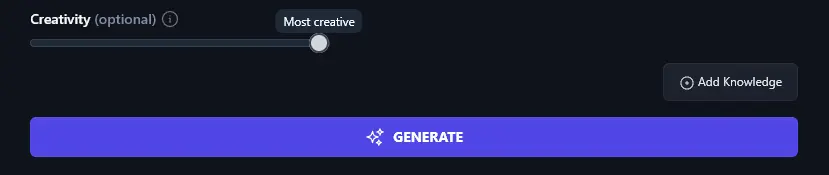
By default, the RightBlogger AI is set to a balanced level of creativity, so that your product descriptions aren’t too bland or too outlandish.
If you want to adjust the creativity, though, simply move the slider to the left (less creative) or the right (more creative).
Product Description Generator Tool FAQs (Frequently Asked Questions)
If you’ve got questions about using the Product Description Generator, or about product descriptions in general, here’s everything you need to know.
What Should My Product Description Include?
Product descriptions vary significantly depending on where they appear. A two-line product description in an ad clearly can’t include as much as a landing page that runs to thousands of words.
In general, you’ll want to:
- Give clear product details that let your prospective customers know exactly what our product is.
- Highlight key selling points, what makes your product special or even unique in the market?
- Explain product features in terms of their benefits for the customer.
- Include short testimonials or positive reviews, if possible.
- Add product images, these could be professionally shot or they could be user-generated content.
- Always have a strong call-to-action that encourages the prospect to buy.
How Do I Optimize a Product Description for SEO?
Generating product descriptions with AI is fast and straightforward … but what about optimizing those descriptions so your product listing or product page can rank well in search engines?
With Additional Instructions, you can ask the AI to incorporate specific keywords, and it’s a good idea to use the Keyword Research Tool to find the best keywords to target.
You’ll also want to follow good SEO practices: for instance, if you’re including the product description as part of a landing page on your site, make sure you’ve got an optimized meta title and meta description too.
How Can I Improve My Conversion Rates?
Your conversion rate measures how many people who view your product description or landing page “convert” into customers.
Good conversion rates vary by industry, but usually, a 2% to 5% conversion rate is considered positive. To boost this further, carry out split testing: try out different versions of your product landing page with different headlines, calls to action, or even different offers. One small change could potentially double your conversion rate.
What Other RightBlogger Tools Can I Use to Sell More Online?
Whether you’re running a full e-commerce business or looking to monetize your blog, RightBlogger gives you access to every AI tool in one subscription. Monthly plans start at Solo $59 (annual billing, charged monthly, is $49) with unlimited words on every paid plan and a 7-day free trial and a 30-day money-back guarantee.
Here are some great ones to check out:
- Article Writer: content creation AI generator that lets you write a full-length, SEO-optimized blog post from a keyword or topic
- Ad Copy Generator: paste in your product information and get a set of compelling ads (for your choice of platform) in seconds
- Keyword Research Tool: find relevant, achievable keywords for your product page (big advantage!)
- LinkedIn Post Generator: speed up your social media workflow by creating high-quality LinkedIn posts in seconds
- Improve Writing Tool: use this to improve the readability and quality of an existing product description
- AI Image Generator: quickly come up with visual AI content to use on your product page as needed
We’ve also got blogging tools, SEO tools, sales tools, social media tools, and more.
How Do I Sign Up for RightBlogger and How Much Does it Cost?
Every RightBlogger plan includes the Product Description Generator and all our other tools. Pick the plan that fits: monthly Solo $59, Pro $89, or Agency $299 (annual billing, charged monthly, is $49 / $69 / $199). See RightBlogger pricing.
Every paid plan includes unlimited words plus advanced features like MyTone, Chat, and Knowledge. See RightBlogger pricing.