How to Use Automations in RightBlogger
Set a publishing schedule for keyword-backed articles or turn each new YouTube video into an embedded blog post.
Ready to put your content publishing on autopilot? Automations inside RightBlogger make it easy to publish consistent, high-quality content to your website without the manual work. Simply connect your site, choose your posting frequency, and let RightBlogger handle the rest.
Whether you’re looking to boost your SEO traffic, keep your blog consistently updated, or repurpose content from YouTube, this guide will show you exactly how to create your first automation.
RightBlogger’s automations are perfect for:
- Keywords & Key Topics: Publish AI SEO-optimized, keyword research-backed articles chosen for your website and the topics you should be covering. Our AI even suggests the right topic ideas, for you.
- Repurposing YouTube Videos: Turn new YouTube videos into useful, search-focused articles that embed the original video.
Here’s a quick video overview of our AI automations, which you can set up from inside the Content Planner:

Now, for a more detailed walkthrough:
What Automations Can Do
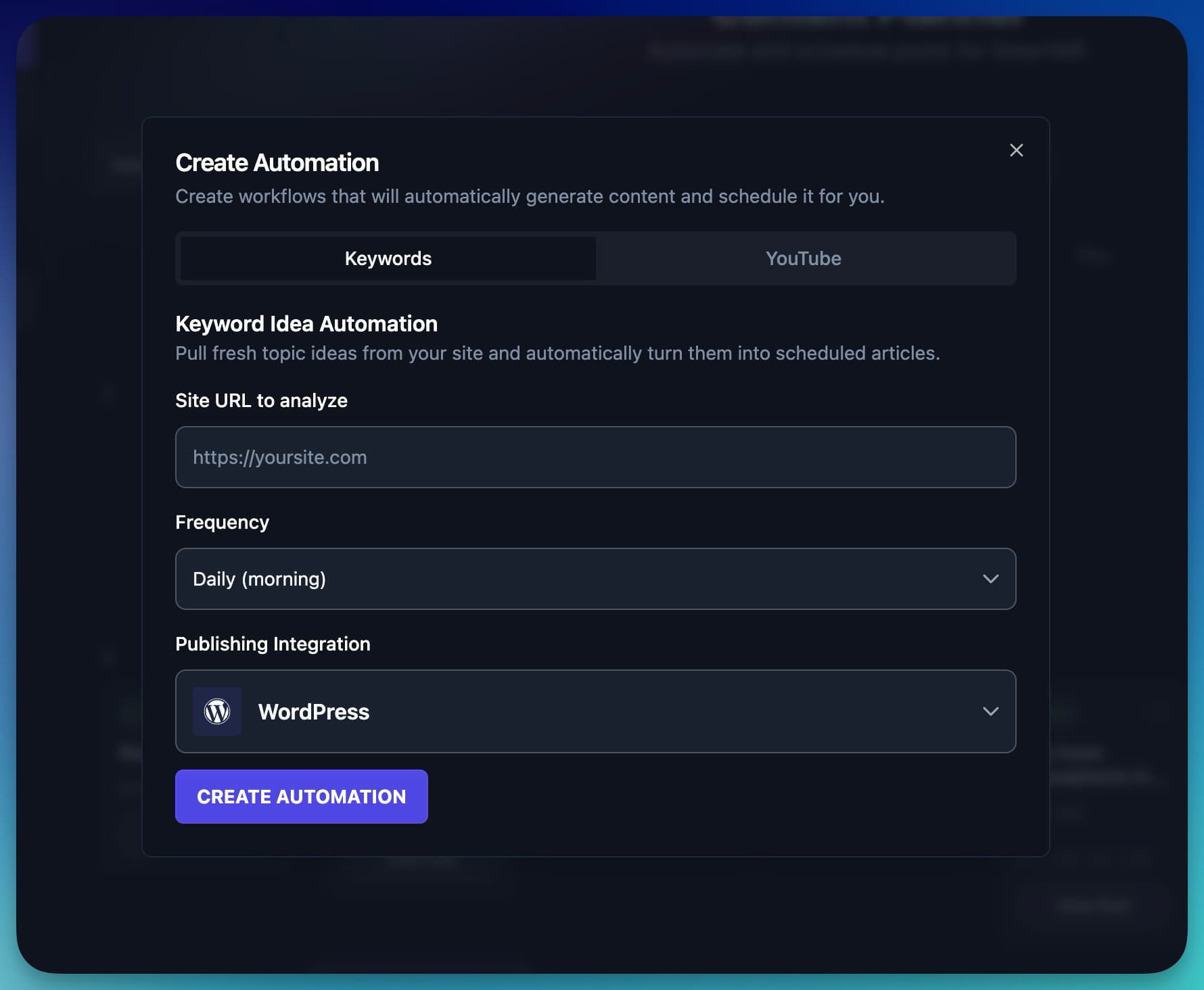
Automations use RightBlogger’s AI and SEO research capabilities to automatically suggest topics, generate content, and queue posts on your content calendar. Once it’s set up, you’ll receive a steady flow of new, optimized content published to your website on a daily, weekly, or monthly schedule that fits your niche.
Keyword and YouTube automations create blog content. To post to LinkedIn, X, Facebook Pages, Threads, or Pinterest, use the Social Planner, or choose Social posts when you create an automation.
If you publish videos, automations can also turn your YouTube uploads into full blog posts that embed your video automatically.
Getting Started with Automations
Before you create your first automation, you’ll want to make sure your website or platform is connected to your RightBlogger project. This allows us to schedule drafts or published posts directly to your site.
If you haven’t connected a site yet, head to Projects → Integrations and follow the steps for WordPress, Webflow, Ghost, or your preferred CMS.
Once you have an active integration, you’re ready to go.
How to Create Your First Automation
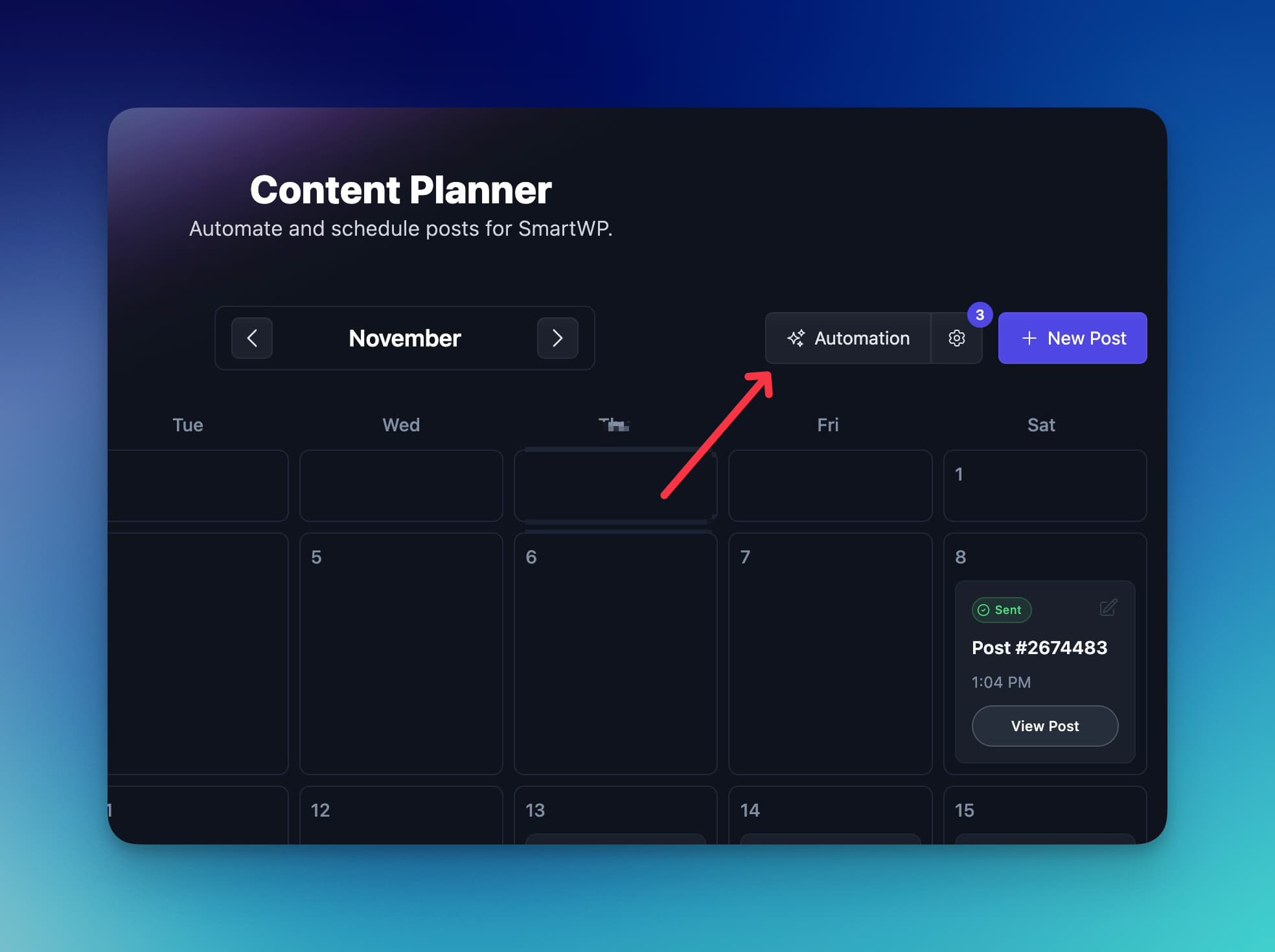
- Open the Content Planner: You’ll find the planner in the left sidebar of your RightBlogger dashboard. This is where all scheduled and automated content will appear.
- Click the “Automations” Button: At the top of the planner, next to New Post, click Automations and choose Keywords to start your first automated workflow.
- Add Your Website URL: Enter the homepage URL of the site you want to publish to in Site URL to analyze. This ensures your automation stays tied to the correct project.
- Choose Your Publishing Frequency: Choose one or more publishing days, like every day, weekdays only, or just Mondays. For a monthly schedule, open Advanced scheduling and check Run monthly instead. RightBlogger will automatically suggest keyword-backed topics that have real search demand based on your niche.
- Select Your Publishing Integration: Choose which connected platform the automation should send posts to, perfect if you run multiple sites or projects.
- Create Your Automation: Hit Create Automation and you’re done. RightBlogger will begin generating topics and scheduling content on your calendar using the frequency you selected.
Optional: YouTube → Blog Automations
If you publish on YouTube, you can also create an automation that converts every new video into a fully formatted blog post.
Just choose YouTube when you create an automation and enter your channel URL or @handle, and RightBlogger will handle the rest, embedding your video and creating long-form content for your website automatically.
Can I Mix Automations With Posts I Write Myself?
Yes, and this is one of the most popular ways to use RightBlogger. Automations and the Article Writer are fully independent. Your automation publishes on its schedule, and posts you write yourself publish whenever you choose. Using one never pauses, delays, or changes the other.
A setup many members use: let your automation cover your regular publishing days, then write the posts that need your personal expertise with the Article Writer. To make room, open your Planner, click your automation, and choose which days it publishes. If you want four automated posts a week, pick four publishing days and keep the rest for your own writing.
You can also schedule the posts you write yourself through the Planner, so automated and hand-written posts all appear on one calendar.
One thing to keep an eye on: your automation chooses its own topics. If you are planning to write about a topic yourself, check the automation’s upcoming queue and swap that topic out so you do not publish two takes on the same idea.
Editing and Optimizing Your Automated Posts
Once your automation starts publishing content to your planner, you’ll see new auto-generated posts populate your calendar. This will happen at the frequency you choose.
You can:
- Click any scheduled post to open it
- Edit the draft inside Article Writer
- Run an SEO Report
- Use Auto Optimize to improve topic and keyword coverage
- Add your own stories, examples, and personal insights
- Have the edited version be published
We still recommend reviewing posts before they go live. Your voice and lived experience always help content perform better. RightBlogger handles the heavy lifting, but your perspective makes the content shine.
That’s why our automations by default will send you an email when they are drafted.
Managing Your Automations
Once your automation is running, you have full control over it:
- Pause and Resume: You can pause any automation at any time and resume it when you’re ready. Pausing won’t delete your settings or scheduled posts.
- Timezone: Automations respect your timezone setting, so posts publish at the time you expect regardless of where you are.
- Runs Per Day: Under Advanced scheduling, you can run an automation several times a day. Each run uses one automation slot from your plan (1 on Solo, 3 on Pro, and 10 on Agency).
Getting the Most Out of RightBlogger Automations
Automations inside RightBlogger give you a hands-off way to stay consistent with your publishing schedule. With just a few clicks, you can create keyword-backed content, repurpose videos, and build a reliable posting rhythm. Search and AI visibility still depend on the usefulness, accuracy, authority, and discoverability of the published content.
Auto-blogging and content pipelines are included on every paid plan; see current plans for site limits per tier.
Set up your first automation today, and watch your content calendar fill itself.
Every automation reads its project’s learned preferences before writing, so the feedback you leave on generated posts shapes future automated runs too. See How to teach the AI in your project.
Automations create new posts. To keep the posts you have already published improving too, pair them with the Site Agent, which audits your live content on a schedule and proposes reviewable fixes.
Still need help?
Ask the AI assistant for an instant answer, or reach us directly and we will get back to you as soon as we can.
Automated SEO Blog Posts for Your Site
Research, write, publish, and share from one account.
7-day free trial. Cancel anytime.




