
Content Gap Analysis Tool: Find Missing Content Opportunities
Run a content gap analysis comparing your page to a competitor URL, or to the top-ranking Google results for any search term, to uncover missing topics, keyword opportunities, and ideas to improve rankings.
AI content gap analysis lets you run a deep analysis of your competitors’ top-ranking content, so you can see exactly where your piece may be falling short. RightBlogger’s free content gap analyzer runs that comparison instantly and gives you a clear set of recommendations.
The term “content gap analysis” can mean a couple of different things:
- Comparing 2 different articles and looking at how the lower-ranking one can be improved in the light of the higher-ranking one.
- Considering your site as a whole and identifying missing content that you should add, e.g. articles targeting specific keywords that your site isn’t ranking for.
Our tool is designed to carry out the first type of content gap analysis. This type of analysis is fantastic for improving your on-page SEO (search engine optimization) because it’s designed to compare your article with the top-ranking piece for the same keyword. You’ll get laser-focused guidance to improve your content strategy, so you can rework your existing content to rank better.
While you can carry out a content gap analysis manually, it’s a much faster process using AI. Instead of spending hours painstakingly comparing your article with your competitor’s piece, you can simply pop the URLs into the AI content gap analysis tool and get a full analysis in less than a minute.
How to Use the Free AI Content Gap Analysis Tool
The content gap analysis tool is easy to get started with. We’ll take you through how to use it step by step.
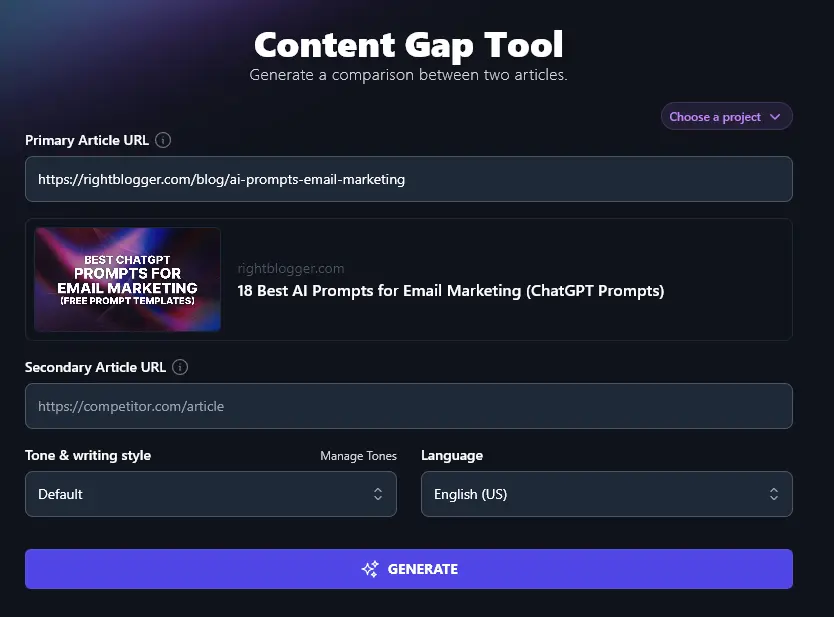
Step 1: Enter the URL for Your Own Article
First, identify the article you want to optimize. You can use any article ranking lower than #1 for its target keyword.
Copy and paste the URL for that article into the “Primary Article URL” box.
Step 2: Enter the URL for a Top-Ranking Competitor’s Article
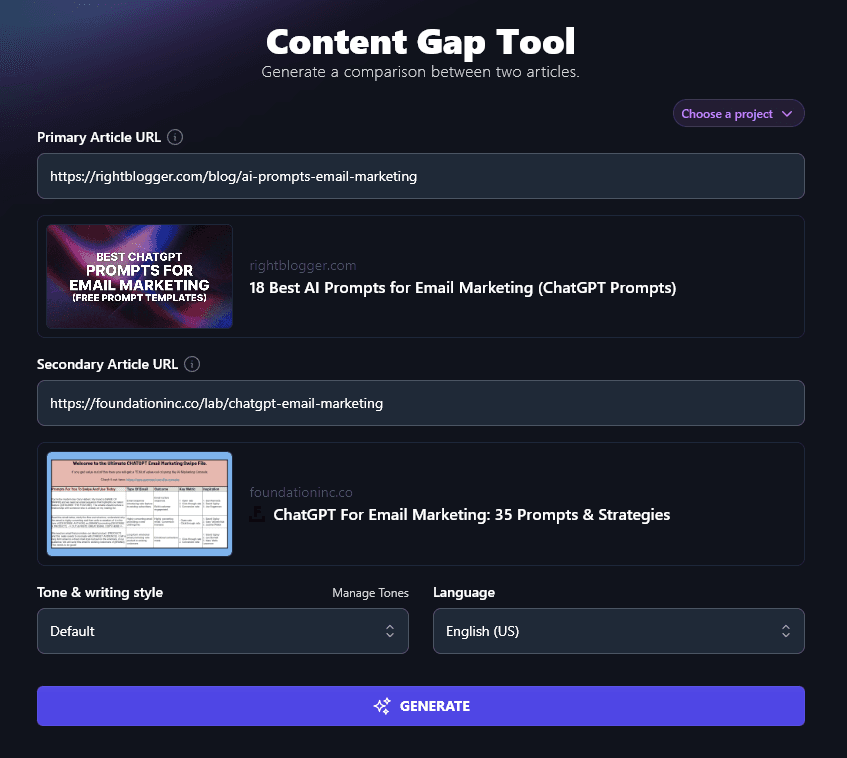
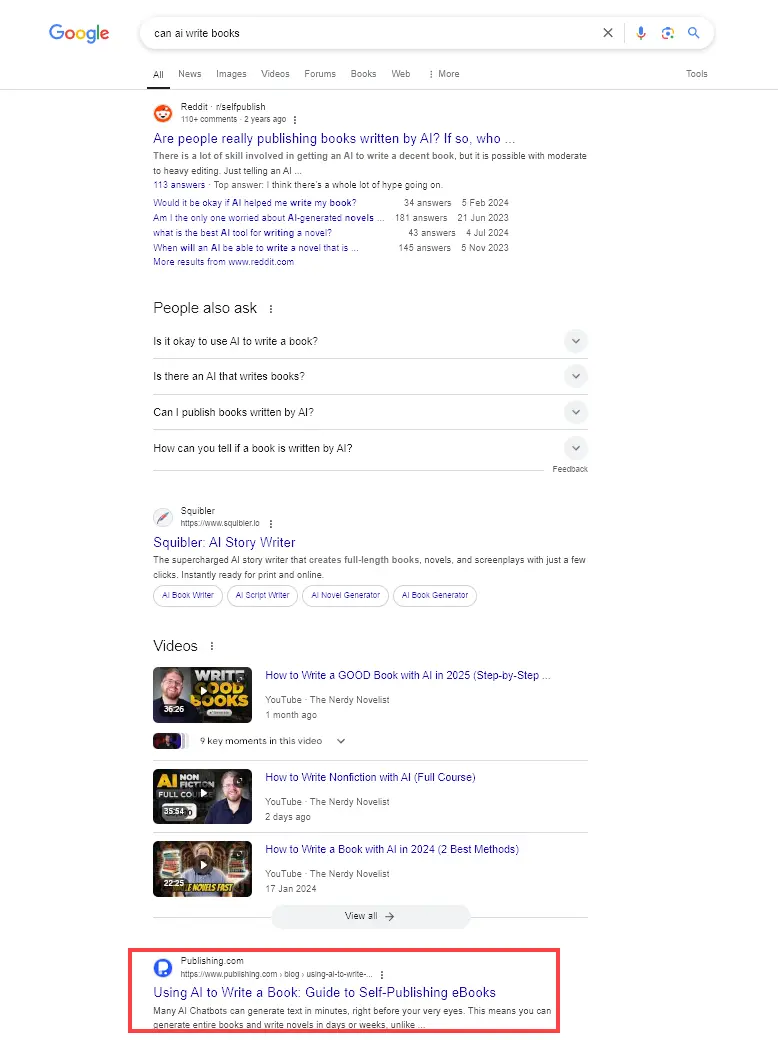
Next, search Google for your primary keyword and choose the top-ranking article.
Tip: Scroll past any “Sponsored” results and choose the top organic result that’s an article-length piece (not a Reddit post, dictionary definition, etc).
Copy and paste the URL into the “Secondary Article URL” box.
Step 3: Select the Tone and Writing Style for Your Content Gap Analysis
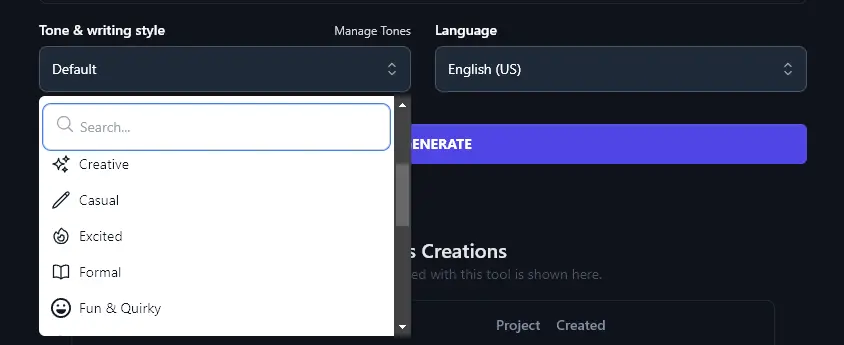
Like all RightBlogger’s generative AI tools, the Content Gap tool has the option to pick a tone/style.
In most cases, the “Default” style will make sense for your analysis. But if you want a more formally written analysis, you could try “Professional” or “Academic” instead. For a laid-back writing voice, try “Casual” or even “Fun & Quirky”.
Step 4: (Optional) Pick a Language for the Content Gap Analysis
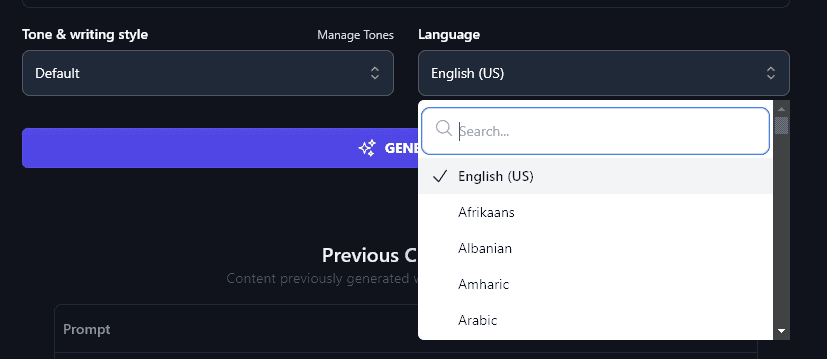
If you’re producing the analysis for a team or client that doesn’t have English as their first language, you might want to have the analysis written in their native language. Go ahead and select from 100+ languages here.
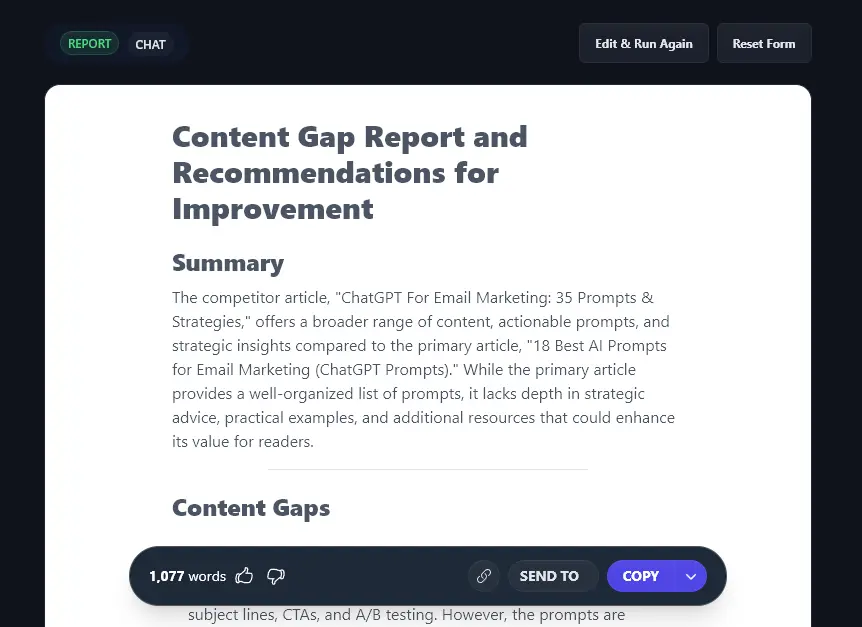
Once you’re happy with the options you’ve selected and the articles you’ve chosen to compare, go ahead and click the “Generate” button to produce your content gap analysis report.
Bonus: Use This Free SEO Checklist Along With the Tool
Outperforming your competitors’ content is a great way to improve your position in SERPs (search engine results pages) … but there’s more you can do to ensure that you rank well.
Here’s a quick SEO checklist to help you.
- Always use an SEO plugin like Yoast SEO or RankMath on your WordPress site
- Make sure you’ve chosen a suitable, relevant keyword that works for your target audience
- Include keywords in your subheadings where possible: this encourages rich snippets and faster content indexing
- Check you’ve only got a single H1 header on your page (your title at the top)
- Use H2 headers for subheadings and H3 headers for sub-subheadings, maintaining header hierarchy
- Don’t keyword-stuff: just use your keyword naturally within your text
- Include both internal links (to your own content) and external links (to other people’s content), with at least 3-5 external links
- Write a compelling meta description that hooks readers (and includes keywords)
- Always add descriptive alt text to your images, with keywords where possible
- Make sure your article is long enough to rank well: that usually means 1,500+ words
- Craft a meta title / SEO title that includes your keyword and that draws readers in
- Include your keyword within your post’s permalink (slug/URL)
How Does the SEO Content Gap Analysis Tool Work?
Want to get the most out of your competitor analysis? Let’s take a look at some of the advanced features and options within the content gap analysis tool.
1. Primary Article URL (Choose an Article That’s Already Live)
When deciding on an article to optimize, you’ll want to consider:
- What articles are already ranking on the first page of Google but could be higher?
- Are there any articles that have been popular in the past but slowly declined in traffic?
- Have you got articles that you didn’t optimize for a specific keyword?
Any of these articles could be good possibilities. It’s best to choose an article that’s already getting some traffic and that has the potential to get a lot more.
Note: The content gap analysis tool is designed to work with live content. You can’t use it for new content that you’ve not yet published.
2. Secondary Article URL (Choose the Top-Ranking Article for Your Keyword)
Once you’ve chosen the piece of content you want to optimize and entered the URL in the “Primary Article” box, you need to decide what to compare it to.
The easiest option here is to run a Google search for your primary keyword.
You then want to choose the top result that’s an article, not a Reddit post, dictionary definition, product, or video.
For instance, if we were running a content gap analysis on our article Can AI Write Books? 4 Things to Know About AI, Books & Novels, then we would want to scroll down past the Reddit threads, the “People also ask” box, and the videos to choose the first organic result that is a full article.
Tip: If you haven’t chosen a keyword yet, the Keyword Research tool will help you figure out a good option.
3. Tone & Writing Style (Consider the Audience for Your Content Gap Analysis)
If you’re using the content gap analysis yourself, then sticking with the “Default” tone and style is fine.
But if you’re producing it for others (e.g. if you’re a freelancer, part of an agency, or creating the report for others within your organization), you might want to adjust the style.
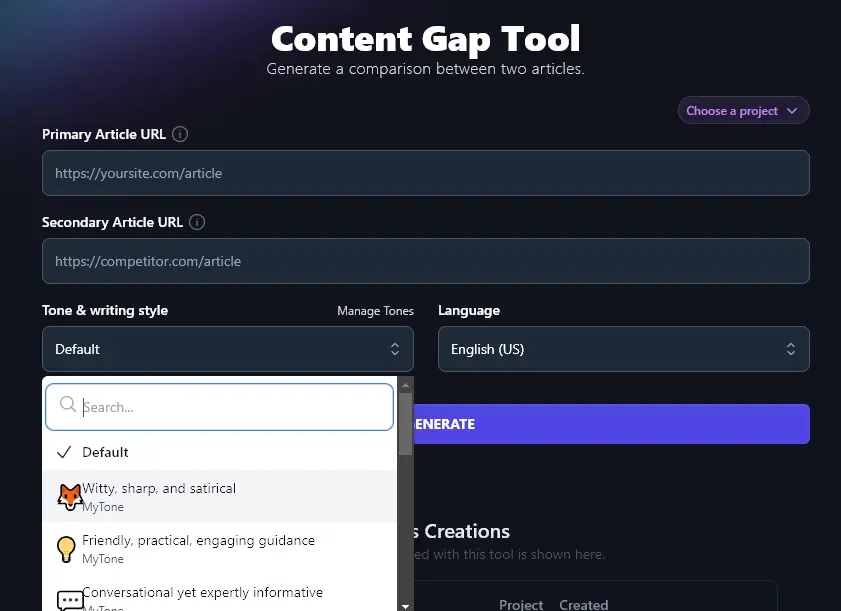
As well as the 16 preset styles you can choose from, RightBlogger lets you build a completely custom style with MyTone. Paid plans include multiple MyTone voices, so you could keep one for your blog and another for internal documents like this report.
Once you’ve created your MyTones, you can select them from the Tone & Writing Style dropdown in any generative RightBlogger tool:
Note: Every RightBlogger account includes MyTone. The free plan saves one custom style, and paid plans save 5 (Solo), 15 (Pro), or 50 (Agency).
4. Language (100+ Languages to Choose From)
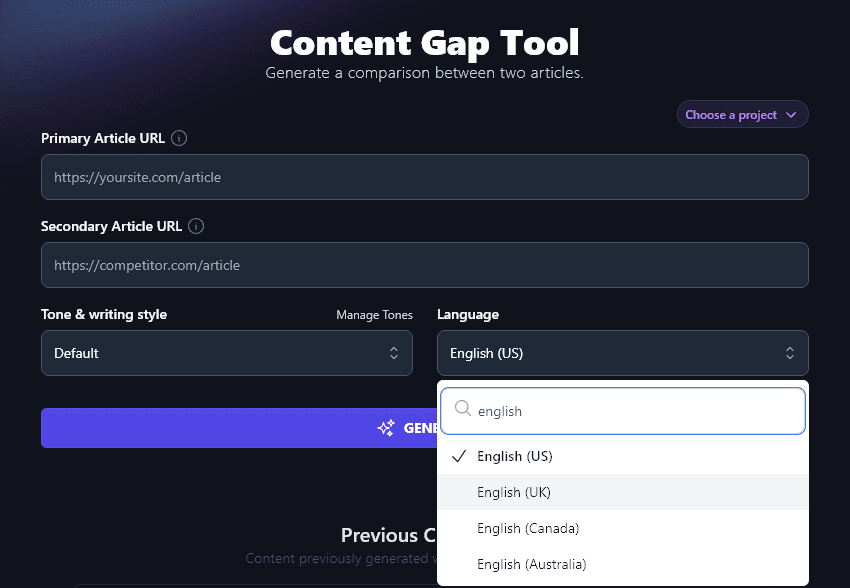
RightBlogger can create your content gap analysis in any of 100+ languages. You don’t have to stick with English! To find a language, simply type it into the dropdown’s search box.
By default, RightBlogger creates the report in US English, but as well as selecting a completely different language, you can also choose another variety of English: UK, Canada, or Australia.
Content Gap Analysis FAQs (Frequently Asked Questions)
Got questions about the content gap analysis tool or about what a content gap analysis involves? Here’s everything you need to know.
Can the Content Gap Analysis Tool Analyze Whole Websites?
No. The content gap analysis tool is designed to compare 2 articles. It can’t analyze your entire website for potential content gaps.
If you’re looking for content ideas and keyword opportunities that you may have missed, try the Keyword Cluster Tool to create SEO clusters of related keywords.
Tip: Tools like Semrush and Ahrefs can be used to analyze whole websites, but these do have a relatively high price tag.
What is a Content Audit?
A content audit is different from a content gap analysis.
Typically, a content audit is an in-depth review of a website’s content, designed not only to improve the website’s SEO strategy and fill content gaps, but also to look at user experience, brand identity, the buyer’s journey, and more.
How Can I Improve My Content?
In general, the best way to improve underperforming content and get more organic traffic is to ask yourself what your audience needs. This should be at the core of your marketing strategy.
For marketing/sales content, think about pain points and your sales funnel. How can you explain and show potential customers exactly how they’ll benefit? Nailing this can dramatically improve your conversion rates.
For blog posts (across different formats like articles, case studies, listicles, etc), you can rise up the search rankings and reduce your bounce rate by delivering content that fully satisfies the search intent. You may also need to experiment with a new keyword, if you’ve chosen one that’s highly competitive and very difficult to rank for. Long-tail keywords are usually the easier win here.
You can also look at where your competitors rank in Google and see what they’re doing differently from you, beyond a content gap analysis. For instance, perhaps their site is more user-friendly than yours.
What Other AI Tools Can I Use to Improve My Content and SEO?
RightBlogger has loads of other tools to help you create high-quality content, along with advanced SEO tools. Whether you want to optimize your current content or create brand new content, you’ll want to take a look at:
- Article Writer: instant content creation. Draft a full-length article that satisfies the search intent for a specific keyword
- Keyword Research Tool: get on-topic keywords along with useful metrics like the keyword difficulty and search volume rating
- Backlink Checker: see what backlinks competitor websites are getting … and use this to inform your own backlink-building strategy
- Feature/Benefit/Outcome: perfect for landing pages, this tool helps you show potential customers exactly what they could get from your product or service
- Summarizer: helpful for market research, the summarizer lets you quickly glean the essentials from long web pages, videos, or other valuable content
- People Also Ask: another way to find keywords or fill a keyword gap, the “People Also Ask” tool shows what users are searching for in Google
We also have social media tools, productivity tools, sales tools, digital marketing tools, and more. We’ve even got an AI image generator to create visuals for your blog and social media.
Who is the AI Content Gap Analysis Tool For?
We designed the AI content gap analysis tool for anyone who wants to improve their search engine rankings. That means bloggers, entrepreneurs, content creators, content marketers, SEO professionals, small business owners, and more.
How Do I Sign Up For RightBlogger and How Much Does it Cost?
RightBlogger plans are monthly $59 (annual $49) (Solo), monthly $89 (annual $69) (Pro), and monthly $299 (annual $199) (Agency), each with unlimited use of every tool plus advanced features like MyTone, Projects, and the Knowledge Library. You can see RightBlogger pricing.
Sign up for RightBlogger and start running content gap analyses right away.