
People Also Ask Tool: Find PAA Questions & Keyword Ideas
Discover People Also Ask questions, "also asked" variations, and long-tail keyword ideas by country and language to plan SEO content that matches search intent.
RightBlogger’s free People Also Ask tool surfaces the real questions people ask Google about any keyword. Enter a keyword above and use it as much as you need, with no sign-up first.
This free AI People Also Ask Tool pulls real PAA questions and Google autocomplete suggestions for any seed keyword in seconds, then groups them by intent so you can plan content that matches what people actually search.
Whether you want to expand a blog post with a targeted FAQ section, generate new post ideas, or build a topical cluster, the tool gives you the raw queries that drive each of those.
What Exactly Are “People Also Ask” Questions?
You’ve probably run a Google search at some point and seen the “People Also Ask” section on the search engine results page (SERP). It looks like this:

These questions are taken from other Google queries. Some will be more common than others, but all will be things that multiple people are typing into Google.
This means they’re great options for your primary or secondary keywords.
The problem is, each Google search will only give you 4-5 of these “People Also Ask” listings. You can get more by expanding them, but it takes time, and you’ll probably want to run more searches.
Another way to get these types of search queries is to use autocomplete. Start typing a query into Google’s search box and you’ll see a list of potential searches (these are generated from other people’s search requests).

Our “People Also Ask” tool uses AI to do all this for you! It comes up with a whole list of long-tail keywords based on the People Also Ask results and on Autocomplete.
Tip:“People Also Ask” questions are sometimes also known as “PAA Questions”.
How to Use the Free People Also Ask (PAA) Tool
Three quick steps:
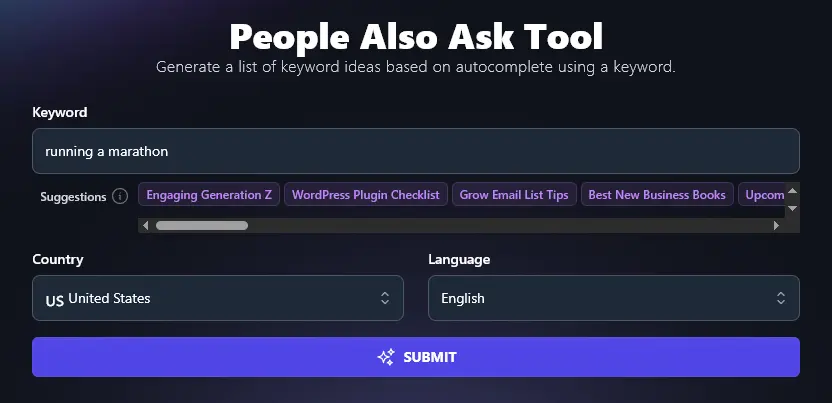
Step 1. Enter a Starting Keyword
To get started, you need to give the tool a keyword to work on (just like running that keyword through Google or another search engine to get these results).
Step 2. (Optional) Select a Country
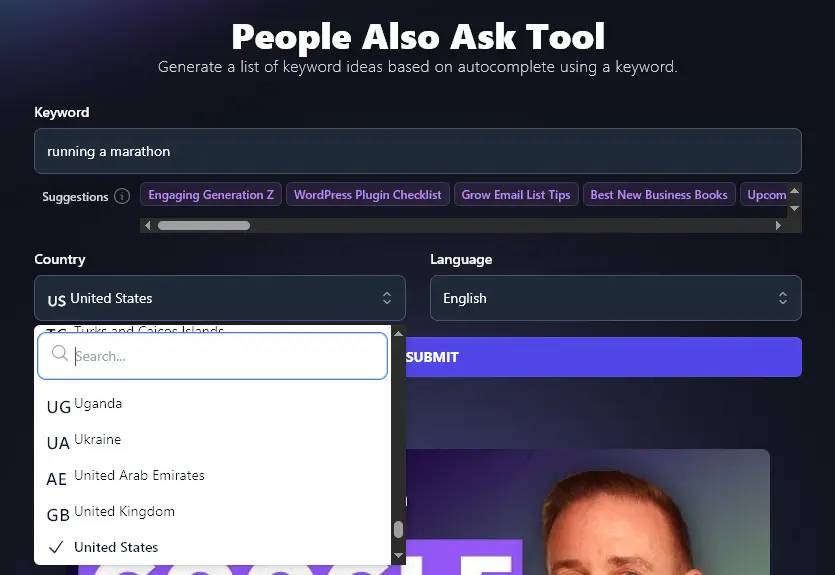
The questions people ask, and the search terms they use, vary from country to country.
For instance, search results in the US for “health insurance” will be quite different from search results in the UK (which has free universal healthcare). Some PAA questions will also be location-specific (e.g. “which health insurance is best in UK” vs (“how health insurance works in USA”).
If you’re optimizing for a US or global audience, you can leave the dropdown set to “United States”. If you’re optimizing for a local audience, pick your own country here.
Step 3. (Optional) Select a Language
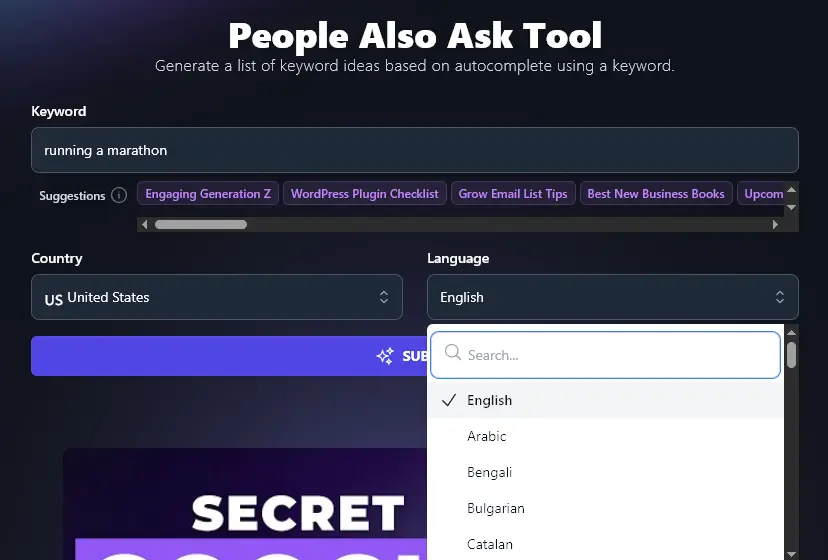
If you’re writing content for a non-English speaking audience, select your language here. The AI will use that language to prepare your list of PAA keywords.
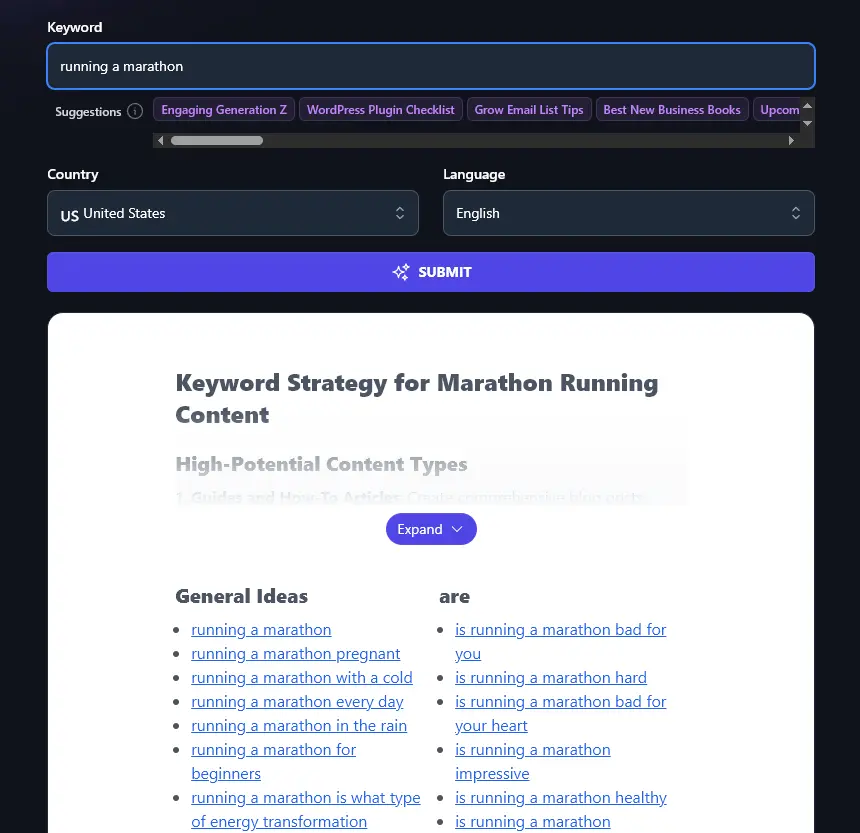
Once you’re happy with the options you’ve entered, go ahead and click the “Submit” button to create your People Also Ask keywords list.
Before we cover how to use the results, here’s an SEO checklist worth running through for any post you build around these keywords.
Bonus: A Free SEO Checklist for PAA Content
Incorporating People Also Ask keywords into your content is one of the most direct ways to earn featured snippets and PAA placements yourself (see our guide on how to get a Google featured snippet for the full play). But there’s a lot more you can do as well.
This is my personal on-page SEO checklist for every piece of content I publish:
- Using WordPress? Make sure you have a good SEO plugin like Yoast SEO or RankMath
- Use the Keyword Research Tool to check whether your chosen PAA keyword is worth optimizing a whole post around (look for medium volume & low difficulty)
- Use keywords in your subheadings, where possible, to encourage Google’s rich snippets and faster indexing
- Stick to a single H1 header on your page, that’s your title at the top
- Follow correct header hierarchy, with H2 subheadings and H3 sub-subheadings
- Write naturally, using your primary keyword a few times within your text (without going over the top)
- Add in a good mix of both internal and external links, with at least 3+ external links
- Craft a meta description that includes your keywords and that’s designed to grab readers’ attention
- Add alt text to every image in your post, using keywords in this if it makes sense to do so
- Make sure you’ve written a long enough piece to rank well (aim for 1,500+ words)
- Write a compelling meta title (SEO title) that incorporates your primary keyword, preferably at the start
- Use your primary keyword as your post’s permalink, without any little words like “a” or “to”
How to Use Your List of People Also Ask Keywords
After you run the People Also Ask Tool, you’ll get a detailed list of keywords. Here’s how to actually use them:
Not Sure About Your Content Strategy? Use the “Expand” Button to Get Help Using These Keywords
The RightBlogger AI has automatically done a lot of the work for you, analyzing the list of content ideas and their general search intent. It’ll come up with suggestions on what types of content you should prioritize in your digital marketing plan.
To see the full suggestions, you need to click the purple “Expand” button above your list of keywords.
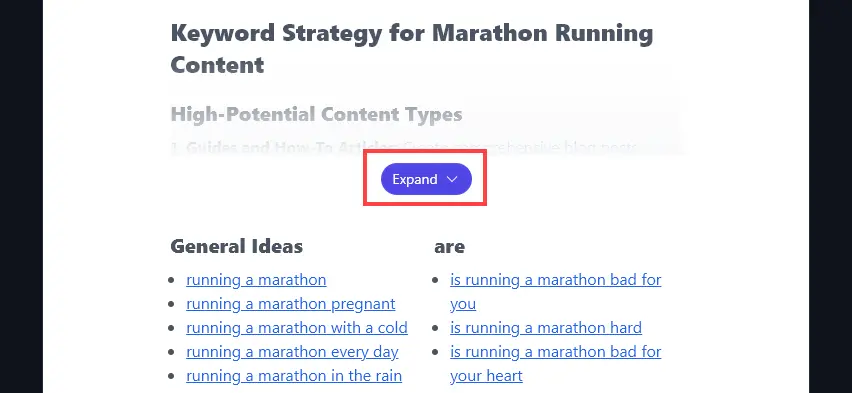
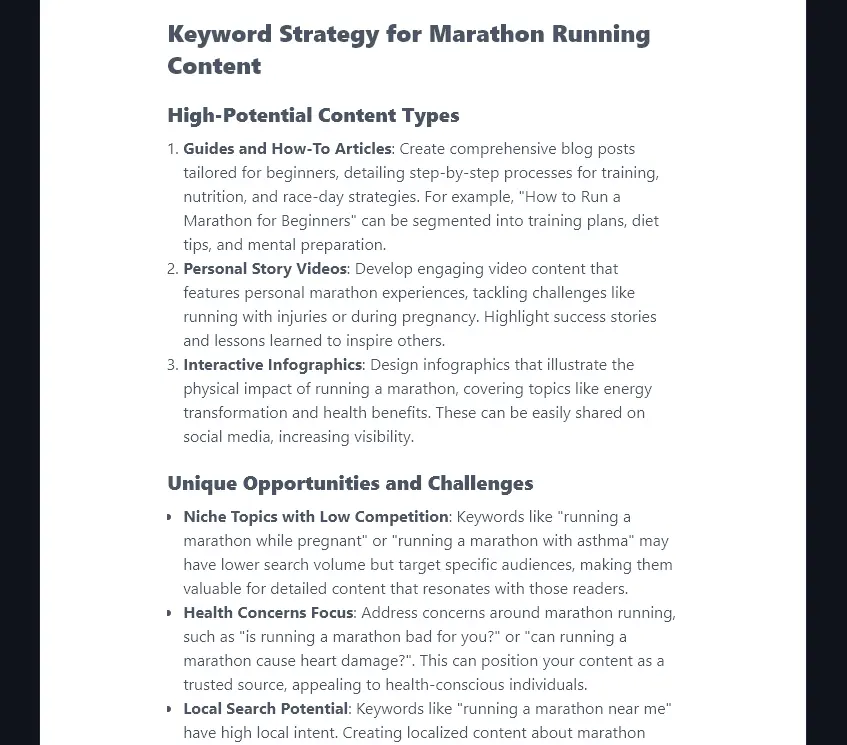
You’ll then see detailed guidance on:
- High-Potential Content Types: This section will give you at least 3 ideas on types of content that are likely to do well with your audience.
- Unique Opportunities and Challenges: This section will pull out specific examples of keywords that you could use to differentiate your brand and content from other sites.
Understanding Your List of Keywords
The People Also Ask tool will come up with all kinds of keywords, splitting these up into categories.
The first category is “General”. These tend to be the keywords most closely related to your starting keyword.
The other categories will mainly go through common question words, e.g. is/are (“is running a marathon bad for your heart?”) and “where” (“where to run a marathon near me?”).
You can use keywords from any part of the list. They aren’t prioritized by volume or competition in any way, so use the Keyword Research Tool to check those metrics. PAA keywords are also a strong starting point for building a topical authority map across a niche (group related PAA questions into clusters, then plan a hub post + supporting posts for each cluster).
Loading a Keyword in the Keyword Research Tool
Spotted a keyword you think would make a great blog post? Click on it to load it up in the Keyword Research Tool.

You can then simply run the keyword research tool to see if that keyword has enough volume to be worth writing about.
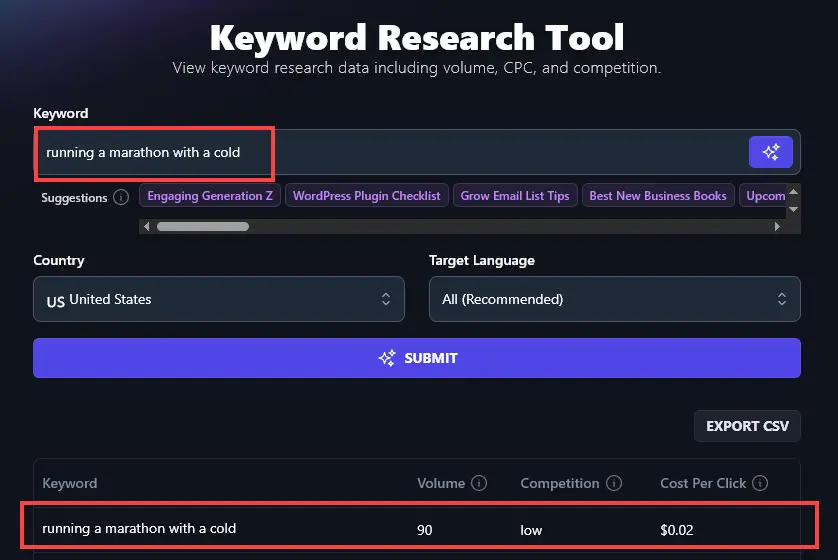
Here, the keyword “running a marathon with a cold” only has a search volume of 90 monthly searches in the US. We normally recommend targeting keywords with a volume of around 1,000-10,000.
That keyword also has a low keyword difficulty rating, so it could well be worth targeting as a secondary keyword in a more general article (e.g. a piece on “running when sick”).
People Also Ask Tool FAQs
Does the People Also Ask Tool Only Pull Questions from the PAA Box?
If you run a search on Google, you’ll often see the PAA box in the Google search results. Here it is for “running a marathon”.

The People Also Ask tool also draws on Google Autocomplete data (from real users). So it goes beyond just what you’ll see in the box to come up with lots of related questions and extra user searches, like “running a marathon pregnant” and “is running a marathon hard?”
How Does the People Also Ask Tool Compare With Other Tools, Like Answer the Public?
Tried tools like AlsoAsked, Answer the Public, or Backlinko’s PAA tool? RightBlogger’s People Also Ask tool gives you similar results, plus AI-powered content strategy suggestions with the “Expand” button. AlsoAsked focuses on visual tree diagrams of PAA relationships, while our tool groups keywords by intent and gives you actionable next steps.
With Answer the Public, you only get 3 daily searches for free. AlsoAsked limits free users to 3 searches per month. With RightBlogger, you get generous search limits on every plan, starting at just monthly $59 (annual $49) for Solo. See RightBlogger pricing.
Can I Use PAA Data to Optimize for AI Search and AI Overviews?
Yes. People Also Ask questions reflect the exact queries that AI search engines (like Google’s AI Overviews, ChatGPT, and Perplexity) use to generate answers. By structuring your content around PAA questions with clear, direct answers in the first 1-2 sentences, you increase your chances of being cited in AI-generated responses. This practice is sometimes called Answer Engine Optimization (AEO) or Generative Engine Optimization (GEO), and PAA data is one of the best starting points for it.
What Other Free Tools Can I Use to Improve My SEO?
Whether you’re writing a blog post, a landing page, or some other webpage, we have all kinds of free tools in RightBlogger to help you improve your SEO (search engine optimization). All of these are designed to be suitable for beginners.
Some of our best SEO tools to get started with include:
- Keyword Research Tool: get a list of keywords, with volumes and difficulty ratings, great for finding new keywords (you can download a CSV of results, too)
- Article Writer: full-length, high-quality AI content written for you in seconds (optimized for your primary keyword and including headings, images, links, and more)
- Content Gap Analysis: perfect for content optimization, this report tells you exactly why your competitor’s post is getting more organic traffic than yours
- FAQ Tool: create a list of FAQs with short answers, automatically (great for SEO and to target typical questions your target audience may have)
- Backlink Checker: find out what backlinks your competitors have, so you can aim to get links from the same sites
- Google Preview: see exactly what your post/page will look like in search results, with the meta title & meta description
We’ve also got social media tools, blogging tools, sales tools, and more!
Who is the AI People Also Ask Tool For?
We designed the People Also Ask Tool for content creators, bloggers, SEO professionals, small business owners, or anyone engaged in content marketing!
How Do I Sign Up for RightBlogger and How Much Does it Cost?
RightBlogger plans are $49/mo (Solo), $69/mo (Pro), and $199/mo (Agency) billed annually, and the People Also Ask tool is included in all of them. Get started free, no card needed to try the tool above.
Every paid plan includes unlimited AI words and access to all 80+ tools. Solo covers one site, Pro adds three sites and three seats, and Agency covers 10+ sites and five seats. Every paid plan starts with a 7-day free trial and a 30-day money-back guarantee.